Browser Based Webinar Platform: The Complete Guide

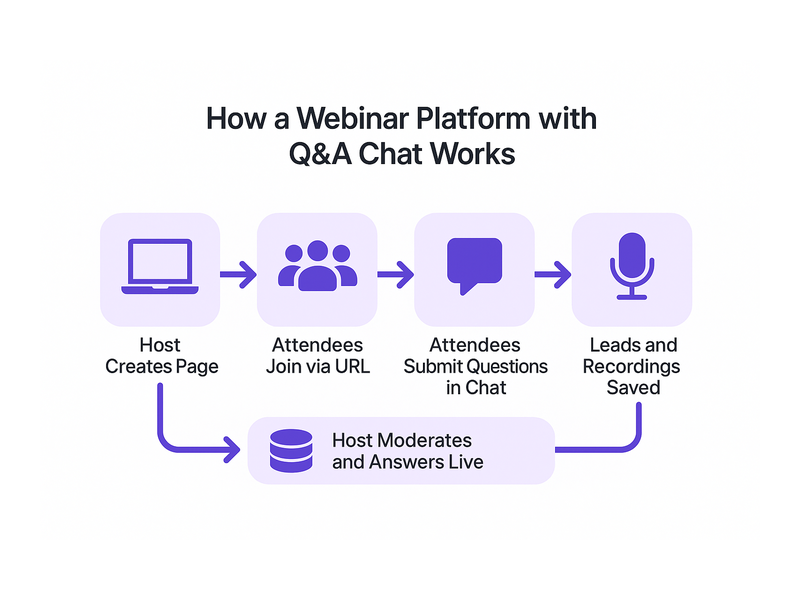
A browser based webinar platform gives you the power to host live events directly in any web browser, with no software to install and no plugins for your attendees to manage. Pageinar is built on exactly this principle: visit the site, log in with Google, and your broadcast page is ready to customize and share within minutes. In today’s fast-moving digital landscape, the tools that remove friction win, and a browser based webinar platform is the clearest example of that advantage.

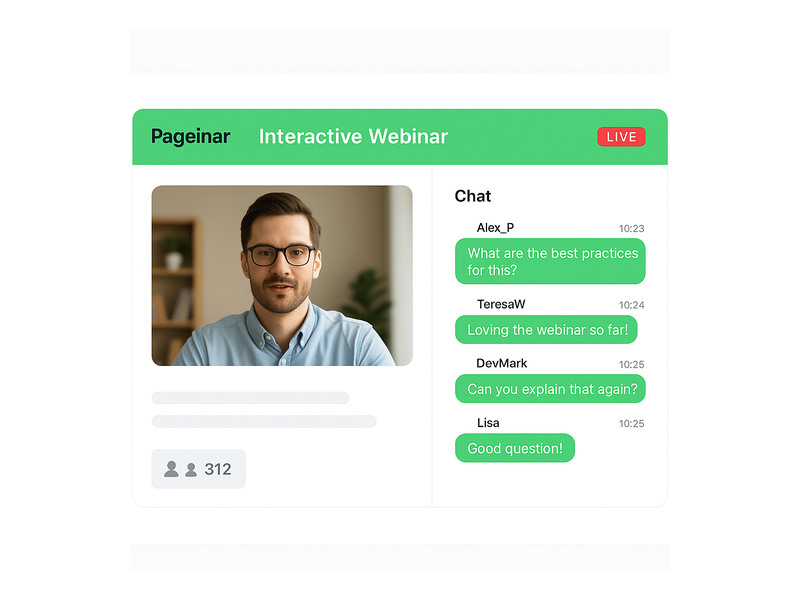
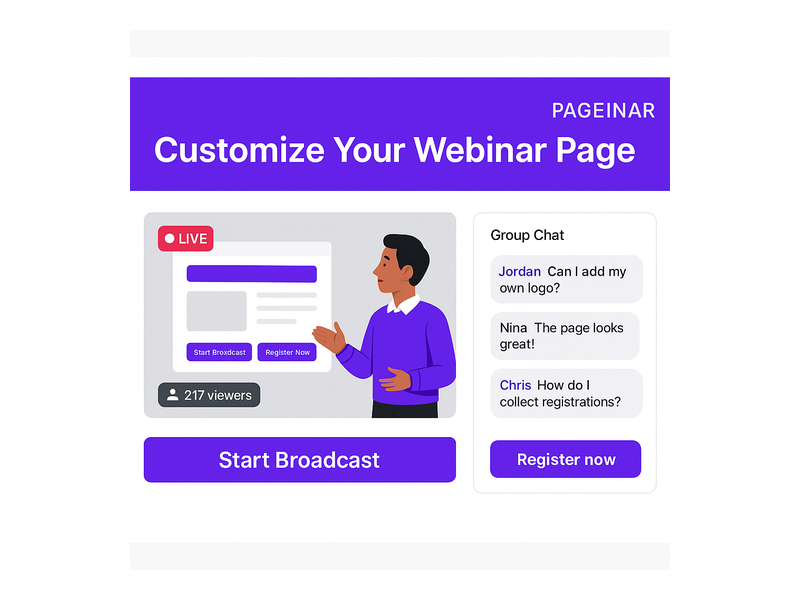
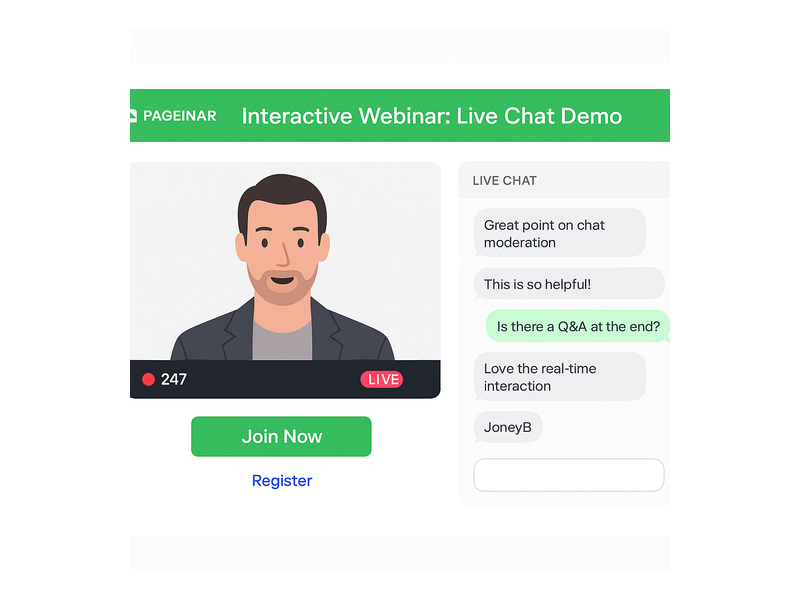
Pageinar webinar landing page illustration 1

What Is a Browser Based Webinar Platform?

A browser based webinar platform is a hosted live event service that runs entirely inside a standard web browser. Therefore, neither the host nor the attendees need to download any application. Instead, the host customizes a branded landing page, shares the URL, and viewers simply click the link to watch, chat, and register. This approach removes the single biggest friction point in traditional webinar software: the installation barrier.

Moreover, browser based solutions are platform-agnostic by nature. For example, attendees can join from Windows, Mac, iOS, or Android without any compatibility concerns. In fact, research from the Pew Research Center consistently shows that audiences are far more likely to participate in online events when no special software download is required. A browser based webinar platform lowers that barrier to zero.

No Downloads, No Plugins, No Barriers

Additionally, the traditional webinar model forces attendees through a frustrating multi-step setup. First, they download a desktop application. Second, they grant microphone and camera permissions. Third, they troubleshoot audio issues and finally join the event, often several minutes late. A browser based webinar platform eliminates every one of those steps. As a result, your attendance rate improves because the path from invitation to live event is completely frictionless.

Pageinar takes this idea one step further. Hosts log in via Google and land immediately on their broadcast landing page. Furthermore, the page is fully editable: cover image, avatar, event title, description, and social links. In short, your entire webinar presence is live in minutes, not hours.

Key Features of a Browser Based Webinar Platform Like Pageinar

Not all browser based webinar platforms deliver the same feature set. However, Pageinar stands out by combining live broadcasting, lead collection, real-time chat moderation, and recordings into one hosted page. Together, these features give event organizers everything needed for a professional event without juggling multiple third-party tools.

Two Modes: Registration and Broadcasting

Pageinar’s broadcast page operates in two distinct modes. First, Registration Mode lets you publish a pre-event landing page where visitors sign up and view event details. Second, when you are ready to go live, you toggle to Broadcasting Mode and click Start Broadcast. Therefore, the same URL serves both purposes across the entire event lifecycle, so you never need to send your audience a different link.

In Registration Mode, you configure the welcome message, event date and time, a countdown timer, and a header image or video. Additionally, you can collect custom lead fields such as First Name, Last Name, Company, and phone number. For example, a B2B marketer can capture qualified prospects before a single frame of video is ever streamed.

Integrated Chat for Real-Time Engagement

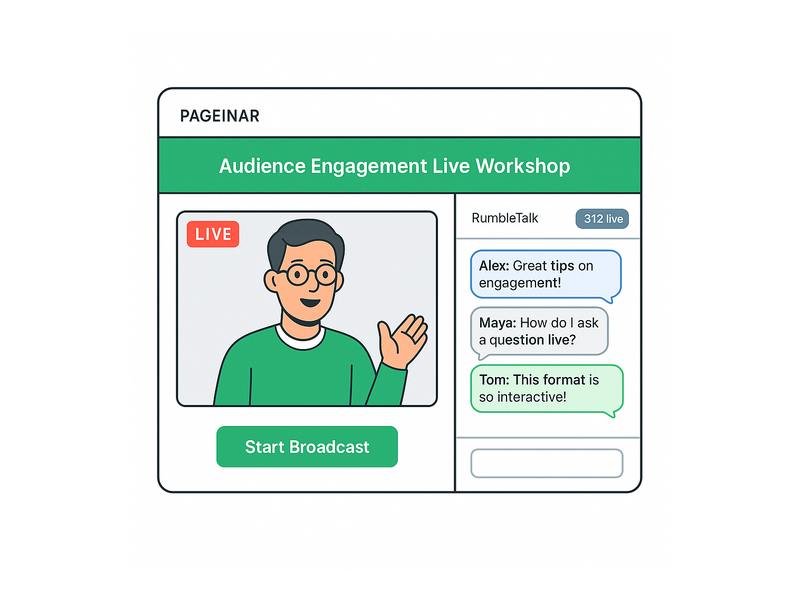
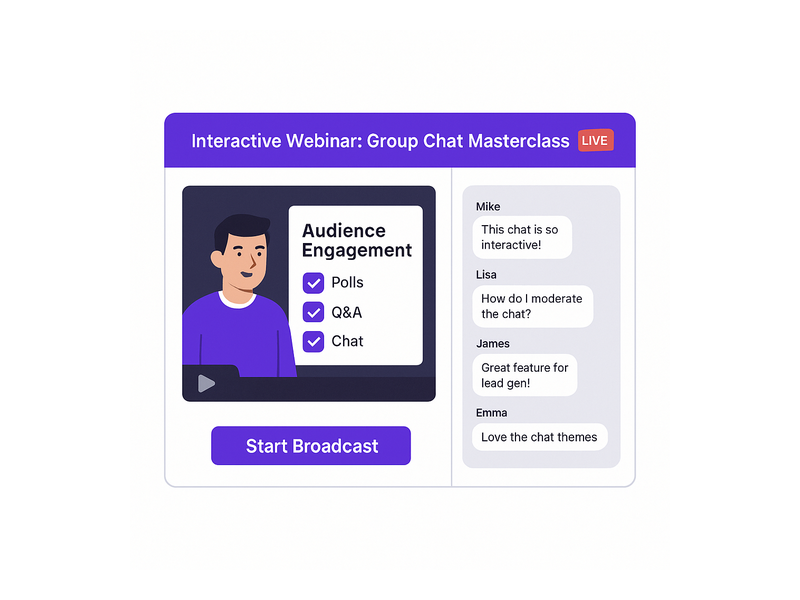
Alternatively, many platforms treat chat as an afterthought. Pageinar integrates RumbleTalk group chat directly on the broadcast page. In fact, the chat panel sits side-by-side with the video player so attendees never need to leave the page to interact. Furthermore, hosts have full moderation controls: mute participants, remove messages, configure visual themes, and set an offline message when the broadcast ends.

Together, live video and real-time chat create the interactive atmosphere that separates a strong browser based webinar platform from a simple video stream. Moreover, you can customize the chat theme to match your brand colors directly from the Settings panel, giving every event a cohesive visual identity.

Lead Collection and the Registered List

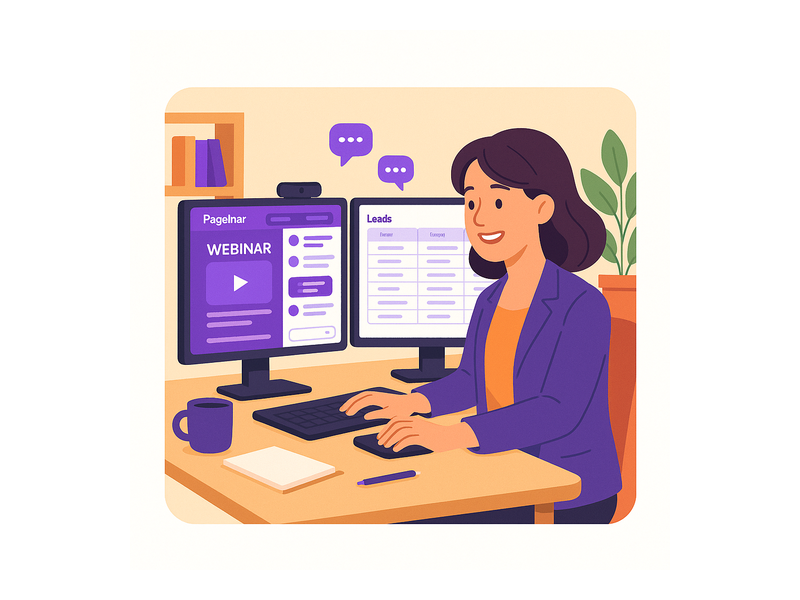
One of the most powerful features on any browser based webinar platform is automated lead capture. Specifically, Pageinar’s Registration Settings let you toggle on any combination of lead fields. In addition, every submission is stored in the Registered List, which you can search by name or email and export as a CSV. Therefore, you finish every event with a clean, qualified list of prospects ready for your CRM.

Ideally, you pair your registration form with a compelling welcome message and a visible countdown timer to build anticipation. For example, displaying a timer showing only 48 hours until the broadcast creates urgency that drives sign-ups. As a result, you can often double your registration rate compared to a plain static sign-up form.

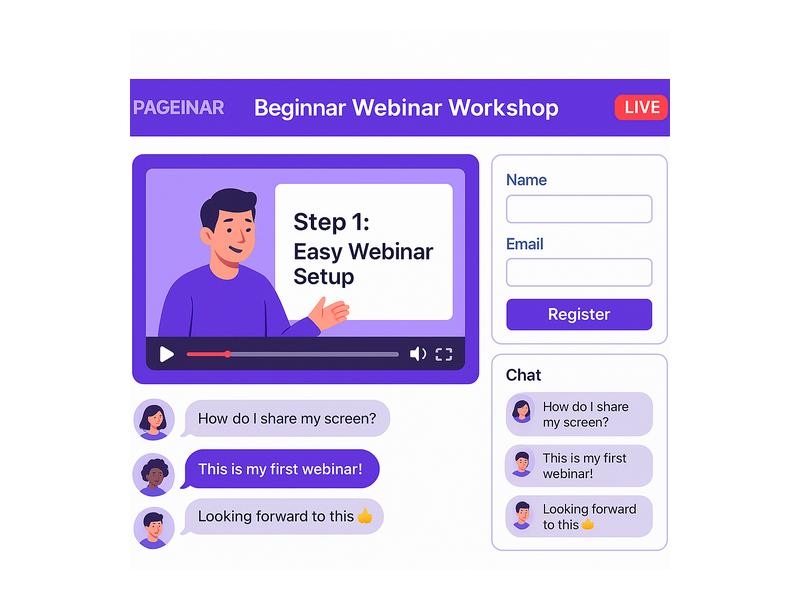
Pageinar webinar landing page illustration 2

How to Set Up Your Browser Based Webinar Platform in Minutes

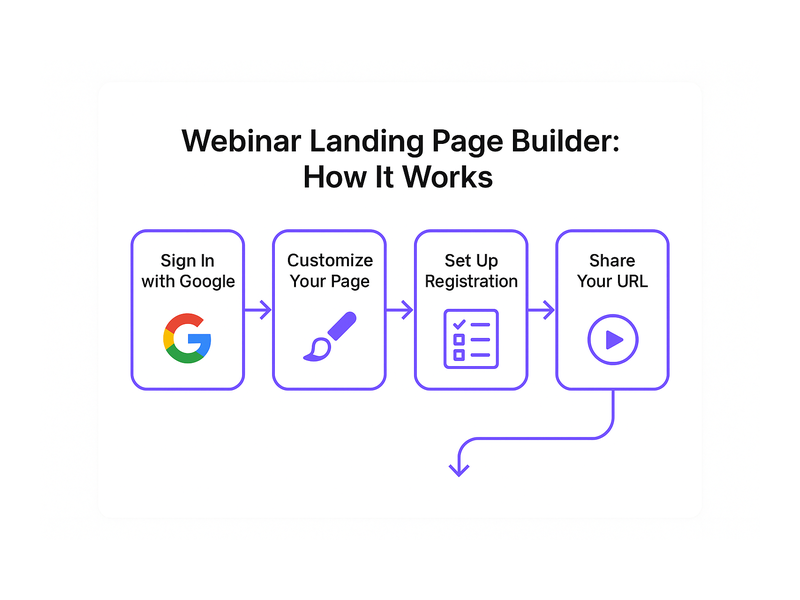
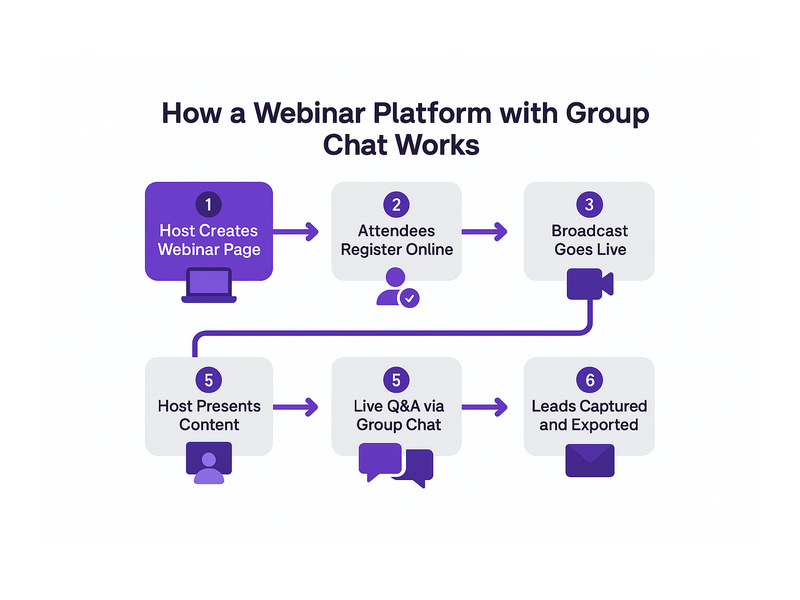
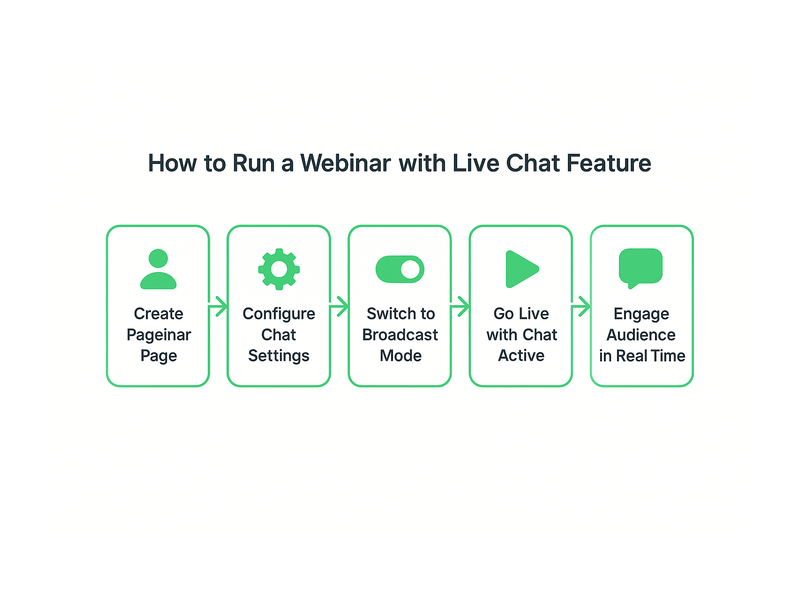
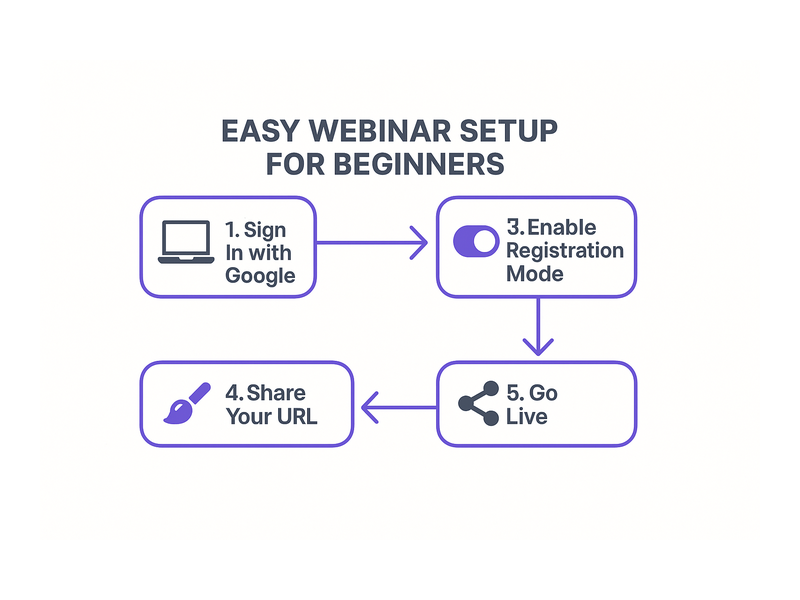
Setting up Pageinar as your browser based webinar platform requires zero technical knowledge. First, visit Pageinar, the instant browser based webinar platform and sign in with your Google account. Second, you land on your main broadcast page automatically. Third, click any element in the header to edit your cover image, avatar, title, and description. Finally, open the gear icon to access the Settings panel and configure registration forms, chat behavior, and broadcast options.

Additionally, the Settings panel gives you granular control over the entire event experience. For example, in Broadcast Settings you can add a page password so only invited guests can access the stream. Furthermore, you can connect your social media profiles so attendees can follow your channels after the event ends.

Going Live on Your Browser Based Webinar Platform

When your event date arrives, toggle the page to Broadcasting Mode and press the Start Broadcast button. In fact, your live video stream begins immediately inside the browser with no additional software prompt. Moreover, the viewer count updates in real time so you can see exactly how many people are watching at any moment. For a full step-by-step walkthrough, visit the Pageinar Knowledge Base: how to start a live video on Pageinar.

After the broadcast, your recordings appear automatically in the Broadcast Recordings section. Therefore, you can share the replay with anyone who missed the live session. Furthermore, you can export the recording for repurposing as short video clips, highlight reels, or supporting content for a blog post.

Who Benefits Most from a Browser Based Webinar Platform?

A browser based webinar platform is useful across a wide range of industries and roles. However, certain use cases are particularly strong fits for the hosted page model that Pageinar provides.

B2B Businesses and Marketers

For B2B teams, a browser based webinar platform functions as a lead generation machine. First, you publish the registration page and drive traffic via email campaigns or LinkedIn. Second, qualified leads register and submit their contact details. Third, you deliver a live product demonstration or thought leadership session. As a result, you convert cold traffic into warm, sales-ready leads without ever leaving the browser. Organizations including Nasdaq and HP have relied on Pageinar for exactly this kind of high-stakes live event.

Educators and Online Trainers

Additionally, educators find a browser based webinar platform ideal for virtual classrooms. In other words, students join from any device without installing any software. Furthermore, the integrated chat allows real-time Q&A during the session. In fact, the moderation tools let instructors keep the conversation focused and productive throughout the class.

Event Organizers and Community Managers

Moreover, event organizers running virtual conferences or community meetups benefit greatly from Pageinar’s simplicity. For example, a community manager can launch a weekly live stream using a single consistent branded URL that members bookmark and return to week after week. Furthermore, the recording feature means latecomers can catch the replay on demand. Alternatively, organizers can password protect the page to create exclusive members-only events.

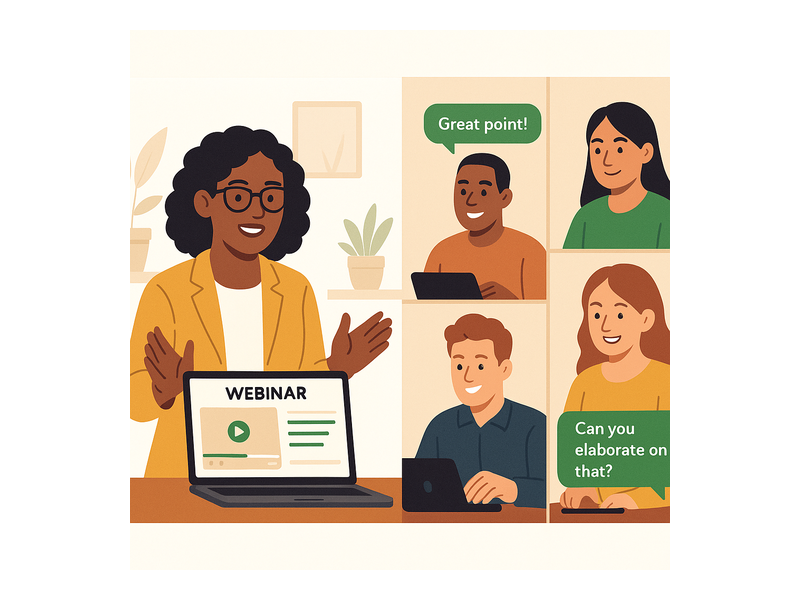
Pageinar webinar landing page illustration 3

Best Practices for Hosting on a Browser Based Webinar Platform

To get the most from your browser based webinar platform, follow these proven practices. First, always set up and publish your registration page at least one week before the event to give your audience enough time to sign up. Second, customize your cover image and avatar to match your brand so the page looks polished and professional from the moment visitors arrive. Third, configure the countdown timer to build anticipation and create a sense of urgency in the days leading up to the broadcast.

Additionally, test your broadcast connection before going live. In fact, clicking Start Broadcast in a private session lets you verify audio and video quality without any audience watching. Moreover, prepare a chat administrator to monitor messages and respond to attendee questions during the stream. Together, these steps ensure a smooth, professional experience that keeps your audience engaged from start to finish.

After the Event: Follow Up and Repurpose

After the broadcast ends, your work on the browser based webinar platform is not finished. First, export your Registered List and import it directly into your CRM or email marketing platform. Second, download your recording from the Broadcast Recordings section and edit it into short clips or highlight reels. Third, share the replay across your social channels to extend your content’s reach well beyond the live event. Therefore, a single broadcast generates multiple assets and a fresh batch of warm leads.

Furthermore, review the chat transcript for the most common attendee questions. In other words, those questions are ready-made content ideas for your next blog post, Knowledge Base article, or follow-up webinar topic. As a result, each live event feeds directly into your next content campaign and keeps your marketing engine moving forward.

Why Pageinar Is the Right Browser Based Webinar Platform for You

In short, a browser based webinar platform removes the technical barriers that have traditionally prevented teams from running live events consistently. Pageinar combines a fully branded broadcast page, integrated live chat, automated lead collection, and on-demand recordings into one hosted URL. Moreover, the platform requires no plugins for attendees and no code installation for hosts. In fact, you can go from a blank page to a live broadcast in under five minutes, making it one of the fastest paths to a professional live event available today.

For more inspiration on what is possible with Pageinar, read Unlock the Power of Seamless Webinars with Pageinar: Welcome to a New Era of Online Engagement!. Together with the practical guidance in this article, that post gives you a solid foundation for launching your first event with confidence and growing from there.

Start Using a Browser Based Webinar Platform Today

Ready to host your next live event without any software installs, plugin prompts, or technical headaches? Visit Pageinar, the browser based webinar platform built for speed and simplicity, and log in with your Google account. Your broadcast page is already waiting. Customize it, share the URL, and start connecting with your audience live, today.

Group Chat Webinar: Run a No-Install Webinar Platform

A group chat webinar on a no-install webinar platform is the fastest path to live audience engagement without technical barriers. Traditional platforms force attendees to download desktop clients or install browser extensions before they can participate. Pageinar eliminates that friction entirely by hosting everything on a permanent browser-based landing page. Share one URL, and viewers join your group chat webinar from any device instantly, with no software installation required on the attendee side. Trusted by organizations including Nasdaq, Wix, HP, and Sony Music, Pageinar proves that powerful live broadcasting and interactive group chat can coexist without complexity.

Pageinar webinar landing page illustration 1

Why a No-Install Webinar Platform Transforms Group Chat Engagement

Most hosts underestimate how much a single download prompt costs in audience drop-off. Moreover, corporate attendees often cannot install software due to IT restrictions on company devices. Therefore, a no-install webinar platform directly improves attendance and participation rates before the event even begins. In fact, when viewers can join a group chat webinar by simply clicking a link, engagement metrics improve across the board. Additionally, mobile attendees on tablets or smartphones join just as easily as desktop users, expanding your potential reach with no extra configuration.

The Friction of Traditional Webinar Tools

Traditional webinar platforms depend on desktop applications that require administrator permissions to install. Additionally, attendees regularly encounter version conflicts, firewall blocks, or unsupported browser plugin errors. As a result, hosts spend the opening minutes of every session on technical troubleshooting instead of delivering value. For example, a single failed plugin installation can cause an attendee to abandon the session entirely. However, a browser-based approach removes every one of those failure points. According to Wikipedia on web conferencing, browser-based access is increasingly the standard for modern online broadcast tools.

How Pageinar Removes These Barriers

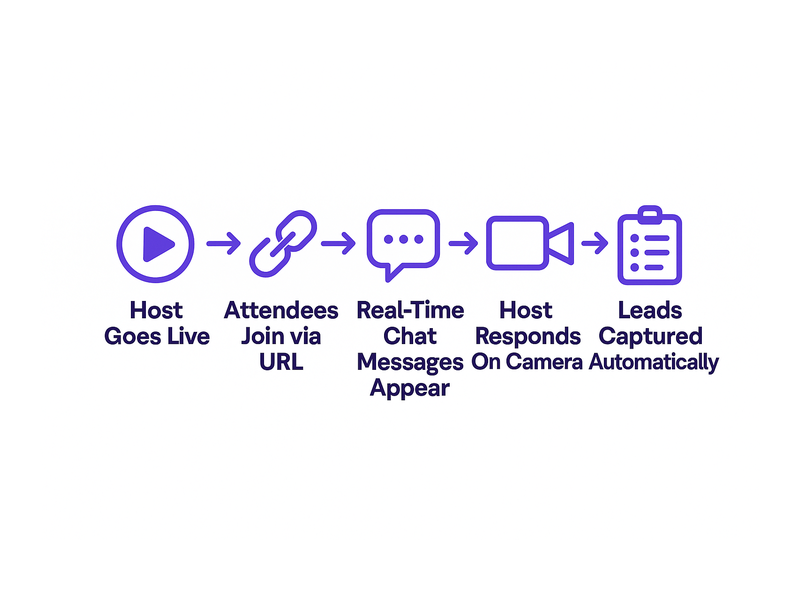
Pageinar hosts the entire broadcast experience on a permanent landing page at a URL you own. First, the host customizes the page at Pageinar by logging in with Google. Second, the host shares the URL via email, social media, or a calendar invite. Third, attendees click the link and land directly on the broadcast page with the group chat already loaded in their browser. No download prompt interrupts the process. Furthermore, the same URL works for both Registration Mode before the event and Broadcasting Mode during the live group chat webinar session.

Core Group Chat Webinar Features That Drive Interaction

Pageinar builds its group chat webinar experience around RumbleTalk, a professional chat engine with enterprise-grade moderation and customization features. Consequently, hosts get capabilities that far exceed a basic comment box or a simple emoji reaction bar. For example, chat admins can silence participants, remove inappropriate messages, promote speakers, and highlight key questions from the audience during a live session. Moreover, multiple visual themes let you match the chat panel to your brand identity and event style. In short, every group chat webinar on Pageinar feels polished, intentional, and fully under the host’s control from start to finish.

Chat Themes, Moderation, and Offline Messaging

Pageinar offers several distinct chat themes that hosts can switch inside the Chat Settings panel at any time. Additionally, the offline message feature keeps the chat panel warm and welcoming before the live broadcast begins. Therefore, early arrivals see a helpful message rather than a blank or inactive screen. Ideally, the offline message sets expectations for the upcoming group chat webinar: what topic will be covered, when the broadcast starts, and how attendees can interact. Together, these small but significant details improve the pre-event experience and reduce viewer anxiety before the session begins.

Registration Mode and Lead Collection

Before the broadcast, the host can flip the page to Registration Mode so visitors see a branded sign-up form instead of the broadcast area. Attendees enter their name, company, email, phone number, and any custom fields the host has enabled. Furthermore, a countdown timer displays the time remaining until the group chat webinar begins, building anticipation. After the session, the host exports the full lead list from the Registered List view with a single click. You can learn the full process step by step in the Pageinar Knowledge Base: How to Collect Leads Before the Broadcasting Event.

Pageinar webinar landing page illustration 2

Setting Up a Group Chat Webinar on a No-Install Webinar Platform

Setting up a group chat webinar on Pageinar takes under five minutes from first login to a live-ready page. First, log in with your Google account at pageinar.com. After logging in, your broadcast page is immediately live and ready to edit. In addition, all settings are accessible from a single gear icon, so you never need to navigate between multiple dashboards or configure separate integrations.

  1. Customize the header: Upload a cover image or choose a background color. Add your avatar, event title, and a short description that tells viewers exactly what to expect.
  2. Configure the group chat: Open Settings and select Chat Settings. Pick a chat theme, set an offline welcome message, and assign a chat admin if needed.
  3. Enable Registration Mode: Toggle to Registration Mode in the top-right corner. Set the event date and time, configure lead collection fields, and upload a header image or short video clip.
  4. Share the URL: Copy your page URL and distribute it via email, social media, or a calendar invite. Attendees open the link and join with no installation required on any device.
  5. Go live: Switch to Broadcasting Mode and click Start Broadcast. The live video and group chat appear side by side for all viewers simultaneously and instantly.

Customizing the Page for Maximum Impact

Visual design creates a strong first impression the moment attendees land on your no-install webinar platform page. Ideally, the cover image reflects your event theme and includes the webinar title in bold, readable text. Moreover, selecting the right chat theme ensures the group chat panel feels integrated with the rest of your page rather than a generic bolt-on. Together, these visual choices communicate professionalism before the broadcast even begins. For example, a product launch page with a bold hero image and a sleek dark chat theme instantly signals quality and credibility to every viewer who opens the URL.

Broadcasting Mode and the Live Session Experience

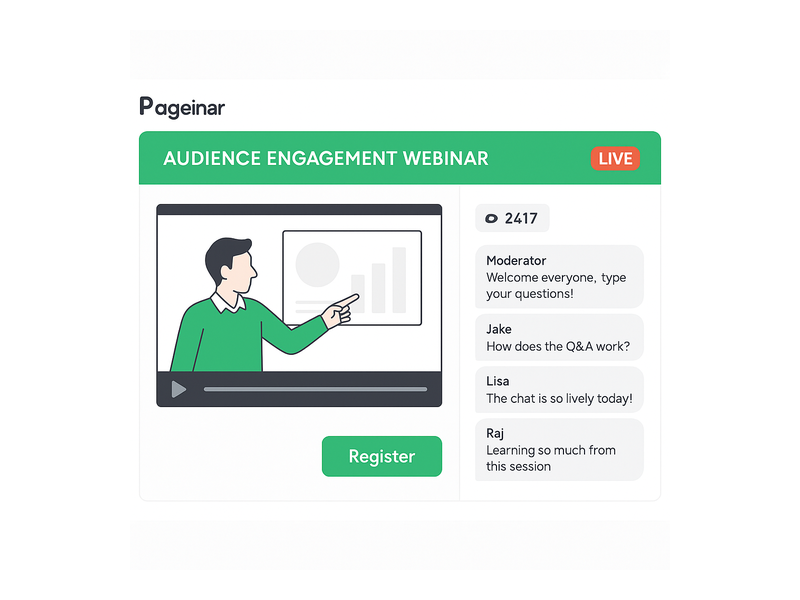
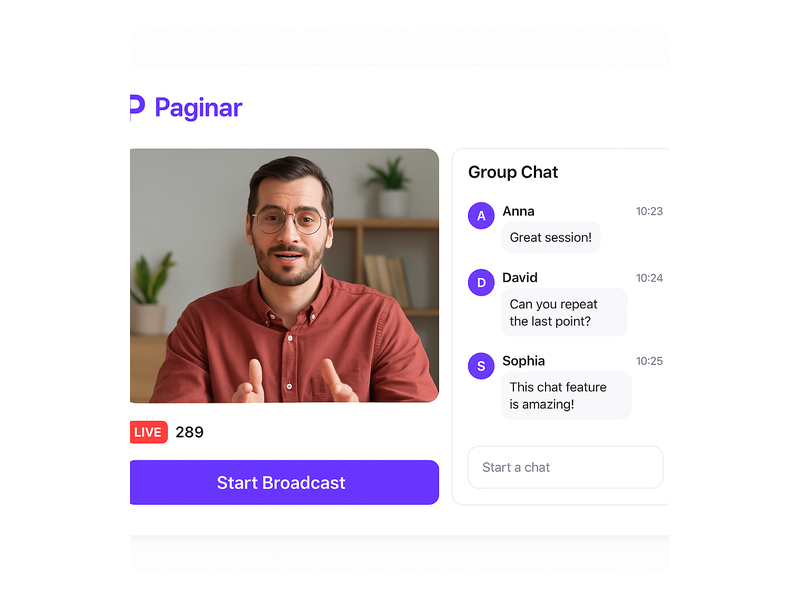
When the host switches to Broadcasting Mode, the page layout shifts to display the live video area and the group chat panel side by side in a clean split view. In fact, a real-time viewer count badge and a LIVE status indicator appear automatically so both host and attendees always know the current broadcast state. Additionally, every session is recorded automatically and stored in the Broadcast Recordings section of Settings. Therefore, hosts can share a replay link with registrants who missed the live group chat webinar, extending the value of every session well beyond the original broadcast window.

Use Cases for a Group Chat Webinar on a No-Install Webinar Platform

The no-install model makes a group chat webinar accessible to audiences that download-dependent platforms simply cannot reach. Moreover, because attendees only need a browser link, the barrier to attendance is effectively zero for anyone with a modern smartphone, tablet, or laptop. In short, any event that benefits from live video combined with real-time interactive discussion is a strong fit for a no-install webinar platform like Pageinar.

Corporate Training and Internal Communications

HR and learning-and-development teams use group chat webinars to train distributed workforces without requiring IT approval for new software on company devices. For example, a company with employees across ten countries can host a compliance training session on Pageinar and every employee joins via browser with zero setup. Additionally, the Registered List feature logs attendance automatically, giving managers a complete record without manual tracking. As a result, the administrative overhead of running live internal training sessions drops significantly, and more employees actually show up because joining is frictionless.

Product Launches and Live Customer Demos

Product and marketing teams use a no-install webinar platform to introduce new features to customers without any download friction slowing momentum. Alternatively, sales teams leverage the group chat to field real-time questions from prospects during a live demo session. As a result, the chat transforms into a dynamic live Q&A that accelerates purchasing decisions far more effectively than a static recording. For instance, a SaaS company can share the Pageinar URL in a newsletter and expect hundreds of qualified attendees to join within seconds of clicking the link, with no drop-off from installation barriers.

Community Events and Public Broadcasts

Non-profits, independent creators, and community organizers rely on no-install platforms because their audiences vary widely in technical ability and device type. Therefore, a group chat webinar on Pageinar is ideal for public fundraisers, open community Q&A sessions, and live panel discussions. Moreover, the password protection feature in Broadcast Settings allows organizers to restrict access to invited or ticketed audiences when needed. You can explore how Pageinar supports hosts of all backgrounds in Unlock the Power of Seamless Webinars with Pageinar: Welcome to a New Era of Online Engagement!.

Pageinar webinar landing page illustration 3

Why Pageinar Is the Leading No-Install Webinar Platform for Group Chat

Pageinar is purpose-built as a no-install webinar platform that treats the integrated group chat as a first-class feature rather than an optional add-on. Furthermore, the platform is trusted by organizations including Nasdaq, Wix, HP, and Sony Music, demonstrating its reliability under real-world event loads. In fact, the entire setup lives on a single hosted landing page that requires no technical maintenance after initial configuration. Additionally, Pageinar consolidates lead collection, chat moderation, recording storage, and subscription management into one unified Settings panel, keeping operations simple for hosts of any technical level.

Security, Access Control, and Post-Event Recordings

Hosting a group chat webinar for a paid or private audience requires solid access controls from the moment the page goes live. Consequently, Pageinar includes page password protection in Broadcast Settings to gate entry to the broadcast page before anyone can watch or chat. Additionally, chat moderation tools let admins remove messages or block disruptive participants in real time without interrupting the broadcast. Together, these features ensure every no-install webinar platform session stays professional and on brand throughout its entire duration.

Subscription Plans That Scale With Your Audience

Pageinar offers both free and paid subscription plans to suit different event scales and budgets. For example, a small team running an internal group chat webinar can start on the free plan with no upfront investment and no credit card required. Moreover, growing organizations can upgrade to a paid plan to increase the attendee limit and total broadcast duration available per month. In short, the no-install webinar platform scales naturally alongside your event program as your audience and ambitions expand. Subscription details, attendee limits, and full billing history are always visible inside the Subscription Details and Invoice panels in Settings.

Get Started With a Group Chat Webinar Today

Running a group chat webinar on a no-install webinar platform has never been more straightforward or more accessible to hosts at every skill level. First, visit Pageinar and sign in with your Google account to access your broadcast page in under a minute. Second, customize the page header, configure your group chat settings, and enable Registration Mode to collect leads before your event begins. Third, share the URL with your audience and watch attendees join your live group chat webinar in seconds with zero installation friction on their end. Whether you are launching a product, training a global team, or hosting a live community event, Pageinar delivers the reliable, interactive no-install webinar platform experience your audience deserves from the very first click.

Interactive Webinar Platform: Host Engaging Live Events

An interactive webinar platform gives businesses a powerful way to connect with their audiences in real time. Pageinar is built from the ground up to make every live session engaging, simple to run, and easy to attend. Moreover, the platform requires no code installation and no plugins for attendees. Everything runs on a hosted landing page that the host customizes and shares as a single URL. In short, Pageinar is the interactive webinar platform that removes every technical barrier between you and your audience.

Pageinar webinar landing page illustration 1

What Is an Interactive Webinar Platform?

An interactive webinar platform is a digital tool that lets hosts broadcast live video, engage attendees through real-time chat, and collect leads, all from a single place. However, not every solution delivers a seamless experience for both hosts and attendees. Many tools require attendees to install software or create a separate account before they can join. In contrast, Pageinar removes that friction entirely: attendees click a link and they are in. As a result, hosts see higher attendance rates and far more active participation throughout each session.

According to Wikipedia, web conferencing tools have become essential for remote communication, training, and marketing. Therefore, choosing the right interactive webinar platform directly affects how well you connect with your audience. For example, a platform with built-in chat, lead collection, and branded pages gives you far more value than a simple video call tool. Additionally, Pageinar combines all of these features in one hosted environment, so you never need to juggle multiple tools.

Key Features of the Pageinar Interactive Webinar Platform

Pageinar packs every essential tool into one hosted page. First, you get a fully editable broadcast landing page where you set your cover image, avatar, event title, and description. Second, the platform switches between Registration Mode and Broadcasting Mode with a single toggle in the top-right corner. Third, an integrated RumbleTalk group chat panel keeps attendees engaged from the moment they arrive. Furthermore, Pageinar is not just an interactive webinar platform: it is a complete event presence hub that grows with your business.

Registration and Lead Collection

An interactive webinar platform should help you grow your audience, not just broadcast to it. Therefore, Pageinar includes a dedicated Registration Mode where you collect attendee details before the event begins. You can toggle on fields for First Name, Last Name, Company, Phone, and custom fields, so your lead form matches your exact business needs. Furthermore, all registrations appear in the Registered List inside Settings, where you search, filter, and export your contacts at any time. As a result, every webinar you host becomes a structured lead generation event from the very first minute.

In fact, partners like Nasdaq, Wix, HP, and Sony Music trust Pageinar to run their broadcast events. Moreover, the platform lets you customize your registration page template, set a welcome message, choose the event date and time, and even display a countdown timer. Ideally, you configure your registration form once and reuse it for every future event with minor adjustments. In addition, you can add a header image or video to your registration page so attendees feel engaged before the broadcast even starts.

Live Broadcasting and Chat

When you are ready to go live, Pageinar makes it simple. First, toggle your page to Broadcasting Mode. Then click Start Broadcast and your audience sees you instantly. The broadcast area shows a LIVE badge, a viewer count, and full controls for your stream. Additionally, the RumbleTalk chat panel stays active throughout the broadcast, so attendees ask questions, share reactions, and connect with each other in real time. Together, the live video and chat create an immersive experience that keeps viewers watching until the very end.

However, engagement does not stop at chat alone. Pageinar lets you customize chat themes, set an offline message, and control moderation settings from the Chat Settings panel. Therefore, you maintain a professional environment without ever interrupting the flow of your broadcast. Furthermore, the Settings panel includes Broadcast Recordings, so every session is saved automatically. In other words, attendees who miss the live event can still access the content afterward.

interactive webinar platform broadcast page with live chat and registration panel

How to Set Up Your Interactive Webinar Platform in Minutes

Getting started with Pageinar as your interactive webinar platform takes only a few steps. First, visit Pageinar and sign in with your Google account. No email registration or password setup is required. Second, you land directly on your main broadcast page, which Pageinar creates automatically for you. Third, customize your page: upload a cover image, add your avatar, write your event title, and fill in your description. After that, your branded landing page is ready to share with your audience.

Next, open the Settings panel by clicking the gear icon in the top-right corner. There, configure your Registration Settings to match your event format. For example, choose a registration page template, set the event date and time, and toggle on the lead fields you want to collect. In addition, set up your Chat Settings to pick a theme that matches your brand and set an offline message for periods when you are not live. Furthermore, if you want to keep your session private, you can add a page password directly from the Broadcast Settings panel.

Once your page looks exactly right, copy your unique URL and share it with your audience via email, social media, or any channel you prefer. Attendees click the link and arrive on your branded registration page. Therefore, there is no friction at all between your invitation and their attendance. In other words, Pageinar removes every technical obstacle from the attendee journey. For a complete step-by-step walkthrough, visit the Pageinar Knowledge Base, which covers everything from creating your first page to going live with confidence.

Finally, when your event starts, toggle to Broadcasting Mode and click Start Broadcast. Your audience, already registered and waiting in the chat, sees you go live immediately. As a result, your interactive webinar platform session begins with maximum energy and zero technical delays. Additionally, Pageinar connects your social profiles, including Facebook, Instagram, Twitter, YouTube, and Twitch, so you can drive attendees from every channel directly to your registration page.

Pageinar webinar landing page illustration 2

Benefits of Using an Interactive Webinar Platform for Your Business

An interactive webinar platform delivers value at every stage of the customer journey. Moreover, when you choose a platform like Pageinar, you get benefits that go well beyond a simple video call tool. The combination of branded pages, live chat, lead collection, and recordings creates a complete event marketing system that works for businesses of any size.

Generate Quality Leads

Registration Mode turns every webinar into a structured lead capture event. Therefore, you collect name, company, and contact details from every attendee before the broadcast even begins. In fact, this pre-event data is often more valuable than post-event follow-ups, because attendees have already expressed clear intent by signing up. Additionally, Pageinar’s Registered List makes it easy to export your leads and pass them directly into your CRM or email marketing tool. As a result, each event you run adds qualified contacts to your pipeline without any extra manual work.

Build Brand Authority

Hosting on a branded Pageinar page signals professionalism to your audience. For example, your cover image, logo, and event title greet attendees as soon as they arrive. Furthermore, the polished layout, with its integrated chat panel and live broadcast area, reinforces the impression that you run a high-quality, well-organized event. As a result, audiences associate your brand with expertise and reliability. In other words, every webinar you host becomes a brand-building opportunity as well as a lead generation activity.

Increase Audience Engagement

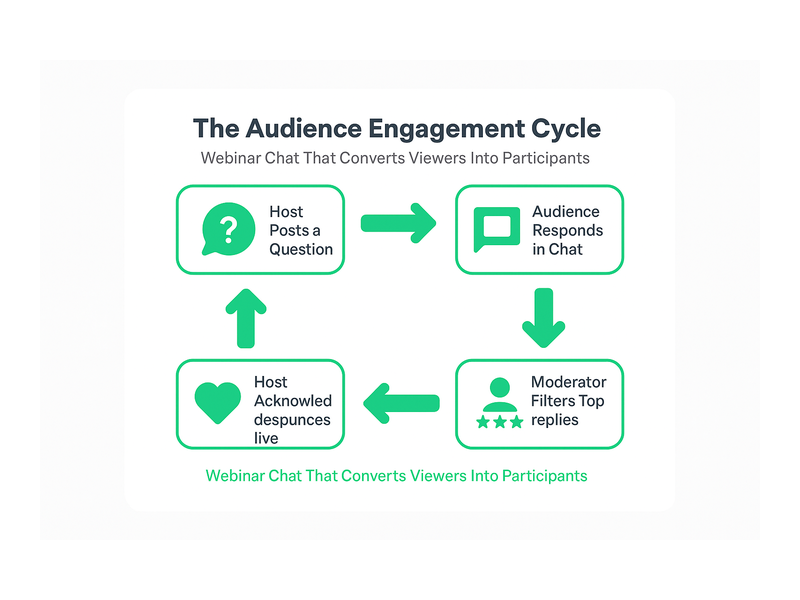
An interactive webinar platform thrives on participation. Therefore, the RumbleTalk chat panel keeps attendees active throughout your session. Additionally, hosts can moderate conversations, highlight key messages, and respond to questions in real time. In other words, your webinar becomes a two-way conversation rather than a one-way broadcast. Together, the live chat and video create an immersive experience that dramatically reduces drop-off rates and keeps viewers engaged until the very last minute of your session.

Access Recordings and Insights

After your event ends, Pageinar stores your broadcast in the Broadcast Recordings section of your Settings panel. Therefore, you can review past sessions, share recordings with attendees who missed the live event, or repurpose content for future marketing campaigns. Furthermore, each recording includes duration data, so you can measure how long your audience stayed engaged. In addition, you can use the Registered List data to identify which events attract the most qualified leads over time.

Top Use Cases for an Interactive Webinar Platform

An interactive webinar platform fits a wide range of business scenarios. However, some use cases consistently deliver the strongest results for hosts who use Pageinar regularly.

Product Launches and Live Demos

For example, product teams use Pageinar to launch new features to a live audience. The broadcast area lets you share your screen or camera while the chat fills with real-time reactions from attendees. Additionally, the registration form captures every lead who signed up for the launch event, giving your sales team a warm list to follow up on immediately after the session ends. As a result, a single product launch webinar can generate dozens or even hundreds of qualified sales conversations.

Employee Training and Customer Onboarding

Moreover, HR teams and training managers use an interactive webinar platform to onboard new employees or customers at scale. Pageinar lets you run a live training session, collect attendance data via the Registered List, and share a recording with anyone who could not attend the live event. In addition, the chat panel allows trainees to ask questions in real time without interrupting the presenter. Therefore, training sessions on Pageinar feel collaborative and engaging rather than passive and one-directional.

Virtual Events and Industry Briefings

In fact, event organizers use Pageinar to host virtual summits, panel discussions, and industry briefings for large audiences. The platform’s hosted landing page acts as the event hub, with registration, live broadcast, and chat all in one place. Therefore, organizers spend less time on logistics and more time on content quality. Furthermore, the social links feature allows organizers to promote the event across Facebook, Instagram, Twitter, YouTube, and Twitch from a single settings panel, maximizing reach before the event even begins.

Demand Generation and Content Marketing

Additionally, marketers use Pageinar as their interactive webinar platform for demand generation campaigns. A well-promoted webinar attracts hundreds of registrants, each of whom has shown clear interest in your topic. As a result, you build a high-quality audience list with every event you run. Furthermore, Pageinar’s branded registration page creates a professional first impression that increases sign-up conversion rates compared to generic event registration forms. For best practices on running engaging sessions, read Unlock the Power of Seamless Webinars with Pageinar: Welcome to a New Era of Online Engagement! for inspiration and proven strategies.

Pageinar webinar landing page illustration 3

Why Pageinar Is the Right Interactive Webinar Platform for You

Choosing the right interactive webinar platform is a decision that affects your brand, your audience, and your lead pipeline. Therefore, it is worth selecting a platform that removes friction for both hosts and attendees at every step. Pageinar does exactly that. First, there is nothing for attendees to install. Second, they join with one click from any device. Third, your branded page is live within minutes of signing up for the first time. In short, Pageinar is designed for speed without sacrificing any professional polish.

Moreover, Pageinar scales with your business as your audience grows. The Subscription Details panel shows your current plan, attendee limit, and remaining broadcast time, so you always know where you stand. Additionally, upgrading to a higher plan takes just a few clicks from within the Settings panel. In other words, you never outgrow the platform. Furthermore, Pageinar integrates with the tools you already rely on: social links connect your page to your existing channels, and the Registered List exports your leads to any format your CRM requires.

Furthermore, the built-in RumbleTalk chat works out of the box with no extra configuration. Hosts can choose from multiple chat themes, set an offline message for off-hours, and control moderation from the Chat Settings panel. Therefore, every session feels polished and on-brand from the moment attendees arrive to the moment the broadcast ends. Ideally, you run your first interactive webinar platform session within the same day you sign up, because Pageinar is built to be that fast to set up and launch.

Finally, Pageinar gives you access to a complete post-event workflow. The Broadcast Recordings section stores every past session with duration data. The Registered List captures every lead with full contact details. Additionally, the Invoice section tracks your billing history in one place. Together, these features make Pageinar a full-cycle interactive webinar platform, not just a broadcasting tool. In fact, it is one of the most complete event hosting solutions available for businesses that want professional results without enterprise-level complexity.

Get Started with Your Interactive Webinar Platform Today

Ready to launch your interactive webinar platform and start connecting with your audience in a whole new way? Visit Pageinar, sign in with your Google account, and your broadcast landing page is ready in minutes. Build your registration form, customize your chat, go live, and start generating leads from your very first session. In other words, Pageinar is the interactive webinar platform that makes professional live events accessible to every business, regardless of technical expertise or budget. Start your first event today and experience the difference that a truly seamless, fully interactive webinar platform makes for your audience and your bottom line.

Webinar Page with Registration and Chat: Complete Guide

A webinar page with registration and chat is the single most effective way to convert online visitors into engaged, active event attendees. Moreover, when registration, live broadcast, and real-time chat all live on one hosted URL, your entire event workflow becomes dramatically faster and simpler. In fact, many businesses waste valuable hours stitching together separate tools for each of these three functions. Pageinar solves this by combining all three into one seamless, no-code landing page that you design, share, and go live on in minutes.

Pageinar webinar landing page illustration 1

What Is a Webinar Page with Registration and Chat?

A webinar page with registration and chat combines three essential event functions on a single hosted page. First, it presents your event details and collects attendee information through a customizable registration form. Second, it streams your live broadcast directly on the same page, so attendees never need to navigate elsewhere. Third, it provides a real-time group chat sidebar where attendees ask questions, share reactions, and interact with each other throughout the session. Therefore, hosts no longer need to manage three separate platforms or send attendees across multiple links. Additionally, keeping everything in one place ensures your branding stays consistent from the moment someone registers until the broadcast ends.

Pageinar is built specifically to deliver this kind of all-in-one experience. The platform runs entirely on a hosted landing page that the host customizes through a simple visual editor. Once the page is ready, the host shares a single URL. Viewers click the link, register, wait for the event, and then watch the live broadcast with integrated chat, all without installing any software or plugins. Furthermore, because no technical setup is required on the viewer side, attendance barriers drop significantly and show-up rates improve for every event you run.

Why Unified Webinar Pages Outperform Fragmented Tools

Fragmented tool stacks create unnecessary friction at every stage of the event. For example, when registration happens on a separate landing page builder and the live stream happens on a standalone video platform, attendees must follow multiple steps and links just to attend. However, a single webinar page with registration and chat keeps the entire attendee journey smooth from start to finish. As a result, you see higher attendance rates, fewer technical support questions, and more active participation during the broadcast itself. In short, simplicity drives engagement, and engagement drives results.

How to Build a Webinar Page with Registration and Chat on Pageinar

Building a webinar page with registration and chat on Pageinar is fast and requires no technical skills. In fact, the platform is designed so that anyone can go live without prior experience in web development or video streaming. Below is a clear step-by-step overview of the full setup process so you know exactly what to expect before you begin.

Step 1: Sign In and Access Your Broadcast Landing Page

First, visit Pageinar’s all-in-one webinar platform and sign in using your Google account. Pageinar uses Google login only, so there is no separate email or password to remember. After signing in, the platform takes you directly to your main broadcast landing page. This page is fully editable and immediately ready for customization. Additionally, every account includes one hosted page that serves as both your registration destination and your live broadcast stage, all under one URL.

Step 2: Customize Your Header and Branding

Second, click any element in the top section of your page to begin editing. You can upload a cover image or choose a background color that matches your brand identity. Moreover, you can set your event title, add a short description, upload your avatar, and include your website URL. Therefore, any visitor arriving at your link immediately understands what the event is about and why they should register. A strong, branded header also builds trust before attendees take the step of submitting their registration information.

Step 3: Configure Registration Settings

Third, open the gear icon to access the Settings panel and click Registration Settings. Here you choose a registration page template, set the event date and time, upload a header image or video for the registration view, and write a welcome message for new registrants. Furthermore, you can toggle individual lead collection fields on or off to capture exactly the data your team needs. For example, you might enable First Name, Last Name, Company, and a custom Job Title field for a B2B audience. Together, these options give your webinar page with registration and chat a professional, fully branded experience before the event even begins.

Pageinar webinar landing page illustration 2

Step 4: Configure Chat Settings

Fourth, navigate to Chat Settings in the Settings panel. Here you select the chat type, compose an offline message that displays when the broadcast is not yet live, and assign a chat admin to moderate conversations during the event. You can also choose from multiple visual chat themes to align the chat panel with your event’s visual identity. The chat panel is powered by RumbleTalk group chat and appears on the bottom-left of your broadcast page. As a result, attendees can start conversations the moment they arrive, even before the live video begins, which warms up the audience and builds anticipation.

Step 5: Go Live in Broadcasting Mode

Finally, when your event is ready to start, toggle your page from Registration Mode to Broadcasting Mode using the button in the top-right corner of your Pageinar dashboard. Click Start Broadcast in the live area on the bottom-right of the page. Your attendees immediately see the red LIVE indicator appear. In addition, a live viewer count updates in real time, giving you clear confidence that your audience is engaged and present. Therefore, your webinar page with registration and chat transforms into a fully active, interactive event hub with just one click.

Key Features of a Webinar Page with Registration and Chat

Pageinar includes several powerful built-in features that make every webinar page with registration and chat more effective. Understanding each feature helps you plan better events, capture more leads, and create a richer experience for your attendees every time you go live.

Lead Collection and the Registered List

Registration Settings allow you to toggle specific lead fields on or off depending on your campaign goals. For example, a sales team running a product demo might enable First Name, Last Name, Company, and Phone fields to qualify prospects before the event starts. Moreover, all submitted registrations appear automatically in the Registered List inside your Settings panel. There you can search, view, and export attendees sorted by name, company, email address, phone number, or sign-up date. In short, your webinar page with registration and chat doubles as a built-in lead generation engine that runs before, during, and after every broadcast.

Password Protection for Private Events

Ideally, not every event is meant for the general public. Pageinar lets you add a page password directly through Broadcast Settings. Therefore, only attendees who have the correct password can access the broadcast, even if they have the page URL. This feature is especially useful for client-only webinars, paid training sessions, or internal corporate broadcasts. Additionally, adding a password does not change the simplicity of the process for your audience: they still visit one URL, enter the password in a clean prompt, and proceed directly to your page.

Social Links for Cross-Channel Visibility

Broadcast Settings also let you display social profile links for Facebook, Instagram, Twitter, YouTube, and Twitch directly on your webinar page. In fact, showing these links during the registration phase encourages attendees to follow your brand on other channels before the event begins. Furthermore, a consistent cross-channel presence builds credibility and trust with new attendees who may be discovering your brand for the first time through your event page.

Broadcast Recordings for Ongoing Value

After every live event, Pageinar saves a broadcast recording with the session duration and date automatically logged in your dashboard. You can export these recordings and repurpose them as replay links, social media video clips, or on-demand training resources. As a result, every event you run on a webinar page with registration and chat creates lasting value that continues to generate leads and engagement long after the broadcast window closes. This significantly increases the return on investment for every event you produce.

Pageinar webinar landing page illustration 3

Real-World Use Cases for a Webinar Page with Registration and Chat

A webinar page with registration and chat is versatile enough to serve many different industries and event types. Here are some of the most impactful use cases you can implement right away using Pageinar as your hosting platform.

Product Launches and Live Demos

Companies use Pageinar webinar pages to unveil new products to a live online audience. Registration ensures that only interested, pre-qualified prospects attend, which improves the quality of every lead in the room. Chat lets prospects ask product-specific questions in real time during the demo, making the presentation feel interactive and two-directional. Therefore, product launches become genuine conversations rather than one-way announcements, which drives significantly higher conversion rates and post-event follow-through.

Online Training and Educational Workshops

Trainers and educators use webinar pages to deliver structured online workshops to distributed audiences. Registration collects participant data for compliance tracking, follow-up, and certificate issuance. Chat enables peer-to-peer discussion and live question-and-answer exchanges throughout the session. In addition, the recording feature captures the full session so students who miss the live event can review the material on their own schedule without missing any content.

Corporate Town Halls and Internal Broadcasts

Large organizations use password-protected Pageinar pages for internal broadcasts such as quarterly business reviews and all-hands meetings. Registration tracks attendance for HR reporting and compliance purposes. Chat gives employees a direct voice during leadership presentations, which fosters a culture of open communication even in large, distributed teams. As a result, internal events become more engaging and inclusive, regardless of where employees are located around the world.

Sales Demos and Lead Nurturing

Sales teams run live product demos on Pageinar to move prospects through the pipeline more efficiently. Registration pre-qualifies leads before they enter the session. Chat allows prospects to ask specific questions live, while the host answers in real time and addresses objections on the spot. Furthermore, after the broadcast ends, the Registered List gives the sales team a warm, pre-qualified lead list ready for immediate follow-up. This makes the entire sales cycle faster and more data-driven than traditional outreach methods.

Webinar Page with Registration and Chat vs. Fragmented Tool Stacks

Many teams build webinar experiences by combining separate tools: a form builder for registration, a video streaming service for the broadcast, and a third-party chat widget on yet another page. However, this fragmented approach creates serious problems at every stage. First, attendees must navigate multiple links and platforms, which increases drop-off at every transition point. Second, branding is inconsistent across tools that were not designed to work together visually. Third, lead data is scattered across different dashboards, making post-event follow-up slower and less organized.

In contrast, a webinar page with registration and chat on Pageinar centralizes everything in one place. Therefore, setup is faster for the host, the attendee experience is smoother from start to finish, and lead data is immediately available in one clean dashboard. According to general research on online event engagement, events that provide a seamless single-URL experience consistently outperform multi-tool setups in both attendance rates and active audience interaction. For more background on how webinars have evolved as a format, see the Wikipedia overview of webinars.

Getting Started with Your Webinar Page with Registration and Chat

Getting started with Pageinar requires no technical background and no credit card for the free plan. First, visit Pageinar’s webinar platform and sign in with your Google account. Second, customize your broadcast landing page with your event title, cover image, and description. Third, open Settings to configure Registration Settings and Chat Settings for your specific audience and event goals. Fourth, copy your page URL and share it with your audience through email, social media, or any channel you prefer. Registrations begin flowing in automatically from that point forward.

Additionally, you can explore the Pageinar Knowledge Base for step-by-step guides on editing your broadcast page, setting up lead collection fields, changing your chat theme, and understanding the difference between Registration Mode and Broadcasting Mode. In fact, the Knowledge Base covers every feature you need to run a polished, professional event. Moreover, if you want a broader introduction to the platform before diving into setup, read our earlier post on Unlock the Power of Seamless Webinars with Pageinar: Welcome to a New Era of Online Engagement! for a full overview of what the platform makes possible.

Start Building Your Webinar Page with Registration and Chat Today

A webinar page with registration and chat is no longer a luxury reserved for large enterprise teams with big budgets. In fact, it is the baseline expectation for any professional online event in today’s digital-first environment. Therefore, combining registration, live broadcast, and real-time chat on a single hosted page is the smartest, most efficient way to run any live event, regardless of your audience size or industry. Pageinar delivers this complete experience without any code installation, without external plugins for attendees, and without technical complexity on either the host or viewer side. Sign in at pageinar.com today and launch your first webinar page with registration and chat in under five minutes.

Live Webinar with Audience Chat: The Complete Guide

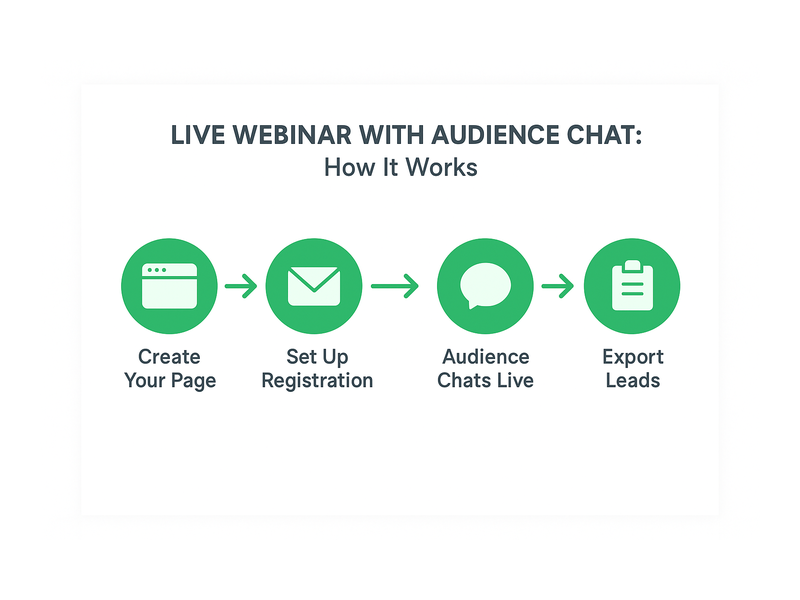
A live webinar with audience chat is one of the most powerful tools available to modern marketers, educators, and community builders. Unlike pre-recorded videos, a live webinar with audience chat turns passive viewers into active participants who ask questions, share reactions, and build community together in real time. Moreover, platforms like Pageinar’s instant webinar broadcasting service make it possible to host a professional broadcast with built-in chat in minutes, with no software installation required for your attendees. In this guide, you will learn why interactive live webinars outperform passive ones, how to set up your own broadcast, and which best practices ensure your audience stays engaged from the first minute to the last.

Pageinar webinar landing page illustration 1

Why a Live Webinar with Audience Chat Transforms Your Event Strategy

Engagement is the defining metric of any webinar. However, most broadcasts struggle to hold attention beyond the first fifteen minutes without interaction. A live webinar with audience chat solves this by creating a continuous feedback loop between presenter and viewer. For example, when an attendee types a question and sees the presenter respond on camera, that person feels seen and valued. As a result, they stay longer, absorb more content, and are far more likely to take a desired action once the event ends.

Furthermore, audience chat generates social proof in real time. When viewers see an active, enthusiastic conversation scrolling beside the video feed, they perceive the event as high-value and trustworthy. Additionally, the volume and tone of chat messages gives the presenter immediate, unfiltered feedback on which talking points are resonating and which need more explanation. In other words, the chat panel functions as both an engagement tool and a live analytics dashboard.

In short, a live webinar with audience chat does more than deliver video content. It creates a shared experience that builds relationships, surfaces audience intelligence, and drives conversions, all at the same time. Therefore, every business that hosts events online should prioritize integrating a robust chat experience into every broadcast.

How to Set Up a Live Webinar with Audience Chat on Pageinar

Getting a live webinar with audience chat up and running on Pageinar requires only a few minutes of setup. First, visit pageinar.com and log in with your Google account. After logging in, Pageinar places you directly on your main broadcast landing page, which already includes the video player area and the integrated chat panel side by side.

Step 1: Customize Your Event Page

First, edit your page header to match your event brand. Upload a cover image or select a background color, add your avatar, and fill in your webinar title and description. These visible elements immediately signal professionalism to anyone who lands on your page. Additionally, a polished page encourages first-time visitors to register and return on the day of the event.

Step 2: Configure the Audience Chat Panel

The chat panel that powers your live webinar with audience chat is built on RumbleTalk, a professional group chat solution integrated directly into every Pageinar page. To configure it, open Settings via the gear icon and select Chat Settings. Here, you choose the chat type, write an offline message for pre-event visitors, pick a visual theme that matches your brand, and assign a chat admin for moderation. Together, these settings ensure your audience chat is polished and ready the moment you go live.

Step 3: Switch to Broadcasting Mode

Pageinar separates registration from broadcasting with a clean two-mode system. For your live webinar with audience chat, switch to Broadcasting Mode using the toggle in the top-right corner of your page. This mode displays the live video player and chat panel side by side in a single view. Alternatively, run Registration Mode before the event to collect leads, then switch to Broadcasting Mode when you are ready to go live.

Step 4: Start Broadcasting

When you are ready, click the Start Broadcast button to change your page status from OFFLINE to LIVE. Share the page URL with your audience and they join instantly from any browser. According to the Wikipedia overview of web conferencing, removing technical friction from the attendee join process is one of the most impactful ways to improve both attendance rates and session engagement. Pageinar’s zero-download architecture delivers exactly that advantage.

Pageinar webinar landing page illustration 2

Best Practices for Moderating Chat During a Live Webinar with Audience Chat

A live webinar with audience chat is only as good as its moderation strategy. However, moderation does not need to be complicated or time-consuming. First, assign a dedicated chat moderator who focuses entirely on the chat while the presenter focuses on the content. This division of labor keeps the stream smooth and ensures no valuable question gets lost in the feed. As a result, both the presenter and the audience enjoy a significantly better experience throughout the broadcast.

Second, warm up the chat before you begin presenting. Ask a simple opening question, such as where attendees are joining from or what topic they most want to cover. Moreover, greet early arrivals by name to create an immediate sense of welcome and belonging. In fact, research consistently shows that attendees who participate in chat within the first three minutes are significantly more likely to remain for the full session. Therefore, the opening moments of your broadcast are the most important investment you can make in viewer retention.

Third, build dedicated question-and-answer breaks into your presentation structure. For example, pause after each major section to read two or three messages from the chat and respond on camera. For guidance on advanced moderation settings, visit the Pageinar knowledge base for chat and broadcast settings. This resource covers everything from chat themes to admin controls in practical detail. In other words, you have all the tools you need to run a professional, well-moderated live webinar with audience chat from day one.

Furthermore, encourage structured chat participation to generate richer, more useful audience data. Ask attendees to type a number from one to five to rate their understanding, or to share a single word describing their biggest challenge. These focused prompts produce more actionable responses than open-ended calls for questions alone. Ideally, plan four to six such interaction moments across a sixty-minute broadcast to maintain a consistent rhythm of two-way engagement throughout the session.

Key Features That Power Your Live Webinar with Audience Chat on Pageinar

Pageinar includes several features that make it an ideal platform for any live webinar with audience chat. Together, these capabilities cover every phase of the broadcast lifecycle, from pre-event registration through post-event lead export and recording access.

Zero-Download Attendee Access

Attendees join by visiting a URL in any browser. There is no app to install, no plugin to download, and no account required on the viewer side. This approach eliminates the most common cause of low attendance at live events: technical friction before the session even starts. Moreover, it means you can promote your broadcast to any audience segment without worrying about device compatibility or setup instructions.

Built-In RumbleTalk Group Chat

The integrated RumbleTalk chat panel delivers professional-grade group chat functionality with no third-party integration required. It supports real-time message delivery, full moderation controls, multiple visual themes, and viewer and speaker display options. Additionally, the chat admin feature lets you delegate moderation to a trusted team member without sharing your account credentials. In other words, you get enterprise-level chat tools included in every Pageinar plan.

Registration Mode and Lead Collection

Before your broadcast begins, switch the page to Registration Mode to collect attendee information. The customizable form captures first name, last name, company, email, phone, and any custom fields you define. Furthermore, the Registered List panel lets you view, search, and export all collected leads as a CSV file after the event. As a result, every interactive webinar doubles as a lead generation campaign with no additional tools required.

Password Protection for Private Events

For paid courses, internal training sessions, or exclusive client briefings, Pageinar’s password protection feature restricts access to authorized attendees only. Set the password in Broadcast Settings with a single click from the gear icon. Therefore, you can confidently host premium events knowing that your content and your audience conversation remain private and secure at all times.

Automatic Broadcast Recordings

Pageinar records every broadcast automatically. After the event, the Broadcast Recordings panel lists each session with its name, duration, and date. Therefore, you can share the recording with registrants who could not attend live, embed it in a follow-up email sequence, or repurpose it as evergreen on-demand content. In fact, many broadcasters report that their recorded sessions generate more cumulative views over time than the original live event itself.

Pageinar webinar landing page illustration 3

Real-World Use Cases for Interactive Webinar Broadcasts

Businesses across every industry use a live webinar with audience chat to achieve a wide range of goals. Here are some of the most impactful and common applications across different sectors.

Product Launches and Feature Demos

Technology companies and consumer brands use live broadcasts to introduce new products to large audiences simultaneously. Additionally, the audience chat panel lets potential customers ask questions, share reactions, and request clarifications in real time during the demo. For example, a software team can unveil a new dashboard feature while monitoring the chat for audience sentiment, adjusting their talking points on the fly. As a result, the launch feels dynamic and responsive rather than scripted, which builds credibility and accelerates buying decisions.

Corporate Training and Employee Onboarding

HR teams and learning professionals use interactive webinars to train employees across multiple locations at the same time. Furthermore, the chat panel allows trainees to ask questions without interrupting the flow of the session, creating a more comfortable learning environment for participants at all experience levels. For example, a new employee onboarding session can cover company policy in the video stream, collect questions via chat, and close with a live Q and A block, all within a single sixty-minute broadcast. This format delivers more value per hour than flying trainers to multiple offices.

Community Q and A Events and AMAs

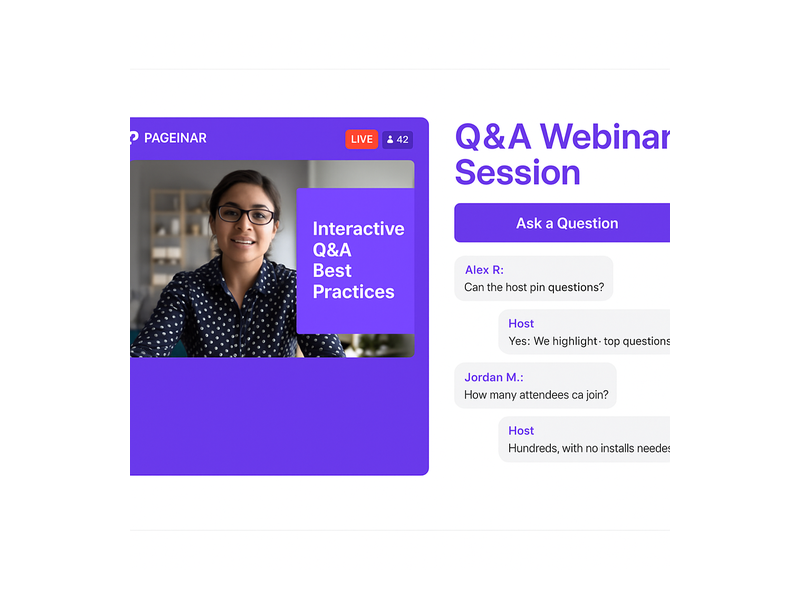
Content creators, industry experts, and community managers use Pageinar to host ask-me-anything sessions, panel discussions, and subscriber Q and A events. The LIVE indicator and viewer count badge signal to attendees that this is a real-time shared experience, creating the energy and urgency that pre-recorded content simply cannot replicate. Moreover, the ability to theme the chat panel to match your brand makes every session look cohesive and professional, even for solo creators running events with a small team.

Start Your Live Webinar with Audience Chat Today

A live webinar with audience chat is one of the most effective ways to engage your audience, generate qualified leads, and build lasting relationships at scale. Moreover, Pageinar makes the entire process simpler than any alternative, from the initial page setup through post-event lead export. There is no code installation, no plugins, and no complicated configuration required. Simply log in with your Google account, customize your broadcast page, and share the URL. Your attendees get a seamless viewing and chat experience, and you get actionable leads, a recorded session, and a wealth of audience insights.

For inspiration on how to take your broadcasts further, read Unlock the Power of Seamless Webinars with Pageinar: Welcome to a New Era of Online Engagement!, which explores the full range of what the platform can do for your business. Your next live webinar with audience chat is ready to launch. Your audience is waiting.

Webinar with Chat: How to Boost Audience Engagement

A webinar with chat is one of the most effective formats for online events today. Rather than broadcasting one-way to a silent audience, a webinar with chat creates a live, two-way conversation between hosts and attendees in real time. For event organizers, this shift from passive viewing to active participation drives higher retention, more qualified leads, and a better overall experience for everyone involved. Pageinar is designed from the ground up to support this format: every broadcast landing page includes a fully integrated live chat panel, so you never need to stitch together a third-party tool. In this guide, you will learn exactly why the webinar with chat model works, how to set it up on Pageinar, and which best practices will help you get the most from every session.

Pageinar webinar landing page illustration 1

Why a Webinar with Chat Improves Audience Retention

Research consistently shows that interactive formats outperform passive ones. According to the widely documented principles of web conferencing, audience engagement drops sharply when attendees have no way to participate. When attendees can type a question and see it answered live, they stay focused on the screen. In fact, a webinar with chat typically sees 40 to 60 percent longer average viewing time compared to a broadcast with no audience interaction. Additionally, the chat panel creates a sense of community: participants read each other’s comments, respond to peers, and feel part of a shared event rather than simply watching a recording.

Real-Time Feedback Shapes Better Content

Moreover, live chat gives the host immediate feedback during the session. If ten attendees ask the same question within five minutes, the host knows exactly which topic to explore in more depth. Therefore, the webinar with chat format actually sharpens your content delivery in real time: you are not guessing what the audience needs, because they are telling you directly. Pageinar displays chat messages alongside the broadcast area, so the host can glance at incoming questions without leaving the broadcast interface. This keeps the event flowing naturally while keeping every attendee fully engaged from start to finish.

How Pageinar Powers Your Webinar with Chat

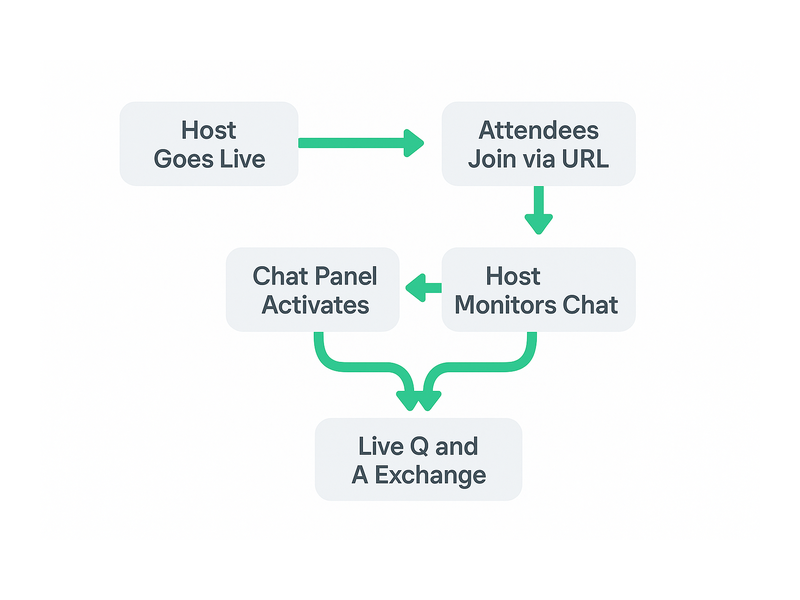
Pageinar gives every host a branded broadcast landing page that includes two core panels: a live video area and a RumbleTalk group chat panel. Together, these two panels deliver a complete webinar with chat experience from a single hosted URL. No plugins, no downloads, and no code are required for attendees. They simply open the link in a browser and join the session immediately. For the host, the process is equally straightforward: log in with Google, customize the page, and start broadcasting. The chat panel activates automatically the moment the page goes live.

Customizing the Chat Panel

Additionally, Pageinar gives hosts deep control over the chat experience. From the Chat Settings panel, you can select a chat theme that matches your brand colors, set an offline message that greets visitors before the event starts, and choose whether to display the speaker and viewer list. For professional events, you can assign a dedicated chat admin who handles moderation while the host focuses on presenting content. Furthermore, you can control whether attendees see each other’s names and avatars, which shapes the level of community interaction you want to encourage in your webinar with chat.

Registration Mode and Chat

Before the event, Pageinar’s Registration Mode lets you collect lead information directly on the same landing page. First, you toggle the page to Registration Mode. Then, you configure lead fields such as first name, last name, company, phone number, and any custom questions your team needs. When the event starts, you switch to Broadcasting Mode and the chat panel activates for all registered attendees. As a result, you have both a qualified lead list and an engaged live audience, all managed from one platform. This end-to-end flow is what makes Pageinar a complete solution for the webinar with chat format.

Pageinar webinar landing page illustration 2

Setting Up a Webinar with Chat on Pageinar: Step by Step

Getting started is fast. Below are the key steps to launch your first webinar with chat on Pageinar and make the most of every feature available to you.

  • Sign in with Google: Visit Pageinar’s broadcast landing page platform and log in. No password signup is needed, which means you can get started in under a minute.
  • Customize your page: Add your event title, cover image, avatar, and description. These appear on both the registration page and the live broadcast page, so your branding stays consistent throughout.
  • Configure Registration Settings: Toggle to Registration Mode, enable the lead fields you want, and set the event date and time. Pageinar displays a countdown timer automatically so attendees know when the session begins.
  • Set up Chat Settings: Choose your chat theme, write an offline message, and assign a chat admin if needed. For guidance on themes, review the article on how to change your chat theme in the Pageinar Knowledge Base.
  • Share the URL: Pageinar hosts your page on a permanent URL. Share it via email, social media, or your website. Attendees register and join directly on the page.
  • Go live: Switch to Broadcasting Mode, click Start Broadcast, and your webinar with chat session begins instantly for all attendees.

Password Protection for Private Events

For private or paid events, Pageinar lets you add a page password under Broadcast Settings. Only attendees who enter the correct password can access the broadcast page. This feature suits corporate training sessions, paid workshops, and exclusive member events. Therefore, your webinar with chat remains open to the right audience and completely closed to everyone else, without any complicated access management on your end.

Best Practices for a High-Engagement Webinar with Chat

Simply enabling chat is not enough to guarantee engagement. The following practices will help you get the strongest results from every webinar with chat session you run, regardless of your audience size or industry.

Open the Chat Early

First, activate the broadcast page 10 to 15 minutes before the scheduled start time. Invite early arrivals to introduce themselves in the chat. This warms up the audience and builds momentum before you begin presenting. Moreover, it gives you a chance to spot and resolve any technical issues before the webinar with chat session officially opens to the full audience.

Ask Questions Throughout the Session

Second, build audience questions directly into your presentation script. After each major section, pause and prompt attendees to respond in the chat. For example, ask: ‘What is your biggest challenge with lead generation right now?’ and allow 60 seconds for replies. In other words, treat the chat panel as a co-presenter rather than a side feature. This approach consistently lifts message activity and keeps the energy high throughout the event.

Assign a Dedicated Chat Moderator

Third, if your audience exceeds 50 attendees, assign a chat admin through Pageinar’s Chat Settings panel. The moderator can surface the best questions, filter irrelevant messages, and keep the conversation focused on the topic. As a result, the host stays fully focused on delivering great content while the chat experience remains organized and valuable for every person attending the webinar with chat.

Use Chat for Live Polls and Q&A Segments

Furthermore, the chat panel works naturally as a polling tool. Ask attendees to type ‘A’, ‘B’, or ‘C’ to vote on a question. Alternatively, reserve the final 15 minutes for a dedicated Q&A segment where the moderator reads questions aloud. Together, live polls and structured Q&A make the webinar with chat feel like a real conversation rather than a one-way lecture. This format works especially well for product demos, training sessions, and panel discussions.

Pageinar webinar landing page illustration 3

Use Cases: Who Benefits Most from a Webinar with Chat

The webinar with chat format serves a wide range of industries and business goals. Here are the most common scenarios where Pageinar customers see the strongest results from combining live video with real-time audience interaction.

B2B Lead Generation Events

Marketing teams use the webinar with chat to attract and qualify prospects at scale. Registration fields collect company name, job title, and other qualifying data before the event starts. During the session, chat activity reveals which attendees are most engaged, helping the sales team prioritize follow-up calls after the event. Ideally, combine the live chat with a strong CTA at the close of the broadcast, directing attendees toward a free trial or a sales call booking link.

Corporate Training and Onboarding

HR and learning teams run internal training sessions as a webinar with chat to replace static slide decks and pre-recorded videos. Employees ask questions in real time and the trainer answers immediately, creating the interactivity of a classroom without the logistical challenges of gathering everyone in one place. Additionally, Pageinar records every broadcast automatically. Recordings are stored under Broadcast Recordings in the settings panel and available for export, so new team members can watch sessions they missed.

Product Launches and Live Demos

Product teams use the webinar with chat to unveil new features and collect instant audience reactions. The chat fills with questions and comments during the demo, giving the team real-world feedback within minutes of the launch. Furthermore, the registration data collected before the event feeds directly into the CRM as a list of warm, interested contacts. For inspiration on running a polished launch event, read our post on Unlock the Power of Seamless Webinars with Pageinar: Welcome to a New Era of Online Engagement!

Live Classes and Coaching Programs

Educators, coaches, and consultants use the webinar with chat to deliver live learning experiences that feel personal even at scale. Students type answers to exercises directly in the chat, the instructor reviews them live, and the entire group learns from the discussion. In fact, this format replicates the classroom dynamic online without the complexity of traditional video conferencing software. No attendee needs to install anything: they simply open the Pageinar link and join the session in seconds.

Measuring the Success of Your Webinar with Chat

After each event, three metrics give you the clearest picture of performance. First, check the number of registered leads in the Registered List under Pageinar’s settings panel. Second, review the broadcast recording to see how long attendees stayed on average. Third, count the total volume of chat messages to gauge how active the audience was during the session. Higher chat activity typically signals stronger attendee interest and intent to purchase or re-engage with your brand. Therefore, tracking these numbers across multiple sessions helps you refine both your content and your hosting style over time.

Exporting Data After the Event

Moreover, Pageinar makes post-event data easy to access and export. The Registered List is searchable and downloadable as a spreadsheet, so you can send it directly to your CRM or email marketing platform within minutes of the event closing. Additionally, broadcast recordings appear in the Broadcast Recordings section with their full duration and are available for download at any time. As a result, every webinar with chat you run on Pageinar leaves a clean record of both attendance data and content for future analysis and repurposing.

Start Hosting Your Webinar with Chat on Pageinar Today

A webinar with chat has never been simpler to run. Pageinar provides everything you need on a single hosted page: registration, live video, real-time chat, lead collection, and automatic recording. There is no setup fee, no plugin to install, and no technical configuration required for your attendees. Simply sign in with Google, customize your broadcast page, and share the link with your audience. The chat panel is ready the moment your event goes live.

Ready to host your first webinar with chat? Visit Pageinar today, create your broadcast page in minutes, and start building live events your audience will remember. Whether you are generating leads, onboarding new team members, launching a product, or running a coaching program, the webinar with chat format delivers the kind of real-time engagement that recorded video simply cannot match.

One Click Webinar Setup: Go Live in Minutes with Pageinar

One click webinar setup is transforming the way businesses, educators, and marketers connect with their audiences online. In the past, hosting a live webinar required installing complex software, configuring multiple tools, and walking attendees through a download process before the event even started. However, Pageinar changes everything by letting you create and launch a fully functional, branded webinar in just a few minutes. Whether you are presenting a product demo, running a training session, or hosting a live Q&A, one click webinar setup means you spend less time on technology and more time engaging with your audience.

Pageinar webinar landing page illustration 1

What Makes One Click Webinar Setup So Powerful?

Traditional webinar tools force hosts to install plugins, configure meeting rooms, and send attendees a software download link before every session. Additionally, technical issues during setup can delay your event and frustrate participants before they even see your content. One click webinar setup eliminates these barriers entirely. With Pageinar, your entire webinar runs on a hosted landing page that you share via a single URL. Therefore, attendees simply click the link and join in any browser, with absolutely no installation required on their side.

Furthermore, the platform integrates a live video broadcast area, a full-featured group chat powered by RumbleTalk, and a customizable registration form, all on one page. In fact, you can customize your page, toggle to Broadcasting Mode, and go live in under five minutes. This makes one click webinar setup the ideal solution for busy professionals who value speed and simplicity without sacrificing quality. Notably, leading brands including Nasdaq, Wix, HP, and Sony Music have trusted Pageinar for their live events.

How One Click Webinar Setup Works on Pageinar

Getting started with one click webinar setup on Pageinar follows a clear and simple process. First, visit Pageinar’s instant webinar platform and sign in using your Google account. After login, you land directly on your main broadcast landing page, which is fully editable from the very first session. Second, customize your page by uploading a cover image or choosing a background color, adding your avatar, setting your webinar title, and writing an event description. Third, share your page URL with your audience and toggle to Broadcasting Mode when you are ready to go live.

In addition, you do not need to install any code on your website or configure a third-party server. The entire one click webinar setup happens inside your browser. Moreover, your page remains active between sessions, so you can reuse it for future events. As a result, your investment in setting up the page pays off every single time you host a new broadcast. Simply update your title and description, share the URL, and go live.

Signing In and Accessing Your Broadcast Page

Pageinar uses Google sign-in exclusively, which makes the authentication process fast, secure, and friction-free. After login, you arrive directly at your broadcast landing page. This page acts as your permanent webinar hub. Consequently, you do not create a new room for every event. Instead, update your content and toggle the mode to match your current session. This reusable approach is central to what makes one click webinar setup so efficient on this platform.

Customizing Your Broadcast Landing Page

Your broadcast page includes a fully editable header at the top. Here you can upload a custom cover image, choose a background color that matches your brand, add an avatar photo, edit your event title, provide a website link, and write a compelling event description. Additionally, every customization you make is immediately visible to attendees the moment they open your page URL. Therefore, your one click webinar setup still looks polished and professional, even without a dedicated design team.

Registration Mode: Collect Leads Before You Broadcast

One of the most powerful features of one click webinar setup is the built-in registration system. In Registration Mode, your page transforms into a branded sign-up form. Attendees fill in their details before the event begins, and their data is stored directly in your Registered List inside the settings panel. For example, you can collect first name, last name, company name, email address, phone number, and custom fields tailored to your specific event topic.

Moreover, the Registration Settings panel gives you full control over the template design, background color, welcome message, event date and time display, and an optional countdown timer. In fact, you can toggle the timer on or off based on your marketing strategy. The Pageinar knowledge base guide on collecting leads before the broadcasting event walks you through enabling each lead field step by step. As a result, your one click webinar setup doubles as a lead generation tool from the very first event you run.

Switching Between Registration and Broadcasting Mode

Your Pageinar page operates in two distinct modes that you toggle from the top-right corner. First, Registration Mode displays the sign-up form to visitors in the days or hours before your event begins. Second, Broadcasting Mode switches the same page to your live broadcast view, complete with the video player and the RumbleTalk group chat. Therefore, toggling between the two modes is all you need to move from lead collection to live broadcast. This seamless switch is a core part of the one click webinar setup experience.

Pageinar webinar landing page illustration 2

Broadcasting Live: One Click Webinar Setup in Action

When you are ready to broadcast, switch to Broadcasting Mode and click the Start Broadcast button in the bottom-right area of your page. The broadcast area displays your current OFFLINE or LIVE status along with a live viewer count badge. Additionally, the integrated RumbleTalk group chat panel on the bottom-left activates automatically, allowing attendees to ask questions and interact with you in real time. Together, these features make your live session feel dynamic and engaging without requiring any extra configuration or technical steps.

In fact, the one click webinar setup extends to your audience experience as well. Viewers do not need to download any software or install a plugin. They simply open your shared URL in any modern browser and watch the live event instantly. Moreover, the RumbleTalk chat supports moderation tools, multiple visual themes, admin controls, and the ability to toggle the display of viewers and speakers. Consequently, you maintain complete control over your broadcast environment, even with a large and active audience.

Recording and Replaying Your Broadcasts

Pageinar records your broadcasts automatically. After each session, you can access past recordings in the Broadcast Recordings panel inside the settings menu. Each recording shows the session name, duration, and date, and you can export recordings for repurposing as on-demand content. Furthermore, offering replay access to registrants who missed the live session significantly increases the value of your one click webinar setup investment. In short, every session you run builds a library of reusable content assets.

Settings That Support Your One Click Webinar Setup

Beyond the main broadcast page, Pageinar’s settings panel provides granular control over every aspect of your event. First, Broadcast Settings let you add a page password for private sessions and connect your social media profiles, including Facebook, Instagram, Twitter, YouTube, and Twitch. Second, Chat Settings allow you to customize the group chat experience by setting an offline message, assigning a chat admin, selecting from multiple visual themes, and controlling whether viewers and speakers appear in the chat panel.

Additionally, the Subscription Details panel shows your current plan type, your attendee capacity limit, and the amount of broadcast time you have remaining. Therefore, you can plan upcoming events within your plan boundaries without surprises. In short, every setting you need for a smooth one click webinar setup is available from a single gear icon on your main page. No external dashboards and no separate tool logins are required.

Password Protection and Social Media Integration

For private or paid events, you can enable page password protection directly from Broadcast Settings. Attendees who visit your URL are prompted to enter the password before the page content is revealed. This feature is ideal for paid webinars, internal company training, or exclusive member-only sessions. Moreover, adding social media links to your page increases brand visibility and gives attendees an easy path to follow you after the event ends. These features add meaningful value to your one click webinar setup without any additional cost or configuration effort.

Use Cases for One Click Webinar Setup Across Industries

One click webinar setup is flexible enough to serve a wide range of industries and audiences. For example, a SaaS company can use Pageinar to run weekly product demos for new prospects, collecting contact details via the registration form before each session. Alternatively, an educator can host monthly online classes, toggling between Registration Mode and Broadcasting Mode to manage sign-ups and live lessons from the same permanent page URL.

Furthermore, marketing teams can run live product launch events, enabling the countdown timer and capturing leads in the days leading up to the announcement. In addition, HR departments use one click webinar setup to conduct company-wide announcements, employee onboarding, and training sessions without requiring any software installation from participants across multiple locations. As a result, the barrier to entry for high-quality live events drops to nearly zero, regardless of the size or technical capability of your organization.

One Click Webinar Setup for Solo Entrepreneurs and Small Teams

Small businesses benefit enormously from one click webinar setup because it requires no technical staff to manage or maintain. A solo entrepreneur can configure and run a professional live Q&A session from a laptop in under ten minutes. Additionally, the free plan allows smaller teams to test the platform before committing to a paid subscription. Better still, no attendee ever needs to download a plugin or create an account to join. In fact, the simplicity of this approach means that even a first-time host can launch a polished, branded webinar on day one.

Pageinar webinar landing page illustration 3

Tips for a Successful One Click Webinar Setup

To get the most from your one click webinar setup, follow these practical tips before every event. First, always update your cover image and avatar before sharing your page URL. A branded landing page builds immediate trust and increases registration rates. Second, enable the countdown timer in Registration Settings to create urgency and encourage more attendees to sign up early. Third, set a friendly offline chat message in Chat Settings so visitors who arrive before the broadcast begins know when the session starts.

Moreover, always run a private test session before going live with an audience. Check your audio quality, video feed, and chat panel functionality in advance. Additionally, review the lead collection fields in Registration Settings to make sure you are capturing all the data you need for post-event follow-up. In other words, a few minutes of preparation before your one click webinar setup goes live can dramatically improve the attendee experience and your overall results.

Finally, use the Broadcast Recordings panel after each session to review what worked and identify areas for improvement. According to research published by the Content Marketing Institute, webinars consistently rank among the highest-performing content formats for B2B lead generation and audience engagement. Therefore, investing in a reliable one click webinar setup is not just a technical decision. It is a strategic business decision that compounds in value with every event you host.

Why Pageinar Is the Smartest Choice for One Click Webinar Setup

Pageinar stands apart because it combines genuine simplicity with broadcast-grade power. In fact, no other platform delivers a fully hosted webinar landing page that handles registration, live broadcasting, group chat, and lead collection through a single shareable URL. Moreover, there is no code to install on your server and no plugin required for your attendees. As a result, your one click webinar setup is truly frictionless from both the host perspective and the attendee perspective.

In addition, Pageinar’s billing is transparent and PayPal-based, making it accessible to businesses of every size. The Subscription Details panel shows your current plan, attendee limits, and remaining broadcast time at a glance. Therefore, you always know what you have available before planning your next event. For businesses that previously avoided webinars because of technical complexity or high platform costs, one click webinar setup removes every remaining obstacle.

Get Started with One Click Webinar Setup Today

If you are ready to host your first live webinar without the usual technical friction, Pageinar is built for you. Start by visiting Pageinar’s instant webinar platform and signing in with your Google account. Your broadcast landing page is ready immediately after login. Customize it, enable Registration Mode, share your URL with your audience, and go live when you are ready. For deeper inspiration on what is possible, read our post on Unlock the Power of Seamless Webinars with Pageinar: Welcome to a New Era of Online Engagement! to see real examples of how other hosts are getting results. One click webinar setup has never been more accessible, more affordable, or more powerful. Start your first live session today and experience the difference for yourself.

Crafting the Perfect All-In Webinar Landing Page

In the dynamic world of online marketing and engagement, webinars have emerged as powerful tools for businesses and professionals alike. However, hosting a stellar webinar alone is not enough. To ensure your event reaches its full potential, you need a meticulously crafted webinar landing page.

A landing page is a single web page that serves a specific purpose within a broader online marketing or advertising campaign. It’s designed to prompt visitors to take a particular action, such as signing up for a newsletter, downloading an e-book, registering for a webinar, or making a purchase.

Landing pages are typically stripped of distracting elements and navigation menus to focus the visitor’s attention on the primary call-to-action. They are an essential tool in digital marketing for driving conversions and capturing leads, as their simplicity and focus make it easier to guide visitors toward the desired goal.

In this comprehensive guide, we will look into the intricacies of creating the ultimate webinar landing page, combining insights from industry statistics and practical strategies to maximize conversion rates.

Importance of a Well-Designed Webinar Landing Page

webinar landing page

In the realm of digital engagement, where first impressions hold significant importance, the significance of a meticulously crafted webinar landing page cannot be overstated. It’s the virtual doorstep to your webinar, the place where potential attendees make their crucial decision to enter. This section looks into why a well-designed landing page is the backbone for success, offering insights supported by industry statistics.

  1. First Impressions Matter: The saying “you never get a second chance to make a first impression” holds true for webinars. A well-designed landing page is equivalent to a virtual handshake, making a memorable first impression that entices potential attendees and significantly boosts conversion rates by up to 23%.
  2. Reflects Webinar Quality: Just as a fine wine deserves an elegant glass, your high-quality webinar deserves an equally impressive landing page. A poorly designed page can inadvertently convey doubts about the webinar’s quality, potentially dissuading potential attendees. In fact, 38% of users will stop engaging with a website if the content or layout is unattractive.
  3. Builds Credibility: Trust is the currency of the digital realm. Accordingly, a landing page meticulously designed with professionalism and clarity builds credibility, establishing your authority in the subject matter and nurturing trust with potential attendees.
  4. Increases Engagement: A visually appealing and user-friendly landing page is the gateway to increased engagement. Users spend an average of 5.94 seconds looking at a website’s main image, so captivating visuals are crucial. Therefore, its design and structure should be enticing enough to keep visitors exploring, ultimately leading them to register.

Pageinar: Your All-in Webinar Landing Page

Pageinar is a versatile landing page platform that empowers you to effortlessly tailor your content, seamlessly integrate broadcasting, and incorporate chat rooms, all while maintaining a user-friendly and straightforward interface for your audience.

Through the platform, you can create a one-to-many broadcast and use it for webinars or live streaming. The chat room serves as a bridge for two-way communication between the streamer and the audience. In addition, there are moderation and customization tools that can assist in enhancing user experience.

As a new and upcoming platform for webinars, Pageinar serves to give their users the all-in webinar landing page. There’s no need to start from scratch. Pageinar is already pre-made with a theme, which you can adjust according to your preferences. Once you’re satisfied with your copy and how your elements look, then you can start broadcasting your webinar.

Key Elements of an Effective Webinar Landing Page

Every great webinar landing page is a combination of key elements carefully calibrated to capture attention, drive engagement, and spur registrations. To navigate this landscape successfully, it’s essential to understand the fundamental building blocks that constitute an effective landing page. Here, we will also explore these crucial elements and their pivotal roles in the conversion process, backed by data-driven insights and how you can achieve this with Pageinar.

  • Attention-Grabbing Headline: Your headline should be a beacon, guiding visitors toward registration. Moreover, a clear and concise headline that conveys the webinar’s value succinctly can be the difference between a quick exit and a registration. In Pageinar, you can create a webinar title that will capture your audience’s interest with one look.
  • Compelling Copy: Your copywriting skills will be put to the test here. According to research, companies with 30+ landing pages generate 7 times more leads than those with fewer than 10. Persuasive, benefit-driven copy that crisply communicates the advantages of attending the webinar is paramount in convincing potential attendees to commit their time. Through the Site Description box, you can add text that will highlight the importance of your webinar, the current topic, and other information that is needed to understand your webinar.
  • Eye-Catching Visuals: As humans, we are naturally drawn to visuals. Through high-quality images and videos, you can transform your landing page, making it more visually enticing and fostering greater engagement. With Pageinar, you can choose themes that will make your webinar enticing. As the landing page is also straightforward, your audience will not be confused with all the elements on your page. It’s simple and beginner-friendly for anyone who wants to create a webinar with a landing page.
  • Registration Form: Simplicity is key when it comes to registration forms. The shorter and more user-friendly the form, the higher the likelihood of potential attendees taking the plunge and registering. In fact, reducing the number of form fields from 11 to 4 can increase conversions by 120%.

Pageinar has a simple registration form. There are many ways to register such as:

  • Social media
  • New user registration

For these, email and password are needed. That’s all there is to it. So, there’s no need to input contact numbers, addresses, etc, unlike other registration forms.

Design and Layout Considerations for your All-In Webinar Landing Page

The visual and structural aspects of your landing page are more than aesthetic choices; they are the silent architects of user experience. This section discusses design and layout considerations, highlighting the importance of consistent branding, a clear hierarchy of information, judicious use of white space, and mobile responsiveness. Furthermore, we also share statistics on why these aspects can’t be overlooked.

webinar landing page

Consistent Branding

Cohesion is key. Ensure your landing page aligns seamlessly with the branding of your webinar, creating a unified and polished online experience. Accordingly, a consistent presentation of a brand has been shown to increase revenue by up to 23%.

Clear Hierarchy

Establish a clear hierarchy of information on your landing page, ensuring that visitors are guided logically through the registration process. Users spend an average of 5.59 seconds looking at a website’s written content. Therefore, critical information should stand out prominently.

White Space

Don’t underestimate the importance of white space. A clean and uncluttered layout can make your landing page look inviting and easy to navigate. It can also increase comprehension by 20%.

Mobile Responsiveness

With mobile users accounting for 52.6% of website traffic, optimizing your landing page for mobile devices is essential. Fortunately, Pageinar is optimized for mobile devices to guarantee a seamless user experience across all platforms.

Optimizing Content for Conversion

Content is king, especially in the digital realm, but it’s not just about the quantity; quality reigns supreme. In this segment, we uncover strategies for content optimization that emphasize benefits over features, leverage social proof, create urgency, and champion simplicity. Then, we’ll back these strategies with compelling statistics that reinforce their effectiveness.

  • Highlight Benefits: Shift the focus from features to benefits. Outline the tangible benefits attendees will gain from the webinar, showcasing how it will address their pain points and provide solutions. Benefits-focused content can also boost conversion rates by up to 31%.
  • Use Social Proof: Incorporate testimonials or social proof to bolster credibility. In addition, real-life success stories and endorsements from previous attendees can be powerful persuasive tools.
  • Create Urgency: Utilize scarcity tactics or limited-time offers to infuse a sense of urgency. FOMO (Fear of Missing Out) can be a compelling motivator for potential attendees to register promptly.
  • Keep It Simple: Keep your content simple and easy to understand. 94% of visitors cited web design as the reason they mistrusted or rejected a website. Make your content straightforward and accessible, avoiding jargon or technical terms that might alienate potential attendees.

Call-to-Action (CTA) Strategies

The ‘Register Now’ or ‘Join Us’ button may seem simple, but its role is paramount in guiding visitors towards action. This part of our guide explores the nuances of effective CTA strategies, from clarity and prominence to action-oriented language and the strategic placement of multiple CTAs. Data-backed insights reveal the impact these tactics can have on conversion rates.

Clear and Prominent CTA

The CTA should be prominently displayed and impossible to overlook. Its language should also be action-oriented, encouraging visitors to register immediately. Using a first-person CTA like “Register Now” can increase conversion rates by 90%.

Use Action-Oriented Language

Craft CTAs that employ action-oriented language, compelling visitors to take that crucial step toward registration.

Multiple CTAs

Don’t rely on a single CTA. Scatter multiple CTAs strategically throughout the landing page to reinforce the message and opportunities for conversion. Moreover, multiple CTAs provide additional touchpoints to reinforce the primary message and value proposition of your webinar. Visitors may not be convinced by a single prompt, but when they encounter CTAs at various points on the page, it reinforces the idea that the webinar is worth attending.

Continuously test various CTAs and optimize your landing page based on user behavior and conversion rates. Data-driven decisions can significantly enhance effectiveness. Regularly testing different CTAs and optimizing based on user behavior can improve your landing page’s effectiveness. A/B testing has been shown to increase conversions by 49%.

A Walkthrough of Creating an Ideal Landing Page

landing page

To bring it all together, let’s embark on a practical journey through the creation of an ideal landing page. This section provides a step-by-step walkthrough, from defining your target audience and crafting a compelling value proposition to selecting a design, streamlining registration forms, writing benefit-driven content, incorporating visuals, and strategically implementing CTAs.

Step 1. Define the Target Audience

Thoroughly understand your target audience’s needs and preferences. Understanding your audience goes beyond demographics; it’s about grasping their pain points, goals, and what drives their decisions. Look into data analytics to segment your audience effectively. Identify where your potential attendees hang out online, their browsing habits, and what topics resonate with them. Then, utilize data to create detailed personas that guide your messaging and content.

Step 2. Develop a Clear Value Proposition

Craft a compelling and unique message that communicates why your webinar is a can’t-miss event. Your value proposition should be concise, yet compelling. Dive deep into the benefits your webinar offers. Statistics also show that webinars focusing on solving a specific problem or providing actionable insights tend to have higher registration rates. Furthermore, use A/B testing to fine-tune your value proposition’s wording and presentation for optimal impact.

Step 3. Choose an Appealing Design

Select a visually pleasing design that harmonizes seamlessly with your webinar’s branding. Design is your silent ambassador. Conduct A/B tests with different designs to understand what resonates with your audience. In addition, use heatmaps and user testing to see how visitors interact with your page. With Pageinar, you can also incorporate responsive design principles to ensure that your landing page is accessible and engaging across various devices.

Step 4. Create a Simple Registration Form

Streamline the registration process by collecting only essential information, reducing friction. Lengthy registration forms can be off-putting. Data supports that shorter forms lead to higher conversion rates. For instance, collect only essential information initially, such as name and email. You can gather more data post-webinar or during the nurturing process. Additionally, consider using social login options, which can increase conversions by simplifying the process.

Step 5. Write Benefit-Driven Content

Emphasize the real-world benefits attendees will accrue from your webinar, ensuring they understand the value proposition. Craft content that speaks directly to the pain points of your audience. Statistics reveal that headlines emphasizing solutions or benefits perform better than generic ones. Use storytelling to illustrate how your webinar can transform attendees’ lives or businesses. Then, include data-backed insights and case studies to substantiate your claims. Remember, the focus should be on what attendees will gain.

Step 6. Incorporate Eye-Catching Visuals

Utilize images and videos that reinforce your messaging and grab the visitor’s attention. Visuals play a pivotal role in holding visitor attention. Test different images and videos to see what resonates. Research indicates that video content can significantly boost engagement. Ensure that your visuals align with your messaging and highlight key points. For instance, infographics are an effective way to condense complex information into digestible visual formats.

Step 7. Implement Clear CTAs

Ensure your CTAs are clear, action-oriented, and well-placed, guiding visitors toward registration. Moreover, CTA buttons should be prominent and easily distinguishable. Research reveals that CTA buttons with contrasting formatting tend to perform better. Test different CTA copies, such as “Register Now,” “Save My Spot,” or “Join the Webinar.” Implement urgency tactics like countdown timers if applicable. Moreover, use A/B testing to find the most effective CTA placements.

Step 8. Test and Optimize

Regularly monitor user behavior and conversion rates, allowing data to guide your improvements and enhancements. Various tools can also provide invaluable insights into user journeys. Analyze bounce rates, time spent on the page, and drop-off points in your registration process. Test various elements, from headlines to CTA button colors, and use data to guide your decisions. Moreover, optimization is an ongoing process, ensuring your landing page continues to perform at its best.

Understanding why the Structure of Landing Pages is Important

One cannot overstate the significance of meticulously designing a landing page. It serves as your digital stage, the platform where you engage, persuade, and ultimately convert your audience. This process transcends the mere amalgamation of text and imagery; it represents a strategic fusion of art and science.

Therefore, understanding your target audience is pivotal. To craft a compelling value proposition that deeply resonates, you must intimately acquaint yourself with their needs and preferences. The design of your landing page should not only be aesthetically pleasing but also seamlessly aligned with your webinar’s brand identity.

Nonetheless, this journey is an ongoing one, characterized by constant analysis and optimization. Monitoring user behavior and conversion rates yields invaluable insights, which, in turn, inform improvements and enhancements.

As you embark on the creation of your ideal webinar landing page, remain mindful of its dynamic nature. The digital landscape and audience preferences are in constant flux. So, embrace data and analytics as your compass, ready to adapt and refine continually. This endeavor extends beyond a single webinar; it encompasses the cultivation of a brand and the nurturing of a dedicated community.

By adhering to the fundamental steps in this guide and staying attuned to the ever-evolving digital environment, you are on your way to constructing landing pages that not only fill webinar seats but also engage, inspire, and cultivate profound connections with your audience. Landing pages like Pageinar are not mere entry points; they represent the opening chapter of a compelling narrative that you are set to unfold. Thus, convey it with finesse and let your webinars radiate with brilliance.

Engage and Learn: How to Execute a Successful Live Webinar

In today’s trend of live streaming, a live webinar stands out as a powerful tool for connecting with audiences. A live webinar is a real-time, interactive video conference utilized by companies to connect with broader audiences across various regions. Participants have the ability to view and listen to the online presentation, engaging with the host through features like Q&A sessions, live polls, discussions, and more.

According to a report, webinars have an average attendance rate of 40-50%. This signifies a substantial engagement potential for businesses.

Whether you’re a seasoned webinar host or stepping into this exciting realm for the first time, join us on this journey to discover the keys to engagement and learning that will elevate your live webinars to new heights.

Planning a Live Webinar

Planning a live webinar requires meticulous consideration of goals, audience, and content. Let’s delve into the key aspects of this crucial phase.

Before diving into the logistics, articulate the purpose of your webinar. Are you aiming for increased engagement, lead generation, or enhanced brand awareness? Define clear, measurable objectives to guide your efforts.

It’s equally important to select a topic that resonates with your audience. The chosen subject should align with your overall content strategy, ensuring consistency and reinforcing your brand message.

Crafting a successful webinar begins with understanding your audience. Create detailed audience personas to tailor your content and messaging. This ensures a more personalized and engaging experience for your participants.

Lastly, go beyond demographics. Dive into the needs and preferences of your audience. What challenges do they face? What content format do they prefer? Gathering this data allows you to tailor your webinar to precisely meet your audience’s expectations.

By defining your goals, choosing compelling topics, understanding your audience, and analyzing their preferences, you set the foundation for a webinar that resonates and delivers value.

Selecting the Right Live Webinar Platform

live webinar

Choosing the appropriate webinar platform is crucial for a seamless event. Let’s explore the landscape of popular platforms and the factors to consider for a wise decision.

Overview of Popular Live Webinar Platforms

Several platforms cater to diverse needs. Some popular options include Zoom, GoToWebinar, and Microsoft Teams. Each platform has its unique features and strengths.

Zoom

  • Key Features: User-friendly interface, breakout rooms, and interactive elements.
  • Strengths: Excellent for smaller to large-scale webinars with a focus on interaction.

GoToWebinar

  • Key Features: Robust analytics, easy screen sharing, and pre-recorded webinars.
  • Strengths: Ideal for data-driven marketers seeking in-depth insights.

Microsoft Teams

  • Key Features: Integration with Microsoft 365, collaborative tools, and participant management.
  • Strengths: Best suited for organizations already using Microsoft’s ecosystem.

Pageinar

  • Key Features: Serves as a landing page, picture-in-picture mode, and has a chat room.
  • Strengths: Ideal for webinar beginners who don’t want to create an entire website.

Factors to Consider

FactorWhat to Consider
Audience SizeDetermine the maximum number of participants the platform supports.
InteractivityAssess features like polls, Q&A sessions, and chat for participant engagement.
BudgetConsider costs, especially if you’re a small business or an individual.

TL;DR – Quick Guide to Choosing

  • Audience Size: Check if the platform supports your expected number of participants.
  • Interactivity: Ensure the platform has features for engagement like polls and Q&A.
  • Budget: Consider the costs, especially if you’re on a tight budget.

Technical Setup and Rehearsals

Ensuring a smooth webinar experience involves a robust technical setup and well-planned rehearsals. Let’s look into the essential aspects.

Testing Audio, Video, and Internet Connectivity

Before your big day, it’s crucial to conduct thorough tests.

  • Audio Check: Ensure your microphone is clear, and participants can hear you without distortion.
  • Video Quality: Check your camera to ensure a crisp and clear image.
  • Internet Connection: Confirm a stable internet connection to prevent disruptions.

Conducting Rehearsals for a Glitch-Free Presentation

Rehearsals are your secret weapon for a glitch-free presentation.

  • Run-Through: Practice your entire presentation to identify any potential hiccups.
  • Interaction Test: Check interactive elements like polls and Q&A to ensure they function smoothly.
  • Timing: Practice your timing to ensure you stay within the allocated timeframe.

A bit of preparation goes a long way. By diligently testing your equipment and running through your presentation, you’ll be well-prepared to deliver a seamless webinar experience.

Creating Compelling Webinar Content

Crafting engaging content is the heart of a successful webinar. Let’s explore the key components with a personal touch.

Begin with a clear structure.

  • Introduction: Set the stage by introducing yourself and the topic.
  • Main Content: Organize your material logically for easy understanding.
  • Conclusion: Summarize key points and leave your audience with a lasting impression.

Visuals speak volumes.

  • Images and Graphics: Use relevant visuals to enhance your message.
  • Multimedia: Incorporate videos or slideshows to diversify your content.

Engage your audience actively.

  • Polls: Pose questions to gather instant feedback.
  • Q&A Sessions: Allocate time for participants to ask questions.
  • Chats: Encourage real-time conversations among participants.

Guide your audience’s next steps.

  • Relevant CTAs: Integrate prompts that align with your webinar’s goals.
  • Drive Actions: Encourage participants to visit your website or subscribe.

Find the sweet spot.

  • Educational Value: Prioritize providing valuable insights.
  • Promotional Elements: Integrate promotional content strategically.

By structuring your presentation, incorporating engaging elements, and balancing promotion with value, you’ll create a webinar that captivates your audience from start to finish.

Promoting Your Live Webinar

One of the crucial steps in ensuring a successful live webinar is effective promotion. 

When it comes to your webinar’s online presence, the landing page acts as the virtual front door. Design it to be not only visually appealing but also informative. 

Consider it an invitation, providing essential details about the webinar, including what participants can expect and why they should attend. You should also include a user-friendly registration form, ensuring a seamless sign-up process.

Email marketing and social media are important tools for generating buzz. It’s important to utilize email campaigns to build anticipation. For example, craft compelling messages that highlight the value participants will gain. Then, make registration easy by including clear CTAs in your emails. 

Simultaneously, harness the power of social media for pre-event promotion and engagement. Share also sneak peeks, intriguing content, and countdowns to create a sense of excitement. Encourage your audience to share the event, amplifying its reach.

In essence, your promotion strategy is the gateway to a successful live webinar. A well-designed landing page and strategic use of email and social media can significantly impact the turnout and engagement during your online event.

Executing the Live Webinar

Now comes the moment you’ve been working toward: the live webinar itself. We’ll explore some best practices and tips to ensure your presentation is engaging and glitch-free.

Delivering a dynamic presentation is key to keeping your audience captivated. Speak clearly, vary your tone, and use visuals to complement your message. Share real-world examples or stories to make your content relatable.

Feeling nervous is normal, even for seasoned presenters. Before you go live, take a deep breath, remind yourself of your expertise, and visualize a positive outcome. Confidence is contagious, and your audience will respond positively.

Despite careful preparation, technical issues may arise. Have a strategy for troubleshooting common problems in real time. This could involve a backup internet connection, knowing how to quickly reset devices, or having a technical support team available.

Lastly, always have a backup plan. Consider what you’ll do if your main presentation tool encounters an issue. Additionally, having a support team, even if it’s just one or two individuals, can be invaluable. They can monitor the chat for questions, assist with technical issues, and ensure the overall smooth running of the webinar.

Post-Webinar Activities

Congratulations on delivering a successful live webinar! Let’s explore the crucial post-webinar activities that will help you maintain momentum and improve future events.

Firstly, reach out to your participants with thank-you emails. Express your gratitude for their attendance and briefly highlight the key takeaways from the webinar.

In your emails, also consider including a link to a post-webinar survey. This provides an opportunity for participants to share feedback. Keep the survey concise.

With Pageinar, you can send out polls in the chat room. After your live webinar, you can send out a chat poll to let your audience vote on what they liked and what areas need improvement. Then, they can also leave feedback on the chat room and you can export it for future use.

live webinar

Share any additional resources discussed during the webinar or related to participants’ questions. This could be in the form of articles, whitepapers, or links. It adds value and keeps the engagement alive.

After that, look at attendance rates, engagement levels, and participant feedback. Identify what worked well and areas that need improvement. This data is gold for refining your future webinar strategies.

Evaluate success not just by the number of attendees but by the impact of your message. Did participants stay engaged? Did you meet your goals? Use these insights to refine your approach for the next webinar.

Don’t just collect data; use it. Whether it’s adjusting your content strategy or improving technical aspects let the data guide your decisions. The beauty of webinars is their iterative nature; each one is an opportunity to learn and grow.

Remember, the end of a webinar is not the end of your engagement. By thoughtful follow-ups, feedback collection, and data analysis, you’re setting the stage for even more impactful webinars in the future. Keep the momentum going!

Continuous Improvement and Future Webinars

As you enjoy in the success of your recent live webinar, it’s time to look forward, fueled by the lessons learned and the feedback received.

Participants’ insights are invaluable. Take the time to review the feedback received in post-webinar surveys. Identify recurring themes or suggestions. This not only demonstrates a commitment to improvement but also makes your audience feel heard and valued.

Webinars are dynamic, and so should be your approach. Consider each webinar as a stepping stone toward perfection. Reflect on what worked well and what could be enhanced. Iterate your strategy accordingly, focusing on refining elements that resonate with your audience.

Every webinar is a learning opportunity. Perhaps there were technical hiccups or moments of exceptional engagement. Document these experiences and, most importantly, implement the lessons learned. This iterative process ensures each webinar is better than the last.

The digital landscape evolves, and so do best practices for webinars. Stay informed about the latest industry trends and technological advancements. Moreover, attend webinars yourself, explore online resources, and engage with communities. Being in the know ensures your webinars stay fresh and aligned with current expectations.

Remember, the journey of hosting webinars is a continuous one. It’s not about achieving perfection but about embracing growth. By adapting to feedback, refining your strategy, learning from experiences, and staying attuned to industry shifts, you’re not just hosting webinars; you’re delivering impactful, evolving experiences.

Unleashing the Power of Live Webinars

As we end this guide on hosting live webinars, let’s look back at the essential steps and considerations that pave the way for success.

Hosting a live webinar is an art that combines meticulous planning, engaging content creation, and seamless execution. From defining clear goals to selecting the right platform, and from promoting your event to analyzing metrics, each step contributes to the overall success of your webinar. This guide has also walked you through these crucial elements, providing insights and tips to ensure each facet of your webinar is finely tuned.

Now equipped with the knowledge bestowed by this guide, it’s time to take action. Embrace webinars not just as a tool but as a dynamic force for audience engagement and business growth. Moreover, use the interactive nature of webinars to connect with your audience on a deeper level, share valuable insights, and drive your business objectives.

Webinars are not merely events; they are opportunities to forge meaningful connections, showcase expertise, and propel your brand forward. As you embark on your live webinar journey, remember that each one is a chance to refine your skills, learn more about your audience, and elevate your online presence.

Lead Generation Webinar: How to Capture Quality Leads

A lead generation webinar is one of the most powerful ways to fill your pipeline with qualified, engaged prospects. Unlike cold email campaigns or paid ads, a lead generation webinar lets you demonstrate real value to your audience before asking for anything in return. As a result, the leads you collect from a live event tend to be warmer, more informed, and more ready to buy than contacts from traditional digital channels. Pageinar makes it easy to host a lead generation webinar on a branded landing page – no downloads required, no plugins, and no technical setup needed on either side.

lead generation webinar registration page on Pageinar

Why a Lead Generation Webinar Outperforms Other Channels

Lead generation webinars consistently outperform most other content formats for B2B lead capture. First, live events create natural urgency – a webinar has a fixed start time, and that scarcity drives higher registration rates than a downloadable guide or a gated report. Second, they deliver value upfront: you teach something genuinely useful, and attendees associate your brand with expertise before you make any offer. Third, the registration process itself acts as a lead capture mechanism, collecting name, company, email, and any other fields you configure.

Moreover, according to research on webinar effectiveness, live online events generate some of the highest engagement rates of any digital marketing format. In fact, attendees who watch a full lead generation webinar are significantly more likely to request a demo, start a trial, or make a purchase than those who encounter your brand through a banner ad or a social post. In other words, a well-structured lead generation webinar does not just collect contact information – it moves prospects meaningfully down the funnel in a single session.

Furthermore, lead generation webinars scale efficiently. A single host can reach hundreds of registrants simultaneously, and the recorded replay continues generating opt-ins long after the live event concludes. Ideally, you combine a live session with a strategic replay campaign to maximise every hour your team invests in hosting.

How Pageinar Powers Your Lead Generation Webinar

Pageinar is purpose-built for hosting a lead generation webinar quickly and professionally. First, you log in at pageinar.com with your Google account – your branded broadcast page is ready in seconds. There is no complicated configuration to complete, no third-party integration required, and no plugin for attendees to install before they can register.

Pageinar’s two-mode system is specifically designed for the lead generation webinar lifecycle. Registration Mode turns your page into a pre-event sign-up form. Visitors see your event details, a countdown timer, and a registration form where they enter their contact information. Broadcasting Mode then switches the same page into your live broadcast environment, showing your video feed, the integrated chat panel, and your event title in a branded header bar.

Together, these two modes mean you run a complete lead generation webinar – from pre-event sign-up through live broadcast – without ever switching platforms or tools. Additionally, every lead that registers is stored in the Registered List inside your Settings panel, ready for export at any time with full name, company, email, phone, and any custom fields you enabled.

Setting Up Lead Collection Before Your Lead Generation Webinar

The lead collection stage of a lead generation webinar happens before a single minute of content is delivered. Therefore, your registration page needs careful setup. In Pageinar, you control every element of the registration experience through the Registration Settings panel in your account.

First, set the event date and time. Pageinar displays a countdown timer on the registration page, which creates urgency and reduces drop-off from undecided prospects. Second, enable the lead fields you need. Pageinar supports First Name, Last Name, Company, Email, Phone, and custom fields – each individually toggleable, so you collect exactly what your CRM requires and nothing more. Third, write a welcome message that explains what attendees will learn and why it is worth their time. A compelling welcome message significantly increases registration completion rates.

Furthermore, configure the registration page background and header image to match your brand. A professional, branded registration page builds trust and reduces the number of visitors who click away before completing sign-up. For a step-by-step walkthrough of the full setup process, visit the Pageinar Knowledge Base, which covers registration page configuration, lead field setup, and everything you need to capture leads before your broadcast event.

lead generation webinar process flow diagram

Running a Lead Generation Webinar That Converts

A successful lead generation webinar is structured in three clear parts: the hook, the value delivery, and the conversion moment. Each section plays a distinct role in moving attendees from curious viewers to qualified leads – and ultimately to customers.

The Hook: First Five Minutes

Open your lead generation webinar with a bold problem statement. Specifically, name the exact pain point your audience faces and promise that by the end of the session they will have a clear, actionable solution. Ideally, you should also acknowledge a common misconception about the problem – this signals expertise and keeps your audience engaged from the very first minute. Additionally, give attendees a reason to stay until the end, such as a bonus resource or an exclusive offer available only to those who watch the full session.

Value Delivery: The Middle Section

Spend the majority of your lead generation webinar delivering genuine, actionable value. Avoid filling the middle section with promotional slides – instead, teach something real. Show a process, share data, or demonstrate a live tool in action. Moreover, encourage questions throughout via the live chat panel that Pageinar provides on every broadcast page. When attendees participate actively, they are more invested in the outcome and more receptive to your CTA at the end of the session.

The Conversion Moment: The Close

Reserve the final ten to fifteen minutes of your lead generation webinar for your offer. Additionally, make the offer clear, specific, and time-sensitive. For example: “Sign up for Pageinar free today and run your first lead generation webinar this week.” Follow the offer with a live Q&A session to handle any remaining objections in real time. As a result, attendees leave the session with their questions answered rather than their doubts intact, which dramatically improves post-webinar conversion rates.

Following Up After a Lead Generation Webinar

The broadcast ending is not the end of your lead generation webinar’s ROI. In fact, your post-event follow-up process determines much of the final return on your investment. Therefore, act quickly – send a follow-up email within two hours of the session closing, while the content is still fresh in attendees’ minds.

First, export your attendee list from the Registered List panel in Pageinar Settings. This gives you a clean CSV with every lead’s name, company, email, and any custom fields you collected at sign-up. Second, segment the list: separate attendees who watched the full session from those who joined late or left early. Third, send different follow-up messages to each segment. Full attendees are your warmest leads – they should receive your most direct CTA. Partial attendees may benefit from the session replay link first, giving them a second chance to consume the full value before you make an ask.

Furthermore, Pageinar stores your broadcast recording automatically in the Broadcast Recordings section of Settings. Therefore, you can include the replay URL in your follow-up email for both audience segments. Additionally, share the replay on LinkedIn or embed it in a blog post to continue generating leads from your webinar content for weeks after the live event concludes.

marketer running a lead generation webinar live

Lead Generation Webinar Promotion: How to Fill Your Registration Page

A lead generation webinar is only as valuable as the number of registrants it attracts. Therefore, you need a multi-channel promotion plan that fills seats before your broadcast begins. Specifically, use these channels to drive registrations to your Pageinar page.

  • Email campaigns: Send a save-the-date email two weeks before the event, a value-focused teaser email one week out, and a final reminder the day before. Include your Pageinar registration URL prominently in every message.
  • LinkedIn posts: Share the webinar topic, date, and registration link as an organic post and a targeted sponsored update aimed at your ideal customer profile.
  • Partner promotion: If you work with complementary brands or industry partners, ask them to share the registration link with their audiences. A single partner email can double your registration count overnight.
  • Paid ads: Run short-duration lead-gen campaigns on LinkedIn or Facebook pointing directly to your Pageinar registration page. A benefit-focused ad headline with a clear value proposition dramatically increases click-through rates.
  • CRM sequences: Add your lead generation webinar registration link into existing nurture sequences for prospects already in your pipeline. Warm leads are the most likely segment to register, attend, and convert.

Measuring Results from Your Lead Generation Webinar

Every lead generation webinar you run should be measured carefully so you can improve the next one. Specifically, track five key metrics: registration count, attendance rate (registrants who showed up live), average watch time, number of chat interactions during the session, and post-webinar opt-in or conversion rate.

Moreover, compare the conversion rate of live attendees against replay viewers to determine which format drives higher-quality leads for your business. Additionally, analyse which registration sources – email, LinkedIn, paid, organic – sent the highest-converting registrants, so you can allocate your promotional budget more effectively for future events. As a result, each lead generation webinar you run becomes more efficient than the last, compounding your returns over time.

Start Hosting Lead Generation Webinars with Pageinar

A lead generation webinar is one of the most effective investments a marketing or sales team can make. In fact, a single well-promoted webinar can generate hundreds of qualified leads in under an hour. Furthermore, with Pageinar, the entire process – from registration page through live broadcast to lead export – happens on one hosted platform with zero technical complexity and no per-attendee download requirement.

To learn more about the platform and see how other businesses are using it, read about the Pageinar webinar platform and explore the features that make it the fastest way to go live online. Ready to run your first lead generation webinar? Visit pageinar.com today and start building your lead list from your very next live session.