

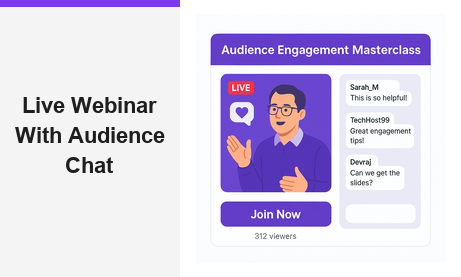
A live webinar with audience chat is one of the most powerful tools available to modern marketers, educators, and community builders. Unlike pre-recorded videos, a live webinar with audience chat turns passive viewers into active participants who ask questions, share reactions, and build community together in real time. Moreover, platforms like Pageinar’s instant webinar broadcasting service make it possible to host a professional broadcast with built-in chat in minutes, with no software installation required for your attendees. In this guide, you will learn why interactive live webinars outperform passive ones, how to set up your own broadcast, and which best practices ensure your audience stays engaged from the first minute to the last.
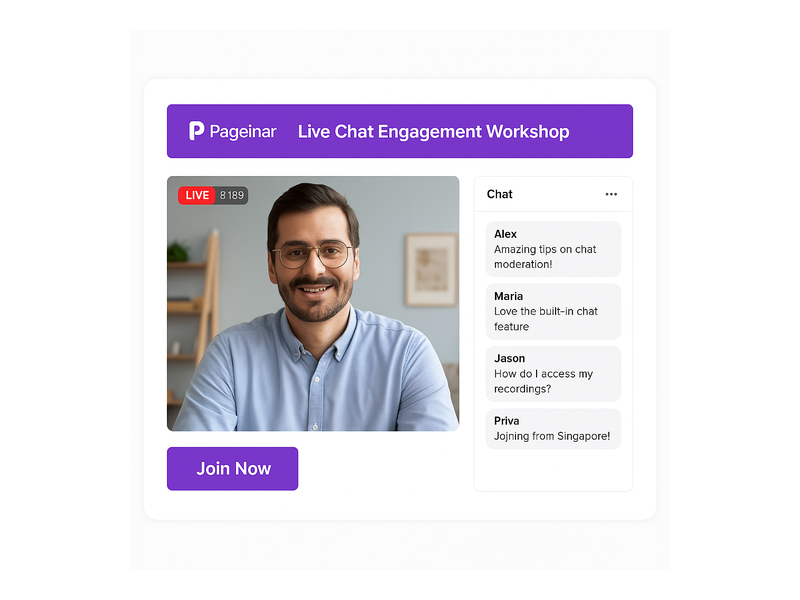
Why a Live Webinar with Audience Chat Transforms Your Event Strategy
Engagement is the defining metric of any webinar. However, most broadcasts struggle to hold attention beyond the first fifteen minutes without interaction. A live webinar with audience chat solves this by creating a continuous feedback loop between presenter and viewer. For example, when an attendee types a question and sees the presenter respond on camera, that person feels seen and valued. As a result, they stay longer, absorb more content, and are far more likely to take a desired action once the event ends.
Furthermore, audience chat generates social proof in real time. When viewers see an active, enthusiastic conversation scrolling beside the video feed, they perceive the event as high-value and trustworthy. Additionally, the volume and tone of chat messages gives the presenter immediate, unfiltered feedback on which talking points are resonating and which need more explanation. In other words, the chat panel functions as both an engagement tool and a live analytics dashboard.
In short, a live webinar with audience chat does more than deliver video content. It creates a shared experience that builds relationships, surfaces audience intelligence, and drives conversions, all at the same time. Therefore, every business that hosts events online should prioritize integrating a robust chat experience into every broadcast.
How to Set Up a Live Webinar with Audience Chat on Pageinar
Getting a live webinar with audience chat up and running on Pageinar requires only a few minutes of setup. First, visit pageinar.com and log in with your Google account. After logging in, Pageinar places you directly on your main broadcast landing page, which already includes the video player area and the integrated chat panel side by side.
Step 1: Customize Your Event Page
First, edit your page header to match your event brand. Upload a cover image or select a background color, add your avatar, and fill in your webinar title and description. These visible elements immediately signal professionalism to anyone who lands on your page. Additionally, a polished page encourages first-time visitors to register and return on the day of the event.
Step 2: Configure the Audience Chat Panel
The chat panel that powers your live webinar with audience chat is built on RumbleTalk, a professional group chat solution integrated directly into every Pageinar page. To configure it, open Settings via the gear icon and select Chat Settings. Here, you choose the chat type, write an offline message for pre-event visitors, pick a visual theme that matches your brand, and assign a chat admin for moderation. Together, these settings ensure your audience chat is polished and ready the moment you go live.
Step 3: Switch to Broadcasting Mode
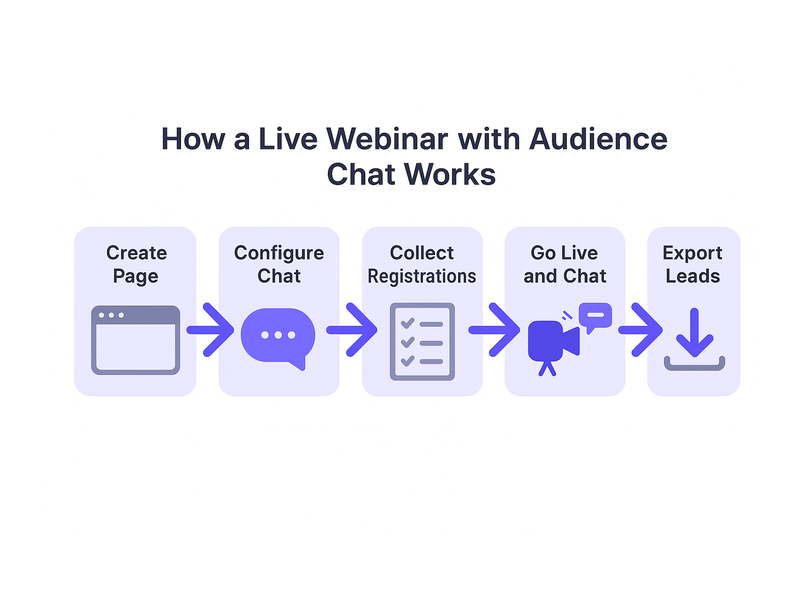
Pageinar separates registration from broadcasting with a clean two-mode system. For your live webinar with audience chat, switch to Broadcasting Mode using the toggle in the top-right corner of your page. This mode displays the live video player and chat panel side by side in a single view. Alternatively, run Registration Mode before the event to collect leads, then switch to Broadcasting Mode when you are ready to go live.
Step 4: Start Broadcasting
When you are ready, click the Start Broadcast button to change your page status from OFFLINE to LIVE. Share the page URL with your audience and they join instantly from any browser. According to the Wikipedia overview of web conferencing, removing technical friction from the attendee join process is one of the most impactful ways to improve both attendance rates and session engagement. Pageinar’s zero-download architecture delivers exactly that advantage.
Best Practices for Moderating Chat During a Live Webinar with Audience Chat
A live webinar with audience chat is only as good as its moderation strategy. However, moderation does not need to be complicated or time-consuming. First, assign a dedicated chat moderator who focuses entirely on the chat while the presenter focuses on the content. This division of labor keeps the stream smooth and ensures no valuable question gets lost in the feed. As a result, both the presenter and the audience enjoy a significantly better experience throughout the broadcast.
Second, warm up the chat before you begin presenting. Ask a simple opening question, such as where attendees are joining from or what topic they most want to cover. Moreover, greet early arrivals by name to create an immediate sense of welcome and belonging. In fact, research consistently shows that attendees who participate in chat within the first three minutes are significantly more likely to remain for the full session. Therefore, the opening moments of your broadcast are the most important investment you can make in viewer retention.
Third, build dedicated question-and-answer breaks into your presentation structure. For example, pause after each major section to read two or three messages from the chat and respond on camera. For guidance on advanced moderation settings, visit the Pageinar knowledge base for chat and broadcast settings. This resource covers everything from chat themes to admin controls in practical detail. In other words, you have all the tools you need to run a professional, well-moderated live webinar with audience chat from day one.
Furthermore, encourage structured chat participation to generate richer, more useful audience data. Ask attendees to type a number from one to five to rate their understanding, or to share a single word describing their biggest challenge. These focused prompts produce more actionable responses than open-ended calls for questions alone. Ideally, plan four to six such interaction moments across a sixty-minute broadcast to maintain a consistent rhythm of two-way engagement throughout the session.
Key Features That Power Your Live Webinar with Audience Chat on Pageinar
Pageinar includes several features that make it an ideal platform for any live webinar with audience chat. Together, these capabilities cover every phase of the broadcast lifecycle, from pre-event registration through post-event lead export and recording access.
Zero-Download Attendee Access
Attendees join by visiting a URL in any browser. There is no app to install, no plugin to download, and no account required on the viewer side. This approach eliminates the most common cause of low attendance at live events: technical friction before the session even starts. Moreover, it means you can promote your broadcast to any audience segment without worrying about device compatibility or setup instructions.
Built-In RumbleTalk Group Chat
The integrated RumbleTalk chat panel delivers professional-grade group chat functionality with no third-party integration required. It supports real-time message delivery, full moderation controls, multiple visual themes, and viewer and speaker display options. Additionally, the chat admin feature lets you delegate moderation to a trusted team member without sharing your account credentials. In other words, you get enterprise-level chat tools included in every Pageinar plan.
Registration Mode and Lead Collection
Before your broadcast begins, switch the page to Registration Mode to collect attendee information. The customizable form captures first name, last name, company, email, phone, and any custom fields you define. Furthermore, the Registered List panel lets you view, search, and export all collected leads as a CSV file after the event. As a result, every interactive webinar doubles as a lead generation campaign with no additional tools required.
Password Protection for Private Events
For paid courses, internal training sessions, or exclusive client briefings, Pageinar’s password protection feature restricts access to authorized attendees only. Set the password in Broadcast Settings with a single click from the gear icon. Therefore, you can confidently host premium events knowing that your content and your audience conversation remain private and secure at all times.
Automatic Broadcast Recordings
Pageinar records every broadcast automatically. After the event, the Broadcast Recordings panel lists each session with its name, duration, and date. Therefore, you can share the recording with registrants who could not attend live, embed it in a follow-up email sequence, or repurpose it as evergreen on-demand content. In fact, many broadcasters report that their recorded sessions generate more cumulative views over time than the original live event itself.
Real-World Use Cases for Interactive Webinar Broadcasts
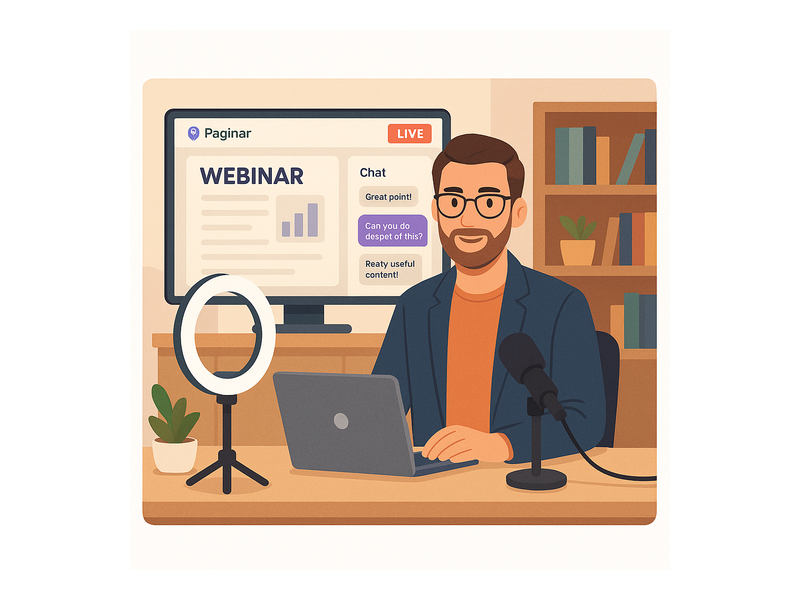
Businesses across every industry use a live webinar with audience chat to achieve a wide range of goals. Here are some of the most impactful and common applications across different sectors.
Product Launches and Feature Demos
Technology companies and consumer brands use live broadcasts to introduce new products to large audiences simultaneously. Additionally, the audience chat panel lets potential customers ask questions, share reactions, and request clarifications in real time during the demo. For example, a software team can unveil a new dashboard feature while monitoring the chat for audience sentiment, adjusting their talking points on the fly. As a result, the launch feels dynamic and responsive rather than scripted, which builds credibility and accelerates buying decisions.
Corporate Training and Employee Onboarding
HR teams and learning professionals use interactive webinars to train employees across multiple locations at the same time. Furthermore, the chat panel allows trainees to ask questions without interrupting the flow of the session, creating a more comfortable learning environment for participants at all experience levels. For example, a new employee onboarding session can cover company policy in the video stream, collect questions via chat, and close with a live Q and A block, all within a single sixty-minute broadcast. This format delivers more value per hour than flying trainers to multiple offices.
Community Q and A Events and AMAs
Content creators, industry experts, and community managers use Pageinar to host ask-me-anything sessions, panel discussions, and subscriber Q and A events. The LIVE indicator and viewer count badge signal to attendees that this is a real-time shared experience, creating the energy and urgency that pre-recorded content simply cannot replicate. Moreover, the ability to theme the chat panel to match your brand makes every session look cohesive and professional, even for solo creators running events with a small team.
Start Your Live Webinar with Audience Chat Today
A live webinar with audience chat is one of the most effective ways to engage your audience, generate qualified leads, and build lasting relationships at scale. Moreover, Pageinar makes the entire process simpler than any alternative, from the initial page setup through post-event lead export. There is no code installation, no plugins, and no complicated configuration required. Simply log in with your Google account, customize your broadcast page, and share the URL. Your attendees get a seamless viewing and chat experience, and you get actionable leads, a recorded session, and a wealth of audience insights.
For inspiration on how to take your broadcasts further, read Unlock the Power of Seamless Webinars with Pageinar: Welcome to a New Era of Online Engagement!, which explores the full range of what the platform can do for your business. Your next live webinar with audience chat is ready to launch. Your audience is waiting.