

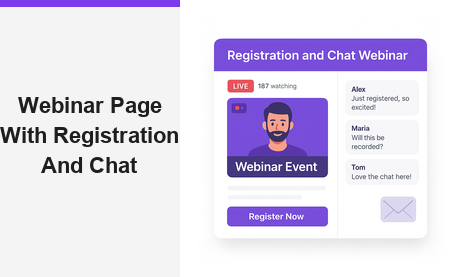
A webinar page with registration and chat is the single most effective way to convert online visitors into engaged, active event attendees. Moreover, when registration, live broadcast, and real-time chat all live on one hosted URL, your entire event workflow becomes dramatically faster and simpler. In fact, many businesses waste valuable hours stitching together separate tools for each of these three functions. Pageinar solves this by combining all three into one seamless, no-code landing page that you design, share, and go live on in minutes.
What Is a Webinar Page with Registration and Chat?
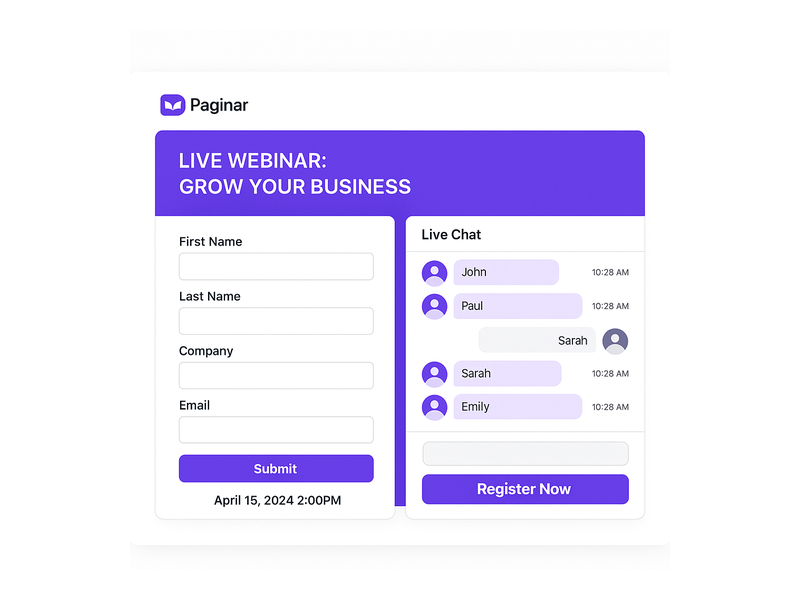
A webinar page with registration and chat combines three essential event functions on a single hosted page. First, it presents your event details and collects attendee information through a customizable registration form. Second, it streams your live broadcast directly on the same page, so attendees never need to navigate elsewhere. Third, it provides a real-time group chat sidebar where attendees ask questions, share reactions, and interact with each other throughout the session. Therefore, hosts no longer need to manage three separate platforms or send attendees across multiple links. Additionally, keeping everything in one place ensures your branding stays consistent from the moment someone registers until the broadcast ends.
Pageinar is built specifically to deliver this kind of all-in-one experience. The platform runs entirely on a hosted landing page that the host customizes through a simple visual editor. Once the page is ready, the host shares a single URL. Viewers click the link, register, wait for the event, and then watch the live broadcast with integrated chat, all without installing any software or plugins. Furthermore, because no technical setup is required on the viewer side, attendance barriers drop significantly and show-up rates improve for every event you run.
Why Unified Webinar Pages Outperform Fragmented Tools
Fragmented tool stacks create unnecessary friction at every stage of the event. For example, when registration happens on a separate landing page builder and the live stream happens on a standalone video platform, attendees must follow multiple steps and links just to attend. However, a single webinar page with registration and chat keeps the entire attendee journey smooth from start to finish. As a result, you see higher attendance rates, fewer technical support questions, and more active participation during the broadcast itself. In short, simplicity drives engagement, and engagement drives results.
How to Build a Webinar Page with Registration and Chat on Pageinar
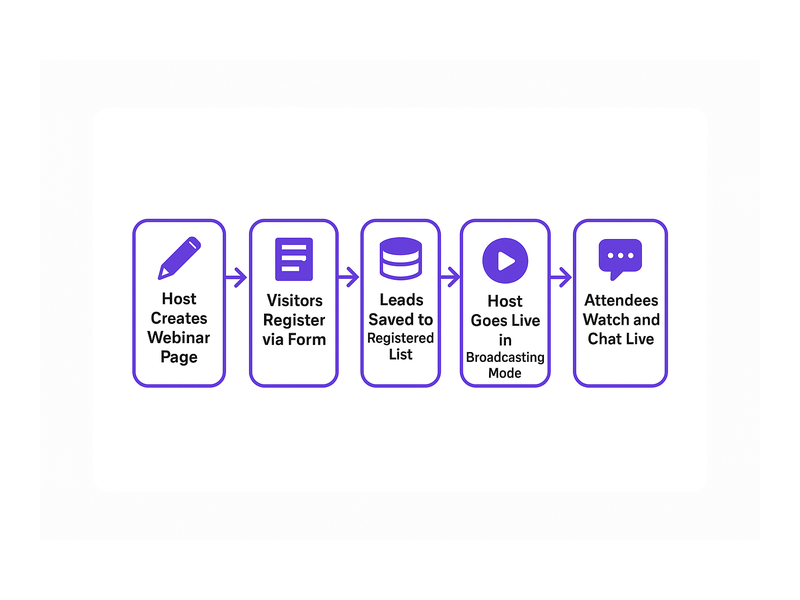
Building a webinar page with registration and chat on Pageinar is fast and requires no technical skills. In fact, the platform is designed so that anyone can go live without prior experience in web development or video streaming. Below is a clear step-by-step overview of the full setup process so you know exactly what to expect before you begin.
Step 1: Sign In and Access Your Broadcast Landing Page
First, visit Pageinar’s all-in-one webinar platform and sign in using your Google account. Pageinar uses Google login only, so there is no separate email or password to remember. After signing in, the platform takes you directly to your main broadcast landing page. This page is fully editable and immediately ready for customization. Additionally, every account includes one hosted page that serves as both your registration destination and your live broadcast stage, all under one URL.
Step 2: Customize Your Header and Branding
Second, click any element in the top section of your page to begin editing. You can upload a cover image or choose a background color that matches your brand identity. Moreover, you can set your event title, add a short description, upload your avatar, and include your website URL. Therefore, any visitor arriving at your link immediately understands what the event is about and why they should register. A strong, branded header also builds trust before attendees take the step of submitting their registration information.
Step 3: Configure Registration Settings
Third, open the gear icon to access the Settings panel and click Registration Settings. Here you choose a registration page template, set the event date and time, upload a header image or video for the registration view, and write a welcome message for new registrants. Furthermore, you can toggle individual lead collection fields on or off to capture exactly the data your team needs. For example, you might enable First Name, Last Name, Company, and a custom Job Title field for a B2B audience. Together, these options give your webinar page with registration and chat a professional, fully branded experience before the event even begins.
Step 4: Configure Chat Settings
Fourth, navigate to Chat Settings in the Settings panel. Here you select the chat type, compose an offline message that displays when the broadcast is not yet live, and assign a chat admin to moderate conversations during the event. You can also choose from multiple visual chat themes to align the chat panel with your event’s visual identity. The chat panel is powered by RumbleTalk group chat and appears on the bottom-left of your broadcast page. As a result, attendees can start conversations the moment they arrive, even before the live video begins, which warms up the audience and builds anticipation.
Step 5: Go Live in Broadcasting Mode
Finally, when your event is ready to start, toggle your page from Registration Mode to Broadcasting Mode using the button in the top-right corner of your Pageinar dashboard. Click Start Broadcast in the live area on the bottom-right of the page. Your attendees immediately see the red LIVE indicator appear. In addition, a live viewer count updates in real time, giving you clear confidence that your audience is engaged and present. Therefore, your webinar page with registration and chat transforms into a fully active, interactive event hub with just one click.
Key Features of a Webinar Page with Registration and Chat
Pageinar includes several powerful built-in features that make every webinar page with registration and chat more effective. Understanding each feature helps you plan better events, capture more leads, and create a richer experience for your attendees every time you go live.
Lead Collection and the Registered List
Registration Settings allow you to toggle specific lead fields on or off depending on your campaign goals. For example, a sales team running a product demo might enable First Name, Last Name, Company, and Phone fields to qualify prospects before the event starts. Moreover, all submitted registrations appear automatically in the Registered List inside your Settings panel. There you can search, view, and export attendees sorted by name, company, email address, phone number, or sign-up date. In short, your webinar page with registration and chat doubles as a built-in lead generation engine that runs before, during, and after every broadcast.
Password Protection for Private Events
Ideally, not every event is meant for the general public. Pageinar lets you add a page password directly through Broadcast Settings. Therefore, only attendees who have the correct password can access the broadcast, even if they have the page URL. This feature is especially useful for client-only webinars, paid training sessions, or internal corporate broadcasts. Additionally, adding a password does not change the simplicity of the process for your audience: they still visit one URL, enter the password in a clean prompt, and proceed directly to your page.
Social Links for Cross-Channel Visibility
Broadcast Settings also let you display social profile links for Facebook, Instagram, Twitter, YouTube, and Twitch directly on your webinar page. In fact, showing these links during the registration phase encourages attendees to follow your brand on other channels before the event begins. Furthermore, a consistent cross-channel presence builds credibility and trust with new attendees who may be discovering your brand for the first time through your event page.
Broadcast Recordings for Ongoing Value
After every live event, Pageinar saves a broadcast recording with the session duration and date automatically logged in your dashboard. You can export these recordings and repurpose them as replay links, social media video clips, or on-demand training resources. As a result, every event you run on a webinar page with registration and chat creates lasting value that continues to generate leads and engagement long after the broadcast window closes. This significantly increases the return on investment for every event you produce.
Real-World Use Cases for a Webinar Page with Registration and Chat
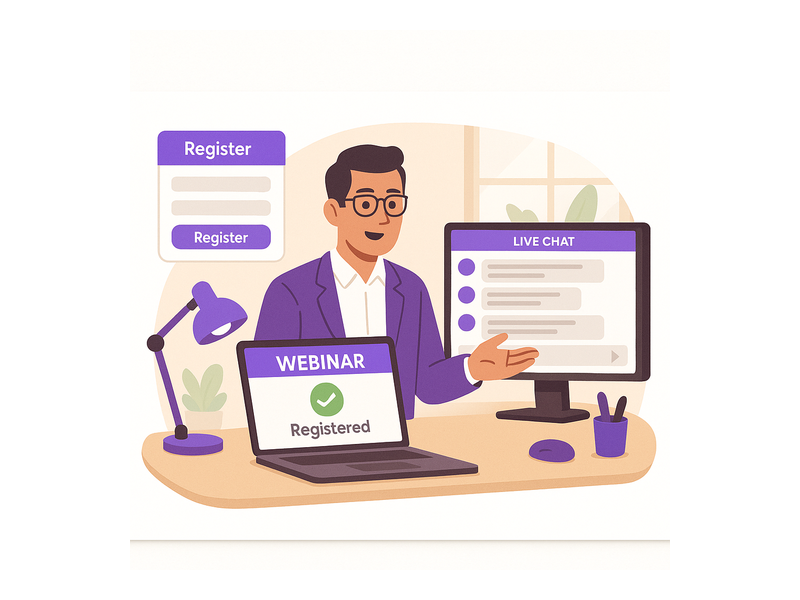
A webinar page with registration and chat is versatile enough to serve many different industries and event types. Here are some of the most impactful use cases you can implement right away using Pageinar as your hosting platform.
Product Launches and Live Demos
Companies use Pageinar webinar pages to unveil new products to a live online audience. Registration ensures that only interested, pre-qualified prospects attend, which improves the quality of every lead in the room. Chat lets prospects ask product-specific questions in real time during the demo, making the presentation feel interactive and two-directional. Therefore, product launches become genuine conversations rather than one-way announcements, which drives significantly higher conversion rates and post-event follow-through.
Online Training and Educational Workshops
Trainers and educators use webinar pages to deliver structured online workshops to distributed audiences. Registration collects participant data for compliance tracking, follow-up, and certificate issuance. Chat enables peer-to-peer discussion and live question-and-answer exchanges throughout the session. In addition, the recording feature captures the full session so students who miss the live event can review the material on their own schedule without missing any content.
Corporate Town Halls and Internal Broadcasts
Large organizations use password-protected Pageinar pages for internal broadcasts such as quarterly business reviews and all-hands meetings. Registration tracks attendance for HR reporting and compliance purposes. Chat gives employees a direct voice during leadership presentations, which fosters a culture of open communication even in large, distributed teams. As a result, internal events become more engaging and inclusive, regardless of where employees are located around the world.
Sales Demos and Lead Nurturing
Sales teams run live product demos on Pageinar to move prospects through the pipeline more efficiently. Registration pre-qualifies leads before they enter the session. Chat allows prospects to ask specific questions live, while the host answers in real time and addresses objections on the spot. Furthermore, after the broadcast ends, the Registered List gives the sales team a warm, pre-qualified lead list ready for immediate follow-up. This makes the entire sales cycle faster and more data-driven than traditional outreach methods.
Webinar Page with Registration and Chat vs. Fragmented Tool Stacks
Many teams build webinar experiences by combining separate tools: a form builder for registration, a video streaming service for the broadcast, and a third-party chat widget on yet another page. However, this fragmented approach creates serious problems at every stage. First, attendees must navigate multiple links and platforms, which increases drop-off at every transition point. Second, branding is inconsistent across tools that were not designed to work together visually. Third, lead data is scattered across different dashboards, making post-event follow-up slower and less organized.
In contrast, a webinar page with registration and chat on Pageinar centralizes everything in one place. Therefore, setup is faster for the host, the attendee experience is smoother from start to finish, and lead data is immediately available in one clean dashboard. According to general research on online event engagement, events that provide a seamless single-URL experience consistently outperform multi-tool setups in both attendance rates and active audience interaction. For more background on how webinars have evolved as a format, see the Wikipedia overview of webinars.
Getting Started with Your Webinar Page with Registration and Chat
Getting started with Pageinar requires no technical background and no credit card for the free plan. First, visit Pageinar’s webinar platform and sign in with your Google account. Second, customize your broadcast landing page with your event title, cover image, and description. Third, open Settings to configure Registration Settings and Chat Settings for your specific audience and event goals. Fourth, copy your page URL and share it with your audience through email, social media, or any channel you prefer. Registrations begin flowing in automatically from that point forward.
Additionally, you can explore the Pageinar Knowledge Base for step-by-step guides on editing your broadcast page, setting up lead collection fields, changing your chat theme, and understanding the difference between Registration Mode and Broadcasting Mode. In fact, the Knowledge Base covers every feature you need to run a polished, professional event. Moreover, if you want a broader introduction to the platform before diving into setup, read our earlier post on Unlock the Power of Seamless Webinars with Pageinar: Welcome to a New Era of Online Engagement! for a full overview of what the platform makes possible.
Start Building Your Webinar Page with Registration and Chat Today
A webinar page with registration and chat is no longer a luxury reserved for large enterprise teams with big budgets. In fact, it is the baseline expectation for any professional online event in today’s digital-first environment. Therefore, combining registration, live broadcast, and real-time chat on a single hosted page is the smartest, most efficient way to run any live event, regardless of your audience size or industry. Pageinar delivers this complete experience without any code installation, without external plugins for attendees, and without technical complexity on either the host or viewer side. Sign in at pageinar.com today and launch your first webinar page with registration and chat in under five minutes.