
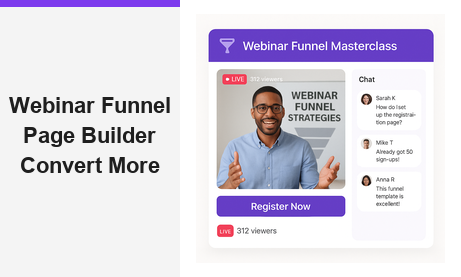
A webinar funnel page builder is the most powerful tool you can use to turn live broadcast attendees into paying customers. In fact, every successful webinar depends on a well-designed funnel that captures leads, builds excitement, and guides prospects toward a clear purchase decision. With Pageinar, you get a complete webinar funnel page builder solution in one hosted platform, with no code required and no plugins for your attendees to install.
What Is a Webinar Funnel Page Builder?
A webinar funnel page builder is a tool that lets you design and optimize the pages guiding prospects through your entire webinar journey. However, most businesses stitch together separate registration tools, landing page editors, and streaming platforms. This fragmented approach creates a poor experience for attendees and makes tracking results much harder than it needs to be.
In contrast, a unified webinar funnel page builder handles every funnel stage in one place. Additionally, it simplifies your technical stack, reduces setup time, and delivers a seamless attendee experience from registration to live broadcast. According to Wikipedia’s overview of webinars, the format continues to grow as businesses adopt it for training, marketing, and sales. Therefore, having the right webinar funnel page builder in place is now essential for any organization running online events.
The Three Stages of a Webinar Funnel
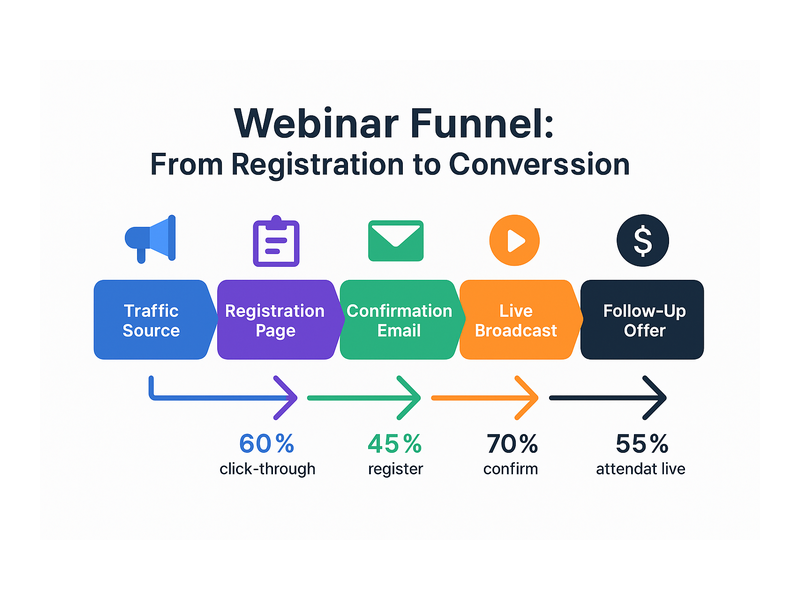
Every effective webinar funnel supports three core stages. First, you attract prospects with targeted promotion and drive them to a registration page. Second, visitors complete a lead capture form and confirm their spot. Third, registered attendees join the live broadcast, engage with your content, and receive your follow-up offer.
Moreover, each stage requires a distinct page design and a specific messaging approach. Your registration page must communicate urgency and clear value. Your broadcast page must create an engaging, professional atmosphere that keeps attendees watching and participating. Together, these elements form the complete funnel that transforms strangers into loyal customers.
How Pageinar Works as a Webinar Funnel Page Builder
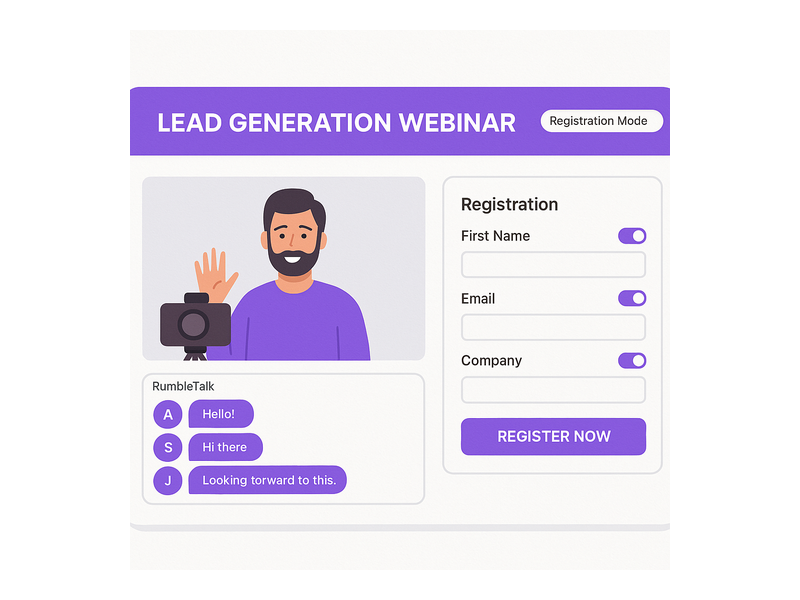
Pageinar takes a uniquely efficient approach to webinar funnel design. Instead of building separate pages for registration and broadcasting, Pageinar gives you a single hosted landing page that handles both functions. This dual-mode system dramatically simplifies your workflow and improves the attendee experience from start to finish.
Here is how the two modes work together to support your funnel:
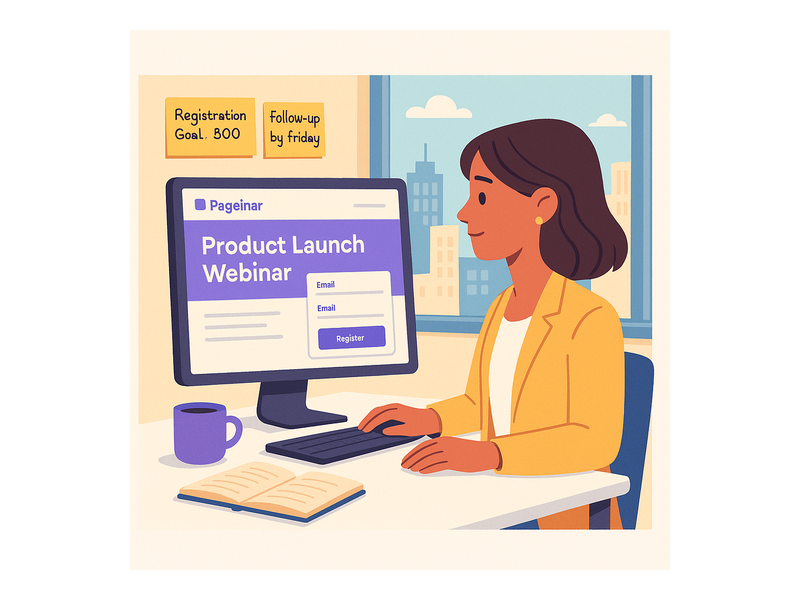
- Registration Mode: Your page displays a customizable registration form with your event details, lead capture fields, and an optional countdown timer. Visitors register, and Pageinar stores their information automatically in your Registered List.
- Broadcasting Mode: When your event starts, the same URL becomes your live broadcast studio. Attendees see your video stream, the integrated RumbleTalk group chat, and your branded page design, all without installing anything on their device.
Furthermore, switching between modes is instant. You toggle the mode from the top-right corner of your Pageinar main page. As a result, your webinar funnel page builder adapts in real time without redirecting attendees or requiring any technical changes on your end.
For a complete overview of Pageinar as a webinar broadcast platform, visit the homepage and explore all available features for your funnel setup.
Customizing Your Registration Page
Your registration page is the critical entry point of your entire webinar funnel. Pageinar’s Registration Settings give you full control over the design and lead capture experience. Specifically, you can configure the following elements to match your brand and event goals:
- Registration page template and background color
- Welcome message and event description text
- Date, time, and optional countdown timer display
- Header image or video for visual impact and credibility
- Lead fields: First Name, Last Name, Company, Email, Phone, and custom fields
Additionally, each lead field is individually toggleable. This lets you collect exactly the data your sales team needs without overwhelming potential registrants with a long form. To learn how to set up lead collection before your broadcast, visit the Pageinar Knowledge Base for step-by-step guidance on configuring your lead capture form.
Optimizing Your Webinar Funnel Page Builder for Higher Conversions
Building a webinar funnel page builder setup is only the beginning of your optimization work. In addition, you must continuously refine each element to maximize your registration rate and attendee engagement. Therefore, let us walk through the key strategies that top webinar marketers use to get better results from every event they run.
Writing a High-Converting Registration Headline
Your headline is the first thing visitors see when they land on your webinar registration page. Consequently, it must communicate the core benefit of attending in ten words or fewer. For example, instead of ‘Join Our Webinar About Lead Generation,’ write ‘Generate 50 Qualified Leads in One 60-Minute Session.’
Moreover, include a specific outcome, a clear timeframe, and a compelling promise in every headline you write. This formula consistently outperforms vague alternatives in A/B tests across industries. As a result, you can see significantly higher registration rates without increasing your advertising spend or overall traffic volume.
Adding Video to Your Webinar Funnel Page
A short welcome video from the host increases registration rates dramatically on any webinar funnel page. In fact, pages with embedded video convert up to 80% better than text-only registration pages, according to multiple marketing studies. Pageinar lets you add a header video directly to your registration page, giving you an easy way to introduce yourself and build genuine excitement for the event.
Ideally, your welcome video should run between 60 and 90 seconds. Cover who you are, what attendees will learn, and why they should attend live rather than catch a replay later. Keep your tone warm and conversational. This personal approach makes your webinar registration page stand out from generic forms and builds trust before attendees have even signed up.
Using a Countdown Timer to Drive Urgency
Scarcity and urgency are among the most powerful conversion triggers available to any marketer. A countdown timer on your registration page shows exactly how much time remains before the event starts. Pageinar includes a built-in timer toggle in your Registration Settings, making it simple to add this urgency element to your webinar funnel setup.
However, only use the timer when your event date is genuinely fixed and confirmed. Fake countdowns erode trust and damage your brand reputation over time with repeat visitors. When used authentically, a countdown timer can increase registration conversions by 30% or more with no additional effort required from your team.
Balancing Lead Form Fields for Maximum Registrations
Each additional field in your registration form reduces overall conversion rates slightly. Therefore, balance your need for data against the friction you create for potential registrants who visit your page. For most webinar funnel page builder setups, First Name and Email are sufficient for initial lead capture and event confirmation delivery.
For B2B webinars specifically, adding Company and Job Title fields is often worth the additional friction at registration. This data helps your sales team qualify leads before they reach out for a follow-up conversation. Additionally, Pageinar stores all registrant data in your Registered List, which you can search, filter, and export at any time directly from your Settings panel.
Live Broadcasting: Where Your Webinar Funnel Page Delivers Results
Once your event goes live, your webinar funnel page builder experience shifts into Broadcasting Mode. This is where all your lead generation and promotion work pays off in real time. Registered attendees join from the same URL with no downloads or app installations required on their end.
Pageinar’s live broadcast page includes three key areas that work together to create a compelling attendee experience:
- Live video area: Your broadcast streams directly on the page with a prominent LIVE badge and a real-time viewer count display that builds social proof as more people join.
- RumbleTalk group chat: Attendees ask questions, share reactions, and engage with each other in real time. You control moderation, chat themes, and admin settings from the Chat Settings panel in your dashboard.
- Brand elements: Your page header, description, and social links stay visible throughout the broadcast, keeping your brand prominent for every viewer watching your event.
Furthermore, you can password-protect your broadcast page so only registered attendees can access the live session. This feature, available in Broadcast Settings, creates a sense of exclusivity that makes your event feel more valuable and premium to those who signed up in advance.
Engaging Your Audience During the Broadcast
Active audience engagement is the defining difference between a forgettable webinar and one that generates real, measurable sales. Therefore, use Pageinar’s group chat to answer live questions, facilitate informal discussions, and build a sense of community among your attendees. In fact, webinars with active chat sessions consistently produce higher post-event conversion rates compared to passive broadcast-only presentations.
Additionally, moderate your chat proactively to keep the conversation focused on your topic. Pageinar gives chat admins full moderation controls, including the ability to remove disruptive participants and pin important messages for all viewers to see. This keeps your broadcast professional and on-brand from the first minute to the last.
Using Recordings for Post-Funnel Nurturing
Every broadcast you run on Pageinar saves automatically to your Broadcast Recordings list inside your Settings panel. Moreover, you can export these recordings and use them as on-demand content to extend your webinar funnel well beyond the live event date. For example, share the recording link in your follow-up email to re-engage attendees who dropped off the session early.
In addition, recordings give you valuable insight into your content performance over time. Review the chat log to identify which questions came up most often during the broadcast. Use those insights to refine your next webinar funnel page builder setup and make each subsequent event more effective and better targeted than the last one.
Webinar Funnel Page Builder Best Practices for B2B Teams
B2B webinar funnels require a more targeted and deliberate approach than consumer-focused events. Specifically, your audience actively evaluates you as a potential partner or vendor during every touchpoint in the funnel. Therefore, every element of your webinar funnel page builder setup must project expertise, credibility, and professionalism from the registration page through to the post-event follow-up sequence.
Focus Your Webinar on One Specific Pain Point
Generic webinar topics attract generic, low-converting audiences who are unlikely to become paying customers. Instead, position your webinar around one specific, pressing pain point that your ideal customer faces right now in their business. For example, replace ‘How to Improve Your Marketing’ with ‘How to Cut Your Cost Per Lead in Half Before Q3 Ends.’
Moreover, use your registration page description to acknowledge the pain point directly before presenting your webinar as the practical solution. This empathy-first approach increases registration rates and attracts prospects who are genuinely ready to act on what you teach. As a result, your post-webinar conversion rates improve without any changes to your core product offer.
Follow Up Within One Hour After Your Event Ends
The post-webinar follow-up email is one of the most critical components of any effective webinar funnel. Send your first follow-up message within one hour of the broadcast ending while attendee memory and motivation are still fresh. Include a warm thank-you message, a link to the event recording, and a clear call to action for your next offer or consultation booking.
In other words, capitalize on attendee momentum before it naturally fades in the hours after your event. Registrants are most engaged and receptive in the window immediately following a live session they attended. Therefore, a fast and personalized follow-up can convert a significant portion of attendees into paying customers or qualified sales conversations for your team.
Why Pageinar Is the Ideal Webinar Funnel Page Builder
Many webinar platform tools require multiple subscriptions, complicated third-party integrations, and significant technical setup work before you can go live. Pageinar eliminates all of that complexity from your workflow. You log in with your Google account, customize your broadcast page, and launch your event in minutes with nothing required on the attendee side.
Additionally, Pageinar has earned the trust of leading organizations including Nasdaq, Wix, HP, and Sony Music. This track record reflects the platform’s reliability and enterprise-grade capabilities for large-scale events. Whether you run a small internal team demo or a major external broadcast, Pageinar scales to meet your needs without requiring additional technical resources or developer support.
For a deeper look at what makes Pageinar a powerful webinar funnel page builder solution for teams of every size, read our post Unlock the Power of Seamless Webinars with Pageinar: Welcome to a New Era of Online Engagement!
Start Building Your Webinar Funnel Page Builder Today
Getting started with your webinar funnel page builder on Pageinar takes less than five minutes from your first login to your live registration page. First, visit Pageinar and log in with your Google account. Second, customize your broadcast page with a cover image, avatar, event title, and description that reflects your brand. Third, switch to Registration Mode and configure your lead capture form with the fields your sales team needs. Finally, share your page URL and start driving registrations from your chosen promotion channels.
Moreover, you manage your entire webinar funnel without any technical expertise or third-party integrations to maintain. Pageinar handles hosting, streaming, chat moderation support, and lead storage automatically in the background. As a result, you spend your energy creating great content and building your audience rather than troubleshooting technical issues before your event goes live.
In conclusion, a well-configured webinar funnel page builder transforms your webinar from a one-time content event into a repeatable, scalable revenue engine for your business. With Pageinar, you get every tool you need in a single, easy-to-use hosted platform that requires no plugins, no code, and no prior technical experience. Therefore, start building your webinar funnel today and discover how much easier it is to convert attendees into customers when your registration page, live broadcast, lead capture, and audience engagement all work together seamlessly from one URL.
Ready to launch your first webinar funnel? Get started with Pageinar for free today. No installation required, no technical expertise needed, and no limits on the audience you can reach with the right webinar funnel page builder powering your next live event.