

A webinar with chat is one of the most effective formats for online events today. Rather than broadcasting one-way to a silent audience, a webinar with chat creates a live, two-way conversation between hosts and attendees in real time. For event organizers, this shift from passive viewing to active participation drives higher retention, more qualified leads, and a better overall experience for everyone involved. Pageinar is designed from the ground up to support this format: every broadcast landing page includes a fully integrated live chat panel, so you never need to stitch together a third-party tool. In this guide, you will learn exactly why the webinar with chat model works, how to set it up on Pageinar, and which best practices will help you get the most from every session.
Why a Webinar with Chat Improves Audience Retention
Research consistently shows that interactive formats outperform passive ones. According to the widely documented principles of web conferencing, audience engagement drops sharply when attendees have no way to participate. When attendees can type a question and see it answered live, they stay focused on the screen. In fact, a webinar with chat typically sees 40 to 60 percent longer average viewing time compared to a broadcast with no audience interaction. Additionally, the chat panel creates a sense of community: participants read each other’s comments, respond to peers, and feel part of a shared event rather than simply watching a recording.
Real-Time Feedback Shapes Better Content
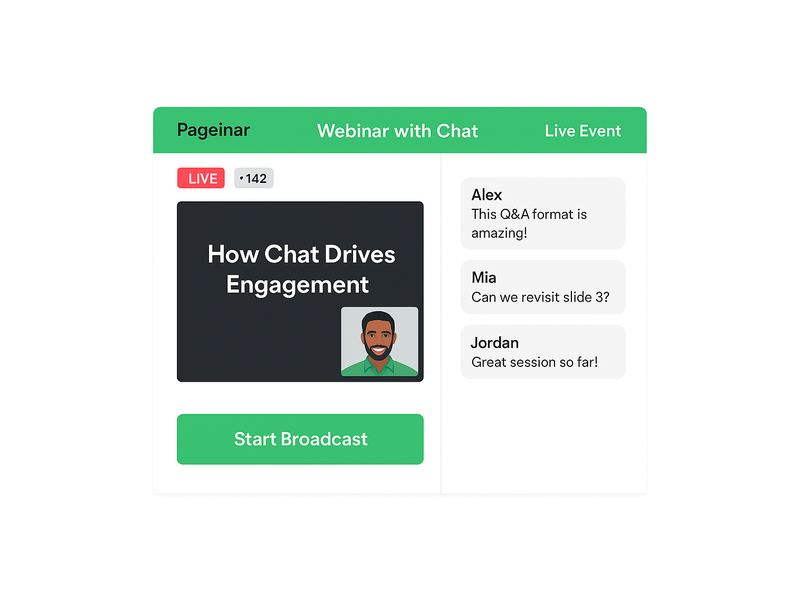
Moreover, live chat gives the host immediate feedback during the session. If ten attendees ask the same question within five minutes, the host knows exactly which topic to explore in more depth. Therefore, the webinar with chat format actually sharpens your content delivery in real time: you are not guessing what the audience needs, because they are telling you directly. Pageinar displays chat messages alongside the broadcast area, so the host can glance at incoming questions without leaving the broadcast interface. This keeps the event flowing naturally while keeping every attendee fully engaged from start to finish.
How Pageinar Powers Your Webinar with Chat
Pageinar gives every host a branded broadcast landing page that includes two core panels: a live video area and a RumbleTalk group chat panel. Together, these two panels deliver a complete webinar with chat experience from a single hosted URL. No plugins, no downloads, and no code are required for attendees. They simply open the link in a browser and join the session immediately. For the host, the process is equally straightforward: log in with Google, customize the page, and start broadcasting. The chat panel activates automatically the moment the page goes live.
Customizing the Chat Panel
Additionally, Pageinar gives hosts deep control over the chat experience. From the Chat Settings panel, you can select a chat theme that matches your brand colors, set an offline message that greets visitors before the event starts, and choose whether to display the speaker and viewer list. For professional events, you can assign a dedicated chat admin who handles moderation while the host focuses on presenting content. Furthermore, you can control whether attendees see each other’s names and avatars, which shapes the level of community interaction you want to encourage in your webinar with chat.
Registration Mode and Chat
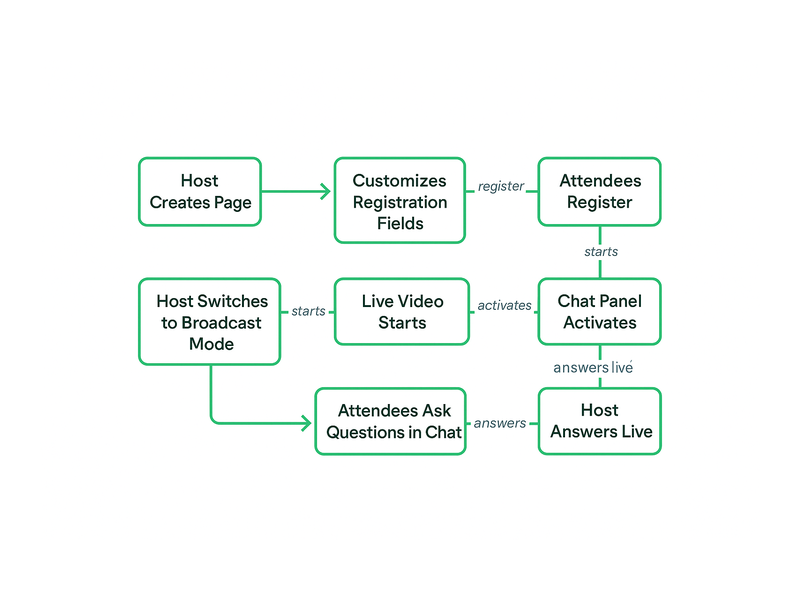
Before the event, Pageinar’s Registration Mode lets you collect lead information directly on the same landing page. First, you toggle the page to Registration Mode. Then, you configure lead fields such as first name, last name, company, phone number, and any custom questions your team needs. When the event starts, you switch to Broadcasting Mode and the chat panel activates for all registered attendees. As a result, you have both a qualified lead list and an engaged live audience, all managed from one platform. This end-to-end flow is what makes Pageinar a complete solution for the webinar with chat format.
Setting Up a Webinar with Chat on Pageinar: Step by Step
Getting started is fast. Below are the key steps to launch your first webinar with chat on Pageinar and make the most of every feature available to you.
- Sign in with Google: Visit Pageinar’s broadcast landing page platform and log in. No password signup is needed, which means you can get started in under a minute.
- Customize your page: Add your event title, cover image, avatar, and description. These appear on both the registration page and the live broadcast page, so your branding stays consistent throughout.
- Configure Registration Settings: Toggle to Registration Mode, enable the lead fields you want, and set the event date and time. Pageinar displays a countdown timer automatically so attendees know when the session begins.
- Set up Chat Settings: Choose your chat theme, write an offline message, and assign a chat admin if needed. For guidance on themes, review the article on how to change your chat theme in the Pageinar Knowledge Base.
- Share the URL: Pageinar hosts your page on a permanent URL. Share it via email, social media, or your website. Attendees register and join directly on the page.
- Go live: Switch to Broadcasting Mode, click Start Broadcast, and your webinar with chat session begins instantly for all attendees.
Password Protection for Private Events
For private or paid events, Pageinar lets you add a page password under Broadcast Settings. Only attendees who enter the correct password can access the broadcast page. This feature suits corporate training sessions, paid workshops, and exclusive member events. Therefore, your webinar with chat remains open to the right audience and completely closed to everyone else, without any complicated access management on your end.
Best Practices for a High-Engagement Webinar with Chat
Simply enabling chat is not enough to guarantee engagement. The following practices will help you get the strongest results from every webinar with chat session you run, regardless of your audience size or industry.
Open the Chat Early
First, activate the broadcast page 10 to 15 minutes before the scheduled start time. Invite early arrivals to introduce themselves in the chat. This warms up the audience and builds momentum before you begin presenting. Moreover, it gives you a chance to spot and resolve any technical issues before the webinar with chat session officially opens to the full audience.
Ask Questions Throughout the Session
Second, build audience questions directly into your presentation script. After each major section, pause and prompt attendees to respond in the chat. For example, ask: ‘What is your biggest challenge with lead generation right now?’ and allow 60 seconds for replies. In other words, treat the chat panel as a co-presenter rather than a side feature. This approach consistently lifts message activity and keeps the energy high throughout the event.
Assign a Dedicated Chat Moderator
Third, if your audience exceeds 50 attendees, assign a chat admin through Pageinar’s Chat Settings panel. The moderator can surface the best questions, filter irrelevant messages, and keep the conversation focused on the topic. As a result, the host stays fully focused on delivering great content while the chat experience remains organized and valuable for every person attending the webinar with chat.
Use Chat for Live Polls and Q&A Segments
Furthermore, the chat panel works naturally as a polling tool. Ask attendees to type ‘A’, ‘B’, or ‘C’ to vote on a question. Alternatively, reserve the final 15 minutes for a dedicated Q&A segment where the moderator reads questions aloud. Together, live polls and structured Q&A make the webinar with chat feel like a real conversation rather than a one-way lecture. This format works especially well for product demos, training sessions, and panel discussions.
Use Cases: Who Benefits Most from a Webinar with Chat
The webinar with chat format serves a wide range of industries and business goals. Here are the most common scenarios where Pageinar customers see the strongest results from combining live video with real-time audience interaction.
B2B Lead Generation Events
Marketing teams use the webinar with chat to attract and qualify prospects at scale. Registration fields collect company name, job title, and other qualifying data before the event starts. During the session, chat activity reveals which attendees are most engaged, helping the sales team prioritize follow-up calls after the event. Ideally, combine the live chat with a strong CTA at the close of the broadcast, directing attendees toward a free trial or a sales call booking link.
Corporate Training and Onboarding
HR and learning teams run internal training sessions as a webinar with chat to replace static slide decks and pre-recorded videos. Employees ask questions in real time and the trainer answers immediately, creating the interactivity of a classroom without the logistical challenges of gathering everyone in one place. Additionally, Pageinar records every broadcast automatically. Recordings are stored under Broadcast Recordings in the settings panel and available for export, so new team members can watch sessions they missed.
Product Launches and Live Demos
Product teams use the webinar with chat to unveil new features and collect instant audience reactions. The chat fills with questions and comments during the demo, giving the team real-world feedback within minutes of the launch. Furthermore, the registration data collected before the event feeds directly into the CRM as a list of warm, interested contacts. For inspiration on running a polished launch event, read our post on Unlock the Power of Seamless Webinars with Pageinar: Welcome to a New Era of Online Engagement!
Live Classes and Coaching Programs
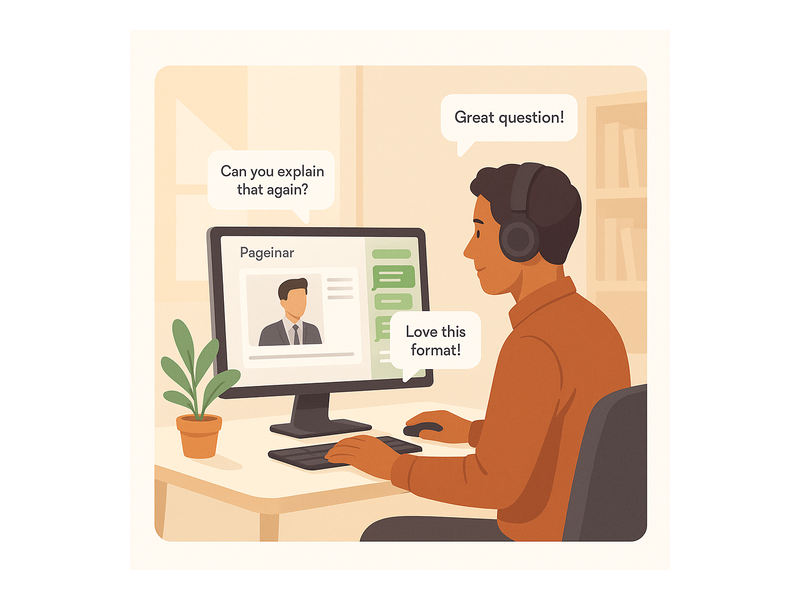
Educators, coaches, and consultants use the webinar with chat to deliver live learning experiences that feel personal even at scale. Students type answers to exercises directly in the chat, the instructor reviews them live, and the entire group learns from the discussion. In fact, this format replicates the classroom dynamic online without the complexity of traditional video conferencing software. No attendee needs to install anything: they simply open the Pageinar link and join the session in seconds.
Measuring the Success of Your Webinar with Chat
After each event, three metrics give you the clearest picture of performance. First, check the number of registered leads in the Registered List under Pageinar’s settings panel. Second, review the broadcast recording to see how long attendees stayed on average. Third, count the total volume of chat messages to gauge how active the audience was during the session. Higher chat activity typically signals stronger attendee interest and intent to purchase or re-engage with your brand. Therefore, tracking these numbers across multiple sessions helps you refine both your content and your hosting style over time.
Exporting Data After the Event
Moreover, Pageinar makes post-event data easy to access and export. The Registered List is searchable and downloadable as a spreadsheet, so you can send it directly to your CRM or email marketing platform within minutes of the event closing. Additionally, broadcast recordings appear in the Broadcast Recordings section with their full duration and are available for download at any time. As a result, every webinar with chat you run on Pageinar leaves a clean record of both attendance data and content for future analysis and repurposing.
Start Hosting Your Webinar with Chat on Pageinar Today
A webinar with chat has never been simpler to run. Pageinar provides everything you need on a single hosted page: registration, live video, real-time chat, lead collection, and automatic recording. There is no setup fee, no plugin to install, and no technical configuration required for your attendees. Simply sign in with Google, customize your broadcast page, and share the link with your audience. The chat panel is ready the moment your event goes live.
Ready to host your first webinar with chat? Visit Pageinar today, create your broadcast page in minutes, and start building live events your audience will remember. Whether you are generating leads, onboarding new team members, launching a product, or running a coaching program, the webinar with chat format delivers the kind of real-time engagement that recorded video simply cannot match.