

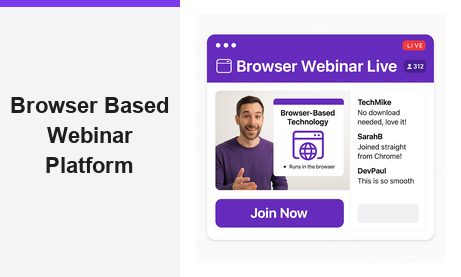
A browser based webinar platform gives you the power to host live events directly in any web browser, with no software to install and no plugins for your attendees to manage. Pageinar is built on exactly this principle: visit the site, log in with Google, and your broadcast page is ready to customize and share within minutes. In today’s fast-moving digital landscape, the tools that remove friction win, and a browser based webinar platform is the clearest example of that advantage.
What Is a Browser Based Webinar Platform?
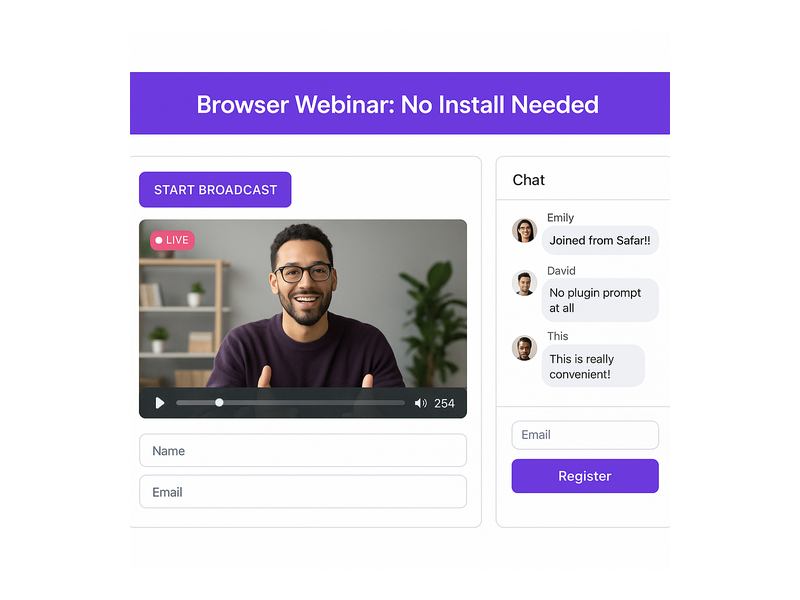
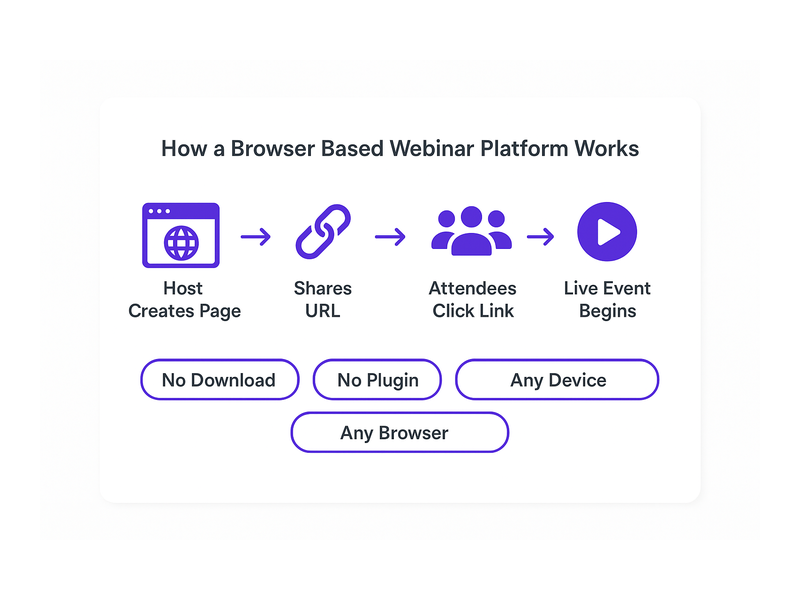
A browser based webinar platform is a hosted live event service that runs entirely inside a standard web browser. Therefore, neither the host nor the attendees need to download any application. Instead, the host customizes a branded landing page, shares the URL, and viewers simply click the link to watch, chat, and register. This approach removes the single biggest friction point in traditional webinar software: the installation barrier.
Moreover, browser based solutions are platform-agnostic by nature. For example, attendees can join from Windows, Mac, iOS, or Android without any compatibility concerns. In fact, research from the Pew Research Center consistently shows that audiences are far more likely to participate in online events when no special software download is required. A browser based webinar platform lowers that barrier to zero.
No Downloads, No Plugins, No Barriers
Additionally, the traditional webinar model forces attendees through a frustrating multi-step setup. First, they download a desktop application. Second, they grant microphone and camera permissions. Third, they troubleshoot audio issues and finally join the event, often several minutes late. A browser based webinar platform eliminates every one of those steps. As a result, your attendance rate improves because the path from invitation to live event is completely frictionless.
Pageinar takes this idea one step further. Hosts log in via Google and land immediately on their broadcast landing page. Furthermore, the page is fully editable: cover image, avatar, event title, description, and social links. In short, your entire webinar presence is live in minutes, not hours.
Key Features of a Browser Based Webinar Platform Like Pageinar
Not all browser based webinar platforms deliver the same feature set. However, Pageinar stands out by combining live broadcasting, lead collection, real-time chat moderation, and recordings into one hosted page. Together, these features give event organizers everything needed for a professional event without juggling multiple third-party tools.
Two Modes: Registration and Broadcasting
Pageinar’s broadcast page operates in two distinct modes. First, Registration Mode lets you publish a pre-event landing page where visitors sign up and view event details. Second, when you are ready to go live, you toggle to Broadcasting Mode and click Start Broadcast. Therefore, the same URL serves both purposes across the entire event lifecycle, so you never need to send your audience a different link.
In Registration Mode, you configure the welcome message, event date and time, a countdown timer, and a header image or video. Additionally, you can collect custom lead fields such as First Name, Last Name, Company, and phone number. For example, a B2B marketer can capture qualified prospects before a single frame of video is ever streamed.
Integrated Chat for Real-Time Engagement
Alternatively, many platforms treat chat as an afterthought. Pageinar integrates RumbleTalk group chat directly on the broadcast page. In fact, the chat panel sits side-by-side with the video player so attendees never need to leave the page to interact. Furthermore, hosts have full moderation controls: mute participants, remove messages, configure visual themes, and set an offline message when the broadcast ends.
Together, live video and real-time chat create the interactive atmosphere that separates a strong browser based webinar platform from a simple video stream. Moreover, you can customize the chat theme to match your brand colors directly from the Settings panel, giving every event a cohesive visual identity.
Lead Collection and the Registered List
One of the most powerful features on any browser based webinar platform is automated lead capture. Specifically, Pageinar’s Registration Settings let you toggle on any combination of lead fields. In addition, every submission is stored in the Registered List, which you can search by name or email and export as a CSV. Therefore, you finish every event with a clean, qualified list of prospects ready for your CRM.
Ideally, you pair your registration form with a compelling welcome message and a visible countdown timer to build anticipation. For example, displaying a timer showing only 48 hours until the broadcast creates urgency that drives sign-ups. As a result, you can often double your registration rate compared to a plain static sign-up form.
How to Set Up Your Browser Based Webinar Platform in Minutes
Setting up Pageinar as your browser based webinar platform requires zero technical knowledge. First, visit Pageinar, the instant browser based webinar platform and sign in with your Google account. Second, you land on your main broadcast page automatically. Third, click any element in the header to edit your cover image, avatar, title, and description. Finally, open the gear icon to access the Settings panel and configure registration forms, chat behavior, and broadcast options.
Additionally, the Settings panel gives you granular control over the entire event experience. For example, in Broadcast Settings you can add a page password so only invited guests can access the stream. Furthermore, you can connect your social media profiles so attendees can follow your channels after the event ends.
Going Live on Your Browser Based Webinar Platform
When your event date arrives, toggle the page to Broadcasting Mode and press the Start Broadcast button. In fact, your live video stream begins immediately inside the browser with no additional software prompt. Moreover, the viewer count updates in real time so you can see exactly how many people are watching at any moment. For a full step-by-step walkthrough, visit the Pageinar Knowledge Base: how to start a live video on Pageinar.
After the broadcast, your recordings appear automatically in the Broadcast Recordings section. Therefore, you can share the replay with anyone who missed the live session. Furthermore, you can export the recording for repurposing as short video clips, highlight reels, or supporting content for a blog post.
Who Benefits Most from a Browser Based Webinar Platform?
A browser based webinar platform is useful across a wide range of industries and roles. However, certain use cases are particularly strong fits for the hosted page model that Pageinar provides.
B2B Businesses and Marketers
For B2B teams, a browser based webinar platform functions as a lead generation machine. First, you publish the registration page and drive traffic via email campaigns or LinkedIn. Second, qualified leads register and submit their contact details. Third, you deliver a live product demonstration or thought leadership session. As a result, you convert cold traffic into warm, sales-ready leads without ever leaving the browser. Organizations including Nasdaq and HP have relied on Pageinar for exactly this kind of high-stakes live event.
Educators and Online Trainers
Additionally, educators find a browser based webinar platform ideal for virtual classrooms. In other words, students join from any device without installing any software. Furthermore, the integrated chat allows real-time Q&A during the session. In fact, the moderation tools let instructors keep the conversation focused and productive throughout the class.
Event Organizers and Community Managers
Moreover, event organizers running virtual conferences or community meetups benefit greatly from Pageinar’s simplicity. For example, a community manager can launch a weekly live stream using a single consistent branded URL that members bookmark and return to week after week. Furthermore, the recording feature means latecomers can catch the replay on demand. Alternatively, organizers can password protect the page to create exclusive members-only events.
Best Practices for Hosting on a Browser Based Webinar Platform
To get the most from your browser based webinar platform, follow these proven practices. First, always set up and publish your registration page at least one week before the event to give your audience enough time to sign up. Second, customize your cover image and avatar to match your brand so the page looks polished and professional from the moment visitors arrive. Third, configure the countdown timer to build anticipation and create a sense of urgency in the days leading up to the broadcast.
Additionally, test your broadcast connection before going live. In fact, clicking Start Broadcast in a private session lets you verify audio and video quality without any audience watching. Moreover, prepare a chat administrator to monitor messages and respond to attendee questions during the stream. Together, these steps ensure a smooth, professional experience that keeps your audience engaged from start to finish.
After the Event: Follow Up and Repurpose
After the broadcast ends, your work on the browser based webinar platform is not finished. First, export your Registered List and import it directly into your CRM or email marketing platform. Second, download your recording from the Broadcast Recordings section and edit it into short clips or highlight reels. Third, share the replay across your social channels to extend your content’s reach well beyond the live event. Therefore, a single broadcast generates multiple assets and a fresh batch of warm leads.
Furthermore, review the chat transcript for the most common attendee questions. In other words, those questions are ready-made content ideas for your next blog post, Knowledge Base article, or follow-up webinar topic. As a result, each live event feeds directly into your next content campaign and keeps your marketing engine moving forward.
Why Pageinar Is the Right Browser Based Webinar Platform for You
In short, a browser based webinar platform removes the technical barriers that have traditionally prevented teams from running live events consistently. Pageinar combines a fully branded broadcast page, integrated live chat, automated lead collection, and on-demand recordings into one hosted URL. Moreover, the platform requires no plugins for attendees and no code installation for hosts. In fact, you can go from a blank page to a live broadcast in under five minutes, making it one of the fastest paths to a professional live event available today.
For more inspiration on what is possible with Pageinar, read Unlock the Power of Seamless Webinars with Pageinar: Welcome to a New Era of Online Engagement!. Together with the practical guidance in this article, that post gives you a solid foundation for launching your first event with confidence and growing from there.
Start Using a Browser Based Webinar Platform Today
Ready to host your next live event without any software installs, plugin prompts, or technical headaches? Visit Pageinar, the browser based webinar platform built for speed and simplicity, and log in with your Google account. Your broadcast page is already waiting. Customize it, share the URL, and start connecting with your audience live, today.