Simple Webinar Platform: Host Live Events Instantly

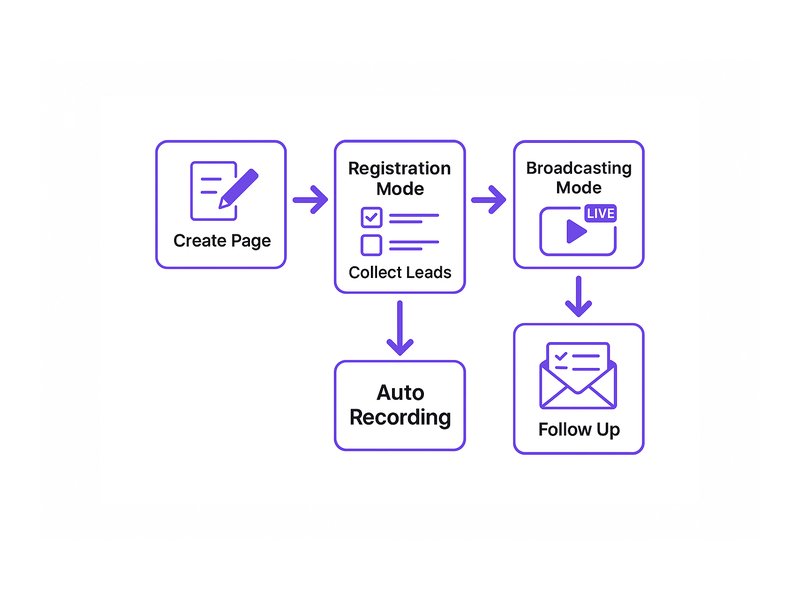
A simple webinar platform is the fastest way to host professional live events without any technical complexity. Most businesses waste hours configuring complicated broadcast tools that frustrate both the host and the audience. However, Pageinar offers a genuinely simple webinar platform where you go from sign-up to live broadcast in minutes. Moreover, attendees join directly from their browser with no downloads or plugins required. Therefore, the entire experience is frictionless from start to finish. In fact, global brands like Nasdaq, Wix, HP, and Sony Music trust Pageinar for seamless online events. Additionally, everything runs on a single hosted landing page that you design, customize, and share via a URL. Furthermore, the platform gives hosts two powerful modes: Registration Mode for collecting leads before the event, and Broadcasting Mode for going live with your audience. In short, if you want a simple webinar platform that delivers professional results without complexity, Pageinar is built exactly for you.
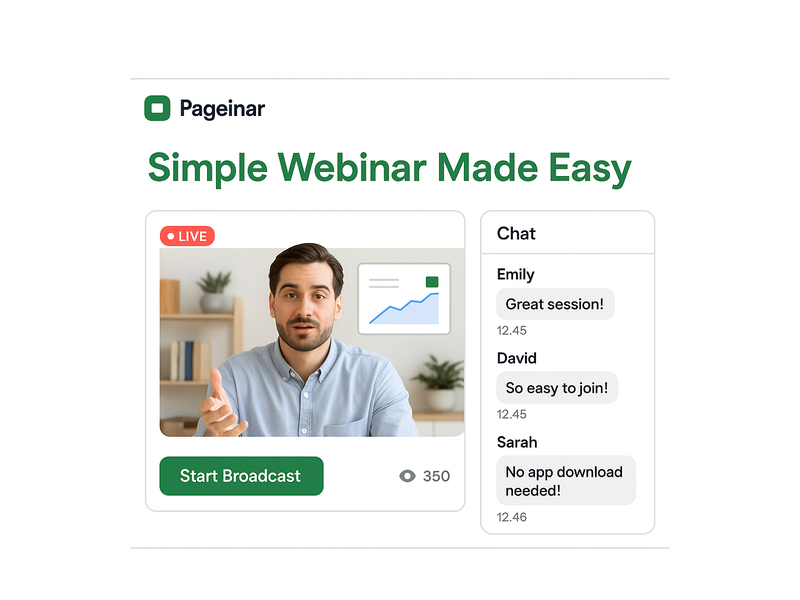
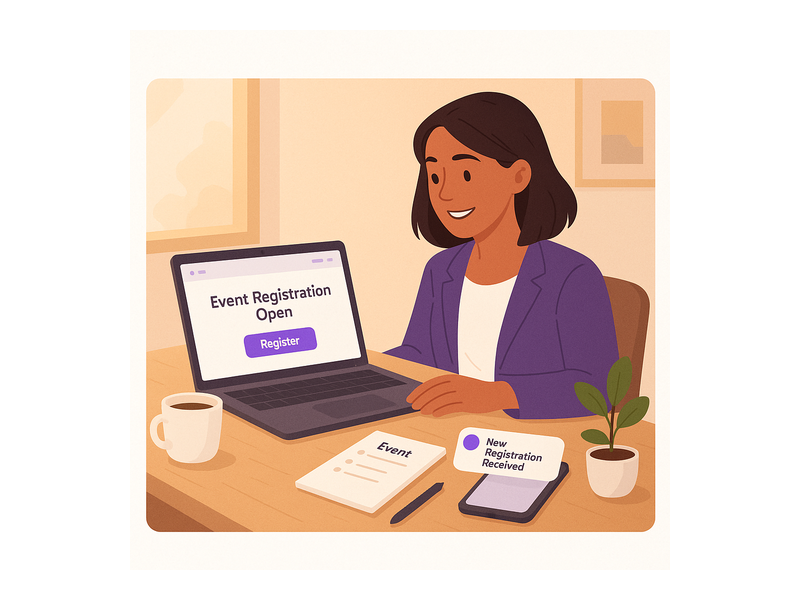
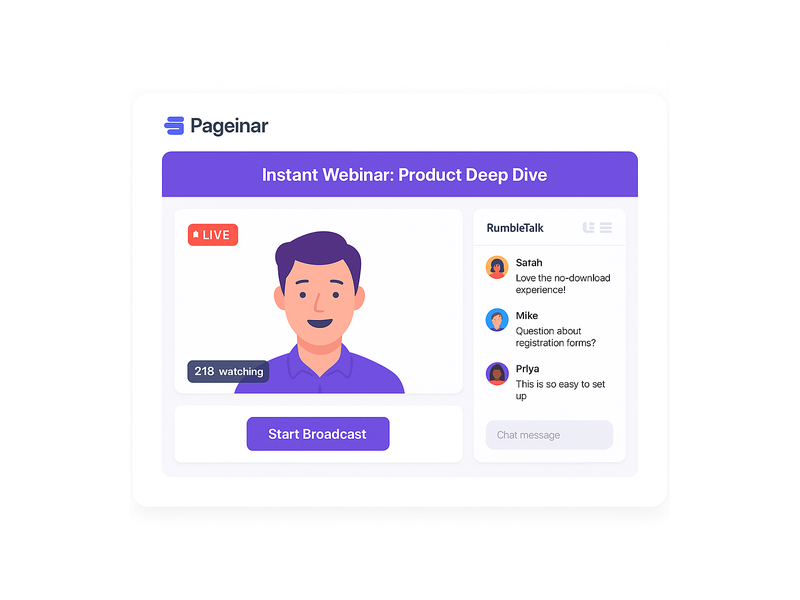
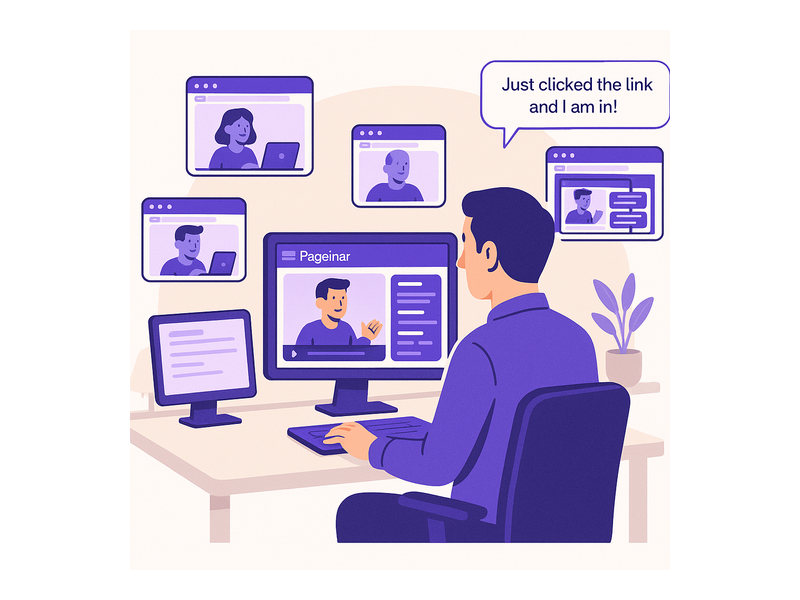
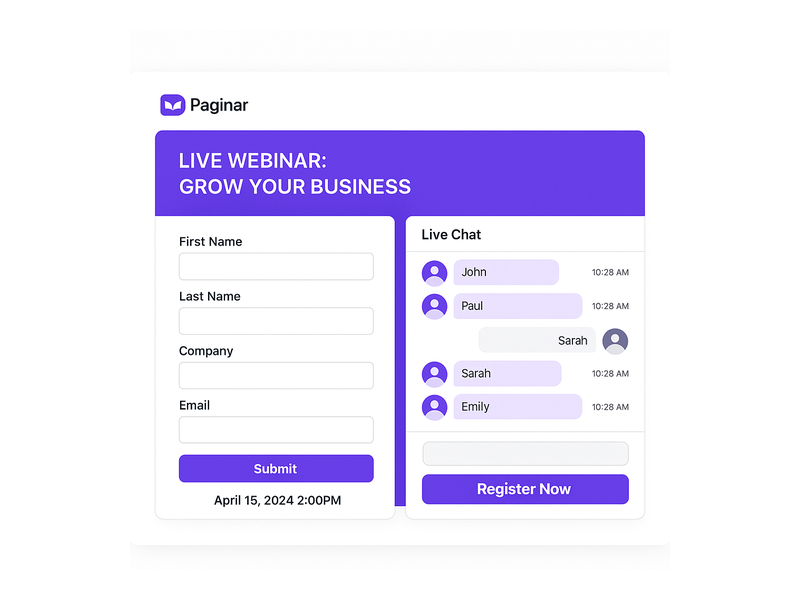
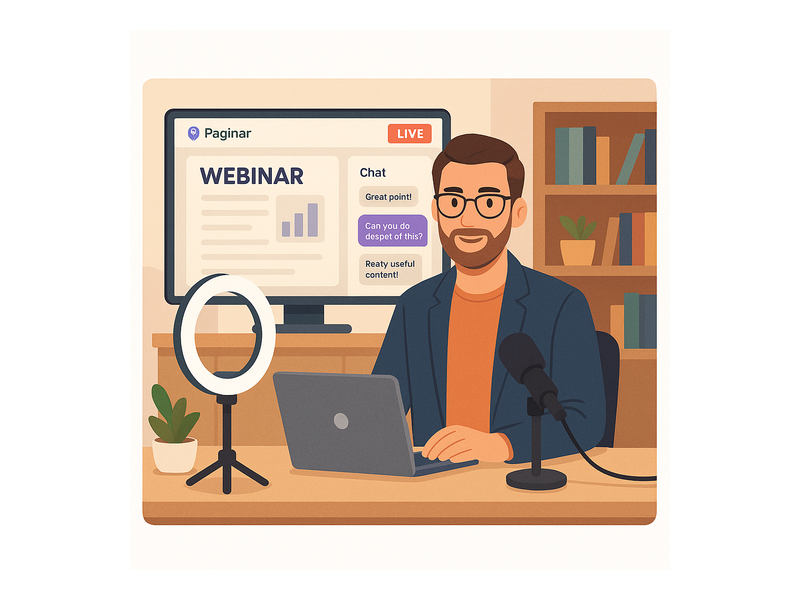
Pageinar webinar landing page illustration 1

What Makes a Simple Webinar Platform Stand Out

Not every tool that calls itself a simple webinar platform truly delivers on that promise. Many platforms still require software downloads, third-party integrations, or hours of technical configuration before a host can go live. However, true simplicity comes from three core qualities. First, setup must be fast enough for any non-technical person to complete alone. Second, attendees should join instantly with zero barriers on their end. Third, the interface must make going live feel natural and effortless. Pageinar meets all three criteria. Moreover, the platform uses a hosted broadcast landing page model, which means there is no server to manage and no code to write. Additionally, according to research on web conferencing, the biggest barrier to online event adoption is technical complexity, which Pageinar eliminates entirely. As a result, hosts focus on delivering great content rather than troubleshooting tech issues. Furthermore, the simple webinar platform gives you full branding control at every stage of your event, from the registration page design to the live broadcast layout.

Key Features of the Best Simple Webinar Platform

The best simple webinar platform packs powerful tools into a clean, intuitive interface. Pageinar delivers every feature you need without overwhelming you with options you will never use. Below are the standout capabilities that make it the top choice for live events of all kinds.

Instant Setup with No Downloads Required

First, Pageinar requires zero code installation for either the host or the attendees. Moreover, hosts set up their entire broadcast page directly in the browser using a simple dashboard. Additionally, login is instant with your existing Google account, so there is no lengthy registration process to complete. As a result, first-time users are broadcasting within five minutes of signing up. In contrast, many other platforms require hour-long onboarding processes and technical support just to get a test stream running. Therefore, the time savings alone make Pageinar the obvious choice for teams that need to move fast.

Built-in Chat and Real-time Audience Engagement

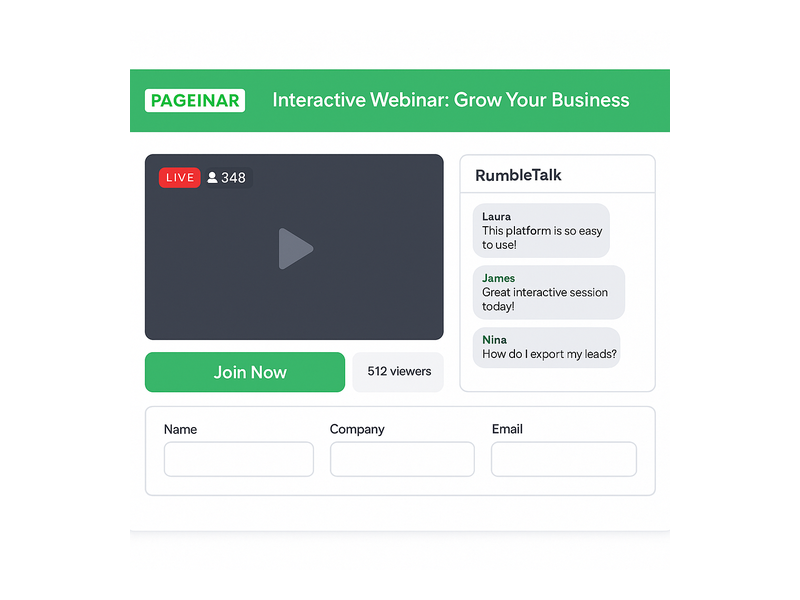
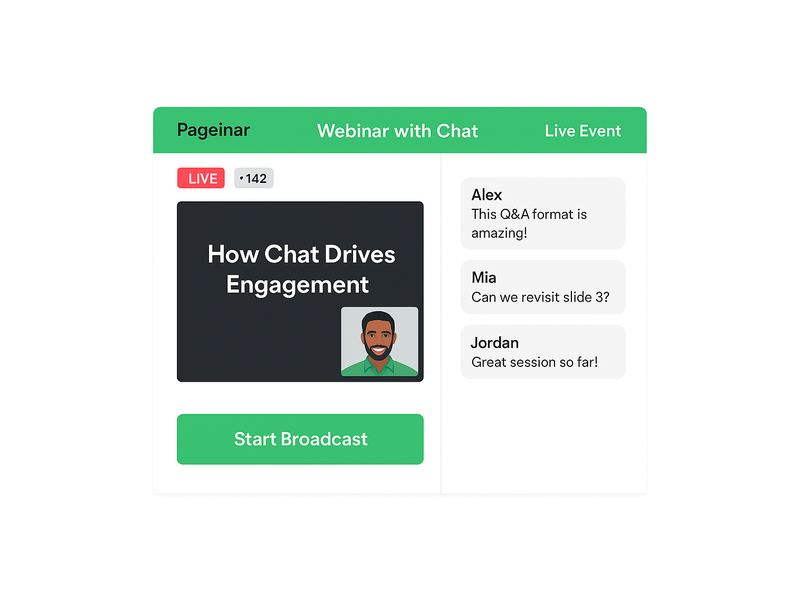
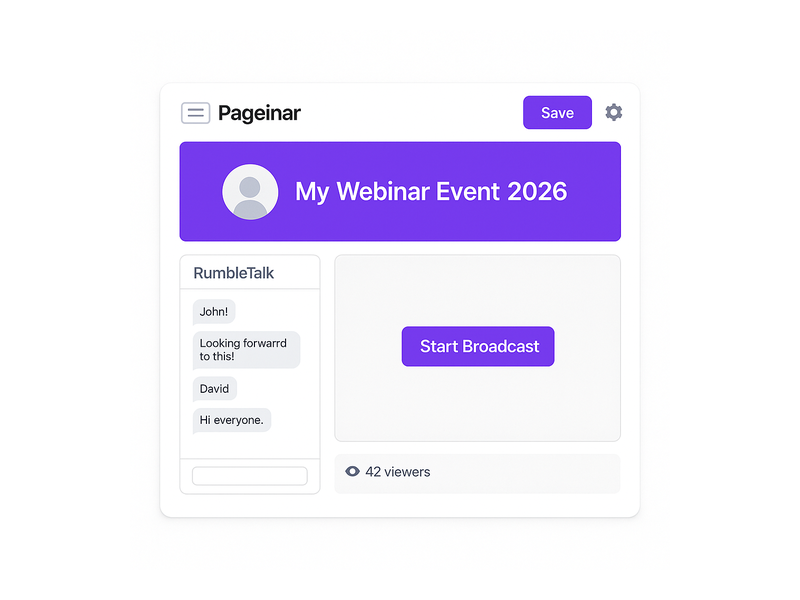
Second, every Pageinar broadcast page includes a built-in RumbleTalk group chat panel on the bottom-left of the layout. Therefore, attendees interact in real time without ever leaving the page. Additionally, the chat supports moderation, multiple visual themes, admin controls, and flexible viewer display options. For example, a product launch host can pin important announcements in the chat while the audience asks questions simultaneously. Moreover, the host can toggle between showing all viewers or only designated speakers, giving full control over the conversation. In other words, audience engagement on this simple webinar platform is fully customizable and looks genuinely professional.

Registration and Lead Collection Built Directly In

Third, Pageinar includes a complete registration system as a core part of the simple webinar platform. Therefore, hosts capture leads before the event even begins, without needing a separate landing page builder or CRM tool. For example, you can toggle on fields for First Name, Last Name, Company, Email, Phone, and custom data points to match your sales team requirements. Additionally, all registrations are stored in the Registered List panel, which you can search, filter, and export at any time. As a result, every webinar becomes a structured lead generation opportunity built into your broadcast workflow.
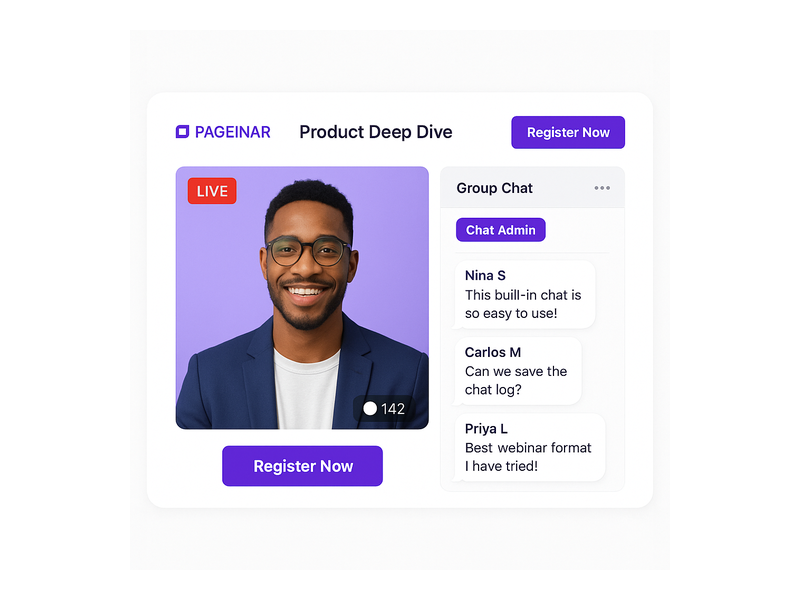
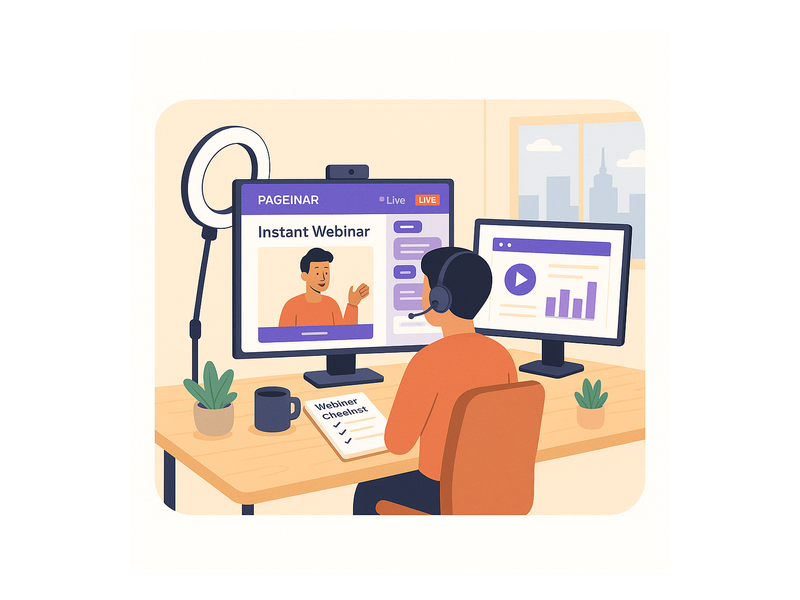
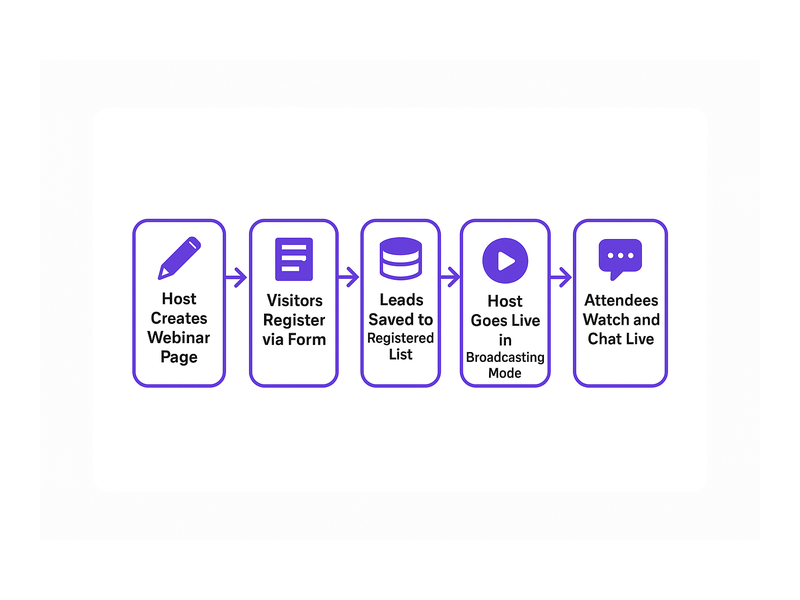
Pageinar webinar landing page illustration 2

How to Get Started on a Simple Webinar Platform

Getting started with a simple webinar platform should take minutes, not hours. With Pageinar, the entire setup process is designed for speed and clarity. Follow these steps to host your first live event today.

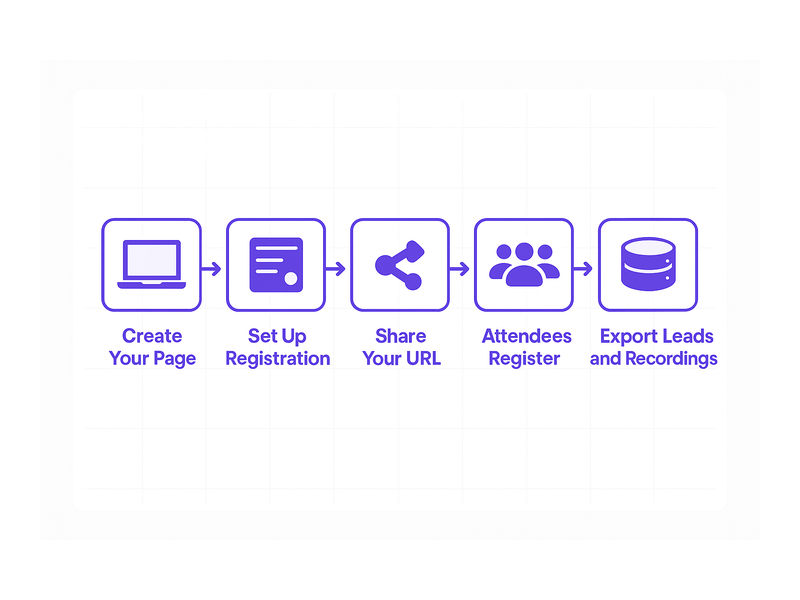
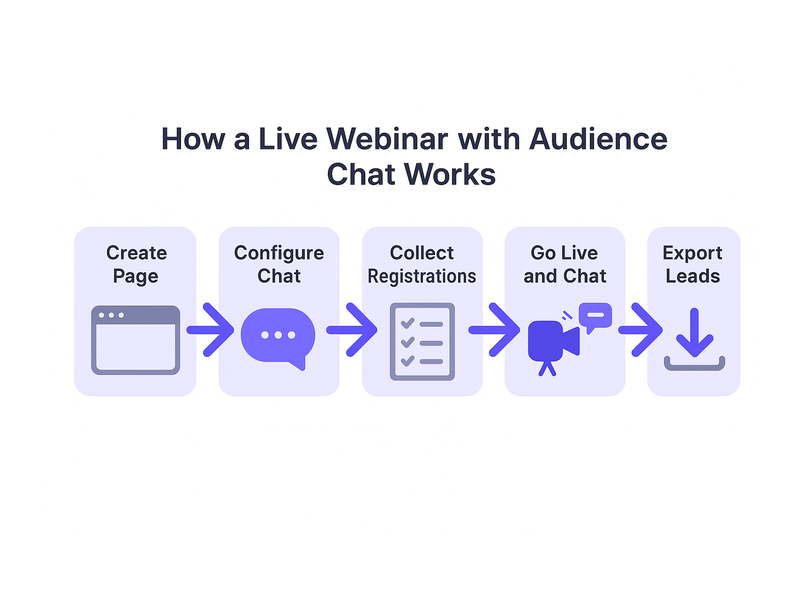
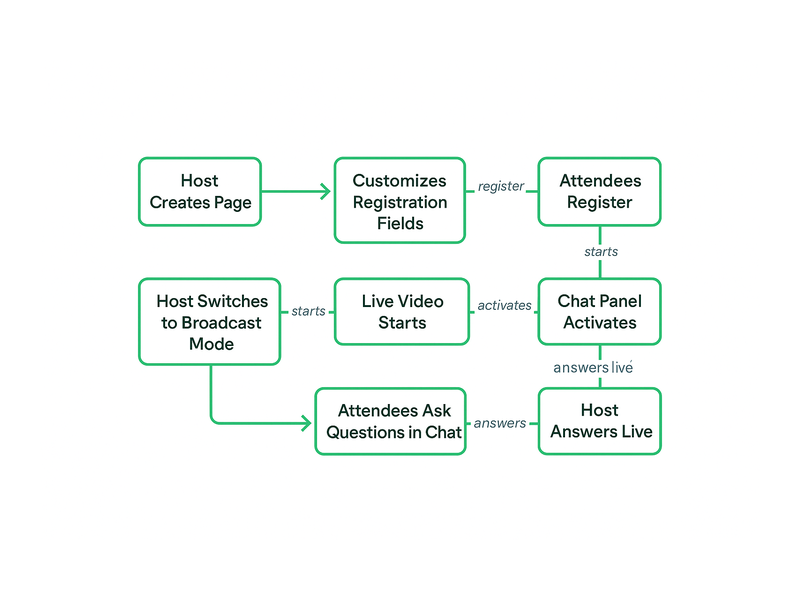
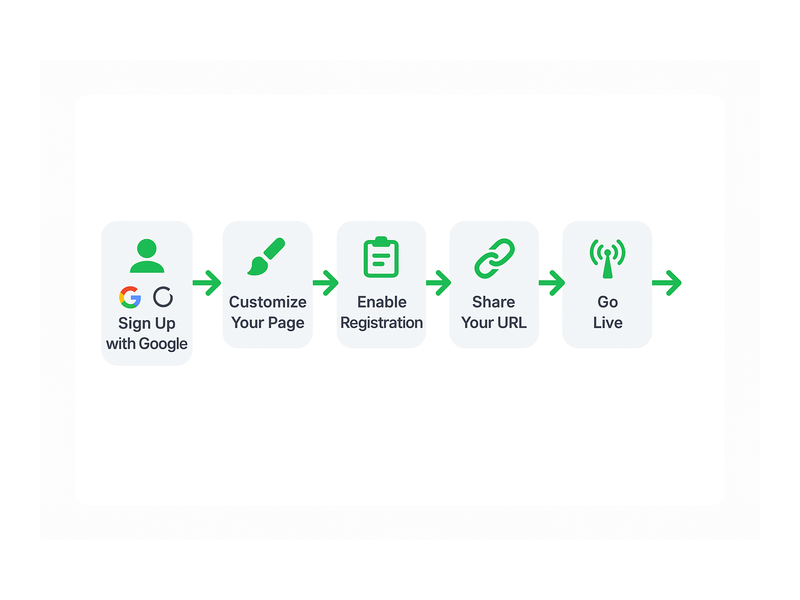
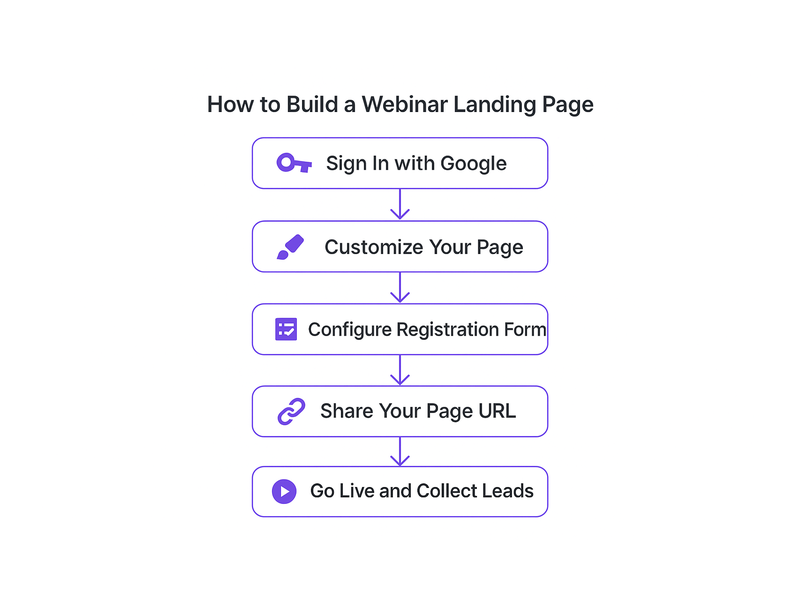
  1. Visit Pageinar.com and click the Google login button. Your broadcast page is created instantly upon login with no form filling required.
  2. Customize your page by uploading a cover image or choosing a background color, adding an avatar, entering a webinar title, and writing a short description.
  3. Open the Settings panel to configure Registration Mode options, set a page password for private events, and add social profile links to your broadcast page.
  4. Switch your page to Registration Mode and share the URL across your email list and social channels to begin collecting attendee registrations.
  5. When you are ready to broadcast, toggle to Broadcasting Mode and click the Start Broadcast button to go live instantly.
  6. After the event ends, export your full registered attendees list from the Registered List panel and review your session in the Broadcast Recordings section.

Additionally, if you need guidance at any step, the Pageinar Knowledge Base contains step-by-step articles covering every feature of the platform. Moreover, the guides are written in plain language so even first-time hosts can follow along confidently. Therefore, you never feel stuck or lost when setting up your first broadcast.

Simple Webinar Platform Use Cases for Every Business

A simple webinar platform is versatile enough to serve dozens of industries and team sizes. However, a few use cases consistently deliver the most value for businesses using Pageinar today.

Small Business Owners and Entrepreneurs

First, small business owners use Pageinar to host product demos, customer Q&A sessions, and onboarding calls for new clients. Moreover, the built-in registration form means they collect verified leads with every event they run. As a result, each webinar becomes a direct source of new contacts for their sales pipeline. Additionally, the broadcast page doubles as a marketing asset because the host shares a single URL across all social channels. Therefore, a simple webinar platform replaces multiple standalone tools and reduces overhead significantly.

Educators and Online Coaches

Second, educators and coaches rely on a simple webinar platform to deliver live classes, interactive workshops, and mentoring sessions to remote students. Furthermore, the chat panel enables real-time Q&A without disrupting the presentation flow at all. For example, a business coach hosting a live strategy session can answer audience questions in the chat while continuing to present slides. In addition, all sessions are recorded automatically and appear in the Broadcast Recordings panel, giving students access to replays. In other words, content creators get both a live event tool and an on-demand archive system within one platform.

Marketing and Product Teams

Third, marketing teams use Pageinar for product launches, investor briefings, and partner announcements that require a polished, branded experience. Therefore, a simple webinar platform replaces expensive, complicated enterprise broadcast tools for most internal and external communication needs. Additionally, teams can password-protect their broadcast page for private events using the Broadcast Settings panel. In fact, Pageinar also lets hosts add social profile links for Facebook, Instagram, Twitter, YouTube, and Twitch directly on the broadcast page. As a result, promoting the event and running it happen entirely on the same platform without switching between tools.

Simple Webinar Platform Registration Features and Lead Generation

One of the most powerful and often overlooked aspects of a simple webinar platform is its built-in lead generation capability. However, Pageinar turns every live event into a structured lead capture workflow. First, the Registration Settings panel lets you design a branded registration page with a custom background color, a personalized welcome message, and a clear event date and time. Moreover, you can enable a countdown timer to build anticipation and urgency before the event starts. Additionally, you control exactly which lead fields appear on the form: First Name, Last Name, Company, Email, Phone, and any custom fields your team requires. Therefore, you capture precisely the data your sales team needs without adding extra tools to your stack. As a result, every registrant enters your pipeline automatically and is stored in a searchable list inside Pageinar. Furthermore, the Registered List panel lets you search by name or company, filter by registration date, and export the full list with a single click. In other words, the simple webinar platform handles the entire lead generation workflow from capture to export within one interface. Together, the registration system and the broadcast experience create a complete event marketing engine on a single hosted page.

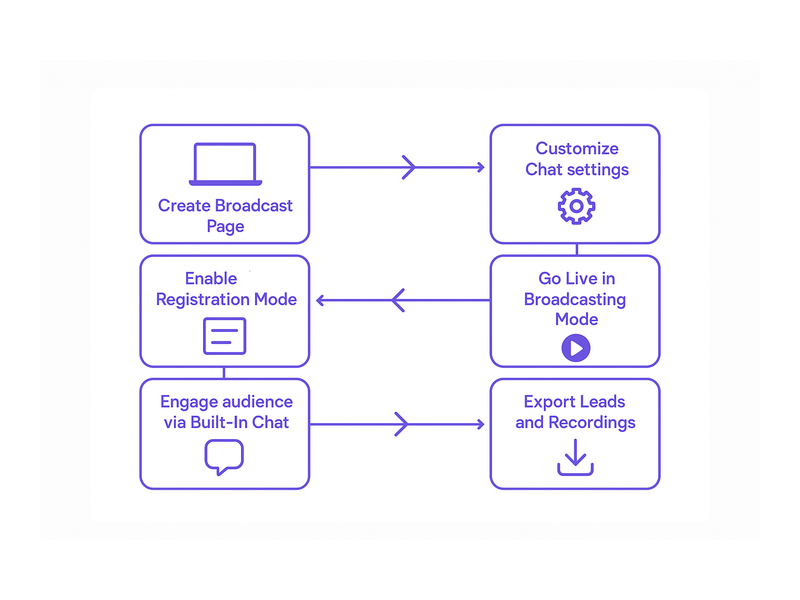
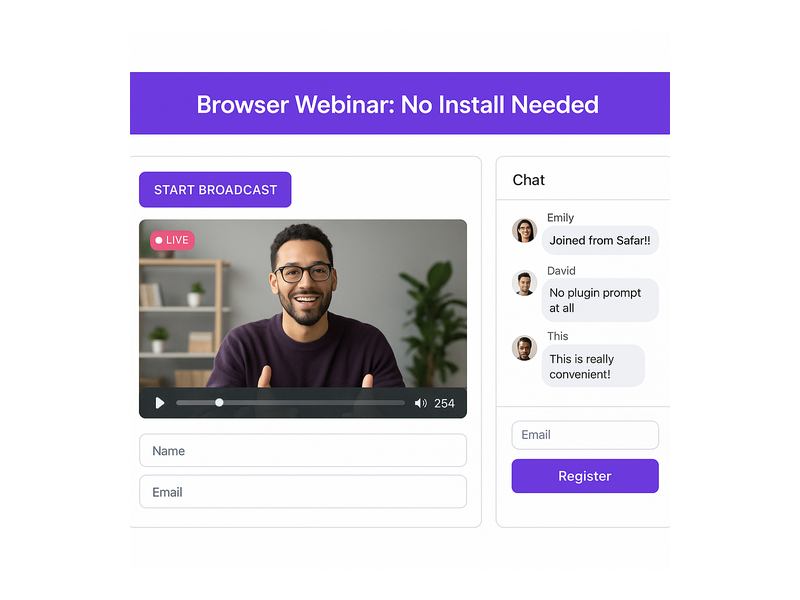
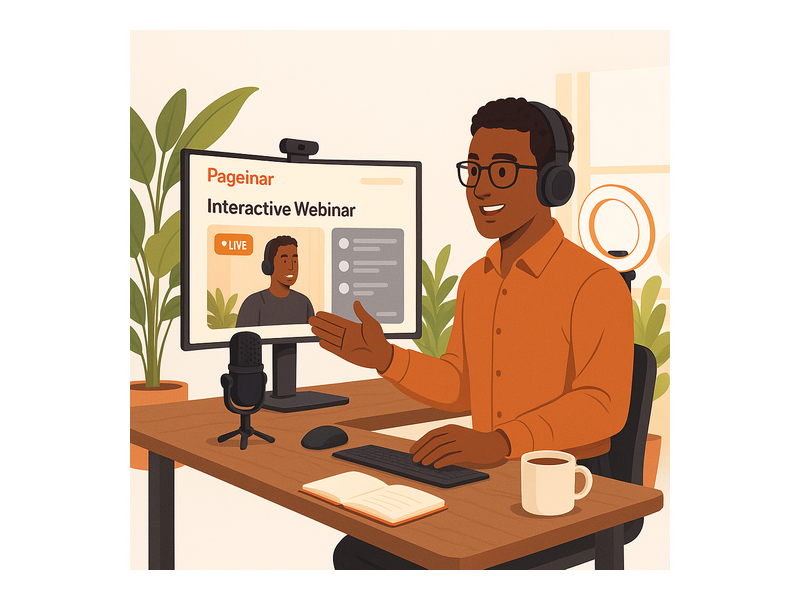
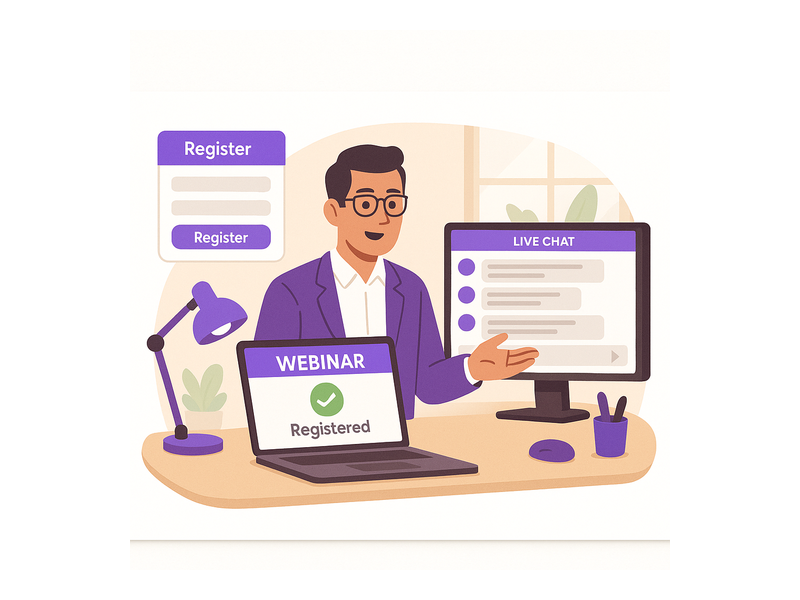
Pageinar webinar landing page illustration 3

Why Choose Pageinar as Your Simple Webinar Platform

Pageinar stands apart from other broadcast tools for several compelling reasons. First, it is one of the only simple webinar platform solutions that runs entirely on a hosted landing page, with no plugins or app installations required for any attendee. Moreover, the platform integrates chat, registration, lead collection, recording, and subscription management into a single interface with no add-ons needed. Additionally, Pageinar is designed for speed above all else. As a result, hosts go from zero to live in minutes rather than hours, which matters enormously when you are running a business with limited time. Furthermore, the platform is trusted by global enterprise partners, which means its infrastructure is reliable and scalable for events of any size. In contrast, many so-called simple webinar tools still require attendees to download software or create accounts before they can join. Alternatively, some platforms charge per-attendee fees that make larger events prohibitively expensive for growing businesses. Ideally, your simple webinar platform should scale with your business at a predictable, transparent cost. Better still, Pageinar offers both free and paid plans, so you can start with zero upfront investment and upgrade only when your event demands grow. For a complete overview of what Pageinar offers, visit the simple webinar platform at Pageinar and explore every feature directly on the site.

Ready to Try a Simple Webinar Platform Today

The future of live online events is simple, fast, and accessible to every business regardless of size or technical background. Therefore, there is no better moment to adopt a simple webinar platform that removes complexity and delivers measurable results. Moreover, Pageinar gives you everything you need to host professional broadcasts, collect qualified leads, and engage your audience, all from one beautifully branded page. Additionally, getting started takes only a few minutes using your existing Google account, with no credit card required for the free plan. In fact, you can deepen your understanding of what modern broadcast tools can do by reading Unlock the Power of Seamless Webinars with Pageinar: Welcome to a New Era of Online Engagement!, which covers the full potential of the platform for businesses at every stage. In short, a simple webinar platform is the fastest path from idea to live event. Start your first Pageinar broadcast today and experience firsthand why thousands of hosts choose it as their go-to live event solution.
Webinar Landing Page Builder: Build Better Events

\n

A webinar landing page builder is the most powerful tool you can use to grow your online audience and generate qualified leads before your broadcast even begins. For any host, marketer, or educator looking to run a professional live event, your landing page is the first impression your audience has of your brand. Therefore, getting it right matters enormously. In fact, a well-optimized event page can increase registration rates by over 50 percent compared to a plain email invite. With Pageinar, you get an all-in-one webinar landing page builder that is hosted, branded, and ready to share in minutes, with no plugins or code required on either side of the screen.

\n\n\n
Pageinar webinar landing page illustration 1
\n\n\n

What Is a Webinar Landing Page Builder?

\n\n\n\n

A webinar landing page builder is a dedicated tool for creating a professional web page for your live event. This page typically includes a registration form, event details, a description of what attendees will learn, and a clear call to action. Moreover, advanced platforms like Pageinar go further by combining the registration experience with the actual live broadcast environment. This means your attendees register, attend, and engage with your content all on a single hosted page. In other words, there is no need to juggle multiple platforms or ask your audience to install anything at all.

\n\n\n\n

For example, a marketing team running a product launch webinar can use a webinar landing page builder to collect attendee names, company details, and email addresses before the event begins. Additionally, they can customize the page to match their brand colors, add a countdown timer, and write a compelling welcome message to boost registrations. As a result, their event feels polished and professional from the very first click, setting expectations that the broadcast itself will deliver real value.

\n\n\n\n

Furthermore, the best webinar landing page builders include built-in lead export tools and live chat capabilities. Together, these features transform a simple sign-up form into a complete event management hub that serves your audience from discovery all the way through post-event follow-up and replay access.

\n\n\n\n

Key Features Every Webinar Landing Page Builder Should Have

\n\n\n\n

When choosing a webinar landing page builder, you should look for a specific set of features that make the difference between a basic sign-up form and a high-converting event page. Here are the most important capabilities to evaluate before committing to any platform.

\n\n\n\n

Custom Branding and Design

\n\n\n\n

First, your webinar landing page builder should let you fully customize the visual identity of your page. This includes uploading a cover image or background, adding your avatar or company logo, and writing a compelling event title and description. Ideally, you should also be able to choose a color scheme that aligns with your brand without touching a single line of code. With Pageinar, you can edit every visual element of your broadcast page directly from the main dashboard. As a result, your event page looks professional and on-brand every time you share it with a new audience.

\n\n\n\n

Registration and Lead Collection

\n\n\n\n

Second, a powerful webinar landing page builder must include flexible registration and lead collection tools. You should be able to toggle fields like First Name, Last Name, Company, and custom fields on or off depending on your event requirements. Moreover, all leads collected through the registration form should be stored in a searchable list you can export at any time. For instance, Pageinar\’s Registration Settings panel lets you configure exactly which fields to show, set a welcome message, upload a background image or video, and display a countdown timer to build anticipation before your event goes live.

\n\n\n\n

Live Broadcasting Controls

\n\n\n\n

Third, your event page platform should integrate broadcasting controls directly into the page. With Pageinar, your audience never leaves the landing page to watch the live stream. Instead, the broadcast plays inline alongside a live group chat panel powered by RumbleTalk. Furthermore, the host can toggle between Registration Mode and Broadcasting Mode with a single click, making event management completely straightforward. To learn more about how these two modes work together, visit the Pageinar Knowledge Base for a full step-by-step walkthrough of each mode.

\n\n\n
Pageinar webinar landing page illustration 2
\n\n\n

How Pageinar Works as Your Webinar Landing Page Builder

\n\n\n\n

Pageinar is built from the ground up to serve as a complete webinar landing page builder for professionals, marketers, and educators. Here is how the platform works from first login to your first live broadcast, step by step.

\n\n\n\n

First, you sign in to Pageinar using your Google account. There is no complicated onboarding, no credit card required for the free plan, and no software to install. Second, after login, you land directly on your broadcast page, which is your main event page. Third, you customize the page header by uploading a cover image, adding your avatar, writing your event title, and filling in the description text. Fourth, you open the Settings panel to configure your registration fields, set a date and time, and write a welcome message that greets visitors when they arrive on your page.

\n\n\n\n

Additionally, you can add social links to your broadcast page so that attendees can follow you on Facebook, Instagram, Twitter, YouTube, or Twitch. In short, Pageinar gives you a complete webinar landing page builder experience inside a single, clean dashboard. Moreover, once your page is ready, you simply share the URL with your audience. Attendees click the link, fill out the registration form, and receive confirmation automatically. As a result, your lead list grows in real time as each new registration arrives.

\n\n\n\n

Step-by-Step: Building Your First Webinar Landing Page

\n\n\n\n

Building an event page with this platform takes only a few minutes. However, taking the time to set each section up carefully will have a measurable impact on your conversion rate and lead quality. Below is a practical guide to each major configuration step.

\n\n\n\n

Setting Up Registration Mode

\n\n\n\n

When you first set up your page in Pageinar, the default view is Registration Mode. This is where visitors land before your broadcast begins. Therefore, it is the most critical part of your webinar landing page builder setup. To configure it, open Settings and select Registration Settings. Here you choose a template, set your event date and time, and toggle which lead fields to collect. Furthermore, you can upload a header image or video to make the registration experience visually compelling. Ideally, your page should answer three key questions for every visitor: what will they learn, why should they attend, and what makes this event worth their time.

\n\n\n\n

Going Live with Broadcasting Mode

\n\n\n\n

When it is time to go live, you toggle your Pageinar page from Registration Mode to Broadcasting Mode. This transition is seamless for your audience. The page updates automatically, and the broadcast area becomes active. Your viewers can watch the live stream, interact in the RumbleTalk group chat, and engage with the event without any downloads or plugins. For example, a training company running a monthly webinar series can use Pageinar as their ongoing broadcast platform. Each month, they update the title, upload a new cover image, configure the registration fields, and share the URL with a new audience segment.

\n\n\n\n

In addition, Pageinar stores recordings of every broadcast automatically. Therefore, even if an attendee misses the live session, they can watch the recording afterward. Over time, you build a growing lead list and a loyal community of attendees who trust your events and return for future broadcasts, compounding your reach with every session.

\n\n\n\n

Use Cases: Who Benefits Most from a Webinar Landing Page Builder?

\n\n\n\n

Virtually any professional who communicates with an audience online can benefit from a webinar landing page builder. However, some use cases stand out as particularly strong fits for the Pageinar platform and its all-in-one approach to live event delivery.

\n\n\n\n

Marketing teams use webinar landing pages to generate leads during product launches, thought leadership events, and customer education sessions. With Pageinar, they collect detailed lead data, export the attendee list after the event, and feed it directly into their CRM or email marketing tool. As a result, every broadcast becomes a measurable lead generation activity with a clear ROI.

\n\n\n\n

Educators and trainers rely on the platform to run live classes, workshops, and Q&A sessions. The integrated RumbleTalk chat allows students to ask questions in real time, while the recording feature ensures that those who miss the live session can still access the content at their own pace.

\n\n\n\n

Event organizers benefit from the registration and lead collection capabilities built into every Pageinar page. They set a date and time, configure a countdown timer, and collect attendee information before the event begins. In addition, they use the social links feature to promote the broadcast across multiple channels from a single settings panel, without managing several separate tools.

\n\n\n\n

Content creators and influencers use Pageinar for live Q&As, product reveals, and community broadcasts. The clean, branded page format gives their events a professional look that reinforces their personal brand without requiring any design or development skills whatsoever.

\n\n\n
Pageinar webinar landing page illustration 3
\n\n\n

Why Choose Pageinar as Your Webinar Landing Page Builder?

\n\n\n\n

There are many reasons why professionals choose Pageinar as their preferred webinar landing page builder. Here are the most compelling advantages that set this platform apart from generic alternatives in the market.

\n\n\n\n
    \n
  • No installation required. Your attendees need only a browser and a URL. There is no app to download and no plugin to install on either side of the connection.
  • \n
  • All-in-one platform. Your registration page, live broadcast, and group chat are all on a single hosted page, reducing friction at every step of the attendee journey.
  • \n
  • Instant setup. Your event page is ready in minutes, not hours, so you can focus on your content rather than on configuring your tech stack.
  • \n
  • Lead collection built in. Automatically collect and export attendee data from every event, including name, company, email, and phone number, all from a single dashboard.
  • \n
  • Trusted by leading brands. Pageinar is used by teams at recognized organizations including Nasdaq, Wix, HP, and Sony Music.
  • \n
\n\n\n\n

Furthermore, Pageinar offers subscription plans that scale with your audience size. Whether you are hosting a small internal training or a large public broadcast, you can upgrade when your needs grow. Additionally, Pageinar integrates RumbleTalk\’s powerful group chat directly into every broadcast page, so your audience can ask questions and engage in real time without switching tabs or using a separate application.

\n\n\n\n

In short, Pageinar is not just a webinar landing page builder. It is a complete broadcast event platform that handles registration, live video, and audience engagement all in one place. According to industry data published by Statista, the online events market continues to grow year over year, making a reliable and professional live event platform more important than ever for businesses of all sizes.

\n\n\n\n

Getting Started: Launch Your Event Page in Minutes

\n\n\n\n

Getting started with a webinar landing page builder does not have to be complicated. With Pageinar, you can have a fully branded registration page live and ready to share in under ten minutes. Here is the quick-start process:

\n\n\n\n
    \n
  1. Visit pageinar.com and sign in with your Google account. No password required, no credit card needed for the free plan.
  2. \n
  3. Customize your broadcast page header with your event title, cover image, and avatar.
  4. \n
  5. Open Settings and configure your registration form fields, event date, and welcome message.
  6. \n
  7. Toggle to Registration Mode and copy your unique page URL.
  8. \n
  9. Share the URL with your audience via email, social media, or any other channel you prefer.
  10. \n
  11. When it is time to go live, toggle to Broadcasting Mode and click Start Broadcast.
  12. \n
\n\n\n\n

Therefore, within minutes of signing up, you have a fully functional event page collecting leads, displaying your event details, and delivering a live broadcast to your audience with no code and no plugins required anywhere in the process.

\n\n\n\n

Conclusion: The Right Webinar Landing Page Builder Makes the Difference

\n\n\n\n

A high-quality webinar landing page builder is no longer a nice-to-have tool. It is an essential part of any professional online event strategy. Moreover, the right platform removes every technical barrier between you and your viewers, letting you focus entirely on your content and your community. Pageinar delivers all of this in one clean, hosted solution that is trusted by some of the most recognizable brands in the world.

\n\n\n\n

Ready to build your first event page? Get started for free and see the platform in action. For more inspiration on what is possible, read our post Unlock the Power of Seamless Webinars with Pageinar: Welcome to a New Era of Online Engagement! to see how Pageinar is changing the way professionals run live events and grow their audiences online.

\n

Webinar with Built In Chat: The Complete Host Guide

A webinar with built in chat gives hosts and attendees a seamless way to interact in real time. Moreover, it removes the need for separate messaging tools or third-party apps. In fact, the best webinar platforms today combine live video with a fully integrated chat experience. As a result, your audience stays engaged, asks questions, and shares feedback without ever leaving the page. Therefore, choosing a webinar with built in chat is one of the smartest decisions any business can make for its online events.

Pageinar webinar landing page illustration 1

What Makes a Webinar with Built In Chat So Powerful

Traditional webinars often require attendees to use a separate chat window or a different device entirely. However, a webinar with built in chat eliminates that friction completely. In fact, when chat is embedded directly on the same page as the live video, attendance rates increase and drop-off rates fall. Additionally, hosts can respond to questions immediately, creating a two-way conversation that keeps energy high throughout the session.

Furthermore, built-in chat adds a social element to your event. For example, attendees can see each other’s messages, react to comments, and feel part of a community. As a result, your webinar becomes more than a broadcast; it becomes a shared experience. In short, the combination of live video and real-time chat is what separates a memorable event from a forgettable one.

Key Features to Look for in a Webinar with Built In Chat Platform

Not all webinar with built in chat solutions are created equal. Therefore, it pays to know which features matter most before committing to a platform. First, look for moderation tools that let you control who can post and what content appears publicly. Second, check whether the platform supports group chat or one-on-one messaging, depending on your event format. Third, confirm that the chat is mobile-friendly so attendees on phones and tablets can participate without issues.

  • Real-time group chat: All attendees see messages as they arrive, creating a live communal atmosphere.
  • Moderation controls: Admins can mute users, delete messages, or switch to Q&A mode instantly.
  • Chat themes: Customizable visual styles that match your brand colors and tone.
  • Offline message: A holding message shown in the chat panel before the event starts.
  • Viewer and speaker display: Toggleable settings to show who is watching and who is speaking.

Additionally, consider whether the platform integrates chat with lead collection. For example, Pageinar lets you collect names, emails, and company details through its Registration Settings panel before the event even starts. In other words, your webinar with built in chat can also serve as a lead generation engine from the very first attendee interaction.

How to Run a Webinar with Built In Chat on Pageinar

Pageinar is a webinar broadcasting platform that comes with a fully integrated RumbleTalk group chat panel built directly into every broadcast page. Therefore, you never need to install a plugin or configure a third-party chat service. In fact, everything you need to run a webinar with built in chat is ready the moment you log in with Google and land on your main broadcast page.

Step 1: Set Up Your Broadcast Page

First, visit pageinar.com and sign in with your Google account. After login, you land on your main page, which is a fully editable broadcast landing page. Moreover, you can customize the cover image, avatar, event title, and description right from the page itself. Additionally, you can set a page password to restrict access to registered attendees only, keeping your event private and professional.

Step 2: Customize Your Chat Settings

Next, open the gear icon to access the Settings panel and navigate to Chat Settings. Here, you can set the chat type to Group Chat, write a custom offline message for before the event starts, assign a dedicated chat admin, and choose from multiple visual chat themes. Furthermore, you can toggle the display of viewer names and speaker indicators to create the right atmosphere for your audience. Together, these options let you tailor your webinar with built in chat to match your brand and event style exactly.

For a detailed walkthrough of these options, visit the Pageinar Knowledge Base where you will find step-by-step guides on editing your broadcast page and configuring all chat settings from scratch.

Step 3: Go Live and Engage Your Audience

Finally, toggle the page to Broadcasting Mode using the button in the top-right corner of your main page. Then click Start Broadcast in the bottom-right live area. As a result, your audience sees the LIVE badge appear and can immediately start sending messages in the integrated chat panel. In fact, this is where your webinar with built in chat truly comes alive, as questions and comments flow in alongside your presentation in real time.

Pageinar webinar landing page illustration 2

Best Practices for Chat Moderation During Live Webinars

Running a webinar with built in chat smoothly requires some preparation before the event begins. First, assign a dedicated chat moderator who monitors messages while you present. This person can highlight important questions, remove off-topic comments, and keep the conversation productive. Additionally, prepare a list of seed questions to post in the chat at the start of the session, so early attendees have something to respond to right away.

Moreover, set clear expectations in your event description about how chat will be used. For example, let attendees know whether you will answer questions throughout the session or in a dedicated Q&A block at the end. As a result, your audience participates more purposefully and with better timing. In addition, consider using the offline message feature in Pageinar to welcome attendees before the event starts and encourage them to introduce themselves in the chat.

Furthermore, research on webinar engagement consistently shows that interactive elements like live chat significantly increase attendee retention and satisfaction scores. Therefore, moderating chat well is not just about keeping order. It is about maximizing the value every attendee gets from your event and turning passive viewers into active participants.

Use Cases: Who Benefits Most from a Webinar with Built In Chat

A webinar with built in chat is valuable across many industries and event formats. For example, software companies use it to run product demos where prospects can ask questions and get instant answers from a sales rep in the chat. Additionally, educators use it for online classes where students post questions and the instructor responds in real time, creating an interactive classroom atmosphere without any additional tools.

Moreover, marketing teams use a webinar with built in chat to run high-converting lead generation campaigns. In fact, Pageinar lets you collect attendee details through its Registration Settings before the event, and then engage those leads directly via chat during the broadcast. As a result, you capture both the lead data and the live conversation in one place, giving your sales team rich context for follow-up calls.

Additionally, HR teams run onboarding webinars with built in chat to help new employees ask questions in a comfortable and low-pressure environment. Furthermore, event organizers use Pageinar to broadcast conferences and panel discussions where the audience can interact with speakers directly through the chat panel. In short, any scenario that benefits from real-time audience interaction is a perfect fit for a webinar with built in chat.

Webinar with Built In Chat vs. Separate External Messaging Tools

Some hosts try to run webinars using a video tool combined with a separate chat application. However, this approach creates significant friction for attendees. First, they must manage two windows or two apps at the same time. Second, messages often get lost or ignored because the chat is not visible alongside the video. Third, the host cannot easily monitor the chat and the presentation simultaneously without a complex multi-monitor setup.

In contrast, a webinar with built in chat keeps everything on one page. Therefore, attendees never need to switch contexts or download anything extra. Additionally, hosts see the chat panel right next to their broadcast controls, making it easy to monitor and respond in real time. In fact, Pageinar eliminates all of these pain points by building both the video broadcast area and the RumbleTalk group chat panel directly into the same broadcast landing page.

Ideally, your webinar platform should require zero installation from attendees. Better still, it should work on any browser and on any device. In other words, the best webinar with built in chat experience is the one your audience can join instantly, from anywhere, with a single click on a URL. That is exactly what Pageinar delivers. To learn more about getting started, read Unlock the Power of Seamless Webinars with Pageinar: Welcome to a New Era of Online Engagement!

Pageinar webinar landing page illustration 3

Webinar with Built In Chat: Start Your First Event Today

Running a successful online event has never been more accessible. Moreover, with Pageinar, you can launch a fully functional webinar with built in chat in minutes, with no code, no plugins, and no technical setup required. In fact, everything from your broadcast page to your integrated chat panel is ready from the moment you sign in with Google.

Additionally, Pageinar scales with your needs. Whether you are running a small team update for ten people or a large public broadcast for hundreds of attendees, the platform adjusts to your audience size and event format. Furthermore, the built-in lead collection, broadcast recording, and subscription management tools mean you have everything you need for a professional event in one place.

Therefore, if you are ready to deliver a webinar with built in chat that your audience will remember, start today. Visit pageinar.com, sign in with Google, and your broadcast page is already waiting. Your audience is one URL away from a live, interactive experience they will not forget.

Instant Webinar Page: Launch Your Broadcast in Minutes

An instant webinar page gives you everything you need to host a professional live broadcast without any technical setup or software complexity. With Pageinar, you can build your instant webinar page in fewer than five minutes and start connecting with your audience right away. Moreover, your attendees simply click a link to join the broadcast. No plugins, no software installs, no friction whatsoever.

Pageinar webinar landing page illustration 1

What Is an Instant Webinar Page?

An instant webinar page is a single hosted landing page that serves as your complete webinar environment. Therefore, you do not need separate tools for streaming, registration, chat, or lead capture. Everything lives on one shareable URL. In fact, Pageinar combines your broadcast feed, your registration form, your live chat panel, and your lead collection system into one seamlessly integrated instant webinar page. Additionally, your page works across all devices without requiring any downloads from attendees.

Furthermore, your instant webinar page operates in two distinct modes. First, Registration Mode lets you collect attendee sign-ups before the event goes live. Second, Broadcasting Mode activates when you are ready to stream. As a result, your page URL stays consistent throughout the entire event lifecycle. Therefore, you can share one link across all your promotions and registrants automatically land in the right place at the right time.

Why Choose an Instant Webinar Page Over Complex Webinar Tools?

Traditional webinar tools require your attendees to download software or install browser plugins before they can join. However, an instant webinar page removes that barrier entirely. For example, a viewer on a mobile device simply taps your link and joins the broadcast immediately. Furthermore, hosts save time because they skip complicated setup wizards and get straight to creating content. In short, an instant webinar page lowers the entry threshold for both hosts and attendees at the same time.

In fact, Pageinar customers including teams at Nasdaq, Wix, HP, and Sony Music use the platform specifically because it eliminates friction on both sides of the broadcast. Moreover, the instant webinar page approach means your brand controls the complete viewing experience from start to finish. You customize the cover image, avatar, event title, description, and chat theme. Therefore, every broadcast looks polished and on-brand from the moment attendees arrive on your page.

Key Advantages at a Glance

  • No attendee software or browser downloads required
  • Full setup completed in under five minutes
  • Built-in registration form, live chat, and lead collection
  • Single shareable URL covers the entire event lifecycle
  • Custom branding from cover image to chat theme

How to Set Up Your Instant Webinar Page on Pageinar

Setting up your instant webinar page on Pageinar takes fewer than five minutes from start to finish. First, visit pageinar.com and sign in with your Google account. After login, Pageinar automatically creates your main broadcast landing page. Additionally, you can start customizing the page immediately without writing any code or configuring any external servers.

Step 1: Customize Your Page Header

First, update your cover image or background color to match your brand identity. Then add your avatar, your event title, and a short description of what attendees can expect from the session. Furthermore, include your website URL so curious viewers can learn more about your business. Together, these elements create a compelling first impression before the broadcast even begins. Therefore, spending a few minutes on your header sets exactly the right professional tone.

Step 2: Configure Registration Settings

Next, open the Settings panel and navigate to Registration Settings. Here you can choose a registration page template, set the event date and time, and add a countdown timer to build anticipation. Moreover, you can toggle lead collection fields on or off to capture exactly the data you need. For example, you might collect First Name, Last Name, Company, and Email while skipping the phone number field for a lower-friction experience. Ideally, keep your form short to maximize sign-up rates.

According to HubSpot’s marketing research, registration forms with fewer than five fields convert significantly better than longer forms. Therefore, only ask for the data you truly need at this stage of the funnel. As a result, you will see higher registration rates and a cleaner, more qualified leads list for your follow-up outreach campaigns.

Step 3: Set Up Your Live Chat Panel

Your instant webinar page includes a fully integrated RumbleTalk group chat panel right out of the box. First, open Chat Settings to select a chat theme that matches your brand aesthetic. Then set an offline message so attendees see a warm welcome greeting before the broadcast starts. Furthermore, you can assign a dedicated chat admin to moderate questions and comments during the live session. In other words, you get complete, professional moderation tools without any extra subscriptions or third-party plugins.

Step 4: Switch to Broadcasting Mode and Go Live

When you are ready to broadcast, toggle your instant webinar page from Registration Mode to Broadcasting Mode using the switch in the top-right corner of the page. Then click Start Broadcast in the live area on the right side. Additionally, a red LIVE badge appears automatically so viewers know the event is active. Moreover, you can monitor the live viewer count at a glance throughout the session. For a complete step-by-step walkthrough, visit the Pageinar Knowledge Base and read the detailed guide on how to start a live video.

Pageinar webinar landing page illustration 2

Instant Webinar Page Features That Drive Audience Engagement

An effective instant webinar page does far more than simply stream video to a passive audience. Therefore, Pageinar packs several powerful engagement features into every page by default. In fact, each feature is designed to work together to keep attendees actively engaged from the moment they register through the final minutes of the live broadcast and beyond.

Automatic Lead Collection

Your instant webinar page collects attendee information automatically through the registration form you configure before the event. Moreover, every registrant’s name, company, email address, and phone number appear in your Registered List inside the Settings panel. Furthermore, you can search and export this list at any time in just a few clicks. As a result, every webinar you run also doubles as a lead generation campaign with absolutely zero extra effort or additional tools required.

Automatic Broadcast Recordings

Pageinar records every broadcast automatically so you never lose a live session. Therefore, you can share the replay with attendees who could not join the live event. Additionally, all recordings appear in your Broadcast Recordings panel, complete with duration and date information. In short, your instant webinar page keeps delivering real value to your audience long after the live session ends and your stream goes offline for the day.

Password Protection for Private Events

Sometimes you need to limit access to a private or exclusive audience segment. For example, a corporate training session or a paid members-only masterclass should not be publicly accessible to everyone on the internet. Therefore, Pageinar lets you add a page password through the Broadcast Settings panel in just seconds. As a result, only viewers who have the correct password can access your instant webinar page, keeping your most sensitive private events truly secure.

Social Media Integration

Additionally, you can add social media profile links for Facebook, Instagram, Twitter, YouTube, and Twitch directly on your page. Moreover, these links are prominently visible to your live audience throughout the broadcast. Therefore, every event also becomes an organic opportunity to grow your social following across multiple platforms at once. In fact, cross-promoting your instant webinar page through your social channels consistently multiplies your audience reach and brings in new registrants naturally.

Who Benefits Most From an Instant Webinar Page?

Almost any professional or organization can use an instant webinar page effectively for their specific goals. However, certain use cases stand out as particularly powerful fits for this format and feature set. For example, the combination of real-time broadcasting and built-in lead capture makes Pageinar especially compelling for marketers, educators, and event organizers across every industry.

Coaches and Online Educators

First, coaches and online educators benefit enormously from the simplicity of an instant webinar page. For example, a business coach can announce a free training session, share the page URL with their email list, and collect dozens of registrants within just a few hours. Moreover, the built-in chat panel lets students ask questions in real time without ever leaving the page. Together, these features create a genuinely classroom-quality interactive learning experience with no extra software licenses or technical overhead required.

Product Teams and Marketers

Additionally, product managers and marketing teams use an instant webinar page for product launches, live demos, and customer education sessions. For example, a SaaS company can host a live product walkthrough, collect qualified leads via the registration form, and answer prospect questions through chat, all from a single shared URL. Furthermore, the automatic recording feature means the demo lives on as a replayable content asset long after the live session ends. As a result, one live event generates both immediate pipeline and durable long-term content value.

Corporate and Internal Teams

Furthermore, internal corporate teams rely on the instant webinar page format for all-hands meetings, employee training sessions, and company-wide announcements. For example, an HR team can set up a private, password-protected page for a confidential company update and distribute the link only to staff. Therefore, sensitive internal meetings stay secure while remaining simple for every employee to join from any device. Alternatively, a sales enablement team can host a public-facing product webinar for prospects and generate qualified leads at the same time.

Pageinar webinar landing page illustration 3

Best Practices for a High-Impact Instant Webinar Page

Running a truly successful instant webinar page requires more than simply clicking Start Broadcast and hoping for the best. Therefore, follow these proven best practices to maximize attendance, boost live engagement, and improve overall lead quality with every event you host on Pageinar.

Promote Your Page URL Early and Often

First, share your instant webinar page URL at least seven days before the scheduled event date. Moreover, distribute it across email, social media, and direct outreach channels to drive early registrations. Additionally, the countdown timer on your registration page creates a natural sense of urgency that motivates hesitant visitors to sign up. Therefore, send a reminder email two days before the event and another one hour before you go live. As a result, you will see a noticeably higher live attendance rate compared to last-minute promotions.

Keep Your Registration Form Short and Focused

Furthermore, review your registration form fields before every single event and remove any data points you do not genuinely need. For example, if your only follow-up channel is email, collect the email address and first name but skip company name and phone number entirely. Moreover, a shorter form reduces friction and typically lifts your conversion rate significantly. In fact, every extra field you remove gives fence-sitters one fewer reason to abandon the sign-up form halfway through.

Warm Up the Chat Before Going Live

In addition, prepare your chat admin to welcome viewers actively in the minutes before the broadcast officially begins. For example, post a simple conversation-starter question like ‘Where are you joining us from today?’ to get the chat moving early. Moreover, encourage viewers to introduce themselves by name and company in the chat panel. Together, these small but deliberate actions create a genuine sense of community from the very first minute of your event. Therefore, viewers feel actively engaged rather than passive observers throughout your session.

Repurpose Your Broadcast Recording for Maximum Value

Finally, do not let your broadcast recording sit unused after the event wraps up. For example, clip short highlight moments from the session and share them as social media posts across your channels. Moreover, embed the full replay on your blog or website landing pages to extend the content’s reach over time. Additionally, send the recording link in a follow-up email to all registrants who did not attend the live event. As a result, your instant webinar page continues to generate meaningful value and new leads for weeks after the broadcast ends.

Start Your Instant Webinar Page Today

Getting started with your first instant webinar page is completely free and takes only minutes. First, visit Pageinar’s instant webinar page platform and log in with your Google account. Moreover, your page is live and ready to customize the very moment you sign in for the first time. Additionally, you do not need a credit card or a long-term contract commitment to begin hosting events. For inspiration on what is possible with the platform, read about the power of seamless webinars with Pageinar and see how hosts across industries are growing their audiences every single week.

In short, an instant webinar page is the fastest and simplest path from a broadcast idea to a live audience. Therefore, stop spending hours configuring complicated multi-tool stacks when one URL can handle everything from registration to recording. Instead, launch your instant webinar page today and focus entirely on what matters most: delivering genuine value to every attendee who shows up for your event. Better still, every registrant you collect becomes a qualified lead in your database, turning each broadcast into a sustainable and repeatable growth engine for your business.

Browser Based Webinar Platform: The Complete Guide

A browser based webinar platform gives you the power to host live events directly in any web browser, with no software to install and no plugins for your attendees to manage. Pageinar is built on exactly this principle: visit the site, log in with Google, and your broadcast page is ready to customize and share within minutes. In today’s fast-moving digital landscape, the tools that remove friction win, and a browser based webinar platform is the clearest example of that advantage.

Pageinar webinar landing page illustration 1

What Is a Browser Based Webinar Platform?

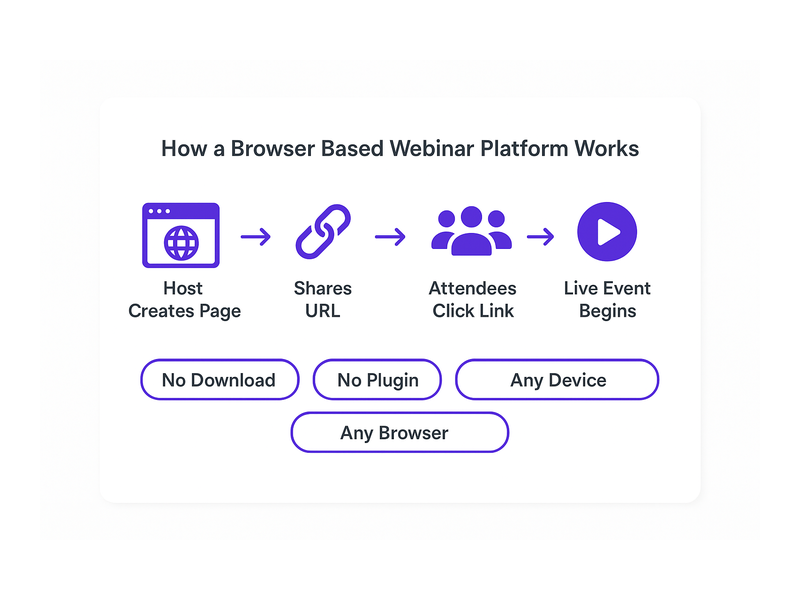
A browser based webinar platform is a hosted live event service that runs entirely inside a standard web browser. Therefore, neither the host nor the attendees need to download any application. Instead, the host customizes a branded landing page, shares the URL, and viewers simply click the link to watch, chat, and register. This approach removes the single biggest friction point in traditional webinar software: the installation barrier.

Moreover, browser based solutions are platform-agnostic by nature. For example, attendees can join from Windows, Mac, iOS, or Android without any compatibility concerns. In fact, research from the Pew Research Center consistently shows that audiences are far more likely to participate in online events when no special software download is required. A browser based webinar platform lowers that barrier to zero.

No Downloads, No Plugins, No Barriers

Additionally, the traditional webinar model forces attendees through a frustrating multi-step setup. First, they download a desktop application. Second, they grant microphone and camera permissions. Third, they troubleshoot audio issues and finally join the event, often several minutes late. A browser based webinar platform eliminates every one of those steps. As a result, your attendance rate improves because the path from invitation to live event is completely frictionless.

Pageinar takes this idea one step further. Hosts log in via Google and land immediately on their broadcast landing page. Furthermore, the page is fully editable: cover image, avatar, event title, description, and social links. In short, your entire webinar presence is live in minutes, not hours.

Key Features of a Browser Based Webinar Platform Like Pageinar

Not all browser based webinar platforms deliver the same feature set. However, Pageinar stands out by combining live broadcasting, lead collection, real-time chat moderation, and recordings into one hosted page. Together, these features give event organizers everything needed for a professional event without juggling multiple third-party tools.

Two Modes: Registration and Broadcasting

Pageinar’s broadcast page operates in two distinct modes. First, Registration Mode lets you publish a pre-event landing page where visitors sign up and view event details. Second, when you are ready to go live, you toggle to Broadcasting Mode and click Start Broadcast. Therefore, the same URL serves both purposes across the entire event lifecycle, so you never need to send your audience a different link.

In Registration Mode, you configure the welcome message, event date and time, a countdown timer, and a header image or video. Additionally, you can collect custom lead fields such as First Name, Last Name, Company, and phone number. For example, a B2B marketer can capture qualified prospects before a single frame of video is ever streamed.

Integrated Chat for Real-Time Engagement

Alternatively, many platforms treat chat as an afterthought. Pageinar integrates RumbleTalk group chat directly on the broadcast page. In fact, the chat panel sits side-by-side with the video player so attendees never need to leave the page to interact. Furthermore, hosts have full moderation controls: mute participants, remove messages, configure visual themes, and set an offline message when the broadcast ends.

Together, live video and real-time chat create the interactive atmosphere that separates a strong browser based webinar platform from a simple video stream. Moreover, you can customize the chat theme to match your brand colors directly from the Settings panel, giving every event a cohesive visual identity.

Lead Collection and the Registered List

One of the most powerful features on any browser based webinar platform is automated lead capture. Specifically, Pageinar’s Registration Settings let you toggle on any combination of lead fields. In addition, every submission is stored in the Registered List, which you can search by name or email and export as a CSV. Therefore, you finish every event with a clean, qualified list of prospects ready for your CRM.

Ideally, you pair your registration form with a compelling welcome message and a visible countdown timer to build anticipation. For example, displaying a timer showing only 48 hours until the broadcast creates urgency that drives sign-ups. As a result, you can often double your registration rate compared to a plain static sign-up form.

Pageinar webinar landing page illustration 2

How to Set Up Your Browser Based Webinar Platform in Minutes

Setting up Pageinar as your browser based webinar platform requires zero technical knowledge. First, visit Pageinar, the instant browser based webinar platform and sign in with your Google account. Second, you land on your main broadcast page automatically. Third, click any element in the header to edit your cover image, avatar, title, and description. Finally, open the gear icon to access the Settings panel and configure registration forms, chat behavior, and broadcast options.

Additionally, the Settings panel gives you granular control over the entire event experience. For example, in Broadcast Settings you can add a page password so only invited guests can access the stream. Furthermore, you can connect your social media profiles so attendees can follow your channels after the event ends.

Going Live on Your Browser Based Webinar Platform

When your event date arrives, toggle the page to Broadcasting Mode and press the Start Broadcast button. In fact, your live video stream begins immediately inside the browser with no additional software prompt. Moreover, the viewer count updates in real time so you can see exactly how many people are watching at any moment. For a full step-by-step walkthrough, visit the Pageinar Knowledge Base: how to start a live video on Pageinar.

After the broadcast, your recordings appear automatically in the Broadcast Recordings section. Therefore, you can share the replay with anyone who missed the live session. Furthermore, you can export the recording for repurposing as short video clips, highlight reels, or supporting content for a blog post.

Who Benefits Most from a Browser Based Webinar Platform?

A browser based webinar platform is useful across a wide range of industries and roles. However, certain use cases are particularly strong fits for the hosted page model that Pageinar provides.

B2B Businesses and Marketers

For B2B teams, a browser based webinar platform functions as a lead generation machine. First, you publish the registration page and drive traffic via email campaigns or LinkedIn. Second, qualified leads register and submit their contact details. Third, you deliver a live product demonstration or thought leadership session. As a result, you convert cold traffic into warm, sales-ready leads without ever leaving the browser. Organizations including Nasdaq and HP have relied on Pageinar for exactly this kind of high-stakes live event.

Educators and Online Trainers

Additionally, educators find a browser based webinar platform ideal for virtual classrooms. In other words, students join from any device without installing any software. Furthermore, the integrated chat allows real-time Q&A during the session. In fact, the moderation tools let instructors keep the conversation focused and productive throughout the class.

Event Organizers and Community Managers

Moreover, event organizers running virtual conferences or community meetups benefit greatly from Pageinar’s simplicity. For example, a community manager can launch a weekly live stream using a single consistent branded URL that members bookmark and return to week after week. Furthermore, the recording feature means latecomers can catch the replay on demand. Alternatively, organizers can password protect the page to create exclusive members-only events.

Pageinar webinar landing page illustration 3

Best Practices for Hosting on a Browser Based Webinar Platform

To get the most from your browser based webinar platform, follow these proven practices. First, always set up and publish your registration page at least one week before the event to give your audience enough time to sign up. Second, customize your cover image and avatar to match your brand so the page looks polished and professional from the moment visitors arrive. Third, configure the countdown timer to build anticipation and create a sense of urgency in the days leading up to the broadcast.

Additionally, test your broadcast connection before going live. In fact, clicking Start Broadcast in a private session lets you verify audio and video quality without any audience watching. Moreover, prepare a chat administrator to monitor messages and respond to attendee questions during the stream. Together, these steps ensure a smooth, professional experience that keeps your audience engaged from start to finish.

After the Event: Follow Up and Repurpose

After the broadcast ends, your work on the browser based webinar platform is not finished. First, export your Registered List and import it directly into your CRM or email marketing platform. Second, download your recording from the Broadcast Recordings section and edit it into short clips or highlight reels. Third, share the replay across your social channels to extend your content’s reach well beyond the live event. Therefore, a single broadcast generates multiple assets and a fresh batch of warm leads.

Furthermore, review the chat transcript for the most common attendee questions. In other words, those questions are ready-made content ideas for your next blog post, Knowledge Base article, or follow-up webinar topic. As a result, each live event feeds directly into your next content campaign and keeps your marketing engine moving forward.

Why Pageinar Is the Right Browser Based Webinar Platform for You

In short, a browser based webinar platform removes the technical barriers that have traditionally prevented teams from running live events consistently. Pageinar combines a fully branded broadcast page, integrated live chat, automated lead collection, and on-demand recordings into one hosted URL. Moreover, the platform requires no plugins for attendees and no code installation for hosts. In fact, you can go from a blank page to a live broadcast in under five minutes, making it one of the fastest paths to a professional live event available today.

For more inspiration on what is possible with Pageinar, read Unlock the Power of Seamless Webinars with Pageinar: Welcome to a New Era of Online Engagement!. Together with the practical guidance in this article, that post gives you a solid foundation for launching your first event with confidence and growing from there.

Start Using a Browser Based Webinar Platform Today

Ready to host your next live event without any software installs, plugin prompts, or technical headaches? Visit Pageinar, the browser based webinar platform built for speed and simplicity, and log in with your Google account. Your broadcast page is already waiting. Customize it, share the URL, and start connecting with your audience live, today.

Group Chat Webinar: Run a No-Install Webinar Platform

A group chat webinar on a no-install webinar platform is the fastest path to live audience engagement without technical barriers. Traditional platforms force attendees to download desktop clients or install browser extensions before they can participate. Pageinar eliminates that friction entirely by hosting everything on a permanent browser-based landing page. Share one URL, and viewers join your group chat webinar from any device instantly, with no software installation required on the attendee side. Trusted by organizations including Nasdaq, Wix, HP, and Sony Music, Pageinar proves that powerful live broadcasting and interactive group chat can coexist without complexity.

Pageinar webinar landing page illustration 1

Why a No-Install Webinar Platform Transforms Group Chat Engagement

Most hosts underestimate how much a single download prompt costs in audience drop-off. Moreover, corporate attendees often cannot install software due to IT restrictions on company devices. Therefore, a no-install webinar platform directly improves attendance and participation rates before the event even begins. In fact, when viewers can join a group chat webinar by simply clicking a link, engagement metrics improve across the board. Additionally, mobile attendees on tablets or smartphones join just as easily as desktop users, expanding your potential reach with no extra configuration.

The Friction of Traditional Webinar Tools

Traditional webinar platforms depend on desktop applications that require administrator permissions to install. Additionally, attendees regularly encounter version conflicts, firewall blocks, or unsupported browser plugin errors. As a result, hosts spend the opening minutes of every session on technical troubleshooting instead of delivering value. For example, a single failed plugin installation can cause an attendee to abandon the session entirely. However, a browser-based approach removes every one of those failure points. According to Wikipedia on web conferencing, browser-based access is increasingly the standard for modern online broadcast tools.

How Pageinar Removes These Barriers

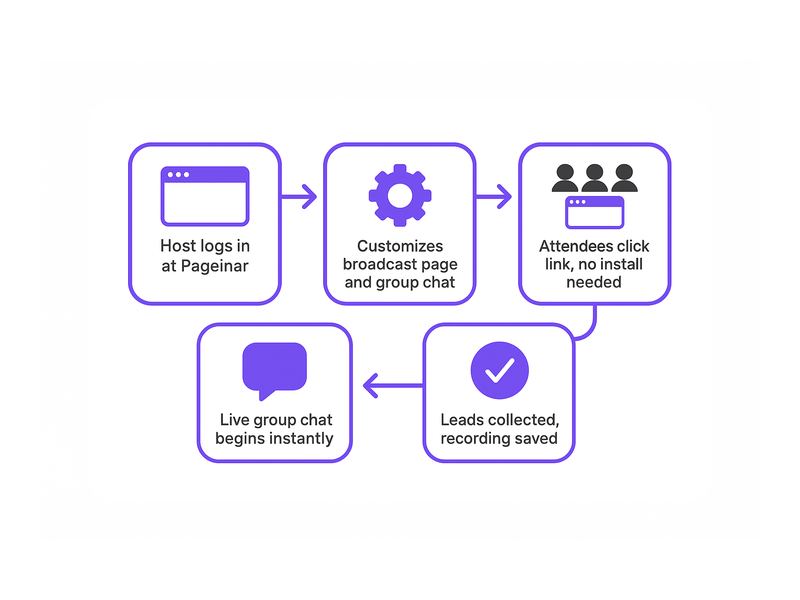
Pageinar hosts the entire broadcast experience on a permanent landing page at a URL you own. First, the host customizes the page at Pageinar by logging in with Google. Second, the host shares the URL via email, social media, or a calendar invite. Third, attendees click the link and land directly on the broadcast page with the group chat already loaded in their browser. No download prompt interrupts the process. Furthermore, the same URL works for both Registration Mode before the event and Broadcasting Mode during the live group chat webinar session.

Core Group Chat Webinar Features That Drive Interaction

Pageinar builds its group chat webinar experience around RumbleTalk, a professional chat engine with enterprise-grade moderation and customization features. Consequently, hosts get capabilities that far exceed a basic comment box or a simple emoji reaction bar. For example, chat admins can silence participants, remove inappropriate messages, promote speakers, and highlight key questions from the audience during a live session. Moreover, multiple visual themes let you match the chat panel to your brand identity and event style. In short, every group chat webinar on Pageinar feels polished, intentional, and fully under the host’s control from start to finish.

Chat Themes, Moderation, and Offline Messaging

Pageinar offers several distinct chat themes that hosts can switch inside the Chat Settings panel at any time. Additionally, the offline message feature keeps the chat panel warm and welcoming before the live broadcast begins. Therefore, early arrivals see a helpful message rather than a blank or inactive screen. Ideally, the offline message sets expectations for the upcoming group chat webinar: what topic will be covered, when the broadcast starts, and how attendees can interact. Together, these small but significant details improve the pre-event experience and reduce viewer anxiety before the session begins.

Registration Mode and Lead Collection

Before the broadcast, the host can flip the page to Registration Mode so visitors see a branded sign-up form instead of the broadcast area. Attendees enter their name, company, email, phone number, and any custom fields the host has enabled. Furthermore, a countdown timer displays the time remaining until the group chat webinar begins, building anticipation. After the session, the host exports the full lead list from the Registered List view with a single click. You can learn the full process step by step in the Pageinar Knowledge Base: How to Collect Leads Before the Broadcasting Event.

Pageinar webinar landing page illustration 2

Setting Up a Group Chat Webinar on a No-Install Webinar Platform

Setting up a group chat webinar on Pageinar takes under five minutes from first login to a live-ready page. First, log in with your Google account at pageinar.com. After logging in, your broadcast page is immediately live and ready to edit. In addition, all settings are accessible from a single gear icon, so you never need to navigate between multiple dashboards or configure separate integrations.

  1. Customize the header: Upload a cover image or choose a background color. Add your avatar, event title, and a short description that tells viewers exactly what to expect.
  2. Configure the group chat: Open Settings and select Chat Settings. Pick a chat theme, set an offline welcome message, and assign a chat admin if needed.
  3. Enable Registration Mode: Toggle to Registration Mode in the top-right corner. Set the event date and time, configure lead collection fields, and upload a header image or short video clip.
  4. Share the URL: Copy your page URL and distribute it via email, social media, or a calendar invite. Attendees open the link and join with no installation required on any device.
  5. Go live: Switch to Broadcasting Mode and click Start Broadcast. The live video and group chat appear side by side for all viewers simultaneously and instantly.

Customizing the Page for Maximum Impact

Visual design creates a strong first impression the moment attendees land on your no-install webinar platform page. Ideally, the cover image reflects your event theme and includes the webinar title in bold, readable text. Moreover, selecting the right chat theme ensures the group chat panel feels integrated with the rest of your page rather than a generic bolt-on. Together, these visual choices communicate professionalism before the broadcast even begins. For example, a product launch page with a bold hero image and a sleek dark chat theme instantly signals quality and credibility to every viewer who opens the URL.

Broadcasting Mode and the Live Session Experience

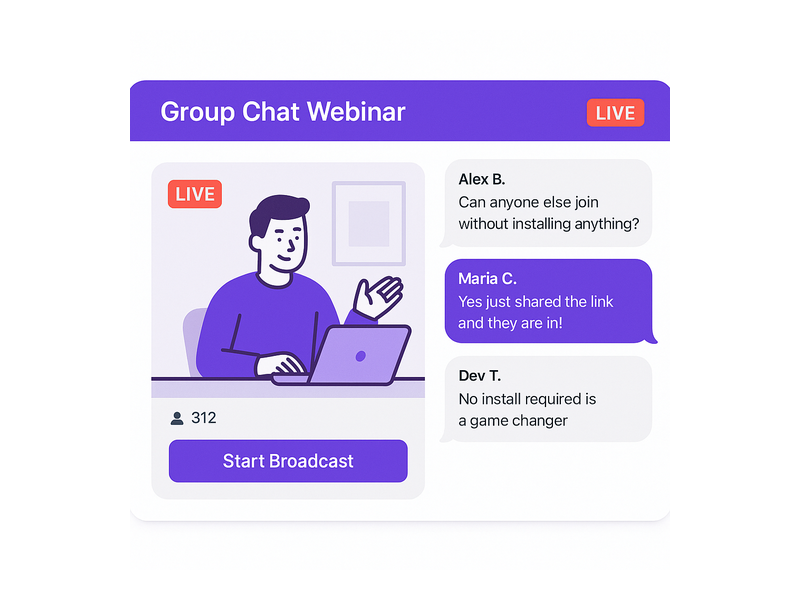
When the host switches to Broadcasting Mode, the page layout shifts to display the live video area and the group chat panel side by side in a clean split view. In fact, a real-time viewer count badge and a LIVE status indicator appear automatically so both host and attendees always know the current broadcast state. Additionally, every session is recorded automatically and stored in the Broadcast Recordings section of Settings. Therefore, hosts can share a replay link with registrants who missed the live group chat webinar, extending the value of every session well beyond the original broadcast window.

Use Cases for a Group Chat Webinar on a No-Install Webinar Platform

The no-install model makes a group chat webinar accessible to audiences that download-dependent platforms simply cannot reach. Moreover, because attendees only need a browser link, the barrier to attendance is effectively zero for anyone with a modern smartphone, tablet, or laptop. In short, any event that benefits from live video combined with real-time interactive discussion is a strong fit for a no-install webinar platform like Pageinar.

Corporate Training and Internal Communications

HR and learning-and-development teams use group chat webinars to train distributed workforces without requiring IT approval for new software on company devices. For example, a company with employees across ten countries can host a compliance training session on Pageinar and every employee joins via browser with zero setup. Additionally, the Registered List feature logs attendance automatically, giving managers a complete record without manual tracking. As a result, the administrative overhead of running live internal training sessions drops significantly, and more employees actually show up because joining is frictionless.

Product Launches and Live Customer Demos

Product and marketing teams use a no-install webinar platform to introduce new features to customers without any download friction slowing momentum. Alternatively, sales teams leverage the group chat to field real-time questions from prospects during a live demo session. As a result, the chat transforms into a dynamic live Q&A that accelerates purchasing decisions far more effectively than a static recording. For instance, a SaaS company can share the Pageinar URL in a newsletter and expect hundreds of qualified attendees to join within seconds of clicking the link, with no drop-off from installation barriers.

Community Events and Public Broadcasts

Non-profits, independent creators, and community organizers rely on no-install platforms because their audiences vary widely in technical ability and device type. Therefore, a group chat webinar on Pageinar is ideal for public fundraisers, open community Q&A sessions, and live panel discussions. Moreover, the password protection feature in Broadcast Settings allows organizers to restrict access to invited or ticketed audiences when needed. You can explore how Pageinar supports hosts of all backgrounds in Unlock the Power of Seamless Webinars with Pageinar: Welcome to a New Era of Online Engagement!.

Pageinar webinar landing page illustration 3

Why Pageinar Is the Leading No-Install Webinar Platform for Group Chat

Pageinar is purpose-built as a no-install webinar platform that treats the integrated group chat as a first-class feature rather than an optional add-on. Furthermore, the platform is trusted by organizations including Nasdaq, Wix, HP, and Sony Music, demonstrating its reliability under real-world event loads. In fact, the entire setup lives on a single hosted landing page that requires no technical maintenance after initial configuration. Additionally, Pageinar consolidates lead collection, chat moderation, recording storage, and subscription management into one unified Settings panel, keeping operations simple for hosts of any technical level.

Security, Access Control, and Post-Event Recordings

Hosting a group chat webinar for a paid or private audience requires solid access controls from the moment the page goes live. Consequently, Pageinar includes page password protection in Broadcast Settings to gate entry to the broadcast page before anyone can watch or chat. Additionally, chat moderation tools let admins remove messages or block disruptive participants in real time without interrupting the broadcast. Together, these features ensure every no-install webinar platform session stays professional and on brand throughout its entire duration.

Subscription Plans That Scale With Your Audience

Pageinar offers both free and paid subscription plans to suit different event scales and budgets. For example, a small team running an internal group chat webinar can start on the free plan with no upfront investment and no credit card required. Moreover, growing organizations can upgrade to a paid plan to increase the attendee limit and total broadcast duration available per month. In short, the no-install webinar platform scales naturally alongside your event program as your audience and ambitions expand. Subscription details, attendee limits, and full billing history are always visible inside the Subscription Details and Invoice panels in Settings.

Get Started With a Group Chat Webinar Today

Running a group chat webinar on a no-install webinar platform has never been more straightforward or more accessible to hosts at every skill level. First, visit Pageinar and sign in with your Google account to access your broadcast page in under a minute. Second, customize the page header, configure your group chat settings, and enable Registration Mode to collect leads before your event begins. Third, share the URL with your audience and watch attendees join your live group chat webinar in seconds with zero installation friction on their end. Whether you are launching a product, training a global team, or hosting a live community event, Pageinar delivers the reliable, interactive no-install webinar platform experience your audience deserves from the very first click.

Interactive Webinar Platform: Host Engaging Live Events

An interactive webinar platform gives businesses a powerful way to connect with their audiences in real time. Pageinar is built from the ground up to make every live session engaging, simple to run, and easy to attend. Moreover, the platform requires no code installation and no plugins for attendees. Everything runs on a hosted landing page that the host customizes and shares as a single URL. In short, Pageinar is the interactive webinar platform that removes every technical barrier between you and your audience.

Pageinar webinar landing page illustration 1

What Is an Interactive Webinar Platform?

An interactive webinar platform is a digital tool that lets hosts broadcast live video, engage attendees through real-time chat, and collect leads, all from a single place. However, not every solution delivers a seamless experience for both hosts and attendees. Many tools require attendees to install software or create a separate account before they can join. In contrast, Pageinar removes that friction entirely: attendees click a link and they are in. As a result, hosts see higher attendance rates and far more active participation throughout each session.

According to Wikipedia, web conferencing tools have become essential for remote communication, training, and marketing. Therefore, choosing the right interactive webinar platform directly affects how well you connect with your audience. For example, a platform with built-in chat, lead collection, and branded pages gives you far more value than a simple video call tool. Additionally, Pageinar combines all of these features in one hosted environment, so you never need to juggle multiple tools.

Key Features of the Pageinar Interactive Webinar Platform

Pageinar packs every essential tool into one hosted page. First, you get a fully editable broadcast landing page where you set your cover image, avatar, event title, and description. Second, the platform switches between Registration Mode and Broadcasting Mode with a single toggle in the top-right corner. Third, an integrated RumbleTalk group chat panel keeps attendees engaged from the moment they arrive. Furthermore, Pageinar is not just an interactive webinar platform: it is a complete event presence hub that grows with your business.

Registration and Lead Collection

An interactive webinar platform should help you grow your audience, not just broadcast to it. Therefore, Pageinar includes a dedicated Registration Mode where you collect attendee details before the event begins. You can toggle on fields for First Name, Last Name, Company, Phone, and custom fields, so your lead form matches your exact business needs. Furthermore, all registrations appear in the Registered List inside Settings, where you search, filter, and export your contacts at any time. As a result, every webinar you host becomes a structured lead generation event from the very first minute.

In fact, partners like Nasdaq, Wix, HP, and Sony Music trust Pageinar to run their broadcast events. Moreover, the platform lets you customize your registration page template, set a welcome message, choose the event date and time, and even display a countdown timer. Ideally, you configure your registration form once and reuse it for every future event with minor adjustments. In addition, you can add a header image or video to your registration page so attendees feel engaged before the broadcast even starts.

Live Broadcasting and Chat

When you are ready to go live, Pageinar makes it simple. First, toggle your page to Broadcasting Mode. Then click Start Broadcast and your audience sees you instantly. The broadcast area shows a LIVE badge, a viewer count, and full controls for your stream. Additionally, the RumbleTalk chat panel stays active throughout the broadcast, so attendees ask questions, share reactions, and connect with each other in real time. Together, the live video and chat create an immersive experience that keeps viewers watching until the very end.

However, engagement does not stop at chat alone. Pageinar lets you customize chat themes, set an offline message, and control moderation settings from the Chat Settings panel. Therefore, you maintain a professional environment without ever interrupting the flow of your broadcast. Furthermore, the Settings panel includes Broadcast Recordings, so every session is saved automatically. In other words, attendees who miss the live event can still access the content afterward.

interactive webinar platform broadcast page with live chat and registration panel

How to Set Up Your Interactive Webinar Platform in Minutes

Getting started with Pageinar as your interactive webinar platform takes only a few steps. First, visit Pageinar and sign in with your Google account. No email registration or password setup is required. Second, you land directly on your main broadcast page, which Pageinar creates automatically for you. Third, customize your page: upload a cover image, add your avatar, write your event title, and fill in your description. After that, your branded landing page is ready to share with your audience.

Next, open the Settings panel by clicking the gear icon in the top-right corner. There, configure your Registration Settings to match your event format. For example, choose a registration page template, set the event date and time, and toggle on the lead fields you want to collect. In addition, set up your Chat Settings to pick a theme that matches your brand and set an offline message for periods when you are not live. Furthermore, if you want to keep your session private, you can add a page password directly from the Broadcast Settings panel.

Once your page looks exactly right, copy your unique URL and share it with your audience via email, social media, or any channel you prefer. Attendees click the link and arrive on your branded registration page. Therefore, there is no friction at all between your invitation and their attendance. In other words, Pageinar removes every technical obstacle from the attendee journey. For a complete step-by-step walkthrough, visit the Pageinar Knowledge Base, which covers everything from creating your first page to going live with confidence.

Finally, when your event starts, toggle to Broadcasting Mode and click Start Broadcast. Your audience, already registered and waiting in the chat, sees you go live immediately. As a result, your interactive webinar platform session begins with maximum energy and zero technical delays. Additionally, Pageinar connects your social profiles, including Facebook, Instagram, Twitter, YouTube, and Twitch, so you can drive attendees from every channel directly to your registration page.

Pageinar webinar landing page illustration 2

Benefits of Using an Interactive Webinar Platform for Your Business

An interactive webinar platform delivers value at every stage of the customer journey. Moreover, when you choose a platform like Pageinar, you get benefits that go well beyond a simple video call tool. The combination of branded pages, live chat, lead collection, and recordings creates a complete event marketing system that works for businesses of any size.

Generate Quality Leads

Registration Mode turns every webinar into a structured lead capture event. Therefore, you collect name, company, and contact details from every attendee before the broadcast even begins. In fact, this pre-event data is often more valuable than post-event follow-ups, because attendees have already expressed clear intent by signing up. Additionally, Pageinar’s Registered List makes it easy to export your leads and pass them directly into your CRM or email marketing tool. As a result, each event you run adds qualified contacts to your pipeline without any extra manual work.

Build Brand Authority

Hosting on a branded Pageinar page signals professionalism to your audience. For example, your cover image, logo, and event title greet attendees as soon as they arrive. Furthermore, the polished layout, with its integrated chat panel and live broadcast area, reinforces the impression that you run a high-quality, well-organized event. As a result, audiences associate your brand with expertise and reliability. In other words, every webinar you host becomes a brand-building opportunity as well as a lead generation activity.

Increase Audience Engagement

An interactive webinar platform thrives on participation. Therefore, the RumbleTalk chat panel keeps attendees active throughout your session. Additionally, hosts can moderate conversations, highlight key messages, and respond to questions in real time. In other words, your webinar becomes a two-way conversation rather than a one-way broadcast. Together, the live chat and video create an immersive experience that dramatically reduces drop-off rates and keeps viewers engaged until the very last minute of your session.

Access Recordings and Insights

After your event ends, Pageinar stores your broadcast in the Broadcast Recordings section of your Settings panel. Therefore, you can review past sessions, share recordings with attendees who missed the live event, or repurpose content for future marketing campaigns. Furthermore, each recording includes duration data, so you can measure how long your audience stayed engaged. In addition, you can use the Registered List data to identify which events attract the most qualified leads over time.

Top Use Cases for an Interactive Webinar Platform

An interactive webinar platform fits a wide range of business scenarios. However, some use cases consistently deliver the strongest results for hosts who use Pageinar regularly.

Product Launches and Live Demos

For example, product teams use Pageinar to launch new features to a live audience. The broadcast area lets you share your screen or camera while the chat fills with real-time reactions from attendees. Additionally, the registration form captures every lead who signed up for the launch event, giving your sales team a warm list to follow up on immediately after the session ends. As a result, a single product launch webinar can generate dozens or even hundreds of qualified sales conversations.

Employee Training and Customer Onboarding

Moreover, HR teams and training managers use an interactive webinar platform to onboard new employees or customers at scale. Pageinar lets you run a live training session, collect attendance data via the Registered List, and share a recording with anyone who could not attend the live event. In addition, the chat panel allows trainees to ask questions in real time without interrupting the presenter. Therefore, training sessions on Pageinar feel collaborative and engaging rather than passive and one-directional.

Virtual Events and Industry Briefings

In fact, event organizers use Pageinar to host virtual summits, panel discussions, and industry briefings for large audiences. The platform’s hosted landing page acts as the event hub, with registration, live broadcast, and chat all in one place. Therefore, organizers spend less time on logistics and more time on content quality. Furthermore, the social links feature allows organizers to promote the event across Facebook, Instagram, Twitter, YouTube, and Twitch from a single settings panel, maximizing reach before the event even begins.

Demand Generation and Content Marketing

Additionally, marketers use Pageinar as their interactive webinar platform for demand generation campaigns. A well-promoted webinar attracts hundreds of registrants, each of whom has shown clear interest in your topic. As a result, you build a high-quality audience list with every event you run. Furthermore, Pageinar’s branded registration page creates a professional first impression that increases sign-up conversion rates compared to generic event registration forms. For best practices on running engaging sessions, read Unlock the Power of Seamless Webinars with Pageinar: Welcome to a New Era of Online Engagement! for inspiration and proven strategies.

Pageinar webinar landing page illustration 3

Why Pageinar Is the Right Interactive Webinar Platform for You

Choosing the right interactive webinar platform is a decision that affects your brand, your audience, and your lead pipeline. Therefore, it is worth selecting a platform that removes friction for both hosts and attendees at every step. Pageinar does exactly that. First, there is nothing for attendees to install. Second, they join with one click from any device. Third, your branded page is live within minutes of signing up for the first time. In short, Pageinar is designed for speed without sacrificing any professional polish.

Moreover, Pageinar scales with your business as your audience grows. The Subscription Details panel shows your current plan, attendee limit, and remaining broadcast time, so you always know where you stand. Additionally, upgrading to a higher plan takes just a few clicks from within the Settings panel. In other words, you never outgrow the platform. Furthermore, Pageinar integrates with the tools you already rely on: social links connect your page to your existing channels, and the Registered List exports your leads to any format your CRM requires.

Furthermore, the built-in RumbleTalk chat works out of the box with no extra configuration. Hosts can choose from multiple chat themes, set an offline message for off-hours, and control moderation from the Chat Settings panel. Therefore, every session feels polished and on-brand from the moment attendees arrive to the moment the broadcast ends. Ideally, you run your first interactive webinar platform session within the same day you sign up, because Pageinar is built to be that fast to set up and launch.

Finally, Pageinar gives you access to a complete post-event workflow. The Broadcast Recordings section stores every past session with duration data. The Registered List captures every lead with full contact details. Additionally, the Invoice section tracks your billing history in one place. Together, these features make Pageinar a full-cycle interactive webinar platform, not just a broadcasting tool. In fact, it is one of the most complete event hosting solutions available for businesses that want professional results without enterprise-level complexity.

Get Started with Your Interactive Webinar Platform Today

Ready to launch your interactive webinar platform and start connecting with your audience in a whole new way? Visit Pageinar, sign in with your Google account, and your broadcast landing page is ready in minutes. Build your registration form, customize your chat, go live, and start generating leads from your very first session. In other words, Pageinar is the interactive webinar platform that makes professional live events accessible to every business, regardless of technical expertise or budget. Start your first event today and experience the difference that a truly seamless, fully interactive webinar platform makes for your audience and your bottom line.

Webinar Page with Registration and Chat: Complete Guide

A webinar page with registration and chat is the single most effective way to convert online visitors into engaged, active event attendees. Moreover, when registration, live broadcast, and real-time chat all live on one hosted URL, your entire event workflow becomes dramatically faster and simpler. In fact, many businesses waste valuable hours stitching together separate tools for each of these three functions. Pageinar solves this by combining all three into one seamless, no-code landing page that you design, share, and go live on in minutes.

Pageinar webinar landing page illustration 1

What Is a Webinar Page with Registration and Chat?

A webinar page with registration and chat combines three essential event functions on a single hosted page. First, it presents your event details and collects attendee information through a customizable registration form. Second, it streams your live broadcast directly on the same page, so attendees never need to navigate elsewhere. Third, it provides a real-time group chat sidebar where attendees ask questions, share reactions, and interact with each other throughout the session. Therefore, hosts no longer need to manage three separate platforms or send attendees across multiple links. Additionally, keeping everything in one place ensures your branding stays consistent from the moment someone registers until the broadcast ends.

Pageinar is built specifically to deliver this kind of all-in-one experience. The platform runs entirely on a hosted landing page that the host customizes through a simple visual editor. Once the page is ready, the host shares a single URL. Viewers click the link, register, wait for the event, and then watch the live broadcast with integrated chat, all without installing any software or plugins. Furthermore, because no technical setup is required on the viewer side, attendance barriers drop significantly and show-up rates improve for every event you run.

Why Unified Webinar Pages Outperform Fragmented Tools

Fragmented tool stacks create unnecessary friction at every stage of the event. For example, when registration happens on a separate landing page builder and the live stream happens on a standalone video platform, attendees must follow multiple steps and links just to attend. However, a single webinar page with registration and chat keeps the entire attendee journey smooth from start to finish. As a result, you see higher attendance rates, fewer technical support questions, and more active participation during the broadcast itself. In short, simplicity drives engagement, and engagement drives results.

How to Build a Webinar Page with Registration and Chat on Pageinar

Building a webinar page with registration and chat on Pageinar is fast and requires no technical skills. In fact, the platform is designed so that anyone can go live without prior experience in web development or video streaming. Below is a clear step-by-step overview of the full setup process so you know exactly what to expect before you begin.

Step 1: Sign In and Access Your Broadcast Landing Page

First, visit Pageinar’s all-in-one webinar platform and sign in using your Google account. Pageinar uses Google login only, so there is no separate email or password to remember. After signing in, the platform takes you directly to your main broadcast landing page. This page is fully editable and immediately ready for customization. Additionally, every account includes one hosted page that serves as both your registration destination and your live broadcast stage, all under one URL.

Step 2: Customize Your Header and Branding

Second, click any element in the top section of your page to begin editing. You can upload a cover image or choose a background color that matches your brand identity. Moreover, you can set your event title, add a short description, upload your avatar, and include your website URL. Therefore, any visitor arriving at your link immediately understands what the event is about and why they should register. A strong, branded header also builds trust before attendees take the step of submitting their registration information.

Step 3: Configure Registration Settings

Third, open the gear icon to access the Settings panel and click Registration Settings. Here you choose a registration page template, set the event date and time, upload a header image or video for the registration view, and write a welcome message for new registrants. Furthermore, you can toggle individual lead collection fields on or off to capture exactly the data your team needs. For example, you might enable First Name, Last Name, Company, and a custom Job Title field for a B2B audience. Together, these options give your webinar page with registration and chat a professional, fully branded experience before the event even begins.

Pageinar webinar landing page illustration 2

Step 4: Configure Chat Settings

Fourth, navigate to Chat Settings in the Settings panel. Here you select the chat type, compose an offline message that displays when the broadcast is not yet live, and assign a chat admin to moderate conversations during the event. You can also choose from multiple visual chat themes to align the chat panel with your event’s visual identity. The chat panel is powered by RumbleTalk group chat and appears on the bottom-left of your broadcast page. As a result, attendees can start conversations the moment they arrive, even before the live video begins, which warms up the audience and builds anticipation.

Step 5: Go Live in Broadcasting Mode

Finally, when your event is ready to start, toggle your page from Registration Mode to Broadcasting Mode using the button in the top-right corner of your Pageinar dashboard. Click Start Broadcast in the live area on the bottom-right of the page. Your attendees immediately see the red LIVE indicator appear. In addition, a live viewer count updates in real time, giving you clear confidence that your audience is engaged and present. Therefore, your webinar page with registration and chat transforms into a fully active, interactive event hub with just one click.

Key Features of a Webinar Page with Registration and Chat

Pageinar includes several powerful built-in features that make every webinar page with registration and chat more effective. Understanding each feature helps you plan better events, capture more leads, and create a richer experience for your attendees every time you go live.

Lead Collection and the Registered List

Registration Settings allow you to toggle specific lead fields on or off depending on your campaign goals. For example, a sales team running a product demo might enable First Name, Last Name, Company, and Phone fields to qualify prospects before the event starts. Moreover, all submitted registrations appear automatically in the Registered List inside your Settings panel. There you can search, view, and export attendees sorted by name, company, email address, phone number, or sign-up date. In short, your webinar page with registration and chat doubles as a built-in lead generation engine that runs before, during, and after every broadcast.

Password Protection for Private Events

Ideally, not every event is meant for the general public. Pageinar lets you add a page password directly through Broadcast Settings. Therefore, only attendees who have the correct password can access the broadcast, even if they have the page URL. This feature is especially useful for client-only webinars, paid training sessions, or internal corporate broadcasts. Additionally, adding a password does not change the simplicity of the process for your audience: they still visit one URL, enter the password in a clean prompt, and proceed directly to your page.

Social Links for Cross-Channel Visibility

Broadcast Settings also let you display social profile links for Facebook, Instagram, Twitter, YouTube, and Twitch directly on your webinar page. In fact, showing these links during the registration phase encourages attendees to follow your brand on other channels before the event begins. Furthermore, a consistent cross-channel presence builds credibility and trust with new attendees who may be discovering your brand for the first time through your event page.

Broadcast Recordings for Ongoing Value

After every live event, Pageinar saves a broadcast recording with the session duration and date automatically logged in your dashboard. You can export these recordings and repurpose them as replay links, social media video clips, or on-demand training resources. As a result, every event you run on a webinar page with registration and chat creates lasting value that continues to generate leads and engagement long after the broadcast window closes. This significantly increases the return on investment for every event you produce.

Pageinar webinar landing page illustration 3

Real-World Use Cases for a Webinar Page with Registration and Chat

A webinar page with registration and chat is versatile enough to serve many different industries and event types. Here are some of the most impactful use cases you can implement right away using Pageinar as your hosting platform.

Product Launches and Live Demos

Companies use Pageinar webinar pages to unveil new products to a live online audience. Registration ensures that only interested, pre-qualified prospects attend, which improves the quality of every lead in the room. Chat lets prospects ask product-specific questions in real time during the demo, making the presentation feel interactive and two-directional. Therefore, product launches become genuine conversations rather than one-way announcements, which drives significantly higher conversion rates and post-event follow-through.

Online Training and Educational Workshops

Trainers and educators use webinar pages to deliver structured online workshops to distributed audiences. Registration collects participant data for compliance tracking, follow-up, and certificate issuance. Chat enables peer-to-peer discussion and live question-and-answer exchanges throughout the session. In addition, the recording feature captures the full session so students who miss the live event can review the material on their own schedule without missing any content.

Corporate Town Halls and Internal Broadcasts

Large organizations use password-protected Pageinar pages for internal broadcasts such as quarterly business reviews and all-hands meetings. Registration tracks attendance for HR reporting and compliance purposes. Chat gives employees a direct voice during leadership presentations, which fosters a culture of open communication even in large, distributed teams. As a result, internal events become more engaging and inclusive, regardless of where employees are located around the world.

Sales Demos and Lead Nurturing

Sales teams run live product demos on Pageinar to move prospects through the pipeline more efficiently. Registration pre-qualifies leads before they enter the session. Chat allows prospects to ask specific questions live, while the host answers in real time and addresses objections on the spot. Furthermore, after the broadcast ends, the Registered List gives the sales team a warm, pre-qualified lead list ready for immediate follow-up. This makes the entire sales cycle faster and more data-driven than traditional outreach methods.

Webinar Page with Registration and Chat vs. Fragmented Tool Stacks

Many teams build webinar experiences by combining separate tools: a form builder for registration, a video streaming service for the broadcast, and a third-party chat widget on yet another page. However, this fragmented approach creates serious problems at every stage. First, attendees must navigate multiple links and platforms, which increases drop-off at every transition point. Second, branding is inconsistent across tools that were not designed to work together visually. Third, lead data is scattered across different dashboards, making post-event follow-up slower and less organized.

In contrast, a webinar page with registration and chat on Pageinar centralizes everything in one place. Therefore, setup is faster for the host, the attendee experience is smoother from start to finish, and lead data is immediately available in one clean dashboard. According to general research on online event engagement, events that provide a seamless single-URL experience consistently outperform multi-tool setups in both attendance rates and active audience interaction. For more background on how webinars have evolved as a format, see the Wikipedia overview of webinars.

Getting Started with Your Webinar Page with Registration and Chat

Getting started with Pageinar requires no technical background and no credit card for the free plan. First, visit Pageinar’s webinar platform and sign in with your Google account. Second, customize your broadcast landing page with your event title, cover image, and description. Third, open Settings to configure Registration Settings and Chat Settings for your specific audience and event goals. Fourth, copy your page URL and share it with your audience through email, social media, or any channel you prefer. Registrations begin flowing in automatically from that point forward.

Additionally, you can explore the Pageinar Knowledge Base for step-by-step guides on editing your broadcast page, setting up lead collection fields, changing your chat theme, and understanding the difference between Registration Mode and Broadcasting Mode. In fact, the Knowledge Base covers every feature you need to run a polished, professional event. Moreover, if you want a broader introduction to the platform before diving into setup, read our earlier post on Unlock the Power of Seamless Webinars with Pageinar: Welcome to a New Era of Online Engagement! for a full overview of what the platform makes possible.

Start Building Your Webinar Page with Registration and Chat Today

A webinar page with registration and chat is no longer a luxury reserved for large enterprise teams with big budgets. In fact, it is the baseline expectation for any professional online event in today’s digital-first environment. Therefore, combining registration, live broadcast, and real-time chat on a single hosted page is the smartest, most efficient way to run any live event, regardless of your audience size or industry. Pageinar delivers this complete experience without any code installation, without external plugins for attendees, and without technical complexity on either the host or viewer side. Sign in at pageinar.com today and launch your first webinar page with registration and chat in under five minutes.

Live Webinar with Audience Chat: The Complete Guide

A live webinar with audience chat is one of the most powerful tools available to modern marketers, educators, and community builders. Unlike pre-recorded videos, a live webinar with audience chat turns passive viewers into active participants who ask questions, share reactions, and build community together in real time. Moreover, platforms like Pageinar’s instant webinar broadcasting service make it possible to host a professional broadcast with built-in chat in minutes, with no software installation required for your attendees. In this guide, you will learn why interactive live webinars outperform passive ones, how to set up your own broadcast, and which best practices ensure your audience stays engaged from the first minute to the last.

Pageinar webinar landing page illustration 1

Why a Live Webinar with Audience Chat Transforms Your Event Strategy

Engagement is the defining metric of any webinar. However, most broadcasts struggle to hold attention beyond the first fifteen minutes without interaction. A live webinar with audience chat solves this by creating a continuous feedback loop between presenter and viewer. For example, when an attendee types a question and sees the presenter respond on camera, that person feels seen and valued. As a result, they stay longer, absorb more content, and are far more likely to take a desired action once the event ends.

Furthermore, audience chat generates social proof in real time. When viewers see an active, enthusiastic conversation scrolling beside the video feed, they perceive the event as high-value and trustworthy. Additionally, the volume and tone of chat messages gives the presenter immediate, unfiltered feedback on which talking points are resonating and which need more explanation. In other words, the chat panel functions as both an engagement tool and a live analytics dashboard.

In short, a live webinar with audience chat does more than deliver video content. It creates a shared experience that builds relationships, surfaces audience intelligence, and drives conversions, all at the same time. Therefore, every business that hosts events online should prioritize integrating a robust chat experience into every broadcast.

How to Set Up a Live Webinar with Audience Chat on Pageinar

Getting a live webinar with audience chat up and running on Pageinar requires only a few minutes of setup. First, visit pageinar.com and log in with your Google account. After logging in, Pageinar places you directly on your main broadcast landing page, which already includes the video player area and the integrated chat panel side by side.

Step 1: Customize Your Event Page

First, edit your page header to match your event brand. Upload a cover image or select a background color, add your avatar, and fill in your webinar title and description. These visible elements immediately signal professionalism to anyone who lands on your page. Additionally, a polished page encourages first-time visitors to register and return on the day of the event.

Step 2: Configure the Audience Chat Panel

The chat panel that powers your live webinar with audience chat is built on RumbleTalk, a professional group chat solution integrated directly into every Pageinar page. To configure it, open Settings via the gear icon and select Chat Settings. Here, you choose the chat type, write an offline message for pre-event visitors, pick a visual theme that matches your brand, and assign a chat admin for moderation. Together, these settings ensure your audience chat is polished and ready the moment you go live.

Step 3: Switch to Broadcasting Mode

Pageinar separates registration from broadcasting with a clean two-mode system. For your live webinar with audience chat, switch to Broadcasting Mode using the toggle in the top-right corner of your page. This mode displays the live video player and chat panel side by side in a single view. Alternatively, run Registration Mode before the event to collect leads, then switch to Broadcasting Mode when you are ready to go live.

Step 4: Start Broadcasting

When you are ready, click the Start Broadcast button to change your page status from OFFLINE to LIVE. Share the page URL with your audience and they join instantly from any browser. According to the Wikipedia overview of web conferencing, removing technical friction from the attendee join process is one of the most impactful ways to improve both attendance rates and session engagement. Pageinar’s zero-download architecture delivers exactly that advantage.

Pageinar webinar landing page illustration 2

Best Practices for Moderating Chat During a Live Webinar with Audience Chat

A live webinar with audience chat is only as good as its moderation strategy. However, moderation does not need to be complicated or time-consuming. First, assign a dedicated chat moderator who focuses entirely on the chat while the presenter focuses on the content. This division of labor keeps the stream smooth and ensures no valuable question gets lost in the feed. As a result, both the presenter and the audience enjoy a significantly better experience throughout the broadcast.

Second, warm up the chat before you begin presenting. Ask a simple opening question, such as where attendees are joining from or what topic they most want to cover. Moreover, greet early arrivals by name to create an immediate sense of welcome and belonging. In fact, research consistently shows that attendees who participate in chat within the first three minutes are significantly more likely to remain for the full session. Therefore, the opening moments of your broadcast are the most important investment you can make in viewer retention.

Third, build dedicated question-and-answer breaks into your presentation structure. For example, pause after each major section to read two or three messages from the chat and respond on camera. For guidance on advanced moderation settings, visit the Pageinar knowledge base for chat and broadcast settings. This resource covers everything from chat themes to admin controls in practical detail. In other words, you have all the tools you need to run a professional, well-moderated live webinar with audience chat from day one.

Furthermore, encourage structured chat participation to generate richer, more useful audience data. Ask attendees to type a number from one to five to rate their understanding, or to share a single word describing their biggest challenge. These focused prompts produce more actionable responses than open-ended calls for questions alone. Ideally, plan four to six such interaction moments across a sixty-minute broadcast to maintain a consistent rhythm of two-way engagement throughout the session.

Key Features That Power Your Live Webinar with Audience Chat on Pageinar

Pageinar includes several features that make it an ideal platform for any live webinar with audience chat. Together, these capabilities cover every phase of the broadcast lifecycle, from pre-event registration through post-event lead export and recording access.

Zero-Download Attendee Access

Attendees join by visiting a URL in any browser. There is no app to install, no plugin to download, and no account required on the viewer side. This approach eliminates the most common cause of low attendance at live events: technical friction before the session even starts. Moreover, it means you can promote your broadcast to any audience segment without worrying about device compatibility or setup instructions.

Built-In RumbleTalk Group Chat

The integrated RumbleTalk chat panel delivers professional-grade group chat functionality with no third-party integration required. It supports real-time message delivery, full moderation controls, multiple visual themes, and viewer and speaker display options. Additionally, the chat admin feature lets you delegate moderation to a trusted team member without sharing your account credentials. In other words, you get enterprise-level chat tools included in every Pageinar plan.

Registration Mode and Lead Collection

Before your broadcast begins, switch the page to Registration Mode to collect attendee information. The customizable form captures first name, last name, company, email, phone, and any custom fields you define. Furthermore, the Registered List panel lets you view, search, and export all collected leads as a CSV file after the event. As a result, every interactive webinar doubles as a lead generation campaign with no additional tools required.

Password Protection for Private Events

For paid courses, internal training sessions, or exclusive client briefings, Pageinar’s password protection feature restricts access to authorized attendees only. Set the password in Broadcast Settings with a single click from the gear icon. Therefore, you can confidently host premium events knowing that your content and your audience conversation remain private and secure at all times.

Automatic Broadcast Recordings

Pageinar records every broadcast automatically. After the event, the Broadcast Recordings panel lists each session with its name, duration, and date. Therefore, you can share the recording with registrants who could not attend live, embed it in a follow-up email sequence, or repurpose it as evergreen on-demand content. In fact, many broadcasters report that their recorded sessions generate more cumulative views over time than the original live event itself.

Pageinar webinar landing page illustration 3

Real-World Use Cases for Interactive Webinar Broadcasts

Businesses across every industry use a live webinar with audience chat to achieve a wide range of goals. Here are some of the most impactful and common applications across different sectors.

Product Launches and Feature Demos

Technology companies and consumer brands use live broadcasts to introduce new products to large audiences simultaneously. Additionally, the audience chat panel lets potential customers ask questions, share reactions, and request clarifications in real time during the demo. For example, a software team can unveil a new dashboard feature while monitoring the chat for audience sentiment, adjusting their talking points on the fly. As a result, the launch feels dynamic and responsive rather than scripted, which builds credibility and accelerates buying decisions.

Corporate Training and Employee Onboarding

HR teams and learning professionals use interactive webinars to train employees across multiple locations at the same time. Furthermore, the chat panel allows trainees to ask questions without interrupting the flow of the session, creating a more comfortable learning environment for participants at all experience levels. For example, a new employee onboarding session can cover company policy in the video stream, collect questions via chat, and close with a live Q and A block, all within a single sixty-minute broadcast. This format delivers more value per hour than flying trainers to multiple offices.

Community Q and A Events and AMAs

Content creators, industry experts, and community managers use Pageinar to host ask-me-anything sessions, panel discussions, and subscriber Q and A events. The LIVE indicator and viewer count badge signal to attendees that this is a real-time shared experience, creating the energy and urgency that pre-recorded content simply cannot replicate. Moreover, the ability to theme the chat panel to match your brand makes every session look cohesive and professional, even for solo creators running events with a small team.

Start Your Live Webinar with Audience Chat Today

A live webinar with audience chat is one of the most effective ways to engage your audience, generate qualified leads, and build lasting relationships at scale. Moreover, Pageinar makes the entire process simpler than any alternative, from the initial page setup through post-event lead export. There is no code installation, no plugins, and no complicated configuration required. Simply log in with your Google account, customize your broadcast page, and share the URL. Your attendees get a seamless viewing and chat experience, and you get actionable leads, a recorded session, and a wealth of audience insights.

For inspiration on how to take your broadcasts further, read Unlock the Power of Seamless Webinars with Pageinar: Welcome to a New Era of Online Engagement!, which explores the full range of what the platform can do for your business. Your next live webinar with audience chat is ready to launch. Your audience is waiting.

Webinar with Chat: How to Boost Audience Engagement

A webinar with chat is one of the most effective formats for online events today. Rather than broadcasting one-way to a silent audience, a webinar with chat creates a live, two-way conversation between hosts and attendees in real time. For event organizers, this shift from passive viewing to active participation drives higher retention, more qualified leads, and a better overall experience for everyone involved. Pageinar is designed from the ground up to support this format: every broadcast landing page includes a fully integrated live chat panel, so you never need to stitch together a third-party tool. In this guide, you will learn exactly why the webinar with chat model works, how to set it up on Pageinar, and which best practices will help you get the most from every session.

Pageinar webinar landing page illustration 1

Why a Webinar with Chat Improves Audience Retention

Research consistently shows that interactive formats outperform passive ones. According to the widely documented principles of web conferencing, audience engagement drops sharply when attendees have no way to participate. When attendees can type a question and see it answered live, they stay focused on the screen. In fact, a webinar with chat typically sees 40 to 60 percent longer average viewing time compared to a broadcast with no audience interaction. Additionally, the chat panel creates a sense of community: participants read each other’s comments, respond to peers, and feel part of a shared event rather than simply watching a recording.

Real-Time Feedback Shapes Better Content

Moreover, live chat gives the host immediate feedback during the session. If ten attendees ask the same question within five minutes, the host knows exactly which topic to explore in more depth. Therefore, the webinar with chat format actually sharpens your content delivery in real time: you are not guessing what the audience needs, because they are telling you directly. Pageinar displays chat messages alongside the broadcast area, so the host can glance at incoming questions without leaving the broadcast interface. This keeps the event flowing naturally while keeping every attendee fully engaged from start to finish.

How Pageinar Powers Your Webinar with Chat

Pageinar gives every host a branded broadcast landing page that includes two core panels: a live video area and a RumbleTalk group chat panel. Together, these two panels deliver a complete webinar with chat experience from a single hosted URL. No plugins, no downloads, and no code are required for attendees. They simply open the link in a browser and join the session immediately. For the host, the process is equally straightforward: log in with Google, customize the page, and start broadcasting. The chat panel activates automatically the moment the page goes live.

Customizing the Chat Panel

Additionally, Pageinar gives hosts deep control over the chat experience. From the Chat Settings panel, you can select a chat theme that matches your brand colors, set an offline message that greets visitors before the event starts, and choose whether to display the speaker and viewer list. For professional events, you can assign a dedicated chat admin who handles moderation while the host focuses on presenting content. Furthermore, you can control whether attendees see each other’s names and avatars, which shapes the level of community interaction you want to encourage in your webinar with chat.

Registration Mode and Chat

Before the event, Pageinar’s Registration Mode lets you collect lead information directly on the same landing page. First, you toggle the page to Registration Mode. Then, you configure lead fields such as first name, last name, company, phone number, and any custom questions your team needs. When the event starts, you switch to Broadcasting Mode and the chat panel activates for all registered attendees. As a result, you have both a qualified lead list and an engaged live audience, all managed from one platform. This end-to-end flow is what makes Pageinar a complete solution for the webinar with chat format.

Pageinar webinar landing page illustration 2

Setting Up a Webinar with Chat on Pageinar: Step by Step

Getting started is fast. Below are the key steps to launch your first webinar with chat on Pageinar and make the most of every feature available to you.

  • Sign in with Google: Visit Pageinar’s broadcast landing page platform and log in. No password signup is needed, which means you can get started in under a minute.
  • Customize your page: Add your event title, cover image, avatar, and description. These appear on both the registration page and the live broadcast page, so your branding stays consistent throughout.
  • Configure Registration Settings: Toggle to Registration Mode, enable the lead fields you want, and set the event date and time. Pageinar displays a countdown timer automatically so attendees know when the session begins.
  • Set up Chat Settings: Choose your chat theme, write an offline message, and assign a chat admin if needed. For guidance on themes, review the article on how to change your chat theme in the Pageinar Knowledge Base.
  • Share the URL: Pageinar hosts your page on a permanent URL. Share it via email, social media, or your website. Attendees register and join directly on the page.
  • Go live: Switch to Broadcasting Mode, click Start Broadcast, and your webinar with chat session begins instantly for all attendees.

Password Protection for Private Events

For private or paid events, Pageinar lets you add a page password under Broadcast Settings. Only attendees who enter the correct password can access the broadcast page. This feature suits corporate training sessions, paid workshops, and exclusive member events. Therefore, your webinar with chat remains open to the right audience and completely closed to everyone else, without any complicated access management on your end.

Best Practices for a High-Engagement Webinar with Chat

Simply enabling chat is not enough to guarantee engagement. The following practices will help you get the strongest results from every webinar with chat session you run, regardless of your audience size or industry.

Open the Chat Early

First, activate the broadcast page 10 to 15 minutes before the scheduled start time. Invite early arrivals to introduce themselves in the chat. This warms up the audience and builds momentum before you begin presenting. Moreover, it gives you a chance to spot and resolve any technical issues before the webinar with chat session officially opens to the full audience.

Ask Questions Throughout the Session

Second, build audience questions directly into your presentation script. After each major section, pause and prompt attendees to respond in the chat. For example, ask: ‘What is your biggest challenge with lead generation right now?’ and allow 60 seconds for replies. In other words, treat the chat panel as a co-presenter rather than a side feature. This approach consistently lifts message activity and keeps the energy high throughout the event.

Assign a Dedicated Chat Moderator

Third, if your audience exceeds 50 attendees, assign a chat admin through Pageinar’s Chat Settings panel. The moderator can surface the best questions, filter irrelevant messages, and keep the conversation focused on the topic. As a result, the host stays fully focused on delivering great content while the chat experience remains organized and valuable for every person attending the webinar with chat.

Use Chat for Live Polls and Q&A Segments

Furthermore, the chat panel works naturally as a polling tool. Ask attendees to type ‘A’, ‘B’, or ‘C’ to vote on a question. Alternatively, reserve the final 15 minutes for a dedicated Q&A segment where the moderator reads questions aloud. Together, live polls and structured Q&A make the webinar with chat feel like a real conversation rather than a one-way lecture. This format works especially well for product demos, training sessions, and panel discussions.

Pageinar webinar landing page illustration 3

Use Cases: Who Benefits Most from a Webinar with Chat

The webinar with chat format serves a wide range of industries and business goals. Here are the most common scenarios where Pageinar customers see the strongest results from combining live video with real-time audience interaction.

B2B Lead Generation Events

Marketing teams use the webinar with chat to attract and qualify prospects at scale. Registration fields collect company name, job title, and other qualifying data before the event starts. During the session, chat activity reveals which attendees are most engaged, helping the sales team prioritize follow-up calls after the event. Ideally, combine the live chat with a strong CTA at the close of the broadcast, directing attendees toward a free trial or a sales call booking link.

Corporate Training and Onboarding

HR and learning teams run internal training sessions as a webinar with chat to replace static slide decks and pre-recorded videos. Employees ask questions in real time and the trainer answers immediately, creating the interactivity of a classroom without the logistical challenges of gathering everyone in one place. Additionally, Pageinar records every broadcast automatically. Recordings are stored under Broadcast Recordings in the settings panel and available for export, so new team members can watch sessions they missed.

Product Launches and Live Demos

Product teams use the webinar with chat to unveil new features and collect instant audience reactions. The chat fills with questions and comments during the demo, giving the team real-world feedback within minutes of the launch. Furthermore, the registration data collected before the event feeds directly into the CRM as a list of warm, interested contacts. For inspiration on running a polished launch event, read our post on Unlock the Power of Seamless Webinars with Pageinar: Welcome to a New Era of Online Engagement!

Live Classes and Coaching Programs

Educators, coaches, and consultants use the webinar with chat to deliver live learning experiences that feel personal even at scale. Students type answers to exercises directly in the chat, the instructor reviews them live, and the entire group learns from the discussion. In fact, this format replicates the classroom dynamic online without the complexity of traditional video conferencing software. No attendee needs to install anything: they simply open the Pageinar link and join the session in seconds.

Measuring the Success of Your Webinar with Chat

After each event, three metrics give you the clearest picture of performance. First, check the number of registered leads in the Registered List under Pageinar’s settings panel. Second, review the broadcast recording to see how long attendees stayed on average. Third, count the total volume of chat messages to gauge how active the audience was during the session. Higher chat activity typically signals stronger attendee interest and intent to purchase or re-engage with your brand. Therefore, tracking these numbers across multiple sessions helps you refine both your content and your hosting style over time.

Exporting Data After the Event

Moreover, Pageinar makes post-event data easy to access and export. The Registered List is searchable and downloadable as a spreadsheet, so you can send it directly to your CRM or email marketing platform within minutes of the event closing. Additionally, broadcast recordings appear in the Broadcast Recordings section with their full duration and are available for download at any time. As a result, every webinar with chat you run on Pageinar leaves a clean record of both attendance data and content for future analysis and repurposing.

Start Hosting Your Webinar with Chat on Pageinar Today

A webinar with chat has never been simpler to run. Pageinar provides everything you need on a single hosted page: registration, live video, real-time chat, lead collection, and automatic recording. There is no setup fee, no plugin to install, and no technical configuration required for your attendees. Simply sign in with Google, customize your broadcast page, and share the link with your audience. The chat panel is ready the moment your event goes live.

Ready to host your first webinar with chat? Visit Pageinar today, create your broadcast page in minutes, and start building live events your audience will remember. Whether you are generating leads, onboarding new team members, launching a product, or running a coaching program, the webinar with chat format delivers the kind of real-time engagement that recorded video simply cannot match.