

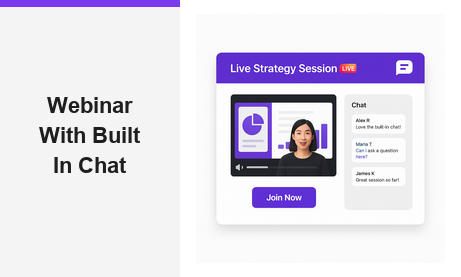
A webinar with built in chat gives hosts and attendees a seamless way to interact in real time. Moreover, it removes the need for separate messaging tools or third-party apps. In fact, the best webinar platforms today combine live video with a fully integrated chat experience. As a result, your audience stays engaged, asks questions, and shares feedback without ever leaving the page. Therefore, choosing a webinar with built in chat is one of the smartest decisions any business can make for its online events.
What Makes a Webinar with Built In Chat So Powerful
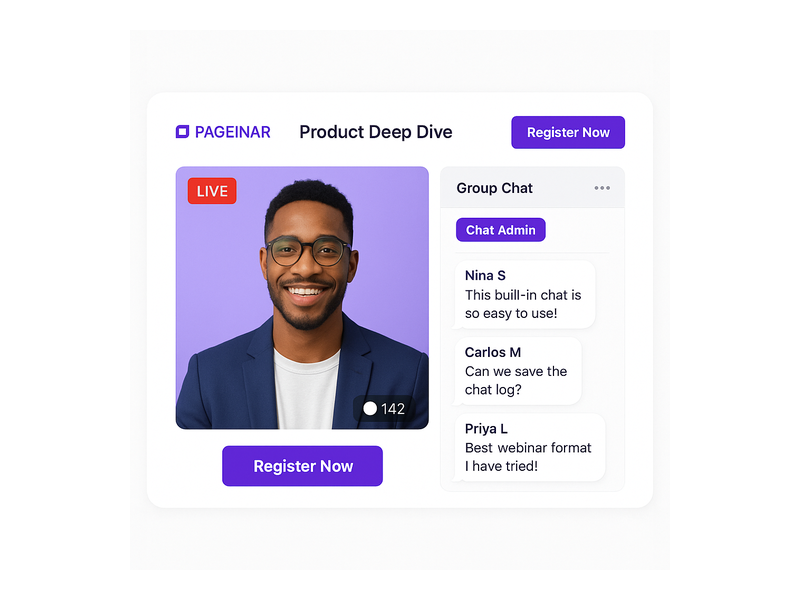
Traditional webinars often require attendees to use a separate chat window or a different device entirely. However, a webinar with built in chat eliminates that friction completely. In fact, when chat is embedded directly on the same page as the live video, attendance rates increase and drop-off rates fall. Additionally, hosts can respond to questions immediately, creating a two-way conversation that keeps energy high throughout the session.
Furthermore, built-in chat adds a social element to your event. For example, attendees can see each other’s messages, react to comments, and feel part of a community. As a result, your webinar becomes more than a broadcast; it becomes a shared experience. In short, the combination of live video and real-time chat is what separates a memorable event from a forgettable one.
Key Features to Look for in a Webinar with Built In Chat Platform
Not all webinar with built in chat solutions are created equal. Therefore, it pays to know which features matter most before committing to a platform. First, look for moderation tools that let you control who can post and what content appears publicly. Second, check whether the platform supports group chat or one-on-one messaging, depending on your event format. Third, confirm that the chat is mobile-friendly so attendees on phones and tablets can participate without issues.
- Real-time group chat: All attendees see messages as they arrive, creating a live communal atmosphere.
- Moderation controls: Admins can mute users, delete messages, or switch to Q&A mode instantly.
- Chat themes: Customizable visual styles that match your brand colors and tone.
- Offline message: A holding message shown in the chat panel before the event starts.
- Viewer and speaker display: Toggleable settings to show who is watching and who is speaking.
Additionally, consider whether the platform integrates chat with lead collection. For example, Pageinar lets you collect names, emails, and company details through its Registration Settings panel before the event even starts. In other words, your webinar with built in chat can also serve as a lead generation engine from the very first attendee interaction.
How to Run a Webinar with Built In Chat on Pageinar
Pageinar is a webinar broadcasting platform that comes with a fully integrated RumbleTalk group chat panel built directly into every broadcast page. Therefore, you never need to install a plugin or configure a third-party chat service. In fact, everything you need to run a webinar with built in chat is ready the moment you log in with Google and land on your main broadcast page.
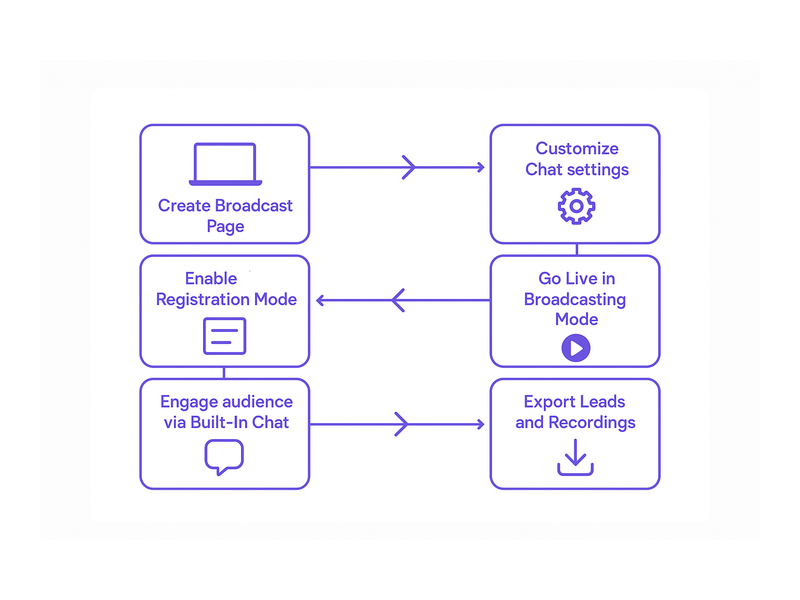
Step 1: Set Up Your Broadcast Page
First, visit pageinar.com and sign in with your Google account. After login, you land on your main page, which is a fully editable broadcast landing page. Moreover, you can customize the cover image, avatar, event title, and description right from the page itself. Additionally, you can set a page password to restrict access to registered attendees only, keeping your event private and professional.
Step 2: Customize Your Chat Settings
Next, open the gear icon to access the Settings panel and navigate to Chat Settings. Here, you can set the chat type to Group Chat, write a custom offline message for before the event starts, assign a dedicated chat admin, and choose from multiple visual chat themes. Furthermore, you can toggle the display of viewer names and speaker indicators to create the right atmosphere for your audience. Together, these options let you tailor your webinar with built in chat to match your brand and event style exactly.
For a detailed walkthrough of these options, visit the Pageinar Knowledge Base where you will find step-by-step guides on editing your broadcast page and configuring all chat settings from scratch.
Step 3: Go Live and Engage Your Audience
Finally, toggle the page to Broadcasting Mode using the button in the top-right corner of your main page. Then click Start Broadcast in the bottom-right live area. As a result, your audience sees the LIVE badge appear and can immediately start sending messages in the integrated chat panel. In fact, this is where your webinar with built in chat truly comes alive, as questions and comments flow in alongside your presentation in real time.
Best Practices for Chat Moderation During Live Webinars
Running a webinar with built in chat smoothly requires some preparation before the event begins. First, assign a dedicated chat moderator who monitors messages while you present. This person can highlight important questions, remove off-topic comments, and keep the conversation productive. Additionally, prepare a list of seed questions to post in the chat at the start of the session, so early attendees have something to respond to right away.
Moreover, set clear expectations in your event description about how chat will be used. For example, let attendees know whether you will answer questions throughout the session or in a dedicated Q&A block at the end. As a result, your audience participates more purposefully and with better timing. In addition, consider using the offline message feature in Pageinar to welcome attendees before the event starts and encourage them to introduce themselves in the chat.
Furthermore, research on webinar engagement consistently shows that interactive elements like live chat significantly increase attendee retention and satisfaction scores. Therefore, moderating chat well is not just about keeping order. It is about maximizing the value every attendee gets from your event and turning passive viewers into active participants.
Use Cases: Who Benefits Most from a Webinar with Built In Chat
A webinar with built in chat is valuable across many industries and event formats. For example, software companies use it to run product demos where prospects can ask questions and get instant answers from a sales rep in the chat. Additionally, educators use it for online classes where students post questions and the instructor responds in real time, creating an interactive classroom atmosphere without any additional tools.
Moreover, marketing teams use a webinar with built in chat to run high-converting lead generation campaigns. In fact, Pageinar lets you collect attendee details through its Registration Settings before the event, and then engage those leads directly via chat during the broadcast. As a result, you capture both the lead data and the live conversation in one place, giving your sales team rich context for follow-up calls.
Additionally, HR teams run onboarding webinars with built in chat to help new employees ask questions in a comfortable and low-pressure environment. Furthermore, event organizers use Pageinar to broadcast conferences and panel discussions where the audience can interact with speakers directly through the chat panel. In short, any scenario that benefits from real-time audience interaction is a perfect fit for a webinar with built in chat.
Webinar with Built In Chat vs. Separate External Messaging Tools
Some hosts try to run webinars using a video tool combined with a separate chat application. However, this approach creates significant friction for attendees. First, they must manage two windows or two apps at the same time. Second, messages often get lost or ignored because the chat is not visible alongside the video. Third, the host cannot easily monitor the chat and the presentation simultaneously without a complex multi-monitor setup.
In contrast, a webinar with built in chat keeps everything on one page. Therefore, attendees never need to switch contexts or download anything extra. Additionally, hosts see the chat panel right next to their broadcast controls, making it easy to monitor and respond in real time. In fact, Pageinar eliminates all of these pain points by building both the video broadcast area and the RumbleTalk group chat panel directly into the same broadcast landing page.
Ideally, your webinar platform should require zero installation from attendees. Better still, it should work on any browser and on any device. In other words, the best webinar with built in chat experience is the one your audience can join instantly, from anywhere, with a single click on a URL. That is exactly what Pageinar delivers. To learn more about getting started, read Unlock the Power of Seamless Webinars with Pageinar: Welcome to a New Era of Online Engagement!

Webinar with Built In Chat: Start Your First Event Today
Running a successful online event has never been more accessible. Moreover, with Pageinar, you can launch a fully functional webinar with built in chat in minutes, with no code, no plugins, and no technical setup required. In fact, everything from your broadcast page to your integrated chat panel is ready from the moment you sign in with Google.
Additionally, Pageinar scales with your needs. Whether you are running a small team update for ten people or a large public broadcast for hundreds of attendees, the platform adjusts to your audience size and event format. Furthermore, the built-in lead collection, broadcast recording, and subscription management tools mean you have everything you need for a professional event in one place.
Therefore, if you are ready to deliver a webinar with built in chat that your audience will remember, start today. Visit pageinar.com, sign in with Google, and your broadcast page is already waiting. Your audience is one URL away from a live, interactive experience they will not forget.