

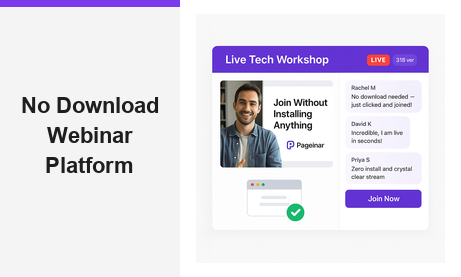
A no download webinar platform is the fastest, most friction-free way to host live online events and reach your audience wherever they are. Traditional webinar tools force attendees to install desktop applications, grant browser permissions, or wait through lengthy plugin updates before they can join. Moreover, these technical barriers drive away potential viewers before the session even starts. Pageinar is a true no download webinar platform built entirely on a hosted web page, so your attendees simply click a link and join the event in seconds, with zero software to install.
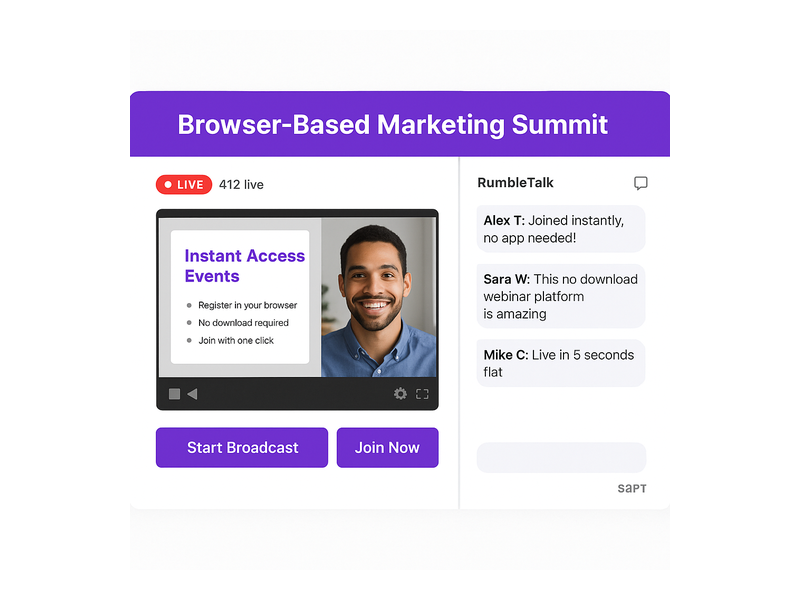
What Makes a No Download Webinar Platform Different
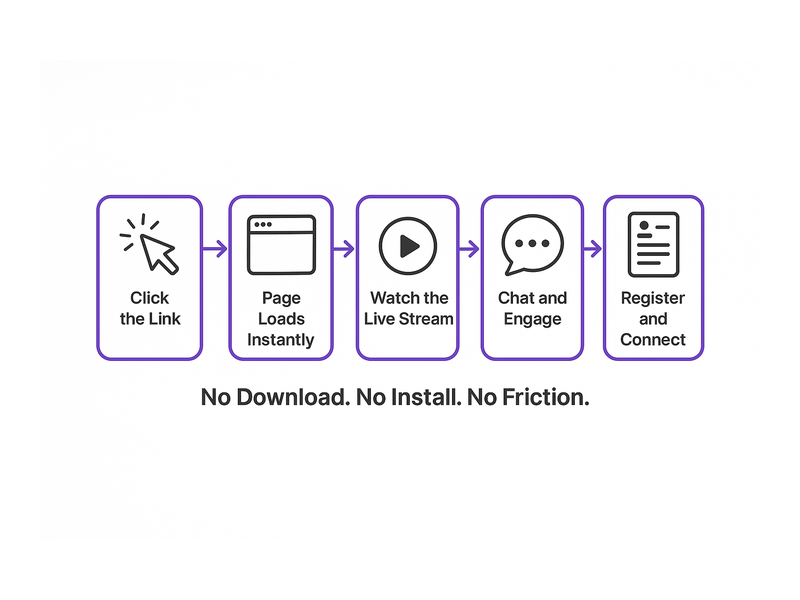
The core difference between a no download webinar platform and a traditional solution comes down to access. Traditional platforms require attendees to download software, create accounts, or install browser extensions before joining any event. In contrast, a no download webinar platform delivers the entire experience through a standard web browser. Therefore, anyone with a smartphone, tablet, or laptop can join your event with a single tap or click, regardless of their operating system or technical skill level.
Additionally, a no download webinar platform reduces technical support requests dramatically. For example, event organizers using download-required tools often spend significant time troubleshooting attendee access issues before sessions begin. In short, choosing a no download webinar platform means spending less time on logistics and more time on delivering great content to your audience.
Furthermore, browser-based hosting eliminates compatibility problems across devices and operating systems. According to Wikipedia’s overview of web conferencing, browser-based platforms consistently outperform desktop applications in attendee join rates and overall session satisfaction scores. As a result, the business case for switching to a no download webinar platform has never been stronger.
How Pageinar Works as a No Download Webinar Platform
Pageinar is built from the ground up as a no download webinar platform. First, you sign in with your Google account at pageinar.com. No email-and-password registration is required on the host side either. After login, you land on your personal broadcast landing page, which is fully editable and ready to share immediately. Furthermore, your attendees never need to install anything: they simply visit your page URL in any modern browser and join the live event without any prompts or downloads.
The host customizes the page with a cover image, avatar, event title, website URL, and description. Second, the page operates in two modes: Registration Mode for collecting leads before the event, and Broadcasting Mode for going live. As a result, the entire workflow, from setup to live broadcast, happens on one hosted landing page. There are no third-party plugins, no desktop clients, and no software requirements for anyone involved.
Key Features of the No Download Webinar Platform
Pageinar packs a robust set of capabilities into its no download webinar platform experience. However, the simplicity of the interface means you never sacrifice power for ease of use. Below are the core features that set this platform apart from download-required alternatives.
Instant Live Broadcasting
The broadcast area on your Pageinar page displays your current status (OFFLINE or LIVE), a Start Broadcast button, and a real-time viewer count. Therefore, going live is as simple as clicking one button. Attendees watching on your page see the stream update in real time. There are no buffering delays caused by plugin incompatibilities or version mismatches. In fact, the entire broadcast experience is contained within the browser tab your attendees already have open.
Integrated Group Chat
Every Pageinar page includes a built-in RumbleTalk group chat panel as part of the no download webinar platform interface. Additionally, the chat supports full moderation tools, custom visual themes, and admin controls. For example, you can set an offline message for early arrivals, restrict chat to registered attendees, or display speaker profiles alongside viewer messages. In other words, your audience stays engaged without switching between multiple apps or opening additional browser tabs.
Lead Collection and Registration
Pageinar’s Registration Mode transforms your no download webinar platform page into a powerful lead-generation tool. First, toggle the page into Registration Mode from the top-right control. Then, configure the registration form to collect first name, last name, company, email, phone, or custom fields tailored to your audience. Furthermore, you can set a date and time countdown timer to build anticipation among early visitors. As a result, every attendee who registers becomes a lead in your Registered List, exportable directly from the settings panel for follow-up campaigns. For a full walkthrough, visit the Pageinar knowledge base guide on collecting leads before your broadcasting event.
Password Protection and Social Links
Security matters even on a no download webinar platform. Therefore, Pageinar lets you add password protection to your broadcast page directly from the Broadcast Settings panel. Only attendees with the correct password can access the stream, making it ideal for private corporate events, premium content, or members-only sessions. Additionally, you can add social profile links for Facebook, Instagram, Twitter, YouTube, and Twitch, giving attendees an easy way to follow your brand after the event ends.
Broadcast Recordings
Past sessions are stored automatically in the Broadcast Recordings panel. Moreover, each recording entry shows the event name, duration, and date, and you can export recordings for repurposing or on-demand sharing. This means your no download webinar platform investment continues to pay off long after each live session ends, turning a single event into an evergreen content asset for your audience.
Setting Up Your No Download Webinar Platform in Minutes
One of the greatest advantages of a no download webinar platform is how fast the entire setup process is. First, visit pageinar.com and sign in with your Google account. No email-and-password registration is required. Second, you arrive at your main broadcast landing page, already configured and ready to customize. Third, edit your cover image, avatar, title, and description to match your brand or event theme. The entire process takes less than five minutes for a first-time host.
After customizing the page, toggle to Registration Mode to start collecting sign-ups before your event date. For example, set a welcome message, choose a registration page template from the available options, and configure your lead form fields to capture the data you need. Additionally, set the event date and time so a countdown timer appears automatically for all page visitors. Finally, share the URL with your audience via email, social media, or your website homepage. That is all it takes to launch a complete no download webinar platform event from scratch.
Who Benefits Most from a No Download Webinar Platform
A no download webinar platform works for a wide range of users and industries. However, certain audiences find the no-install approach especially valuable for their specific needs and workflows.
- Corporate trainers: Host internal training sessions without requiring IT teams to install software on employee devices. Furthermore, remote employees can join from any device during travel or from a home office setup.
- Marketing teams: Run product demos and lead-generation webinars that convert. As a result, prospects who click an email link join the session immediately, with no technical friction reducing conversion rates at the door.
- Event organizers: Manage conferences, panels, and virtual summits at scale. In fact, Pageinar’s notable partners include leading brands like Nasdaq, Wix, HP, and Sony Music.
- Educators: Deliver live classes to students on any device. Therefore, learners on Chromebooks, iPads, or older Windows machines can all participate equally without compatibility concerns.
- Small business owners: Launch professional live events without a dedicated IT team. Ideally, a single person manages the full event, from setup to broadcast to lead export, all from one page.
Real-World Use Cases for a No Download Webinar Platform
Understanding the concept of a no download webinar platform is one thing. However, seeing concrete examples shows why it changes outcomes for hosts and attendees alike across different industries and event types.
Product Launch Events
A SaaS company wants to announce a new feature to 500 existing customers. Additionally, the marketing team wants to capture leads from new prospects who discover the event through social media. First, the team creates a Pageinar page, sets it to Registration Mode, and shares the URL in a targeted newsletter campaign. As a result, prospects register instantly, and on launch day, all attendees click the same URL and join the live broadcast without downloading or installing a single file.
Weekly Training Webinars
A corporate HR department runs weekly compliance training for a distributed remote workforce. Moreover, the team needs a solution that works on company-issued devices without requiring admin-level install permissions from the IT department. Pageinar’s no download webinar platform lets HR share one link every week, and employees join from any browser with a single click. Furthermore, the Registered List captures attendance records automatically, making compliance reporting straightforward and audit-ready.
Live Q&A Sessions and Panels
A thought leader runs a monthly live Q&A for their online community spanning multiple countries. In fact, their audience uses a wide variety of devices, operating systems, and browsers. Therefore, a no download webinar platform ensures that everyone, from mobile users in Asia to desktop users in Europe, can join without facing compatibility issues or installation walls. The built-in chat panel keeps the conversation flowing, and the host can moderate incoming questions in real time.
Tips for Getting the Most from Your No Download Webinar Platform
First, promote your webinar page URL early and often. Share it in emails, social media posts, and your website header in the days leading up to the event. Additionally, customize your registration page with a strong welcome message and a visible countdown timer to build urgency among potential attendees. Second, prepare your broadcast settings in advance: test your video source, check your audio quality, and enable a page password if your session is meant for a private audience. Furthermore, use the Chat Settings panel to select a visual theme that matches your brand identity, and configure an offline message for visitors who arrive before you go live.
After the event, download your Registered List from the settings panel to follow up with every attendee personally. Moreover, export your broadcast recording to repurpose as an on-demand video, a training resource, or a social media highlight reel. In other words, a single live session on a no download webinar platform can generate new leads, build brand awareness, and produce evergreen content all at the same time. For inspiration on maximizing each session, read Unlock the Power of Seamless Webinars with Pageinar: Welcome to a New Era of Online Engagement! to see best practices in action.
Choosing the Right No Download Webinar Platform for Your Business
When evaluating a no download webinar platform, consider four key factors: ease of access for attendees, built-in lead capture capabilities, live chat integration, and recording features. Additionally, think about whether the platform scales with your growing audience size and whether its subscription plans fit your current budget. Pageinar offers a Free plan for getting started immediately and paid plans with higher attendee limits and longer broadcast durations, all visible under the Subscription Details section in the settings panel.
In short, the best no download webinar platform is one that removes every obstacle between your audience and your content. Therefore, browser-based solutions that require zero installation will consistently outperform download-required alternatives when measured by join rates, attendee satisfaction scores, and overall event ROI. The data is clear: friction kills conversions, and eliminating downloads is the single biggest friction point to remove.
Start Hosting with Pageinar’s No Download Webinar Platform Today
Pageinar is the complete no download webinar platform built for speed, simplicity, and measurable results. First, sign in with Google, customize your page, and go live in under ten minutes. Moreover, every feature you need, from lead capture to live chat to session recordings, is built directly into the platform with no third-party plugins required on either side. Finally, visit Pageinar’s no download webinar hosting platform today, create your first page, and experience firsthand how effortless live events can be when your audience never has to download a single file to attend.