

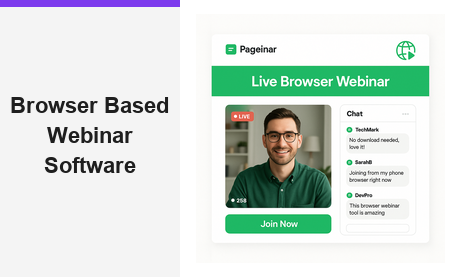
Browser based webinar software is transforming the way organizations run live events, product launches, and training sessions online. Instead of asking attendees to download apps or install plugins, browser based webinar software lets everyone join directly from their web browser with a single click. Pageinar is a leading example of this approach, giving hosts a powerful broadcast landing page that works instantly for every viewer on any device. Moreover, the simplicity of a browser-first platform removes the biggest barrier to online events: technical friction. In this guide, you will discover everything you need to know about browser based webinar software, why it outperforms legacy desktop tools, and how to get started today.
What Is Browser Based Webinar Software?
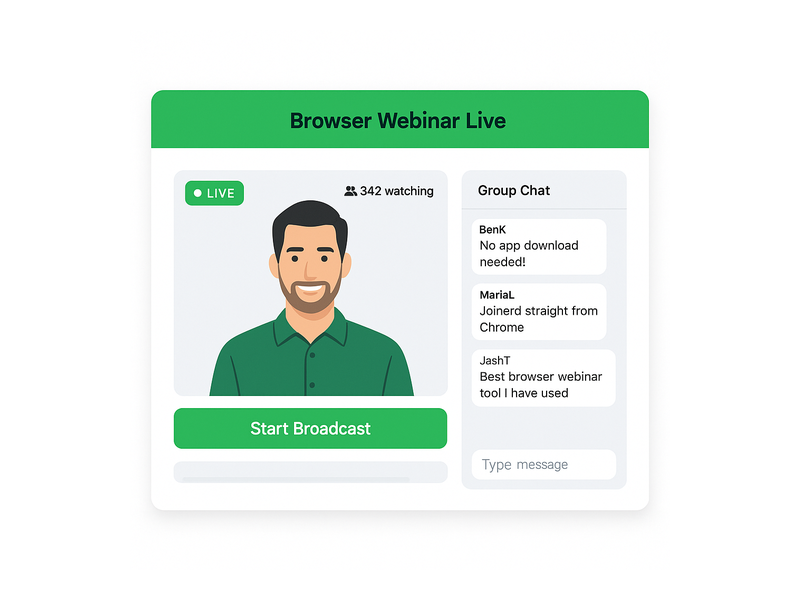
Browser based webinar software is any platform that lets hosts broadcast live video and engage audiences without requiring attendees to install dedicated software. Therefore, participants simply click a URL and join the event from any device. This approach works on desktops, laptops, tablets, and smartphones alike. Furthermore, it eliminates IT support tickets, compatibility issues, and the anxiety that comes with last-minute software installations. In short, browser based webinar software makes online events accessible to everyone, regardless of their technical background or the device they happen to be using.
Traditionally, online event platforms required hosts and attendees to download and install heavy desktop applications. However, browser based webinar software changed all that by leveraging modern web technologies like WebRTC to power real-time video streaming directly inside a browser tab. As a result, the experience is seamless, fast, and universally accessible. Additionally, because no software is installed on the attendee device, security teams at large organizations have fewer concerns about approving third-party applications. In other words, browser based webinar software is as safe and simple as opening any website.
Why Browser Based Webinar Software Beats Desktop Apps
There are several compelling reasons why browser based webinar software outperforms traditional desktop applications. First, the setup time for attendees drops to near zero. Second, hosts can share a single URL and expect everyone to join without issues. Third, updates happen automatically on the server side, so attendees always use the latest version without lifting a finger. In fact, these three advantages alone make browser based webinar software the default choice for teams who value their audience’s time.
Moreover, browser based webinar software reduces registration-to-attendance drop-off significantly. Research from authoritative sources like Gartner confirms that conversion improves when friction is removed from the joining process. Ideally, every viewer should be able to join your event with one click. In contrast, desktop apps create four to six extra steps before a viewer even sees your content. Therefore, switching to a browser-first platform can increase your live attendance rate and improve overall event ROI.
Additionally, browser based webinar software is more inclusive by design. For example, attendees using Chromebooks, Linux machines, or heavily locked-down corporate computers can still join your event without any special permissions. Alternatively, someone on a mobile device can watch and participate without downloading a mobile app. Together, these advantages make browser based webinar software the most practical choice for organizations that host diverse, global audiences.
Key Features to Look for in Browser Based Webinar Software
The best browser based webinar software platforms combine live video, interactive chat, lead collection, and analytics in one place. Here are the core features you should evaluate when choosing a platform for your team:
- Instant broadcast start: Hosts should go live with one click, without configuring encoders or external streaming software.
- Built-in live chat: Real-time audience interaction is essential. Pageinar integrates a full-featured RumbleTalk group chat panel directly on the broadcast page, with moderation, themes, and admin controls.
- Registration mode: Collect attendee details before the event starts. Pageinar captures first name, last name, company, email, phone, and custom fields on a fully branded registration page.
- Automatic recording: Every broadcast should be saved so you can share the replay later. Pageinar stores all recordings with duration and export options in the Broadcast Recordings panel.
- Password protection: For private webinars, restrict access to approved attendees only using a simple page password toggle in your settings.
- Customizable branding: A branded page with your logo, cover image, and accent colors builds trust with your audience before the event even begins.
- Social media links: Promote your event on Facebook, Instagram, Twitter, YouTube, and Twitch directly from the broadcast page settings.
Furthermore, a great browser based webinar software platform handles the entire attendee journey, from registration to live broadcast to replay, without requiring any technical expertise from the host. Pageinar delivers all of these features out of the box. You can explore Pageinar’s browser-based webinar platform to see how everything comes together in one clean, hosted interface.
How to Get Started with Browser Based Webinar Software on Pageinar
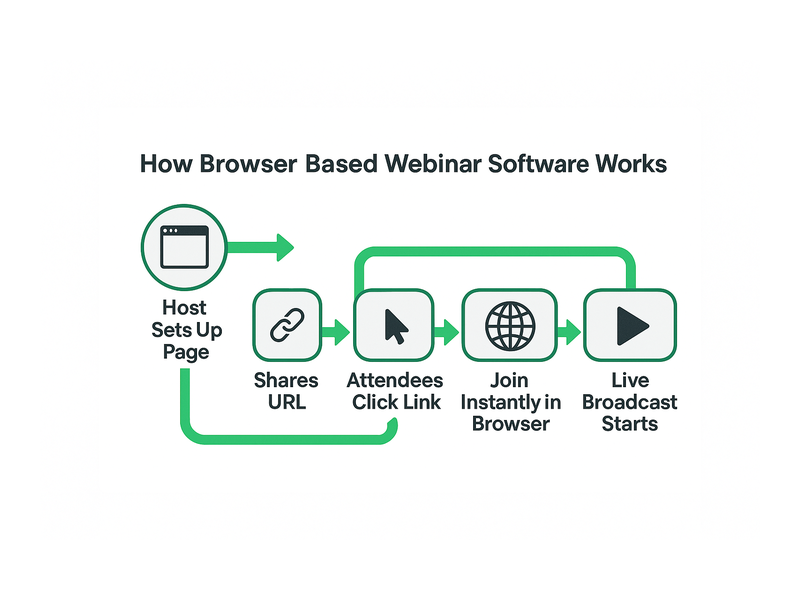
Getting started with Pageinar’s browser based webinar software takes less than five minutes. First, visit pageinar.com and sign in with your Google account. No email or password signup is required. After logging in, you land on your main broadcast page, which is already configured and ready to use. Additionally, the page has two modes: Registration Mode and Broadcasting Mode. Toggle between them using the button in the top-right corner of your dashboard.
For a detailed walkthrough, check out the Pageinar Knowledge Base article on how to start a live video on Pageinar. It covers every step from setting up your broadcast page to going live with your first audience. Moreover, the Knowledge Base also explains how to customize your registration form, set a page password, and configure your chat panel settings. In other words, you have a comprehensive guide available whenever you need it.
Once inside your broadcast page, customize the cover image, upload your avatar, set your webinar title, and write a compelling description. Therefore, your landing page looks polished and professional before any attendee arrives. Next, click the gear icon to open the settings panel. Here you configure registration fields, add social links, and enable password protection for private events. Finally, when you are ready, click the Start Broadcast button in the bottom-right panel to go live immediately in the browser.
Top Use Cases for Browser Based Webinar Software
Browser based webinar software serves a wide range of industries and audience types. Here are the most popular applications that growing teams rely on today:
Product Launches and Live Demos
Software companies and e-commerce brands use browser based webinar software to launch new products live in front of thousands of customers simultaneously. For example, a SaaS startup can demonstrate new features with screen sharing and live Q&A. Additionally, the built-in chat lets viewers ask questions in real time, creating an interactive experience that recorded videos simply cannot match. Furthermore, the registration form captures warm leads who are already interested in the product before the session even begins.
Corporate Training and Employee Onboarding
HR and learning teams love browser based webinar software because new employees can join training sessions from any device on their very first day. There is no need to install software on a freshly provisioned laptop. Moreover, recordings let employees revisit sessions at their own pace after the live event ends. As a result, onboarding becomes faster, more consistent, and easier to scale across remote and in-office teams alike.
Virtual Conferences and Panel Discussions
Event organizers use browser based webinar software to run multi-session virtual conferences without the complexity of traditional conferencing systems. For example, a marketing conference can host keynotes, breakout sessions, and live panels all from a single hosted broadcast page. Additionally, social media links on the page make it easy for attendees to share the event and grow the audience organically throughout the day.
Educational Webinars and Online Coaching
Educators and business coaches use browser based webinar software to deliver live lessons to students worldwide. For example, a business coach can host a weekly live Q&A for paid subscribers, with registration and password protection ensuring only paying members can join. In addition, recordings let students review the session material after the live event. Therefore, the learning experience extends well beyond the original broadcast date.
Browser Based Webinar Software for Lead Generation
One of the strongest advantages of browser based webinar software is its built-in lead generation capability. Pageinar’s registration mode transforms your broadcast page into a lead capture form before the event begins. Therefore, every attendee who registers provides their contact details voluntarily. Moreover, these leads are highly qualified because they have already expressed active interest in your topic by signing up for a live session.
The registration settings in Pageinar let you collect first name, last name, company name, email address, phone number, and fully custom fields. Additionally, you can customize the registration page template, set a background color, add a personalized welcome message, and display a countdown timer to build anticipation. As a result, the registration experience feels polished and on-brand. In fact, a well-designed registration page often increases sign-up conversion rates compared to generic third-party forms.
After the event, export the full registered attendee list directly from the Registered List panel in your settings. The export includes all collected fields, making it simple to import into your CRM or email marketing platform. Furthermore, this data is available immediately after the event ends, so your sales team can follow up while interest is still high. For inspiration on running high-converting webinars, read Unlock the Power of Seamless Webinars with Pageinar for proven strategies from experienced hosts.

Tips to Run a Successful Event with Browser Based Webinar Software
Choosing browser based webinar software is a great start, but a few best practices will help you get the most out of every broadcast. Here are practical tips from experienced webinar hosts who run regular live events:
- Test your setup before going live: Run a private test broadcast to check your camera, microphone, and internet connection. Pageinar’s offline/live status indicator confirms your stream is active before you invite any attendees.
- Promote your registration page early: Share your Pageinar URL on social media, email newsletters, and LinkedIn at least 48 hours before the event. The built-in social links on your broadcast page make sharing effortless.
- Engage your chat actively: Appoint a moderator to manage the RumbleTalk chat panel during the live broadcast. This keeps the conversation focused and ensures every attendee question gets a timely response.
- Use a countdown timer: Enable the show timer option in your registration settings to build anticipation and reduce no-show rates on event day.
- Follow up with the recording: After the event, export your recording from the Broadcast Recordings panel and share it with all registered attendees via your email platform.
- Analyze your lead list immediately: Review the Registered List right after the event and prioritize high-value leads for rapid follow-up while your session is still fresh in their minds.
Additionally, consider using password protection for high-value events like paid masterclasses or VIP client briefings. Pageinar’s Broadcast Settings panel includes a simple Page Password Protect toggle that restricts access to approved attendees only. Therefore, your premium content stays exclusive while still being easy to share with the right people through your existing channels.
Why Pageinar Is the Right Browser Based Webinar Software for Your Team
Pageinar stands out among browser based webinar software options because it combines genuine simplicity with professional-grade power. First, there is no code to install and no plugin for attendees to download. Second, the platform is trusted by major global brands including Nasdaq, Wix, HP, and Sony Music. Third, everything runs on a single hosted landing page that the host designs and shares via a URL. In other words, the entire workflow, from setup to broadcast to lead export, happens in one place without switching between tools.
Furthermore, Pageinar’s free plan lets you start running browser based webinar software events without any upfront cost or credit card requirement. As your audience grows, paid plans unlock higher attendee limits and longer broadcast durations to support larger events. You can review your current plan and upgrade at any time from the Subscription Details panel in your settings dashboard. Together, the zero-cost entry point and scalable paid tiers make Pageinar an ideal browser based webinar software choice for startups, SMBs, and enterprise teams at any stage of growth.
In conclusion, browser based webinar software removes the technical barriers that prevent audiences from joining your live events. Pageinar delivers a complete, no-download solution that handles registration, live broadcasting, real-time chat, lead capture, and recording in one seamless platform. Therefore, now is the perfect time to make the switch. Visit pageinar.com today and launch your first browser based webinar event in under five minutes.