
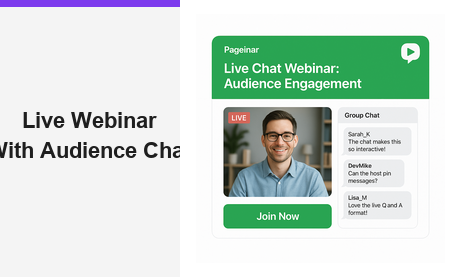
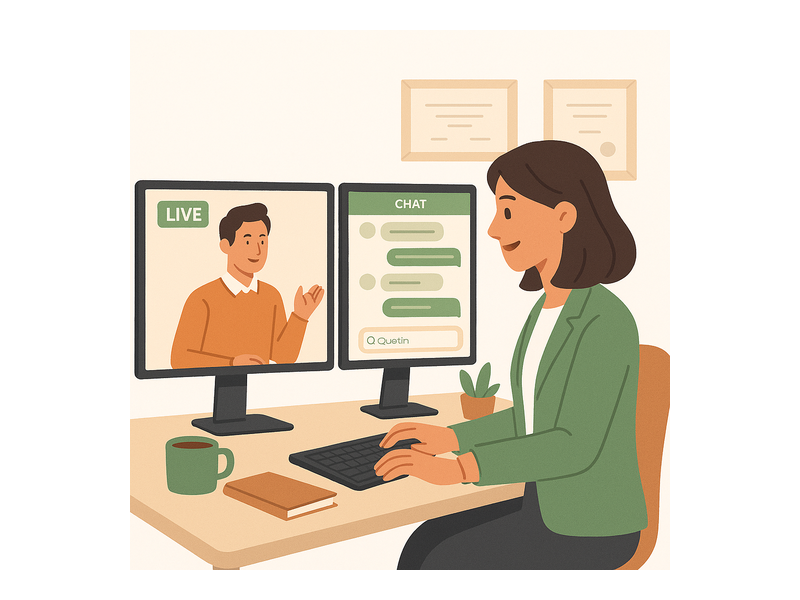
A live webinar with audience chat is one of the most powerful formats in modern online communication, transforming passive viewers into active participants from the very first minute. When attendees can ask questions, share reactions, and engage with each other in real time, engagement levels rise sharply and host-audience connections deepen in ways that recorded video can never replicate. Moreover, organizers who embrace real-time chat consistently report higher attendee satisfaction, stronger lead quality, and better conversion rates. Pageinar is built around exactly this idea: a hosted broadcast landing page that combines a professional live video area with a fully integrated group chat, so every live webinar with audience chat runs smoothly without any software installation for attendees or hosts.
What Makes a Live Webinar with Audience Chat Different
Traditional webinars often feel like one-way broadcasts. The presenter speaks, the audience listens, and participation is minimal. However, a live webinar with audience chat breaks that barrier completely. Attendees can post questions the moment they arise, and hosts can respond in real time, keeping the conversation flowing naturally. According to established web conferencing research, interactive content generates significantly higher engagement and retention than passive viewing formats. Therefore, adding a live chat layer to your webinar is not a nice-to-have feature. It is a fundamental part of running an effective online event in today’s environment.
Additionally, audience chat creates a genuine sense of community. Participants see each other’s messages, respond to one another, and build connections that extend beyond the event itself. For B2B hosts, this peer-to-peer interaction often sparks conversations that turn into qualified leads. For educators, it means learners can help each other in real time without waiting for the presenter to notice a raised hand. In short, a live webinar with audience chat turns a one-to-many broadcast into a genuine two-way conversation that benefits everyone in the room.
How Pageinar Powers Your Live Webinar with Audience Chat
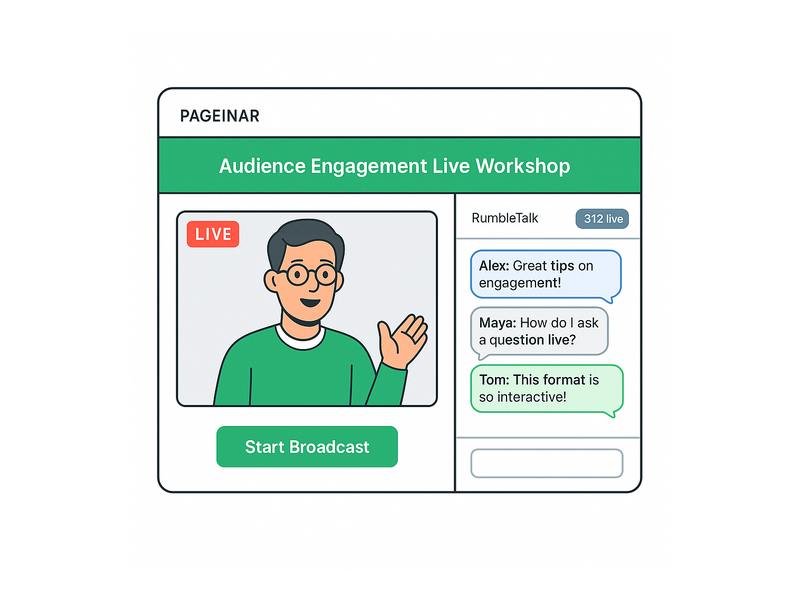
Pageinar combines two core components on a single hosted landing page: a live broadcast area and a RumbleTalk group chat panel. Together, they deliver a complete live webinar with audience chat experience without requiring any software installation for attendees. The host designs the page, shares the URL, and viewers simply open it in their browser and start participating. Furthermore, because everything lives on one page, there is no confusion about where to watch or where to type a question.
The broadcast area displays an OFFLINE or LIVE status badge prominently so attendees always know the current state of the event. Once the host clicks Start Broadcast, the session begins immediately and the badge switches to LIVE with a red indicator. The RumbleTalk chat panel gives attendees a place to send messages, ask questions, and react to the content in real time. As a result, the live webinar with audience chat experience feels cohesive rather than fragmented across multiple tools or browser tabs.
Setting Up Your Broadcast Page on Pageinar
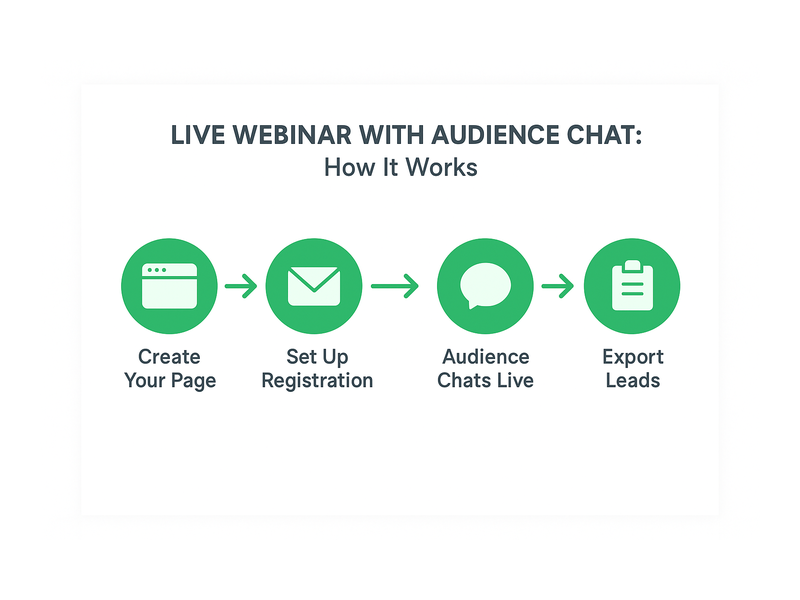
Getting started is straightforward. First, visit pageinar.com and log in with your Google account. After login, you land on your main broadcast page, which is fully editable. You can set a cover image or background color, upload an avatar, write a webinar title, and add a compelling event description. Second, toggle the page into Broadcasting Mode using the switch at the top right. Third, share the URL with your audience, and they can join without installing anything or creating an account.
Ideally, you will customize your page well before the event to match your brand identity. Strong cover images and clear event titles help attendees feel confident they have reached the right place. You can also set a page password in the Broadcast Settings panel to restrict access to registered attendees only. For a detailed walkthrough of every configuration option, visit the Pageinar Knowledge Base, which covers everything from editing your broadcasting page to managing chat settings step by step.
Configuring the Audience Chat for Your Live Webinar
The Chat Settings panel gives you full control over the audience chat experience. You can set an offline message that appears before the broadcast starts, assign a dedicated chat admin to moderate messages, and choose from multiple visual chat themes to match your brand aesthetic. Additionally, you can toggle the display of viewer and speaker names to encourage accountability and community building among your attendees.
For most live webinar with audience chat scenarios, the Group Chat mode works best. It allows all attendees to post messages in a shared thread, which creates the lively back-and-forth that makes live events feel energetic and worth attending. However, if you are running a more formal session, your chat admin can moderate incoming messages and remove anything off-topic. Therefore, you always maintain control over the conversation quality, even while keeping the chat open and active.
Best Practices for Engaging Audience Chat During a Live Webinar
Running a successful live webinar with audience chat requires more than simply turning the chat feature on. You need a clear strategy for keeping the conversation productive and ensuring every attendee feels welcome to participate from the moment they arrive. The following practices consistently drive the highest engagement across all industries and event types.
First, open the chat before your broadcast begins. When attendees arrive early, they should see the chat already active with a welcome message and some initial conversation. This signals that participation is encouraged from the very start. Second, assign a dedicated moderator who is not the presenter. If you are presenting, it is nearly impossible to simultaneously watch the chat and respond in real time without losing your train of thought. A moderator can highlight the best questions, remove spam, and keep the energy high throughout your live webinar with audience chat session.
Third, schedule explicit chat breaks into your presentation structure. Every ten to fifteen minutes, pause and directly invite the audience to post questions or reactions. For example, you might say: drop your biggest challenge in the chat right now. This direct invitation dramatically increases chat activity because attendees often wait for permission to engage. Moreover, it gives you valuable real-time feedback about which parts of your content resonate most with your audience. Finally, always close the session by acknowledging specific chat participants by username. Personal recognition makes attendees feel valued and significantly increases the chance they will return for future events.
Live Webinar with Audience Chat Use Cases Across Industries
The combination of live video and real-time audience chat is powerful across a wide range of industries and event formats. Understanding where this combination excels helps you design better sessions and set the right expectations for your specific audience and goals.
B2B Product Demos and Sales Webinars
For B2B companies, a live webinar with audience chat is one of the highest-converting sales tools available. Prospects can ask detailed questions about features, pricing, and integrations directly in the chat window as the demo unfolds. Sales teams can answer in real time, removing objections before they have time to solidify into reasons not to buy. Additionally, the chat log from each session serves as a post-event record of every question asked, which sales reps can reference during follow-up calls. In fact, organizations using Pageinar for product demos report that the integrated chat accelerates the path from first contact to closed deal.
Online Training and Corporate Education
Training sessions benefit enormously from a live chat component. Learners can ask for clarification the moment they feel confused, rather than waiting until the end of the session when context has already faded. Instructors can pose open questions in the chat to test comprehension in real time and adjust the pace accordingly. Furthermore, participants who help answer each other’s questions in the chat retain the material significantly better than those who simply watch and listen. Therefore, a live webinar with audience chat is not just more engaging as a training format. It is measurably more effective as a learning tool.
Virtual Events and Community Building
Event organizers running virtual conferences, panel discussions, or community meetups find that audience chat is the element that transforms a broadcast into a genuine gathering. Attendees can network with each other through the chat, share resources, and continue conversations that begin in the main session. As a result, the event feels less like a passive viewing experience and more like an active professional community. Pageinar supports this with RumbleTalk’s full group chat capabilities, including the ability to display viewer and speaker names so attendees always know who else is in the room with them.
Advanced Chat Moderation for a Live Webinar with Audience Chat
As your audience grows, managing the chat during a live webinar with audience chat becomes more complex and more critical to the overall experience. Pageinar gives you the tools to handle large, active chat rooms without losing control of the conversation or the session’s professional tone.
The chat admin role is the most important moderation tool available to you. Your assigned admin can pin important messages so they stay visible at the top of the chat, mute disruptive participants without removing them from the event, and highlight priority questions for the host to address on camera. Additionally, setting a clear offline message before the session starts ensures that early arrivals always see useful context rather than a blank, uninviting chat window. In short, Pageinar’s Chat Settings panel gives you everything you need to run a professional and well-moderated live webinar with audience chat at any scale.
For events with very large audiences, consider structuring the chat into themed segments. For example, designate the first fifteen minutes for product questions, the next fifteen minutes for use case discussions, and the final segment for open Q and A. This structure helps your moderator stay on top of incoming volume and ensures that every topic receives adequate attention during your live webinar with audience chat. Communicating this structure to attendees at the start of the event sets expectations and results in more organized, higher-quality chat activity throughout.
Collecting Leads Through Your Live Webinar with Audience Chat
Beyond real-time engagement, a live webinar with audience chat is a powerful lead generation tool when combined with Pageinar’s built-in registration features. The Registration Settings panel lets you collect attendee information before the broadcast begins. You can toggle on fields for First Name, Last Name, Company, Email, Phone, and custom fields specific to your industry or event type. Every registrant who fills out the form appears automatically in your Registered List, which you can search, filter, and export at any time after the event.
Combining registration data with chat behavior gives you a complete picture of each attendee. You know who they are, what company they represent, and which questions they asked during the live session. This combination is invaluable for post-event follow-up because your sales or outreach team can tailor every conversation to what each prospect specifically raised in the chat. Furthermore, because Pageinar hosts everything on a single landing page, the registration experience and the live webinar with audience chat experience feel seamless to the attendee. There is no redirect, no third-party form, and no friction between signing up and joining the live event.
For a broader look at how Pageinar brings all these features together in one platform, read Unlock the Power of Seamless Webinars with Pageinar: Welcome to a New Era of Online Engagement!, which explores the full Pageinar feature set and what makes it unique.
Measuring the Success of Your Live Webinar with Audience Chat
After each event, Pageinar gives you access to two key data sets: your Registered List and your Broadcast Recordings. Together, these allow you to measure the success of your live webinar with audience chat in concrete, actionable terms rather than relying on guesswork or vague impressions.
The Registered List shows you exactly how many people signed up, when they registered, and what information they provided. By comparing your registration count to your viewer count, you can calculate your attendance rate for each event. Additionally, chat volume during the session is a strong proxy for engagement quality. A high number of messages relative to your audience size indicates that your content resonated and that the live webinar with audience chat format was delivering real value to participants.
The Broadcast Recordings section stores all your past sessions with duration data and export options. You can review recordings to evaluate your own presentation style, identify the specific moments when chat activity spiked, and refine your approach for future sessions. Moreover, recordings are exportable, so you can repurpose your live webinar with audience chat content as on-demand video for audience members who could not attend live. This extends the reach and value of every event you run on Pageinar well beyond the original broadcast date.
Why Pageinar Is the Right Choice for a Live Webinar with Audience Chat
Most live event platforms require attendees to download software, create accounts, or navigate complex multi-step interfaces before they can even watch the session. Pageinar eliminates all of that friction. Your attendees receive a single URL. They click it, they see the live video, and they join the audience chat immediately, with no installation, no plugins, and no registration wall unless you choose to add one.
For teams that run recurring events, Pageinar’s persistent landing page model is a significant advantage. Your broadcast page stays live between events, so you can use it in Registration Mode before each session and switch to Broadcasting Mode when you go live. The page URL never changes, which means your audience always knows exactly where to find you. In addition, the integrated RumbleTalk chat retains its settings and visual theme across sessions, so your brand experience remains consistent every time you host a live webinar with audience chat on the platform.
Pageinar is trusted by organizations including Nasdaq, Wix, HP, and Sony Music, which speaks to the reliability and professional quality of the platform at scale. Whether you are running your very first webinar or managing a series of weekly events with thousands of attendees, Pageinar provides the infrastructure to deliver a polished live webinar with audience chat experience that impresses your audience and meets your business goals every single time.
Start Your Live Webinar with Audience Chat Today
The best time to start hosting a live webinar with audience chat is right now. Your audience is actively looking for real-time interaction, expert answers, and a sense of community that static content simply cannot provide. Pageinar gives you everything you need to deliver that experience without a complex setup, a large technical team, or an enterprise-level budget. Visit pageinar.com today, log in with your Google account, and launch your first broadcast page in minutes. The live audience chat is already built in, fully configured, and ready to go. All you have to do is go live.