
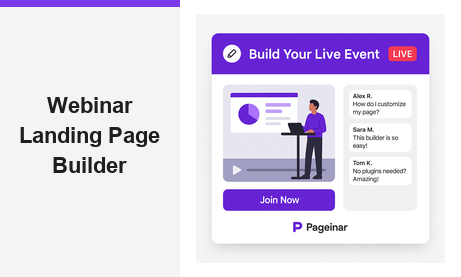
A webinar landing page builder is the fastest way to launch a professional online event without writing a single line of code. For businesses that want to host live broadcasts, product demos, or training sessions, a dedicated webinar landing page builder removes every technical barrier between the host and the audience. Pageinar delivers exactly this: a hosted event page with live streaming, registration, chat, and lead collection all in one shareable URL. In fact, brands like Nasdaq, HP, and Sony Music have used Pageinar to connect with their audiences at scale. Whether you are a solo creator or a large corporate team, the right webinar landing page builder can transform how you deliver live content online.
What Is a Webinar Landing Page Builder?
A webinar landing page builder is a tool that creates a dedicated web page for your live event. Instead of piecing together a website builder, a streaming service, and a sign-up form, you get everything inside one platform. Additionally, the best builders let you customize your design, collect attendee information, and go live without involving a developer. Therefore, the result is a faster setup and a smoother experience for both hosts and viewers from start to finish.
However, not all webinar landing page builders work the same way. Some require plugins or software installs on the viewer side. Others limit your branding or charge per attendee. Pageinar takes a different approach. Your webinar landing page lives entirely on a hosted URL that you control. Viewers simply visit the link and they are ready to watch. No downloads, no installs, and no friction of any kind stand between your audience and your content.
Key Features of a Great Webinar Landing Page Builder
When you evaluate a webinar landing page builder, look for these core capabilities. Together, they determine whether your page will convert visitors into attendees and whether your event will run smoothly from the first registration to the final recording.
Customizable Branding and Design
First, your webinar landing page should clearly reflect your brand identity. Pageinar lets you upload a custom cover image or choose a background color. You can set your avatar, write your event title, and add a description. As a result, every page looks polished and on-brand before you even go live. Moreover, you can update all of these details at any time, so your page stays current for recurring events and seasonal campaigns.
Built-in Live Streaming
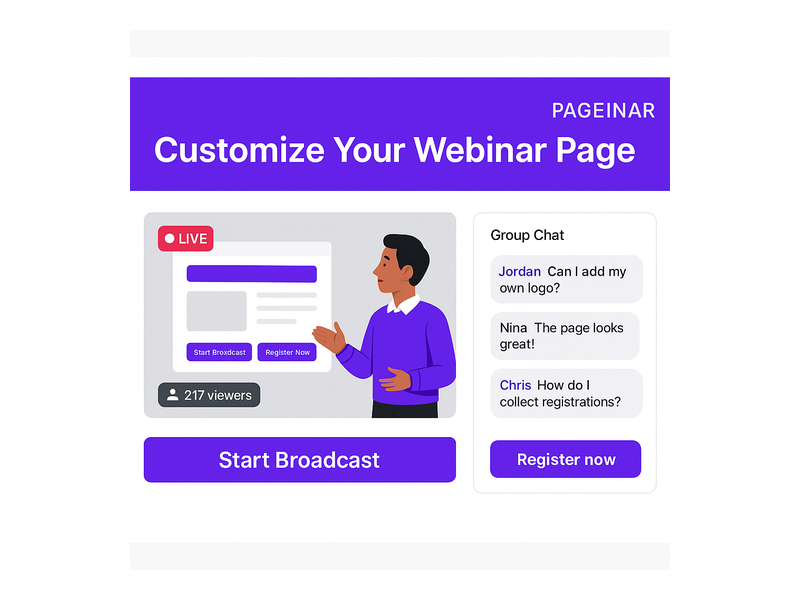
A webinar landing page builder without streaming is just a landing page. Pageinar includes a full broadcast area directly on your event page. You can start your live video with a single click and display your viewer count in real time alongside the stream. Furthermore, your audience sees a clear LIVE or OFFLINE status indicator at all times. There is never any confusion about when the event begins or whether it is still running.
Registration and Lead Collection
For many hosts, the registration form is the most valuable part of a webinar landing page builder. Pageinar’s Registration Mode lets you toggle your page into a pre-event sign-up experience in seconds. You can collect first name, last name, company name, email, phone, and even custom fields tailored to your industry. In addition, you can set a date and time for the event, display a countdown timer, and customize the registration page background and welcome message. All collected leads appear in the Registered List, where you can search and export them after the event.
Integrated Group Chat
Live chat turns a passive broadcast into an interactive conversation your audience remembers. Pageinar integrates a full-featured group chat panel directly on your webinar landing page. Attendees can ask questions and react in real time throughout the entire session. You can choose from multiple chat themes, assign chat admins, and set an offline message for the period before your broadcast begins. Therefore, your audience feels engaged the moment they arrive on the page, long before the live stream actually starts.
How to Build Your Webinar Landing Page with Pageinar
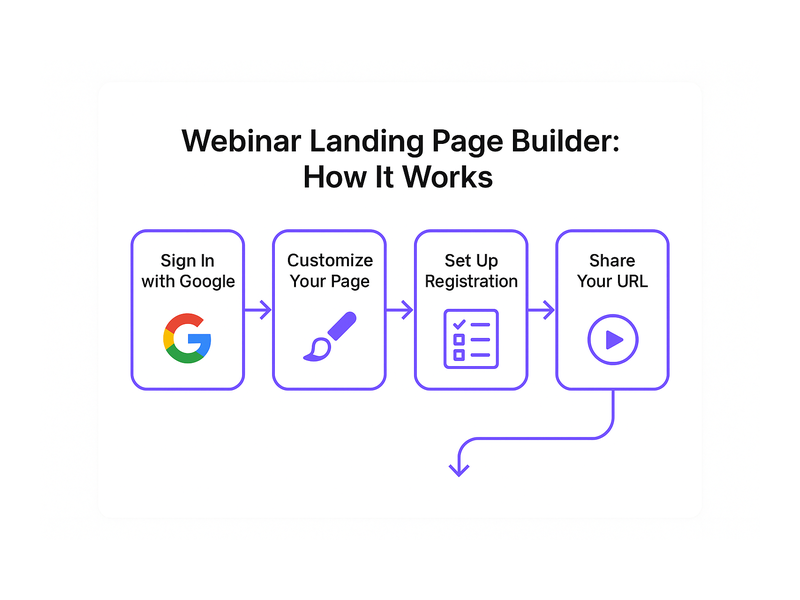
Setting up a webinar landing page builder is straightforward with Pageinar. In fact, you can have a live, shareable page ready in under ten minutes. Here is a clear step-by-step overview of the entire process from first login to first broadcast.
Step 1: Sign In with Google
Visit Pageinar, the all-in-one webinar broadcast platform, and sign in with your Google account. No email or password registration is required on your end. After login, your main page is already created and ready for you to customize with your brand assets, event title, and description.
Step 2: Customize Your Page
Add your cover image or choose a background color, then upload your avatar. Write your event title and description at the top of the page. These elements create the very first impression for every attendee who visits your link. Additionally, you can connect your social profiles from Facebook to Twitch, and set a page password if you need to restrict access to invited guests only.
Step 3: Set Up Registration
Toggle your page into Registration Mode from the top-right control on your main dashboard. Then open the gear icon and go to Registration Settings. Here you can choose a registration template, set your event date and time, and decide which lead fields to display on the form. In other words, your webinar landing page builder becomes an automatic lead generation machine before the event even begins, collecting contact details around the clock.
Step 4: Go Live
When you are ready to broadcast, switch to Broadcasting Mode and click Start Broadcast. Your audience, who already have your page URL saved, simply refresh the page and your live stream appears immediately. Furthermore, the integrated chat activates right alongside the broadcast. Attendees can ask questions and interact with each other without any additional setup, downloads, or technical help.
Step 5: Review Recordings and Leads
After the event, open Broadcast Recordings for a full list of past sessions showing duration and export options. Review your Registered List to download your complete attendee dataset. As a result, every webinar you run builds your contact list and your on-demand content library at the same time. For detailed guidance on collecting leads before your broadcast, explore the Pageinar Knowledge Base guide on how to collect leads before the broadcasting event.
Why Your Webinar Landing Page Builder Matters for Conversions
A great webinar landing page builder does far more than simply host your live stream. It also shapes how attendees perceive your brand before a single word is spoken. Research from Nielsen Norman Group consistently shows that first impressions online form in milliseconds. Therefore, a clean, professional, and well-branded page builds trust immediately and reduces the drop-off rate before the event even starts.
Pageinar gives you control over every visual element of your webinar landing page. Additionally, the no-download requirement removes one of the biggest friction points in live event attendance online. When your audience does not need to install any software, far more of them actually show up on the event day. In short, a well-designed webinar landing page builder directly improves your attendance rate and the quality of the leads you collect from each session.
Webinar Landing Page Builder Best Practices
To get the most from your webinar landing page builder, apply these proven strategies consistently. Moreover, each one takes only a few minutes to implement inside Pageinar and can meaningfully increase both attendance and post-event engagement with your brand.
- Use a compelling event title. Your title is the first thing every visitor reads. Make it specific, benefit-driven, and clear about what attendees will gain by showing up.
- Add a high-quality cover image. A custom background image makes your webinar landing page look professional and builds immediate recognition with your audience.
- Set a countdown timer. A visible timer creates urgency and reminds registered attendees to return to the page on event day at the right time.
- Collect only the essential lead fields. Shorter registration forms earn more completions. Start with name and email, then expand additional fields as your audience trust grows.
- Promote your page URL early and consistently. Share your webinar landing page link on social media, inside email newsletters, and across all your marketing channels in the days before the event.
- Test your broadcast before going live. Use the Start Broadcast button for a quick dry run. Check your audio and video quality, and confirm the chat panel loads correctly for viewers before the real event begins.

Who Should Use a Webinar Landing Page Builder?
A webinar landing page builder is valuable across a wide range of industries and team sizes. Therefore, almost any organization that communicates with an online audience can benefit from using one on a consistent and strategic basis.
- B2B marketers use webinars to generate qualified leads, demonstrate products live, and move prospects efficiently through every stage of the sales funnel.
- Educators and coaches host live training sessions, workshops, and Q&A calls that their communities value and actively pay to attend each week.
- Event organizers promote virtual and hybrid conferences, speaker panels, and industry roundtables through one clean, branded, and shareable page link.
- Corporate teams run internal all-hands meetings, product launch announcements, and training programs for distributed employees located anywhere in the world.
- Content creators build loyal audiences by hosting regular live shows, interviews, and community events on a predictable and consistent weekly schedule.
In all of these scenarios, the webinar landing page builder handles the entire technical side automatically and reliably. The host stays focused on delivering value rather than troubleshooting software. Additionally, Pageinar’s plans scale from a free tier to paid options with higher attendee limits and longer broadcast durations, making the platform accessible for individual creators and enterprise teams alike. For more on how Pageinar elevates the live broadcast experience, read Unlock the Power of Seamless Webinars with Pageinar: Welcome to a New Era of Online Engagement!.
Getting Started with Your Webinar Landing Page Builder Today
Now that you understand what a webinar landing page builder can do, it is time to build yours. Pageinar takes the complexity out of online events completely. First, you sign in with Google. Second, you customize your page with your branding and event details. Third, you share your URL across every channel your audience uses. Finally, you click Start Broadcast and go live to attendees anywhere in the world. There is no code to install, no plugin for your viewers, and no developer required at any step.
In fact, getting started takes less time than writing your event description. Your audience is already online and searching for the kind of live, interactive content that a well-built webinar landing page builder makes possible. Visit Pageinar today, set up your event page in minutes, and host your first broadcast with complete confidence. Your next great webinar landing page is ready and waiting for you.