

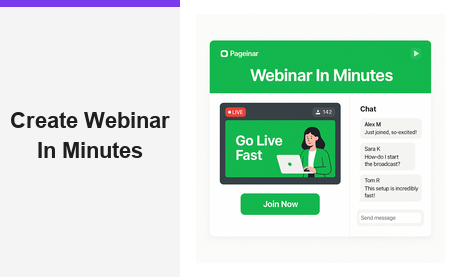
If you want to create webinar in minutes rather than hours, you have found the right solution. Many presenters spend days configuring complex software and waiting for attendees to download plugins. However, Pageinar eliminates every one of those steps. With a single hosted landing page, you can design your broadcast environment and invite your audience. You can then go live without installing anything on your computer or your attendees’ devices.
Why Most Hosts Still Struggle to Create a Webinar Quickly
Traditional webinar platforms were built when desktop software was the standard. Moreover, they have accumulated years of add-on features that increase complexity rather than add value. As a result, a first-time host often faces a steep learning curve before reaching the go-live button. Common pain points include setting up a desktop encoder and embedding a registration widget on a separate website. Additionally, integrating a third-party chat tool adds even more configuration time before the event can begin.
In fact, many creators abandon their webinar goals entirely because the setup feels overwhelming. Therefore, the ability to create webinar in minutes is not just a convenience. It is the difference between hosting a successful event and never getting started at all. Furthermore, slow setup wastes time that could be spent preparing valuable content for your audience.
How to Create Webinar in Minutes with Pageinar
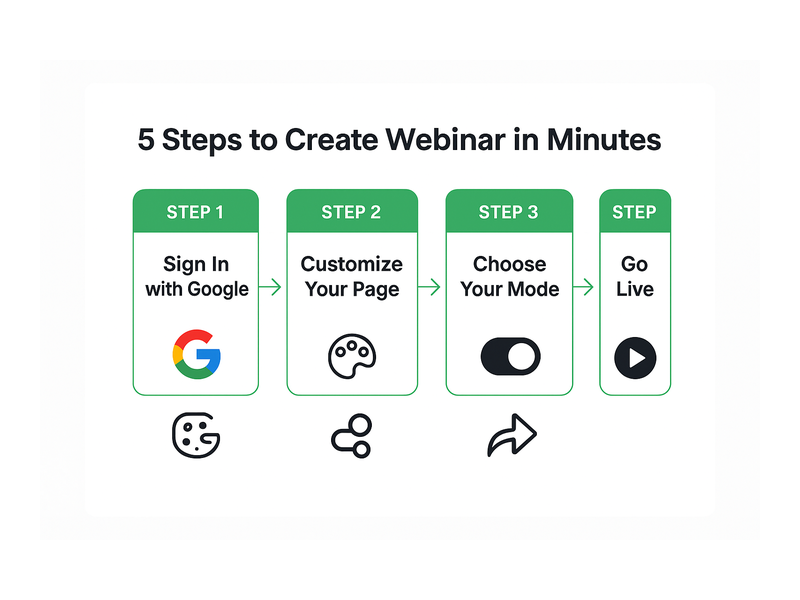
Creating your first event on Pageinar’s instant webinar broadcasting platform takes only five steps. Additionally, you do not need a credit card to get started. The free plan provides immediate access to all core features, and there are no technical prerequisites on either side of the broadcast.
Step 1: Sign In with Google
First, visit pageinar.com and click the Google login button. Pageinar uses Google OAuth exclusively, so no separate account creation is required. Furthermore, your broadcast landing page is ready the moment you complete login. There are no confirmation emails to wait for and no profile setup wizards to click through.
Step 2: Customize Your Broadcast Page
After login, you land on your main page, which is a fully editable broadcast landing page. Here, you can upload a cover image and choose a background color. You can also set an avatar, write a webinar title, and add a short description. In other words, your page becomes your entire event identity. Additionally, you can link your website URL so curious attendees can learn more about your brand or organization.
To create webinar in minutes, keep your first customization simple. Choose a clear title, write a two-sentence description, and upload a high-contrast cover image. You can always refine your page design before future broadcasts, so do not let perfection slow you down on your first session.
Step 3: Select Your Page Mode
Pageinar gives you two modes: Registration Mode and Broadcasting Mode. In Registration Mode, visitors complete a sign-up form before accessing your event. In Broadcasting Mode, they land directly on your live page. For example, if you host a premium session with limited seats, Registration Mode lets you collect qualified leads before the event starts. If you want maximum attendance with zero friction, Broadcasting Mode is the faster choice.
According to our guide on how to get started with Pageinar, most first-time hosts prefer Broadcasting Mode for their initial event. This approach lets them focus on delivering great content rather than managing registrations from the start.
Step 4: Share Your Page URL
Once your page looks ready, copy the URL from your browser and share it with your audience. You can post it in an email newsletter, a social media update, or a direct message. Furthermore, no attendee needs to download or install anything at all. Therefore, your audience can join from any device, including desktops, tablets, and smartphones. This zero-friction join experience makes it far easier to create webinar in minutes and fill your virtual room on short notice.
Step 5: Start Your Broadcast
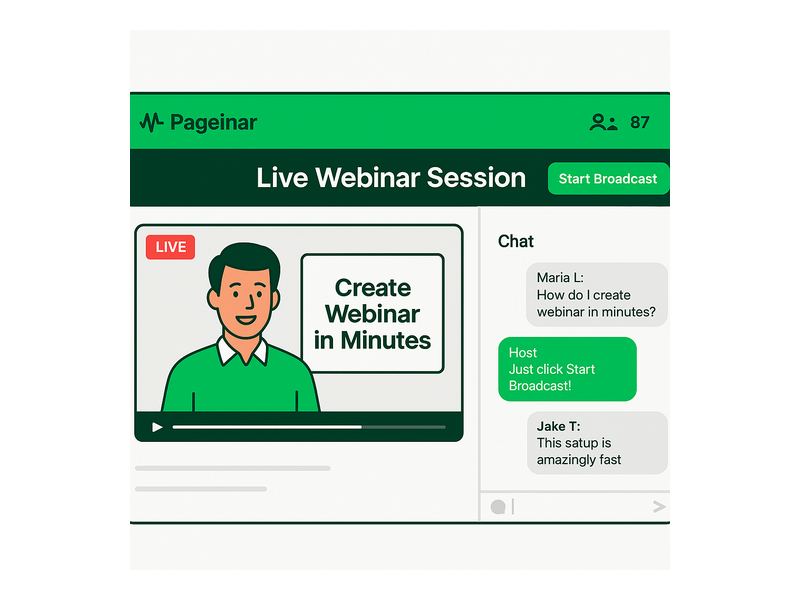
When you are ready to go live, toggle to Broadcasting Mode and click the Start Broadcast button in the bottom-right area of your page. Your stream begins immediately. Additionally, the integrated RumbleTalk chat panel activates on the left, giving your audience a live space to ask questions and interact in real time. In short, you move from zero to a live event without a single technical configuration step.
Core Features That Help You Create Webinar in Minutes
Pageinar packages a complete event toolkit into a single hosted page. However, what makes it genuinely fast is that every feature arrives pre-configured and ready to use the moment you sign in. Below are the key capabilities that make rapid deployment possible without any extra technical work.
Built-In Group Chat
The RumbleTalk group chat panel appears automatically on your broadcast page. Moreover, you can choose from multiple visual themes and set a custom offline message. You can also assign a chat admin and control whether participants appear as viewers or speakers. All of this is managed from the Chat Settings panel inside your dashboard. In short, your audience engagement tool requires zero additional setup or third-party integration.
Lead Collection Without Extra Tools
When you activate Registration Mode, Pageinar displays a lead capture form automatically. In addition, you can toggle individual fields on or off. Options include First Name, Last Name, Company Name, Email, Phone Number, and custom fields you define yourself. Therefore, you gather qualified prospect data without installing a separate CRM plugin or opt-in form builder of any kind.
All collected leads appear in the Registered List panel inside your settings, ready to export at any time. According to research on web conferencing and virtual events, capturing attendee information before an event consistently improves post-event follow-up and conversion rates. Furthermore, a clean exportable lead list saves hours of manual data entry after each session.
Password-Protected Pages
For private or paid events, the Broadcast Settings panel includes a Page Password Protect option. First, enable it and set a secure password. Second, share the password only with your invited attendees. As a result, you keep your event private without needing a separate access management system or a gated content plugin installed on your site.
Automatic Broadcast Recordings
Every session you host is saved automatically in the Broadcast Recordings panel. Additionally, each recording entry shows its duration and creation date. Therefore, you can share a replay with attendees who missed the live event. Alternatively, you can repurpose the recording as on-demand content for your website or social channels. This makes it easy to create webinar in minutes and then extract weeks of value from a single session through replay views and content repurposing.
Social Links on Your Broadcast Page
From Broadcast Settings, you can add links to your Facebook, Instagram, Twitter, YouTube, and Twitch profiles. Moreover, these links appear directly on your broadcast landing page for all attendees to see. In other words, every webinar you host doubles as a social media growth opportunity, directing your live audience toward your other content channels without any extra effort.
Who Benefits Most When They Create Webinar in Minutes
The ability to create webinar in minutes opens up real value for a wide range of professionals. However, the common thread is always the same: the faster you go from idea to live broadcast, the more events you can run and the more value you deliver to your audience over time.
Entrepreneurs and Solopreneurs
For entrepreneurs managing every part of their business alone, time is the scarcest resource. Therefore, a platform that eliminates technical overhead is a genuine competitive advantage. With Pageinar, a solopreneur can announce a webinar on Monday and go live on Tuesday. No code, no technical assistant, and no complicated setup process required at any step.
Corporate Training and HR Teams
Training departments often need to schedule internal sessions on short notice. Additionally, employees in large organizations may not have permission to install external software on company devices. Pageinar solves both problems at once: setup is instant, and joining requires only a browser. Furthermore, the Registered List feature gives HR and learning teams a ready-made attendance record they can export immediately after each session.
Professional Event Organizers
Event managers who coordinate multiple broadcasts each week need a workflow that scales reliably. First, they create webinar in minutes for each speaker or topic. Second, they distribute the unique page URL to the relevant audience segment. As a result, each event gets its own branded landing page without the overhead of a full website build. Pageinar is trusted by recognized brands including Nasdaq, Wix, HP, and Sony Music because of exactly this kind of operational simplicity.
Educators, Coaches, and Consultants
Online educators and coaches thrive when they can focus on teaching rather than troubleshooting software. Moreover, the integrated live chat lets students ask questions in real time without switching to a separate messaging app. Ideally, the educator opens their Pageinar page, starts a session, shares the link with students, and begins teaching within minutes of the idea forming. This frictionless flow is what makes Pageinar a natural fit for knowledge-based businesses.
Best Practices to Create Webinar in Minutes Without Sacrificing Quality
Speed does not mean cutting corners on quality. However, a few targeted best practices help you create webinar in minutes while still delivering a polished, professional experience to every attendee who joins.
- Use a high-contrast cover image. A bold, well-composed header image sets expectations before the broadcast begins. In fact, pages with professional cover images attract higher registration and attendance rates compared to pages with no image at all.
- Write a specific, benefit-driven title. For example, ‘Q2 Product Roadmap for Enterprise Clients’ is far more compelling than ‘Webinar.’ Specificity builds audience credibility before anyone clicks the join link.
- Set your chat offline message before going live. Before starting, update the chat panel’s offline message so early arrivals see a welcoming note. Additionally, this small detail signals that you are organized and attentive to the attendee experience.
- Run a private test broadcast first. Click Start Broadcast briefly to confirm your camera, microphone, and internet connection are all working correctly. Therefore, you eliminate technical surprises during the real event.
- Enable Registration Mode for strategic sessions. Even for a quick session, collecting attendee data adds long-term value to your marketing funnel. Furthermore, every lead you capture today is a prospect you can nurture in future campaigns and follow-up sequences.
From Idea to Live: Create Webinar in Minutes, Not Days
Traditional webinar platforms typically require hosts to download desktop clients and configure streaming encoders. They also require embedding registration widgets on external websites and integrating separate chat tools for audience interaction. In contrast, Pageinar replaces all of those steps with a single hosted page. That page is ready immediately after login, with no installation needed on either side.
Furthermore, attendees on legacy platforms must often install viewer software or browser extensions before they can join a session. With Pageinar, attendees need only a URL. In short, the entire experience is faster, simpler, and more reliable than any multi-tool alternative. If you want to explore what makes this platform unique in more depth, read Unlock the Power of Seamless Webinars with Pageinar: Welcome to a New Era of Online Engagement! for a detailed look at how Pageinar approaches live broadcasting from the ground up.
Ready to Create Webinar in Minutes? Start Broadcasting Today
There has never been a better time to add live webinars to your content or marketing strategy. In fact, live video consistently generates higher engagement and conversion rates than pre-recorded formats. Moreover, with a platform that lets you create webinar in minutes, the cost of experimentation is essentially zero. You can test new topics, new formats, and new audience segments without a significant time investment or technical overhead.
Visit pageinar.com today, log in with your Google account, and launch your first broadcast in minutes. Your audience is waiting, and your page is ready the moment you sign in. The only thing standing between you and your next successful live event is a single click.