

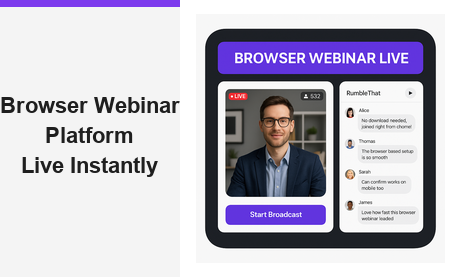
A browser webinar platform changes how modern businesses host, manage, and scale live online events. Moreover, it eliminates the frustration of software downloads, plugin conflicts, and compatibility issues that traditional desktop tools impose on every attendee. Pageinar is a purpose-built hosted webinar and broadcast landing page service that lets any host go live in minutes — sign in with Google, customize your landing page, and share a single URL. First, you invite your audience. Then, attendees click the link and join the browser webinar platform instantly, with no app to install and no account required on their side. In fact, global brands like Nasdaq, Wix, HP, and Sony Music already rely on this seamless approach for professional live events. Therefore, if you want to reach more people with less friction, a browser-based webinar solution is the clear path forward.
What Makes a Browser Webinar Platform Different From Desktop Tools
Today, the standard for live events is shifting rapidly. Furthermore, audiences expect to click a link and join immediately — not navigate through installers, update screens, or permission dialogs. A browser webinar platform delivers exactly that: a fully hosted, cloud-based environment where the webinar lives at a URL. As a result, hosts gain instant reach, and attendees gain instant access from any device. In other words, the URL is the product itself.
Traditional desktop-based tools require attendees to download software, create accounts, and grant system-level permissions before a single slide appears. Alternatively, a browser webinar platform requires none of that overhead. Moreover, it runs on any modern device — laptop, tablet, or smartphone — without extra configuration or IT support. Ideally, this is what every online event should feel like: frictionless, professional, and fast.
For hosts, the advantages are equally compelling. First, there is no server to manage or maintain independently. Second, updates and new features deploy automatically through the cloud infrastructure. Third, the hosted landing page handles everything from pre-event registration to live broadcasting in a single unified place. Together, these benefits make a browser webinar platform the most practical choice for businesses that value time, simplicity, and consistent professional presentation.
Pageinar as a Browser Webinar Platform: Core Features
Pageinar packages every essential live-event feature into a single hosted landing page. Moreover, you do not need to manage multiple tools or build integrations between your webinar software, email platform, and CRM. Here is what Pageinar’s browser webinar platform includes out of the box:
Registration Mode and Lead Collection
Before your event goes live, Registration Mode turns your Pageinar page into a branded lead-capture form. Additionally, you can collect First Name, Last Name, Company, and fully custom fields — each field is individually toggleable from the settings panel. Furthermore, you can set a date, time, welcome message, and header image or video to prime your audience before the event. As a result, your attendees register directly on the page you control, and every lead is stored automatically and exportable at any time. This pre-event capability makes Pageinar a complete marketing tool, not just a broadcasting service.
Broadcasting Mode and Live Video
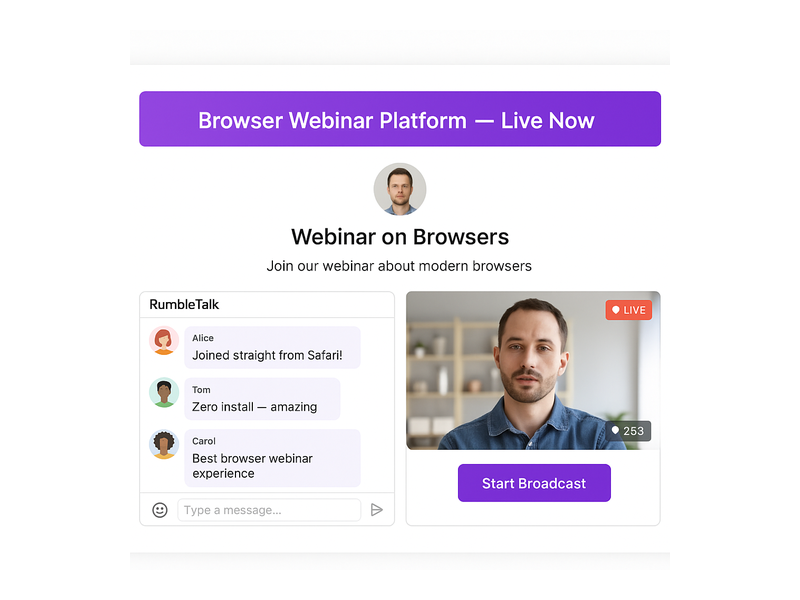
When you are ready to go live, simply toggle to Broadcasting Mode from your main page. In fact, the broadcast starts directly from your Pageinar page — no external streaming encoder, no RTMP configuration, and no third-party software required. Moreover, a red LIVE badge and a live viewer count badge appear automatically for all attendees the moment you begin. Therefore, your audience always has real-time confirmation that the event is active. The browser webinar platform manages all the technical complexity behind the scenes so you can focus entirely on your content and audience engagement.
Integrated Chat With Full Moderation
Every Pageinar broadcast page includes a built-in group chat panel. Furthermore, the chat supports full moderation tools, multiple visual themes, admin role assignment, and a configurable viewer and speaker display. Additionally, you can set a custom offline message between events, assign a dedicated chat admin, and adjust audience permissions at the session level. As a result, the chat experience feels polished and on-brand for every live event. For any browser webinar platform, real-time audience interaction is a non-negotiable requirement — and Pageinar delivers it without any third-party chat integrations.
Password Protection and Social Sharing
Sometimes webinars are private, gated for clients, or reserved for paying customers. Therefore, Pageinar lets you password-protect your broadcast page directly from the settings panel with a single toggle. Moreover, you can add social links — Facebook, Instagram, Twitter, YouTube, and Twitch — to maximize pre-event sharing and organic reach. Together, these controls give you complete ownership over who attends and how your event is promoted across every channel where your audience lives.
How to Launch Your First Event on a Browser Webinar Platform
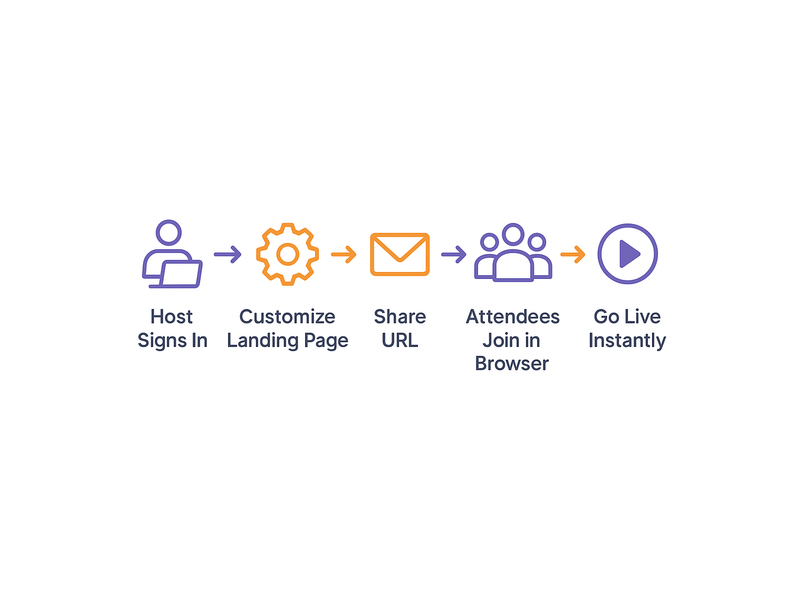
Getting started with a browser webinar platform should be simple and immediate. In fact, Pageinar makes the entire process faster than almost any alternative available today. Here is the complete step-by-step workflow for your first broadcast:
- Sign in with Google at pageinar.com — no email or password signup required, no form to complete.
- Your main page appears immediately — a fully editable broadcast landing page ready for customization.
- Upload a cover image or select a background color, upload an avatar, and add your webinar title, description, and website URL.
- Toggle to Registration Mode to collect attendee leads before the event begins.
- Share your unique page URL with your audience via email, social media, or direct messaging channels.
- When you are ready to present, toggle to Broadcasting Mode and click Start Broadcast to go live instantly.
- Attendees open the link in their browser and join the broadcast immediately — no downloads, no plugins, no account creation required.
Additionally, you can review the Pageinar Knowledge Base for detailed guides on every setup step. Moreover, the Knowledge Base covers topics such as password protection, lead collection field configuration, chat theme customization, and broadcast recording exports in full detail.
For teams that are new to browser-based live event hosting, we also strongly recommend reading Unlock the Power of Seamless Webinars with Pageinar — a comprehensive introduction to the platform’s core capabilities and how to extract maximum value from your first live broadcast.
Use Cases for a Browser Webinar Platform Across Industries
A browser webinar platform is not a one-size-fits-all product. Moreover, it adapts naturally to a wide range of professional contexts, team sizes, and audience types. Here are the most impactful use cases across modern industries:
Product Launches and Announcements
Companies use Pageinar to announce new products directly to prospects and existing customers in a live, interactive format. Furthermore, Registration Mode collects qualified attendee details before the event begins, giving marketing teams a clean lead list from every product launch. As a result, the sales pipeline grows organically with every broadcast event the team runs.
Corporate Training and Employee Onboarding
HR and learning-and-development teams broadcast training sessions directly from the browser webinar platform without scheduling complex conference calls or managing video software licenses. Additionally, completed sessions are stored automatically in the Broadcast Recordings panel and are fully exportable for later reuse. Therefore, teams can simultaneously run live training and build a growing library of on-demand content for future employees and contractors.
Thought Leadership Webinars and Expert Panels
Consultants, agencies, and industry analysts use Pageinar to host public-facing webinar series that build their brand authority over time. Moreover, the branded landing page reinforces their professional image and creates audience confidence before the event even begins. The integrated chat panel encourages active participation from viewers, making each session more engaging, memorable, and shareable.
Sales Demonstrations and Client Presentations
Sales teams share a Pageinar URL instead of scheduling screen-share meetings that require clients to download software or create accounts. Furthermore, the platform’s clean branded layout creates a polished first impression that reflects well on the selling organization. In addition, post-event lead exports integrate directly into CRM workflows for immediate and structured follow-up with every attendee.
Community Events and Nonprofit Broadcasts
Even smaller organizations benefit enormously from a well-designed browser webinar platform. In fact, zero technical setup means volunteers and community managers can run professional live events without any IT support or dedicated technical staff. Additionally, flexible pricing makes Pageinar accessible for nonprofits, community groups, and educators who need professional tools at a practical budget level.
Managing Your Broadcasts With Pageinar’s Settings Panel
Beyond the live broadcast itself, Pageinar gives hosts deep and granular control through a comprehensive settings panel. Moreover, every section is designed for non-technical users who need real power without a steep learning curve. Here is a complete overview of what you can manage from settings:
- Broadcast Settings — toggle page password protection on or off and add social platform links to maximize pre-event sharing reach.
- Registration Settings — choose a registration page template, set a background color, configure lead capture fields, add a header image or video, and display a countdown timer for added urgency.
- Registered List — view, search, and export all collected attendee leads including Name, Company, Email, Phone, and registration date in a clean exportable format.
- Broadcast Recordings — review all past recordings with full duration data and export individual recordings for repurposing as on-demand content or archival.
- Chat Settings — select chat type, assign admin roles to trusted moderators, pick from multiple visual chat themes, and configure the offline message displayed between live events.
- Subscription Details — review your current plan, check attendee limits and remaining broadcast duration, and upgrade or cancel your subscription in a single click.
- Account — manage your account email address or delete your broadcast page if needed.
Together, these settings make Pageinar a fully self-contained browser webinar platform management dashboard. Furthermore, there is no need to log into separate tools for lead management, recording exports, billing history, or chat administration — everything is in one place.
Why Leading Brands Trust a Browser Webinar Platform for Live Events
Nasdaq, Wix, HP, and Sony Music have all used Pageinar to deliver professional live broadcasts to global audiences. Moreover, they chose a browser-based approach specifically to reduce the attendee drop-off that technical barriers consistently create. In fact, research shows that when attendees must download software before joining an event, a meaningful percentage abandons the process before ever entering the session. Alternatively, a browser webinar platform removes that barrier entirely and keeps audiences engaged from click to broadcast end.
Furthermore, the fully hosted landing page gives brand and marketing teams complete creative control over design, messaging, and audience experience. In other words, the event becomes a natural and seamless extension of the company’s broader web presence. Ideally, every attendee’s first impression should feel polished, professional, and fully on-brand — and a well-built browser webinar platform makes that standard easy to achieve consistently at any event scale.
Security, Reliability, and Scalability Built In
Password protection, Google-only authentication for hosts, and PayPal-based billing create a secure and trusted environment for both hosts and registered attendees. Moreover, the cloud-hosted infrastructure means the platform scales automatically to meet audience demand without any action required from the event host. Therefore, whether you broadcast to ten attendees or ten thousand, the browser webinar platform delivers consistent and reliable performance on every occasion. According to the Web conferencing overview on Wikipedia, browser-based delivery is increasingly the industry standard for accessibility and cross-device compatibility — and Pageinar is built precisely on that foundation.
Get Started With a Browser Webinar Platform Today
If you have not yet experienced hosting on a true browser webinar platform, today is the ideal moment to start. Moreover, Pageinar’s free plan gives you immediate access to core broadcasting and registration features — no credit card required and no technical setup needed. In fact, you can move from account creation to your first live broadcast in under five minutes from now.
First, visit Pageinar’s instant webinar and broadcast landing page platform and sign in securely with your existing Google account. Then, customize your page with your branding, configure your registration form to capture the leads you need, and share your unique page URL with your target audience. Finally, click Start Broadcast when your audience is assembled — and let the browser webinar platform handle every technical detail from that moment forward. Your next successful live event is one URL away.