

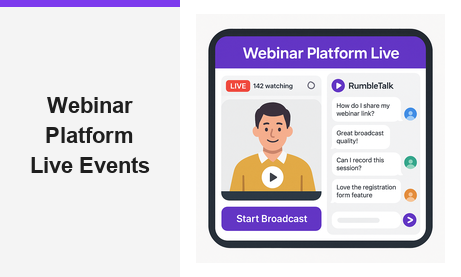
Finding the right webinar platform is one of the most important decisions a B2B team can make. Whether you run product demos, virtual training, or high-profile broadcasts, your choice matters. Your webinar platform shapes how professional your event looks and how many leads you capture. Pageinar is an instant webinar and broadcast landing page service. It removes every technical barrier between host and audience — no plugins, no downloads required.
What to Look for in a Webinar Platform
Not all webinar solutions deliver the same results. However, the best webinar platform options share a core set of qualities. These include zero-friction attendee access, reliable live streaming, built-in engagement tools, and seamless lead capture. Moreover, enterprise marketing teams need their hosting solution to double as a lead generation engine — not just a video tool.
For example, your sales team may run weekly product demos. In that case, you need a webinar platform that captures attendee details before the session. Additionally, it should store recordings automatically and export leads to your CRM. The platform should also require no software installation from your audience. They should be able to join with a single link and no friction at all.
In fact, according to industry research on web conferencing, regular live events drive higher lead conversion. Organizations that broadcast consistently outperform those relying only on static content. Furthermore, a well-branded broadcast page builds trust before a single word is spoken.
How the Pageinar Webinar Platform Works
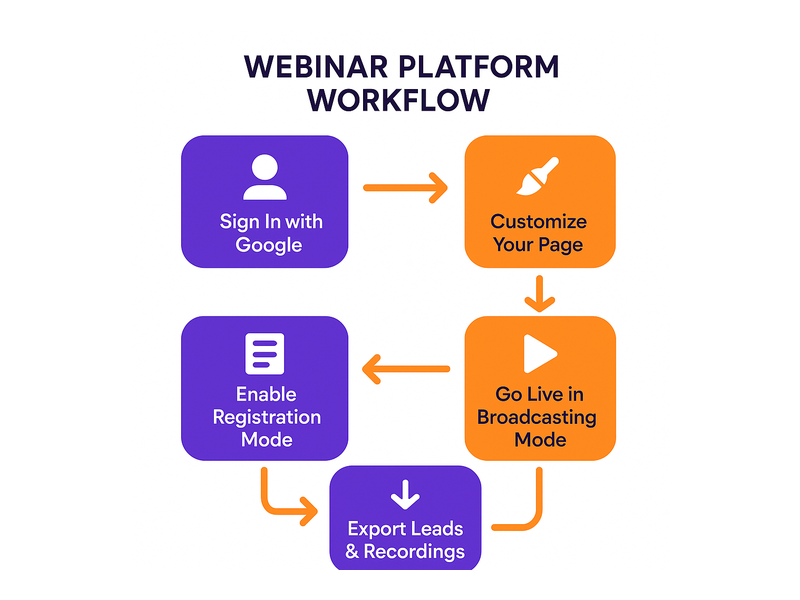
Pageinar takes a fundamentally streamlined approach to live broadcasting. First, the host signs in with their Google account — no email or password setup required. Second, they land directly on their hosted broadcast landing page. It is ready to customize and share immediately. Third, viewers open the event URL in any browser and join without downloading plugins or apps. In other words, the entire experience runs on a single hosted page.
The host’s page is fully editable. You can set a cover image, upload an avatar, write your webinar title and description, and add your website URL. Therefore, every Pageinar page feels like a branded event destination — not a generic video room. This customization is one reason Nasdaq, Wix, HP, and Sony Music chose this webinar platform for their live events.
Registration Mode — Collect Leads Before the Event
Before going live, hosts toggle the page to Registration Mode. In this mode, visitors see a registration form rather than the broadcast interface. As a result, you capture attendee information before the event begins. Fields include first name, last name, company, phone, and any custom fields you configure.
Additionally, registration settings let you set a date and add a welcome message. You can also upload a header image or video and display a countdown timer. Better still, all collected leads are stored in the Registered List. You can search, filter, and export them at any time. This transforms your webinar platform into a complete lead generation funnel.
For example, a B2B consulting firm can gate their monthly strategy webinar behind a registration form. The form can ask for company size and current challenge. Consequently, the sales team enters follow-up calls with richer context per contact. To set this up step by step, visit the Pageinar Knowledge Base. It covers lead collection configuration and every other platform feature in detail.
Broadcasting Mode — Go Live Instantly
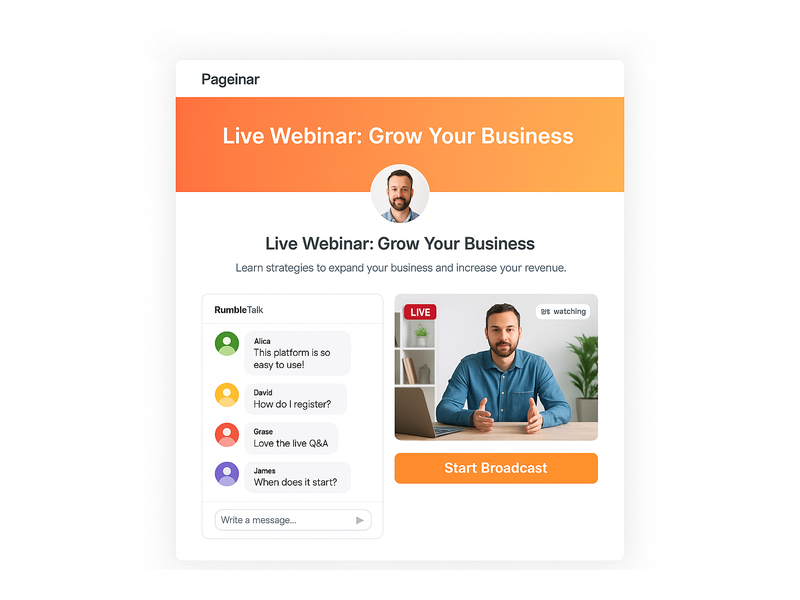
Once ready to broadcast, toggling to Broadcasting Mode reveals the Start Broadcast button directly on the page. Pressing it initiates the live stream from the Pageinar interface. No external software is required. Furthermore, a red LIVE badge and a live viewer count display in real time. This gives the event a professional atmosphere that viewers immediately recognize.
The integrated RumbleTalk chat panel runs alongside the broadcast throughout the session. Specifically, attendees can ask questions, share reactions, and discuss content — all on the same hosted page. The host has full admin controls. They can moderate messages, mute users, select a chat theme, and configure an offline message. In short, the chat experience is as polished as the broadcast itself.
Key Features That Set This Webinar Platform Apart
Pageinar combines broadcasting, audience engagement, and lead capture into a single hosted page. Therefore, teams do not need separate tools for streaming, chat, registration, and recording. Here is a closer look at what makes this webinar platform stand out for B2B teams.
Broadcast Recordings — On Demand After Every Event
Every broadcast is automatically recorded and stored in the Broadcast Recordings panel. Session duration and export options are included. Consequently, you can share replays with registrants who could not attend live. You can also repurpose recordings as gated content or archive sessions for internal training. For teams running recurring webinars, this archive becomes a growing content asset. It continues to generate value long after each live event ends.
Flexible Lead Collection and Registration Templates
The registration settings panel offers multiple template options for the page layout. Moreover, every form field is configurable — toggle first name, last name, company, and phone. You can also add unlimited custom fields tailored to your qualification process. For example, a SaaS company might add a field for ‘Team Size’ to pre-qualify attendees. As a result, post-event sales outreach becomes more targeted and effective. That is a key advantage of a well-designed webinar platform.
Password Protection and Social Promotion
Pageinar includes built-in page password protection. This makes it easy to run members-only events, internal training sessions, or partner-only broadcasts. In addition, the Broadcast Settings panel lets you add social profile links directly to your event page. You can connect Facebook, Instagram, Twitter, YouTube, and Twitch. This ensures attendees can follow your brand without leaving the experience — a meaningful touchpoint for audience building.
Chat Themes and Moderation Controls
The chat settings panel gives hosts complete control over the engagement experience. Specifically, you can choose from multiple visual chat themes to match your brand identity. Configure an offline message and toggle the visibility of viewer and speaker lists. Ideally, this control makes even large-scale events feel intimate and well-managed. It keeps audiences engaged and reduces disruptive interactions during the broadcast.
Who Uses a Webinar Platform Like Pageinar?
Pageinar’s client base spans some of the world’s most recognized brands. However, the platform is equally effective for smaller teams. Here are the most common use cases for a modern webinar platform:
- B2B Product Demos: Sales teams run live product walkthroughs and capture leads through the registration form before the session begins.
- Online Training and Onboarding: HR and L&D teams broadcast internal training sessions, with recordings stored on demand for new hires and remote employees.
- Thought Leadership Broadcasts: Marketing teams host industry panels and expert interviews on a branded page that reinforces company positioning.
- Virtual Product Launches: Product teams coordinate launch-day events with a registration page that builds anticipation and collects a qualified lead list before the broadcast.
- Partner and Reseller Enablement: Channel teams run enablement webinars for partner networks, using password protection to restrict access to invited participants only.

Getting Started with Your Webinar Platform
Getting started with Pageinar as your webinar platform requires no technical setup at all. First, visit pageinar.com and sign in with your Google account. Second, your hosted broadcast landing page is immediately available and fully editable. Third, customize your event title, upload a cover image, and configure your registration form. Share the URL — your event is ready. The entire setup typically takes under ten minutes for a first-time user.
In addition, the Pageinar Knowledge Base provides step-by-step guides for every feature. These cover lead collection fields, chat themes, and exporting broadcast recordings. For further inspiration, read Unlock the Power of Seamless Webinars with Pageinar. See how teams are transforming their online engagement with this webinar platform.
Why the Right Webinar Platform Changes Everything
In today’s competitive B2B landscape, attention is the scarcest resource. Therefore, every friction point in your event experience is a potential drop-off point. A plugin download prompt, a confusing registration flow, or a lagging chat all cost you attendees. Alternatively, a webinar platform that removes these barriers by design keeps your audience focused on the content and your brand.
Furthermore, when your webinar platform functions as a branded landing page, it reinforces your company identity at every touchpoint. Together, the broadcast and registration page create a cohesive funnel. This funnel runs from first click to qualified lead to post-event follow-up. In other words, the right platform does not just stream video — it generates pipeline.
In short, the best webinar platform is not the one with the longest feature list. It is the one your team will actually use, consistently and confidently. Pageinar is built to grow your audience and close more deals. It is simple enough to launch in minutes and powerful enough for enterprise broadcasts.
Ready to Launch Your Next Event on a Modern Webinar Platform?
If you are ready to elevate your live events and capture more qualified leads, Pageinar is the webinar platform designed for the way modern teams work. Sign in with Google, customize your page, and go live in minutes. No code, no plugins, no complexity for your attendees. Visit pageinar.com and launch your first broadcast today. Your audience is just one URL away.