One Click Webinar Setup: Go Live in Minutes with Pageinar

One click webinar setup is transforming the way businesses, educators, and marketers connect with their audiences online. In the past, hosting a live webinar required installing complex software, configuring multiple tools, and walking attendees through a download process before the event even started. However, Pageinar changes everything by letting you create and launch a fully functional, branded webinar in just a few minutes. Whether you are presenting a product demo, running a training session, or hosting a live Q&A, one click webinar setup means you spend less time on technology and more time engaging with your audience.
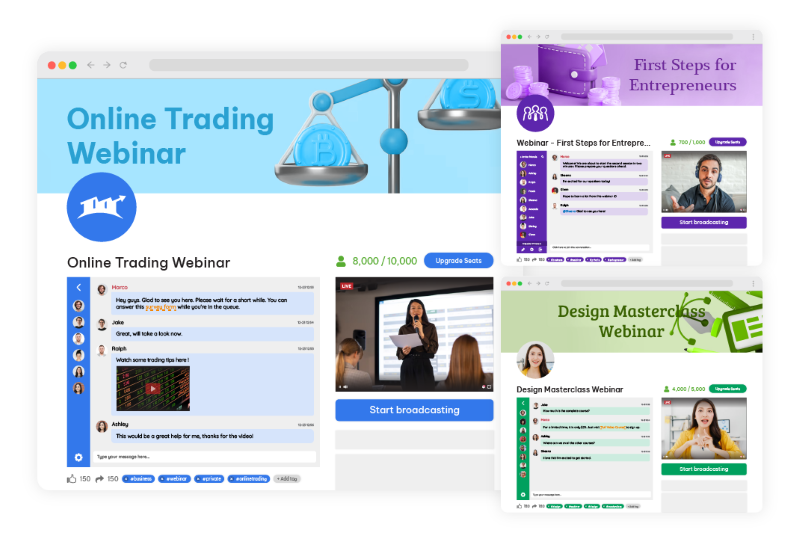
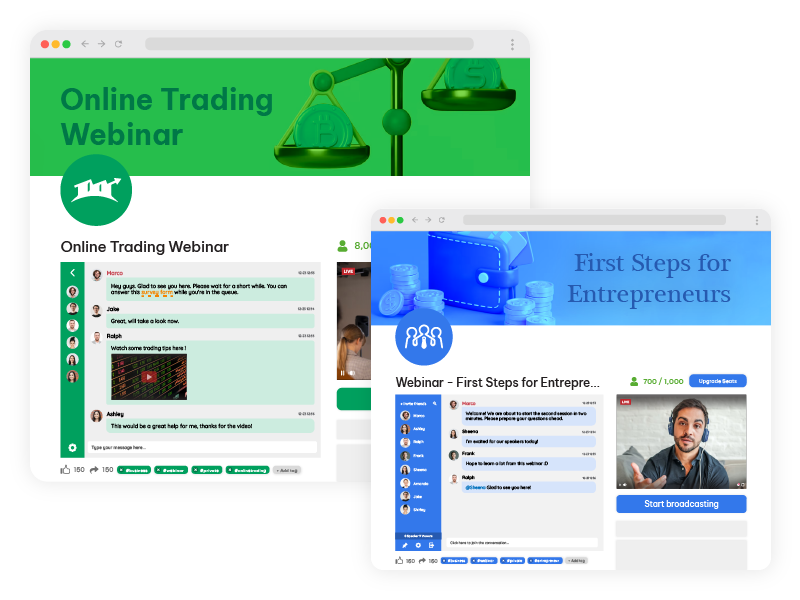
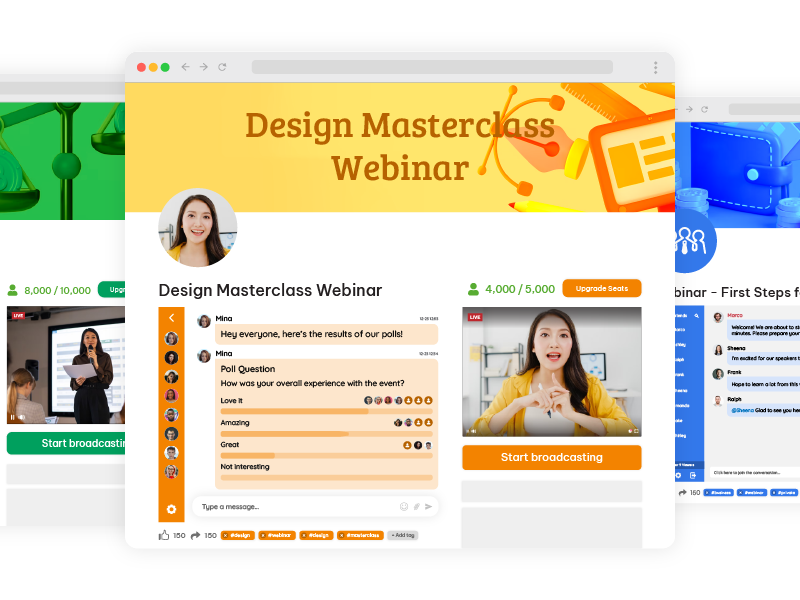
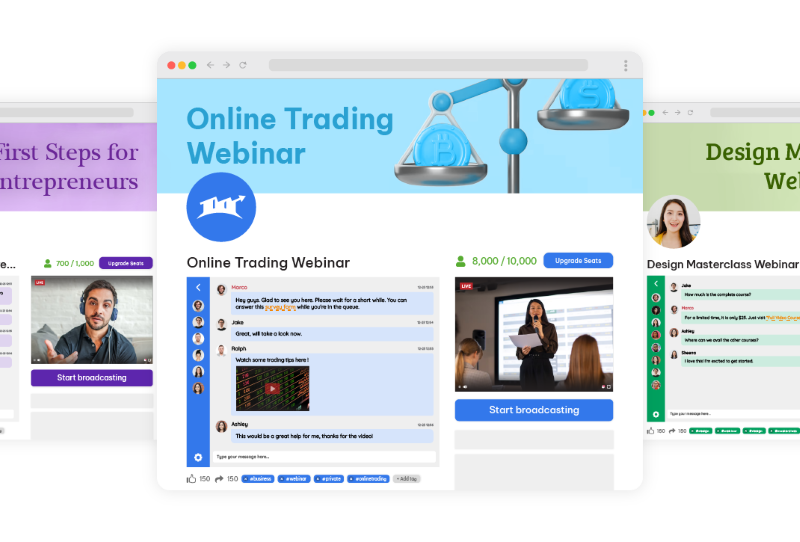
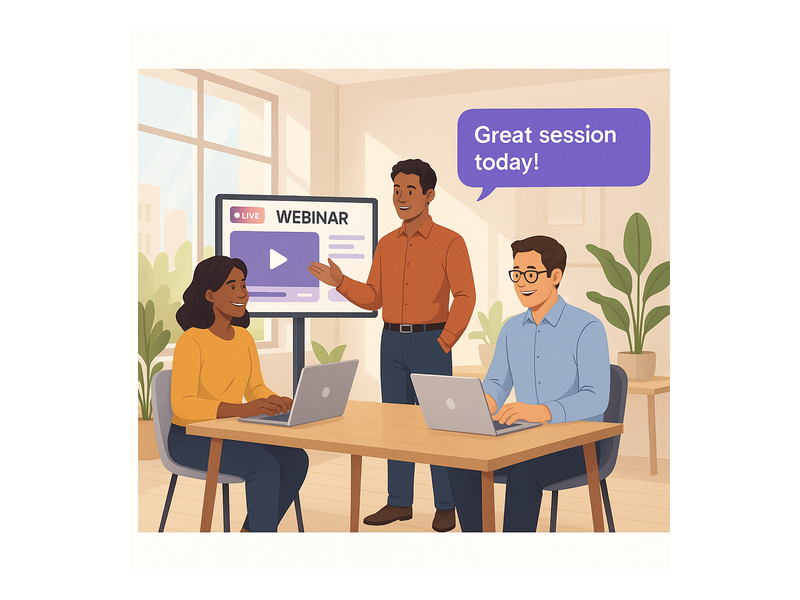
Pageinar webinar landing page illustration 1

What Makes One Click Webinar Setup So Powerful?

Traditional webinar tools force hosts to install plugins, configure meeting rooms, and send attendees a software download link before every session. Additionally, technical issues during setup can delay your event and frustrate participants before they even see your content. One click webinar setup eliminates these barriers entirely. With Pageinar, your entire webinar runs on a hosted landing page that you share via a single URL. Therefore, attendees simply click the link and join in any browser, with absolutely no installation required on their side.

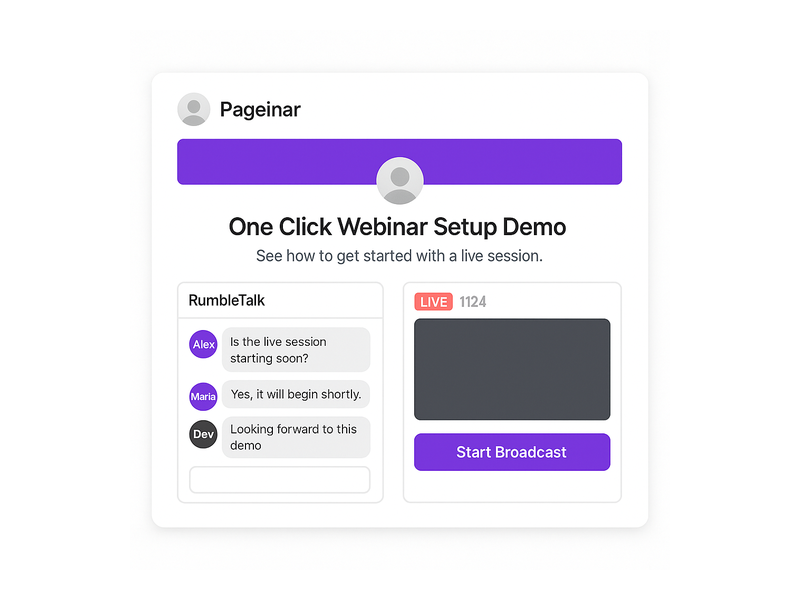
Furthermore, the platform integrates a live video broadcast area, a full-featured group chat powered by RumbleTalk, and a customizable registration form, all on one page. In fact, you can customize your page, toggle to Broadcasting Mode, and go live in under five minutes. This makes one click webinar setup the ideal solution for busy professionals who value speed and simplicity without sacrificing quality. Notably, leading brands including Nasdaq, Wix, HP, and Sony Music have trusted Pageinar for their live events.

How One Click Webinar Setup Works on Pageinar

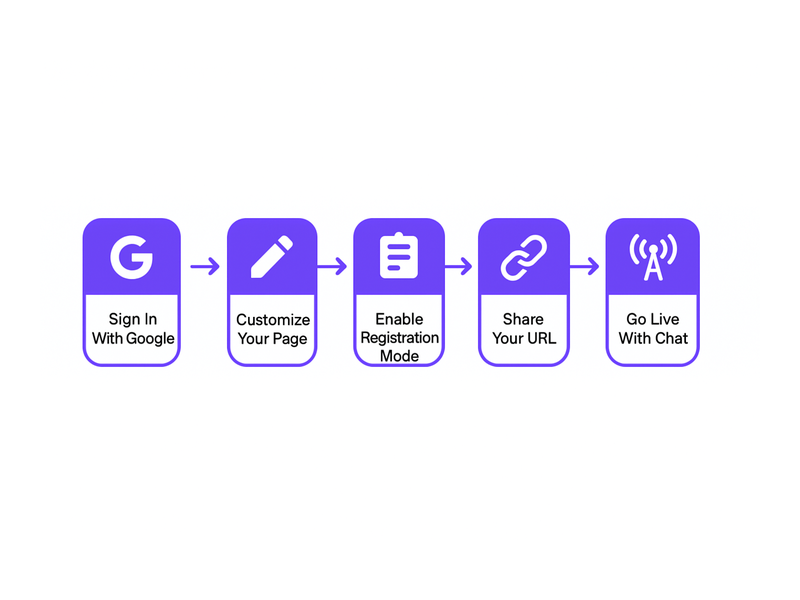
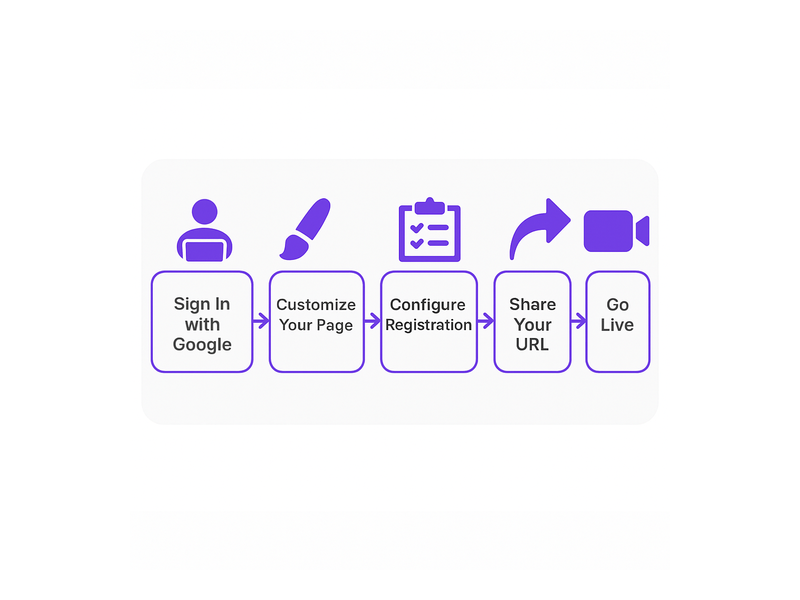
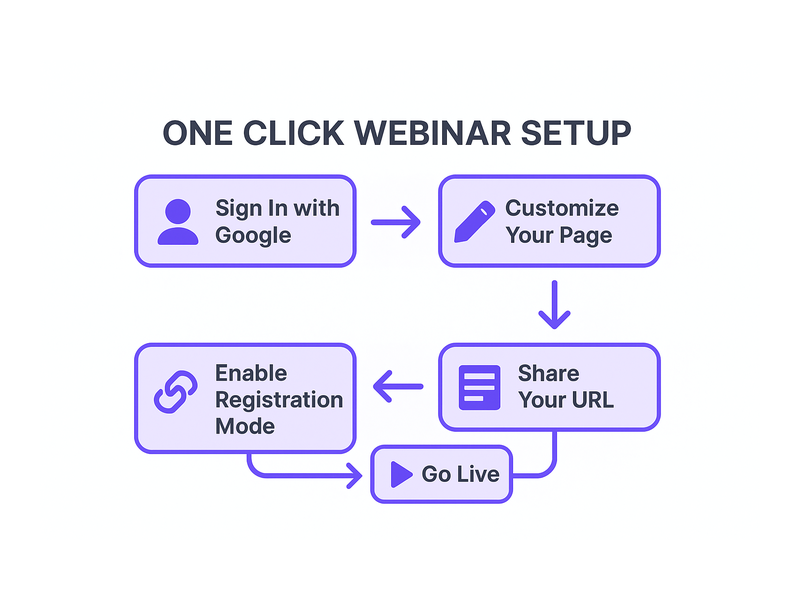
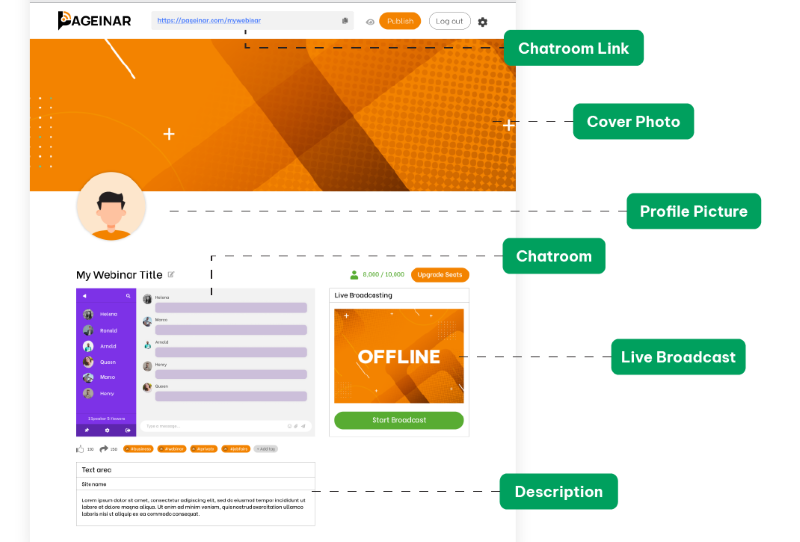
Getting started with one click webinar setup on Pageinar follows a clear and simple process. First, visit Pageinar’s instant webinar platform and sign in using your Google account. After login, you land directly on your main broadcast landing page, which is fully editable from the very first session. Second, customize your page by uploading a cover image or choosing a background color, adding your avatar, setting your webinar title, and writing an event description. Third, share your page URL with your audience and toggle to Broadcasting Mode when you are ready to go live.

In addition, you do not need to install any code on your website or configure a third-party server. The entire one click webinar setup happens inside your browser. Moreover, your page remains active between sessions, so you can reuse it for future events. As a result, your investment in setting up the page pays off every single time you host a new broadcast. Simply update your title and description, share the URL, and go live.

Signing In and Accessing Your Broadcast Page

Pageinar uses Google sign-in exclusively, which makes the authentication process fast, secure, and friction-free. After login, you arrive directly at your broadcast landing page. This page acts as your permanent webinar hub. Consequently, you do not create a new room for every event. Instead, update your content and toggle the mode to match your current session. This reusable approach is central to what makes one click webinar setup so efficient on this platform.

Customizing Your Broadcast Landing Page

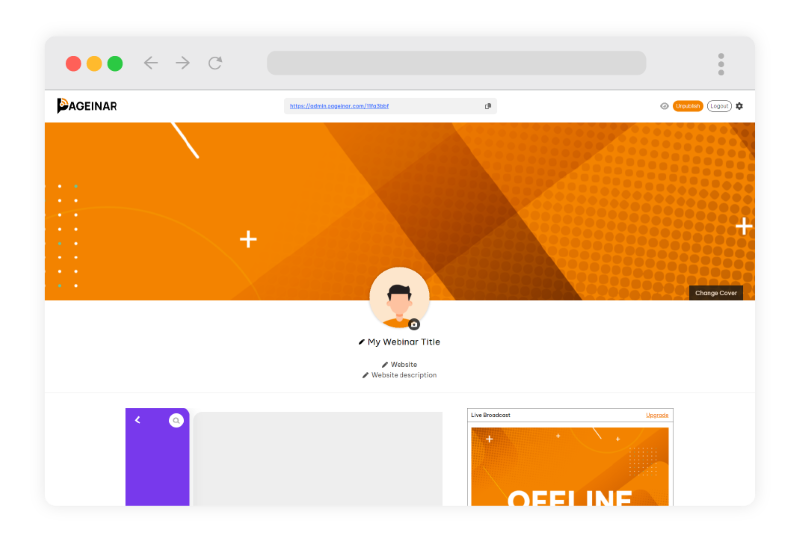
Your broadcast page includes a fully editable header at the top. Here you can upload a custom cover image, choose a background color that matches your brand, add an avatar photo, edit your event title, provide a website link, and write a compelling event description. Additionally, every customization you make is immediately visible to attendees the moment they open your page URL. Therefore, your one click webinar setup still looks polished and professional, even without a dedicated design team.

Registration Mode: Collect Leads Before You Broadcast

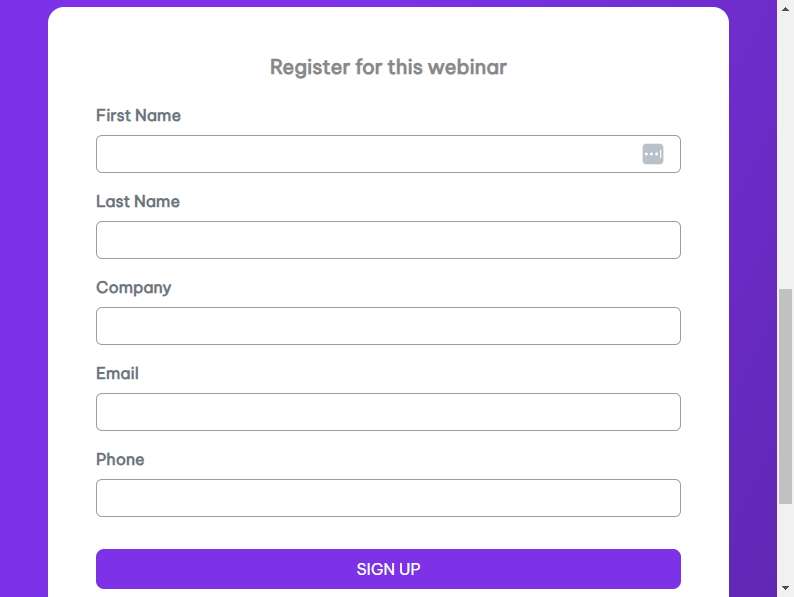
One of the most powerful features of one click webinar setup is the built-in registration system. In Registration Mode, your page transforms into a branded sign-up form. Attendees fill in their details before the event begins, and their data is stored directly in your Registered List inside the settings panel. For example, you can collect first name, last name, company name, email address, phone number, and custom fields tailored to your specific event topic.

Moreover, the Registration Settings panel gives you full control over the template design, background color, welcome message, event date and time display, and an optional countdown timer. In fact, you can toggle the timer on or off based on your marketing strategy. The Pageinar knowledge base guide on collecting leads before the broadcasting event walks you through enabling each lead field step by step. As a result, your one click webinar setup doubles as a lead generation tool from the very first event you run.

Switching Between Registration and Broadcasting Mode

Your Pageinar page operates in two distinct modes that you toggle from the top-right corner. First, Registration Mode displays the sign-up form to visitors in the days or hours before your event begins. Second, Broadcasting Mode switches the same page to your live broadcast view, complete with the video player and the RumbleTalk group chat. Therefore, toggling between the two modes is all you need to move from lead collection to live broadcast. This seamless switch is a core part of the one click webinar setup experience.
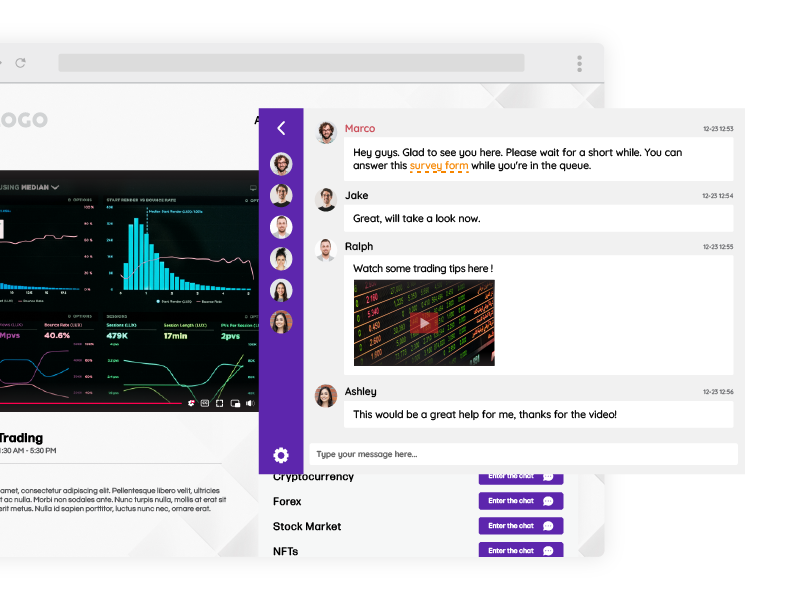
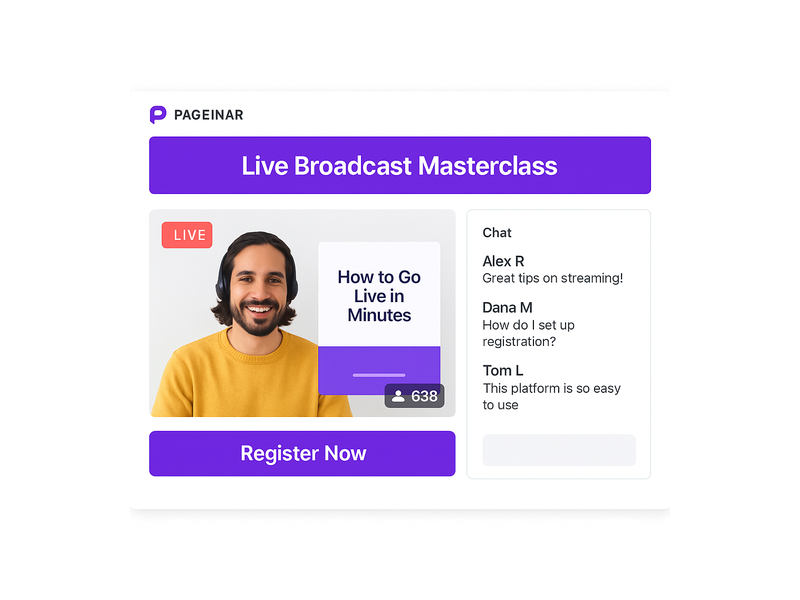
Pageinar webinar landing page illustration 2

Broadcasting Live: One Click Webinar Setup in Action

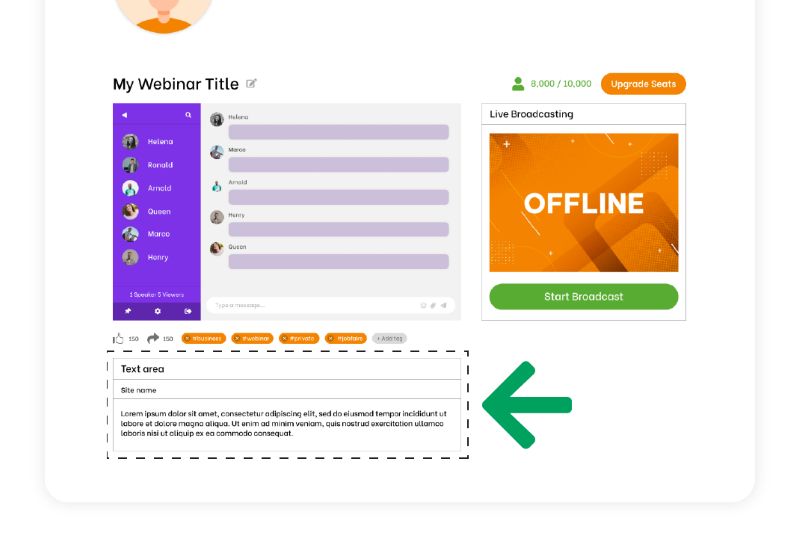
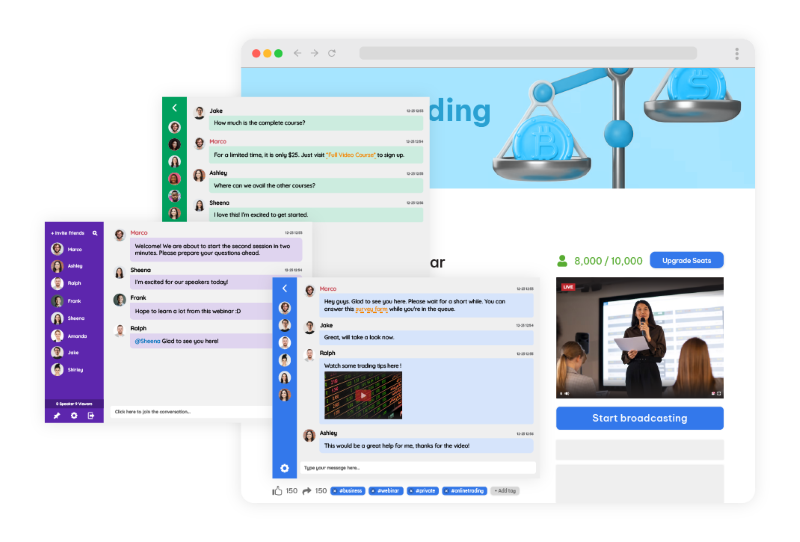
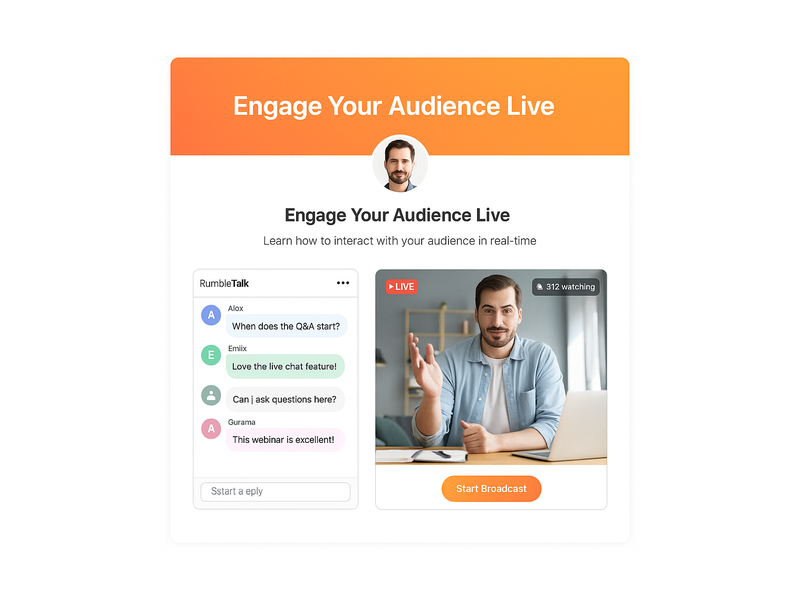
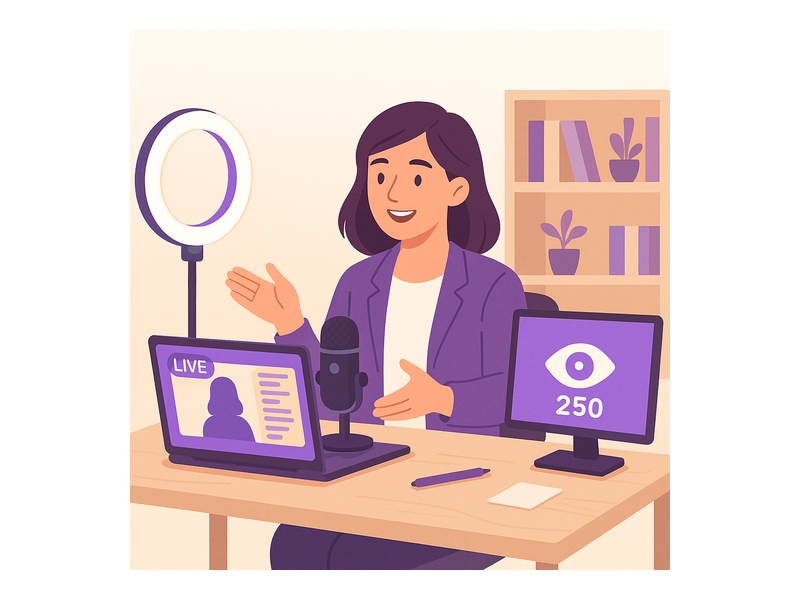
When you are ready to broadcast, switch to Broadcasting Mode and click the Start Broadcast button in the bottom-right area of your page. The broadcast area displays your current OFFLINE or LIVE status along with a live viewer count badge. Additionally, the integrated RumbleTalk group chat panel on the bottom-left activates automatically, allowing attendees to ask questions and interact with you in real time. Together, these features make your live session feel dynamic and engaging without requiring any extra configuration or technical steps.

In fact, the one click webinar setup extends to your audience experience as well. Viewers do not need to download any software or install a plugin. They simply open your shared URL in any modern browser and watch the live event instantly. Moreover, the RumbleTalk chat supports moderation tools, multiple visual themes, admin controls, and the ability to toggle the display of viewers and speakers. Consequently, you maintain complete control over your broadcast environment, even with a large and active audience.

Recording and Replaying Your Broadcasts

Pageinar records your broadcasts automatically. After each session, you can access past recordings in the Broadcast Recordings panel inside the settings menu. Each recording shows the session name, duration, and date, and you can export recordings for repurposing as on-demand content. Furthermore, offering replay access to registrants who missed the live session significantly increases the value of your one click webinar setup investment. In short, every session you run builds a library of reusable content assets.

Settings That Support Your One Click Webinar Setup

Beyond the main broadcast page, Pageinar’s settings panel provides granular control over every aspect of your event. First, Broadcast Settings let you add a page password for private sessions and connect your social media profiles, including Facebook, Instagram, Twitter, YouTube, and Twitch. Second, Chat Settings allow you to customize the group chat experience by setting an offline message, assigning a chat admin, selecting from multiple visual themes, and controlling whether viewers and speakers appear in the chat panel.

Additionally, the Subscription Details panel shows your current plan type, your attendee capacity limit, and the amount of broadcast time you have remaining. Therefore, you can plan upcoming events within your plan boundaries without surprises. In short, every setting you need for a smooth one click webinar setup is available from a single gear icon on your main page. No external dashboards and no separate tool logins are required.

Password Protection and Social Media Integration

For private or paid events, you can enable page password protection directly from Broadcast Settings. Attendees who visit your URL are prompted to enter the password before the page content is revealed. This feature is ideal for paid webinars, internal company training, or exclusive member-only sessions. Moreover, adding social media links to your page increases brand visibility and gives attendees an easy path to follow you after the event ends. These features add meaningful value to your one click webinar setup without any additional cost or configuration effort.

Use Cases for One Click Webinar Setup Across Industries

One click webinar setup is flexible enough to serve a wide range of industries and audiences. For example, a SaaS company can use Pageinar to run weekly product demos for new prospects, collecting contact details via the registration form before each session. Alternatively, an educator can host monthly online classes, toggling between Registration Mode and Broadcasting Mode to manage sign-ups and live lessons from the same permanent page URL.

Furthermore, marketing teams can run live product launch events, enabling the countdown timer and capturing leads in the days leading up to the announcement. In addition, HR departments use one click webinar setup to conduct company-wide announcements, employee onboarding, and training sessions without requiring any software installation from participants across multiple locations. As a result, the barrier to entry for high-quality live events drops to nearly zero, regardless of the size or technical capability of your organization.

One Click Webinar Setup for Solo Entrepreneurs and Small Teams

Small businesses benefit enormously from one click webinar setup because it requires no technical staff to manage or maintain. A solo entrepreneur can configure and run a professional live Q&A session from a laptop in under ten minutes. Additionally, the free plan allows smaller teams to test the platform before committing to a paid subscription. Better still, no attendee ever needs to download a plugin or create an account to join. In fact, the simplicity of this approach means that even a first-time host can launch a polished, branded webinar on day one.
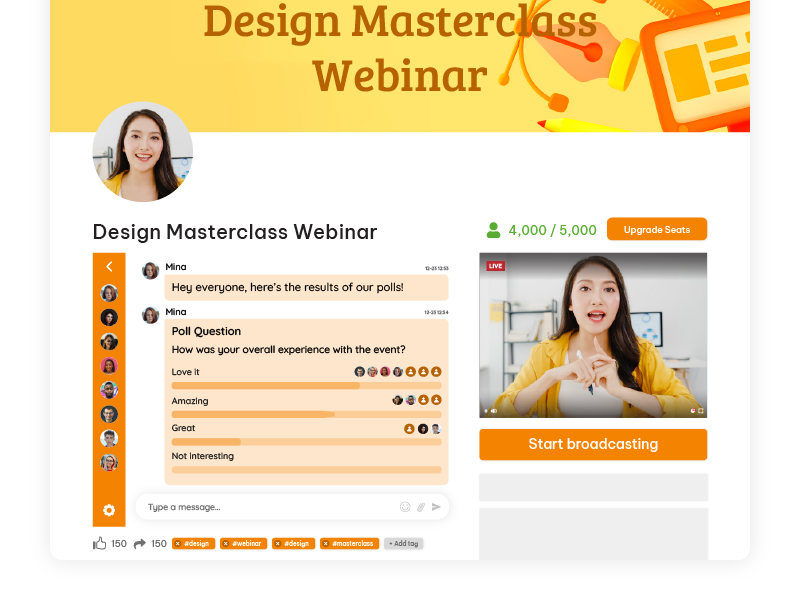
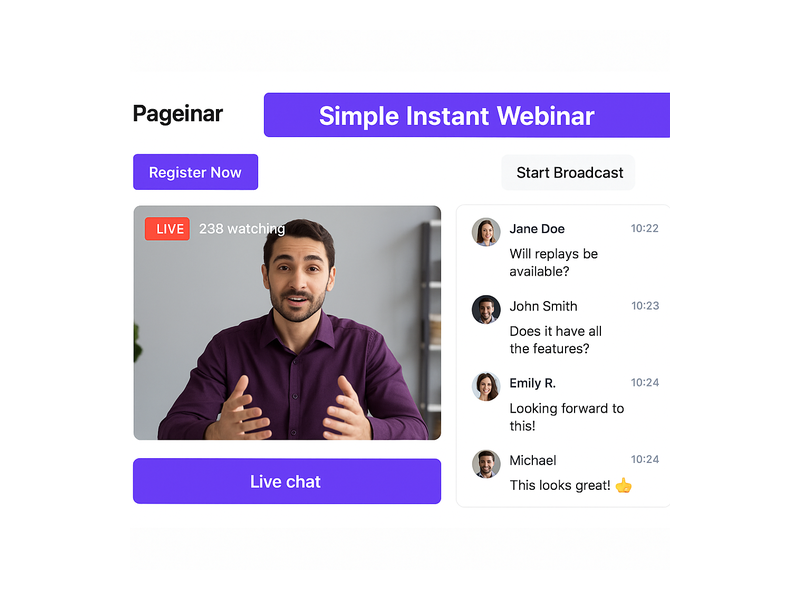
Pageinar webinar landing page illustration 3

Tips for a Successful One Click Webinar Setup

To get the most from your one click webinar setup, follow these practical tips before every event. First, always update your cover image and avatar before sharing your page URL. A branded landing page builds immediate trust and increases registration rates. Second, enable the countdown timer in Registration Settings to create urgency and encourage more attendees to sign up early. Third, set a friendly offline chat message in Chat Settings so visitors who arrive before the broadcast begins know when the session starts.

Moreover, always run a private test session before going live with an audience. Check your audio quality, video feed, and chat panel functionality in advance. Additionally, review the lead collection fields in Registration Settings to make sure you are capturing all the data you need for post-event follow-up. In other words, a few minutes of preparation before your one click webinar setup goes live can dramatically improve the attendee experience and your overall results.

Finally, use the Broadcast Recordings panel after each session to review what worked and identify areas for improvement. According to research published by the Content Marketing Institute, webinars consistently rank among the highest-performing content formats for B2B lead generation and audience engagement. Therefore, investing in a reliable one click webinar setup is not just a technical decision. It is a strategic business decision that compounds in value with every event you host.

Why Pageinar Is the Smartest Choice for One Click Webinar Setup

Pageinar stands apart because it combines genuine simplicity with broadcast-grade power. In fact, no other platform delivers a fully hosted webinar landing page that handles registration, live broadcasting, group chat, and lead collection through a single shareable URL. Moreover, there is no code to install on your server and no plugin required for your attendees. As a result, your one click webinar setup is truly frictionless from both the host perspective and the attendee perspective.

In addition, Pageinar’s billing is transparent and PayPal-based, making it accessible to businesses of every size. The Subscription Details panel shows your current plan, attendee limits, and remaining broadcast time at a glance. Therefore, you always know what you have available before planning your next event. For businesses that previously avoided webinars because of technical complexity or high platform costs, one click webinar setup removes every remaining obstacle.

Get Started with One Click Webinar Setup Today

If you are ready to host your first live webinar without the usual technical friction, Pageinar is built for you. Start by visiting Pageinar’s instant webinar platform and signing in with your Google account. Your broadcast landing page is ready immediately after login. Customize it, enable Registration Mode, share your URL with your audience, and go live when you are ready. For deeper inspiration on what is possible, read our post on Unlock the Power of Seamless Webinars with Pageinar: Welcome to a New Era of Online Engagement! to see real examples of how other hosts are getting results. One click webinar setup has never been more accessible, more affordable, or more powerful. Start your first live session today and experience the difference for yourself.
Crafting the Perfect All-In Webinar Landing Page

In the dynamic world of online marketing and engagement, webinars have emerged as powerful tools for businesses and professionals alike. However, hosting a stellar webinar alone is not enough. To ensure your event reaches its full potential, you need a meticulously crafted webinar landing page.

A landing page is a single web page that serves a specific purpose within a broader online marketing or advertising campaign. It’s designed to prompt visitors to take a particular action, such as signing up for a newsletter, downloading an e-book, registering for a webinar, or making a purchase.

Landing pages are typically stripped of distracting elements and navigation menus to focus the visitor’s attention on the primary call-to-action. They are an essential tool in digital marketing for driving conversions and capturing leads, as their simplicity and focus make it easier to guide visitors toward the desired goal.

In this comprehensive guide, we will look into the intricacies of creating the ultimate webinar landing page, combining insights from industry statistics and practical strategies to maximize conversion rates.

Importance of a Well-Designed Webinar Landing Page

webinar landing page

In the realm of digital engagement, where first impressions hold significant importance, the significance of a meticulously crafted webinar landing page cannot be overstated. It’s the virtual doorstep to your webinar, the place where potential attendees make their crucial decision to enter. This section looks into why a well-designed landing page is the backbone for success, offering insights supported by industry statistics.

  1. First Impressions Matter: The saying “you never get a second chance to make a first impression” holds true for webinars. A well-designed landing page is equivalent to a virtual handshake, making a memorable first impression that entices potential attendees and significantly boosts conversion rates by up to 23%.
  2. Reflects Webinar Quality: Just as a fine wine deserves an elegant glass, your high-quality webinar deserves an equally impressive landing page. A poorly designed page can inadvertently convey doubts about the webinar’s quality, potentially dissuading potential attendees. In fact, 38% of users will stop engaging with a website if the content or layout is unattractive.
  3. Builds Credibility: Trust is the currency of the digital realm. Accordingly, a landing page meticulously designed with professionalism and clarity builds credibility, establishing your authority in the subject matter and nurturing trust with potential attendees.
  4. Increases Engagement: A visually appealing and user-friendly landing page is the gateway to increased engagement. Users spend an average of 5.94 seconds looking at a website’s main image, so captivating visuals are crucial. Therefore, its design and structure should be enticing enough to keep visitors exploring, ultimately leading them to register.

Pageinar: Your All-in Webinar Landing Page

Pageinar is a versatile landing page platform that empowers you to effortlessly tailor your content, seamlessly integrate broadcasting, and incorporate chat rooms, all while maintaining a user-friendly and straightforward interface for your audience.

Through the platform, you can create a one-to-many broadcast and use it for webinars or live streaming. The chat room serves as a bridge for two-way communication between the streamer and the audience. In addition, there are moderation and customization tools that can assist in enhancing user experience.

As a new and upcoming platform for webinars, Pageinar serves to give their users the all-in webinar landing page. There’s no need to start from scratch. Pageinar is already pre-made with a theme, which you can adjust according to your preferences. Once you’re satisfied with your copy and how your elements look, then you can start broadcasting your webinar.

Key Elements of an Effective Webinar Landing Page

Every great webinar landing page is a combination of key elements carefully calibrated to capture attention, drive engagement, and spur registrations. To navigate this landscape successfully, it’s essential to understand the fundamental building blocks that constitute an effective landing page. Here, we will also explore these crucial elements and their pivotal roles in the conversion process, backed by data-driven insights and how you can achieve this with Pageinar.

  • Attention-Grabbing Headline: Your headline should be a beacon, guiding visitors toward registration. Moreover, a clear and concise headline that conveys the webinar’s value succinctly can be the difference between a quick exit and a registration. In Pageinar, you can create a webinar title that will capture your audience’s interest with one look.
  • Compelling Copy: Your copywriting skills will be put to the test here. According to research, companies with 30+ landing pages generate 7 times more leads than those with fewer than 10. Persuasive, benefit-driven copy that crisply communicates the advantages of attending the webinar is paramount in convincing potential attendees to commit their time. Through the Site Description box, you can add text that will highlight the importance of your webinar, the current topic, and other information that is needed to understand your webinar.
  • Eye-Catching Visuals: As humans, we are naturally drawn to visuals. Through high-quality images and videos, you can transform your landing page, making it more visually enticing and fostering greater engagement. With Pageinar, you can choose themes that will make your webinar enticing. As the landing page is also straightforward, your audience will not be confused with all the elements on your page. It’s simple and beginner-friendly for anyone who wants to create a webinar with a landing page.
  • Registration Form: Simplicity is key when it comes to registration forms. The shorter and more user-friendly the form, the higher the likelihood of potential attendees taking the plunge and registering. In fact, reducing the number of form fields from 11 to 4 can increase conversions by 120%.

Pageinar has a simple registration form. There are many ways to register such as:

  • Social media
  • New user registration

For these, email and password are needed. That’s all there is to it. So, there’s no need to input contact numbers, addresses, etc, unlike other registration forms.

Design and Layout Considerations for your All-In Webinar Landing Page

The visual and structural aspects of your landing page are more than aesthetic choices; they are the silent architects of user experience. This section discusses design and layout considerations, highlighting the importance of consistent branding, a clear hierarchy of information, judicious use of white space, and mobile responsiveness. Furthermore, we also share statistics on why these aspects can’t be overlooked.

webinar landing page

Consistent Branding

Cohesion is key. Ensure your landing page aligns seamlessly with the branding of your webinar, creating a unified and polished online experience. Accordingly, a consistent presentation of a brand has been shown to increase revenue by up to 23%.

Clear Hierarchy

Establish a clear hierarchy of information on your landing page, ensuring that visitors are guided logically through the registration process. Users spend an average of 5.59 seconds looking at a website’s written content. Therefore, critical information should stand out prominently.

White Space

Don’t underestimate the importance of white space. A clean and uncluttered layout can make your landing page look inviting and easy to navigate. It can also increase comprehension by 20%.

Mobile Responsiveness

With mobile users accounting for 52.6% of website traffic, optimizing your landing page for mobile devices is essential. Fortunately, Pageinar is optimized for mobile devices to guarantee a seamless user experience across all platforms.

Optimizing Content for Conversion

Content is king, especially in the digital realm, but it’s not just about the quantity; quality reigns supreme. In this segment, we uncover strategies for content optimization that emphasize benefits over features, leverage social proof, create urgency, and champion simplicity. Then, we’ll back these strategies with compelling statistics that reinforce their effectiveness.

  • Highlight Benefits: Shift the focus from features to benefits. Outline the tangible benefits attendees will gain from the webinar, showcasing how it will address their pain points and provide solutions. Benefits-focused content can also boost conversion rates by up to 31%.
  • Use Social Proof: Incorporate testimonials or social proof to bolster credibility. In addition, real-life success stories and endorsements from previous attendees can be powerful persuasive tools.
  • Create Urgency: Utilize scarcity tactics or limited-time offers to infuse a sense of urgency. FOMO (Fear of Missing Out) can be a compelling motivator for potential attendees to register promptly.
  • Keep It Simple: Keep your content simple and easy to understand. 94% of visitors cited web design as the reason they mistrusted or rejected a website. Make your content straightforward and accessible, avoiding jargon or technical terms that might alienate potential attendees.

Call-to-Action (CTA) Strategies

The ‘Register Now’ or ‘Join Us’ button may seem simple, but its role is paramount in guiding visitors towards action. This part of our guide explores the nuances of effective CTA strategies, from clarity and prominence to action-oriented language and the strategic placement of multiple CTAs. Data-backed insights reveal the impact these tactics can have on conversion rates.

Clear and Prominent CTA

The CTA should be prominently displayed and impossible to overlook. Its language should also be action-oriented, encouraging visitors to register immediately. Using a first-person CTA like “Register Now” can increase conversion rates by 90%.

Use Action-Oriented Language

Craft CTAs that employ action-oriented language, compelling visitors to take that crucial step toward registration.

Multiple CTAs

Don’t rely on a single CTA. Scatter multiple CTAs strategically throughout the landing page to reinforce the message and opportunities for conversion. Moreover, multiple CTAs provide additional touchpoints to reinforce the primary message and value proposition of your webinar. Visitors may not be convinced by a single prompt, but when they encounter CTAs at various points on the page, it reinforces the idea that the webinar is worth attending.

Continuously test various CTAs and optimize your landing page based on user behavior and conversion rates. Data-driven decisions can significantly enhance effectiveness. Regularly testing different CTAs and optimizing based on user behavior can improve your landing page’s effectiveness. A/B testing has been shown to increase conversions by 49%.

A Walkthrough of Creating an Ideal Landing Page

landing page

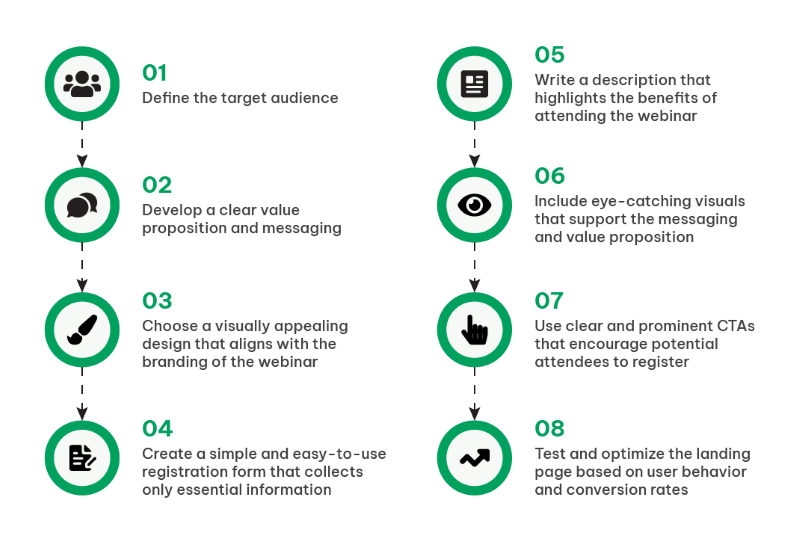
To bring it all together, let’s embark on a practical journey through the creation of an ideal landing page. This section provides a step-by-step walkthrough, from defining your target audience and crafting a compelling value proposition to selecting a design, streamlining registration forms, writing benefit-driven content, incorporating visuals, and strategically implementing CTAs.

Step 1. Define the Target Audience

Thoroughly understand your target audience’s needs and preferences. Understanding your audience goes beyond demographics; it’s about grasping their pain points, goals, and what drives their decisions. Look into data analytics to segment your audience effectively. Identify where your potential attendees hang out online, their browsing habits, and what topics resonate with them. Then, utilize data to create detailed personas that guide your messaging and content.

Step 2. Develop a Clear Value Proposition

Craft a compelling and unique message that communicates why your webinar is a can’t-miss event. Your value proposition should be concise, yet compelling. Dive deep into the benefits your webinar offers. Statistics also show that webinars focusing on solving a specific problem or providing actionable insights tend to have higher registration rates. Furthermore, use A/B testing to fine-tune your value proposition’s wording and presentation for optimal impact.

Step 3. Choose an Appealing Design

Select a visually pleasing design that harmonizes seamlessly with your webinar’s branding. Design is your silent ambassador. Conduct A/B tests with different designs to understand what resonates with your audience. In addition, use heatmaps and user testing to see how visitors interact with your page. With Pageinar, you can also incorporate responsive design principles to ensure that your landing page is accessible and engaging across various devices.

Step 4. Create a Simple Registration Form

Streamline the registration process by collecting only essential information, reducing friction. Lengthy registration forms can be off-putting. Data supports that shorter forms lead to higher conversion rates. For instance, collect only essential information initially, such as name and email. You can gather more data post-webinar or during the nurturing process. Additionally, consider using social login options, which can increase conversions by simplifying the process.

Step 5. Write Benefit-Driven Content

Emphasize the real-world benefits attendees will accrue from your webinar, ensuring they understand the value proposition. Craft content that speaks directly to the pain points of your audience. Statistics reveal that headlines emphasizing solutions or benefits perform better than generic ones. Use storytelling to illustrate how your webinar can transform attendees’ lives or businesses. Then, include data-backed insights and case studies to substantiate your claims. Remember, the focus should be on what attendees will gain.

Step 6. Incorporate Eye-Catching Visuals

Utilize images and videos that reinforce your messaging and grab the visitor’s attention. Visuals play a pivotal role in holding visitor attention. Test different images and videos to see what resonates. Research indicates that video content can significantly boost engagement. Ensure that your visuals align with your messaging and highlight key points. For instance, infographics are an effective way to condense complex information into digestible visual formats.

Step 7. Implement Clear CTAs

Ensure your CTAs are clear, action-oriented, and well-placed, guiding visitors toward registration. Moreover, CTA buttons should be prominent and easily distinguishable. Research reveals that CTA buttons with contrasting formatting tend to perform better. Test different CTA copies, such as “Register Now,” “Save My Spot,” or “Join the Webinar.” Implement urgency tactics like countdown timers if applicable. Moreover, use A/B testing to find the most effective CTA placements.

Step 8. Test and Optimize

Regularly monitor user behavior and conversion rates, allowing data to guide your improvements and enhancements. Various tools can also provide invaluable insights into user journeys. Analyze bounce rates, time spent on the page, and drop-off points in your registration process. Test various elements, from headlines to CTA button colors, and use data to guide your decisions. Moreover, optimization is an ongoing process, ensuring your landing page continues to perform at its best.

Understanding why the Structure of Landing Pages is Important

One cannot overstate the significance of meticulously designing a landing page. It serves as your digital stage, the platform where you engage, persuade, and ultimately convert your audience. This process transcends the mere amalgamation of text and imagery; it represents a strategic fusion of art and science.

Therefore, understanding your target audience is pivotal. To craft a compelling value proposition that deeply resonates, you must intimately acquaint yourself with their needs and preferences. The design of your landing page should not only be aesthetically pleasing but also seamlessly aligned with your webinar’s brand identity.

Nonetheless, this journey is an ongoing one, characterized by constant analysis and optimization. Monitoring user behavior and conversion rates yields invaluable insights, which, in turn, inform improvements and enhancements.

As you embark on the creation of your ideal webinar landing page, remain mindful of its dynamic nature. The digital landscape and audience preferences are in constant flux. So, embrace data and analytics as your compass, ready to adapt and refine continually. This endeavor extends beyond a single webinar; it encompasses the cultivation of a brand and the nurturing of a dedicated community.

By adhering to the fundamental steps in this guide and staying attuned to the ever-evolving digital environment, you are on your way to constructing landing pages that not only fill webinar seats but also engage, inspire, and cultivate profound connections with your audience. Landing pages like Pageinar are not mere entry points; they represent the opening chapter of a compelling narrative that you are set to unfold. Thus, convey it with finesse and let your webinars radiate with brilliance.

Engage and Learn: How to Execute a Successful Live Webinar

In today’s trend of live streaming, a live webinar stands out as a powerful tool for connecting with audiences. A live webinar is a real-time, interactive video conference utilized by companies to connect with broader audiences across various regions. Participants have the ability to view and listen to the online presentation, engaging with the host through features like Q&A sessions, live polls, discussions, and more.

According to a report, webinars have an average attendance rate of 40-50%. This signifies a substantial engagement potential for businesses.

Whether you’re a seasoned webinar host or stepping into this exciting realm for the first time, join us on this journey to discover the keys to engagement and learning that will elevate your live webinars to new heights.

Planning a Live Webinar

Planning a live webinar requires meticulous consideration of goals, audience, and content. Let’s delve into the key aspects of this crucial phase.

Before diving into the logistics, articulate the purpose of your webinar. Are you aiming for increased engagement, lead generation, or enhanced brand awareness? Define clear, measurable objectives to guide your efforts.

It’s equally important to select a topic that resonates with your audience. The chosen subject should align with your overall content strategy, ensuring consistency and reinforcing your brand message.

Crafting a successful webinar begins with understanding your audience. Create detailed audience personas to tailor your content and messaging. This ensures a more personalized and engaging experience for your participants.

Lastly, go beyond demographics. Dive into the needs and preferences of your audience. What challenges do they face? What content format do they prefer? Gathering this data allows you to tailor your webinar to precisely meet your audience’s expectations.

By defining your goals, choosing compelling topics, understanding your audience, and analyzing their preferences, you set the foundation for a webinar that resonates and delivers value.

Selecting the Right Live Webinar Platform

live webinar

Choosing the appropriate webinar platform is crucial for a seamless event. Let’s explore the landscape of popular platforms and the factors to consider for a wise decision.

Overview of Popular Live Webinar Platforms

Several platforms cater to diverse needs. Some popular options include Zoom, GoToWebinar, and Microsoft Teams. Each platform has its unique features and strengths.

Zoom

  • Key Features: User-friendly interface, breakout rooms, and interactive elements.
  • Strengths: Excellent for smaller to large-scale webinars with a focus on interaction.

GoToWebinar

  • Key Features: Robust analytics, easy screen sharing, and pre-recorded webinars.
  • Strengths: Ideal for data-driven marketers seeking in-depth insights.

Microsoft Teams

  • Key Features: Integration with Microsoft 365, collaborative tools, and participant management.
  • Strengths: Best suited for organizations already using Microsoft’s ecosystem.

Pageinar

  • Key Features: Serves as a landing page, picture-in-picture mode, and has a chat room.
  • Strengths: Ideal for webinar beginners who don’t want to create an entire website.

Factors to Consider

FactorWhat to Consider
Audience SizeDetermine the maximum number of participants the platform supports.
InteractivityAssess features like polls, Q&A sessions, and chat for participant engagement.
BudgetConsider costs, especially if you’re a small business or an individual.

TL;DR – Quick Guide to Choosing

  • Audience Size: Check if the platform supports your expected number of participants.
  • Interactivity: Ensure the platform has features for engagement like polls and Q&A.
  • Budget: Consider the costs, especially if you’re on a tight budget.

Technical Setup and Rehearsals

Ensuring a smooth webinar experience involves a robust technical setup and well-planned rehearsals. Let’s look into the essential aspects.

Testing Audio, Video, and Internet Connectivity

Before your big day, it’s crucial to conduct thorough tests.

  • Audio Check: Ensure your microphone is clear, and participants can hear you without distortion.
  • Video Quality: Check your camera to ensure a crisp and clear image.
  • Internet Connection: Confirm a stable internet connection to prevent disruptions.

Conducting Rehearsals for a Glitch-Free Presentation

Rehearsals are your secret weapon for a glitch-free presentation.

  • Run-Through: Practice your entire presentation to identify any potential hiccups.
  • Interaction Test: Check interactive elements like polls and Q&A to ensure they function smoothly.
  • Timing: Practice your timing to ensure you stay within the allocated timeframe.

A bit of preparation goes a long way. By diligently testing your equipment and running through your presentation, you’ll be well-prepared to deliver a seamless webinar experience.

Creating Compelling Webinar Content

Crafting engaging content is the heart of a successful webinar. Let’s explore the key components with a personal touch.

Begin with a clear structure.

  • Introduction: Set the stage by introducing yourself and the topic.
  • Main Content: Organize your material logically for easy understanding.
  • Conclusion: Summarize key points and leave your audience with a lasting impression.

Visuals speak volumes.

  • Images and Graphics: Use relevant visuals to enhance your message.
  • Multimedia: Incorporate videos or slideshows to diversify your content.

Engage your audience actively.

  • Polls: Pose questions to gather instant feedback.
  • Q&A Sessions: Allocate time for participants to ask questions.
  • Chats: Encourage real-time conversations among participants.

Guide your audience’s next steps.

  • Relevant CTAs: Integrate prompts that align with your webinar’s goals.
  • Drive Actions: Encourage participants to visit your website or subscribe.

Find the sweet spot.

  • Educational Value: Prioritize providing valuable insights.
  • Promotional Elements: Integrate promotional content strategically.

By structuring your presentation, incorporating engaging elements, and balancing promotion with value, you’ll create a webinar that captivates your audience from start to finish.

Promoting Your Live Webinar

One of the crucial steps in ensuring a successful live webinar is effective promotion. 

When it comes to your webinar’s online presence, the landing page acts as the virtual front door. Design it to be not only visually appealing but also informative. 

Consider it an invitation, providing essential details about the webinar, including what participants can expect and why they should attend. You should also include a user-friendly registration form, ensuring a seamless sign-up process.

Email marketing and social media are important tools for generating buzz. It’s important to utilize email campaigns to build anticipation. For example, craft compelling messages that highlight the value participants will gain. Then, make registration easy by including clear CTAs in your emails. 

Simultaneously, harness the power of social media for pre-event promotion and engagement. Share also sneak peeks, intriguing content, and countdowns to create a sense of excitement. Encourage your audience to share the event, amplifying its reach.

In essence, your promotion strategy is the gateway to a successful live webinar. A well-designed landing page and strategic use of email and social media can significantly impact the turnout and engagement during your online event.

Executing the Live Webinar

Now comes the moment you’ve been working toward: the live webinar itself. We’ll explore some best practices and tips to ensure your presentation is engaging and glitch-free.

Delivering a dynamic presentation is key to keeping your audience captivated. Speak clearly, vary your tone, and use visuals to complement your message. Share real-world examples or stories to make your content relatable.

Feeling nervous is normal, even for seasoned presenters. Before you go live, take a deep breath, remind yourself of your expertise, and visualize a positive outcome. Confidence is contagious, and your audience will respond positively.

Despite careful preparation, technical issues may arise. Have a strategy for troubleshooting common problems in real time. This could involve a backup internet connection, knowing how to quickly reset devices, or having a technical support team available.

Lastly, always have a backup plan. Consider what you’ll do if your main presentation tool encounters an issue. Additionally, having a support team, even if it’s just one or two individuals, can be invaluable. They can monitor the chat for questions, assist with technical issues, and ensure the overall smooth running of the webinar.

Post-Webinar Activities

Congratulations on delivering a successful live webinar! Let’s explore the crucial post-webinar activities that will help you maintain momentum and improve future events.

Firstly, reach out to your participants with thank-you emails. Express your gratitude for their attendance and briefly highlight the key takeaways from the webinar.

In your emails, also consider including a link to a post-webinar survey. This provides an opportunity for participants to share feedback. Keep the survey concise.

With Pageinar, you can send out polls in the chat room. After your live webinar, you can send out a chat poll to let your audience vote on what they liked and what areas need improvement. Then, they can also leave feedback on the chat room and you can export it for future use.

live webinar

Share any additional resources discussed during the webinar or related to participants’ questions. This could be in the form of articles, whitepapers, or links. It adds value and keeps the engagement alive.

After that, look at attendance rates, engagement levels, and participant feedback. Identify what worked well and areas that need improvement. This data is gold for refining your future webinar strategies.

Evaluate success not just by the number of attendees but by the impact of your message. Did participants stay engaged? Did you meet your goals? Use these insights to refine your approach for the next webinar.

Don’t just collect data; use it. Whether it’s adjusting your content strategy or improving technical aspects let the data guide your decisions. The beauty of webinars is their iterative nature; each one is an opportunity to learn and grow.

Remember, the end of a webinar is not the end of your engagement. By thoughtful follow-ups, feedback collection, and data analysis, you’re setting the stage for even more impactful webinars in the future. Keep the momentum going!

Continuous Improvement and Future Webinars

As you enjoy in the success of your recent live webinar, it’s time to look forward, fueled by the lessons learned and the feedback received.

Participants’ insights are invaluable. Take the time to review the feedback received in post-webinar surveys. Identify recurring themes or suggestions. This not only demonstrates a commitment to improvement but also makes your audience feel heard and valued.

Webinars are dynamic, and so should be your approach. Consider each webinar as a stepping stone toward perfection. Reflect on what worked well and what could be enhanced. Iterate your strategy accordingly, focusing on refining elements that resonate with your audience.

Every webinar is a learning opportunity. Perhaps there were technical hiccups or moments of exceptional engagement. Document these experiences and, most importantly, implement the lessons learned. This iterative process ensures each webinar is better than the last.

The digital landscape evolves, and so do best practices for webinars. Stay informed about the latest industry trends and technological advancements. Moreover, attend webinars yourself, explore online resources, and engage with communities. Being in the know ensures your webinars stay fresh and aligned with current expectations.

Remember, the journey of hosting webinars is a continuous one. It’s not about achieving perfection but about embracing growth. By adapting to feedback, refining your strategy, learning from experiences, and staying attuned to industry shifts, you’re not just hosting webinars; you’re delivering impactful, evolving experiences.

Unleashing the Power of Live Webinars

As we end this guide on hosting live webinars, let’s look back at the essential steps and considerations that pave the way for success.

Hosting a live webinar is an art that combines meticulous planning, engaging content creation, and seamless execution. From defining clear goals to selecting the right platform, and from promoting your event to analyzing metrics, each step contributes to the overall success of your webinar. This guide has also walked you through these crucial elements, providing insights and tips to ensure each facet of your webinar is finely tuned.

Now equipped with the knowledge bestowed by this guide, it’s time to take action. Embrace webinars not just as a tool but as a dynamic force for audience engagement and business growth. Moreover, use the interactive nature of webinars to connect with your audience on a deeper level, share valuable insights, and drive your business objectives.

Webinars are not merely events; they are opportunities to forge meaningful connections, showcase expertise, and propel your brand forward. As you embark on your live webinar journey, remember that each one is a chance to refine your skills, learn more about your audience, and elevate your online presence.

Lead Generation Webinar: How to Capture Quality Leads

A lead generation webinar is one of the most powerful ways to fill your pipeline with qualified, engaged prospects. Unlike cold email campaigns or paid ads, a lead generation webinar lets you demonstrate real value to your audience before asking for anything in return. As a result, the leads you collect from a live event tend to be warmer, more informed, and more ready to buy than contacts from traditional digital channels. Pageinar makes it easy to host a lead generation webinar on a branded landing page – no downloads required, no plugins, and no technical setup needed on either side.

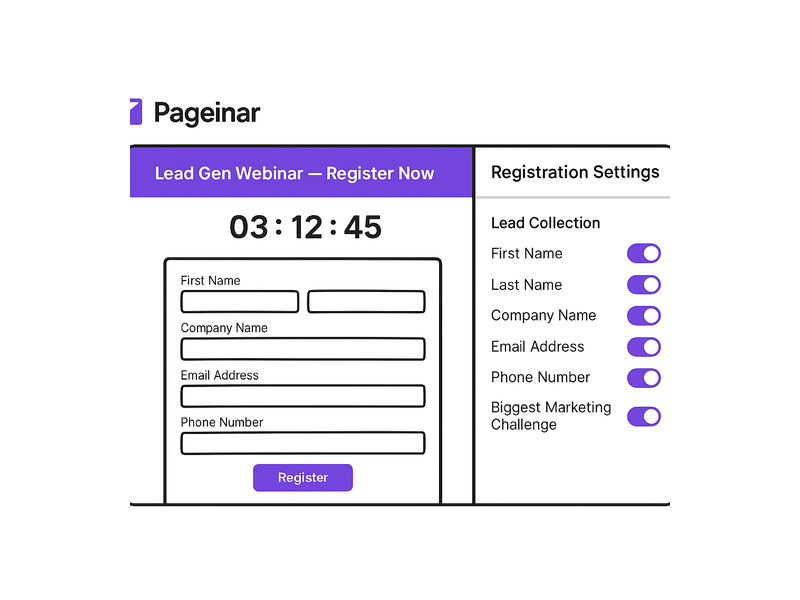
lead generation webinar registration page on Pageinar

Why a Lead Generation Webinar Outperforms Other Channels

Lead generation webinars consistently outperform most other content formats for B2B lead capture. First, live events create natural urgency – a webinar has a fixed start time, and that scarcity drives higher registration rates than a downloadable guide or a gated report. Second, they deliver value upfront: you teach something genuinely useful, and attendees associate your brand with expertise before you make any offer. Third, the registration process itself acts as a lead capture mechanism, collecting name, company, email, and any other fields you configure.

Moreover, according to research on webinar effectiveness, live online events generate some of the highest engagement rates of any digital marketing format. In fact, attendees who watch a full lead generation webinar are significantly more likely to request a demo, start a trial, or make a purchase than those who encounter your brand through a banner ad or a social post. In other words, a well-structured lead generation webinar does not just collect contact information – it moves prospects meaningfully down the funnel in a single session.

Furthermore, lead generation webinars scale efficiently. A single host can reach hundreds of registrants simultaneously, and the recorded replay continues generating opt-ins long after the live event concludes. Ideally, you combine a live session with a strategic replay campaign to maximise every hour your team invests in hosting.

How Pageinar Powers Your Lead Generation Webinar

Pageinar is purpose-built for hosting a lead generation webinar quickly and professionally. First, you log in at pageinar.com with your Google account – your branded broadcast page is ready in seconds. There is no complicated configuration to complete, no third-party integration required, and no plugin for attendees to install before they can register.

Pageinar’s two-mode system is specifically designed for the lead generation webinar lifecycle. Registration Mode turns your page into a pre-event sign-up form. Visitors see your event details, a countdown timer, and a registration form where they enter their contact information. Broadcasting Mode then switches the same page into your live broadcast environment, showing your video feed, the integrated chat panel, and your event title in a branded header bar.

Together, these two modes mean you run a complete lead generation webinar – from pre-event sign-up through live broadcast – without ever switching platforms or tools. Additionally, every lead that registers is stored in the Registered List inside your Settings panel, ready for export at any time with full name, company, email, phone, and any custom fields you enabled.

Setting Up Lead Collection Before Your Lead Generation Webinar

The lead collection stage of a lead generation webinar happens before a single minute of content is delivered. Therefore, your registration page needs careful setup. In Pageinar, you control every element of the registration experience through the Registration Settings panel in your account.

First, set the event date and time. Pageinar displays a countdown timer on the registration page, which creates urgency and reduces drop-off from undecided prospects. Second, enable the lead fields you need. Pageinar supports First Name, Last Name, Company, Email, Phone, and custom fields – each individually toggleable, so you collect exactly what your CRM requires and nothing more. Third, write a welcome message that explains what attendees will learn and why it is worth their time. A compelling welcome message significantly increases registration completion rates.

Furthermore, configure the registration page background and header image to match your brand. A professional, branded registration page builds trust and reduces the number of visitors who click away before completing sign-up. For a step-by-step walkthrough of the full setup process, visit the Pageinar Knowledge Base, which covers registration page configuration, lead field setup, and everything you need to capture leads before your broadcast event.

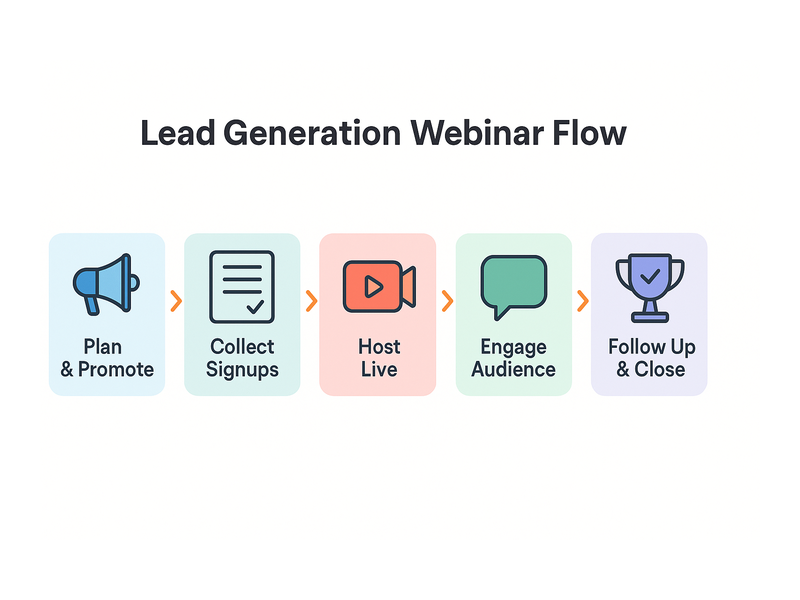
lead generation webinar process flow diagram

Running a Lead Generation Webinar That Converts

A successful lead generation webinar is structured in three clear parts: the hook, the value delivery, and the conversion moment. Each section plays a distinct role in moving attendees from curious viewers to qualified leads – and ultimately to customers.

The Hook: First Five Minutes

Open your lead generation webinar with a bold problem statement. Specifically, name the exact pain point your audience faces and promise that by the end of the session they will have a clear, actionable solution. Ideally, you should also acknowledge a common misconception about the problem – this signals expertise and keeps your audience engaged from the very first minute. Additionally, give attendees a reason to stay until the end, such as a bonus resource or an exclusive offer available only to those who watch the full session.

Value Delivery: The Middle Section

Spend the majority of your lead generation webinar delivering genuine, actionable value. Avoid filling the middle section with promotional slides – instead, teach something real. Show a process, share data, or demonstrate a live tool in action. Moreover, encourage questions throughout via the live chat panel that Pageinar provides on every broadcast page. When attendees participate actively, they are more invested in the outcome and more receptive to your CTA at the end of the session.

The Conversion Moment: The Close

Reserve the final ten to fifteen minutes of your lead generation webinar for your offer. Additionally, make the offer clear, specific, and time-sensitive. For example: “Sign up for Pageinar free today and run your first lead generation webinar this week.” Follow the offer with a live Q&A session to handle any remaining objections in real time. As a result, attendees leave the session with their questions answered rather than their doubts intact, which dramatically improves post-webinar conversion rates.

Following Up After a Lead Generation Webinar

The broadcast ending is not the end of your lead generation webinar’s ROI. In fact, your post-event follow-up process determines much of the final return on your investment. Therefore, act quickly – send a follow-up email within two hours of the session closing, while the content is still fresh in attendees’ minds.

First, export your attendee list from the Registered List panel in Pageinar Settings. This gives you a clean CSV with every lead’s name, company, email, and any custom fields you collected at sign-up. Second, segment the list: separate attendees who watched the full session from those who joined late or left early. Third, send different follow-up messages to each segment. Full attendees are your warmest leads – they should receive your most direct CTA. Partial attendees may benefit from the session replay link first, giving them a second chance to consume the full value before you make an ask.

Furthermore, Pageinar stores your broadcast recording automatically in the Broadcast Recordings section of Settings. Therefore, you can include the replay URL in your follow-up email for both audience segments. Additionally, share the replay on LinkedIn or embed it in a blog post to continue generating leads from your webinar content for weeks after the live event concludes.

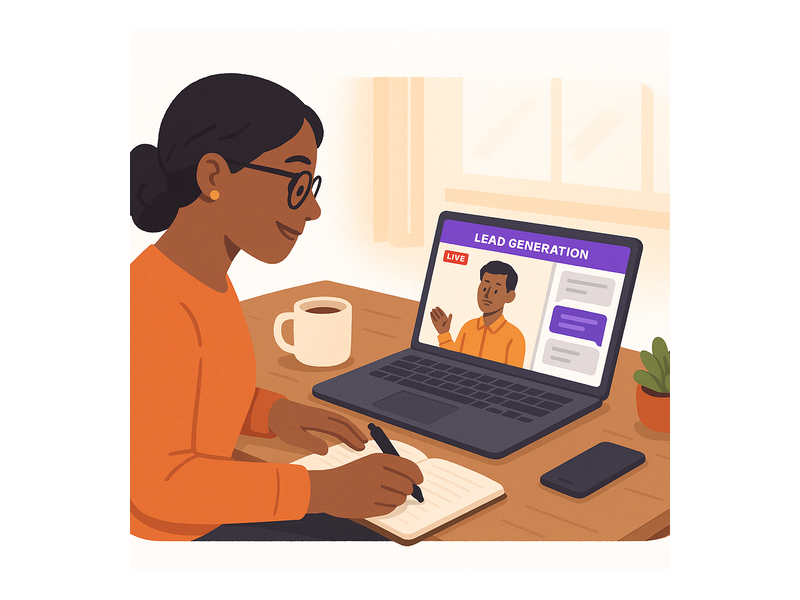
marketer running a lead generation webinar live

Lead Generation Webinar Promotion: How to Fill Your Registration Page

A lead generation webinar is only as valuable as the number of registrants it attracts. Therefore, you need a multi-channel promotion plan that fills seats before your broadcast begins. Specifically, use these channels to drive registrations to your Pageinar page.

  • Email campaigns: Send a save-the-date email two weeks before the event, a value-focused teaser email one week out, and a final reminder the day before. Include your Pageinar registration URL prominently in every message.
  • LinkedIn posts: Share the webinar topic, date, and registration link as an organic post and a targeted sponsored update aimed at your ideal customer profile.
  • Partner promotion: If you work with complementary brands or industry partners, ask them to share the registration link with their audiences. A single partner email can double your registration count overnight.
  • Paid ads: Run short-duration lead-gen campaigns on LinkedIn or Facebook pointing directly to your Pageinar registration page. A benefit-focused ad headline with a clear value proposition dramatically increases click-through rates.
  • CRM sequences: Add your lead generation webinar registration link into existing nurture sequences for prospects already in your pipeline. Warm leads are the most likely segment to register, attend, and convert.

Measuring Results from Your Lead Generation Webinar

Every lead generation webinar you run should be measured carefully so you can improve the next one. Specifically, track five key metrics: registration count, attendance rate (registrants who showed up live), average watch time, number of chat interactions during the session, and post-webinar opt-in or conversion rate.

Moreover, compare the conversion rate of live attendees against replay viewers to determine which format drives higher-quality leads for your business. Additionally, analyse which registration sources – email, LinkedIn, paid, organic – sent the highest-converting registrants, so you can allocate your promotional budget more effectively for future events. As a result, each lead generation webinar you run becomes more efficient than the last, compounding your returns over time.

Start Hosting Lead Generation Webinars with Pageinar

A lead generation webinar is one of the most effective investments a marketing or sales team can make. In fact, a single well-promoted webinar can generate hundreds of qualified leads in under an hour. Furthermore, with Pageinar, the entire process – from registration page through live broadcast to lead export – happens on one hosted platform with zero technical complexity and no per-attendee download requirement.

To learn more about the platform and see how other businesses are using it, read about the Pageinar webinar platform and explore the features that make it the fastest way to go live online. Ready to run your first lead generation webinar? Visit pageinar.com today and start building your lead list from your very next live session.

Sales Webinar Software: Close More Deals Live

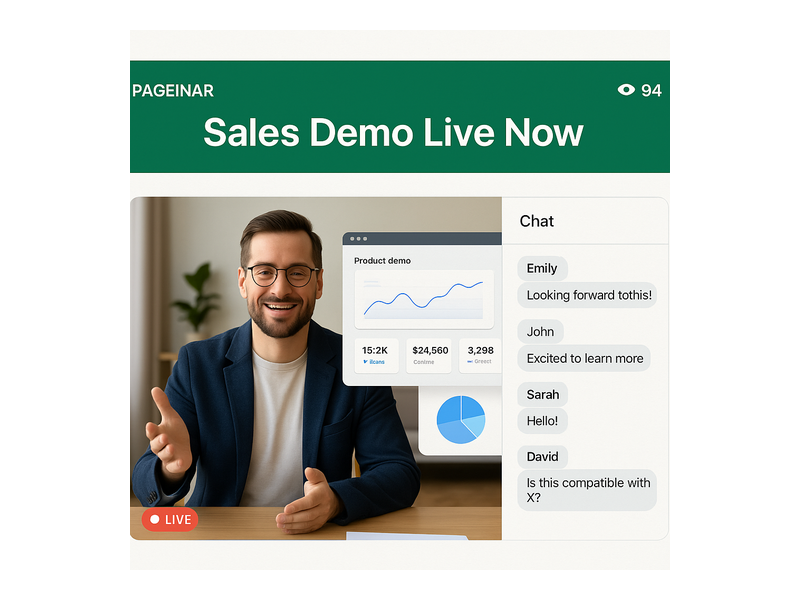
Sales webinar software has transformed the way modern sales teams pitch, demonstrate, and close deals. Instead of flying to client sites or scheduling dozens of individual calls, your team can broadcast a live product demo to hundreds of qualified prospects at once – all from a browser tab. However, most webinar platforms are too complex, too expensive, or require attendees to download an application. Pageinar is sales webinar software built around simplicity: your broadcast runs on a fully hosted landing page that prospects open with one click, with no plugin or installation on either side.

sales webinar software broadcast page on Pageinar

Why Sales Teams Are Turning to Sales Webinar Software

The business case for sales webinar software is compelling. First, webinars let a single presenter reach dozens or hundreds of prospects simultaneously, multiplying the output of every sales hour. Second, live demonstrations build trust far faster than slide decks or email pitches because prospects can see the product in action and ask questions in real time. Third, the registration process captures structured lead data – name, company, email, and phone – before the first word of your presentation is delivered.

Moreover, according to web conferencing research, live online events consistently outperform pre-recorded content for audience engagement and conversion. In fact, because attendees register and show up at a specific time, their intent level is significantly higher than a cold email recipient. In other words, sales webinar software gives your team access to a self-selected, high-intent audience at scale – something no email campaign can replicate.

Furthermore, every session you record becomes a piece of on-demand content. Pageinar logs every broadcast automatically in the Broadcast Recordings section of your Settings panel, including its duration. Therefore, a single live session continues generating qualified interest for weeks after the event ends, extending the ROI of every hour your team invests in hosting.

How Sales Webinar Software Works on Pageinar

Pageinar is sales webinar software that delivers your broadcast on a fully hosted landing page. Therefore, no attendee ever downloads anything – they click your page URL and your live video appears instantly. Here is exactly how the platform works from the host’s perspective.

First, you log in at pageinar.com using your Google account. Your broadcast page is ready and customisable within seconds. Second, you edit the page header: upload a branded cover image, set your logo as the avatar, write a compelling webinar title, and add a short description of what attendees will gain. Third, you use the mode toggle in the top-right corner to switch between Registration Mode and Broadcasting Mode.

In Registration Mode, prospects see a professional sign-up form where they enter their contact details before the event begins. In Broadcasting Mode, they see your live video feed, the integrated chat panel, a viewer count badge, and a red LIVE indicator confirming the session is active. Ideally, you activate Registration Mode one to two weeks before the event. Then at broadcast time, you switch to Broadcasting Mode and click Start Broadcast. Together, these two modes cover the complete sales webinar software lifecycle – from pre-event lead capture to live deal-closing delivery.

Key Features That Make Pageinar Effective Sales Webinar Software

Not all sales webinar software is built the same. The right platform must combine live broadcasting, audience engagement, and lead management in one seamless experience. Below are the features that matter most for sales teams using Pageinar.

Zero-Friction Attendee Access

Every extra step between your prospect and your sales webinar costs you attendees. Pageinar removes all of them. Specifically, attendees join by clicking a URL – there is no app to download, no account to create, and no browser extension to install. Furthermore, the page works on any device: desktop, tablet, or mobile. As a result, your no-show rate drops because registrants face zero technical barriers on event day.

Integrated Live Chat for Real-Time Q&A

Live chat is one of the most powerful features of effective sales webinar software. Pageinar includes a built-in group chat panel on every broadcast page, with multiple visual themes, a dedicated admin account for moderation, and an offline message for when you are not live. Moreover, your team can handle objections in real time as prospects raise them in the chat. As a result, prospects who might have dropped off during a passive recorded demo stay engaged and receive immediate answers that drive buying confidence before your CTA even lands.

Lead Collection and Registration Management

Sales webinar software must capture lead data efficiently and without friction. Pageinar’s Registration Settings let you collect any combination of fields – First Name, Last Name, Company, Email, Phone, and custom fields you define. Additionally, every registrant appears in the Registered List inside Settings, searchable and exportable as a CSV at any time. Therefore, your CRM receives a structured, clean lead list after every event with no manual data entry required.

sales webinar software lead generation workflow diagram

Setting Up Your Sales Webinar on Pageinar: Step by Step

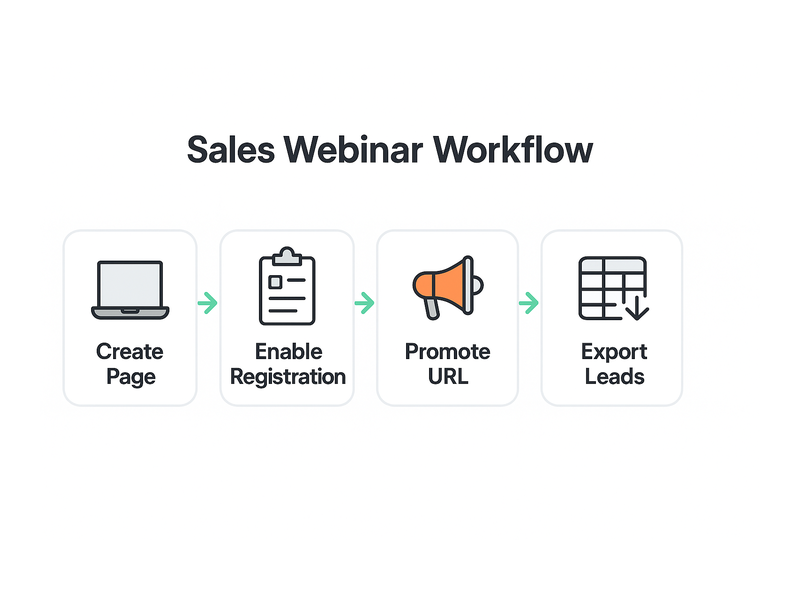
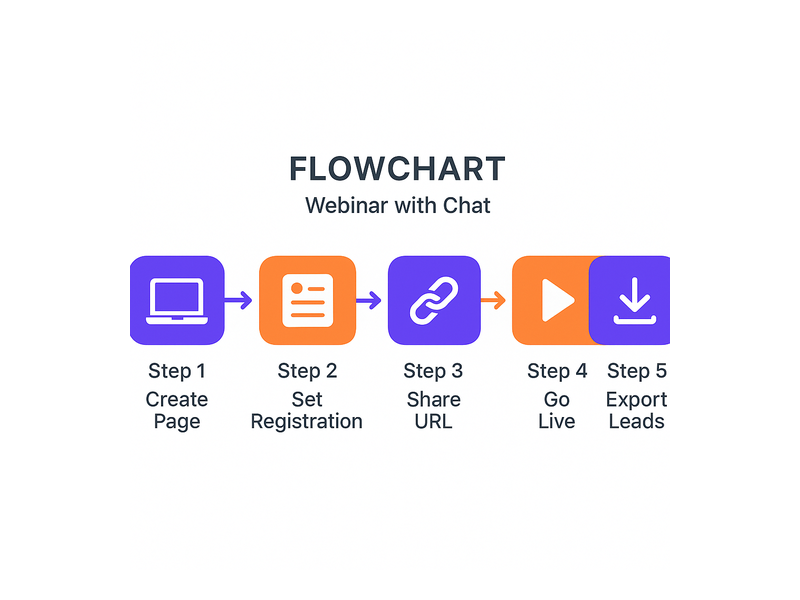
Getting started with sales webinar software on Pageinar takes less than ten minutes. Follow these five steps to launch your first live demo event.

  • Step 1 – Design your page: Upload a cover image that reflects your brand or the webinar topic. Set your logo as the avatar. Write a title that states the value clearly, such as “Live Demo: See How We Cut Onboarding Time by 60%”.
  • Step 2 – Configure Registration Settings: Enable the lead fields you need, set the event date and time, activate the countdown timer, and write a welcome message that builds anticipation and explains what attendees will learn.
  • Step 3 – Promote your page URL: Share your Pageinar registration link via email campaigns, LinkedIn, paid ads, or your CRM sequences. Prospects register in under thirty seconds directly on the page.
  • Step 4 – Switch to Broadcasting Mode and go live: On event day, toggle to Broadcasting Mode and click Start Broadcast. Your live video appears instantly to every visitor on the page – no delay, no waiting room.
  • Step 5 – Export leads and follow up: After the session, open Registered List in Settings, export the CSV, and import it into your CRM for targeted follow-up sequences. Your leads are warm, structured, and ready for outreach.

Sales Webinar Software Best Practices for Closing More Deals

Sales webinar software only delivers results when you run each session strategically. Therefore, apply these proven tactics to every broadcast you host.

First, start precisely on time. Prospects who register and then wait for a delayed broadcast lose confidence before you say a single word. Second, open with a bold value statement: tell attendees within the first two minutes exactly what problem you solve and who benefits most from the solution. Third, spend the majority of your session on a live product demonstration rather than promotional slides. Prospects need to see the solution working in real time to fully believe in it and commit to buying.

Additionally, reserve fifteen minutes at the end for live Q&A. Handling objections in front of the entire audience reassures every viewer simultaneously – not just the person who asked the question. Furthermore, end with a clear and specific call to action, whether that is a free trial offer, a one-click demo booking link, or a limited-time discount. In short, the final five minutes of your sales webinar software session often determine whether the pipeline advances or stalls.

For more tactics on running high-impact live events and engaging your audience, read about the Pageinar webinar platform and discover how leading brands use it to reach thousands of prospects each month.

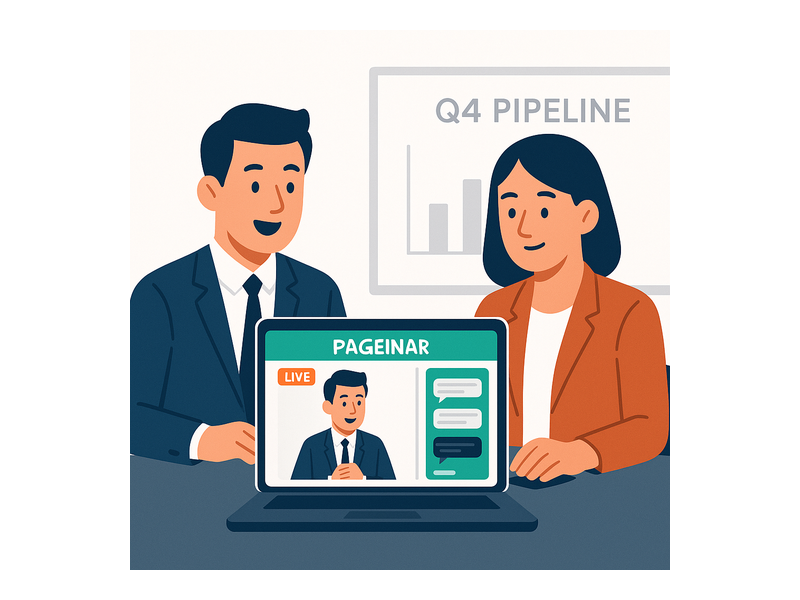
sales team running a live demo with sales webinar software

Measuring the ROI of Your Sales Webinar Software

Every sales webinar software session should be measured carefully after it ends. Specifically, track four core metrics: the registration-to-attendance rate, average session watch time, number of chat messages per session, and post-webinar conversion rate. Moreover, compare the close rate of prospects who attended a live webinar against those who only received email outreach. In most B2B environments, live webinar attendees convert at two to three times the rate of email-only contacts – a difference that directly justifies the investment in running regular sessions.

Pageinar surfaces the data you need to make this comparison efficiently. The Registered List tracks every sign-up with full contact details. The Broadcast Recordings panel logs each session’s duration. Together, these reports show which webinar formats and topics produce the highest close rates. As a result, your sales webinar software performance improves over time as you apply what each session teaches you about your audience.

Start Using Sales Webinar Software with Pageinar Today

Sales webinar software is no longer a tool reserved for enterprise marketing teams with large budgets and technical staff. Pageinar makes live broadcasting accessible to any sales professional who wants to demo, engage, and close more efficiently. In fact, you can go from signup to live broadcast in under five minutes. Additionally, your prospects can join from any device without downloading anything, so your reach is not limited by technical friction on either side.

Explore the Pageinar Knowledge Base for step-by-step guides on every feature – from setting up your registration page to customising your chat theme and exporting your lead list. Then visit pageinar.com to create your broadcast page and run your first sales webinar. Your next high-intent, pipeline-ready prospect is one live session away.

Product Demo Webinar: How to Win More Customers Live

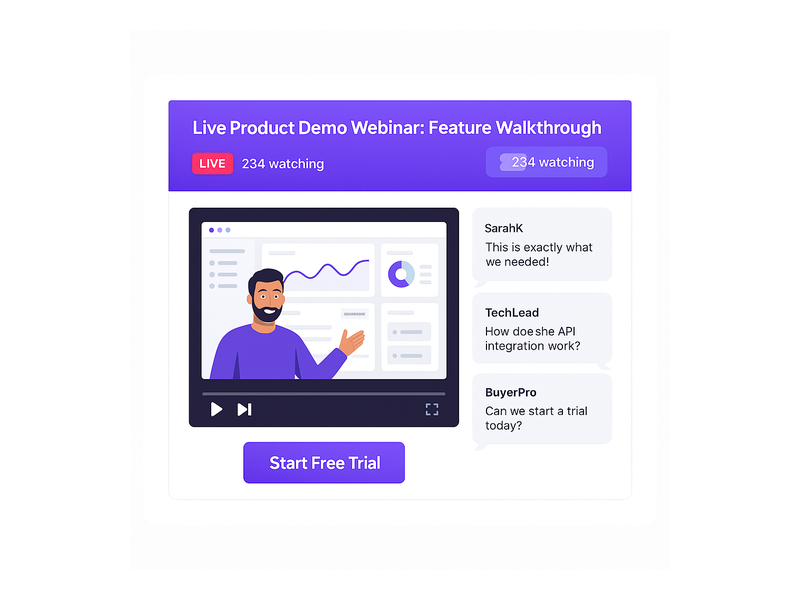
A product demo webinar is one of the most powerful tools a B2B team can use to accelerate the sales cycle. Prospects see your product solve their exact problem in real time. Moreover, they can ask questions, get instant answers, and feel confident before they commit to a purchase. With Pageinar, hosting a professional product demo webinar requires no code, no downloads, and no complicated setup – just a URL your audience clicks to join the live session.

Pageinar webinar landing page illustration 1

What Is a Product Demo Webinar?

A product demo webinar is a live online event where a host walks an audience through a product’s features, workflows, and benefits. Furthermore, it combines screen sharing, live group chat, and real-time Q&A to create a highly interactive sales experience. As a result, a product demo webinar consistently outperforms static videos, PDFs, and cold email campaigns because it feels personal and immediate.

For example, a SaaS company might run a weekly product demo webinar for free trial users who want to see the product in action before upgrading. Additionally, enterprise teams use product demo webinars to walk multiple stakeholders through a complex workflow simultaneously – reducing the number of individual sales calls required. In fact, the live format creates a sense of urgency and social proof that pre-recorded demos simply cannot replicate.

Product Demo Webinar vs. Standard Webinar

A standard webinar typically focuses on education – sharing industry insights, best practices, or thought leadership content. However, a product demo webinar centers entirely on showing your product solving a specific customer problem. In other words, attendees join a product demo webinar ready to evaluate your solution, not just to learn. Therefore, your messaging, structure, and CTA should be calibrated for a buying audience rather than a learning audience.

Why Product Demo Webinars Drive Higher Conversions

Hosting a product demo webinar dramatically shortens the sales cycle for several reasons. First, prospects see your solution in action rather than reading a feature list or watching a polished sales deck. Second, the live format creates urgency that asynchronous content cannot match. Third, attendees who ask questions during the demo are already self-qualifying as serious buyers – a signal your sales team can act on immediately after the session.

According to ON24’s Webinar Benchmarks Report, webinars generate some of the highest engagement rates of any B2B marketing channel. Additionally, a product demo webinar typically attracts a more motivated audience – people who registered specifically because they want to see the product perform. In short, your product demo webinar audience is pre-qualified by the very act of signing up.

Moreover, product demo webinars create evergreen content assets. After the broadcast ends, you can repurpose the recording as a gated download, a nurture email attachment, or a sales enablement resource for your team. In fact, one live product demo webinar session can generate three to five additional high-value content pieces with minimal extra effort.

Pageinar webinar landing page illustration 2

How to Set Up a Product Demo Webinar on Pageinar

Setting up a product demo webinar on Pageinar’s instant broadcast platform takes only a few minutes. Ideally, you should configure your page at least 48 hours before the event. This lead time lets you promote the session, drive registrations, and collect early lead data from your audience.

Step 1 – Create Your Broadcast Page

First, visit pageinar.com and sign in with your Google account. After logging in, you land on your main broadcast landing page. Here, you can customize the cover image, upload your brand avatar, and set a compelling event title such as “Live Product Demo: See It Work in Real Time.” Additionally, write a clear event description that explains exactly what attendees will learn and see during the product demo webinar. A specific, benefit-driven description consistently improves registration rates.

Step 2 – Activate Registration Mode

Furthermore, toggle your page to Registration Mode using the switch in the top-right corner of your Pageinar page. This activates a fully customizable registration form so you can collect attendee details before the product demo webinar begins. You can set the background color, add a personalized welcome message, configure the event date and time, and enable a countdown timer to build anticipation among registered attendees.

Step 3 – Configure Lead Collection Fields

In Settings → Registration Settings, toggle the lead fields that matter most for your sales follow-up process. For a product demo webinar, collecting Company Name and Job Title is especially valuable – it allows your sales team to prioritize outreach by deal size and seniority. Therefore, enable the Company field and any custom fields alongside the default First Name, Last Name, and Email fields. For a deeper walkthrough of this feature, see the Pageinar knowledge base guide on how to collect leads before your broadcasting event.

Step 4 – Launch Your Live Broadcast

When the event time arrives, switch your Pageinar page to Broadcasting Mode and click Start Broadcast. As a result, every registered attendee who opens your page URL will see the live product demo webinar stream begin instantly in their browser. In fact, there is nothing for viewers to download or install – the entire experience runs on a single hosted page that you share as a link.

Best Practices for an Effective Product Demo Webinar

Running a successful product demo webinar requires careful preparation beyond the technology setup. Here are the most important practices that consistently improve both engagement and post-session conversion rates for B2B teams.

Keep the Demo Focused on One Core Use Case

A common mistake when running a product demo webinar is trying to cover every feature in a single session. However, showing too much overwhelms prospects and blurs your core value proposition. Instead, focus your product demo webinar entirely on one specific pain point. For example, if you are demoing a CRM tool, dedicate the full session to the pipeline management workflow rather than jumping between reporting, email automation, and integrations. In other words, depth always beats breadth in a live product demo webinar.

Open With the Problem, Not the Product

Additionally, begin your product demo webinar with a 3- to 5-minute framing of the exact problem your audience faces before showing any product features. This technique creates emotional investment and demonstrates empathy before your solution ever appears on screen. As a result, prospects feel understood – and an understood prospect is far more receptive to your product demo than one who feels they are watching a sales pitch from the first slide.

Use the Live Chat Panel as a Conversion Tool

Furthermore, Pageinar’s integrated group chat panel is one of the most powerful conversion levers available during a product demo webinar. Encourage attendees to share their current workflow challenges, ask questions, and react to each feature you demonstrate. In addition, reading selected chat messages aloud mid-session makes the event feel collaborative and shows that you are genuinely responding to what the audience says. Together, these chat interactions build trust rapidly and create visible social proof for less engaged attendees who are still evaluating.

Close Every Session With a Time-Sensitive CTA

Finally, always end your product demo webinar with a specific and time-limited call to action that reduces friction to the next step. For example: “Sign up today and get your first month free” or “Book a personalized 1-on-1 follow-up call this week.” Moreover, post the CTA link directly in the Pageinar chat panel at the close of the session so attendees can click it without navigating away from the broadcast page.

Pageinar webinar landing page illustration 3

Lead Generation With Your Product Demo Webinar

One of the biggest advantages of using Pageinar for a product demo webinar is the fully integrated lead collection system built into the platform. In fact, every attendee who registers for your product demo webinar is automatically stored in the Registered List panel inside your settings dashboard. Therefore, you do not need a separate CRM integration or third-party lead capture tool to begin building your prospect database from each event.

Viewing and Exporting Your Attendee List

After your product demo webinar concludes, navigate to Settings → Registered List to view a complete table of every attendee’s name, company, email address, phone number, and registration date. Additionally, you can search and filter the list directly in the panel and export it for your CRM or hand it to your sales team for same-day follow-up outreach. In short, your leads are ready to act on the moment your product demo webinar ends.

Identifying and Prioritizing Warm Leads

Moreover, attendees who participated actively in the chat during your product demo webinar are almost always your warmest leads. Therefore, your sales team should specifically prioritize follow-up with those who asked feature questions or responded to prompts during the live session – these signals indicate high purchase intent. In addition, the Broadcast Recordings feature in Pageinar lets you review the full session after the event and identify the exact moments that generated the highest chat volume, so you can replicate those engagement spikes in future sessions.

Measuring Product Demo Webinar Success

After each product demo webinar, reviewing the right performance metrics helps you improve future sessions and build a data-driven production cadence. Here are the three key indicators that B2B teams track most closely.

Attendance Rate

First, compare the number of registered attendees against your actual live viewer count. A healthy attendance rate for a product demo webinar typically falls between 40% and 55%. Furthermore, if your attendance rate drops below 30%, the most common cause is a long gap between the registration date and the event date. Consider scheduling your next product demo webinar within five to seven days of the registration window to maintain momentum.

Chat Engagement Rate

Second, review the full chat transcript from your Pageinar broadcast session. Specifically, count the total messages sent, the number of distinct questions asked, and the percentage of viewers who typed at least one message during the product demo webinar. In short, a chat engagement rate above 30% is a strong indicator that the session drove genuine interest and that post-event follow-up will be well received.

Post-Webinar Conversion Rate

Third – and most critically – track how many product demo webinar attendees converted to paying customers or booked a follow-up discovery call within seven days of the session. As a result, you can calculate a clear ROI for each event and make a data-backed case for increasing your product demo webinar production frequency. Ideally, aim for a conversion rate of 10% to 20% from attendee to qualified follow-up within that first week.

Why Pageinar Is the Ideal Platform for a Product Demo Webinar

Pageinar removes every technical barrier from the product demo webinar experience – for both the host and the audience. First, there is no software for your viewers to download or install; they simply open your broadcast link in any browser and the live session begins. Second, the built-in chat panel and lead registration system mean you do not need to stitch together multiple tools for a single product demo webinar event. Third, all recordings are stored automatically in the Broadcast Recordings panel after each session, ready to download, share, or repurpose.

Additionally, Pageinar’s social link integration lets you connect your Facebook, Instagram, Twitter, YouTube, and Twitch profiles directly to your broadcast page. Therefore, attendees who enjoyed your product demo webinar can follow you across channels for ongoing content. In fact, this cross-platform visibility is a proven strategy for nurturing leads who are still in the evaluation phase and not ready to convert immediately after the first session.

To explore how Pageinar’s broadcast capabilities compare to traditional webinar tools, read our post on Unlock the Power of Seamless Webinars with Pageinar: Welcome to a New Era of Online Engagement! and see how teams are already using the platform to drive results.

Start Your Product Demo Webinar Today

A product demo webinar is the fastest path from a curious prospect to a paying customer. Therefore, stop relying on static slide decks, follow-up email sequences, and one-on-one screen-share calls that do not scale. Go live, answer real objections in real time, and close more deals with significantly less friction. Visit pageinar.com today, create your free broadcast page in minutes, and host your first product demo webinar with no plugins, no code, and no complexity standing between you and your next customer.

Benefits of Pageinar and Why It Should Be Your Top Webinar Platform Choice

In the dynamic landscape of virtual communication, webinars have emerged as indispensable tools for engagement and knowledge dissemination. As businesses and educators increasingly harness the power of webinars, choosing the right webinar platform becomes pivotal. 

This blog explores the multifaceted advantages of Pageinar, a new webinar platform redefining the experience for hosts and participants alike.

The Power of Having Your Own Landing Page

In the vast realm of the internet, a dedicated landing page for webinars stands as a strategic cornerstone. Pageinar recognizes this, offering users the power to carve out their unique digital space. The ability to brand and customize landing pages not only enhances visual appeal but also provides SEO advantages. A branded landing page becomes an extension of your identity, offering a seamless experience for participants and increasing overall visibility.

Unparalleled Customization with Pageinar

Pageinar takes customization to new heights. The platform understands that a one-size-fits-all approach doesn’t resonate with diverse brands and content. Users can tailor every aspect of their webinar-from color schemes to fonts-to align with their unique brand identity. This level of personalization not only fosters brand consistency but also significantly augments user experience, leading to increased engagement.

Multitasking Made Easy with Picture-in-Picture

One of Pageinar’s standout features is the innovative Picture-in-Picture mode, reshaping how participants interact with content. In a world where attention spans are fleeting, the ability to multitask during a webinar is a game-changer. Pageinar’s Picture-in-Picture function allows users to engage in side discussions, take notes, or refer to additional material-all while still being part of the primary webinar. This not only enhances user experience but also boosts overall engagement.

Why Picture-in-Picture Matters in a Webinar Platform:

  1. Uncommon in Webinar Platforms: Traditional webinar platforms often lack the sophistication of Picture-in-Picture functionality. Pageinar breaks away from the norm, acknowledging that participants may need to take notes, refer to supplementary materials, or engage in side discussions without missing out on the primary content. This uncommon feature significantly enhances the practicality of webinars.
  2. Enhancing User Engagement: In a world where attention spans are at a premium, engaging participants is a challenge. Picture-in-Picture addresses this challenge by allowing users to stay connected to the core content while performing additional tasks. This not only keeps participants invested but also ensures that the webinar remains a dynamic and interactive experience.
  3. Empowering Participants: PiP empowers participants to tailor their webinar experience to their unique needs. Whether it’s referring to additional resources, taking notes, or participating in parallel discussions, users can exercise control over their engagement. This customization fosters a sense of autonomy, contributing to a more positive and impactful webinar experience.

Pageinar vs. Other Platforms

Comparatively, Pageinar’s Picture-in-Picture feature stands out as a webinar tool. Many conventional platforms lack this level of flexibility, often requiring users to choose between engaging with the primary content or diverting attention to other tasks. Pageinar’s commitment to addressing this limitation positions it as a frontrunner in the webinar platform landscape.

Future Implications as a Webinar Platform

As the digital landscape evolves, multitasking during webinars is likely to become an increasingly valued feature. The current work and learning environments demand tools that accommodate diverse needs, and picture-in-picture aligns with this trajectory. Pageinar’s foresight in integrating such features not only meets the current demand but also positions it as a future-ready platform, anticipating and adapting to evolving user requirements.

To use the feature, all you need is to sign up. No need to embed or integrate it to an existing website or application. It’s a standalone webinar platform that also acts as a landing page. Just sign up and you’re ready to go.

Seamless Design and User-Friendly Interface

webinar platform

Pageinar recognizes that a webinar platform is not an isolated tool but part of a larger ecosystem. Setting up a webinar should be intuitive, and Pageinar delivers on this front. Its user-friendly interface ensures that hosts and participants can navigate effortlessly, making the entire process from setup to participation smooth and hassle-free.

With its chat room, hosts and participants can speak simultaneously. There’s also an array of chat types that hosts can choose from. They can choose what’s best for their audience and the webinar topic they’re discussing.

Real-life success stories of Pageinar as a webinar platform

The true test for any webinar platform lies in the success stories of its users. Pageinar boasts a repertoire of case studies and testimonials from users who have experienced tangible benefits.

For instance, in this case study, Jonas, an entrepreneur, found Pageinar very helpful. As he was on the lookout for a webinar platform to use, he found Pageinar.

Now, he’s using it to teach his audience about increasing the revenue of their businesses. He has seen a whopping 20% increase in audience participation compared to other webinar platforms.

Comparative analysis

webinar platform

In a crowded market, Pageinar stands out. A comparative analysis with other popular webinar platforms illuminates the unique features that distinguish Pageinar. Whether considering pricing, user reviews, or overall user experience, Pageinar consistently emerges as a top contender.

Even as a new webinar platform, Pageinar can face with other platforms already established in the market. With features like Picture-in-Picture, it has presents an advantage over its competitors because of the ability to multitask while there’s an ongoing webinar.

This is a game-changer for most audience since they can listen and watch the webinar even while they’re doing other tasks.

Addressing security concerns

As the digital landscape evolves, so do concerns about data security and privacy. Pageinar understands the paramount importance of safeguarding user data. The platform is designed with robust security measures, ensuring compliance with privacy regulations and employing encryption protocols to protect sensitive information. Users can engage with confidence, knowing that their data is secure.

The Future of Webinars with Pageinar

pageinar webinar platform

Pageinar doesn’t rest on its laurels. The platform is forward-looking, anticipating the needs of users in a rapidly evolving digital landscape. This section explores potential future updates and features, emphasizing Pageinar’s commitment to adapting to changing technology and user requirements. Choosing Pageinar isn’t just a decision for today; it’s an investment in the future of webinar technology.

Why choose Pageinar as your webinar platform

pageinar webinar platform

Pageinar emerges as a frontrunner in the competitive field of webinar platforms. Its emphasis on a customizable landing page, unparalleled user customization, innovative multitasking features, seamless integration, and robust security measures make it a comprehensive solution for diverse needs.

As businesses and educators seek a platform that not only meets but exceeds their expectations, Pageinar stands tall as a top choice, offering a holistic and engaging webinar experience. Consider Pageinar as your preferred webinar platform and elevate your virtual communication endeavors.

Simple Instant Webinar Platform With Chat: Full Guide

A simple instant webinar platform with chat is the fastest way to host professional live events without complex setup or technical barriers. No downloads, no plugins, and no lengthy configuration stand between you and your audience. Pageinar delivers exactly that experience. Solo entrepreneurs, marketing teams, and large enterprises all rely on it to go live quickly. In fact, web conferencing technology is now one of the most effective channels for global audience engagement. Therefore, choosing the right simple instant webinar platform with chat is a highly valuable investment for any business today.

Pageinar webinar landing page illustration 1

Why Your Business Needs a Simple Instant Webinar Platform With Chat

Running a webinar used to require expensive software, complicated installations, and hours of technical setup. However, today’s audiences expect seamless, frictionless digital experiences at every touchpoint. Additionally, hosts want to focus on their content and their audience – not troubleshoot broken integrations. A simple instant webinar platform with chat removes all those barriers instantly. Moreover, it gives attendees an effortless entry point: they simply click a shared link and join the live event. For example, with Pageinar, viewers never install anything at all. They open the broadcast page URL and watch from any device or browser without delay.

Furthermore, the integrated chat feature creates genuine real-time dialogue between host and audience. As a result, engagement rates climb, questions get answered instantly, and attendees feel truly connected. In short, the combination of instant setup and live chat is what separates modern platforms from outdated legacy systems. Therefore, businesses that adopt a simple instant webinar platform with chat gain a clear competitive advantage. First, they save hours on technical setup. Second, they reduce friction for every attendee. Third, they capture more leads through built-in registration forms. Finally, they build stronger communities through interactive real-time chat.

Core Features of a Simple Instant Webinar Platform With Chat

Zero Installation, Instant Access for Every Attendee

One of the most powerful features of a simple instant webinar platform with chat is the zero-installation model. Attendees never download software, browser extensions, or plugins of any kind. Instead, they access everything through a single shared URL. Pageinar hosts the entire broadcast on a dedicated landing page in the cloud. The host shares that URL, and viewers join instantly from any device – laptop, tablet, or smartphone. Moreover, the host side is equally streamlined: sign in via Google, customize the page, and go live. Additionally, there are no server configurations or API keys to manage at any stage. As a result, even non-technical users launch their first webinar within minutes of creating a Pageinar account.

Built-In Live Chat for Real-Time Audience Engagement

A simple instant webinar platform with chat must have a robust, real-time messaging system built directly in. Pageinar includes a full-featured group chat panel on the broadcast landing page. Therefore, hosts and attendees interact without switching tabs, opening new windows, or using separate apps. Furthermore, the chat supports powerful moderation tools. Admins can manage messages, apply custom visual themes, and control speaker visibility throughout the event. For example, hosts spotlight key audience comments or mute disruptive participants with a single click. Additionally, the chat panel displays both viewer and speaker names, creating a genuine sense of live community. In other words, the chat is not just a text box – it is a complete engagement engine built into the platform.

Fully Customizable Broadcast Landing Pages

A simple instant webinar platform with chat should also let hosts brand their entire experience without writing a single line of code. Pageinar gives every user a fully editable broadcast landing page that requires zero technical setup. For example, hosts upload a custom cover image, set an avatar, and write a compelling event title. They also add a detailed description tailored to their audience. Moreover, they toggle between Registration Mode and Broadcasting Mode using a single switch at the top-right of the page. In Registration Mode, the page collects attendee contact details before the event. In Broadcasting Mode, it streams the live video. As a result, one page serves both as a marketing funnel and a live broadcast stage.

Lead Collection and Custom Registration Forms

Additionally, a simple instant webinar platform with chat should support native lead generation without any third-party tools. Pageinar’s Registration Settings panel lets hosts build fully custom lead collection forms in minutes. Therefore, they collect first name, last name, company name, phone number, and additional custom fields for their audience. Furthermore, hosts set the exact event date and time, add a live countdown timer, and configure a personalized welcome message. In other words, the registration page functions as a high-converting mini landing page for sign-ups. Better still, all collected leads appear in the Registered List panel. Hosts search, view, and export contact data at any time – even weeks after the event ends.

Pageinar webinar landing page illustration 2

How to Get Started With Your Simple Instant Webinar Platform With Chat

Getting started with a simple instant webinar platform with chat on Pageinar takes just minutes. First, visit pageinar.com and sign in with your Google account. No separate email and password signup is needed. Second, you land immediately on your personal broadcast page, ready to use right away. Third, customize the page by uploading a cover image, entering your event title, and writing an engaging description. Fourth, open Registration Settings and configure your lead form fields along with the event date and time. Fifth, share the broadcast page URL with your audience through email, social media, or any channel you use. Finally, when event time arrives, toggle to Broadcasting Mode and click Start Broadcast to go live.

Moreover, you never need to configure external chat tools or third-party messaging integrations. The group chat panel appears on your broadcast page automatically from day one. Additionally, access Chat Settings from the gear icon to apply a custom theme, assign a dedicated chat admin, and set an offline message for early visitors. Therefore, the complete setup – from first login to going live – happens entirely within one streamlined platform. For detailed step-by-step guidance on every feature, visit the Pageinar Knowledge Base, which covers everything in plain, beginner-friendly language.

Use Cases: Who Benefits Most From a Simple Instant Webinar Platform With Chat

A simple instant webinar platform with chat serves a remarkably wide range of industries and professional roles. For example, marketing teams run product launch events and use the built-in registration form to generate qualified leads. Additionally, educators host live training sessions, interactive masterclasses, and Q&A webinars for students and working professionals. Furthermore, HR departments rely on webinars for employee onboarding sessions, company-wide announcements, and all-hands meetings. In other words, any team that needs to reach a live audience can benefit enormously from this type of platform. Together, these use cases explain why a simple instant webinar platform with chat has become essential infrastructure for modern organizations of every size.

First, consider enterprise sales teams. They use webinars to deliver interactive product demos and answer buyer questions live, shortening sales cycles significantly. Therefore, integrated chat is essential – it lets prospects ask questions without interrupting the main presentation. Second, consider nonprofits hosting virtual fundraisers for dispersed supporters. Moreover, the built-in registration form helps them track attendance and follow up with donors systematically. Third, consider independent content creators who build loyal audiences by hosting weekly live sessions. As a result, a simple instant webinar platform with chat becomes their primary community-building hub. Finally, professional event organizers replace costly in-person seminars with fully digital, interactive experiences that reach global audiences at a fraction of the cost.

Pageinar: The Simple Instant Webinar Platform With Chat Built for Modern Teams

Many webinar solutions require lengthy onboarding, expensive subscription tiers, and dedicated IT support to run. However, a simple instant webinar platform with chat like Pageinar takes a fundamentally different approach. Additionally, Pageinar is trusted by leading organizations including Nasdaq, Wix, HP, and Sony Music. This demonstrates that simplicity never means compromise on quality or reliability. Therefore, with Pageinar, you get enterprise-level broadcasting power with consumer-grade ease of use. Everything is delivered through one beautifully hosted platform that anyone can master in minutes. Ideally, that is the standard every modern webinar tool should meet.

Furthermore, the hosted landing page model means there is nothing to install on your server or on any attendee’s device. In short, the entire platform lives securely in the cloud and updates automatically. As a result, you never deal with version compatibility issues, maintenance windows, or plugin conflicts again. Moreover, broadcast recordings are stored and accessible from the Broadcast Recordings settings panel at any time. For more context on what makes the platform exceptional, read: Unlock the Power of Seamless Webinars with Pageinar: Welcome to a New Era of Online Engagement!

Pageinar webinar landing page illustration 3

Best Practices for Running a Successful Webinar on Your Platform

Using a simple instant webinar platform with chat effectively requires a few proven best practices. First, set up your registration page at least one full week before the scheduled event. Therefore, your audience has time to register, share the invitation, and add the event to their calendars. Second, configure all chat settings thoroughly before going live. Moreover, assign a dedicated chat admin who can moderate messages and highlight important audience questions throughout the broadcast. Third, promote the broadcast page URL across all your active marketing channels. Additionally, use Pageinar’s Social Links settings to add your Facebook, Instagram, Twitter, YouTube, and Twitch handles directly to the broadcast page header.

Furthermore, always prepare for technical contingencies by running a short private test broadcast at least 24 hours before your public event. Also, configure a welcoming offline message in Chat Settings so early-arriving attendees feel acknowledged before the broadcast starts. Additionally, keep your registration form fields focused – collect only the information you will actually use for follow-up. Finally, export your complete registered leads list immediately after the event using the Registered List export feature. In other words, disciplined preparation is what separates consistently successful webinar hosts from those who leave valuable engagement opportunities on the table. Therefore, invest the time before the event to ensure a smooth, professional experience for every attendee.

Start Using a Simple Instant Webinar Platform With Chat Today

A simple instant webinar platform with chat is no longer a luxury for enterprises with large technology budgets. It is now essential infrastructure for any business that wants to engage audiences effectively online. Moreover, the technology has become so accessible and affordable that there is simply no reason to use complicated legacy solutions. Therefore, now is the ideal time to explore Pageinar and start broadcasting with confidence. Additionally, getting started is completely free – the free plan lets you launch your first webinar immediately, with no credit card required and no technical expertise needed.

Visit Pageinar – the simple instant webinar platform with chat today and launch your first live event in minutes. In short, everything you need to run professional, engaging, lead-generating webinars is already available and waiting for you. As a result, your next successful live event could be just a few minutes of setup away. Start today and experience firsthand why thousands of hosts around the world choose Pageinar as their go-to platform for professional live events with integrated chat.

Webinar with Chat: How to Boost Audience Engagement

Running a webinar with chat is one of the most powerful strategies available to B2B marketers today for keeping online audiences engaged, generating qualified leads, and building lasting business relationships — all without requiring your viewers to install a single plugin or download any software. Whether you are hosting a live product demo, a customer training session, or an interactive Q&A panel, combining broadcast video with real-time audience chat transforms a passive viewing experience into a dynamic two-way conversation. In this guide, we explore why every modern online event should include a webinar with chat, and how Pageinar’s instant broadcast landing page platform makes the entire process refreshingly simple.

Pageinar webinar landing page illustration 1

Why a Webinar with Chat Changes the Online Event Experience

Traditional webinars were largely one-directional. A speaker presented slides, attendees listened passively, and the only feedback loop was a post-event survey that most people ignored. Today, however, audiences expect to participate. They want to ask questions in real time, react to content as it unfolds, and feel like part of a live community rather than a silent spectator. According to web conferencing research, interactive formats consistently outperform passive broadcasts in audience retention and post-event satisfaction scores.

A webinar with chat closes that engagement gap entirely. When attendees can type a question and receive an instant answer from the host or a moderator, and when they can see other audience members responding in real time, they stay focused, they stay longer, and they are far more likely to take action after the event. Moreover, the chat panel creates a real-time feedback signal for the presenter. You can see which topics spark the most questions, which points land with the audience, and where confusion arises — allowing you to adapt your message on the fly for maximum relevance.

Chat as a Lead Qualification Tool

Beyond raw engagement, an interactive broadcast session with live chat doubles as a powerful lead qualification tool. When a prospect asks a specific question about pricing, integrations, or use cases in the chat window, your sales team immediately knows that person is worth a follow-up conversation. Additionally, you capture intent signals in real time — something even the most sophisticated email campaign cannot replicate. Chat messages form a natural transcript of audience interest, giving you a prioritized contact list of the most engaged attendees to reach out to after the event ends.

How Pageinar Makes Running a Webinar with Chat Simple

Most webinar platforms require a lengthy setup process: download a desktop application, configure audio and video devices, invite attendees to create platform accounts, and navigate a complex admin dashboard before you can go live. Pageinar takes a completely different approach. Sign in with Google, and you instantly have a fully hosted broadcast landing page that is ready to share. There is no software to install, no complicated onboarding sequence, and no technical barrier between you and your audience. For a step-by-step introduction to every feature, the Pageinar Knowledge Base walks you through the entire setup process from start to finish.

Customize Your Broadcast Landing Page

Your Pageinar page is fully brandable. Upload a cover image or set a background color, add your avatar, write a compelling event title and description, and include a link to your website. This branded page is exactly what your audience sees when they click your event URL — no generic platform branding, no confusing navigation menus. Just your event, your brand, and a clean interface that builds credibility before a single word is spoken.

The page operates in two distinct modes, toggled from the top-right corner: Registration Mode and Broadcasting Mode. In Registration Mode, visitors see a lead capture form where they can submit their name, company, email, phone, and any custom fields you configure. Switch to Broadcasting Mode when you are ready to begin your webinar with chat, and the page instantly transforms into your live event hub — complete with the integrated RumbleTalk chat panel ready to receive audience messages.

Pageinar webinar landing page illustration 2

The Power of Integrated Chat in Your Webinar with Chat Setup

Not all chat solutions are created equal. Many platforms offer nothing more than a basic text input field with no moderation controls, no visual customization, and no admin visibility into who is actually participating. Pageinar integrates a full-featured RumbleTalk group chat panel that gives hosts complete control over the chat experience throughout every live broadcast session.

Chat Moderation and Admin Controls

With Pageinar’s integrated chat, you can assign a dedicated chat administrator who moderates incoming messages, removes off-topic content, and highlights key questions for the presenter to address. This is especially critical for high-attendance events where the chat moves quickly and important questions can easily get buried beneath general conversation. Moderators can approve messages before they appear publicly, ensuring a professional and focused discussion throughout your webinar with chat. Furthermore, the chat panel clearly distinguishes between viewers and speakers, so your audience always knows who is presenting and who is participating in the conversation.

Multiple Chat Themes for Brand Consistency

Pageinar offers a range of chat themes — from light and minimal to dark and bold — so you can match the chat panel’s visual style to your overall brand identity. This level of customization is rarely available in standard webinar platforms, and it contributes significantly to a more polished and professional event experience. When your live broadcast with chat feels cohesive and on-brand from the header image to the chat panel styling, attendees are more likely to trust your company and engage deeply with your content. In addition, you can configure an offline message displayed in the chat before the broadcast begins, ensuring your audience always knows when to expect the live session to start.

Key Features That Make Your Webinar with Chat More Effective

Pageinar packs a comprehensive feature set into a single hosted page. Here are the capabilities that directly enhance your webinar with chat experience and help you generate better results from every event:

  • Password protection — restrict access to your broadcast page with a password, ideal for exclusive client briefings or members-only webinar with chat sessions
  • Social media links — add your Facebook, Instagram, Twitter, YouTube, and Twitch links directly to your event page so attendees can follow and share your brand after the broadcast
  • Lead collection fields — capture First Name, Last Name, Company, Phone, and unlimited custom fields during registration, building a rich attendee database before the event even begins
  • Registered attendee list — view, search, and export your full lead list with name, company, email, phone, and registration date directly from the Pageinar dashboard
  • Broadcast recordings — every session can be recorded and exported, giving you reusable content for follow-up emails, social media clips, and on-demand viewing after the event
  • Subscription management — manage your attendee limits, broadcast duration allowance, and upgrade or cancel your plan from within the Settings panel at any time

Together, these features transform your live broadcast into a complete lead generation and audience engagement system. From pre-event registration through post-broadcast recording exports, Pageinar handles the entire workflow on a single hosted page — making every webinar with chat you run more efficient and more impactful than the last.

Real-World Use Cases for Webinar with Chat

Understanding the theory behind interactive online events is valuable — seeing how real organizations deploy a webinar with chat in practice is even more instructive. Here are four B2B scenarios where Pageinar delivers measurable results for hosts and attendees alike.

Pageinar webinar landing page illustration 3

Product Demos and Feature Launches

For SaaS companies and technology vendors, a live product demo with an integrated chat panel gives prospects the chance to ask specific questions about the features they care about most. Rather than watching a pre-recorded video and submitting a contact form afterward, prospects receive direct answers in real time — which dramatically accelerates the sales cycle. Global brands like Wix and HP have leveraged live broadcast events to engage thousands of users simultaneously, creating urgency and a sense of community around major product announcements.

Training and Customer Onboarding Sessions

Customer success teams use live broadcast sessions with integrated chat to onboard new users at scale. Instead of scheduling dozens of individual calls, a single live session can serve hundreds of customers simultaneously while the chat panel handles personalized questions in real time. The moderator routes specific queries to the right team member, ensuring every attendee receives a useful, relevant answer without the session ever losing its momentum or focus.

Executive Thought Leadership Events

Finance leaders, legal advisors, and industry executives use live broadcast events with integrated audience chat to share insights and build authority in their sectors. Organizations like Nasdaq have used broadcast landing pages to reach institutional audiences with tightly controlled, high-trust messaging. The chat component allows vetted attendees to contribute questions that enrich the experience for everyone present. Ideally, a dedicated moderator curates the best audience questions and presents them to the speaker at regular intervals throughout the session.

Virtual Entertainment and Fan Engagement

Entertainment brands, including Sony Music, have used broadcast landing pages with integrated chat to create fan engagement experiences around live performances and exclusive content releases. First, the host shares the event URL with a targeted audience. Then, fans register and join the chat before the broadcast begins, building shared anticipation. Finally, during the live event, the chat transforms into an active community feed where fans react to performances and interact with each other in ways that deepen loyalty and drive long-term brand engagement.

Getting Started with Your First Webinar with Chat on Pageinar

Setting up your first webinar with chat on Pageinar is straightforward and fast. Here is a simple six-step sequence to get from zero to live:

  1. Sign in with Google at pageinar.com — your broadcast landing page is created automatically upon first login
  2. Customize your page — add your cover image, avatar, event title, and description to match your brand identity
  3. Switch to Registration Mode — configure your lead capture fields, welcome message, and event date and time
  4. Configure chat settings — choose a chat theme, write your offline message, and assign a chat admin if needed
  5. Share your page URL — distribute the link via email, social media, or your CRM to invite registrants
  6. Go live — switch to Broadcasting Mode, click Start Broadcast, and your live webinar with chat begins instantly

For detailed instructions on each of these steps, the Pageinar Knowledge Base has comprehensive guides covering everything from customizing your registration page to exporting recorded broadcasts. If you are new to live streaming events, you will also find valuable context in Unlock the Power of Seamless Webinars with Pageinar, which provides a broader overview of the platform and its full range of capabilities.

Furthermore, Pageinar requires zero installation on the viewer side. Attendees simply open the URL you share with them, enter their registration details if required, and wait for Broadcasting Mode to begin. There is nothing to download, no viewer account to create, and no technical barrier between your audience and your content. This zero-friction viewer experience is one of the core reasons leading global brands trust Pageinar for their most important live broadcast events.

Why Webinar with Chat Is the Future of B2B Online Events

The shift toward interactive, conversation-driven online events is not a short-term trend — it is a permanent transformation in how B2B audiences expect to engage with brands and thought leaders. A static broadcast with no real-time interaction feels outdated compared to an experience where every attendee has a voice and a direct line to the presenter. For marketers and sales leaders, a well-executed webinar with chat delivers richer behavioral data, stronger engagement metrics, and more qualified pipeline than any passive broadcast format can achieve.

In addition, the chat transcript from a well-moderated live session is itself a valuable content asset. It reveals the exact language your prospects use to describe their challenges, the objections they raise before committing, and the features they find most exciting. This intelligence feeds directly into smarter content marketing, more effective email nurture sequences, and sharper sales conversations. In short, every interactive live session you run generates not just leads, but deep audience insight that compounds in value over time.

As virtual events continue to grow as a primary B2B demand generation channel, the organizations that master the combination of live broadcast and integrated audience chat will hold a significant competitive advantage over those still relying on one-directional content delivery. Pageinar gives you all the tools you need to run that kind of high-impact, high-engagement event — from a single hosted page, with no code and no complexity. Therefore, there has never been a better moment to upgrade your online events strategy and start leveraging the full power of live chat alongside your broadcasts.

Ready to host your first webinar with chat? Start your free Pageinar broadcast landing page today and discover how easy it is to combine live video, real-time audience chat, and automated lead capture in one powerful hosted event experience. Sign in with Google, customize your page in minutes, and go live — your audience is waiting, and the conversation starts now.

Live Broadcast Platform: Complete Guide for Webinar Hosts

A live broadcast platform gives your business the power to connect with global audiences in real time — no software downloads, no plugins, no technical barriers for anyone involved. Choosing the right live broadcast platform can completely transform how you run webinars, product launches, and virtual events. Additionally, modern platforms like Pageinar remove all friction from the attendee experience by hosting everything on a single, shareable URL. In fact, viewers simply click your link and join directly in their browser. Therefore, businesses of all sizes now have access to professional-grade broadcasting tools that were once reserved for enterprise teams with large IT budgets. Moreover, the explosive growth of remote work and online events has made live streaming more important than ever for brands that want to stay genuinely connected with their audiences. Together, these shifts make selecting a reliable live broadcast platform one of the smartest growth investments you can make today.

Pageinar webinar landing page illustration 1

What Is a Live Broadcast Platform and Why Does It Matter?

A live broadcast platform is a hosted service that enables organizations to stream video content to an audience in real time. Furthermore, it typically combines tools for attendee registration, live chat, audience engagement, and post-event recording — all available from a single dashboard. For example, Pageinar delivers a full-featured live broadcast platform that includes a branded landing page, a built-in streaming engine, and an integrated group chat panel, all working together seamlessly. As a result, hosts manage every stage of their event — from lead capture to live Q&A to recording export — without juggling multiple disconnected tools. In short, the right live broadcast platform turns a basic video stream into a complete, end-to-end audience engagement experience. You can learn more about web conferencing and its evolution on Wikipedia to understand just how far the technology has advanced.

Additionally, live broadcasting has become a core pillar of modern marketing, sales, and internal communications strategies. Research consistently shows that live video generates significantly higher engagement rates than pre-recorded content or static posts. Therefore, investing in a capable live broadcast platform now positions your business ahead of competitors who still rely on passive content alone. Moreover, live events build authentic trust and real-time credibility in ways that email campaigns or social media posts simply cannot replicate. In addition, the data you collect from registrants before and during a live event gives your sales and marketing teams a qualified pipeline to work from immediately.

Key Features Every Live Broadcast Platform Should Offer

Not all live broadcast platforms are built the same. However, there are several non-negotiable features that separate a professional broadcasting solution from a basic streaming app. First, a great live broadcast platform must provide a fully hosted, brandable landing page that serves as the event hub. Second, it should include attendee registration tools with flexible lead capture fields. Third, real-time interactive chat is essential for keeping viewers engaged during the broadcast. Fourth, built-in recording and export capabilities let you repurpose live sessions into evergreen on-demand content. Finally, clear subscription management and billing controls give your operations team the visibility they need to plan at scale.

Attendee Registration and Lead Collection

A robust registration system is what separates a professional live broadcast platform from a simple streaming tool. For example, Pageinar’s Registration Mode lets you design a fully branded sign-up page with customizable fields — including First Name, Last Name, Company, Email, Phone, and custom entries. Additionally, you can enable a countdown timer and set a personalized welcome message to build anticipation before the event begins. As a result, you arrive at your broadcast already holding a qualified list of interested leads ready for follow-up. Furthermore, all registrant data is instantly accessible in the Registered List panel, where you can search, filter, view, and export attendee records at any time. Ideally, this means every live event you host functions as a powerful lead generation engine running in parallel with your content.

Integrated Live Chat and Audience Interaction

Audience interaction is what makes a live broadcast feel dynamic rather than passive. Therefore, every serious live broadcast platform must include a robust, easy-to-manage chat system. Pageinar integrates a full group chat panel directly on the broadcast landing page, complete with moderation controls, multiple visual themes, and admin management capabilities. Moreover, hosts can configure an offline message that greets visitors who arrive before the broadcast begins. Additionally, the chat panel displays viewers and speakers separately, giving the host full visibility and real-time control over the audience experience. As a result, the live interaction feels polished and intentional from the moment attendees land on the page.

Broadcast Recording and Content Repurposing

Recording capabilities are an often-overlooked but essential feature of any live broadcast platform. In fact, live recordings transform a single time-limited event into evergreen content you can redistribute for months. For example, after your webinar ends, Pageinar automatically saves the recording and lists it in the Broadcast Recordings panel with duration and date — no manual export step required. Furthermore, you can download the recording for use in email follow-up sequences, social media clips, on-demand video pages, or training libraries. As a result, one live broadcast session creates multiple content assets across multiple channels. Therefore, every event you host delivers measurable long-term value that extends well beyond the live viewing window.

Pageinar webinar landing page illustration 2

How Pageinar’s Live Broadcast Platform Works

Pageinar is built around a powerful core idea: your live broadcast platform should work as simply as sharing a link. Here is exactly how the process works in practice. First, sign in to Pageinar using your Google account — no separate registration, email confirmation, or password setup is required. Second, you land directly on your main broadcast page, which acts as your fully editable event hub. Third, customize your cover image, avatar, event title, description, and social links directly from the page header. Fourth, open the Settings panel to configure Registration Settings — set the event date and time, design your lead capture form, choose a page template, and write a custom welcome message for your registrants. Fifth, share your unique page URL across email campaigns, social media posts, and your website. Finally, when you are ready to go live, toggle the page to Broadcasting Mode and click Start Broadcast to reach your audience instantly.

Moreover, your viewers never need to download or install anything. Instead, they simply click the URL you shared and watch directly in any modern browser on any device. In addition, the page automatically transitions between Registration Mode and Broadcasting Mode, so the same single link handles pre-event sign-ups and the live broadcast itself. Therefore, the attendee experience is completely frictionless — from the first invite email all the way through the live session. Better still, all broadcast recordings are saved automatically in the background, so you never lose a session even if you forget to manually save it.

Customizing Your Broadcast Landing Page

One of Pageinar’s greatest strengths as a live broadcast platform is the depth of brand customization it supports without requiring any coding. For example, you can upload a custom cover image or set a branded background color to align the page with your company identity. Additionally, the Settings panel provides access to advanced options including page password protection, social media link integrations for Facebook, Instagram, Twitter, YouTube, and Twitch, and multiple chat theme styles to match your visual brand. Furthermore, every element of the broadcast page — from the header design to the chat color scheme — can be tailored to reinforce your brand at every touchpoint. As a result, your events feel cohesive and professionally produced. You can explore each customization option in full detail in the Pageinar Knowledge Base, which covers editing your broadcasting page step by step.

Top Use Cases for a Live Broadcast Platform

A live broadcast platform fits naturally into dozens of business contexts across industries. However, some use cases consistently deliver the highest return on investment and the strongest audience engagement. Therefore, understanding how other organizations apply live broadcasting can help you develop a more targeted and effective event strategy. In short, the right live event format — matched to the right audience and goal — can generate qualified leads, accelerate deal cycles, deepen customer loyalty, or scale your training programs dramatically.

Product Launches and Live Demos

Product launches are among the highest-impact applications of a live broadcast platform. In fact, a live product demo creates urgency, excitement, and direct interaction that a pre-recorded walkthrough simply cannot replicate. For example, a SaaS company can use Pageinar to stream a new feature reveal in real time, take live questions through the integrated chat panel, and capture every attendee’s contact details automatically through the registration form. As a result, the launch event doubles as a lead generation campaign running in parallel. Moreover, the broadcast recording can immediately be repurposed as an on-demand demo video, giving your sales team a reusable asset long after the live session ends.

Employee Training and Virtual Workshops

Training distributed teams and running interactive workshops is another high-value application for any live broadcast platform. Additionally, the integrated chat allows trainers to answer questions in real time, making sessions more responsive and engaging than pre-recorded training videos. For example, HR teams at enterprise companies use live broadcasting to onboard new employees across multiple office locations simultaneously, saving travel costs and coordination overhead. As a result, training programs become dramatically more scalable without sacrificing the live, human connection that makes learning stick. Furthermore, attendance records captured through the Registered List panel provide a built-in compliance audit trail for HR and legal reporting requirements.

Virtual Conferences and Industry Panel Discussions

Live panel discussions and virtual conferences represent one of the fastest-growing applications of live broadcast tools across every industry sector. In addition, Pageinar’s clean, professional landing page format makes it straightforward to deliver a polished event experience without expensive conference management software or a dedicated production team. For example, major organizations — including those in Pageinar’s partner network of globally recognized brands such as Nasdaq, Wix, HP, and Sony Music — use live broadcasting to build thought leadership and engage their communities at scale. As the team behind Unlock the Power of Seamless Webinars with Pageinar: Welcome to a New Era of Online Engagement! explains, the platform is purpose-built to make professional live events accessible to any organization regardless of size. Therefore, whether you host a monthly industry roundtable or an annual company summit, Pageinar gives you the infrastructure to deliver it smoothly.

Pageinar webinar landing page illustration 3

Security and Access Controls on Your Live Broadcast Platform

Security is a critical consideration when selecting a live broadcast platform — especially for exclusive paid broadcasts, sensitive internal communications, or events restricted to verified attendees. Therefore, Pageinar includes a built-in page password protection feature that limits access to only those viewers who have the correct password. Additionally, all lead data collected through the registration form is stored securely and exportable on demand directly from the Registered List panel. In fact, the Invoice panel provides complete billing history with date, transaction ID, and PayPal payment details, giving administrators full financial visibility. Furthermore, the Account Settings panel lets you manage your login credentials and control page-level deletion permissions. As a result, enterprise teams and compliance-driven organizations can deploy Pageinar’s live broadcast platform with full confidence that both their content and their attendee data remain protected throughout the event lifecycle.

How to Choose the Right Live Broadcast Platform for Your Business

Selecting the right live broadcast platform is an important decision that directly shapes your audience experience, your team’s operational workflow, and your event outcomes. However, the evaluation process does not need to be complicated. First, prioritize ease of use — your team should be able to set up and run a complete live event without specialized technical training or IT support. Second, look for a platform that consolidates registration, live streaming, chat, recording, and lead management in a single hosted solution. Third, verify that the platform supports full branding customization so every event reflects your company identity rather than the tool’s default look. Finally, consider scalability — the platform should comfortably grow with your audience as your live broadcasting program expands from dozens to thousands of concurrent viewers.

Moreover, total cost of ownership matters beyond the headline subscription price. In addition to the base plan cost, investigate whether the platform charges per-attendee fees, additional storage costs, or premium support rates. For example, Pageinar offers transparent subscription tiers based on attendee limits and broadcast duration with no hidden per-seat charges. As a result, budgeting for your live broadcast program is straightforward from day one. Furthermore, the free entry tier allows you to explore the full platform, customize your page, and run a broadcast before committing to a paid plan. Therefore, the risk of trying Pageinar as your live broadcast platform of choice is essentially zero — while the potential upside in leads, engagement, and brand authority is substantial.

Get Started with Your Live Broadcast Platform Today

Starting with a live broadcast platform has never been more accessible. First, visit pageinar.com and sign in with your Google account — no new registration or password is required. Second, customize your broadcast landing page with your brand assets: cover image, avatar, event title, and a compelling description. Third, open the Settings panel and configure Registration Settings to begin collecting qualified leads before your first event goes live. Fourth, share your unique page URL across your email list, social channels, LinkedIn profile, and website. Finally, when you are ready, toggle your page to Broadcasting Mode and click Start Broadcast — your audience is watching within seconds.

Additionally, Pageinar’s live broadcast platform requires absolutely zero installation on the viewer’s side — attendees simply click your link and watch in any modern browser on desktop or mobile. Furthermore, every recording is saved automatically in the background, giving you evergreen replay content to share for months after the event ends. In short, Pageinar is the fastest path from event idea to live broadcast — no plugins, no code, no friction, no IT tickets. Therefore, if you are ready to grow your audience, generate qualified leads, and build genuine authority through live events, now is the perfect moment to launch your live broadcast platform journey with Pageinar.

Ready to go live? Create your free broadcast page at Pageinar and reach your audience in minutes. From customizable registration forms to live chat moderation and automatic recordings, everything your live broadcast platform needs is already built in and waiting for you.