

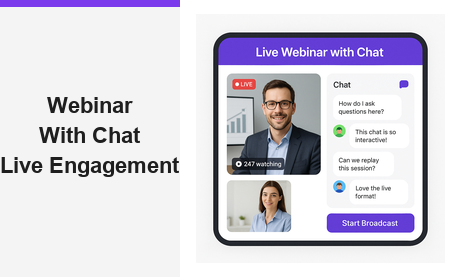
Running a webinar with chat is one of the most powerful strategies available to B2B marketers today for keeping online audiences engaged, generating qualified leads, and building lasting business relationships — all without requiring your viewers to install a single plugin or download any software. Whether you are hosting a live product demo, a customer training session, or an interactive Q&A panel, combining broadcast video with real-time audience chat transforms a passive viewing experience into a dynamic two-way conversation. In this guide, we explore why every modern online event should include a webinar with chat, and how Pageinar’s instant broadcast landing page platform makes the entire process refreshingly simple.
Why a Webinar with Chat Changes the Online Event Experience
Traditional webinars were largely one-directional. A speaker presented slides, attendees listened passively, and the only feedback loop was a post-event survey that most people ignored. Today, however, audiences expect to participate. They want to ask questions in real time, react to content as it unfolds, and feel like part of a live community rather than a silent spectator. According to web conferencing research, interactive formats consistently outperform passive broadcasts in audience retention and post-event satisfaction scores.
A webinar with chat closes that engagement gap entirely. When attendees can type a question and receive an instant answer from the host or a moderator, and when they can see other audience members responding in real time, they stay focused, they stay longer, and they are far more likely to take action after the event. Moreover, the chat panel creates a real-time feedback signal for the presenter. You can see which topics spark the most questions, which points land with the audience, and where confusion arises — allowing you to adapt your message on the fly for maximum relevance.
Chat as a Lead Qualification Tool
Beyond raw engagement, an interactive broadcast session with live chat doubles as a powerful lead qualification tool. When a prospect asks a specific question about pricing, integrations, or use cases in the chat window, your sales team immediately knows that person is worth a follow-up conversation. Additionally, you capture intent signals in real time — something even the most sophisticated email campaign cannot replicate. Chat messages form a natural transcript of audience interest, giving you a prioritized contact list of the most engaged attendees to reach out to after the event ends.
How Pageinar Makes Running a Webinar with Chat Simple
Most webinar platforms require a lengthy setup process: download a desktop application, configure audio and video devices, invite attendees to create platform accounts, and navigate a complex admin dashboard before you can go live. Pageinar takes a completely different approach. Sign in with Google, and you instantly have a fully hosted broadcast landing page that is ready to share. There is no software to install, no complicated onboarding sequence, and no technical barrier between you and your audience. For a step-by-step introduction to every feature, the Pageinar Knowledge Base walks you through the entire setup process from start to finish.
Customize Your Broadcast Landing Page
Your Pageinar page is fully brandable. Upload a cover image or set a background color, add your avatar, write a compelling event title and description, and include a link to your website. This branded page is exactly what your audience sees when they click your event URL — no generic platform branding, no confusing navigation menus. Just your event, your brand, and a clean interface that builds credibility before a single word is spoken.
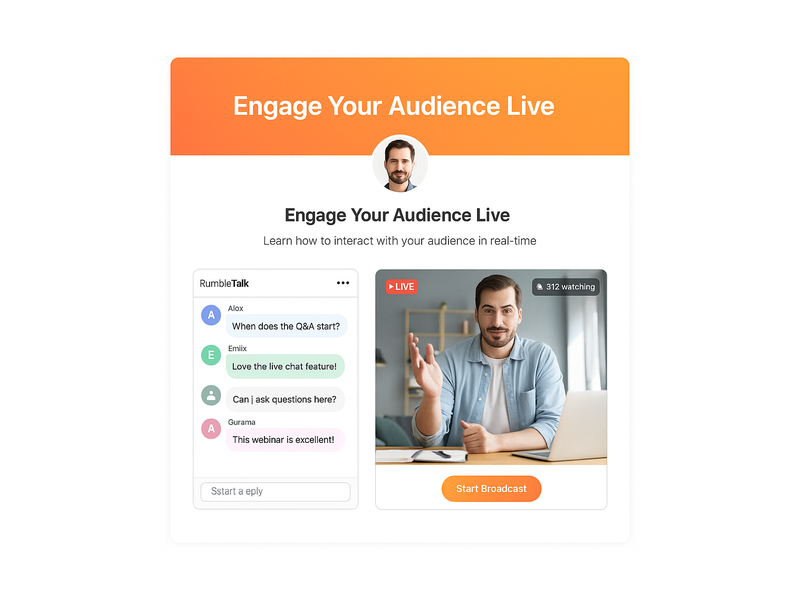
The page operates in two distinct modes, toggled from the top-right corner: Registration Mode and Broadcasting Mode. In Registration Mode, visitors see a lead capture form where they can submit their name, company, email, phone, and any custom fields you configure. Switch to Broadcasting Mode when you are ready to begin your webinar with chat, and the page instantly transforms into your live event hub — complete with the integrated RumbleTalk chat panel ready to receive audience messages.
The Power of Integrated Chat in Your Webinar with Chat Setup
Not all chat solutions are created equal. Many platforms offer nothing more than a basic text input field with no moderation controls, no visual customization, and no admin visibility into who is actually participating. Pageinar integrates a full-featured RumbleTalk group chat panel that gives hosts complete control over the chat experience throughout every live broadcast session.
Chat Moderation and Admin Controls
With Pageinar’s integrated chat, you can assign a dedicated chat administrator who moderates incoming messages, removes off-topic content, and highlights key questions for the presenter to address. This is especially critical for high-attendance events where the chat moves quickly and important questions can easily get buried beneath general conversation. Moderators can approve messages before they appear publicly, ensuring a professional and focused discussion throughout your webinar with chat. Furthermore, the chat panel clearly distinguishes between viewers and speakers, so your audience always knows who is presenting and who is participating in the conversation.
Multiple Chat Themes for Brand Consistency
Pageinar offers a range of chat themes — from light and minimal to dark and bold — so you can match the chat panel’s visual style to your overall brand identity. This level of customization is rarely available in standard webinar platforms, and it contributes significantly to a more polished and professional event experience. When your live broadcast with chat feels cohesive and on-brand from the header image to the chat panel styling, attendees are more likely to trust your company and engage deeply with your content. In addition, you can configure an offline message displayed in the chat before the broadcast begins, ensuring your audience always knows when to expect the live session to start.
Key Features That Make Your Webinar with Chat More Effective
Pageinar packs a comprehensive feature set into a single hosted page. Here are the capabilities that directly enhance your webinar with chat experience and help you generate better results from every event:
- Password protection — restrict access to your broadcast page with a password, ideal for exclusive client briefings or members-only webinar with chat sessions
- Social media links — add your Facebook, Instagram, Twitter, YouTube, and Twitch links directly to your event page so attendees can follow and share your brand after the broadcast
- Lead collection fields — capture First Name, Last Name, Company, Phone, and unlimited custom fields during registration, building a rich attendee database before the event even begins
- Registered attendee list — view, search, and export your full lead list with name, company, email, phone, and registration date directly from the Pageinar dashboard
- Broadcast recordings — every session can be recorded and exported, giving you reusable content for follow-up emails, social media clips, and on-demand viewing after the event
- Subscription management — manage your attendee limits, broadcast duration allowance, and upgrade or cancel your plan from within the Settings panel at any time
Together, these features transform your live broadcast into a complete lead generation and audience engagement system. From pre-event registration through post-broadcast recording exports, Pageinar handles the entire workflow on a single hosted page — making every webinar with chat you run more efficient and more impactful than the last.
Real-World Use Cases for Webinar with Chat
Understanding the theory behind interactive online events is valuable — seeing how real organizations deploy a webinar with chat in practice is even more instructive. Here are four B2B scenarios where Pageinar delivers measurable results for hosts and attendees alike.
Product Demos and Feature Launches
For SaaS companies and technology vendors, a live product demo with an integrated chat panel gives prospects the chance to ask specific questions about the features they care about most. Rather than watching a pre-recorded video and submitting a contact form afterward, prospects receive direct answers in real time — which dramatically accelerates the sales cycle. Global brands like Wix and HP have leveraged live broadcast events to engage thousands of users simultaneously, creating urgency and a sense of community around major product announcements.
Training and Customer Onboarding Sessions
Customer success teams use live broadcast sessions with integrated chat to onboard new users at scale. Instead of scheduling dozens of individual calls, a single live session can serve hundreds of customers simultaneously while the chat panel handles personalized questions in real time. The moderator routes specific queries to the right team member, ensuring every attendee receives a useful, relevant answer without the session ever losing its momentum or focus.
Executive Thought Leadership Events
Finance leaders, legal advisors, and industry executives use live broadcast events with integrated audience chat to share insights and build authority in their sectors. Organizations like Nasdaq have used broadcast landing pages to reach institutional audiences with tightly controlled, high-trust messaging. The chat component allows vetted attendees to contribute questions that enrich the experience for everyone present. Ideally, a dedicated moderator curates the best audience questions and presents them to the speaker at regular intervals throughout the session.
Virtual Entertainment and Fan Engagement
Entertainment brands, including Sony Music, have used broadcast landing pages with integrated chat to create fan engagement experiences around live performances and exclusive content releases. First, the host shares the event URL with a targeted audience. Then, fans register and join the chat before the broadcast begins, building shared anticipation. Finally, during the live event, the chat transforms into an active community feed where fans react to performances and interact with each other in ways that deepen loyalty and drive long-term brand engagement.
Getting Started with Your First Webinar with Chat on Pageinar
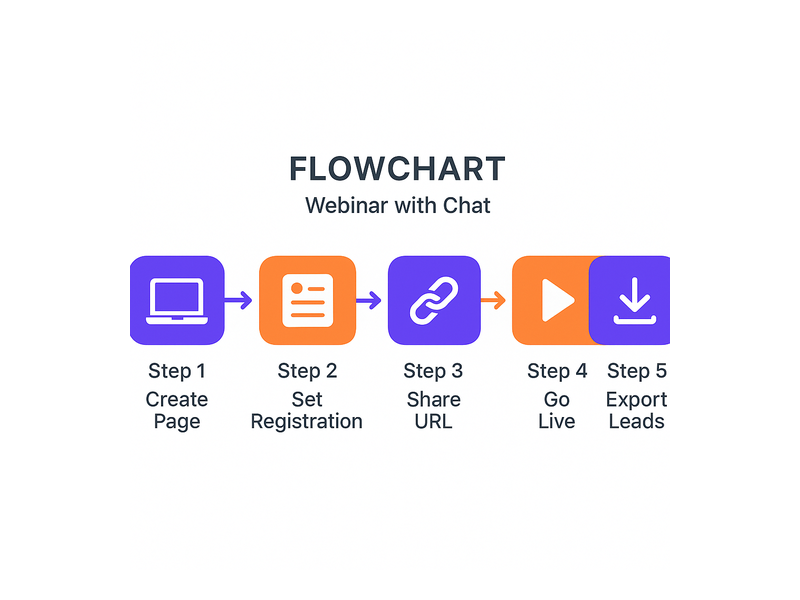
Setting up your first webinar with chat on Pageinar is straightforward and fast. Here is a simple six-step sequence to get from zero to live:
- Sign in with Google at pageinar.com — your broadcast landing page is created automatically upon first login
- Customize your page — add your cover image, avatar, event title, and description to match your brand identity
- Switch to Registration Mode — configure your lead capture fields, welcome message, and event date and time
- Configure chat settings — choose a chat theme, write your offline message, and assign a chat admin if needed
- Share your page URL — distribute the link via email, social media, or your CRM to invite registrants
- Go live — switch to Broadcasting Mode, click Start Broadcast, and your live webinar with chat begins instantly
For detailed instructions on each of these steps, the Pageinar Knowledge Base has comprehensive guides covering everything from customizing your registration page to exporting recorded broadcasts. If you are new to live streaming events, you will also find valuable context in Unlock the Power of Seamless Webinars with Pageinar, which provides a broader overview of the platform and its full range of capabilities.
Furthermore, Pageinar requires zero installation on the viewer side. Attendees simply open the URL you share with them, enter their registration details if required, and wait for Broadcasting Mode to begin. There is nothing to download, no viewer account to create, and no technical barrier between your audience and your content. This zero-friction viewer experience is one of the core reasons leading global brands trust Pageinar for their most important live broadcast events.
Why Webinar with Chat Is the Future of B2B Online Events
The shift toward interactive, conversation-driven online events is not a short-term trend — it is a permanent transformation in how B2B audiences expect to engage with brands and thought leaders. A static broadcast with no real-time interaction feels outdated compared to an experience where every attendee has a voice and a direct line to the presenter. For marketers and sales leaders, a well-executed webinar with chat delivers richer behavioral data, stronger engagement metrics, and more qualified pipeline than any passive broadcast format can achieve.
In addition, the chat transcript from a well-moderated live session is itself a valuable content asset. It reveals the exact language your prospects use to describe their challenges, the objections they raise before committing, and the features they find most exciting. This intelligence feeds directly into smarter content marketing, more effective email nurture sequences, and sharper sales conversations. In short, every interactive live session you run generates not just leads, but deep audience insight that compounds in value over time.
As virtual events continue to grow as a primary B2B demand generation channel, the organizations that master the combination of live broadcast and integrated audience chat will hold a significant competitive advantage over those still relying on one-directional content delivery. Pageinar gives you all the tools you need to run that kind of high-impact, high-engagement event — from a single hosted page, with no code and no complexity. Therefore, there has never been a better moment to upgrade your online events strategy and start leveraging the full power of live chat alongside your broadcasts.
Ready to host your first webinar with chat? Start your free Pageinar broadcast landing page today and discover how easy it is to combine live video, real-time audience chat, and automated lead capture in one powerful hosted event experience. Sign in with Google, customize your page in minutes, and go live — your audience is waiting, and the conversation starts now.