Webinar With Real Time Chat Interaction: The Complete Guide

A webinar with real time chat interaction transforms a passive viewing experience into a dynamic, two-way conversation that keeps every attendee engaged from start to finish. In today’s crowded digital landscape, audiences expect to participate actively, not simply watch a slide deck scroll by. Moreover, research from authoritative sources like the Wikipedia overview of webinars consistently highlights that interactive formats generate significantly higher retention rates, stronger brand recall, and more qualified leads than one-way broadcasts. Therefore, selecting a platform that places real time chat at the center of the experience is no longer a nice-to-have. It is a competitive necessity for any business serious about online events.
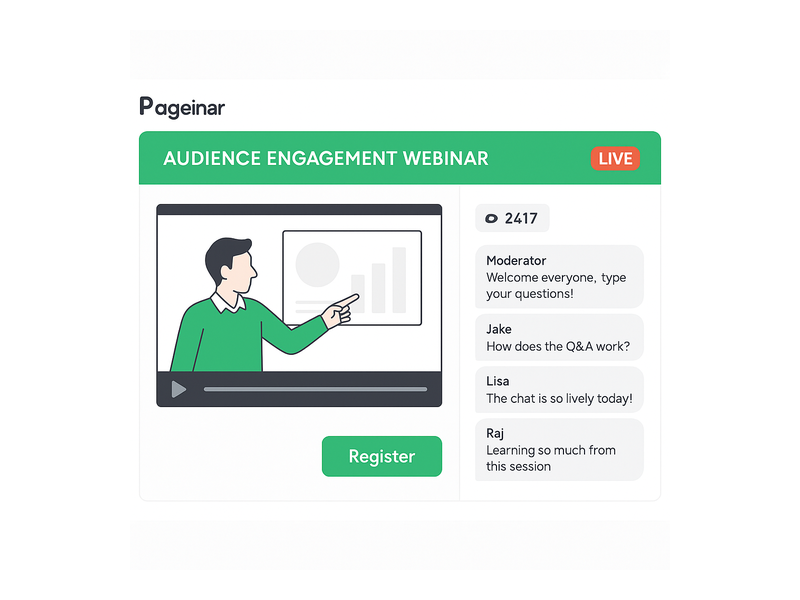
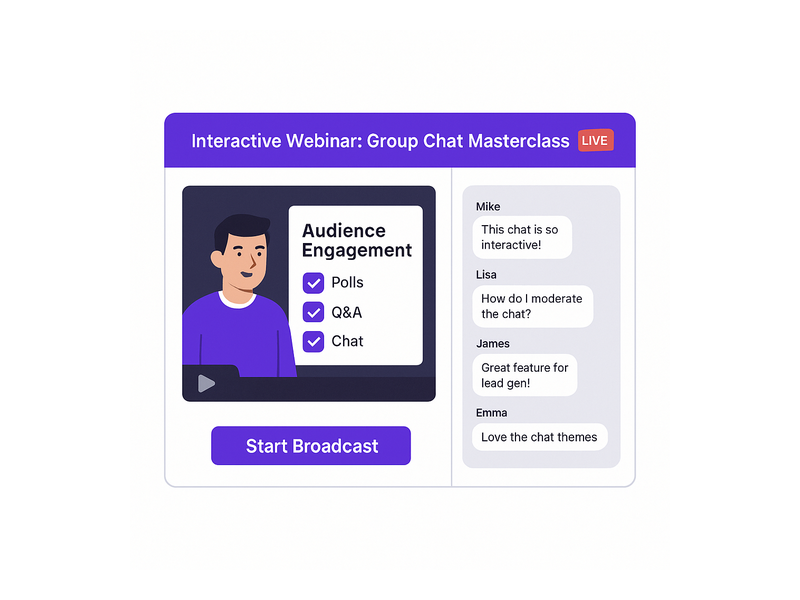
Pageinar webinar landing page illustration 1

Why a Webinar With Real Time Chat Interaction Outperforms Static Presentations

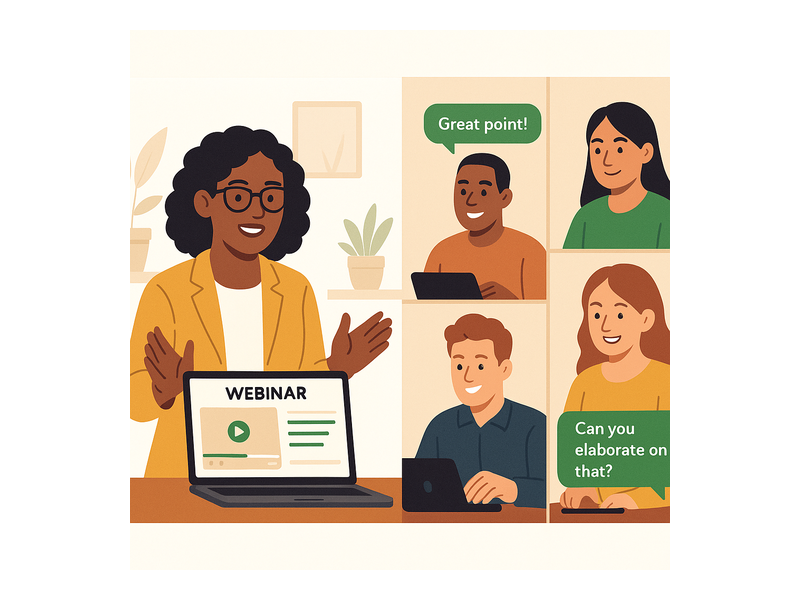
First, consider the fundamental difference between a lecture and a dialogue. A static webinar delivers information in one direction only. A webinar with real time chat interaction, however, creates a living conversation that evolves as the event unfolds. Attendees can ask questions the moment they arise, share reactions instantly, and connect with other participants who share their interests. As a result, the host gains immediate feedback and can adjust the presentation on the fly, addressing concerns before they become objections.

The Science Behind Engagement

Additionally, the psychology of participation is well understood. When people contribute to a conversation, they feel ownership over the outcome. In other words, a viewer who types a question into a chat panel is now an invested participant, not a passive consumer. Furthermore, social proof plays a powerful role. Seeing dozens of chat messages streaming in signals that this event is live, valuable, and worth paying attention to. Together, these effects dramatically reduce drop-off rates and increase the time attendees spend engaged with your broadcast.

For example, a product launch webinar that encourages attendees to type their questions about pricing, features, or availability in real time generates a richer, more authentic discussion than a pre-recorded FAQ video. Similarly, a training session that uses chat to quiz participants and gather answers in real time reinforces learning far more effectively than passive video consumption. Ideally, every webinar host should treat the chat panel as a second stage, not an afterthought.

Key Features to Look for in a Webinar With Real Time Chat Interaction Platform

Not all platforms handle real time chat equally. Therefore, when evaluating options, you should prioritize the following capabilities to ensure your webinar with real time chat interaction delivers a professional, seamless experience for both hosts and attendees. The right feature set determines whether your chat panel becomes a genuine engagement engine or a neglected sidebar that attendees ignore.

Moderation and Admin Controls

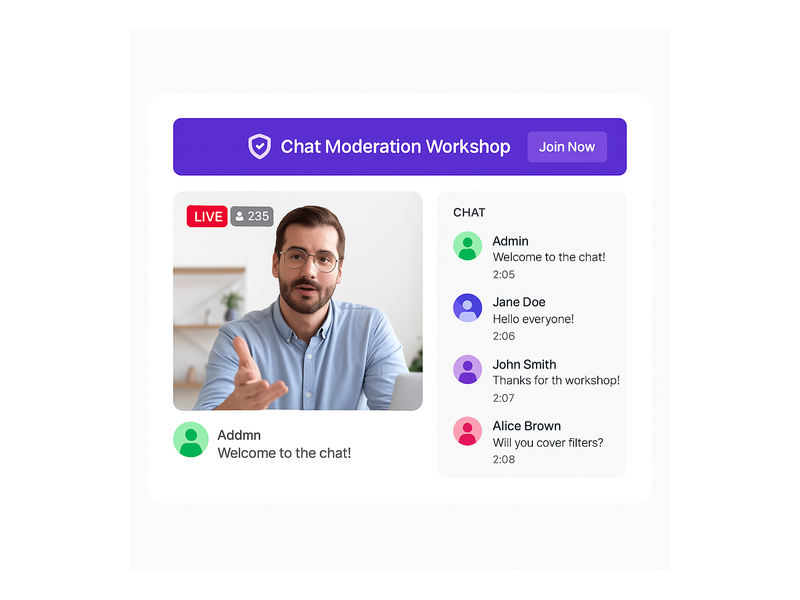
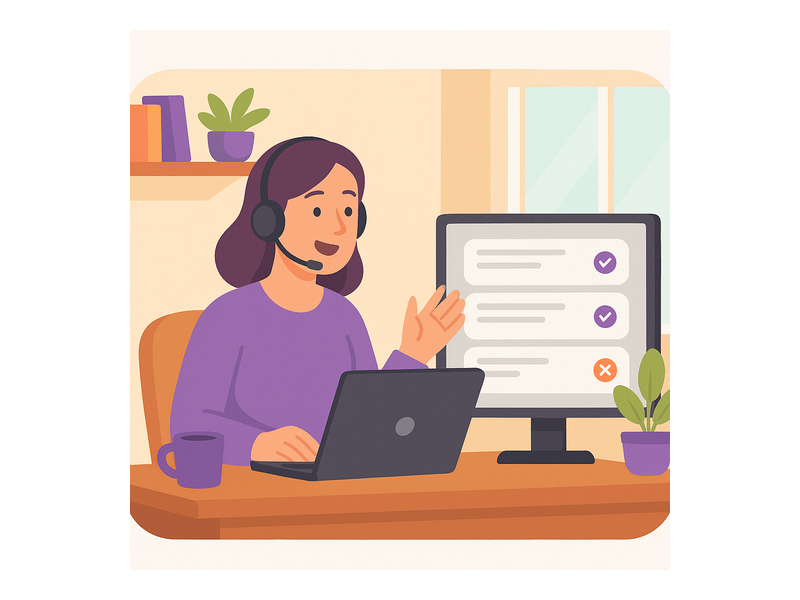
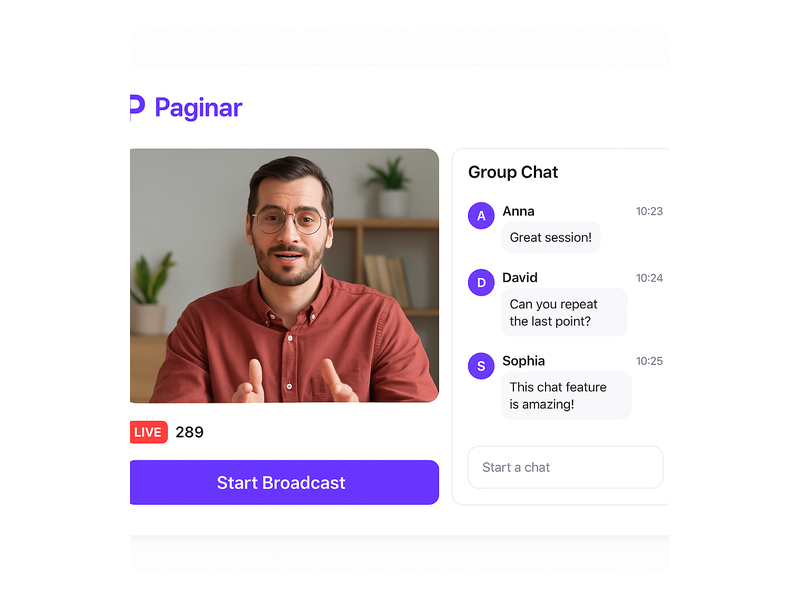
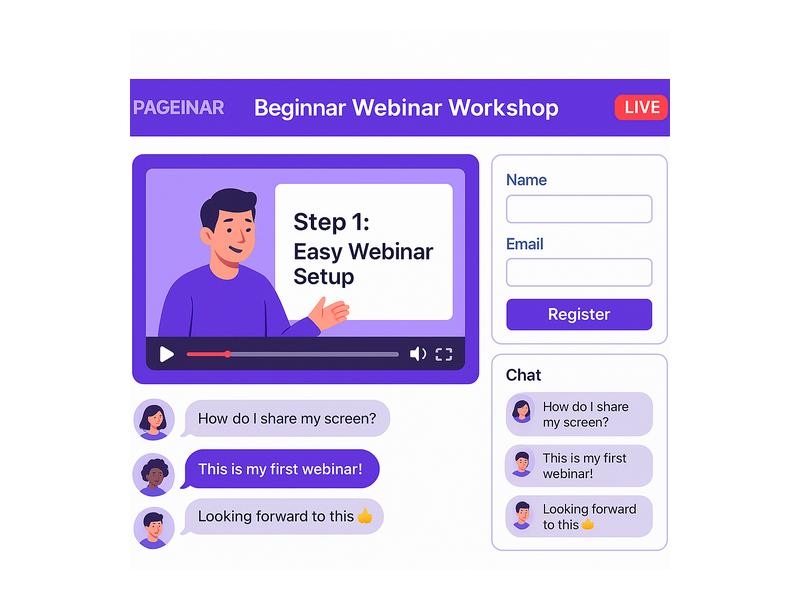
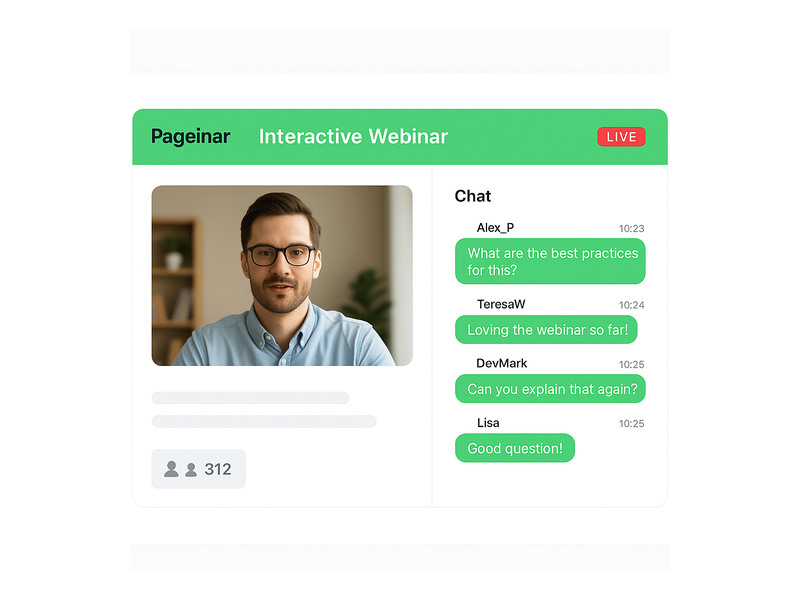
First, strong moderation tools are essential. A busy chat with hundreds of attendees can quickly become overwhelming without the ability to manage the conversation effectively. Look for platforms that offer admin controls, the ability to highlight key messages, and options to mute or remove disruptive participants. Additionally, the host or a dedicated moderator should be able to respond to individual messages, pin important announcements, and segment the audience if needed. Pageinar’s integrated webinar broadcast platform includes full group chat capabilities with robust moderation controls built directly into every broadcast page.

Chat Themes and Customization

Moreover, visual consistency matters for your brand. A chat panel that clashes with your event design undermines professionalism and trust. Therefore, choose a platform that offers multiple chat themes so you can match the look and feel of your broadcast page. Pageinar allows hosts to select from several distinct chat themes, adjust offline messages, and configure which viewer and speaker labels are displayed. Furthermore, all these settings are accessible from a single gear icon settings panel, so you spend less time configuring tools and more time hosting great events.

Viewer and Speaker Display

In addition, showing who is in the room builds a genuine sense of community. A webinar with real time chat interaction feels far more connected when attendees can see a live participant list alongside the conversation. This feature encourages networking, sparks sidebar discussions, and adds a sense of social presence that recorded content simply cannot replicate. Pageinar’s chat panel displays both viewers and speakers, reinforcing the live, communal atmosphere that makes interactive webinars so effective at driving attendee satisfaction.
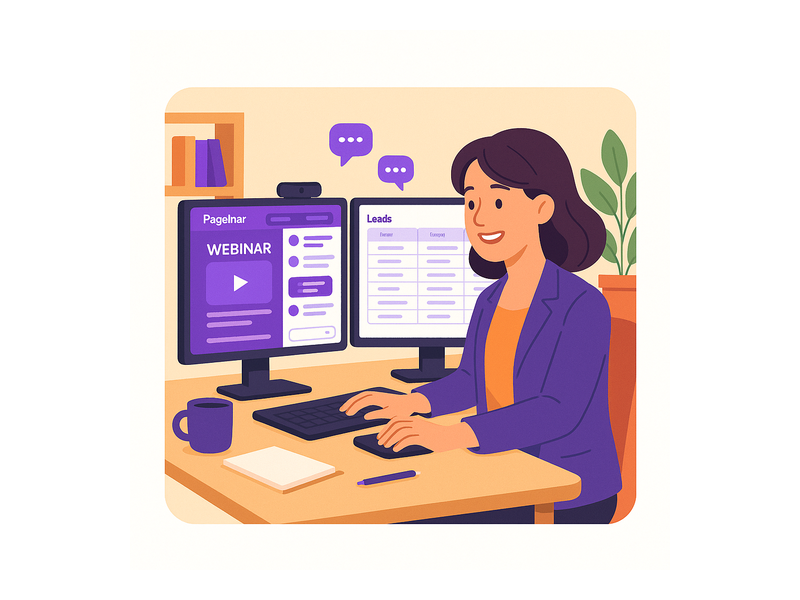
Pageinar webinar landing page illustration 2

How to Set Up a Webinar With Real Time Chat Interaction on Pageinar

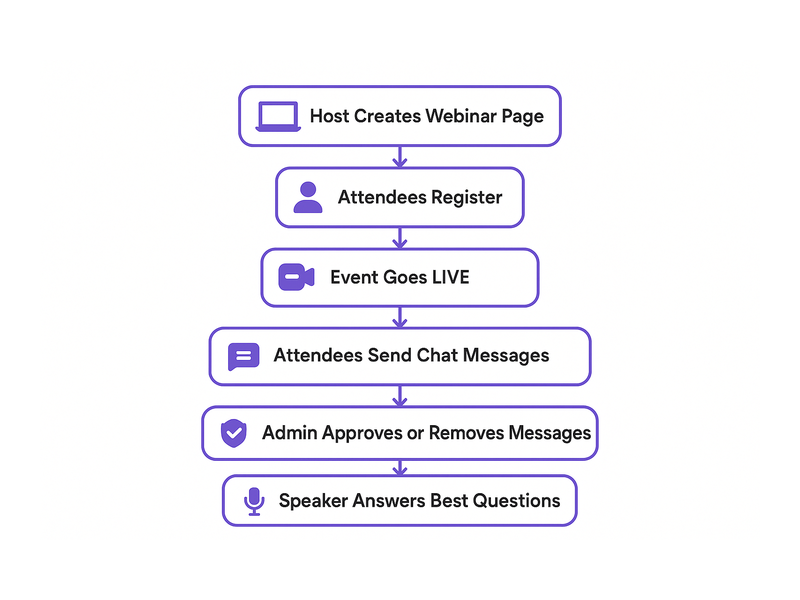
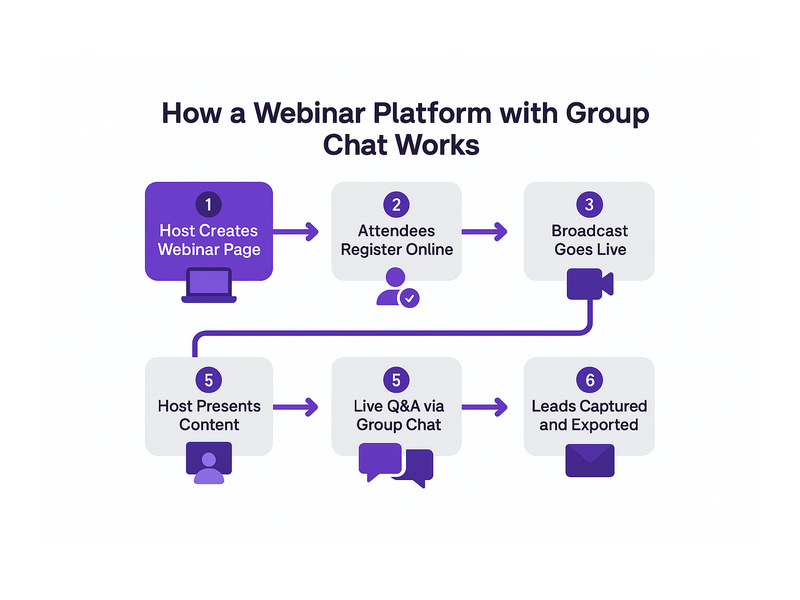
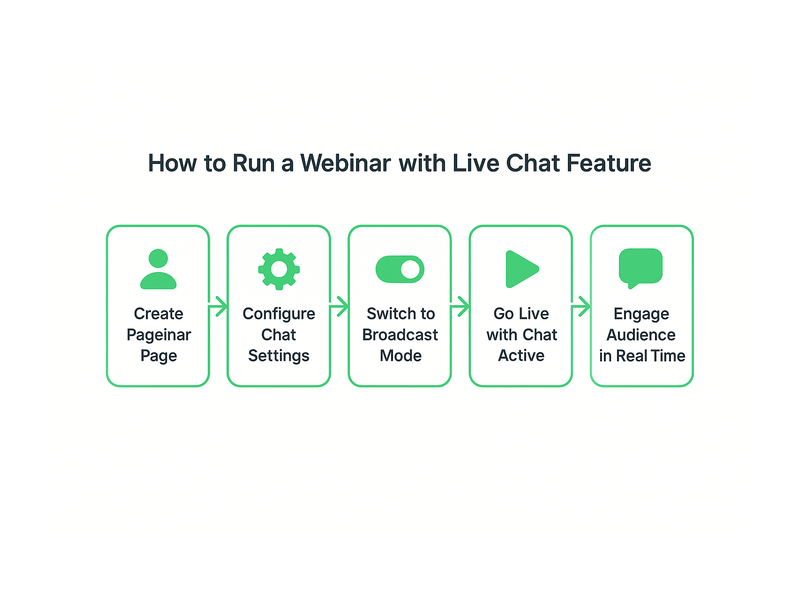
Setting up a webinar with real time chat interaction on Pageinar is straightforward and fast. However, following a structured workflow ensures you launch with confidence and deliver a polished, professional experience every time. Below is a step-by-step overview of the entire process from sign-in to going live.

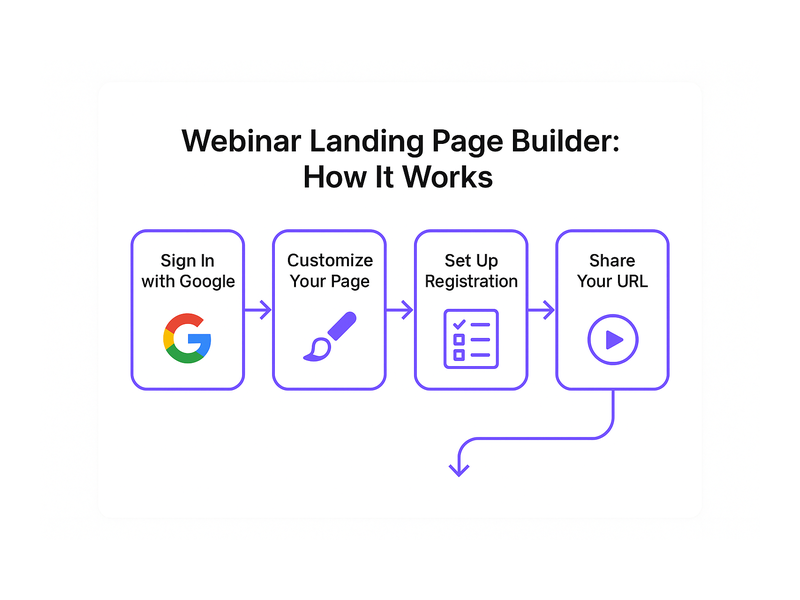
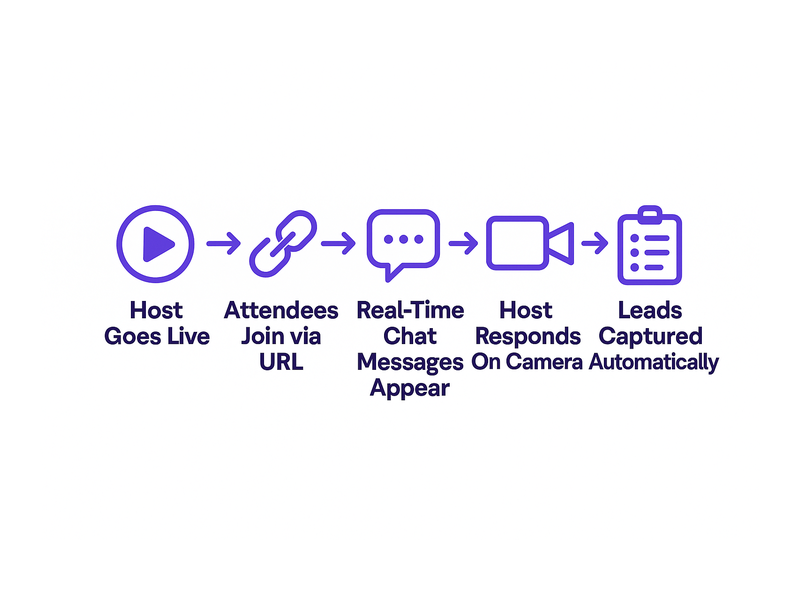
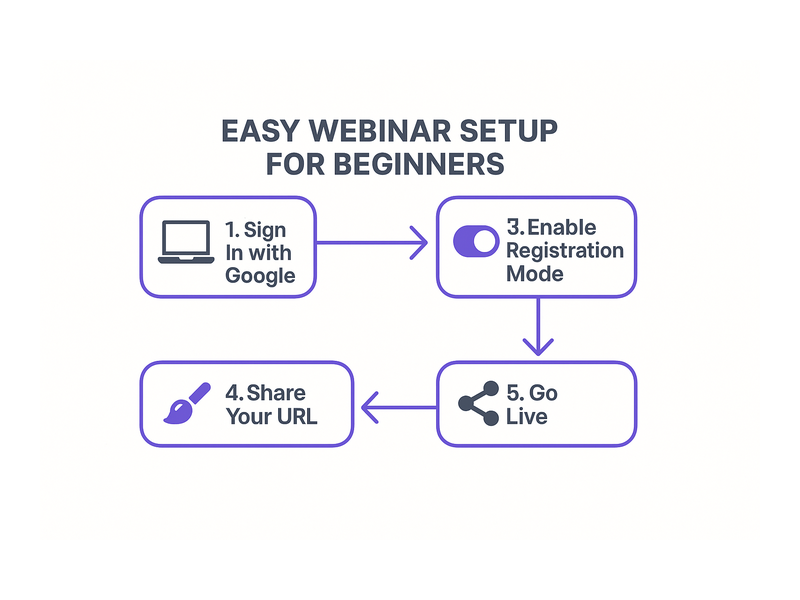
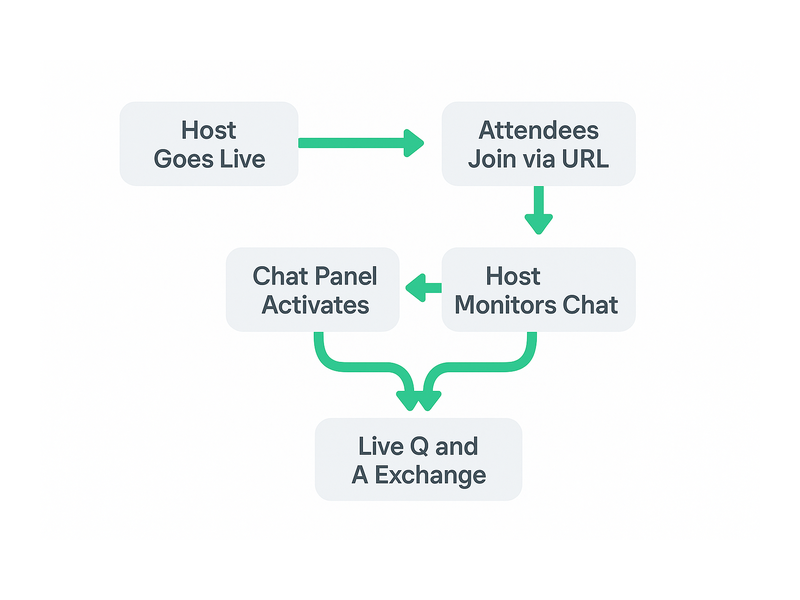
  1. Sign in with Google: Visit pageinar.com and log in using your Google account. No plugins or software downloads are required on any device.
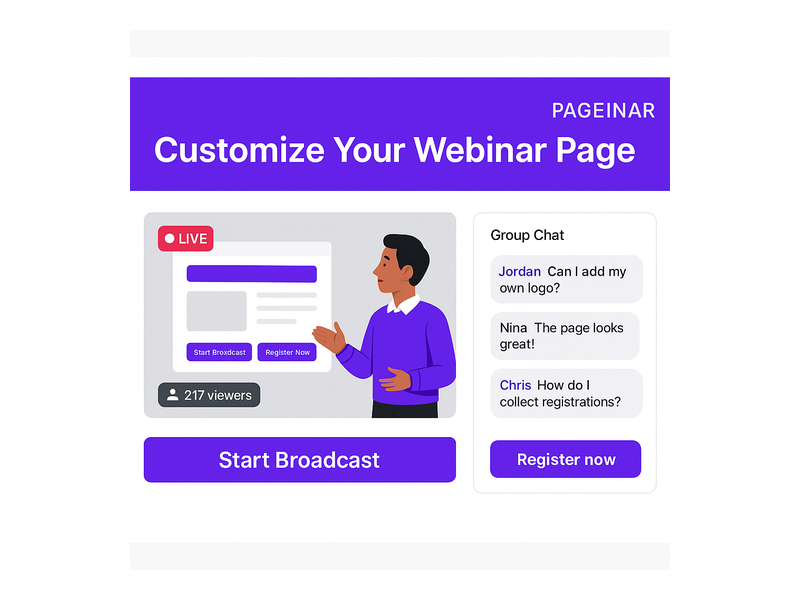
  2. Customize your broadcast page: After login, you land on your main page. Add a cover image, your avatar, a compelling event title, and a clear description. These elements set the tone for your webinar and build anticipation before the event starts.
  3. Configure chat settings: Open the settings panel and navigate to Chat Settings. Choose your preferred chat theme, set an offline message for before the event begins, and designate a chat admin if you want a dedicated moderator to manage the conversation during the broadcast.
  4. Switch to Broadcasting Mode: Toggle the mode selector in the top-right corner from Registration Mode to Broadcasting Mode when you are ready to go live. Your Start Broadcast button activates and your chat panel comes fully online.
  5. Share your page URL: Send the page URL to your attendees via email, social media, or your website. Attendees join directly in their browser with no installation required on their side.
  6. Engage in real time: As the broadcast begins, monitor the chat panel on the left side of your page. Respond to questions, acknowledge comments by name, and invite speakers to join the conversation at key moments.

For detailed onboarding steps, the Pageinar Knowledge Base covers everything from creating your first page to starting a live video and managing chat themes. Additionally, you can read Unlock the Power of Seamless Webinars with Pageinar: Welcome to a New Era of Online Engagement! for a broader introduction to the platform’s full capabilities and strategic benefits.

Real-World Use Cases for Webinar With Real Time Chat Interaction

In fact, the most successful webinar hosts use real time chat strategically, not merely as a feature checkbox. The following use cases illustrate how different teams and industries leverage a webinar with real time chat interaction to achieve measurable business outcomes across a wide range of event formats.

Product Launches and Feature Demos

For example, SaaS companies routinely use a webinar with real time chat interaction to introduce new features to existing customers and prospects simultaneously. Attendees type their questions about pricing, integrations, and product roadmap priorities directly into the chat, and the presenter addresses them live. As a result, the launch event doubles as a live Q&A session, a sales conversation, and a community-building exercise all at once. Additionally, the host can export the chat transcript after the event to identify the most common objections and use that data to sharpen the sales process going forward.

Corporate Training and Onboarding

Furthermore, HR and learning and development teams increasingly rely on webinar with real time chat interaction formats to onboard new employees at scale. A live broadcast with an active chat panel allows trainers to quiz participants, gather responses, and identify knowledge gaps instantly. In other words, the chat transforms a one-to-many broadcast into a genuinely collaborative group learning session. Moreover, Pageinar’s viewer and speaker display feature helps trainers see exactly who is in the room, ensuring accountability and encouraging broader participation from quieter team members.

Lead Generation Events

Additionally, marketers use interactive webinars as powerful lead generation engines. Before the event, Pageinar’s Registration Mode collects First Name, Last Name, Company, and custom fields from every registrant, building a qualified lead list automatically. During the broadcast, the real time chat continues the conversation, allowing potential customers to ask product-specific questions and receive immediate, personalized answers. Therefore, by the time the webinar ends, the sales team has a list of warm, qualified leads who have already demonstrated clear intent through active chat participation.

Community Events and Town Halls

In short, any event that benefits from two-way communication is a strong candidate for a webinar with real time chat interaction format. Town halls, investor updates, nonprofit fundraisers, and fan meetups all benefit from the social energy that a live chat panel creates. Together, the broadcast video and the chat sidebar create an experience that feels genuinely communal and spontaneous, rather than corporate and scripted.
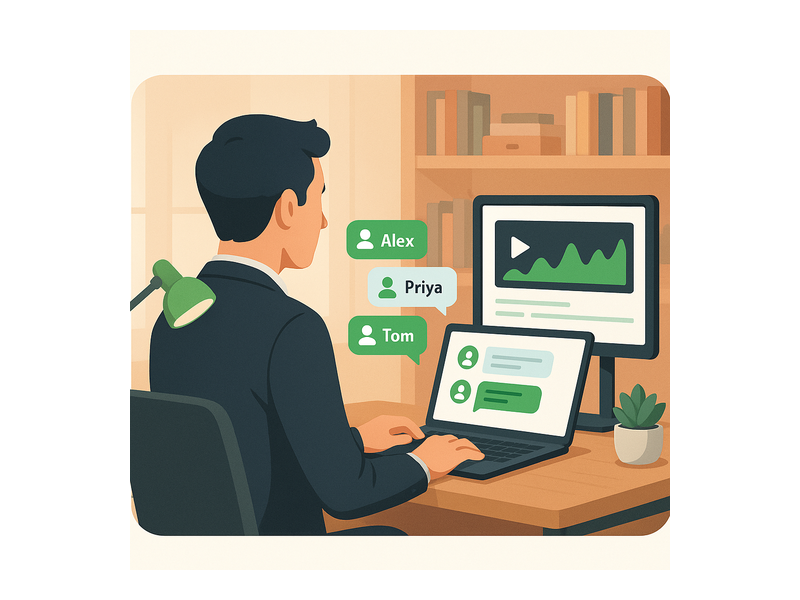
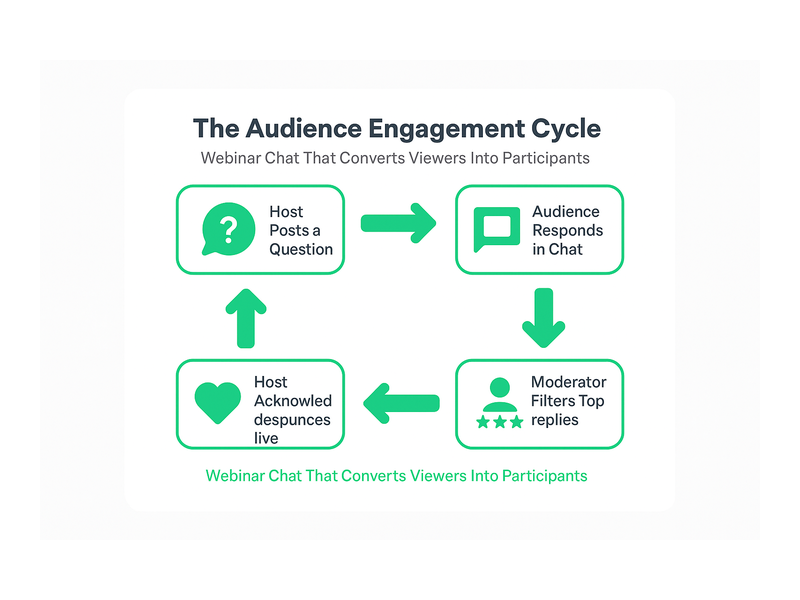
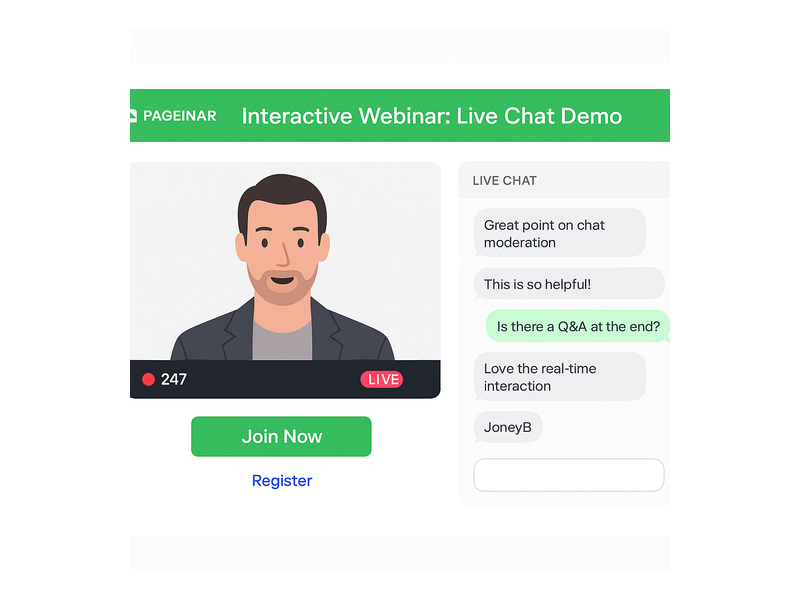
Pageinar webinar landing page illustration 3

Best Practices for Running a Webinar With Real Time Chat Interaction

However, simply enabling chat is not enough to guarantee a great attendee experience. To maximize the full value of a webinar with real time chat interaction, hosts should follow a set of proven best practices that keep the conversation productive, on-brand, and engaging from the opening slide to the final call to action.

  • Assign a dedicated chat moderator: The presenter cannot both deliver content and monitor every incoming message at the same time. Therefore, designate a team member to watch the chat, surface the best questions, and filter out off-topic or disruptive comments before they derail the conversation.
  • Seed the conversation early: First, post a welcome message in the chat before the broadcast officially starts. Invite attendees to introduce themselves, share where they are joining from, or answer a simple warm-up question. This sets the expectation of active participation before a single slide appears.
  • Acknowledge contributors by name: Moreover, when you answer a question from the chat, mention the attendee’s username aloud. This small gesture makes the contributor feel seen and heard, and it encourages others to participate knowing their input will be acknowledged publicly.
  • Use chat as a live feedback loop: Additionally, ask the audience to type a number from one to five to rate their understanding of a concept, or to type a keyword to signal agreement. This generates instant, quantifiable feedback without interrupting the natural flow of the presentation.
  • Set clear community guidelines: In other words, establish standards for respectful behavior at the start of every event. Let attendees know the chat is actively moderated, that questions will be answered during designated Q&A breaks, and that off-topic messages may be removed.
  • Review the chat transcript afterward: Finally, export the chat log and analyze it for recurring questions, product feedback, and audience sentiment. This data is invaluable for improving future events and informing your broader content and product strategy.

Measuring the Impact of Real Time Chat on Webinar Performance

In addition to qualitative benefits, a webinar with real time chat interaction produces clear, measurable performance data that you can track and optimize over time. For example, you can measure the number of chat messages per attendee as a direct proxy for engagement depth across different event formats. Furthermore, comparing average attendance duration between interactive and non-interactive sessions typically reveals that chat-enabled webinars retain viewers significantly longer. As a result, marketers can attribute higher funnel conversion rates directly to the interactive format and build a strong business case for investing in live event technology.

Therefore, if your current webinar strategy still relies on one-way broadcasts, the data strongly supports transitioning to a platform that integrates live chat natively into every event. Pageinar builds this capability directly into every broadcast page, so you gain full chat functionality without managing separate tools, third-party integrations, or complex technical setups. In fact, the entire workflow, from customizing your page to going live with an active, moderated chat panel, takes minutes rather than hours.

Why Pageinar Is Built for Webinar With Real Time Chat Interaction

Pageinar was designed from the ground up to make webinar with real time chat interaction as frictionless as possible for both hosts and attendees. First, there is no software to install on the attendee side. Everything runs in the browser via a shared page URL, so anyone can join from any device in seconds. Additionally, the broadcast page integrates a full-featured group chat panel alongside the live video area, so hosts manage the entire event from a single, unified interface without switching between tools.

Furthermore, Pageinar supports multiple chat themes, offline message configuration, and admin-level moderation controls, giving hosts everything they need to run professional, polished events at any audience size. Moreover, Pageinar’s Registration Mode allows hosts to capture leads before the event starts, while Broadcasting Mode delivers the live experience with integrated chat. Together, these two modes create a complete event marketing funnel on a single hosted page, eliminating the need for multiple platforms, subscriptions, or technical configurations.

Start Your First Webinar With Real Time Chat Interaction Today

A webinar with real time chat interaction is one of the highest-leverage tools available to marketers, educators, and community builders right now. Therefore, if you have not yet integrated live chat into your webinar strategy, today is the ideal time to start. Pageinar makes the entire process simple, fast, and completely code-free. Sign in with your Google account, customize your broadcast page, configure your chat settings, and go live in minutes. Your audience is ready to engage. Give them a stage to do it, and watch your event results transform.
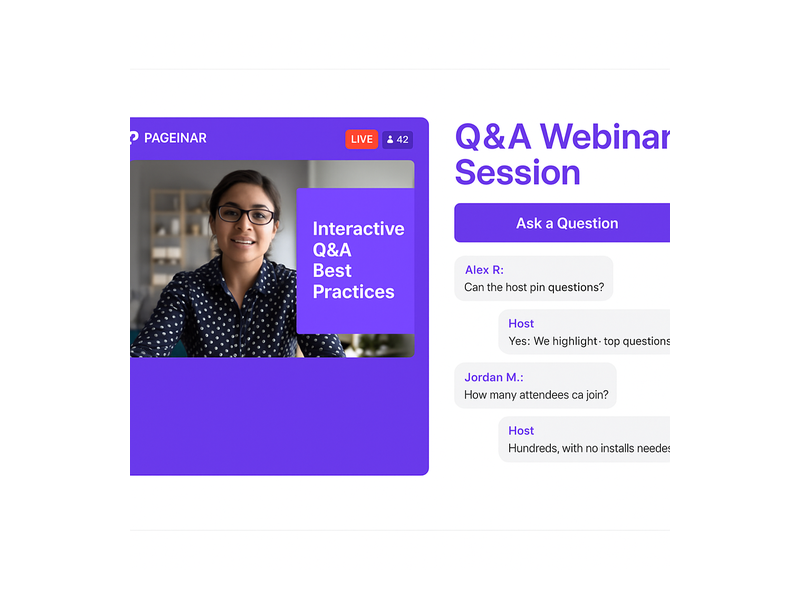
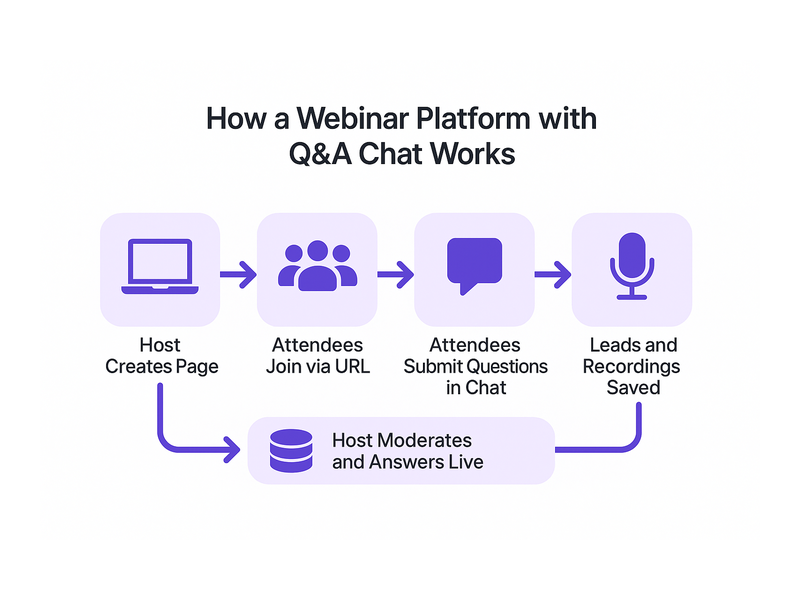
Webinar Platform with Q&A Chat: Boost Engagement

A webinar platform with Q&A chat fundamentally changes the way hosts connect with audiences during live events. Instead of one-way broadcasts that leave attendees passive and disconnected, interactive Q&A sessions turn viewers into active contributors who shape the conversation in real time. Moreover, when attendees can ask questions as they arise, engagement rates soar and retention improves dramatically across all event types. In fact, research consistently shows that interactive webinars generate far higher satisfaction scores than static presentations with no audience participation. If you want to run a professional webinar platform with Q&A chat built in from day one, Pageinar gives you everything you need in a single hosted landing page, with no code installation required for your attendees and no technical barriers to getting started quickly and confidently.

Pageinar webinar landing page illustration 1

What Makes a Webinar Platform with Q&A Chat Different

Traditional webinars often feel like watching a lecture with no way to respond or contribute. However, a webinar platform with Q&A chat breaks down that barrier entirely. Attendees can type their questions directly into the chat panel at any moment during the session. Additionally, hosts can respond live, highlight the best questions, and moderate the conversation in real time without interrupting the flow of the presentation. Therefore, the event feels collaborative rather than one-sided. For example, a product launch webinar becomes a live demo session where prospects ask feature questions on the spot and get immediate, honest answers. In short, Q&A chat transforms a monologue into a dialogue that both sides remember long after the event ends and drives measurable business results.

Key Features to Look For in a Q&A Chat Platform

Not every webinar tool offers the same Q&A experience, so knowing what to prioritize matters. First, look for a dedicated chat panel that stays visible throughout the entire broadcast rather than appearing only at the end. Second, moderation controls matter greatly: the host must remove off-topic messages and highlight the best questions without disrupting the session. Third, the platform must work without any installation or plugin download for attendees. Finally, chat themes and branding options help reinforce your identity and professionalism during the event. Together, these features create a polished, professional Q&A environment that reflects well on your brand and keeps the audience fully focused on your content.

How Pageinar Powers Your Webinar Platform with Q&A Chat

Pageinar is a hosted webinar platform with Q&A chat built directly into every broadcast page from the moment you log in. Furthermore, no plugins or downloads are required for any of your attendees. The host simply shares a URL, and viewers join instantly from any browser on any device. In fact, partners like Nasdaq, Wix, HP, and Sony Music rely on Pageinar for their most important live broadcast events and high-stakes Q&A sessions. Additionally, Pageinar integrates RumbleTalk group chat, which brings enterprise-grade Q&A capabilities to every single event without adding complexity. As a result, you get a professional webinar platform with Q&A chat without the technical headaches of traditional conferencing tools. According to the widely accepted principles of web conferencing, the most effective virtual events combine video broadcasting with real-time audience interaction, and Pageinar delivers exactly that powerful combination in one hosted page.

The RumbleTalk Chat Panel

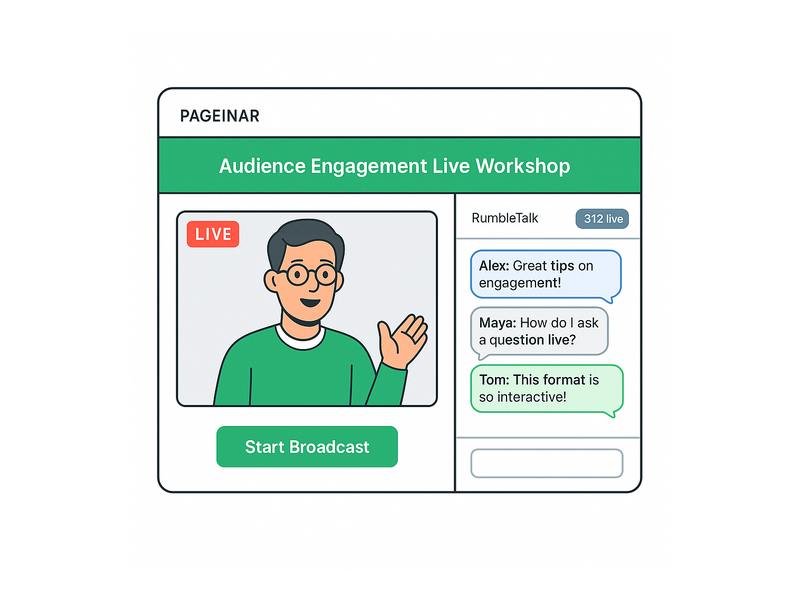
The integrated chat panel on every Pageinar broadcast page sits at the bottom-left of the main layout and is always visible to both host and attendees. Moreover, it supports full group chat with moderation, admin controls, viewer counts, and multiple visual themes that you can change at any time. Hosts can set an offline message for when the broadcast has not started yet, so attendees who arrive early know what to expect. Additionally, they can toggle the display of viewers and speakers within the chat to match the specific format of each event. For example, if you run a corporate training webinar, you can keep the chat focused by enabling speaker-only view during key presentations and opening it to all attendees for the Q&A segment. Therefore, the Q&A experience adapts to your specific event needs rather than forcing you into one rigid format.

Setting Up Your Webinar Platform with Q&A Chat on Pageinar

Getting started with Pageinar is straightforward and fast, even for first-time webinar hosts. First, visit Pageinar’s webinar platform with Q&A chat and log in with your Google account. Second, you arrive on your main broadcast page, which is fully editable without any coding or design skills required. Third, customize the cover image, avatar, event title, and description to match your brand and event theme. Additionally, configure your Chat Settings by clicking the gear icon and selecting the Chat Settings tab from the panel. In other words, you set your chat admin, choose a visual theme, and write a clear offline message before going live. Finally, switch your page to Broadcasting Mode and start your session with one click. Attendees who join via your shared URL see both the live video and the Q&A chat panel simultaneously from the very first second.

Configuring Chat Settings for Maximum Q&A Impact

To get the most from your webinar platform with Q&A chat, spend a few intentional minutes in the Chat Settings panel before each event. For example, choose a chat theme that matches your brand colors and creates the right mood for your audience. Furthermore, set a clear and welcoming offline message so attendees who arrive early feel informed and at ease. Ideally, designate a dedicated chat admin who monitors incoming questions while you focus on presenting the content. In addition, visit the Pageinar Knowledge Base to learn how to change your chat theme and configure advanced moderation options for your Q&A sessions. As a result, your Q&A chat runs smoothly from the very first question to the last response, with no awkward gaps or missed questions during the session.

Using Registration Mode to Warm Up Your Audience

Before the webinar begins, use Registration Mode to collect attendee information and build genuine anticipation for the event. In fact, your webinar platform with Q&A chat becomes a complete lead generation tool when you enable registration and configure the lead fields for your specific audience. For example, you can collect first name, last name, company, phone number, and custom fields tailored to your event goals. Moreover, the Registered List in your Settings panel lets you view, search, and export all captured leads after the event closes. Therefore, every Q&A session doubles as a prospecting opportunity that generates real, measurable business value beyond the live broadcast itself. In addition, you can add a countdown timer and a custom header image to your registration page to build excitement before attendees even join the live broadcast room.

Pageinar webinar landing page illustration 2

Best Practices for Running Q&A Chat During a Webinar

Running an effective Q&A session on your webinar platform with Q&A chat requires preparation and deliberate communication strategies. First, announce at the beginning of the webinar that you will answer questions in the chat throughout the session, not just at the end. Second, encourage attendees to type their questions as they arise rather than holding them for a dedicated Q&A block. Third, monitor the chat regularly and acknowledge questions by name, since this personal touch increases engagement and makes attendees feel genuinely heard and valued. Additionally, batch similar questions together to avoid repeating the same answer multiple times. Furthermore, if a question is complex or technical, summarize it aloud before answering so all attendees understand the context and benefit from the response. Together, these habits turn your Q&A chat into the most memorable and valuable part of the entire event.

Moderating Questions Effectively

Moderation is a critical component of any successful webinar platform with Q&A chat, yet many hosts underestimate the preparation it requires. However, with the right approach, moderation becomes a seamless background process that elevates the whole event experience. Ideally, assign a dedicated chat moderator who filters out duplicate or off-topic questions before they distract the audience or derail the session. Furthermore, pin the most frequently asked questions at the top of the chat panel so all attendees can follow the key themes of the discussion. In other words, treat your chat panel like a curated live FAQ board that updates in real time throughout the webinar. As a result, the Q&A experience feels organized, focused, and professionally managed rather than chaotic or overwhelming for first-time participants.

Use Cases for a Webinar Platform with Q&A Chat

A webinar platform with Q&A chat suits a wide range of business scenarios and industries, making it one of the most versatile event tools available today. For example, product teams use it to run live demo sessions where prospects ask feature questions during the presentation and get instant answers from the host. In addition, HR departments use it for company-wide town halls where employees submit questions to leadership in real time without feeling exposed or singled out. Moreover, educators use it to host virtual classes where students ask for clarification without interrupting the lecture flow. Alternatively, marketing teams use it for influencer-led events where audience participation is the main draw and primary driver of post-event word-of-mouth. In fact, any event format benefits when the audience can interact directly with the presenter through a live Q&A channel rather than just watching passively from afar.

Corporate Training and Internal Events

Corporate training is one of the strongest and most consistent use cases for a webinar platform with Q&A chat across all company sizes. Furthermore, internal webinars benefit enormously from structured Q&A because employees are often reluctant to ask questions on camera in front of peers or management. Therefore, a text-based Q&A chat lowers the barrier to participation and surfaces questions that would otherwise go unasked. For example, a global company can run a quarterly business update webinar and collect questions from hundreds of employees across multiple time zones without anyone feeling put on the spot in front of colleagues. As a result, leadership gains real-time feedback and employees feel heard and valued as active participants in the company conversation. Additionally, the chat transcript serves as a useful reference document that teams can revisit long after the event ends.

Product Launches and Customer Education Webinars

Product launches benefit greatly from a webinar platform with Q&A chat because prospects want to ask specific, detailed questions before they commit to a purchase decision. In fact, a live Q&A session can directly influence conversion rates in a way that no static landing page or email sequence ever could. For example, a SaaS company can demonstrate a new feature set and then open the floor to questions about pricing, integrations, and onboarding support from real sales prospects. Moreover, the questions that surface during the session reveal common objections and knowledge gaps that the marketing team can address in follow-up content, email nurture sequences, and future product documentation. Therefore, every product launch webinar becomes a valuable market research session as well as a high-converting sales event that delivers returns long after the broadcast ends.

Pageinar webinar landing page illustration 3

Why a Webinar Platform with Q&A Chat Boosts Retention and Satisfaction

Retention is one of the biggest ongoing challenges in live webinars, and most hosts struggle with attendees dropping off before the event concludes. However, a webinar platform with Q&A chat directly addresses this problem by giving people a compelling reason to stay engaged until the very end. In fact, when attendees feel that their questions matter and will be answered, they stay for the entire session rather than leaving after the first twenty minutes of content. Moreover, the social element of seeing other people’s questions and real-time reactions creates a genuine sense of community and shared experience among participants. Additionally, hosts who respond to questions by name build personal connections that keep viewers invested and attentive through the final minute of the broadcast. As a result, webinars with active Q&A chat sessions consistently outperform passive broadcasts in both attendance duration and post-event satisfaction scores, across all industries and event types.

For further insights on running successful live broadcasts and building engaged audiences, read Unlock the Power of Seamless Webinars with Pageinar: Welcome to a New Era of Online Engagement! to discover how Pageinar approaches audience engagement and community building from the very first session to the last.

Webinar Platform with Q&A Chat: Start Your First Session Today

You do not need a large technical team or a complex software stack to launch a professional webinar platform with Q&A chat that impresses your audience. In fact, Pageinar lets you go live in minutes with a fully branded broadcast page that includes integrated Q&A chat right out of the box. Furthermore, no code installation is required, and your attendees join from any browser on any device without downloading a single plugin or creating an account. Additionally, the platform scales gracefully with your needs: from small internal team meetings to large-scale virtual events with hundreds of active participants asking questions in real time. Therefore, whether you are a solo creator, a growing startup, or a global enterprise, Pageinar gives you the tools to deliver a memorable webinar platform with Q&A chat experience every single time you go live. Sign up today and discover why leading brands trust Pageinar for the most important live events of the year.

Webinar Chat for Audience Engagement: A Complete Guide

Webinar chat for audience engagement is one of the most powerful tools available to modern presenters, and yet most hosts never configure it properly. However, when you activate and optimize a live chat panel on your webinar page, you transform a passive one-way broadcast into a vibrant two-way conversation. In fact, interactive sessions consistently achieve higher attendee retention, stronger lead conversion, and better post-event word-of-mouth than traditional slide-and-talk webinars. Therefore, if you want every session to leave a lasting impression, mastering Pageinar’s live webinar broadcasting platform chat capabilities is essential.

Pageinar webinar landing page illustration 1

Why Webinar Chat for Audience Engagement Matters

First, consider what happens when attendees feel ignored during a live session. They multitask, close the browser tab, or simply stop paying attention. Moreover, they rarely return for future events. Webinar chat for audience engagement solves this problem directly by giving every viewer a voice. Additionally, a visible, active chat panel creates a sense of community that keeps people invested from the first minute to the last.

In fact, live chat during webinars serves multiple goals simultaneously. It allows presenters to gauge audience understanding in real time. It also acts as a lead-qualification tool, revealing which topics resonate most with the crowd. Furthermore, post-event chat transcripts provide valuable data for follow-up email campaigns, FAQ articles, and future content planning. Therefore, the chat panel is not just a social feature but a core part of your content and marketing strategy.

The Psychology Behind Live Chat Participation

Research in social psychology confirms that people participate more when they see others participating. Therefore, a visible, lively chat panel encourages even reserved attendees to join the conversation. Additionally, when the host acknowledges a comment by name, the commenter feels recognized and valued. As a result, that attendee stays longer, engages more deeply, and is far more likely to share the event with their network. Webinar chat for audience engagement works because it taps into this basic human need for connection and recognition.

Key Features of Effective Webinar Chat for Audience Engagement

Not all live chat tools are equal. However, the best solutions share a set of core features that make webinar chat for audience engagement truly effective. Therefore, before choosing a platform, verify that your chat panel supports the following capabilities.

Group Chat with Moderation Controls

A group chat panel lets all attendees post messages visible to the entire audience. Moreover, moderation controls allow the host or a designated admin to remove spam, mute disruptive users, and pin important announcements. Therefore, the conversation stays focused and professional throughout the session. Pageinar’s integrated RumbleTalk group chat provides full moderation capabilities, including admin controls, theme customization, and a viewers or speakers display toggle.

Chat Themes and Visual Customization

Visual consistency builds brand trust during live events. Additionally, a chat panel that matches your event’s color scheme and style feels more polished and intentional. Pageinar offers multiple chat themes that you can configure through the Settings panel. Furthermore, each theme affects message bubble style, color palette, and typography. For a step-by-step walkthrough, visit the Pageinar Knowledge Base guide on how to change your chat theme to find the look that fits your brand.

Offline Message and Status Display

Between live events, an offline message in the chat area reassures visitors that the host is active and expects them. For example, a message like ‘Next session starts Friday at 2 PM, leave your question below!’ keeps the chat useful even when you are not broadcasting. As a result, visitors convert to registered attendees before the broadcast even begins, which extends your audience engagement window beyond the live session itself.

Viewers and Speakers Display

Showing who is in the room adds a powerful social proof layer to your webinar. In fact, when attendees see a growing list of participants, they perceive the event as more valuable. Therefore, always enable the viewers and speakers display toggle in your Pageinar chat settings. This simple step amplifies the energy of your webinar chat for audience engagement and encourages late arrivals to join the conversation immediately.

Pageinar webinar landing page illustration 2

How to Use Webinar Chat for Audience Engagement on Pageinar

Setting up webinar chat for audience engagement on Pageinar is straightforward. However, a few key configuration steps make a significant difference in the quality of interaction your audience experiences. First, log in to your Pageinar account using Google. Then, open the gear icon to access the Settings panel and navigate to Chat Settings.

  1. Set Chat Type to Group Chat. This enables the shared chat room where all attendees can post and read messages at the same time.
  2. Write an Offline Message. Add a welcoming message that displays when you are not live. Include a clear call-to-action, such as registering for the upcoming session or leaving a question.
  3. Assign a Chat Admin. A dedicated moderator monitors the chat during the live session, answers common questions, and removes off-topic posts so the conversation stays productive.
  4. Choose a Chat Theme. Pick a theme that matches your event branding. Pageinar provides multiple visual themes, each with a distinct style and color palette.
  5. Enable Viewers and Speakers Display. Toggle this option on so attendees can see who else is attending the session in real time.
  6. Save your settings and switch the page to Broadcasting Mode when you are ready to go live. Your audience will see the chat panel immediately upon arrival.

Additionally, for a complete overview of the Pageinar broadcasting experience, read Unlock the Power of Seamless Webinars with Pageinar: Welcome to a New Era of Online Engagement!, which covers the full platform feature set in detail.

Best Practices for Webinar Chat for Audience Engagement

Configuring the chat is only the beginning. Furthermore, how you actively interact with attendees during the session determines whether your webinar chat for audience engagement strategy succeeds. Below are proven best practices from experienced webinar hosts that you can implement in your very next session.

Start with a Warm-Up Question

Before diving into your main content, post a simple question in the chat to break the ice. For example, ask ‘Where are you joining from today?’ or ‘What is your biggest challenge with this topic?’. In other words, you prime the audience to participate early. As a result, attendees who post a single message in the first five minutes are three times more likely to engage throughout the entire session.

Acknowledge Chat Comments by Name

Nothing encourages participation more than direct recognition. Therefore, whenever you spot an insightful comment or question in the chat, call out the attendee by name and respond to it live. For example, say ‘Great question, Maria, let me show you exactly how that works on the next slide.’ This personal acknowledgment transforms passive viewers into active contributors and demonstrates that webinar chat for audience engagement is a genuine two-way channel, not just a comments box.

Use Chat as a Polling Alternative

Formal polls interrupt the natural flow of a presentation. Alternatively, ask the audience to reply directly in chat with a number or a keyword. For instance, type ‘Type 1 if you are a beginner or type 2 if you are advanced.’ Additionally, you can ask attendees to share a one-word answer to an open-ended question. This method gathers instant feedback without pausing the session, and it generates visible activity in the chat that encourages quieter attendees to join.

Assign a Dedicated Chat Moderator

As your audience grows, monitoring the chat while presenting simultaneously becomes impossible. Therefore, assign a trusted team member as the dedicated chat admin in Pageinar’s Chat Settings before every event. This moderator answers common questions quickly, flags important comments for the presenter, and keeps the conversation respectful. Furthermore, a skilled moderator can collect the best audience questions throughout the session and prepare a curated list for a structured Q&A segment at the end.

Set Clear Chat Expectations at the Start

At the beginning of every session, take sixty seconds to explain exactly how you want attendees to use the chat. For example, say ‘Feel free to drop questions any time during the session. Additionally, our moderator will collect the top questions for a dedicated Q&A at the end.’ In fact, this simple instruction nearly doubles participation rates by removing all uncertainty about when and how to engage. Ideally, you will repeat this reminder at the halfway point as well.

Real-World Use Cases for Webinar Chat Engagement

Understanding theory is valuable. However, seeing how live chat performs across different industries makes the strategy concrete and actionable. Below are several sectors that use webinar chat strategically to drive exceptional results.

B2B Product Demos

Software companies use live webinars to demonstrate products to potential buyers. Moreover, the chat panel lets sales team members answer objections in real time without interrupting the demo flow. For example, a prospect types ‘Does this integrate with our CRM?’ and the chat admin responds within seconds. As a result, deals close faster because buyers get answers before doubt has time to solidify into hesitation.

Online Education and Training

Instructors running live online courses rely heavily on webinar chat for audience engagement to replace the classroom dynamic that pre-recorded videos cannot replicate. In fact, students who ask questions in the chat retain information significantly better than passive listeners. Furthermore, instructors can read chat responses to identify which concepts are causing confusion and spend additional time on those areas. Therefore, every live session becomes more effective and personalized than any static video could ever be.

Corporate Town Halls and Internal Events

Large organizations broadcast town halls to hundreds of employees simultaneously across multiple time zones. Therefore, a well-managed chat panel gives employees a channel to submit questions to leadership without the awkwardness of speaking on a large call. Additionally, moderated chat ensures that senior management receives relevant, constructive questions rather than noise. In short, webinar chat for audience engagement makes internal communications more democratic and two-directional.

Product Launches and Brand Events

Global brands use live broadcast events to unveil new products to audiences worldwide. In addition, the chat panel captures real-time reactions, turning the launch into a shared social experience. For example, attendees expressing excitement in the chat creates visible organic momentum during the broadcast itself. Furthermore, brands can screenshot the best chat highlights and repurpose them as social media content immediately after the event, extending the reach of every session.

Pageinar webinar landing page illustration 3

Measuring the Impact of Your Webinar Chat for Audience Engagement Strategy

Optimizing your approach requires measuring what actually works. First, track the total number of chat messages posted per session as a simple baseline engagement score. Additionally, calculate the ratio of active chatters to total attendees. Ideally, at least thirty percent of attendees should post at least one message per session. If your ratio is lower, revisit your warm-up question strategy and the frequency with which you reference the chat during the broadcast.

Moreover, review the full chat transcript after every event without exception. Look for recurring questions or themes that signal gaps in your content or unmet audience needs. Therefore, use those insights to refine your next presentation before you even open a new slide deck. In fact, some of the strongest blog post ideas and product FAQ content come directly from live webinar chat transcripts, making the chat panel a research tool as much as an engagement feature.

Furthermore, if you collect leads through Pageinar’s Registration Settings before the event, cross-reference the registered attendee list with those who participated in the chat. As a result, you can identify your most engaged prospects and prioritize them for follow-up outreach. According to research from the Nielsen Norman Group, interactive digital experiences directly correlate with higher information retention and stronger post-event action rates, confirming that every investment in webinar chat for audience engagement pays measurable dividends.

Common Mistakes to Avoid in Webinar Chat for Audience Engagement

Even experienced hosts make avoidable errors with live chat. However, knowing these pitfalls in advance keeps your sessions running smoothly from the very first minute.

  • Ignoring the chat entirely. If the host never references chat messages, attendees stop posting within minutes. Therefore, acknowledge the chat visibly at least once every five to ten minutes.
  • Running chat without a moderator. An unmoderated chat fills quickly with off-topic posts and spam. Additionally, it creates a poor first impression for new attendees. Always assign a moderator before going live.
  • Opening the chat only when you go live. This approach misses the valuable pre-event warm-up window. Moreover, early arrivals expect something to do while waiting. Use Pageinar’s offline message feature to engage them immediately on arrival.
  • Flooding the audience with too many questions. Asking multiple chat questions in quick succession overwhelms attendees. Instead, ask one clear question at a time and wait for a wave of responses before moving forward.
  • Never following up after the event. The chat transcript contains unanswered questions that represent missed conversion opportunities. Furthermore, sending a follow-up email addressing the top chat questions can dramatically improve post-webinar conversion rates.

Getting Started with Webinar Chat for Audience Engagement on Pageinar

First, visit Pageinar’s instant webinar broadcasting platform and sign in with your Google account. No separate username or password is required. Then, customize your broadcast page header, avatar, and description to match your brand identity. Additionally, configure the chat settings following the steps described above. Finally, share your page URL with your audience. No downloads, no plugins, and no technical setup is required on the viewer side, which means your webinar chat for audience engagement is live and accessible from the moment you share a single link.

Moreover, Pageinar’s Registration Mode lets you collect leads, company names, and custom field data before the session even starts. Therefore, combine proactive lead collection with an optimized chat strategy to build a complete audience engagement funnel that works before, during, and after the broadcast. In short, every webinar you run becomes both a content event and a lead-generation engine running simultaneously. Ideally, you will run your first fully optimized chat session within the next twenty-four hours and see the difference immediately.

In conclusion, webinar chat for audience engagement is not a nice-to-have feature you can afford to leave on default settings. Rather, it is the difference between a forgettable broadcast and a session that attendees quote, share, and return to. Furthermore, with a platform like Pageinar, every tool you need is already built in and ready to configure today. Therefore, invest thirty minutes in your chat setup before your next event and watch your audience engagement, lead quality, and attendee satisfaction improve with every session you host.

Webinar with Moderated Chat: The Complete Host Guide

A webinar with moderated chat gives hosts the power to deliver focused, professional online events that keep every attendee engaged from start to finish. Without moderation, chat sections quickly fill with noise, off-topic comments, and spam. However, with the right tools and a clear strategy, a webinar with moderated chat becomes one of the most powerful formats in online communication today. Pageinar is designed specifically to make moderated webinars easy to run, from the first login to the final recording. In fact, brands like Nasdaq, Wix, HP, and Sony Music have used Pageinar to host polished, engaging events for their audiences.

Pageinar webinar landing page illustration 1

Why a Webinar with Moderated Chat Matters

Running a webinar with moderated chat signals professionalism from the moment your audience arrives. In fact, unmoderated chat rooms often become chaotic threads filled with spam, off-topic questions, and repeated comments. Therefore, moderation is not a luxury. It is a core requirement for anyone serious about online events. Moreover, moderated chat protects your brand reputation. A single inappropriate comment, visible to hundreds of attendees, can undermine hours of careful preparation. As a result, assigning a chat admin before every broadcast is one of the most important steps a webinar host can take.

Additionally, a webinar with moderated chat improves the quality of every Q&A session. When a chat admin filters the incoming stream, only the most relevant and insightful questions reach the speaker. In other words, your audience receives better answers and a more focused discussion. Furthermore, moderation helps you collect higher quality data after the event. When the conversation stays on topic, the chat transcript becomes a valuable source of audience insights, product feedback, and content ideas for future events.

How to Set Up a Webinar with Moderated Chat on Pageinar

Pageinar makes it simple to set up a webinar with moderated chat. First, sign in to Pageinar using your Google account. Second, you will land directly on your main broadcast page, which is fully editable and ready to customize. Third, click the gear icon to open the Settings panel. There, you will find the Chat Settings section, where you configure every aspect of your moderated chat experience.

Assigning a Chat Admin

Ideally, you should assign a dedicated chat admin before your event begins. The chat admin monitors all incoming messages during your webinar with moderated chat. They remove spam, highlight great questions, and keep the conversation on topic. Together, the host and the chat admin create a smooth, professional atmosphere that attendees appreciate. Additionally, having a separate admin means the host can stay fully focused on delivering great content without watching the chat panel at the same time.

Choosing a Chat Theme

Furthermore, Pageinar offers multiple chat themes that you can apply instantly from the Chat Settings panel. Choosing the right theme makes your webinar with moderated chat look polished and on-brand. For example, a dark theme works well for tech-focused audiences, while a bright, clean theme suits creative or educational events. You can preview and change the theme at any time. For step-by-step guidance, visit the Pageinar Knowledge Base to learn how to customize your chat settings and themes.

Setting Up Registration for Your Webinar

Additionally, Pageinar lets you pair your webinar with moderated chat with a fully customizable registration page. Switch your broadcast page to Registration Mode using the toggle in the top-right corner. Then, open Registration Settings to configure the background color, welcome message, date and time, header image, and lead collection fields. For example, enable the Company field to qualify leads by organization, or add custom fields to capture specific attendee information. As a result, every webinar with moderated chat you host also becomes a targeted lead generation campaign.

Pageinar webinar landing page illustration 2

Best Practices for Running a Webinar with Moderated Chat

A successful webinar with moderated chat requires a clear strategy applied before, during, and after the event. Therefore, follow these proven best practices to get the most from your moderated chat sessions.

First, set clear expectations in your chat welcome message. Pageinar lets you configure a custom offline message that greets attendees before you go live. Use this message to explain the chat rules: what kinds of questions you welcome, how attendees can signal they want to speak, and what topics are off-limits. Second, brief your chat admin thoroughly before the event. Make sure they understand the topic, the audience, and the questions you want to prioritize. Third, have the admin group similar questions together during the Q&A. As a result, you can give thorough answers rather than racing through a long, repetitive list.

Moreover, use moderation as a positive engagement tool, not just a filter. When the admin highlights an excellent question or pins an important announcement, it signals to the audience that their participation matters. In addition, you can share links, resources, and special offers in the chat at strategic moments during the broadcast. For example, post a link to a follow-up resource or a limited-time offer during the closing segment. As a result, your moderated chat session becomes both an engagement platform and a conversion tool.

Moderating a Live Q&A Session

Additionally, the live Q&A segment is one of the highest-value parts of any webinar with moderated chat. Instead of presenting a raw feed of unfiltered questions, the chat admin curates the best ones and passes them to the speaker. Therefore, the presenter can give thoughtful, complete answers that add real value. For example, during a product demonstration, the admin might filter out duplicate questions and prioritize specific inquiries about key features. Furthermore, grouping similar questions saves time and ensures every attendee who asked a related question gets a useful answer.

The Research Behind Moderated Webinars

According to research on webinar formats and audience engagement, interactive elements like moderated chat significantly improve attendee retention and satisfaction scores. In fact, events with active moderation consistently outperform passive broadcasts on every key metric. Therefore, combining a registration workflow with a webinar with moderated chat creates a complete event management system that generates leads and delivers value simultaneously.

Webinar with Moderated Chat vs. an Unmoderated Broadcast

Understanding the difference between a webinar with moderated chat and an unmoderated broadcast helps you choose the right format for each event. In fact, both formats have their place, but moderated chat consistently delivers better outcomes for most professional use cases. Therefore, it is worth knowing when each approach works best.

An unmoderated broadcast allows all messages to appear in the chat without review. Therefore, it works well for small, trusted groups where all attendees know each other. For example, a small internal team meeting might not need a dedicated moderator. However, as your audience grows beyond a handful of people, unmoderated chat becomes difficult to manage. Moreover, even a small number of disruptive attendees can ruin the experience for everyone else. As a result, most professional webinar hosts prefer a webinar with moderated chat for any public-facing or semi-public event.

By contrast, a webinar with moderated chat scales smoothly from ten attendees to thousands. The chat admin handles the volume, filters the noise, and surfaces the best contributions. In addition, moderation gives hosts the confidence to focus entirely on their presentation. Furthermore, a moderated environment encourages more attendees to participate because they trust the conversation will remain professional and relevant. In other words, moderation increases both the quantity and quality of audience engagement.

Use Cases for a Webinar with Moderated Chat

The benefits of a webinar with moderated chat extend across many industries and event formats. In fact, any organization that hosts online events can use moderation to improve outcomes. Below are some of the most impactful use cases to consider.

Corporate training teams use a webinar with moderated chat to deliver employee education at scale. In addition, moderation ensures that participants stay focused on the material. As a result, training sessions are more effective and easier to measure. Product marketing teams use moderated webinars for product launches and live demos. The chat admin can filter questions and highlight positive customer feedback in real time. Moreover, the structured environment encourages serious prospects to engage without the distraction of irrelevant comments.

Educational institutions increasingly rely on a webinar with moderated chat for online classes and lectures. Therefore, moderation plays the same role as classroom management in a physical setting. Students ask questions in an organized way and receive focused answers. Furthermore, SaaS companies use moderated chat webinars for customer onboarding. Weekly onboarding sessions with a dedicated chat admin help new customers get up and running faster. In other words, moderation turns a one-way broadcast into a guided, interactive experience.

Pageinar webinar landing page illustration 3

Why Pageinar Is the Ideal Platform for a Webinar with Moderated Chat

Pageinar is purpose-built for hosts who want to run a webinar with moderated chat without dealing with complex software or plugins. First, there is no installation required for attendees. Simply share your broadcast page URL and your audience can join from any browser on any device. Second, the entire event lives on one hosted landing page that you design and control. Third, the RumbleTalk group chat integrates directly into the broadcast page, placing your moderated chat panel and live video side by side in one seamless interface.

Additionally, Pageinar supports password protection for your broadcast page. Therefore, you can restrict access to paid subscribers, registered attendees, or internal team members. The platform also records every broadcast automatically. As a result, your moderated chat webinar creates lasting content that you can repurpose, share, or archive for future reference. Furthermore, Pageinar connects to your social media channels, making it easy to promote your next event across Facebook, Instagram, Twitter, YouTube, and Twitch.

For those ready to launch their first event, the Pageinar webinar and broadcast platform offers everything you need in one place. Additionally, you can explore how other hosts use the platform by reading our post about Unlock the Power of Seamless Webinars with Pageinar: Welcome to a New Era of Online Engagement!.

Getting Started with Your First Webinar with Moderated Chat

Starting your first webinar with moderated chat on Pageinar takes just a few minutes. First, visit pageinar.com and sign in with your Google account. Second, customize your broadcast page by adding your cover image, avatar, event title, and description. Third, open the Chat Settings panel and assign a chat admin, configure your offline message, and select a chat theme. Finally, toggle your page to Registration Mode to start collecting leads, then switch to Broadcasting Mode when you are ready to go live.

Moreover, Pageinar provides full Subscription Details in your settings panel so you always know your current plan, attendee limit, and remaining broadcast time. Therefore, you can plan your events with confidence and upgrade when you need more capacity. In addition, every registered attendee appears in your Registered List, which you can search, filter, and export at any time. As a result, every webinar with moderated chat you run on Pageinar also becomes a lead generation event from start to finish.

Start Running a Webinar with Moderated Chat Today

In short, a webinar with moderated chat is the most effective format for professional, engaging online events that deliver real results. Moderation protects your brand, improves audience experience, and generates higher quality leads. Together, the right tools and a clear moderation strategy create webinar sessions that attendees remember and recommend.

Therefore, there has never been a better time to upgrade your online events. Whether you host corporate training, product launches, educational classes, or customer onboarding webinars, Pageinar provides every feature you need for a world-class webinar with moderated chat. Start your next event today and discover why leading global brands choose Pageinar for their most important broadcasts.

Webinar Landing Page Builder: Your Complete Setup Guide

A webinar landing page builder is the fastest way to launch a professional online event without writing a single line of code. For businesses that want to host live broadcasts, product demos, or training sessions, a dedicated webinar landing page builder removes every technical barrier between the host and the audience. Pageinar delivers exactly this: a hosted event page with live streaming, registration, chat, and lead collection all in one shareable URL. In fact, brands like Nasdaq, HP, and Sony Music have used Pageinar to connect with their audiences at scale. Whether you are a solo creator or a large corporate team, the right webinar landing page builder can transform how you deliver live content online.

Pageinar webinar landing page illustration 1

What Is a Webinar Landing Page Builder?

A webinar landing page builder is a tool that creates a dedicated web page for your live event. Instead of piecing together a website builder, a streaming service, and a sign-up form, you get everything inside one platform. Additionally, the best builders let you customize your design, collect attendee information, and go live without involving a developer. Therefore, the result is a faster setup and a smoother experience for both hosts and viewers from start to finish.

However, not all webinar landing page builders work the same way. Some require plugins or software installs on the viewer side. Others limit your branding or charge per attendee. Pageinar takes a different approach. Your webinar landing page lives entirely on a hosted URL that you control. Viewers simply visit the link and they are ready to watch. No downloads, no installs, and no friction of any kind stand between your audience and your content.

Key Features of a Great Webinar Landing Page Builder

When you evaluate a webinar landing page builder, look for these core capabilities. Together, they determine whether your page will convert visitors into attendees and whether your event will run smoothly from the first registration to the final recording.

Customizable Branding and Design

First, your webinar landing page should clearly reflect your brand identity. Pageinar lets you upload a custom cover image or choose a background color. You can set your avatar, write your event title, and add a description. As a result, every page looks polished and on-brand before you even go live. Moreover, you can update all of these details at any time, so your page stays current for recurring events and seasonal campaigns.

Built-in Live Streaming

A webinar landing page builder without streaming is just a landing page. Pageinar includes a full broadcast area directly on your event page. You can start your live video with a single click and display your viewer count in real time alongside the stream. Furthermore, your audience sees a clear LIVE or OFFLINE status indicator at all times. There is never any confusion about when the event begins or whether it is still running.

Registration and Lead Collection

For many hosts, the registration form is the most valuable part of a webinar landing page builder. Pageinar’s Registration Mode lets you toggle your page into a pre-event sign-up experience in seconds. You can collect first name, last name, company name, email, phone, and even custom fields tailored to your industry. In addition, you can set a date and time for the event, display a countdown timer, and customize the registration page background and welcome message. All collected leads appear in the Registered List, where you can search and export them after the event.

Integrated Group Chat

Live chat turns a passive broadcast into an interactive conversation your audience remembers. Pageinar integrates a full-featured group chat panel directly on your webinar landing page. Attendees can ask questions and react in real time throughout the entire session. You can choose from multiple chat themes, assign chat admins, and set an offline message for the period before your broadcast begins. Therefore, your audience feels engaged the moment they arrive on the page, long before the live stream actually starts.

Pageinar webinar landing page illustration 2

How to Build Your Webinar Landing Page with Pageinar

Setting up a webinar landing page builder is straightforward with Pageinar. In fact, you can have a live, shareable page ready in under ten minutes. Here is a clear step-by-step overview of the entire process from first login to first broadcast.

Step 1: Sign In with Google

Visit Pageinar, the all-in-one webinar broadcast platform, and sign in with your Google account. No email or password registration is required on your end. After login, your main page is already created and ready for you to customize with your brand assets, event title, and description.

Step 2: Customize Your Page

Add your cover image or choose a background color, then upload your avatar. Write your event title and description at the top of the page. These elements create the very first impression for every attendee who visits your link. Additionally, you can connect your social profiles from Facebook to Twitch, and set a page password if you need to restrict access to invited guests only.

Step 3: Set Up Registration

Toggle your page into Registration Mode from the top-right control on your main dashboard. Then open the gear icon and go to Registration Settings. Here you can choose a registration template, set your event date and time, and decide which lead fields to display on the form. In other words, your webinar landing page builder becomes an automatic lead generation machine before the event even begins, collecting contact details around the clock.

Step 4: Go Live

When you are ready to broadcast, switch to Broadcasting Mode and click Start Broadcast. Your audience, who already have your page URL saved, simply refresh the page and your live stream appears immediately. Furthermore, the integrated chat activates right alongside the broadcast. Attendees can ask questions and interact with each other without any additional setup, downloads, or technical help.

Step 5: Review Recordings and Leads

After the event, open Broadcast Recordings for a full list of past sessions showing duration and export options. Review your Registered List to download your complete attendee dataset. As a result, every webinar you run builds your contact list and your on-demand content library at the same time. For detailed guidance on collecting leads before your broadcast, explore the Pageinar Knowledge Base guide on how to collect leads before the broadcasting event.

Why Your Webinar Landing Page Builder Matters for Conversions

A great webinar landing page builder does far more than simply host your live stream. It also shapes how attendees perceive your brand before a single word is spoken. Research from Nielsen Norman Group consistently shows that first impressions online form in milliseconds. Therefore, a clean, professional, and well-branded page builds trust immediately and reduces the drop-off rate before the event even starts.

Pageinar gives you control over every visual element of your webinar landing page. Additionally, the no-download requirement removes one of the biggest friction points in live event attendance online. When your audience does not need to install any software, far more of them actually show up on the event day. In short, a well-designed webinar landing page builder directly improves your attendance rate and the quality of the leads you collect from each session.

Webinar Landing Page Builder Best Practices

To get the most from your webinar landing page builder, apply these proven strategies consistently. Moreover, each one takes only a few minutes to implement inside Pageinar and can meaningfully increase both attendance and post-event engagement with your brand.

  • Use a compelling event title. Your title is the first thing every visitor reads. Make it specific, benefit-driven, and clear about what attendees will gain by showing up.
  • Add a high-quality cover image. A custom background image makes your webinar landing page look professional and builds immediate recognition with your audience.
  • Set a countdown timer. A visible timer creates urgency and reminds registered attendees to return to the page on event day at the right time.
  • Collect only the essential lead fields. Shorter registration forms earn more completions. Start with name and email, then expand additional fields as your audience trust grows.
  • Promote your page URL early and consistently. Share your webinar landing page link on social media, inside email newsletters, and across all your marketing channels in the days before the event.
  • Test your broadcast before going live. Use the Start Broadcast button for a quick dry run. Check your audio and video quality, and confirm the chat panel loads correctly for viewers before the real event begins.
Pageinar webinar landing page illustration 3

Who Should Use a Webinar Landing Page Builder?

A webinar landing page builder is valuable across a wide range of industries and team sizes. Therefore, almost any organization that communicates with an online audience can benefit from using one on a consistent and strategic basis.

  • B2B marketers use webinars to generate qualified leads, demonstrate products live, and move prospects efficiently through every stage of the sales funnel.
  • Educators and coaches host live training sessions, workshops, and Q&A calls that their communities value and actively pay to attend each week.
  • Event organizers promote virtual and hybrid conferences, speaker panels, and industry roundtables through one clean, branded, and shareable page link.
  • Corporate teams run internal all-hands meetings, product launch announcements, and training programs for distributed employees located anywhere in the world.
  • Content creators build loyal audiences by hosting regular live shows, interviews, and community events on a predictable and consistent weekly schedule.

In all of these scenarios, the webinar landing page builder handles the entire technical side automatically and reliably. The host stays focused on delivering value rather than troubleshooting software. Additionally, Pageinar’s plans scale from a free tier to paid options with higher attendee limits and longer broadcast durations, making the platform accessible for individual creators and enterprise teams alike. For more on how Pageinar elevates the live broadcast experience, read Unlock the Power of Seamless Webinars with Pageinar: Welcome to a New Era of Online Engagement!.

Getting Started with Your Webinar Landing Page Builder Today

Now that you understand what a webinar landing page builder can do, it is time to build yours. Pageinar takes the complexity out of online events completely. First, you sign in with Google. Second, you customize your page with your branding and event details. Third, you share your URL across every channel your audience uses. Finally, you click Start Broadcast and go live to attendees anywhere in the world. There is no code to install, no plugin for your viewers, and no developer required at any step.

In fact, getting started takes less time than writing your event description. Your audience is already online and searching for the kind of live, interactive content that a well-built webinar landing page builder makes possible. Visit Pageinar today, set up your event page in minutes, and host your first broadcast with complete confidence. Your next great webinar landing page is ready and waiting for you.

Live Webinar with Audience Chat: The Complete Guide

A live webinar with audience chat is one of the most powerful formats in modern online communication, transforming passive viewers into active participants from the very first minute. When attendees can ask questions, share reactions, and engage with each other in real time, engagement levels rise sharply and host-audience connections deepen in ways that recorded video can never replicate. Moreover, organizers who embrace real-time chat consistently report higher attendee satisfaction, stronger lead quality, and better conversion rates. Pageinar is built around exactly this idea: a hosted broadcast landing page that combines a professional live video area with a fully integrated group chat, so every live webinar with audience chat runs smoothly without any software installation for attendees or hosts.

Pageinar webinar landing page illustration 1

What Makes a Live Webinar with Audience Chat Different

Traditional webinars often feel like one-way broadcasts. The presenter speaks, the audience listens, and participation is minimal. However, a live webinar with audience chat breaks that barrier completely. Attendees can post questions the moment they arise, and hosts can respond in real time, keeping the conversation flowing naturally. According to established web conferencing research, interactive content generates significantly higher engagement and retention than passive viewing formats. Therefore, adding a live chat layer to your webinar is not a nice-to-have feature. It is a fundamental part of running an effective online event in today’s environment.

Additionally, audience chat creates a genuine sense of community. Participants see each other’s messages, respond to one another, and build connections that extend beyond the event itself. For B2B hosts, this peer-to-peer interaction often sparks conversations that turn into qualified leads. For educators, it means learners can help each other in real time without waiting for the presenter to notice a raised hand. In short, a live webinar with audience chat turns a one-to-many broadcast into a genuine two-way conversation that benefits everyone in the room.

How Pageinar Powers Your Live Webinar with Audience Chat

Pageinar combines two core components on a single hosted landing page: a live broadcast area and a RumbleTalk group chat panel. Together, they deliver a complete live webinar with audience chat experience without requiring any software installation for attendees. The host designs the page, shares the URL, and viewers simply open it in their browser and start participating. Furthermore, because everything lives on one page, there is no confusion about where to watch or where to type a question.

The broadcast area displays an OFFLINE or LIVE status badge prominently so attendees always know the current state of the event. Once the host clicks Start Broadcast, the session begins immediately and the badge switches to LIVE with a red indicator. The RumbleTalk chat panel gives attendees a place to send messages, ask questions, and react to the content in real time. As a result, the live webinar with audience chat experience feels cohesive rather than fragmented across multiple tools or browser tabs.

Setting Up Your Broadcast Page on Pageinar

Getting started is straightforward. First, visit pageinar.com and log in with your Google account. After login, you land on your main broadcast page, which is fully editable. You can set a cover image or background color, upload an avatar, write a webinar title, and add a compelling event description. Second, toggle the page into Broadcasting Mode using the switch at the top right. Third, share the URL with your audience, and they can join without installing anything or creating an account.

Ideally, you will customize your page well before the event to match your brand identity. Strong cover images and clear event titles help attendees feel confident they have reached the right place. You can also set a page password in the Broadcast Settings panel to restrict access to registered attendees only. For a detailed walkthrough of every configuration option, visit the Pageinar Knowledge Base, which covers everything from editing your broadcasting page to managing chat settings step by step.

Configuring the Audience Chat for Your Live Webinar

The Chat Settings panel gives you full control over the audience chat experience. You can set an offline message that appears before the broadcast starts, assign a dedicated chat admin to moderate messages, and choose from multiple visual chat themes to match your brand aesthetic. Additionally, you can toggle the display of viewer and speaker names to encourage accountability and community building among your attendees.

For most live webinar with audience chat scenarios, the Group Chat mode works best. It allows all attendees to post messages in a shared thread, which creates the lively back-and-forth that makes live events feel energetic and worth attending. However, if you are running a more formal session, your chat admin can moderate incoming messages and remove anything off-topic. Therefore, you always maintain control over the conversation quality, even while keeping the chat open and active.

Best Practices for Engaging Audience Chat During a Live Webinar

Running a successful live webinar with audience chat requires more than simply turning the chat feature on. You need a clear strategy for keeping the conversation productive and ensuring every attendee feels welcome to participate from the moment they arrive. The following practices consistently drive the highest engagement across all industries and event types.

First, open the chat before your broadcast begins. When attendees arrive early, they should see the chat already active with a welcome message and some initial conversation. This signals that participation is encouraged from the very start. Second, assign a dedicated moderator who is not the presenter. If you are presenting, it is nearly impossible to simultaneously watch the chat and respond in real time without losing your train of thought. A moderator can highlight the best questions, remove spam, and keep the energy high throughout your live webinar with audience chat session.

Third, schedule explicit chat breaks into your presentation structure. Every ten to fifteen minutes, pause and directly invite the audience to post questions or reactions. For example, you might say: drop your biggest challenge in the chat right now. This direct invitation dramatically increases chat activity because attendees often wait for permission to engage. Moreover, it gives you valuable real-time feedback about which parts of your content resonate most with your audience. Finally, always close the session by acknowledging specific chat participants by username. Personal recognition makes attendees feel valued and significantly increases the chance they will return for future events.

Pageinar webinar landing page illustration 2

Live Webinar with Audience Chat Use Cases Across Industries

The combination of live video and real-time audience chat is powerful across a wide range of industries and event formats. Understanding where this combination excels helps you design better sessions and set the right expectations for your specific audience and goals.

B2B Product Demos and Sales Webinars

For B2B companies, a live webinar with audience chat is one of the highest-converting sales tools available. Prospects can ask detailed questions about features, pricing, and integrations directly in the chat window as the demo unfolds. Sales teams can answer in real time, removing objections before they have time to solidify into reasons not to buy. Additionally, the chat log from each session serves as a post-event record of every question asked, which sales reps can reference during follow-up calls. In fact, organizations using Pageinar for product demos report that the integrated chat accelerates the path from first contact to closed deal.

Online Training and Corporate Education

Training sessions benefit enormously from a live chat component. Learners can ask for clarification the moment they feel confused, rather than waiting until the end of the session when context has already faded. Instructors can pose open questions in the chat to test comprehension in real time and adjust the pace accordingly. Furthermore, participants who help answer each other’s questions in the chat retain the material significantly better than those who simply watch and listen. Therefore, a live webinar with audience chat is not just more engaging as a training format. It is measurably more effective as a learning tool.

Virtual Events and Community Building

Event organizers running virtual conferences, panel discussions, or community meetups find that audience chat is the element that transforms a broadcast into a genuine gathering. Attendees can network with each other through the chat, share resources, and continue conversations that begin in the main session. As a result, the event feels less like a passive viewing experience and more like an active professional community. Pageinar supports this with RumbleTalk’s full group chat capabilities, including the ability to display viewer and speaker names so attendees always know who else is in the room with them.

Advanced Chat Moderation for a Live Webinar with Audience Chat

As your audience grows, managing the chat during a live webinar with audience chat becomes more complex and more critical to the overall experience. Pageinar gives you the tools to handle large, active chat rooms without losing control of the conversation or the session’s professional tone.

The chat admin role is the most important moderation tool available to you. Your assigned admin can pin important messages so they stay visible at the top of the chat, mute disruptive participants without removing them from the event, and highlight priority questions for the host to address on camera. Additionally, setting a clear offline message before the session starts ensures that early arrivals always see useful context rather than a blank, uninviting chat window. In short, Pageinar’s Chat Settings panel gives you everything you need to run a professional and well-moderated live webinar with audience chat at any scale.

For events with very large audiences, consider structuring the chat into themed segments. For example, designate the first fifteen minutes for product questions, the next fifteen minutes for use case discussions, and the final segment for open Q and A. This structure helps your moderator stay on top of incoming volume and ensures that every topic receives adequate attention during your live webinar with audience chat. Communicating this structure to attendees at the start of the event sets expectations and results in more organized, higher-quality chat activity throughout.

Pageinar webinar landing page illustration 3

Collecting Leads Through Your Live Webinar with Audience Chat

Beyond real-time engagement, a live webinar with audience chat is a powerful lead generation tool when combined with Pageinar’s built-in registration features. The Registration Settings panel lets you collect attendee information before the broadcast begins. You can toggle on fields for First Name, Last Name, Company, Email, Phone, and custom fields specific to your industry or event type. Every registrant who fills out the form appears automatically in your Registered List, which you can search, filter, and export at any time after the event.

Combining registration data with chat behavior gives you a complete picture of each attendee. You know who they are, what company they represent, and which questions they asked during the live session. This combination is invaluable for post-event follow-up because your sales or outreach team can tailor every conversation to what each prospect specifically raised in the chat. Furthermore, because Pageinar hosts everything on a single landing page, the registration experience and the live webinar with audience chat experience feel seamless to the attendee. There is no redirect, no third-party form, and no friction between signing up and joining the live event.

For a broader look at how Pageinar brings all these features together in one platform, read Unlock the Power of Seamless Webinars with Pageinar: Welcome to a New Era of Online Engagement!, which explores the full Pageinar feature set and what makes it unique.

Measuring the Success of Your Live Webinar with Audience Chat

After each event, Pageinar gives you access to two key data sets: your Registered List and your Broadcast Recordings. Together, these allow you to measure the success of your live webinar with audience chat in concrete, actionable terms rather than relying on guesswork or vague impressions.

The Registered List shows you exactly how many people signed up, when they registered, and what information they provided. By comparing your registration count to your viewer count, you can calculate your attendance rate for each event. Additionally, chat volume during the session is a strong proxy for engagement quality. A high number of messages relative to your audience size indicates that your content resonated and that the live webinar with audience chat format was delivering real value to participants.

The Broadcast Recordings section stores all your past sessions with duration data and export options. You can review recordings to evaluate your own presentation style, identify the specific moments when chat activity spiked, and refine your approach for future sessions. Moreover, recordings are exportable, so you can repurpose your live webinar with audience chat content as on-demand video for audience members who could not attend live. This extends the reach and value of every event you run on Pageinar well beyond the original broadcast date.

Why Pageinar Is the Right Choice for a Live Webinar with Audience Chat

Most live event platforms require attendees to download software, create accounts, or navigate complex multi-step interfaces before they can even watch the session. Pageinar eliminates all of that friction. Your attendees receive a single URL. They click it, they see the live video, and they join the audience chat immediately, with no installation, no plugins, and no registration wall unless you choose to add one.

For teams that run recurring events, Pageinar’s persistent landing page model is a significant advantage. Your broadcast page stays live between events, so you can use it in Registration Mode before each session and switch to Broadcasting Mode when you go live. The page URL never changes, which means your audience always knows exactly where to find you. In addition, the integrated RumbleTalk chat retains its settings and visual theme across sessions, so your brand experience remains consistent every time you host a live webinar with audience chat on the platform.

Pageinar is trusted by organizations including Nasdaq, Wix, HP, and Sony Music, which speaks to the reliability and professional quality of the platform at scale. Whether you are running your very first webinar or managing a series of weekly events with thousands of attendees, Pageinar provides the infrastructure to deliver a polished live webinar with audience chat experience that impresses your audience and meets your business goals every single time.

Start Your Live Webinar with Audience Chat Today

The best time to start hosting a live webinar with audience chat is right now. Your audience is actively looking for real-time interaction, expert answers, and a sense of community that static content simply cannot provide. Pageinar gives you everything you need to deliver that experience without a complex setup, a large technical team, or an enterprise-level budget. Visit pageinar.com today, log in with your Google account, and launch your first broadcast page in minutes. The live audience chat is already built in, fully configured, and ready to go. All you have to do is go live.

Interactive Webinar Chat Platform: Boost Live Engagement

An interactive webinar chat platform changes the way hosts and audiences connect online. Instead of passive watching, attendees ask questions, share reactions, and engage in real-time conversations throughout your event. Therefore, choosing the right interactive webinar chat platform can make or break your online broadcasts. Pageinar delivers exactly this: a hosted broadcast landing page with a built-in group chat that requires zero installation for your attendees.

Pageinar webinar landing page illustration 1

Why an Interactive Webinar Chat Platform Matters

Online audiences have short attention spans. In fact, research consistently shows that engagement drops sharply when viewers cannot participate in the experience. However, when live chat is part of the event, attendees stay longer and retain more information. Moreover, chat creates a community feeling that transforms a one-way broadcast into a two-way conversation. As a result, hosts who use an interactive webinar chat platform regularly report higher satisfaction scores and more repeat attendees over time.

Additionally, live chat provides immediate feedback. For example, if many attendees ask the same question, you know which topic needs more attention on stage. Furthermore, chat logs serve as valuable post-event data for improving future sessions. Together, these benefits make interactive chat a core event feature, not an optional add-on.

Key Features of a Strong Interactive Webinar Chat Platform

Not all chat solutions are equal. Therefore, understanding what separates a basic chat widget from a truly interactive webinar chat platform helps you make the right investment for your audience.

Real-Time Messaging

First, real-time messaging is the foundation of any strong chat experience. Messages must appear instantly, with no noticeable delay for attendees. Ideally, the platform supports hundreds of concurrent viewers without slowing down. Pageinar uses RumbleTalk group chat technology, which scales reliably for large events. Moreover, messages display with bold usernames and timestamps, making conversations easy to follow during a fast-paced broadcast.

Moderation Tools

Second, moderation tools are essential for professional events. Specifically, the host or a designated admin must be able to remove disruptive messages and manage participants in real time. In addition, Pageinar’s chat settings let you assign a chat admin that is separate from the broadcast host. Therefore, large events can have a dedicated moderator keeping the conversation focused and productive throughout the session.

Visual Chat Themes

Third, visual presentation affects how engaging the chat feels to your audience. For example, a dark theme with vibrant accent colors feels more modern than a plain white message box. Alternatively, a light professional theme suits corporate training sessions better. Pageinar offers multiple chat themes so you can change your chat theme to match your brand and event style perfectly. As a result, your interactive webinar chat platform feels cohesive with the rest of your page design.

Viewer and Speaker Display

Fourth, showing who is in the room builds community among your attendees. However, some hosts prefer privacy for their audience members. Therefore, Pageinar gives you a simple toggle to show or hide the viewers and speakers list inside the chat. Together, these controls let you customize the social experience based on your specific audience type and event goals.

Pageinar webinar landing page illustration 2

How Pageinar Works as Your Interactive Webinar Chat Platform

Pageinar is designed to be the simplest interactive webinar chat platform available today. In fact, the entire setup takes minutes, not hours. Furthermore, attendees join without installing any software or browser plugin. They simply open a URL in their browser and they are immediately inside the event and connected to the chat.

Here is how the platform works step by step. First, you log in to Pageinar’s webinar broadcast platform using your Google account. Second, your main broadcast page loads immediately after login. This page is your broadcast landing page and your interactive chat room combined into one. Third, you customize the cover image, avatar, event title, and description to match your brand. Fourth, you choose between Registration Mode and Broadcasting Mode depending on your current event phase. Finally, you share the page URL with your audience and go live with one click.

The Main Page Layout

The Pageinar main page features a clean two-panel bottom section. On the left, the RumbleTalk group chat panel handles all audience interaction during your broadcast. On the right, the live broadcast area displays your video feed, viewer count, and a start broadcast button. Additionally, a red LIVE badge appears automatically when you are on air. Moreover, an OFFLINE indicator shows clearly when the event has not yet started. In short, everything a viewer needs is visible on one page without any navigation required.

Chat Settings Explained

The settings panel gives you full control over your interactive webinar chat platform experience. Specifically, Chat Settings lets you configure the chat type, set an offline welcome message for early arrivals, assign a dedicated chat admin, choose from multiple visual themes, and toggle the viewer and speaker display on or off. Therefore, your setup is fully customizable without any technical knowledge or developer support needed.

Setting Up Your Interactive Webinar Chat Platform

Setting up Pageinar as your interactive webinar chat platform is straightforward. However, a few best practices will ensure the smoothest experience for your audience from the first minute onward.

  • Choose your chat theme before the event. Match the theme to your brand colors so the chat feels like part of your event, not an afterthought dropped in at the last minute.
  • Set an offline message. When attendees arrive before you go live, they see this message in the chat panel. Therefore, use it to welcome them and set clear expectations for the event start time.
  • Assign a chat admin. For events with more than fifty attendees, having a dedicated moderator significantly improves conversation quality and keeps discussions on topic.
  • Test the chat before the event. Send test messages from a second device, check the theme on both desktop and mobile, and confirm the admin controls work as expected.
  • Enable the viewers display if community matters. Seeing other attendees in the room makes the event feel social and lively, rather than watching a recorded video alone at home.

Additionally, consider using Registration Mode before your event opens. In this mode, you collect attendee information through a fully customizable registration form. As a result, you know who is coming and can prepare tailored content for your specific audience. Moreover, all lead data is stored directly in Pageinar’s Registered List, which you can export at any time after the event.

Strategies for Engaging Your Audience on an Interactive Webinar Chat Platform

The best hosts treat the chat as a core part of the presentation, not a sidebar running alongside it. Therefore, here are proven strategies to maximize engagement on your interactive webinar chat platform every single event.

Ask Questions Early

First, ask attendees a direct question the moment you go live. For example, ask where they are joining from today or what their biggest challenge is in your topic area. This gets the chat moving immediately from the start. Moreover, early participation signals to late arrivals that the event is active, valuable, and worth staying for until the end.

Acknowledge Chat Messages on Camera

Second, read chat messages out loud during your presentation segments. For example, saying an attendee’s username and reading their question aloud makes every participant feel seen and valued. As a result, more people contribute to the chat because they know their messages will receive a direct response. Furthermore, this creates a conversational dynamic that keeps energy levels high throughout the entire session.

Use Chat for Live Polls

Third, chat works beautifully as a quick polling tool during your presentation. For example, ask attendees to type a number from one to five to rate their current knowledge level on your topic. Alternatively, ask them to type YES or NO in response to a simple scenario question. In fact, this tactic takes under thirty seconds and instantly raises the energy in any session. Ideally, run two or three quick chat polls throughout a sixty-minute broadcast.

Dedicate a Q and A Segment

Fourth, reserve the last ten to fifteen minutes for a dedicated Q and A session. Tell attendees at the very start of the event to save their questions for this segment. As a result, the chat fills up with quality questions toward the end. Moreover, a dedicated Q and A block gives your moderator time to curate the strongest questions and present them to the host in a logical, organized order.

Pageinar webinar landing page illustration 3

Lead Generation Through Your Interactive Webinar Chat Platform

An interactive webinar chat platform is also a powerful lead generation engine. However, many hosts overlook this opportunity during their event planning process. In fact, every attendee who joins your broadcast is already a warm lead who opted in to hear from you. Therefore, Pageinar’s Registration Mode lets you capture their full contact details before they even enter the chat room.

The registration form collects First Name, Last Name, Company, Email, Phone, and any custom fields you define for your specific audience. Moreover, you control which fields are required and which remain optional for attendees to fill in. As a result, you can build a qualified lead list with every single event you run. Furthermore, the Registered List inside your Pageinar settings lets you search, filter, and export leads directly after each broadcast. In short, your interactive webinar chat platform doubles as a lead generation system with zero extra tools required.

Additionally, Pageinar supports password protection for private or exclusive events. For example, if you are running a paid webinar or a VIP client session, you can add a page password so only invited attendees can access the broadcast and chat. Therefore, your interactive webinar chat platform works equally well for large public events and small exclusive gatherings that require controlled access.

Best Practices for Running a Successful Interactive Webinar Chat Platform Event

Running a polished interactive webinar chat platform event requires solid preparation before the day arrives. Therefore, follow these proven best practices to ensure smooth execution from setup to post-event follow-up.

  • Promote your event link early. Share your Pageinar URL on social media, email newsletters, and your website homepage. Because your page is always accessible at the same URL, early arrivals can explore it and register days before the event goes live.
  • Customize the cover image. A branded cover sets the professional tone immediately. Ideally, include the event title, date, and your logo or avatar in the cover image for maximum impact.
  • Add social links in Broadcast Settings. Link your Facebook, Instagram, Twitter, YouTube, or Twitch accounts so attendees can follow you on other platforms after the event ends.
  • Record every broadcast. Pageinar stores all recordings in the Broadcast Recordings section of your settings panel. Therefore, you can share the replay with registrants who could not attend the live session.
  • Export leads the same day. The Registered List export feature makes post-event follow-up fast and organized. As a result, your sales or marketing team can act on fresh leads while interest is still high.

For an in-depth look at what makes Pageinar different from other platforms, read Unlock the Power of Seamless Webinars with Pageinar: Welcome to a New Era of Online Engagement!. In fact, this article covers the core reasons Pageinar was built for simplicity and speed above everything else.

Why Pageinar Is the Right Interactive Webinar Chat Platform for Your Business

Pageinar stands out among interactive webinar chat platforms for three core reasons. First, it requires no installation for the host or the attendees at any point in the process. Second, everything lives on a single hosted page that is always ready and accessible via a permanent URL. Third, the integrated RumbleTalk chat delivers enterprise-grade features without any complex technical setup required from you.

Moreover, Pageinar is trusted by businesses at every scale. Notable partners include Nasdaq, Wix, HP, and Sony Music. Therefore, whether you are a solo creator running your first webinar or an enterprise team broadcasting to thousands of viewers, Pageinar’s interactive webinar chat platform grows with your needs over time. The Subscription Details panel shows your current plan, attendee limit, and remaining broadcast time so you always know exactly what your plan includes.

For further reading on the evolution of live broadcast technology, the Wikipedia article on webcasting provides helpful context on how real-time interaction became central to online events. In other words, interactive chat is not a trend. It is the new baseline expectation for professional online events in every industry.

Get Started with an Interactive Webinar Chat Platform Today

Starting your journey with Pageinar as your interactive webinar chat platform is simple and fast. First, visit pageinar.com and sign in with your Google account in seconds. Second, your broadcast page is ready immediately after login with no additional configuration needed. Third, customize it with your branding, choose your chat theme, and configure your registration form for lead collection. Finally, share the URL with your audience and go live. In short, your fully functional interactive webinar chat platform is live and ready for attendees within minutes, not days.

Ready to transform your online events into engaging, lead-generating conversations? Visit Pageinar today, set up your interactive webinar chat platform in minutes, and start building deeper connections with every audience you serve. Every broadcast is an opportunity to engage more, capture more leads, and grow your community faster than ever before.

Webinar Platform with Group Chat: The Complete Guide

A webinar platform with group chat transforms one-way broadcasts into dynamic, two-way conversations that keep attendees engaged from start to finish. Moreover, the right platform makes it easy to host, moderate, and grow your audience without installing any software. In this guide, you will discover why group chat is essential for modern webinars, what features to look for, and how Pageinar delivers a powerful webinar platform with group chat built for simplicity and real results.

Pageinar webinar landing page illustration 1

What Is a Webinar Platform with Group Chat?

A webinar platform with group chat combines live video broadcasting with a real-time text conversation panel. Therefore, hosts can present slides or demos while attendees type questions, reactions, and comments simultaneously. Furthermore, group chat creates a shared social space. Attendees feel connected not only to the speaker but also to each other throughout the session.

Additionally, most modern platforms offer moderation tools so hosts can pin important messages, mute disruptive users, and highlight key questions. In fact, research from the Content Marketing Institute consistently shows that interactive content generates twice the engagement of passive formats. As a result, adding a live group chat to your webinar is no longer optional. It is a competitive necessity for any professional broadcaster or business.

Why Group Chat Transforms Your Webinar Experience

First, group chat makes every attendee feel heard. Instead of watching silently, participants contribute to the conversation in real time. Second, it creates social proof. When attendees see others asking questions and sharing excitement, they stay longer and pay more attention to the content. Third, chat data is genuinely valuable. Every question and comment is audience feedback you can use to improve future events.

Moreover, group chat reduces the dropout rate significantly. Interactive webinars consistently retain attendees for longer sessions than passive broadcasts. In addition, chat opens the door to lead generation. When participants share their thoughts and challenges, they reveal buying signals your sales team can act on immediately. Therefore, a webinar platform with group chat is not just a communication tool. It is a revenue tool your business should use strategically.

For example, imagine you are running a product demo for enterprise software. Attendees use the chat to ask about integration options, pricing tiers, and implementation timelines. As a result, your sales team identifies hot leads in real time and follows up within hours. Alternatively, a trainer hosting an online course uses group chat to gauge comprehension and adjust the lesson on the fly. In both cases, the live chat panel is doing essential business work behind the scenes.

Key Features to Look for in a Webinar Platform with Group Chat

Not all group chat features are equal. Therefore, knowing what to look for helps you choose the right webinar platform with group chat for your specific needs. Below are the most important capabilities to evaluate before committing to any solution.

Moderation Controls

A good webinar platform with group chat gives moderators the ability to remove messages, mute attendees, and restrict who can post. Furthermore, admin controls help you maintain a professional tone during large events with hundreds of viewers. In fact, without strong moderation, a busy chat can quickly become a distraction rather than an asset. Ideally, your platform provides a dedicated chat admin role that is entirely separate from the presenter role.

Chat Themes and Customization

Visual branding matters more than most hosts realize. Ideally, your group chat panel should match your event colors and overall style. Additionally, themed chat panels feel more polished and professional to attendees. Pageinar offers multiple chat themes so every event looks visually distinct. For step-by-step guidance, see the Pageinar Knowledge Base article on how to change your Chat Theme and style it precisely to match your brand identity.

Viewer and Speaker Display

In addition, the best platforms show who is currently in the chat and clearly distinguish between viewers and speakers. Therefore, the host can quickly identify who to call on during Q&A segments. This feature also builds a sense of community. Attendees can see who else is in the room and feel part of a live, shared experience rather than watching a recorded replay.

Offline Message Support

Furthermore, group chat should work even when the broadcast is offline. A welcome message in the chat panel reassures early arrivals that they are in the right place. Moreover, it gives latecomers helpful context about the event before it begins. This small detail significantly improves the attendee experience in the minutes before the live session starts. Together with a clear event title and description, an offline chat message sets a professional tone from the very first second.

How Pageinar Delivers a Webinar Platform with Group Chat

Pageinar is a webinar platform with group chat built for speed and simplicity. Therefore, you do not need to install any code or plugins. Instead, you simply log in with Google, customize your broadcast landing page, and share the URL with your audience. No downloads. No technical barriers. Just a clean, professional event page that works on any device and in any browser.

The integrated RumbleTalk group chat panel sits on the bottom-left of every Pageinar broadcast page. In addition, it includes full moderation, multiple visual themes, admin controls, and a viewer or speaker display. Together, these features give you everything a professional host needs. For example, you can greet viewers as they arrive, answer questions live, and keep the conversation focused on your topic throughout the entire session. In short, the chat panel works out of the box without any configuration required.

Additionally, Pageinar supports two page modes. Registration Mode lets attendees sign up before the event and collects their contact details automatically. Broadcasting Mode goes live when you are ready to start. As a result, you can use the group chat during both phases of your event. For instance, registered attendees can post questions in advance during the registration phase. Furthermore, you can use those pre-event questions to shape your entire presentation before the broadcast even begins.

Pageinar webinar landing page illustration 2

Best Practices for Managing Group Chat During Live Webinars

Running a successful webinar platform with group chat requires more than just turning the chat feature on. Therefore, preparation and a clear chat strategy make all the difference between a chaotic session and a polished, engaging broadcast. Here are the best practices that experienced hosts follow consistently.

Assign a Dedicated Chat Moderator

First, never try to present and moderate the chat simultaneously. Instead, assign a team member as the dedicated chat admin before every event. Their job is to filter questions, surface the best ones for the presenter, and remove any spam or off-topic posts. As a result, the presenter can focus entirely on delivering value. Together, the presenter and moderator create a smooth, professional experience that every attendee appreciates.

Set Chat Expectations at the Start

Second, open every webinar by telling attendees exactly how to use the chat. For example, explain when to ask questions and whether there will be a dedicated Q&A block near the end. In addition, post any house rules in the chat early, such as keeping questions on topic and being respectful. Ideally, a warm welcome message should already be waiting in the chat before you go live so early arrivals feel engaged the moment they arrive on your page.

Use Group Chat to Drive Active Participation

Moreover, do not wait passively for attendees to start chatting on their own. Ask direct questions to the audience early in the session. For example, type a quick icebreaker question in the chat yourself, such as asking attendees where they are joining from or what their biggest challenge is. In fact, a single well-timed question in the first two minutes can spark a lively group conversation that keeps energy and attention high for the rest of the event.

Leverage Chat for Lead Generation

Furthermore, a webinar platform with group chat is a lead generation engine you should actively leverage during every broadcast. In addition to the built-in registration form, the live chat itself reveals buying intent in real time. When attendees ask detailed questions about pricing, integrations, or next steps, those are warm leads signaling purchase readiness. Therefore, have your sales team monitor the chat live or review the full chat transcript immediately after the event to identify and prioritize high-value follow-ups.

Webinar Platform with Group Chat: Use Cases Across Industries

A webinar platform with group chat is remarkably versatile. In fact, it fits virtually every industry and event format imaginable. Below are the most popular applications, each of which benefits directly from having a live, interactive group chat panel running alongside the broadcast video.

Corporate Training and HR

Additionally, corporate trainers use group chat to check comprehension in real time. For example, they post a quick question in the chat after explaining a new policy and instantly see whether employees understood the material. Furthermore, managers can use group chat during all-hands meetings to gauge team sentiment before announcing a major organizational change. As a result, training sessions become collaborative workshops rather than passive lectures, and overall adoption rates improve significantly across the organization.

Marketing and Product Launches

In addition, marketing teams rely on a webinar platform with group chat to launch new products with maximum excitement and social energy. Group chat amplifies buzz naturally. When attendees express enthusiasm in the chat, others catch the energy and stay engaged longer. Moreover, real-time feedback from a product launch webinar helps marketing teams refine their messaging for follow-up campaigns immediately, without waiting days for post-event surveys to come in.

Education and Online Courses

Furthermore, educators use group chat to build genuine community around their online courses. Students ask questions, share resources, and support each other through the live chat panel in real time. Therefore, a webinar platform with group chat functions as both a classroom and a community hub. In short, it reduces the isolation that often comes with remote learning and measurably improves course completion rates for instructors across every subject area.

Sales Demos and Client Presentations

Ideally, every sales demo should include a live group chat panel. Prospects use it to ask detailed questions without interrupting the presenter mid-flow. As a result, the presenter can address multiple objections at once during a structured Q&A block at the end. In addition, the full chat log becomes a valuable record of every concern raised during the demo. The sales team can then use this record to write precise, personalized follow-up emails that speak directly to each prospect’s specific questions.

Pageinar webinar landing page illustration 3

How to Get Started with Your Webinar Platform with Group Chat

Getting started with Pageinar is straightforward and fast. Therefore, you can have a fully configured webinar platform with group chat ready in under ten minutes. Here is exactly how to do it, step by step.

  1. Visit pageinar.com and click the Google login button. No password or email signup is required.
  2. After login, you land directly on your main broadcast page. Customize the cover image, avatar, event title, and description.
  3. Toggle the page to Registration Mode and configure your lead collection fields, including name, company, email, and any custom questions you want to ask.
  4. Share your page URL with attendees via email, social media, or any channel you prefer. Attendees register without installing anything.
  5. When you are ready to go live, toggle to Broadcasting Mode and click Start Broadcast. Your group chat panel activates and goes live automatically.
  6. Moderate the chat, answer questions, and actively engage your audience throughout the session to maximize participation and retention.
  7. After the event, visit the Registered List to export your leads as a CSV and review the broadcast recording at any time.

Furthermore, Pageinar is trusted by global brands including Nasdaq, Wix, HP, and Sony Music. In fact, this level of enterprise trust demonstrates that the platform scales reliably for events of all sizes. To get more background on what the platform offers before your first broadcast, read Unlock the Power of Seamless Webinars with Pageinar: Welcome to a New Era of Online Engagement! on the Pageinar blog for a full overview of the platform’s capabilities.

Why Pageinar Stands Out Among Webinar Platforms

Most webinar platform with group chat solutions require software downloads, plugin installs, or complex technical setup before you can run your first event. Pageinar eliminates all of that overhead. Instead, everything runs on a single hosted landing page that your attendees access via a URL. As a result, your viewers join instantly from any browser without friction or confusion. Moreover, the broadcast page doubles as a registration page. Therefore, you capture leads and deliver your event from the exact same URL your attendees bookmarked when they signed up.

In addition, Pageinar is designed specifically for non-technical users. Therefore, you do not need a developer, an IT team, or any technical knowledge to set up your event page. You customize it visually through a clean settings panel, configure your registration fields, choose your chat theme, and go live. In short, Pageinar gives you a professional webinar platform with group chat that feels polished and enterprise-grade from the very first minute, without the overhead of complex tools or steep learning curves.

Start Hosting Interactive Webinars Today

A webinar platform with group chat is the foundation of every high-engagement live event in 2026. Therefore, if you are still broadcasting without a live chat panel, you are leaving audience engagement and direct revenue on the table. Moreover, with Pageinar, you can launch your first fully interactive webinar today without writing a single line of code. In addition, the built-in registration and lead collection tools mean you start growing your email list and pipeline from your very first broadcast. Visit pageinar.com now and set up your webinar platform with group chat in minutes.

Webinar with Live Chat Feature: Drive Real Engagement

A webinar with live chat feature is the most powerful way to keep your audience engaged during any online event. However, most webinar platforms treat live chat as an afterthought, requiring third-party plugins or separate apps to configure. In fact, Pageinar solves this entirely by building a full group chat panel directly into every broadcast landing page, so hosts and attendees can connect from the moment the session begins.

Pageinar webinar landing page illustration 1

Why a Webinar with Live Chat Feature Drives Higher Engagement

Live chat transforms a one-way broadcast into a two-way conversation. Moreover, according to widely cited research on webinar effectiveness, interactive webinars produce higher completion rates, stronger lead conversion, and better audience retention than passive broadcasts. For example, attendees who engage in chat during a session are far more likely to take action after the event, such as requesting a demo or signing up for a free trial. Therefore, adding a live chat feature to your webinar is a strategic decision, not just a cosmetic upgrade.

Additionally, a webinar with live chat feature helps hosts read audience sentiment in real time. In other words, you can see whether viewers are confused, excited, or ready to buy, and then adjust your presentation accordingly. As a result, your sessions become more relevant and more valuable to every attendee who joins.

Community Building Through Real-Time Chat

First, live chat creates a genuine sense of community among remote participants. Second, it removes the friction of formal Q&A sessions where only one person can speak at a time. Third, it allows multiple conversations to happen simultaneously, so both extroverted and introverted attendees can participate comfortably. Together, these advantages make a webinar with live chat feature significantly more engaging than a traditional one-way broadcast.

How Pageinar Delivers a Webinar with Live Chat Feature

Pageinar is designed so that hosting a webinar with live chat feature requires absolutely zero technical setup. Furthermore, every Pageinar broadcast page includes a full RumbleTalk group chat panel integrated directly into the layout. There is nothing to install, no third-party accounts to create, and no additional code to configure. In short, the webinar with live chat feature is ready the moment you create your Pageinar page.

Real-Time Group Chat Powered by RumbleTalk

The chat panel on every Pageinar page runs on RumbleTalk, a professional-grade chat engine built to handle hundreds of concurrent users without performance issues. Ideally, you want a chat solution that stays fast and stable during large live events, and RumbleTalk delivers exactly that. In addition, the panel displays usernames, timestamps, and message bubbles in a clean layout that looks professional on any device or screen size.

For example, during a product launch webinar, attendees can ask about pricing and new features in the chat while the host continues the presentation without interruption. Alternatively, during a training session, participants can share links and resources without disrupting the flow. As a result, the live chat feature enhances the entire webinar experience rather than distracting from it.

Full Moderation and Admin Controls

Moreover, Pageinar gives every host complete control over the chat environment. The Chat Settings panel lets you set an offline message, assign a dedicated chat admin, and select from multiple visual chat themes. In fact, you can switch themes to match your brand or event style with a single click, with no CSS knowledge required. Therefore, every webinar with live chat feature you run on Pageinar looks polished and on-brand from start to finish.

Additionally, moderators can remove disruptive participants and manage the conversation flow in real time. In short, you stay in full control, which is essential when hosting large professional webinars with hundreds of attendees present.

Pageinar webinar landing page illustration 2

How to Set Up Your Webinar with Live Chat Feature on Pageinar

Getting started with a webinar with live chat feature on Pageinar takes only a few minutes. However, following these steps carefully ensures you get the best experience from both the broadcast and the integrated chat.

Step 1: Create Your Pageinar Page

First, visit Pageinar’s live webinar platform and log in with your Google account. After login, you land directly on your main broadcast page, which already includes the live chat panel on the left side and the broadcast area on the right. In other words, the webinar with live chat feature is fully active and ready to use the moment you create your account, with no additional configuration needed.

Step 2: Configure Your Chat Settings

Second, click the gear icon to open the Settings panel, then navigate to Chat Settings. Here, you can set your offline message, which is what attendees see in the chat before the broadcast begins. Furthermore, you can select a chat theme that matches your brand identity. For example, a dark theme works well for tech audiences, while a light theme suits corporate training or educational sessions. For a detailed guide to chat configuration, refer to the Pageinar Knowledge Base guide on chat settings and customization.

Step 3: Go Live and Activate the Chat

Third, toggle your page to Broadcasting Mode using the button in the top-right corner of your Pageinar page. Then click Start Broadcast to begin your session. In fact, from the moment you go live, the chat panel activates automatically and attendees can start typing messages right away. Moreover, viewers join simply by visiting the URL you shared, with no downloads or plugins required on their end. Therefore, you get the full benefit of a webinar with live chat feature without any technical barriers for your audience.

Best Practices for Your Webinar with Live Chat Feature

Having a webinar with live chat feature is only the starting point. Moreover, to maximize engagement, you need to actively encourage participation throughout the session. Here are the most effective practices used by experienced webinar hosts on Pageinar.

  • Welcome attendees by name in chat: As viewers arrive, greet them personally in the chat panel. This signals that the live chat is active and encourages others to participate immediately.
  • Ask icebreaker questions early: In the first five minutes, post a simple question in the chat to get people typing. As a result, you collect valuable audience data while warming everyone up before the main content begins.
  • Assign a dedicated chat moderator: For larger webinars, have a team member manage the chat throughout the session. Additionally, they can flag the best questions for the host to answer live, keeping the session focused and high value for every participant.
  • Use chat for quick audience polls: Instead of switching to a separate polling tool, ask attendees to type A, B, or C to vote on a question. In short, this keeps everyone engaged without adding technical complexity to the event.
  • Review the chat log after the event: The chat transcript contains sales leads, objections, and content ideas. Furthermore, unanswered questions from the chat are excellent material for follow-up emails and future webinar topics.

Using Live Chat to Collect and Convert Leads

A webinar with live chat feature is also one of the most effective lead generation tools in your marketing stack. For example, Pageinar’s Registration Settings let you collect names, company names, emails, and phone numbers before attendees even enter the broadcast session. In addition, the Registered List panel lets you export all collected leads directly after the event ends. As a result, every webinar with live chat you run on Pageinar serves as both an engagement tool and a lead generation engine working in parallel.

Real-World Use Cases for a Webinar with Live Chat Feature

A webinar with live chat feature suits dozens of use cases across industries and team sizes. Here are the most common and most impactful applications that businesses use today.

Product Launches

First, product launches benefit enormously from live chat integration. In fact, attendees can ask about features, pricing, and release timelines in real time, which reduces post-event support volume significantly. Moreover, the host can address common objections live during the session, which shortens the sales cycle. Therefore, a webinar with live chat feature is a natural fit for any company introducing a new product or service to its market.

Corporate Training and Onboarding

Second, corporate trainers use live chat to check for comprehension without pausing the entire session. For example, a trainer can ask employees to type a quick confirmation in the chat after completing each step or module. As a result, the trainer identifies confusion points immediately and adjusts the pace in real time. Additionally, new employees often feel more comfortable asking questions in chat than speaking on camera, which leads to better understanding and knowledge retention overall.

Virtual Conferences and Community Events

Third, event organizers use the live chat feature to create a sense of connection among remote participants. Furthermore, networking happens naturally when attendees can chat freely alongside the presentations. In other words, the chat panel replaces the hallway conversations that define the true value of in-person conferences. Ideally, assign a dedicated chat host to make introductions between attendees and keep conversations relevant throughout the event.

Sales Demos and Customer Webinars

Finally, sales teams use a webinar with live chat feature to qualify prospects in real time. In fact, the questions that prospects ask in chat reveal buying intent and budget readiness that would not surface in a passive recorded presentation. Moreover, sales teams can follow up on chat interactions within hours of the webinar ending, which dramatically improves conversion rates. As a result, the webinar with live chat feature becomes a complete sales tool rather than just a presentation channel.

Pageinar webinar landing page illustration 3

Why Pageinar Is the Best Platform for a Webinar with Live Chat Feature

Many platforms offer live chat as a paid add-on or require third-party integrations that add cost and complexity. However, Pageinar includes the webinar with live chat feature natively on every broadcast page at no extra cost. Furthermore, there is no plugin to install for viewers, no separate chat window to open, and no technical barrier between the host and the audience. In short, Pageinar delivers the most complete and effortless webinar with live chat feature available today, which is why leading organizations like Nasdaq, Wix, HP, and Sony Music trust it for their live events.

Additionally, Pageinar’s broadcast page doubles as a registration page. In other words, the same URL your attendees use to register is the URL they use to watch the session and participate in the live chat. As a result, you never need to manage multiple links, multiple platforms, or multiple tools at the same time. For more on what makes Pageinar the right choice for your events, read Unlock the Power of Seamless Webinars with Pageinar: Welcome to a New Era of Online Engagement!

Start Hosting a Webinar with Live Chat Feature Today

A webinar with live chat feature is no longer a luxury reserved for enterprise brands with large technical teams. Moreover, it is now the standard expectation for any professional online event that wants to build real connections with its audience. Therefore, if you are still hosting webinars without live chat, you are missing a significant opportunity to engage your attendees, collect qualified leads, and close more deals. In fact, Pageinar makes it effortless to launch a webinar with live chat feature in minutes, with no code, no plugins, and no complexity involved. Visit Pageinar’s webinar platform today and experience the difference that built-in live chat makes for your very next online event.

Easy Webinar Setup for Beginners: Your Complete Guide

Easy webinar setup for beginners is now within reach for anyone with a browser and an internet connection. For years, hosting a webinar felt like a challenge best left to IT professionals. However, modern platforms like Pageinar, the instant webinar broadcast platform, have changed everything. In this guide, you will learn exactly how to go live, collect attendees, and deliver a polished online event. Moreover, you will do all of this without installing a single plugin or writing one line of code.

Pageinar webinar landing page illustration 1

Why Easy Webinar Setup for Beginners Is a Game Changer

Traditionally, setting up a webinar required expensive software, complex configurations, and a steep learning curve. As a result, many small business owners, coaches, and educators gave up before they ever went live. Today, easy webinar setup for beginners is a real possibility because hosted platforms handle all the technical work for you. Therefore, you can focus entirely on your content and your audience instead of fighting with software settings.

In fact, according to web conferencing research, virtual events have become one of the top digital engagement strategies for businesses of all sizes. Furthermore, beginners who use streamlined platforms consistently report higher audience engagement than those struggling with complex tools. In short, the right platform makes all the difference when you are just starting out.

What You Need Before Your Easy Webinar Setup for Beginners

Before you begin your easy webinar setup for beginners, gather a few essentials. First, you need a stable internet connection with good upload speed. Second, prepare a topic or agenda for your session so you stay focused. Third, have a Google account ready, since Pageinar uses Google login only. Additionally, think about a cover image or background for your broadcast landing page. Finally, decide how many attendees you expect, as this will guide your subscription plan choice.

You do not need to install any software on your computer. Moreover, your attendees will not need to install anything either. They simply click your shared URL and join the event directly in their browser. This frictionless experience is one of the biggest advantages of using Pageinar for hosting your first webinar. Together, these small preparations will set you up for a smooth and confident first broadcast.

Step-by-Step Easy Webinar Setup for Beginners on Pageinar

Following these steps will get you from sign-up to live broadcast in under ten minutes. Additionally, each step is designed with complete beginners in mind, so you will not feel overwhelmed at any point in the process.

Step 1: Sign In with Google

Visit pageinar.com and click the Google login button on the homepage. There is no separate registration form and no password to remember. As a result, you land directly on your main broadcast landing page immediately after signing in. This page becomes your webinar home base and is fully editable from day one.

Step 2: Customize Your Broadcast Landing Page

Your main page is the first thing attendees will see when they click your link. Therefore, take a few minutes to personalize it. Click on the cover area to upload a background image or choose a solid background color. Add your avatar photo, your webinar title, and a short compelling description. Furthermore, include your website URL so viewers can learn more about you after the event. These small touches make your easy webinar setup for beginners look polished and professional from the start.

Step 3: Switch to Registration Mode

Pageinar offers two page modes: Registration Mode and Broadcasting Mode. For most beginners, Registration Mode is the best starting point because it lets you collect attendee details before going live. First, toggle the mode switch at the top right of your page. Additionally, open the Settings panel by clicking the gear icon. In the Registration Settings section, you can set the event date and time, choose a landing page template, and configure which lead fields to display. For example, collect first name, last name, company name, and email address before the event begins.

If you want to learn more about this feature, check out the Pageinar Knowledge Base article on how to collect leads before the broadcasting event. In short, Registration Mode transforms your landing page into a pre-event sign-up funnel automatically, with zero extra tools required.

Step 4: Share Your Page URL

Once your page is set up and looking great, copy the URL from your browser address bar. Then share it via email, social media, messaging apps, or any channel where your audience is active. Attendees click the link, land on your registration page, and sign up instantly. As a result, you build your attendee list before you even go live. This pre-event lead capture is one of the most powerful features of easy webinar setup for beginners on Pageinar.

Step 5: Go Live

When it is time to broadcast, switch your page to Broadcasting Mode using the toggle at the top right. Then click the Start Broadcast button in the bottom-right panel of your page. Your page instantly displays a LIVE status indicator to all visitors. Furthermore, the integrated RumbleTalk chat panel activates so attendees can send messages and questions in real time. For a deeper look at the platform, read our post on Unlock the Power of Seamless Webinars with Pageinar.

Pageinar webinar landing page illustration 2

Customizing Your Chat and Engagement Tools

One of the most underrated features in any easy webinar setup for beginners is built-in audience chat. Pageinar includes a full RumbleTalk group chat panel on every broadcast page by default. Therefore, you get professional real-time engagement tools without any extra configuration or third-party accounts. Additionally, you can customize the chat theme from the Chat Settings section in the gear menu. For example, choose from multiple visual themes to match your brand colors and make the experience feel cohesive.

Furthermore, you can set an offline message that appears in the chat when you are not broadcasting. This keeps your page active and informative even between sessions. Moreover, the chat admin controls let you moderate messages, mute disruptive attendees, and highlight important comments for the audience to see. Together, these tools help beginners run smooth, professional events from the very first session.

Using Password Protection in Your Easy Webinar Setup

If you want to restrict access to your webinar, Pageinar makes this simple and straightforward. In the Broadcast Settings section of the gear menu, click the Page Password Protect button. Then enter a password that only your registered attendees will receive via email. As a result, only invited viewers can access your live session. This feature is especially useful for paid webinars, private coaching calls, and internal corporate training sessions. Additionally, password protection adds a layer of exclusivity to your easy webinar setup for beginners that audiences tend to appreciate.

Managing Your Registered Attendees and Lead Data

After attendees sign up through your registration page, Pageinar stores all their details automatically in one organized list. Open the Settings panel and click Registered List to view every lead you have collected. In fact, you can search the list by name, company, or email address in seconds. Furthermore, the list is fully exportable so you can import it into your email marketing platform or CRM. Therefore, your easy webinar setup for beginners also doubles as a powerful lead generation and list-building tool.

For example, a marketing coach who used Pageinar for the very first time collected over 200 leads before a single broadcast began. Additionally, the export feature made it easy to follow up with every attendee immediately after the event. In short, Pageinar turns a simple beginner webinar into a complete lead-capture funnel without any additional tools.

Reviewing Your Broadcast Recordings After the Event

Every webinar you host on Pageinar is recorded automatically in the background. After your session ends, open Settings and click Broadcast Recordings to access the full archive. You will see a list showing each recording, its duration, and its date. Furthermore, each recording is exportable so you can share it with attendees who missed the live session, repurpose it as on-demand content, or review it to improve your presentation skills. This is a huge advantage for beginners who want to grow and refine their delivery over time.

Pageinar webinar landing page illustration 3

Tips to Make Your Easy Webinar Setup for Beginners Even Smoother

Even the easiest setup benefits from a few smart best practices. First, always do a brief test broadcast before your real event to check your camera, microphone, and connection quality. Second, prepare your slides or talking points in advance so you stay on topic and on schedule. Third, promote your registration page at least one week before the event to maximize sign-ups and build anticipation. Finally, engage actively with chat messages during your broadcast to keep the audience involved and feeling valued.

Additionally, consider adding social media links in the Broadcast Settings panel. For example, connect your Instagram, YouTube, or Twitter accounts so attendees can follow you and stay connected after the event ends. Moreover, use a clear and specific webinar title on your landing page so visitors immediately understand the value of attending. Ideally, your title should mirror the search terms your target audience actually uses when looking for solutions you provide.

Furthermore, keep your webinar focused and time-bound whenever possible. A 45-minute to 60-minute session is ideal for most beginners. Shorter sessions are easier to prepare, more engaging to deliver, and easier for busy attendees to commit to in their calendars. Together, these practical tips will help you build confidence quickly and grow a loyal webinar audience session by session.

Why Pageinar Is the Top Choice for Easy Webinar Setup for Beginners

Pageinar stands out because it removes every technical barrier that normally stops beginners from hosting their first webinar. There is no code to install, no plugin for attendees to download, and no complex dashboard to learn. Instead, everything lives on a single hosted landing page that you share via a URL. Additionally, features like built-in chat, registration forms, lead collection, password protection, and automatic recordings are all included out of the box. Therefore, easy webinar setup for beginners simply does not get more accessible than this.

Moreover, Pageinar is trusted by major global brands including Nasdaq, Wix, HP, and Sony Music. This gives beginners the confidence that the platform is reliable, scalable, and ready for professional-level events. In fact, if the platform handles enterprise-level broadcasts with ease, it will certainly power your first beginner webinar without any hiccups. For full details on features and pricing, visit the Pageinar webinar hosting homepage today.

Start Your Easy Webinar Setup for Beginners Right Now

You now have everything you need to host a successful, professional webinar as a complete beginner. From signing in with Google, to customizing your page, to going live and collecting leads, Pageinar makes easy webinar setup for beginners the standard, not the exception. Therefore, there is no reason to delay. Visit pageinar.com now, sign in with your Google account, and launch your first live event today. Your audience is ready and waiting for what only you can deliver.