
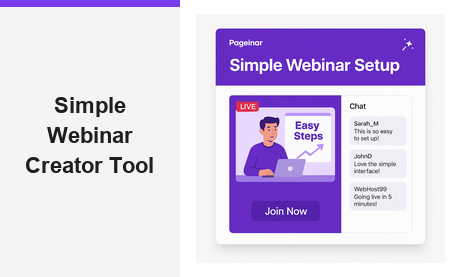
A simple webinar creator tool should make broadcasting easy, not overwhelming. Pageinar delivers exactly that: a fully hosted broadcast landing page where you customize your event, collect registrations, go live, and export leads, all without installing a single plugin. Your attendees join from any browser. You get a professional broadcast experience in minutes. This guide walks you through everything you need to know about using Pageinar as your go-to simple webinar creator tool.
What Makes a Simple Webinar Creator Tool So Valuable?
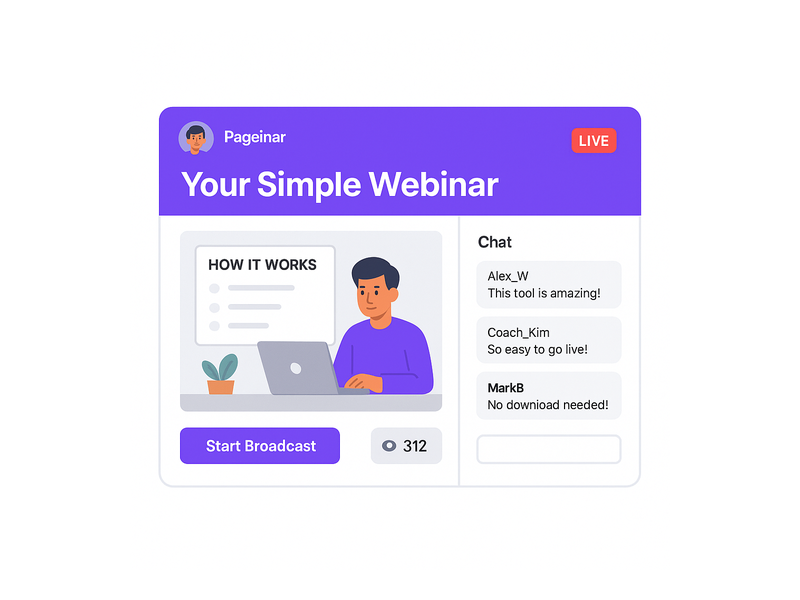
Most webinar platforms overwhelm new users with complex dashboards and multi-step setup processes. Furthermore, they often require attendees to install software or create new accounts before they can join. A simple webinar creator tool strips away all of that friction. It lets you focus entirely on your content and your audience, not on managing technology.
In fact, according to the Content Marketing Institute, webinars rank among the top content formats for B2B audience engagement. However, many businesses skip them entirely because the setup feels too technical to manage. Therefore, choosing a simple webinar creator tool like Pageinar gives you an immediate competitive advantage. Moreover, it means you can launch a professional broadcast on short notice, with no IT support required.
Additionally, the zero-installation model benefits your attendees as much as it benefits you. They click a link, and they are in. No downloads, no browser extensions, no account creation required on their side. As a result, your attendance rates improve because the barrier to entry is as low as it can possibly be.
How Pageinar Works as a Simple Webinar Creator Tool
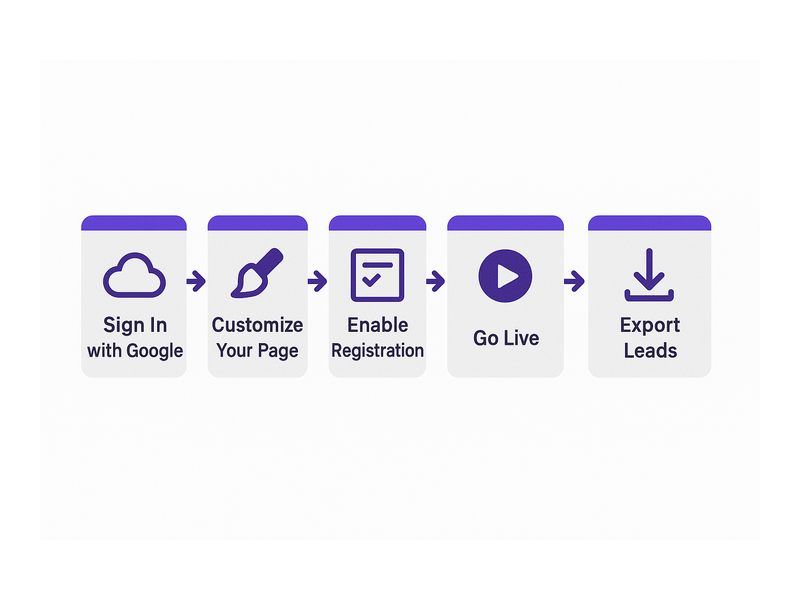
Getting started with Pageinar takes only a few minutes from sign-in to live page. First, visit Pageinar’s webinar broadcast platform and sign in with your Google account. After that, you land directly on your broadcast landing page, which is fully editable and ready to use immediately. There is no welcome wizard, no multi-page setup flow, and no configuration backlog to work through before you can get started.
Second, personalize your page header. Upload a cover image or choose a background color, add your avatar, write your event title, and include your website URL. Third, write a short description that tells visitors what your webinar covers and who it is for. Together, these steps take under five minutes to complete from scratch.
Fourth, choose your page mode. Toggle between Registration Mode and Broadcasting Mode using the button in the top-right corner of your page. Registration Mode activates your sign-up form so visitors can pre-register for your event. Broadcasting Mode activates your live stream so registered attendees can join and watch in real time from any browser.
Finally, share your page URL. That single link is everything your attendees ever need. They open it in a browser and they are live with you. For a simple webinar creator tool, this zero-friction attendee experience is one of Pageinar’s most powerful differentiators from traditional platforms.
Setting Up Registration and Lead Collection
Pageinar’s Registration Settings give you granular control over your sign-up form. Open the settings panel from the gear icon and navigate to Registration Settings. There, you can select a page template, set a background color, write a welcome message, and schedule your event with a specific date and time.
Moreover, you can enable a countdown timer to build anticipation as your event date approaches. Additionally, you can toggle lead collection fields on or off to suit your specific campaign needs. Available fields include First Name, Last Name, Company, email, phone, and custom fields you define yourself. As a result, you collect exactly the attendee data you need for your post-event follow-up campaigns without any extra tools.
To learn more about maximizing your lead collection, visit the Pageinar Knowledge Base guide on collecting leads before your broadcast event.
Key Features of the Pageinar Simple Webinar Creator Tool
A great simple webinar creator tool must do more than just stream video. Pageinar combines broadcasting, registration, live chat, and lead management into one seamless hosted platform. Here are the core features that set it apart from other solutions on the market.
Built-In Live Chat
Every Pageinar broadcast page includes a built-in RumbleTalk group chat panel on the bottom-left of the page. This chat supports full moderation, admin controls, custom visual themes, and a viewer and speaker display. Therefore, you can run a fully interactive live session without adding any third-party chat integration. Furthermore, you can configure an offline message so visitors see relevant content even when your broadcast is not currently active.
Password Protection for Private Events
Not every webinar is open to the public. Pageinar’s Broadcast Settings include a page password protection option. Enable it, set your password, and only attendees with the correct code can access your live broadcast. This makes Pageinar a simple webinar creator tool that handles exclusive member events and private customer sessions just as smoothly as open public broadcasts.
Social Media Integration
Pageinar lets you connect your social media profiles directly to your broadcast page. In the Broadcast Settings panel, add your links for Facebook, Instagram, Twitter, YouTube, and Twitch. As a result, attendees can follow you on their preferred platform directly from your webinar page. This is a small but high-value feature for growing your audience beyond the live event itself.
Automatic Broadcast Recordings
After each event, Pageinar saves your broadcast recording automatically. Navigate to Broadcast Recordings in the settings panel to see a table of past recordings with their names, durations, and dates. You can export these recordings and repurpose them as on-demand content, internal training resources, or social media clips. In fact, on-demand recordings often generate more qualified leads over time than the original live session did.
Registered List and Lead Export
Every attendee who signs up through your Pageinar registration page appears instantly in the Registered List table. This table shows Name, Company, Email, Phone, and Date Created for each registrant. You can search and export the list at any time. Therefore, your post-event follow-up process starts immediately, with no manual data entry or CSV imports from a separate tool required.
Who Benefits Most from a Simple Webinar Creator Tool?
A simple webinar creator tool like Pageinar fits a wide range of users and use cases. Moreover, its no-installation approach makes it accessible to audiences who are not comfortable with new technology or unfamiliar software platforms.
Entrepreneurs and Coaches
Solo entrepreneurs and coaches typically handle every aspect of their business themselves. They do not have time to manage a complicated webinar platform. A simple webinar creator tool lets them set up a professional broadcast in minutes, collect leads from attendees, and follow up quickly, all without needing technical support from anyone else. Pageinar’s Google login and single-page model are a natural fit for this busy audience.
Marketing and Sales Teams
For marketing teams, webinars are a proven channel for pipeline generation and product education. However, coordinating with IT to configure and approve new software creates friction and delays campaign timelines significantly. A simple webinar creator tool that requires no installation removes that bottleneck entirely. Additionally, Pageinar’s built-in lead export integrates naturally into existing CRM and email marketing workflows without extra development work.
Educators and Corporate Trainers
Educators and trainers need a platform their learners can access from any device without technical barriers. Pageinar’s no-plugin model means attendees on tablets, Chromebooks, or older laptops can join without any compatibility issues at all. Furthermore, password protection keeps private training sessions secure from uninvited participants. As a result, trainers can invest their energy in content delivery rather than troubleshooting attendee access problems before the session begins.
Event Organizers
Event organizers running virtual summits, product launches, or community meetups benefit greatly from a webinar platform that covers the full event lifecycle in one place. Pageinar handles registration, live broadcasting, moderated chat, and post-event lead export without requiring any external integrations. In addition, automatic recordings mean every session is archived without any extra configuration steps or third-party storage tools.
Simple Webinar Creator Tool vs Traditional Webinar Software
Traditional webinar software typically requires a host-side application installation, an attendee download, and a multi-step account registration process. In contrast, a simple webinar creator tool like Pageinar eliminates every one of those steps for both hosts and attendees. The comparison below highlights the most important practical differences between the two approaches.
- Setup time: Traditional tools can require hours of configuration and IT approval. Pageinar requires minutes.
- Attendee access: Traditional tools require a software download and account creation. Pageinar works in any browser on any device.
- Lead capture: Traditional tools need third-party CRM integrations to collect registrant data. Pageinar includes native lead collection and one-click export.
- Live chat: Traditional tools add chat as an optional paid add-on. Pageinar’s chat is built directly into every broadcast page at no extra cost.
- Recordings: Traditional tools often charge extra fees for recording storage. Pageinar includes recordings in every plan automatically.
Moreover, Pageinar is trusted by leading global organizations including Nasdaq, Wix, HP, and Sony Music. Therefore, simplicity does not come at the cost of professional quality. In other words, you get enterprise-level broadcast capabilities inside a simple webinar creator tool that anyone on your team can master on day one.
Tips for Getting the Most from Your Simple Webinar Creator Tool
First, promote your Pageinar page URL consistently across every channel you use. Share it on social media, in your email newsletter, and in your email signature. Second, use the countdown timer in Registration Settings to build anticipation and urgency in the days leading up to your event. Third, assign a chat admin before your broadcast begins so that audience questions are handled in real time while you focus entirely on presenting your content.
Additionally, build a repurposing habit around your broadcast recordings. After each event, export the recording and upload it to YouTube or embed it on your website as an on-demand resource for visitors who missed the live session. Furthermore, review your Registered List within 24 hours of each webinar to identify your highest-value leads for personal follow-up outreach. In short, a simple webinar creator tool is most powerful when it becomes part of a repeatable, systematic process you run every month.
For inspiration on building your first webinar strategy from the ground up, read Unlock the Power of Seamless Webinars with Pageinar: Welcome to a New Era of Online Engagement! to see how other hosts have launched their broadcast presence successfully.
The Right Simple Webinar Creator Tool Changes Everything
A simple webinar creator tool removes the barriers that prevent most businesses from making webinars a consistent part of their marketing and communication strategy. Pageinar delivers a complete broadcast experience on a single hosted page: registration, live video, moderated chat, lead collection, and automatic recordings all in one place. Therefore, you spend less time managing technology and more time building real relationships with your audience.
In fact, the businesses that grow the fastest through webinars are those that host them consistently, not just once or twice a year. Simplicity is what makes consistency possible. Alternatively, if you are an educator or trainer, the same principle applies: when the tool is genuinely easy to use, you host more sessions, and your audience gets more value from every interaction you create.
Ready to launch your next event? Visit Pageinar today, sign in with your Google account, and have your first broadcast page live in minutes. No setup fees, no plugins, no complexity. Just you, your content, and your audience.