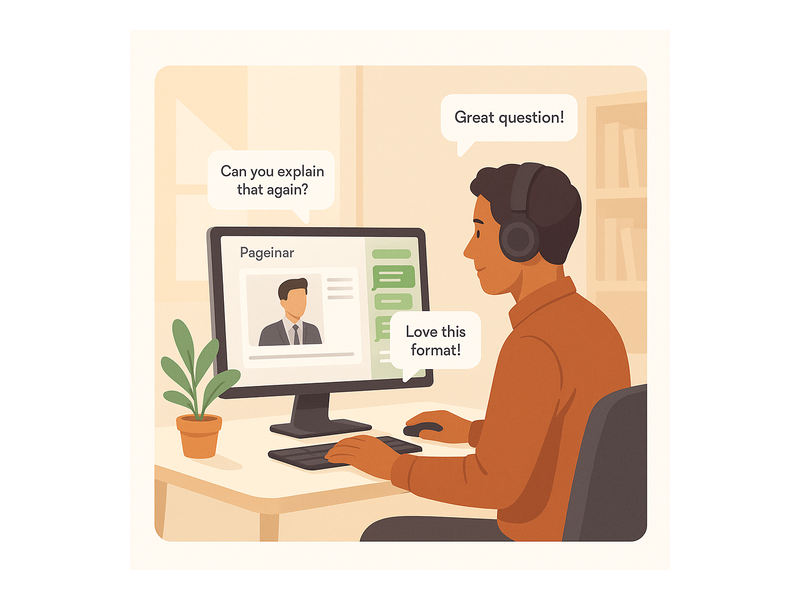
Webinar Platform: The Complete Guide to Live Broadcasting with Pageinar

Finding the right webinar platform is one of the most important decisions a B2B team can make. Whether you run product demos, virtual training, or high-profile broadcasts, your choice matters. Your webinar platform shapes how professional your event looks and how many leads you capture. Pageinar is an instant webinar and broadcast landing page service. It removes every technical barrier between host and audience — no plugins, no downloads required.

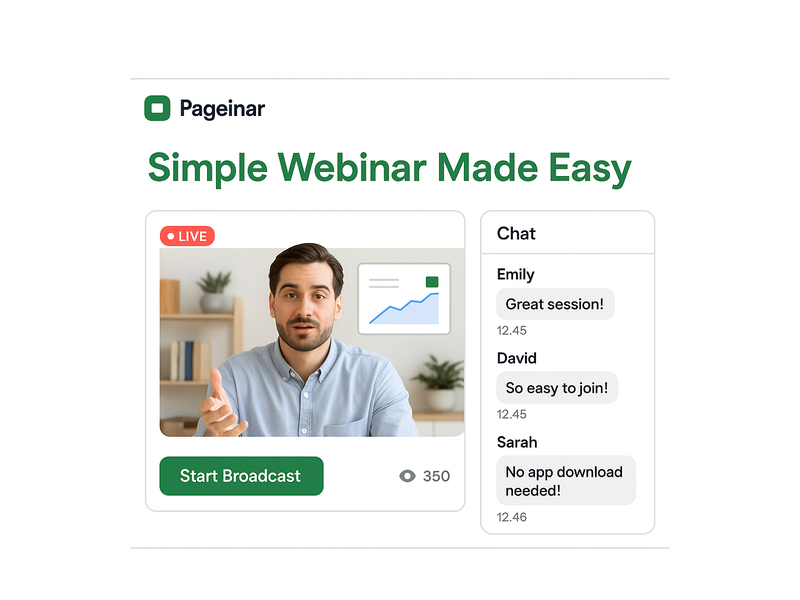
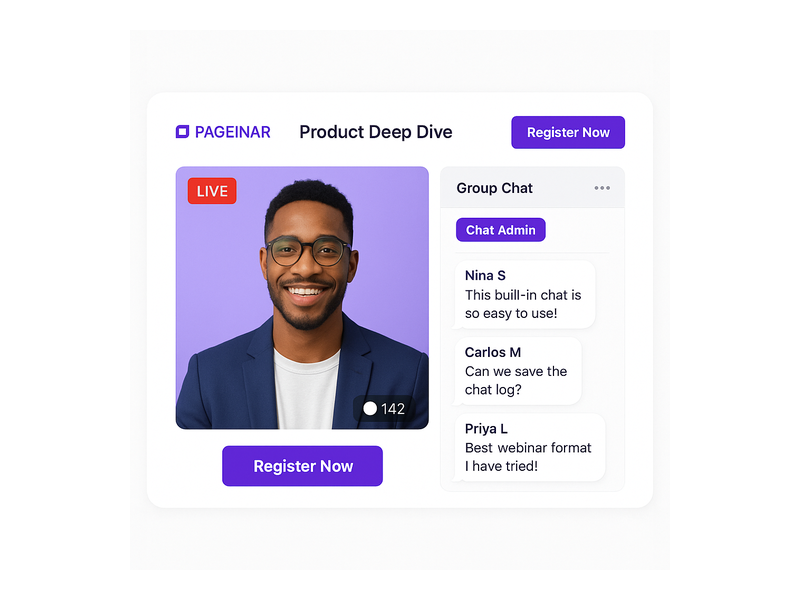
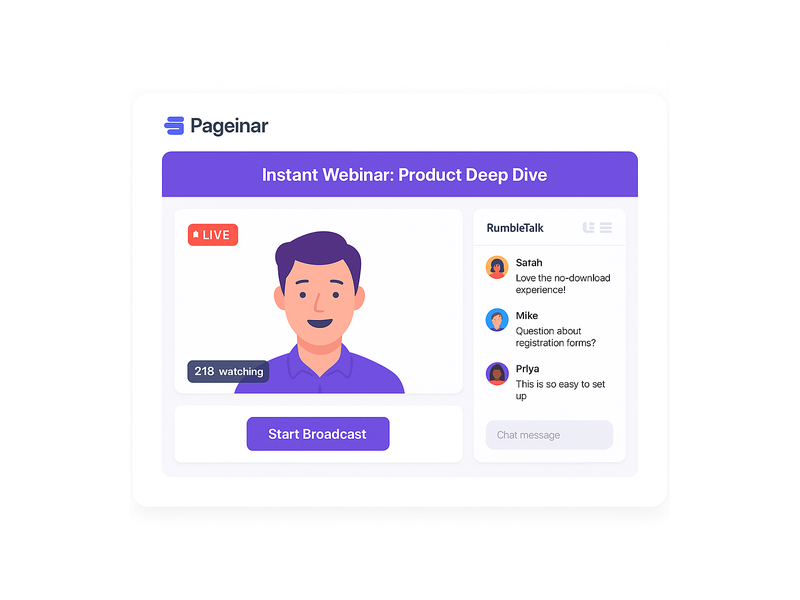
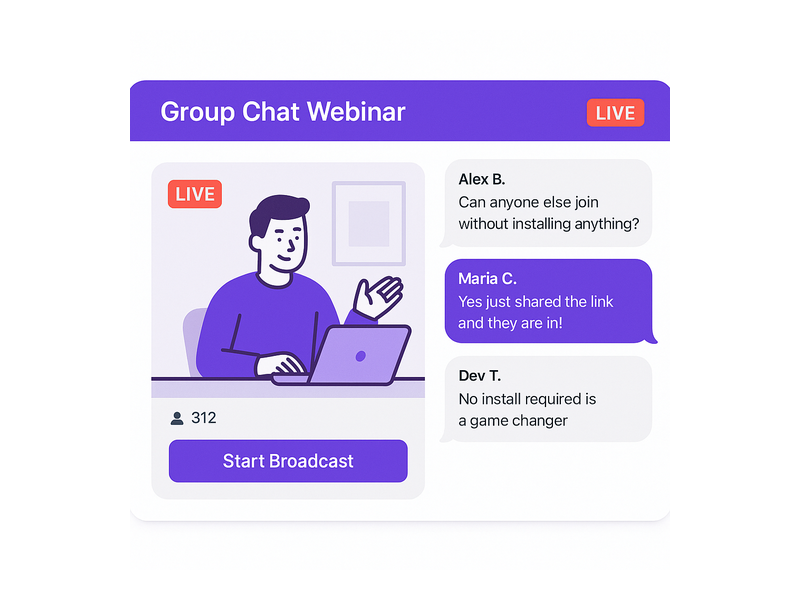
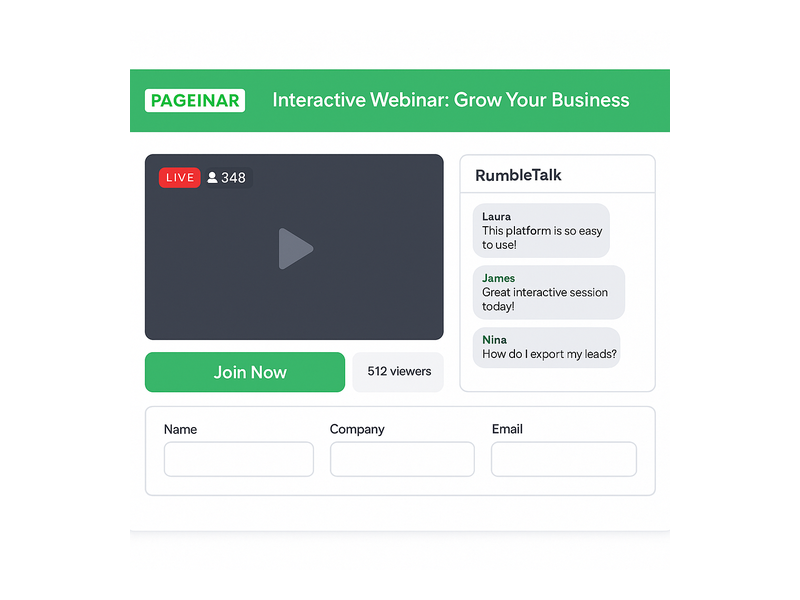
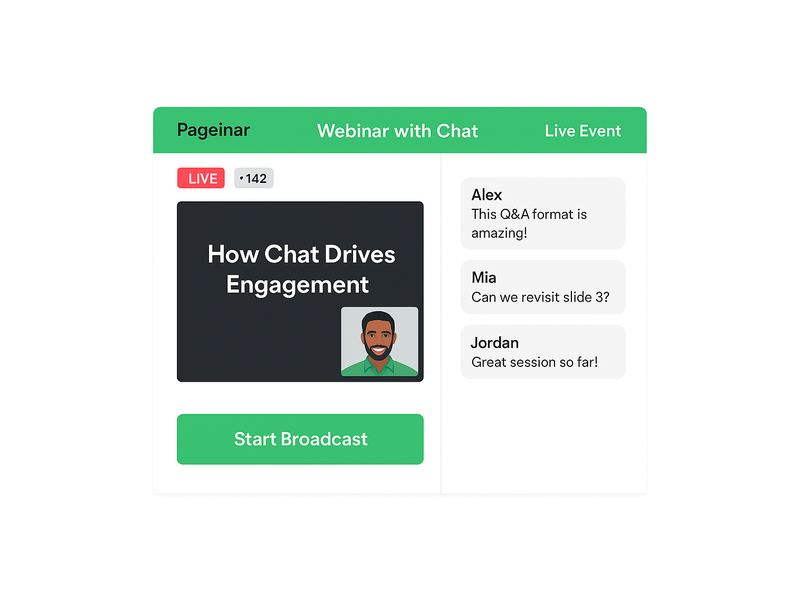
Pageinar webinar platform showing live broadcast area and RumbleTalk chat panel

What to Look for in a Webinar Platform

Not all webinar solutions deliver the same results. However, the best webinar platform options share a core set of qualities. These include zero-friction attendee access, reliable live streaming, built-in engagement tools, and seamless lead capture. Moreover, enterprise marketing teams need their hosting solution to double as a lead generation engine — not just a video tool.

For example, your sales team may run weekly product demos. In that case, you need a webinar platform that captures attendee details before the session. Additionally, it should store recordings automatically and export leads to your CRM. The platform should also require no software installation from your audience. They should be able to join with a single link and no friction at all.

In fact, according to industry research on web conferencing, regular live events drive higher lead conversion. Organizations that broadcast consistently outperform those relying only on static content. Furthermore, a well-branded broadcast page builds trust before a single word is spoken.

How the Pageinar Webinar Platform Works

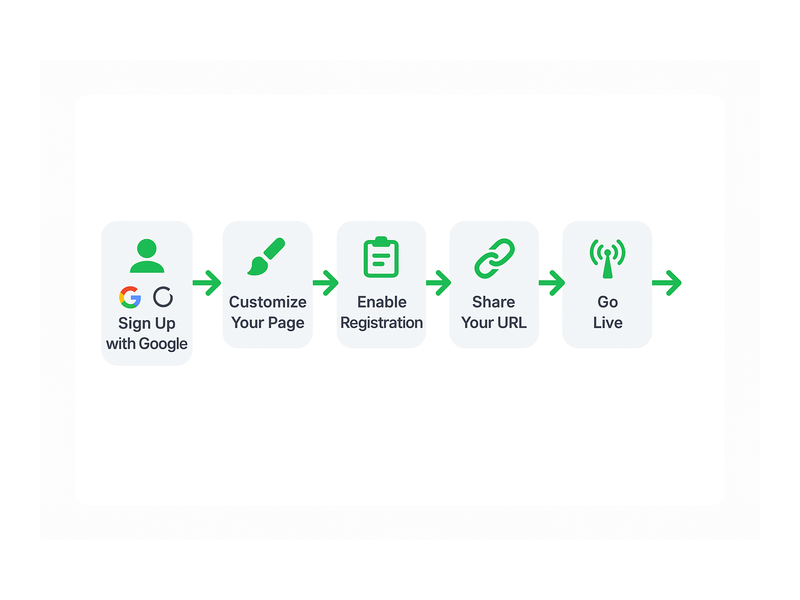
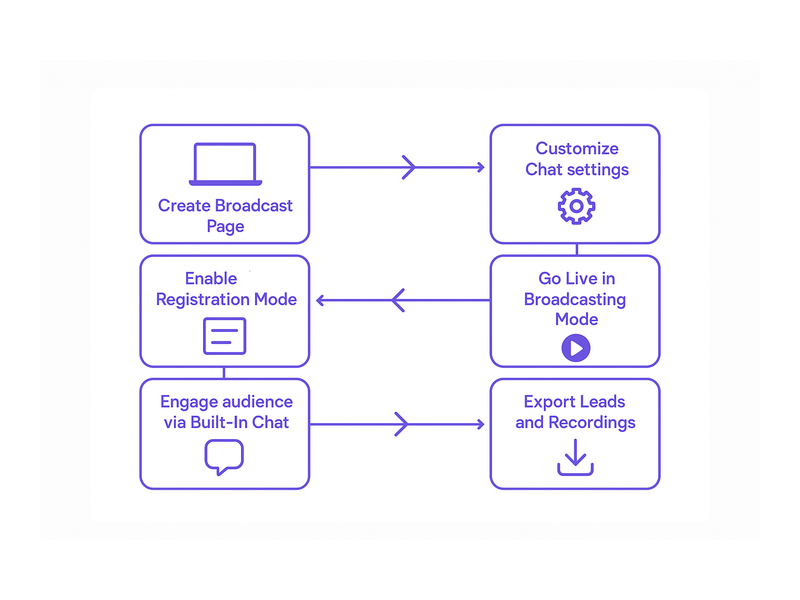
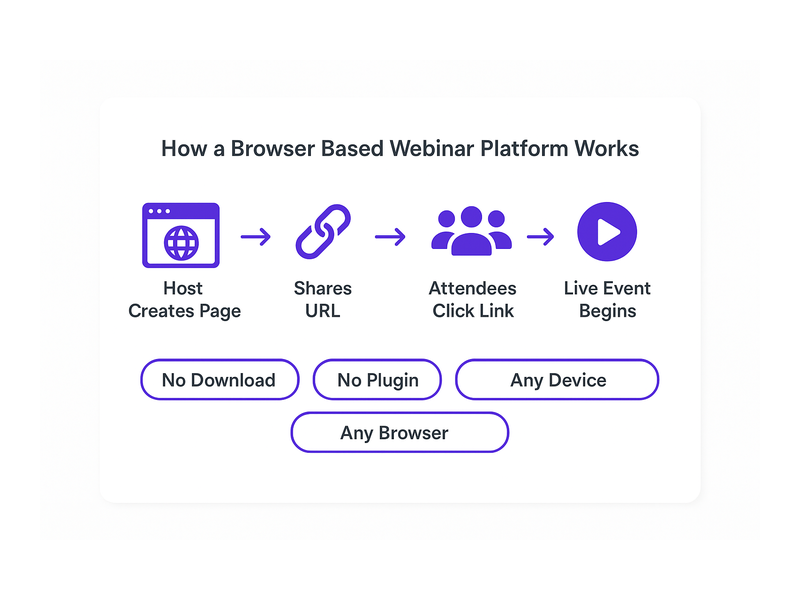
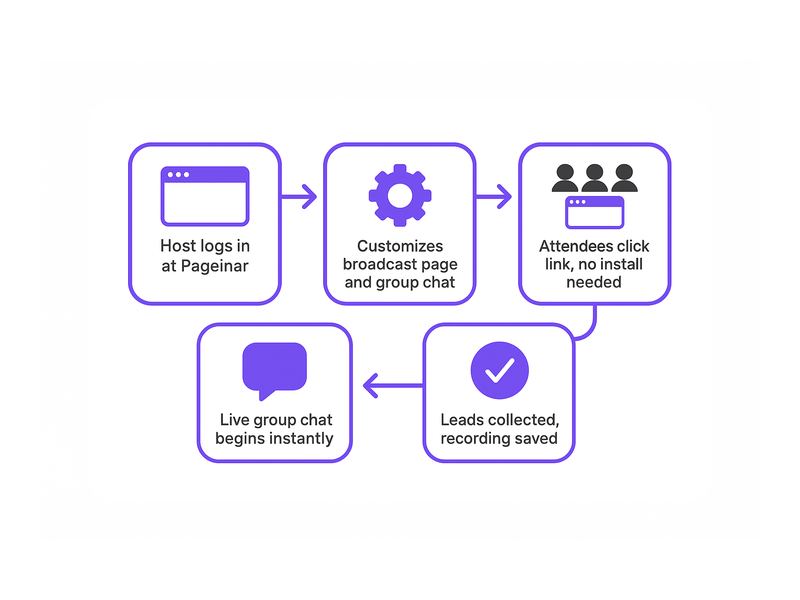
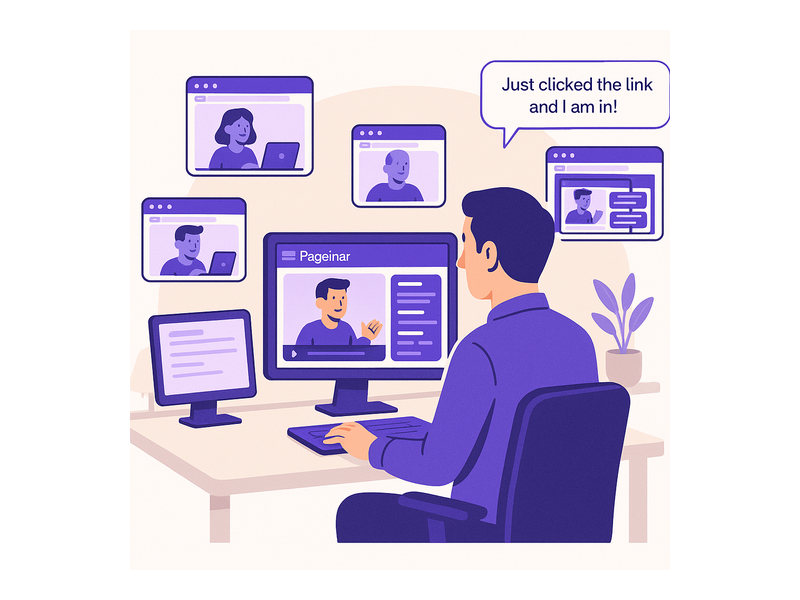
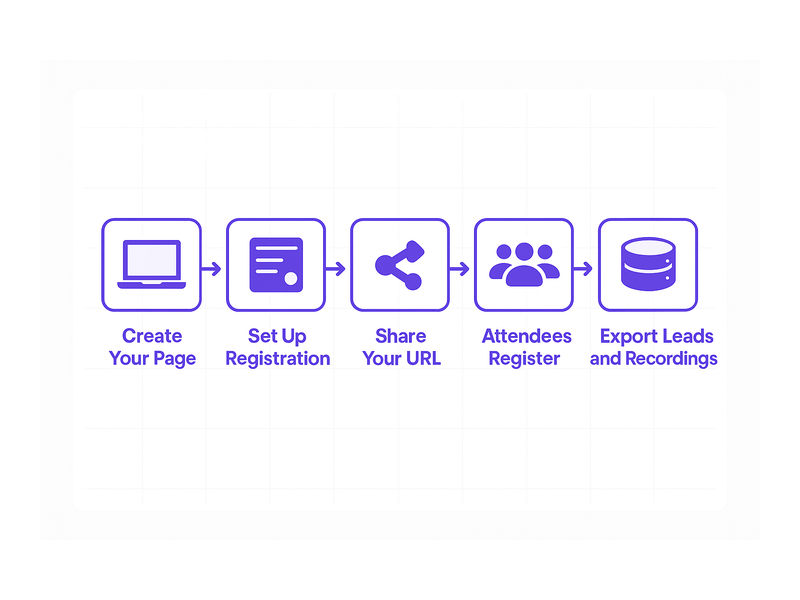
Pageinar takes a fundamentally streamlined approach to live broadcasting. First, the host signs in with their Google account — no email or password setup required. Second, they land directly on their hosted broadcast landing page. It is ready to customize and share immediately. Third, viewers open the event URL in any browser and join without downloading plugins or apps. In other words, the entire experience runs on a single hosted page.

The host’s page is fully editable. You can set a cover image, upload an avatar, write your webinar title and description, and add your website URL. Therefore, every Pageinar page feels like a branded event destination — not a generic video room. This customization is one reason Nasdaq, Wix, HP, and Sony Music chose this webinar platform for their live events.

Registration Mode — Collect Leads Before the Event

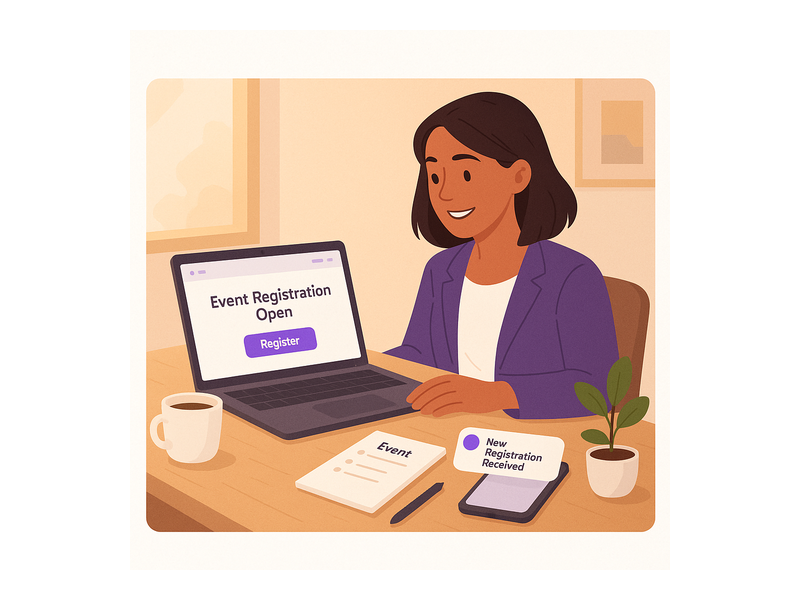
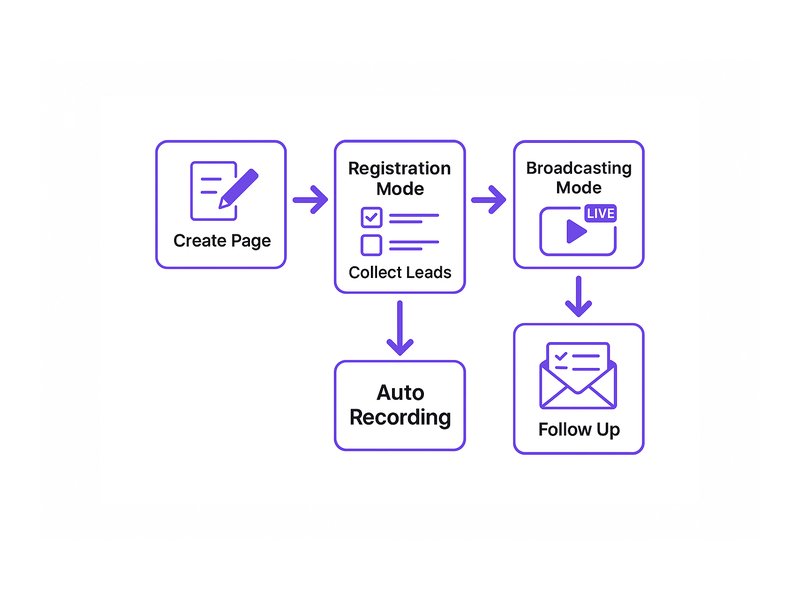
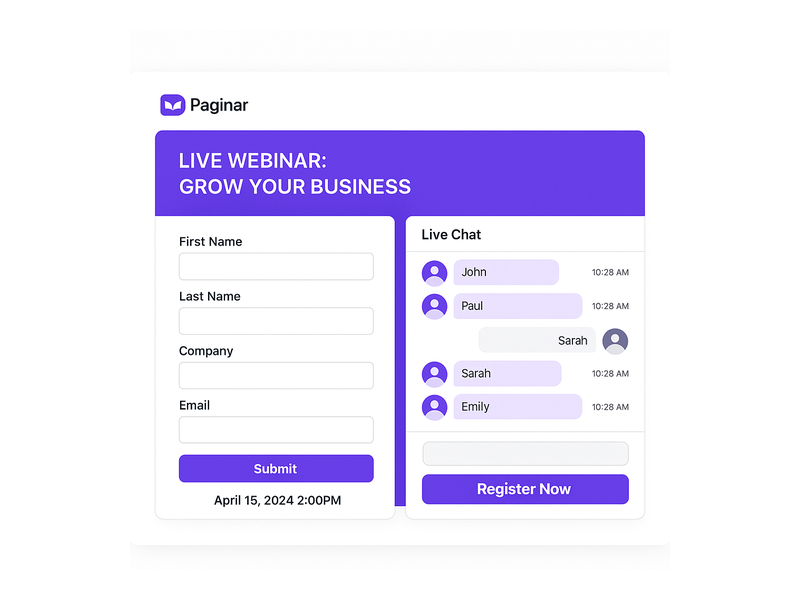
Before going live, hosts toggle the page to Registration Mode. In this mode, visitors see a registration form rather than the broadcast interface. As a result, you capture attendee information before the event begins. Fields include first name, last name, company, phone, and any custom fields you configure.

Additionally, registration settings let you set a date and add a welcome message. You can also upload a header image or video and display a countdown timer. Better still, all collected leads are stored in the Registered List. You can search, filter, and export them at any time. This transforms your webinar platform into a complete lead generation funnel.

For example, a B2B consulting firm can gate their monthly strategy webinar behind a registration form. The form can ask for company size and current challenge. Consequently, the sales team enters follow-up calls with richer context per contact. To set this up step by step, visit the Pageinar Knowledge Base. It covers lead collection configuration and every other platform feature in detail.

Broadcasting Mode — Go Live Instantly

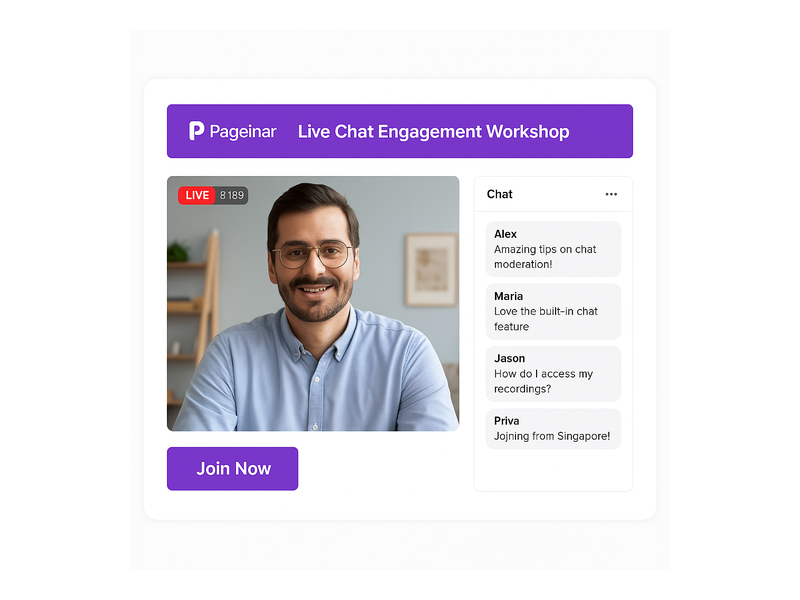
Once ready to broadcast, toggling to Broadcasting Mode reveals the Start Broadcast button directly on the page. Pressing it initiates the live stream from the Pageinar interface. No external software is required. Furthermore, a red LIVE badge and a live viewer count display in real time. This gives the event a professional atmosphere that viewers immediately recognize.

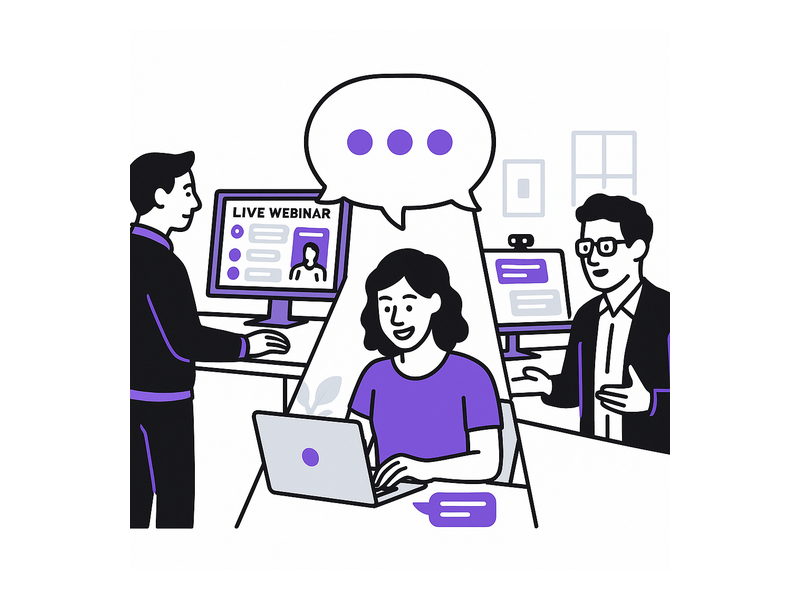
The integrated RumbleTalk chat panel runs alongside the broadcast throughout the session. Specifically, attendees can ask questions, share reactions, and discuss content — all on the same hosted page. The host has full admin controls. They can moderate messages, mute users, select a chat theme, and configure an offline message. In short, the chat experience is as polished as the broadcast itself.

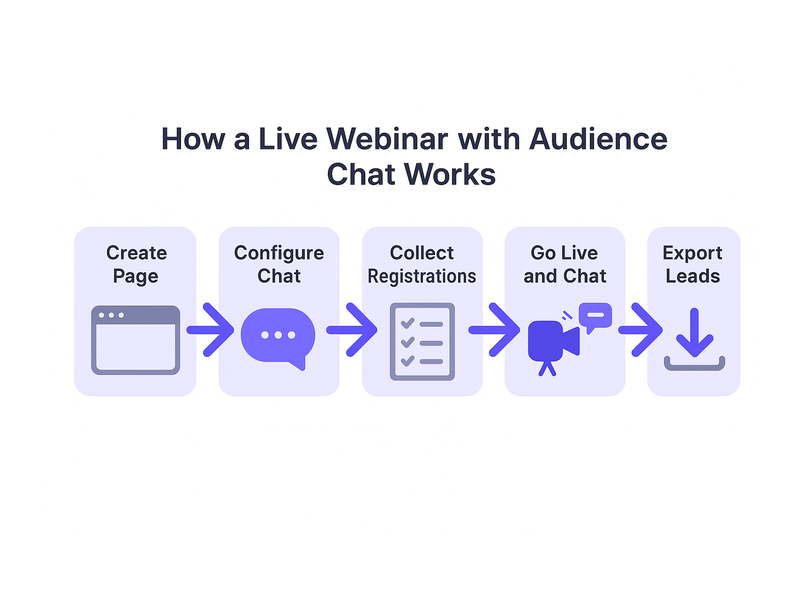
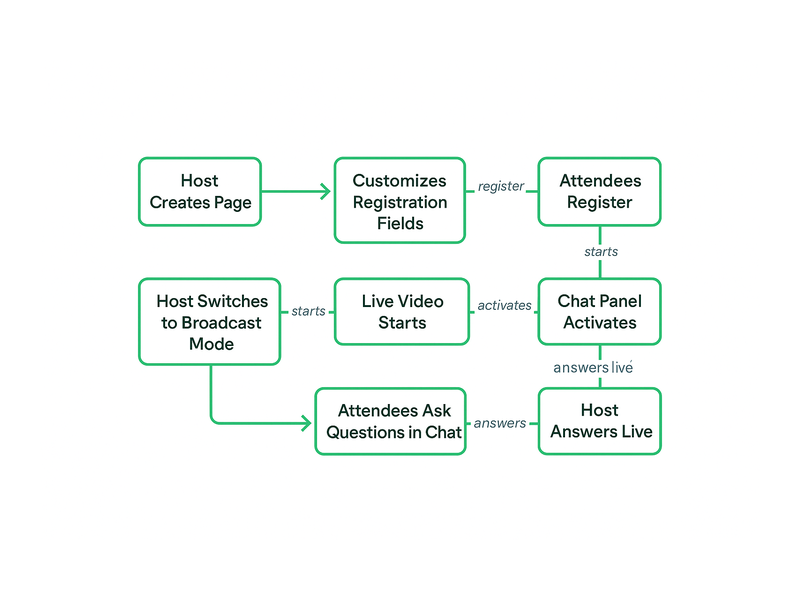
Webinar platform setup workflow diagram from registration to live broadcast

Key Features That Set This Webinar Platform Apart

Pageinar combines broadcasting, audience engagement, and lead capture into a single hosted page. Therefore, teams do not need separate tools for streaming, chat, registration, and recording. Here is a closer look at what makes this webinar platform stand out for B2B teams.

Broadcast Recordings — On Demand After Every Event

Every broadcast is automatically recorded and stored in the Broadcast Recordings panel. Session duration and export options are included. Consequently, you can share replays with registrants who could not attend live. You can also repurpose recordings as gated content or archive sessions for internal training. For teams running recurring webinars, this archive becomes a growing content asset. It continues to generate value long after each live event ends.

Flexible Lead Collection and Registration Templates

The registration settings panel offers multiple template options for the page layout. Moreover, every form field is configurable — toggle first name, last name, company, and phone. You can also add unlimited custom fields tailored to your qualification process. For example, a SaaS company might add a field for ‘Team Size’ to pre-qualify attendees. As a result, post-event sales outreach becomes more targeted and effective. That is a key advantage of a well-designed webinar platform.

Password Protection and Social Promotion

Pageinar includes built-in page password protection. This makes it easy to run members-only events, internal training sessions, or partner-only broadcasts. In addition, the Broadcast Settings panel lets you add social profile links directly to your event page. You can connect Facebook, Instagram, Twitter, YouTube, and Twitch. This ensures attendees can follow your brand without leaving the experience — a meaningful touchpoint for audience building.

Chat Themes and Moderation Controls

The chat settings panel gives hosts complete control over the engagement experience. Specifically, you can choose from multiple visual chat themes to match your brand identity. Configure an offline message and toggle the visibility of viewer and speaker lists. Ideally, this control makes even large-scale events feel intimate and well-managed. It keeps audiences engaged and reduces disruptive interactions during the broadcast.

Who Uses a Webinar Platform Like Pageinar?

Pageinar’s client base spans some of the world’s most recognized brands. However, the platform is equally effective for smaller teams. Here are the most common use cases for a modern webinar platform:

  • B2B Product Demos: Sales teams run live product walkthroughs and capture leads through the registration form before the session begins.
  • Online Training and Onboarding: HR and L&D teams broadcast internal training sessions, with recordings stored on demand for new hires and remote employees.
  • Thought Leadership Broadcasts: Marketing teams host industry panels and expert interviews on a branded page that reinforces company positioning.
  • Virtual Product Launches: Product teams coordinate launch-day events with a registration page that builds anticipation and collects a qualified lead list before the broadcast.
  • Partner and Reseller Enablement: Channel teams run enablement webinars for partner networks, using password protection to restrict access to invited participants only.
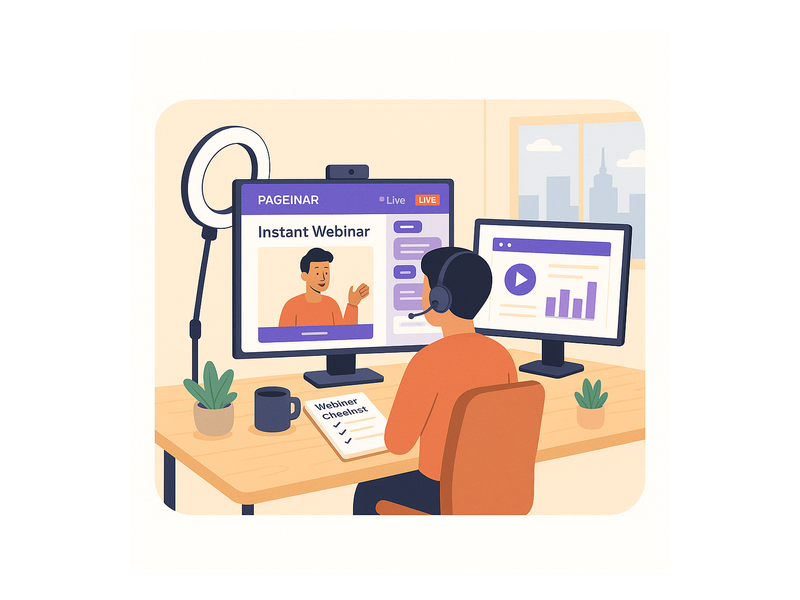
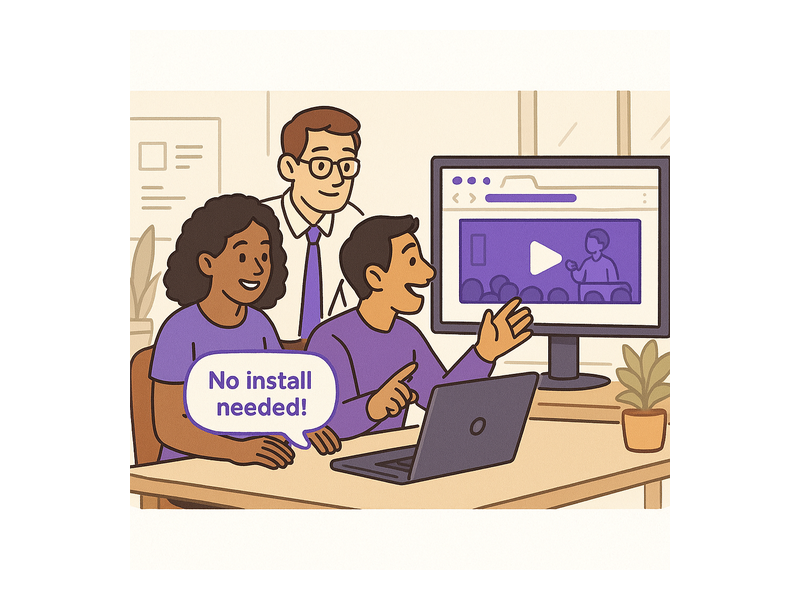
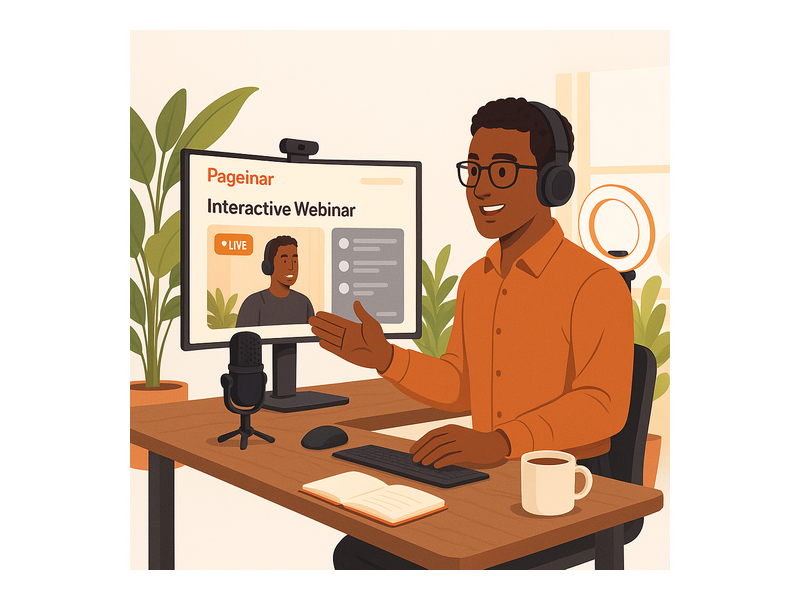
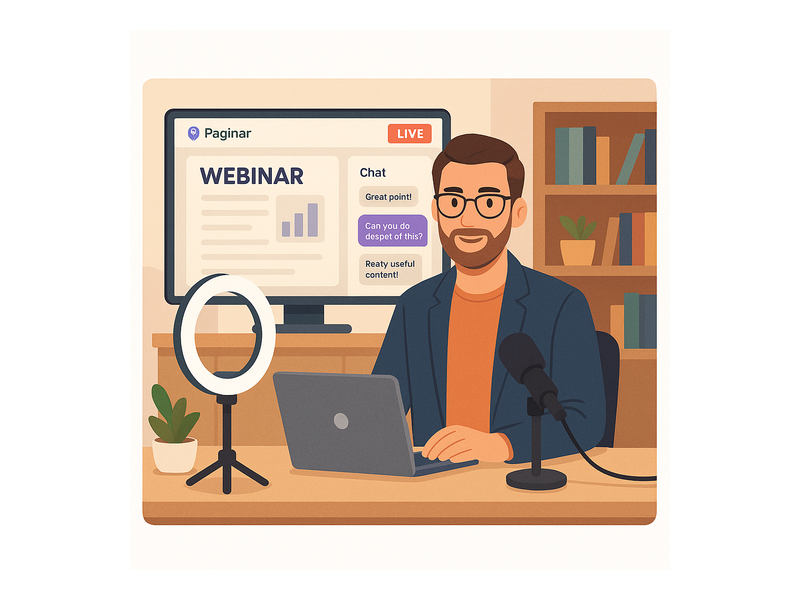
Team hosting a live event using the Pageinar webinar platform on a laptop

Getting Started with Your Webinar Platform

Getting started with Pageinar as your webinar platform requires no technical setup at all. First, visit pageinar.com and sign in with your Google account. Second, your hosted broadcast landing page is immediately available and fully editable. Third, customize your event title, upload a cover image, and configure your registration form. Share the URL — your event is ready. The entire setup typically takes under ten minutes for a first-time user.

In addition, the Pageinar Knowledge Base provides step-by-step guides for every feature. These cover lead collection fields, chat themes, and exporting broadcast recordings. For further inspiration, read Unlock the Power of Seamless Webinars with Pageinar. See how teams are transforming their online engagement with this webinar platform.

Why the Right Webinar Platform Changes Everything

In today’s competitive B2B landscape, attention is the scarcest resource. Therefore, every friction point in your event experience is a potential drop-off point. A plugin download prompt, a confusing registration flow, or a lagging chat all cost you attendees. Alternatively, a webinar platform that removes these barriers by design keeps your audience focused on the content and your brand.

Furthermore, when your webinar platform functions as a branded landing page, it reinforces your company identity at every touchpoint. Together, the broadcast and registration page create a cohesive funnel. This funnel runs from first click to qualified lead to post-event follow-up. In other words, the right platform does not just stream video — it generates pipeline.

In short, the best webinar platform is not the one with the longest feature list. It is the one your team will actually use, consistently and confidently. Pageinar is built to grow your audience and close more deals. It is simple enough to launch in minutes and powerful enough for enterprise broadcasts.

Ready to Launch Your Next Event on a Modern Webinar Platform?

If you are ready to elevate your live events and capture more qualified leads, Pageinar is the webinar platform designed for the way modern teams work. Sign in with Google, customize your page, and go live in minutes. No code, no plugins, no complexity for your attendees. Visit pageinar.com and launch your first broadcast today. Your audience is just one URL away.

Live Webinar Software: Host Broadcasts With Zero Setup

Choosing the right live webinar software can transform how your business connects with its audience. Whether you are running a product demo, a training session, or a company-wide announcement, the platform you choose determines every aspect of the attendee experience. Pageinar — the all-in-one webinar and broadcast landing page platform — takes a refreshingly simple approach: attendees open a URL and the event begins. No downloads, no plugins, no installation required. In this guide, we cover everything you need to know about modern live webinar software and how Pageinar delivers a broadcast experience that works effortlessly for hosts and attendees alike.

Pageinar webinar landing page illustration 1

What Is Live Webinar Software and Why Does It Matter?

Live webinar software is a platform that enables hosts to broadcast video, audio, and interactive content to a remote audience in real time. However, not all solutions are built the same. Traditional webinar tools often require attendees to install desktop applications or browser extensions before they can join a session. As a result, many potential attendees drop off before the broadcast even begins, costing hosts valuable leads and engagement.

Modern live webinar software solves this problem by running entirely in the browser. Attendees simply click a link. Moreover, hosts can manage registration, broadcasting, chat moderation, and lead collection all from a single dashboard. For global organizations like Nasdaq, Wix, HP, and Sony Music, this level of reliability and simplicity is non-negotiable. Additionally, the best live webinar platforms offer deep customization — a branded event page builds trust and professionalism from the very first second an attendee arrives. For broader context on how online events have evolved, the web conferencing overview on Wikipedia provides useful background on the history and trajectory of live online broadcasts.

Core Features Every Live Webinar Solution Must Have

First, a reliable broadcast engine is non-negotiable. A solid live webinar tool must deliver low-latency video with minimal buffering. Second, interactive features — live chat, Q&A, and moderation controls — keep the audience engaged throughout the session. Third, lead collection tools let you capture attendee information before the broadcast begins. Finally, exportable recordings help you measure your event’s impact and repurpose content long after the session ends.

  • Instant browser-based access — no downloads required for attendees
  • Customizable registration pages and broadcast landing pages
  • Integrated live chat with moderation and admin controls
  • Password-protected pages for private or exclusive events
  • Lead collection with custom form fields
  • Exportable recordings and attendee lists
  • Social media integration for cross-platform promotion

How Pageinar Reinvents Live Webinar Software

Pageinar takes a fundamentally different approach to live webinar software. Instead of forcing hosts to connect multiple disconnected tools — a broadcast platform here, a registration form there, a chat widget somewhere else — Pageinar combines everything into one hosted landing page. Additionally, setup takes minutes rather than days. Users sign in with their Google account, customize their page, and share the URL with their audience. There is no software to install on the host side either.

In other words, Pageinar is live webinar software designed entirely around the host’s workflow. The result is a professional broadcast experience that works out of the box. Moreover, because everything runs on a hosted page managed by Pageinar, there is no server to maintain, no software to update, and no version conflicts to troubleshoot. Hosts can focus entirely on their content rather than their infrastructure.

Registration Mode vs. Broadcasting Mode

One of Pageinar’s most powerful features is the two-mode toggle built into every broadcast page. Furthermore, switching between modes takes a single click — making it seamless to move from pre-event lead collection into a live broadcast when the time comes.

Registration Mode transforms the page into a branded lead capture form. Hosts can customize the registration template, set a background color, write a welcome message, configure a date and time countdown, and choose exactly which fields to collect — First Name, Last Name, Company, Phone, and any custom fields relevant to their audience. Importantly, every registered attendee is stored in the Registered List, where hosts can search, view, and export their leads at any time before or after the event.

Broadcasting Mode activates the full live experience. The broadcast page displays the host’s avatar, event title, cover image, and description alongside the live video player and integrated chat panel. Viewers see the OFFLINE or LIVE status badge updated in real time. When the host clicks Start Broadcast, the red LIVE indicator appears for all attendees simultaneously — no delay, no coordination required.

Pageinar webinar landing page illustration 2

Setting Up Your Live Webinar Page Step by Step

Getting started with Pageinar as your live webinar software is genuinely straightforward. First, visit pageinar.com and sign in with your Google account. After login, you land immediately on your main broadcast page — a fully editable hosted landing page that serves as your complete webinar hub. Second, customize the page with your branding: upload a cover image or set a background color, add your avatar, write the event title, link your website, and craft a compelling description that draws attendees in.

Additionally, the Settings panel — accessed from the gear icon — gives hosts fine-grained control over every element of the event. Under Broadcast Settings, you can password-protect your page to limit access to invited attendees. You can also connect your social media profiles — Facebook, Instagram, Twitter, YouTube, and Twitch — directly on the broadcast page, turning every event into a cross-platform promotion opportunity that extends your reach well beyond the webinar itself.

Collecting Leads Before Your Broadcast

Under Registration Settings, you control the entire lead collection experience. Specifically, you configure the registration page template, background color, welcome message, event date and time, header image or video, countdown timer visibility, and the precise fields each attendee must complete before gaining access. As a result, you arrive at every broadcast with a curated list of qualified, engaged prospects already captured and ready for follow-up.

After the event, exporting the Registered List takes a single click. Therefore, your sales team receives a fresh batch of warm leads with zero manual data entry. For detailed configuration steps, the Pageinar Knowledge Base covers everything from creating your first page to managing advanced broadcast and registration settings.

Integrated Live Chat Powered by RumbleTalk

Live chat is central to what makes live webinar software valuable. Pageinar’s integrated chat panel is powered by RumbleTalk — a professional group chat engine with full moderation tools, customizable visual themes, admin controls, and viewer and speaker display options. Hosts can set an offline message that appears in the chat panel before the broadcast starts. Furthermore, the admin panel lets hosts mute disruptive attendees, remove problematic users, and highlight important messages — all in real time during the live session without interrupting the broadcast flow.

Lead Generation With Live Webinar Software

One of the strongest reasons to invest in live webinar software for B2B marketing is the quality of leads it produces. Webinars consistently generate high-intent prospects because attendees self-select — they raise their hand to attend your event. Therefore, every person who registers is already a qualified lead who has expressed genuine interest in your topic, your company, or your offer. Cold outreach cannot match that level of intent.

Pageinar makes this lead generation process entirely friction-free. The registration page collects the exact fields you need — names, companies, email addresses, phone numbers, and any custom data points relevant to your sales process. After the event, you export the full Registered List with a single click. In short, your pipeline fills up with warm, interested prospects without any cold outreach budget required.

Moreover, many B2B marketers now use live webinar software as their primary top-of-funnel channel. Instead of spending budget on display ads targeting cold audiences, they invite their target market to a valuable educational event and let interested prospects come to them. Additionally, every broadcast recording becomes a long-tail content asset. For example, you can offer it as a gated download, post clips on LinkedIn, or embed the full recording on a resource page — multiplying the return on a single broadcast many times over.

Pageinar webinar landing page illustration 3

Recordings, Analytics, and Long-Term Post-Event Value

The best live webinar software does not stop delivering value when the broadcast ends. Pageinar automatically saves every broadcast as a recording. Under the Broadcast Recordings panel in your settings, you can view all past sessions with full duration details and export recordings for distribution or repurposing at any time. There is no time limit on access and no complex export process — it is always available.

Additionally, a single one-hour webinar can generate weeks of content across multiple channels. For example, you can embed the recording on a dedicated resource landing page, share short clips on LinkedIn or Instagram, or offer the full session as a premium gated download for new subscribers. Therefore, your investment in each live event compounds long after the broadcast window closes, delivering ongoing value to your content marketing strategy.

Who Uses Live Webinar Software Like Pageinar?

Live webinar software is not reserved for large enterprise teams. However, it scales effortlessly to meet enterprise-level demands. Pageinar has powered live broadcasts for global organizations including Nasdaq, Wix, HP, and Sony Music, as well as independent consultants and small businesses running intimate solo sessions for niche audiences.

Common use cases across industries include:

  • Product demos — show prospects exactly how your solution works in a live, interactive format with real-time Q&A
  • Training and onboarding — educate employees or customers at scale with no travel costs or scheduling conflicts
  • Thought leadership events — position your brand as an industry authority through panel discussions, expert interviews, and fireside chats
  • Lead generation campaigns — capture high-intent prospects through a fully branded, gated webinar registration flow
  • Company announcements — broadcast product launches, quarterly updates, or executive town halls to a global distributed audience
  • Community events — host regular meetups, AMAs, or skill-building workshops directly under your brand

For more insight into how live broadcast technology can power your business strategy, read Unlock the Power of Seamless Webinars with Pageinar — a detailed look at the platform’s full capabilities and the real-world business results it delivers for teams of every size.

Ready to Launch Your First Live Webinar?

If you have been searching for live webinar software that combines professional broadcast capabilities with absolute zero friction for attendees, Pageinar is the answer. Sign in with your Google account, customize your broadcast page in minutes, and share the URL. No downloads, no plugins, no complicated technical setup — just a clean, branded event page that works on any device and in any modern browser, anywhere in the world.

Whether you are hosting your very first webinar or scaling an enterprise broadcast program for thousands of attendees, Pageinar gives you every tool you need in a single hosted page. Additionally, the free plan lets you explore the full platform before committing to a paid subscription — so there is genuinely no risk in getting started today. Visit Pageinar — your complete live webinar and broadcast platform and launch your first event right now.

Webinar Landing Page: How to Build, Launch, and Convert with Pageinar

A webinar landing page is the single URL your audience uses to register, watch, and engage with your live webinar event. In fact, it is your digital front door. However, most tools force you to stitch together a registration form, a streaming service, and a chat app. That fragmentation costs you leads. Moreover, it creates technical headaches and a broken attendee experience. Pageinar’s all-in-one broadcast platform removes all of that complexity. You sign in with Google and get a fully hosted, customizable page instantly. No plugins. No code. No setup delays.

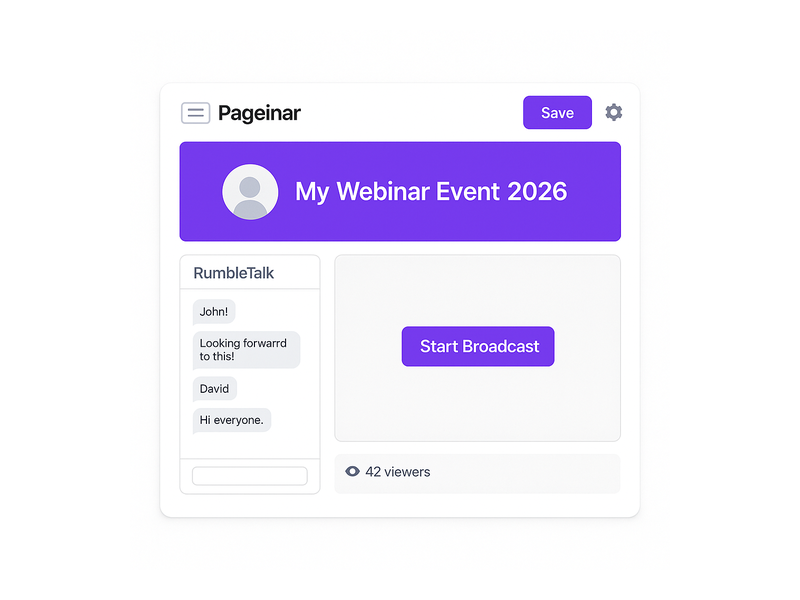
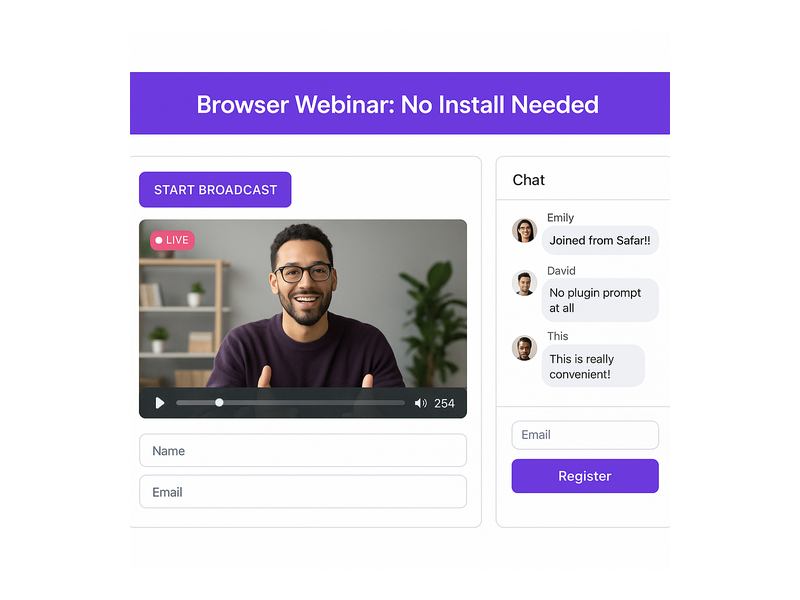
Pageinar webinar landing page showing live broadcast area and integrated chat

What Makes a Great Webinar Landing Page?

Not every webinar landing page delivers results. In fact, most event pages fail because they miss one or more of three core components. First, you need a compelling registration experience. Second, you need a smooth live broadcast environment. Third, you need a real-time audience engagement layer. Together, these three elements turn a simple URL into a high-converting event page.

A Branded Registration Experience

Before your event goes live, your page works as a registration hub. It needs to reflect your brand and make signing up easy. With Pageinar, you switch to Registration Mode with one click. That instantly activates a customizable template. For example, you can upload a header image or video. You can choose a background color and write a personalized welcome message. Additionally, you can display the event date and time and toggle a live countdown timer. That timer builds urgency as your broadcast approaches.

For B2B teams, the lead collection layer delivers real value. You can enable fields for First Name, Last Name, Company, and phone number. Moreover, you can add custom fields for your specific campaign. For instance, ask attendees about their industry or team size. Every registration flows automatically into the Registered List. As a result, your sales team gets clean lead data with no manual data entry required.

A Seamless Live Broadcast Environment

When your event begins, your broadcast page transforms into a live stage. Pageinar’s Broadcasting Mode places a large video player front and center. A Start Broadcast button appears for the host only. Attendees open the same URL they used to register. Therefore, the live stream starts immediately in their browser. No external software. No encoder setup. No RTMP keys. In short, the broadcast runs directly from your Pageinar page.

That frictionless flow from registration to live event is a major advantage. For example, a host can go from zero to live in under a minute. Attendees never navigate away. They never download anything. As a result, attendance rates stay high from start to finish.

Integrated Live Chat for Real-Time Engagement

Engagement is what separates a live webinar from a recorded video. Pageinar’s broadcast page includes a built-in RumbleTalk group chat panel. It comes with full moderation controls, multiple themes, and admin mode. Hosts can moderate questions in real time. Moreover, they can pin important messages and keep the conversation on topic. Best of all, the chat runs directly on your webinar landing page. Your attendees never leave the page to chat. As a result, engagement stays high throughout the event.

For high-profile broadcasts — events for Nasdaq, Wix, HP, and Sony Music — a professional moderated chat is a core requirement. Additionally, the questions attendees ask during a live session reveal real buying signals. That means your sales team gets valuable intelligence for follow-up outreach.

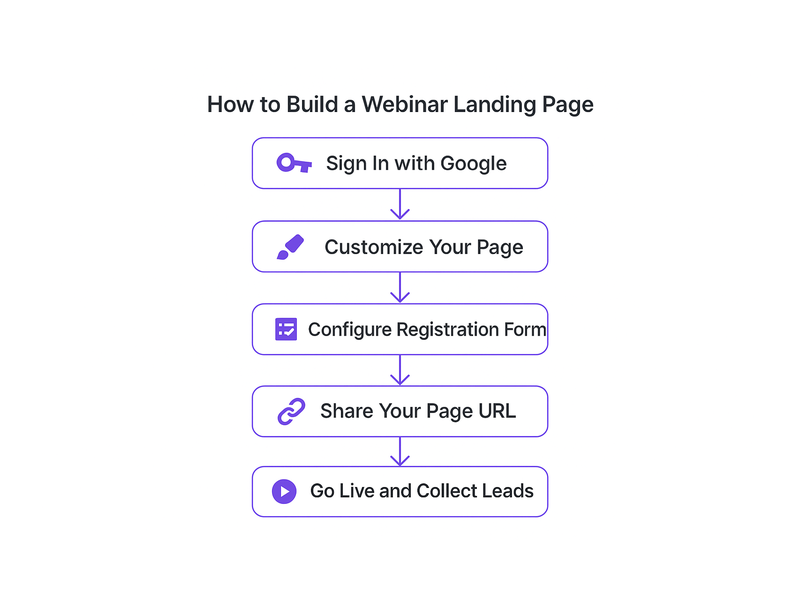
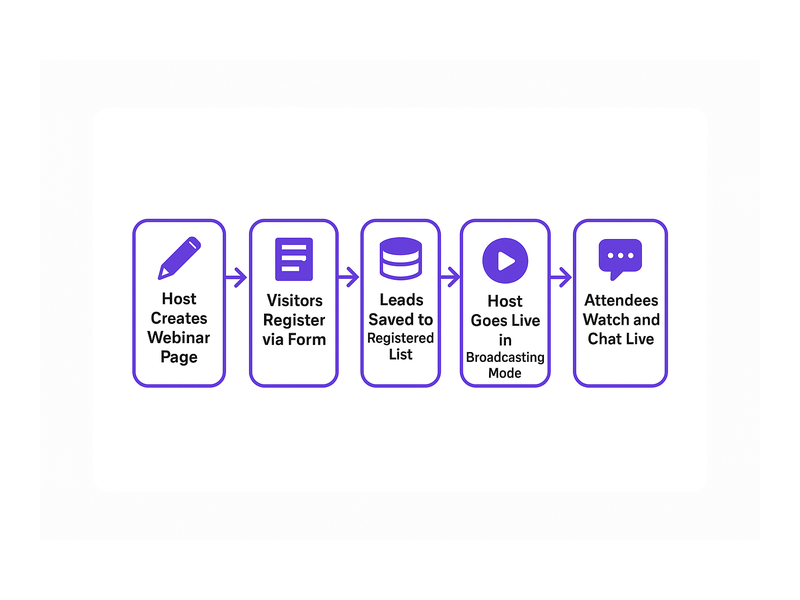
Webinar landing page setup workflow — from registration to live broadcast

How to Set Up Your Webinar Landing Page with Pageinar

Getting your webinar landing page live takes just a few minutes. Here is exactly how it works, step by step.

Step 1: Sign In with Google

Pageinar uses Google Sign-In exclusively. You authenticate once and land directly on your broadcast page. Better still, it is already live and hosted on Pageinar’s infrastructure. Therefore, no domain setup or installation is required. In other words, you start customizing immediately.

Step 2: Customize Your Page Identity

Your event page is fully editable from the main interface. Upload a cover image or choose a background color. Add your avatar and set the event title. Enter your website URL and write a compelling event description. For step-by-step guidance on every option, visit the Pageinar Knowledge Base. In fact, it covers every customization available.

Step 3: Configure Registration and Lead Collection

Open the Settings panel and go to Registration Settings. Choose your registration template and set the event date and time. Moreover, select which lead collection fields to enable. For B2B webinars, enable the Company field and at least one custom qualification field. Additionally, if your event needs access control, you can password-protect your webinar landing page from the Broadcast Settings panel.

Step 4: Set Up Your Chat Experience

In Chat Settings, select a RumbleTalk theme that matches your brand. For example, multiple visual themes are available — from minimal and professional to bold and expressive. Next, designate chat admins who will manage the conversation during your broadcast. Furthermore, set an offline welcome message for early arrivals. A well-configured chat sets a professional tone from the very first message.

Step 5: Go Live and Record Everything

Toggle your page from Registration Mode to Broadcasting Mode using the switch in the top-right corner. Click Start Broadcast. Your audience watches the live stream directly in their browser. No download needed. After the event, your Broadcast Recordings section saves every session automatically. Therefore, those recordings become on-demand content and lead generation assets you can use for months.

Step 6: Share Your Social Links

Pageinar lets you add social profile links to your event page. Connect Facebook, Instagram, Twitter, YouTube, and Twitch. In addition, these links give attendees clear paths to follow your brand after the broadcast. As a result, your event page becomes a multi-channel touchpoint — not just a one-time URL.

Webinar Landing Page Best Practices for B2B Teams

Having the right platform is only part of the equation. These best practices help B2B teams get maximum value from every webinar landing page they publish.

Lead With the Audience Outcome

Your event title is the most persuasive copy on your page. Lead with the specific result attendees will walk away with. For example, “How to Reduce Customer Churn by 30% This Quarter” converts far better than “Customer Success Webinar.” Specificity signals expertise. Moreover, it filters out unqualified registrants before they reach the form.

Keep Registration Fields Minimal

Every additional field reduces your conversion rate. Collect only what your sales team actually uses. Typically that means First Name, Last Name, Business Email, and Company. Add custom fields sparingly. However, when you do add them, make sure the data genuinely improves lead scoring. Pageinar’s field controls let you enable or disable any field without touching code.

Activate the Countdown Timer

Pageinar’s registration mode includes a built-in countdown timer. Visitors who see “14 hours remaining” register immediately instead of saving the tab and forgetting. Therefore, enable the countdown timer for every time-bound event. It is one of the simplest conversion improvements you can make at no extra cost.

Brief Your Chat Admins Before the Broadcast

Designate at least one chat admin before your event begins. Ideally, they should know the agenda and be ready to moderate from the first message. Set an offline welcome message that greets early arrivals. Furthermore, an actively moderated chat signals professionalism to every attendee. It keeps your audience focused on the content you worked hard to prepare.

Build a Post-Event Content Lifecycle

Your Broadcast Recordings section captures every session automatically. Do not let those assets sit idle. For example, export your recordings and embed them on your website as on-demand content. Alternatively, publish them behind a registration gate to keep generating leads. As a result, a well-executed broadcast page delivers value for months after the original event date.

Team hosting a live event using a webinar landing page on Pageinar

Who Uses Pageinar for Their Webinar Landing Pages?

Pageinar is used across industries where live communication matters. Financial services firms host investor briefings and compliance training. SaaS companies run product demos and partner enablement events. Media companies use it for live Q&A discussions and editorial panels. Furthermore, educational institutions host certification workshops and alumni engagement programs.

The common thread is clear. They all need a professional webinar landing page that is ready instantly — without requiring IT resources or technical setup. Trusted by Nasdaq, Wix, HP, and Sony Music, Pageinar handles both small internal meetings and large-scale public broadcasts. In addition, if you are new to the platform, start with Unlock the Power of Seamless Webinars with Pageinar for a full introduction.

Start Building Your Webinar Landing Page Today

Your webinar landing page is the foundation of every live event you run. It is where leads are collected before the broadcast. It is where your video streams in real time. Moreover, it is where your audience engages through live chat. Getting that foundation right determines the outcome of everything that follows.

Pageinar gives you everything in a single hosted URL. No fragmented toolchain. No setup delays. No technical support tickets. Therefore, sign in at Pageinar’s instant webinar broadcast platform and have your first professional broadcast page live within minutes. Your next high-impact event starts right here.