No Download Webinar Platform: Host Events Instantly

A no download webinar platform is the fastest, most friction-free way to host live online events and reach your audience wherever they are. Traditional webinar tools force attendees to install desktop applications, grant browser permissions, or wait through lengthy plugin updates before they can join. Moreover, these technical barriers drive away potential viewers before the session even starts. Pageinar is a true no download webinar platform built entirely on a hosted web page, so your attendees simply click a link and join the event in seconds, with zero software to install.

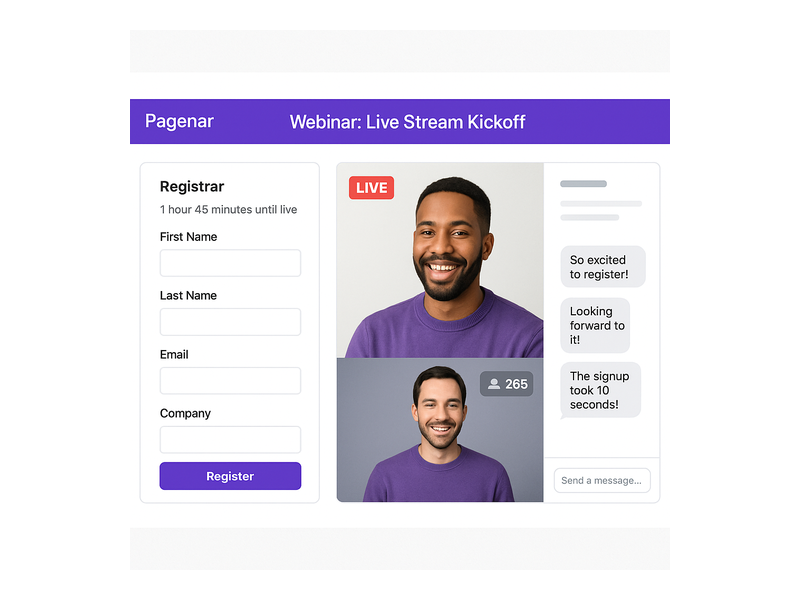
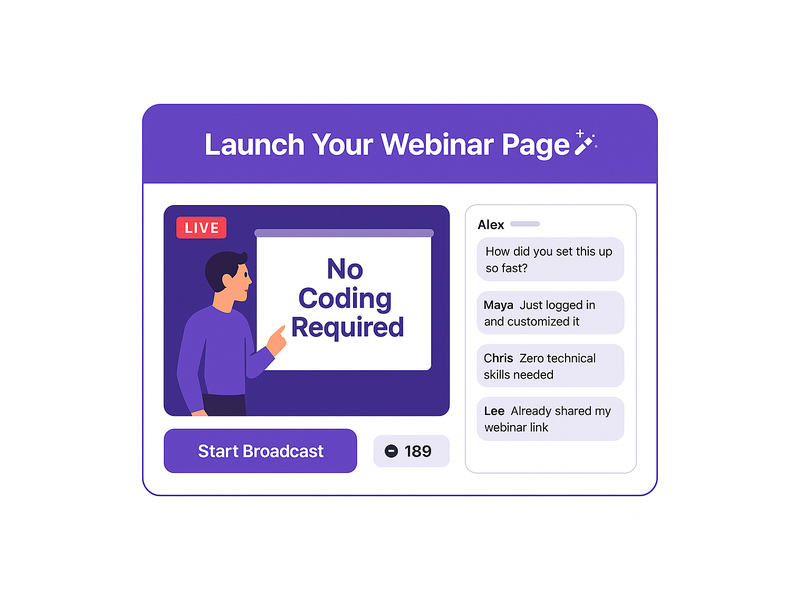
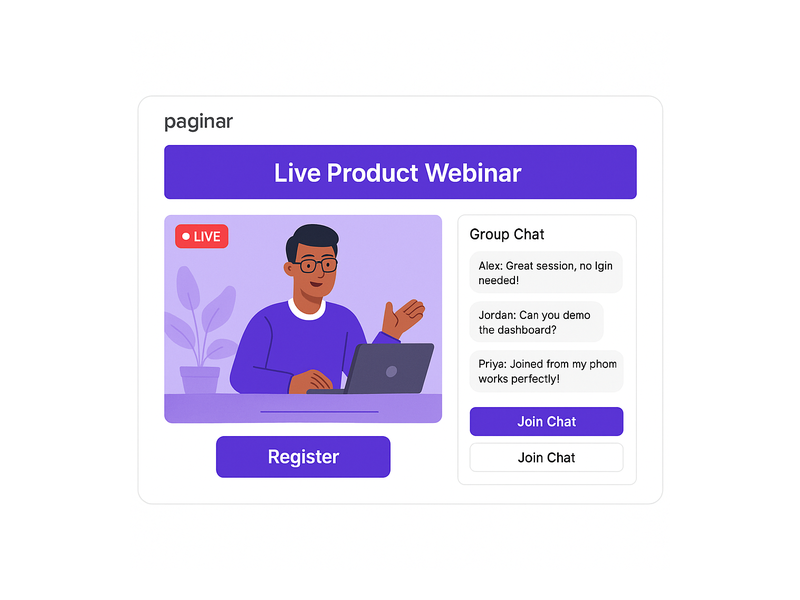
Pageinar webinar landing page illustration 1

What Makes a No Download Webinar Platform Different

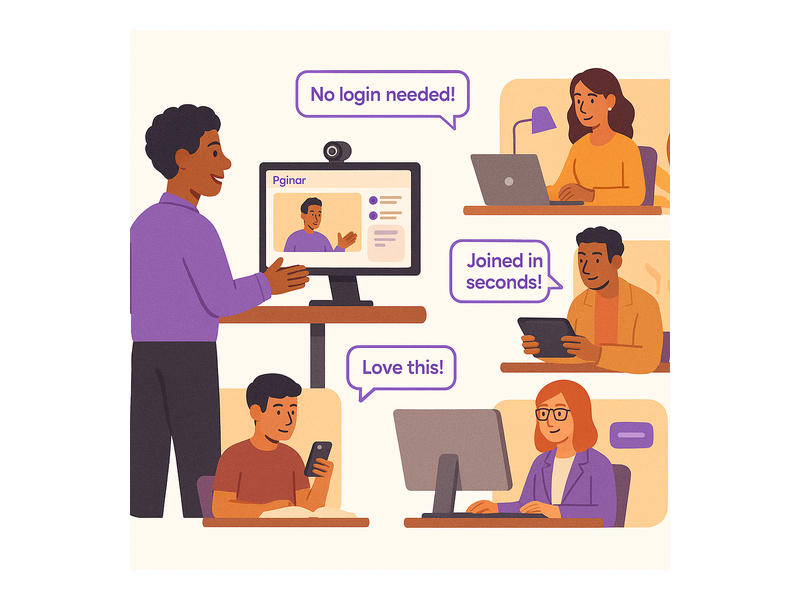
The core difference between a no download webinar platform and a traditional solution comes down to access. Traditional platforms require attendees to download software, create accounts, or install browser extensions before joining any event. In contrast, a no download webinar platform delivers the entire experience through a standard web browser. Therefore, anyone with a smartphone, tablet, or laptop can join your event with a single tap or click, regardless of their operating system or technical skill level.

Additionally, a no download webinar platform reduces technical support requests dramatically. For example, event organizers using download-required tools often spend significant time troubleshooting attendee access issues before sessions begin. In short, choosing a no download webinar platform means spending less time on logistics and more time on delivering great content to your audience.

Furthermore, browser-based hosting eliminates compatibility problems across devices and operating systems. According to Wikipedia’s overview of web conferencing, browser-based platforms consistently outperform desktop applications in attendee join rates and overall session satisfaction scores. As a result, the business case for switching to a no download webinar platform has never been stronger.

How Pageinar Works as a No Download Webinar Platform

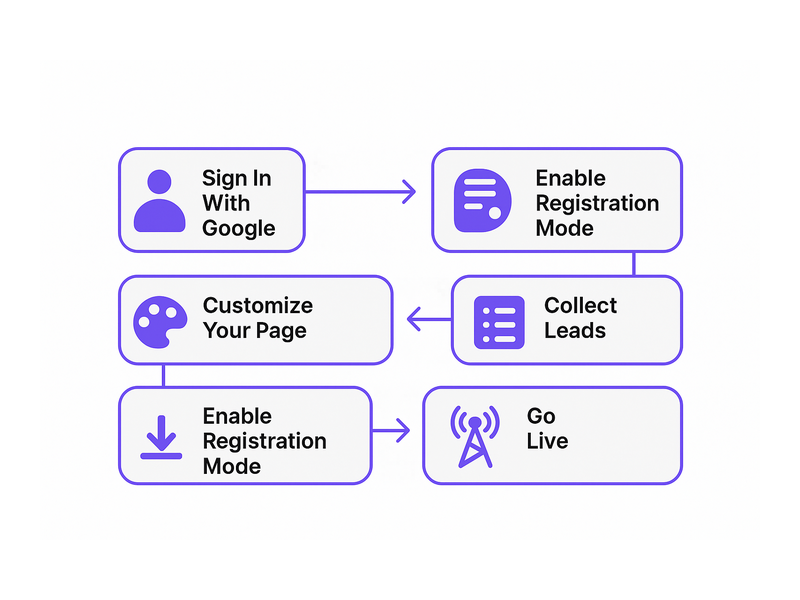
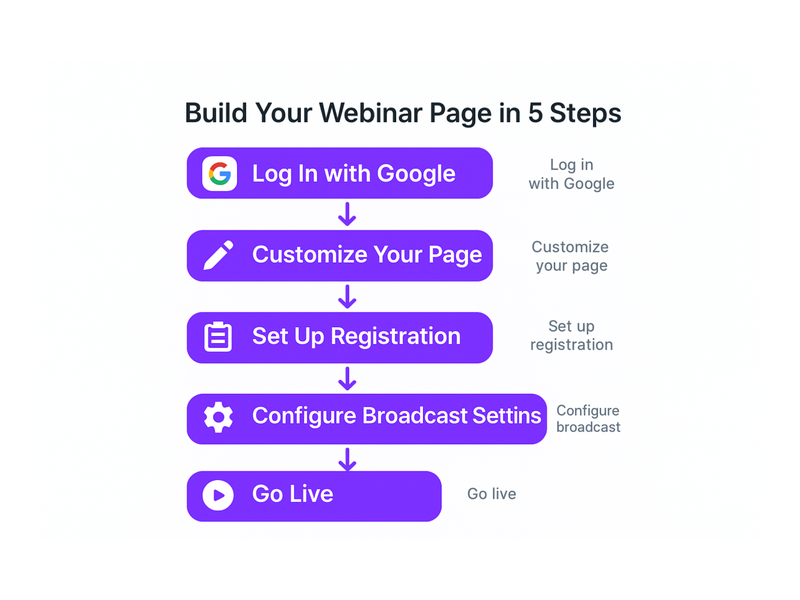
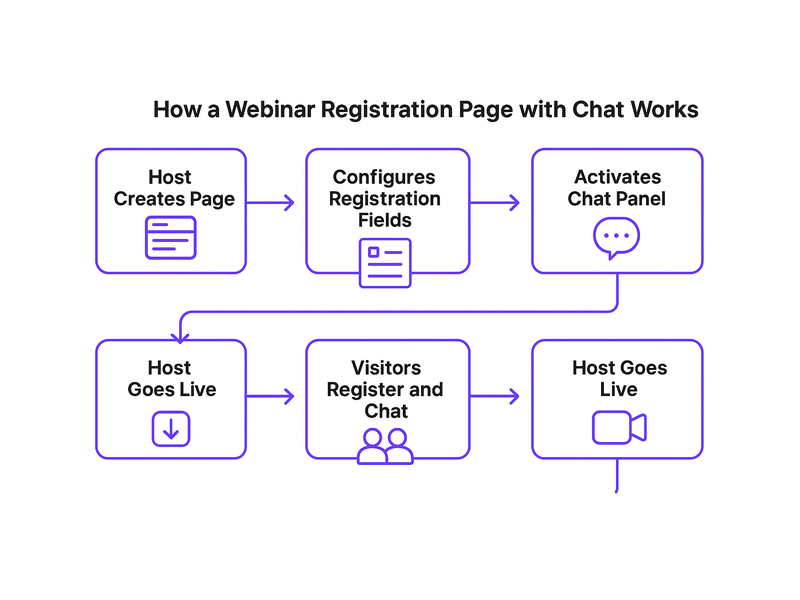
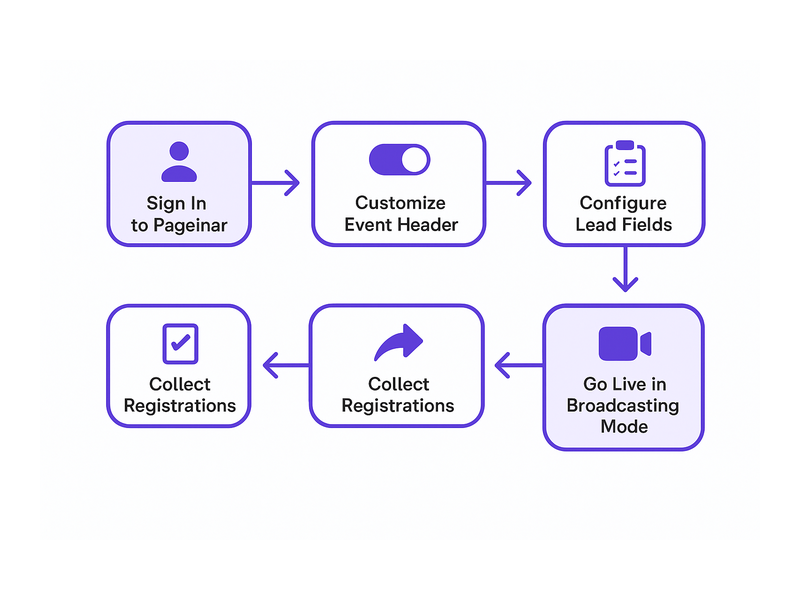
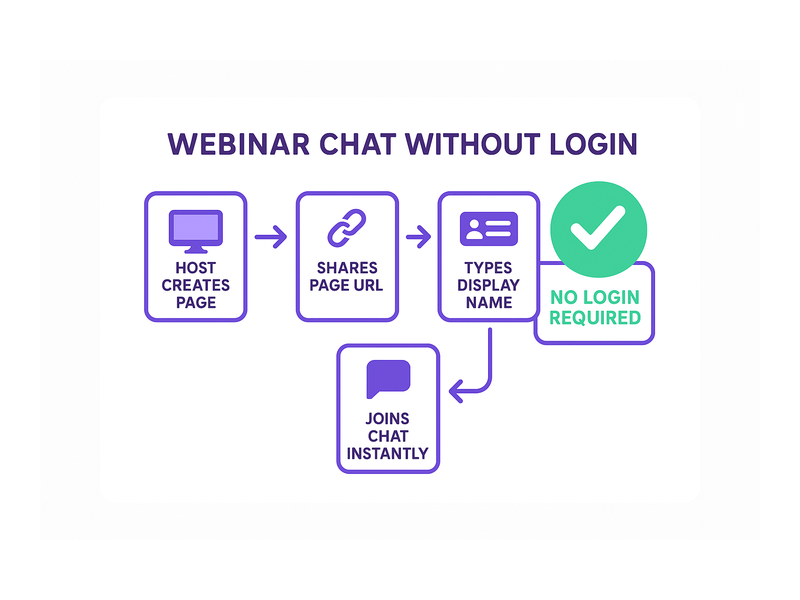
Pageinar is built from the ground up as a no download webinar platform. First, you sign in with your Google account at pageinar.com. No email-and-password registration is required on the host side either. After login, you land on your personal broadcast landing page, which is fully editable and ready to share immediately. Furthermore, your attendees never need to install anything: they simply visit your page URL in any modern browser and join the live event without any prompts or downloads.

The host customizes the page with a cover image, avatar, event title, website URL, and description. Second, the page operates in two modes: Registration Mode for collecting leads before the event, and Broadcasting Mode for going live. As a result, the entire workflow, from setup to live broadcast, happens on one hosted landing page. There are no third-party plugins, no desktop clients, and no software requirements for anyone involved.

Key Features of the No Download Webinar Platform

Pageinar packs a robust set of capabilities into its no download webinar platform experience. However, the simplicity of the interface means you never sacrifice power for ease of use. Below are the core features that set this platform apart from download-required alternatives.

Instant Live Broadcasting

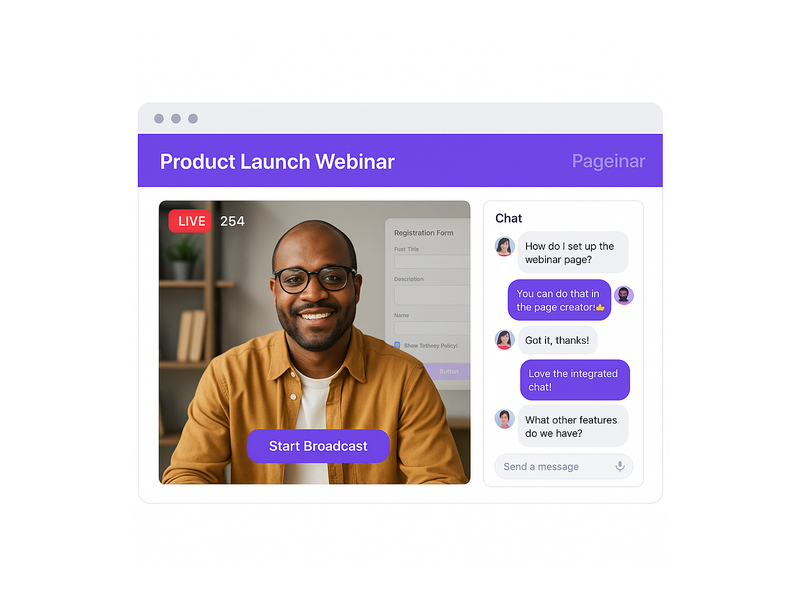
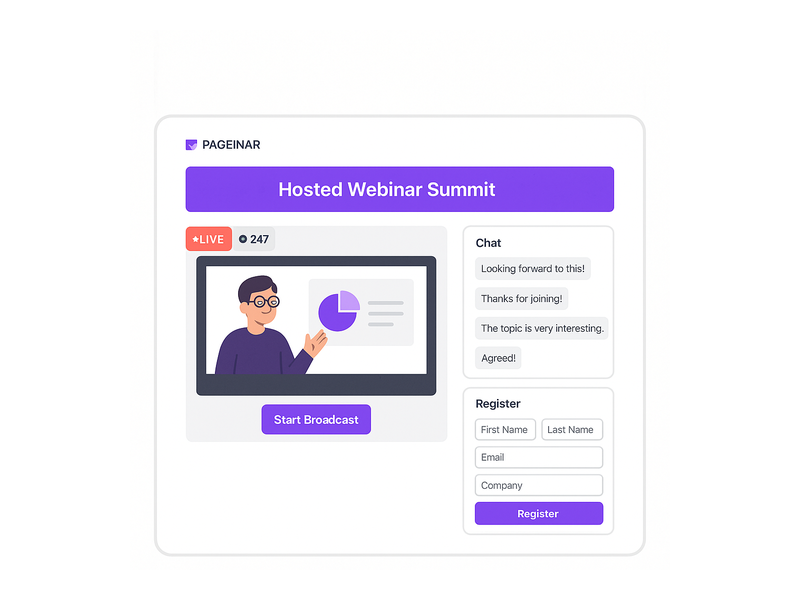
The broadcast area on your Pageinar page displays your current status (OFFLINE or LIVE), a Start Broadcast button, and a real-time viewer count. Therefore, going live is as simple as clicking one button. Attendees watching on your page see the stream update in real time. There are no buffering delays caused by plugin incompatibilities or version mismatches. In fact, the entire broadcast experience is contained within the browser tab your attendees already have open.

Integrated Group Chat

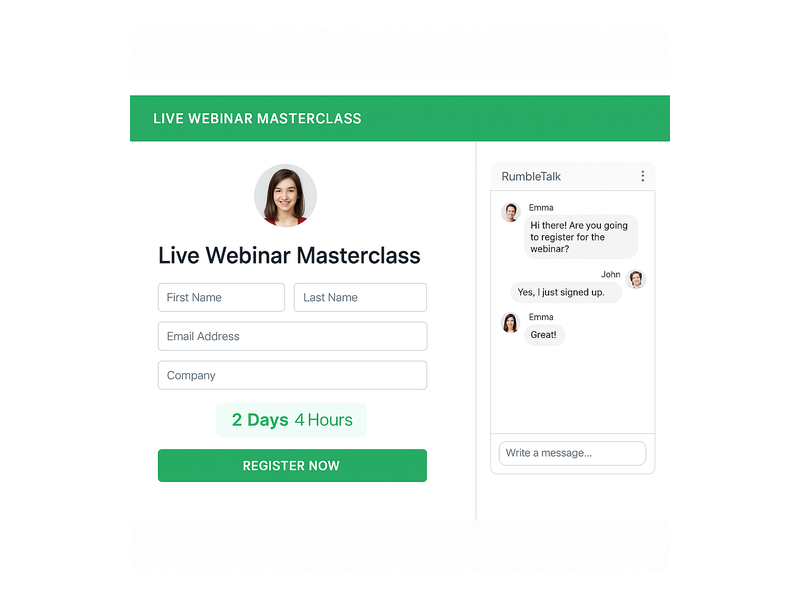
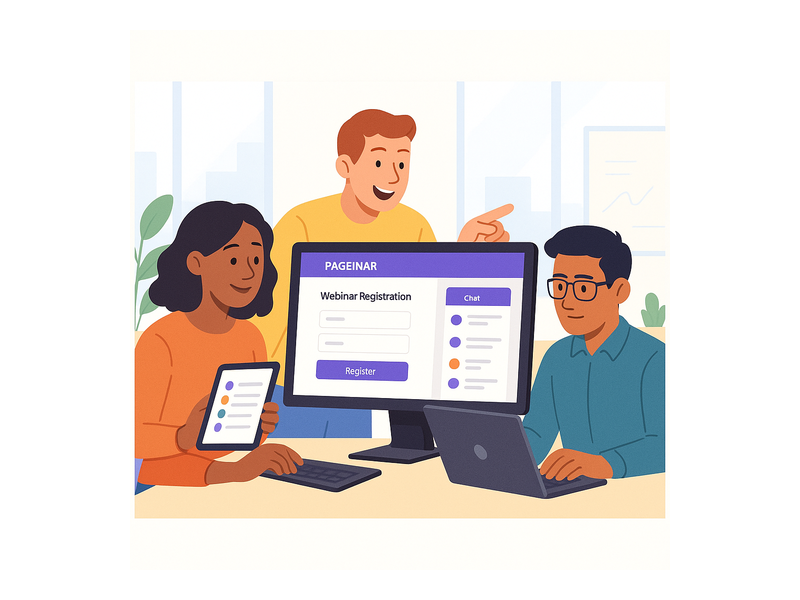
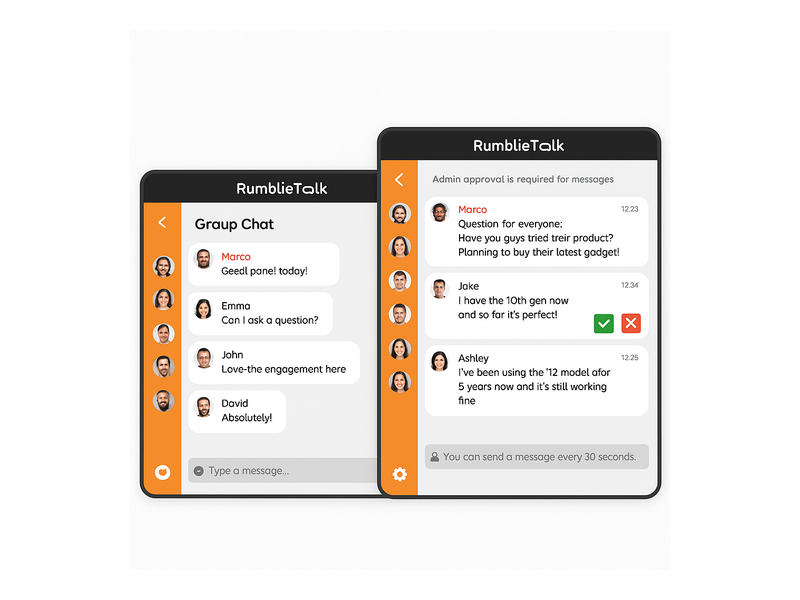
Every Pageinar page includes a built-in RumbleTalk group chat panel as part of the no download webinar platform interface. Additionally, the chat supports full moderation tools, custom visual themes, and admin controls. For example, you can set an offline message for early arrivals, restrict chat to registered attendees, or display speaker profiles alongside viewer messages. In other words, your audience stays engaged without switching between multiple apps or opening additional browser tabs.

Lead Collection and Registration

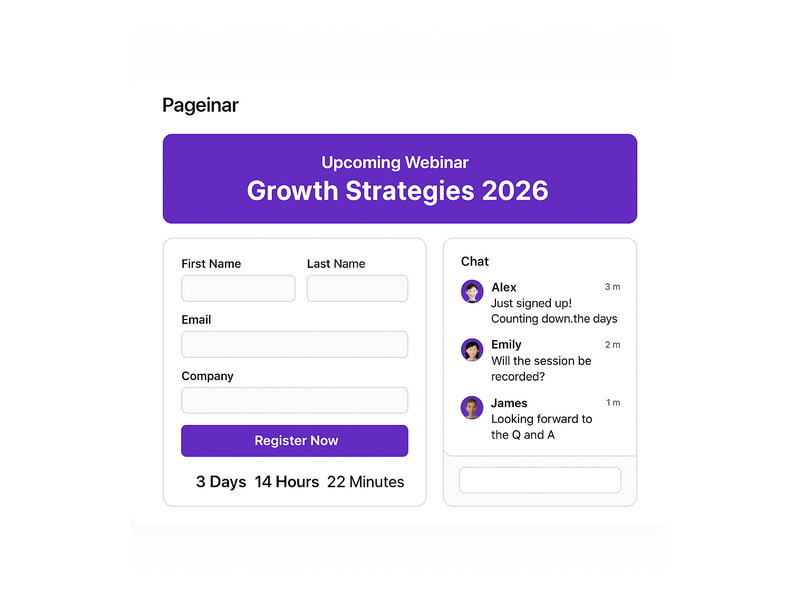
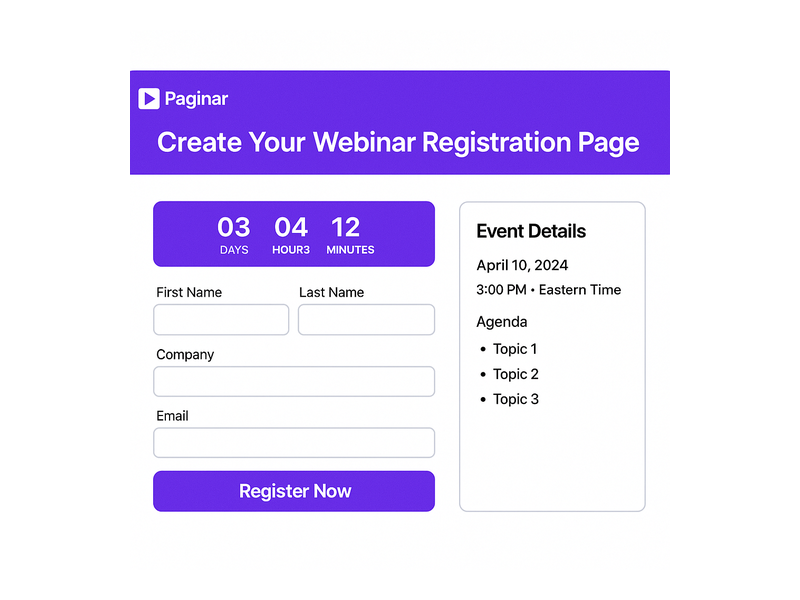
Pageinar’s Registration Mode transforms your no download webinar platform page into a powerful lead-generation tool. First, toggle the page into Registration Mode from the top-right control. Then, configure the registration form to collect first name, last name, company, email, phone, or custom fields tailored to your audience. Furthermore, you can set a date and time countdown timer to build anticipation among early visitors. As a result, every attendee who registers becomes a lead in your Registered List, exportable directly from the settings panel for follow-up campaigns. For a full walkthrough, visit the Pageinar knowledge base guide on collecting leads before your broadcasting event.

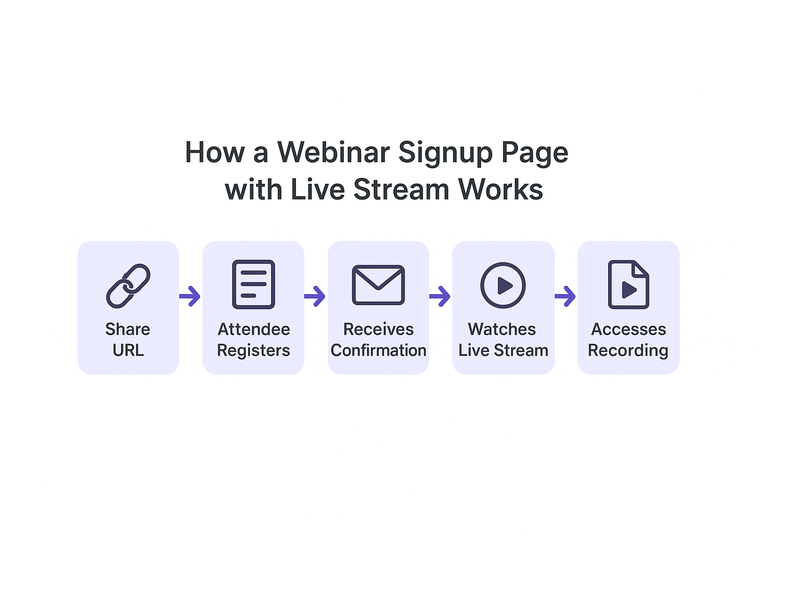
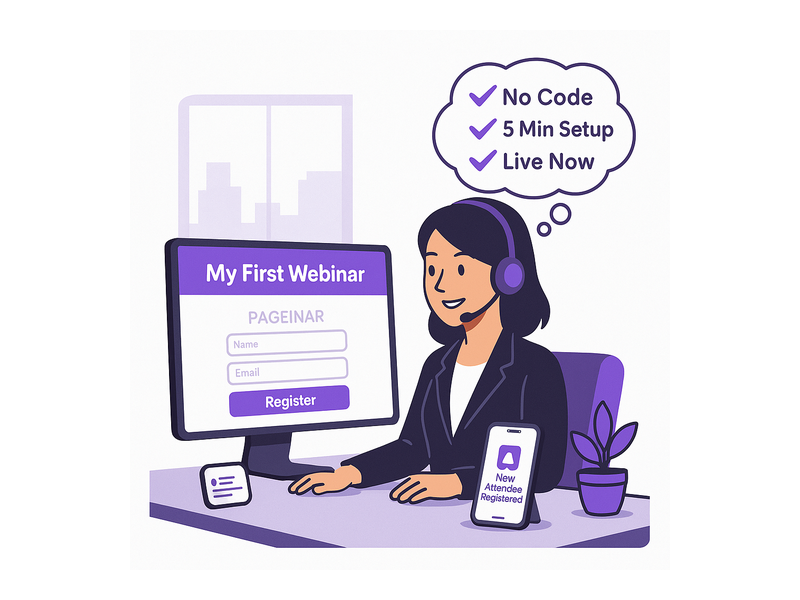
Pageinar webinar landing page illustration 2

Password Protection and Social Links

Security matters even on a no download webinar platform. Therefore, Pageinar lets you add password protection to your broadcast page directly from the Broadcast Settings panel. Only attendees with the correct password can access the stream, making it ideal for private corporate events, premium content, or members-only sessions. Additionally, you can add social profile links for Facebook, Instagram, Twitter, YouTube, and Twitch, giving attendees an easy way to follow your brand after the event ends.

Broadcast Recordings

Past sessions are stored automatically in the Broadcast Recordings panel. Moreover, each recording entry shows the event name, duration, and date, and you can export recordings for repurposing or on-demand sharing. This means your no download webinar platform investment continues to pay off long after each live session ends, turning a single event into an evergreen content asset for your audience.

Setting Up Your No Download Webinar Platform in Minutes

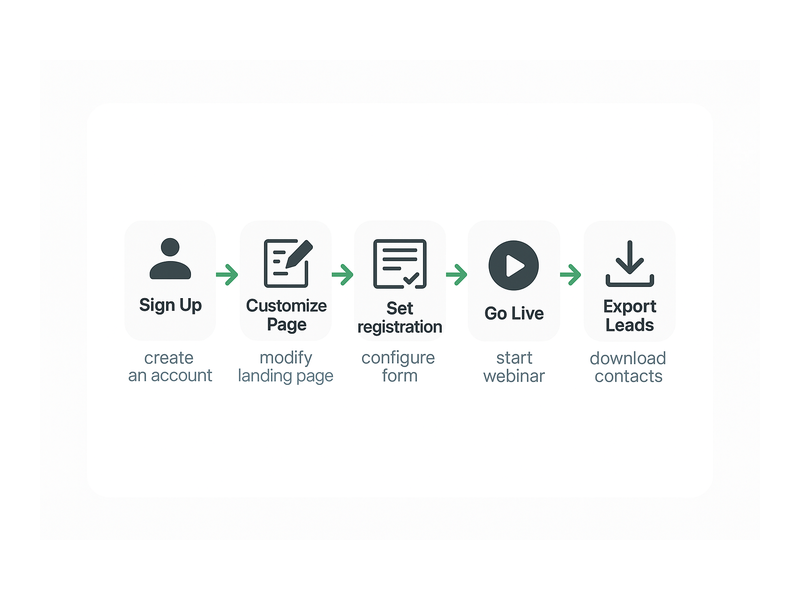
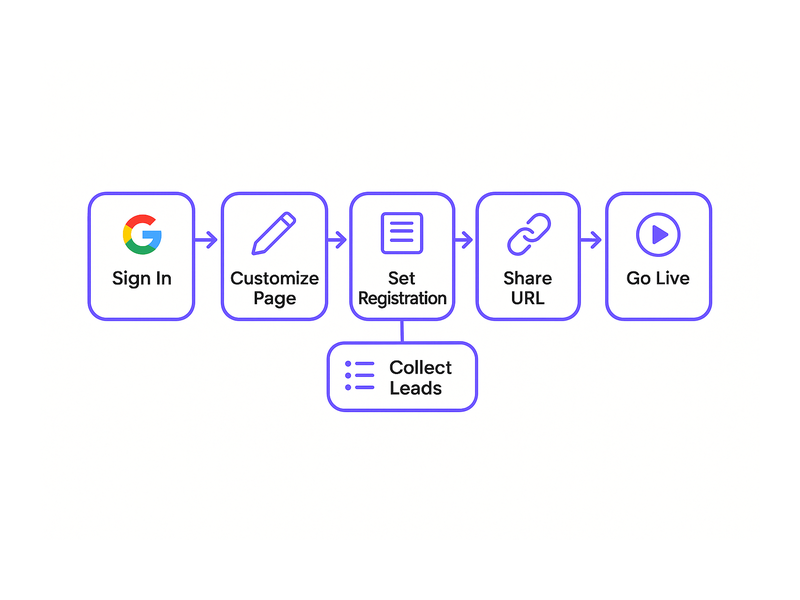
One of the greatest advantages of a no download webinar platform is how fast the entire setup process is. First, visit pageinar.com and sign in with your Google account. No email-and-password registration is required. Second, you arrive at your main broadcast landing page, already configured and ready to customize. Third, edit your cover image, avatar, title, and description to match your brand or event theme. The entire process takes less than five minutes for a first-time host.

After customizing the page, toggle to Registration Mode to start collecting sign-ups before your event date. For example, set a welcome message, choose a registration page template from the available options, and configure your lead form fields to capture the data you need. Additionally, set the event date and time so a countdown timer appears automatically for all page visitors. Finally, share the URL with your audience via email, social media, or your website homepage. That is all it takes to launch a complete no download webinar platform event from scratch.

Who Benefits Most from a No Download Webinar Platform

A no download webinar platform works for a wide range of users and industries. However, certain audiences find the no-install approach especially valuable for their specific needs and workflows.

  • Corporate trainers: Host internal training sessions without requiring IT teams to install software on employee devices. Furthermore, remote employees can join from any device during travel or from a home office setup.
  • Marketing teams: Run product demos and lead-generation webinars that convert. As a result, prospects who click an email link join the session immediately, with no technical friction reducing conversion rates at the door.
  • Event organizers: Manage conferences, panels, and virtual summits at scale. In fact, Pageinar’s notable partners include leading brands like Nasdaq, Wix, HP, and Sony Music.
  • Educators: Deliver live classes to students on any device. Therefore, learners on Chromebooks, iPads, or older Windows machines can all participate equally without compatibility concerns.
  • Small business owners: Launch professional live events without a dedicated IT team. Ideally, a single person manages the full event, from setup to broadcast to lead export, all from one page.

Real-World Use Cases for a No Download Webinar Platform

Understanding the concept of a no download webinar platform is one thing. However, seeing concrete examples shows why it changes outcomes for hosts and attendees alike across different industries and event types.

Product Launch Events

A SaaS company wants to announce a new feature to 500 existing customers. Additionally, the marketing team wants to capture leads from new prospects who discover the event through social media. First, the team creates a Pageinar page, sets it to Registration Mode, and shares the URL in a targeted newsletter campaign. As a result, prospects register instantly, and on launch day, all attendees click the same URL and join the live broadcast without downloading or installing a single file.

Weekly Training Webinars

A corporate HR department runs weekly compliance training for a distributed remote workforce. Moreover, the team needs a solution that works on company-issued devices without requiring admin-level install permissions from the IT department. Pageinar’s no download webinar platform lets HR share one link every week, and employees join from any browser with a single click. Furthermore, the Registered List captures attendance records automatically, making compliance reporting straightforward and audit-ready.

Live Q&A Sessions and Panels

A thought leader runs a monthly live Q&A for their online community spanning multiple countries. In fact, their audience uses a wide variety of devices, operating systems, and browsers. Therefore, a no download webinar platform ensures that everyone, from mobile users in Asia to desktop users in Europe, can join without facing compatibility issues or installation walls. The built-in chat panel keeps the conversation flowing, and the host can moderate incoming questions in real time.

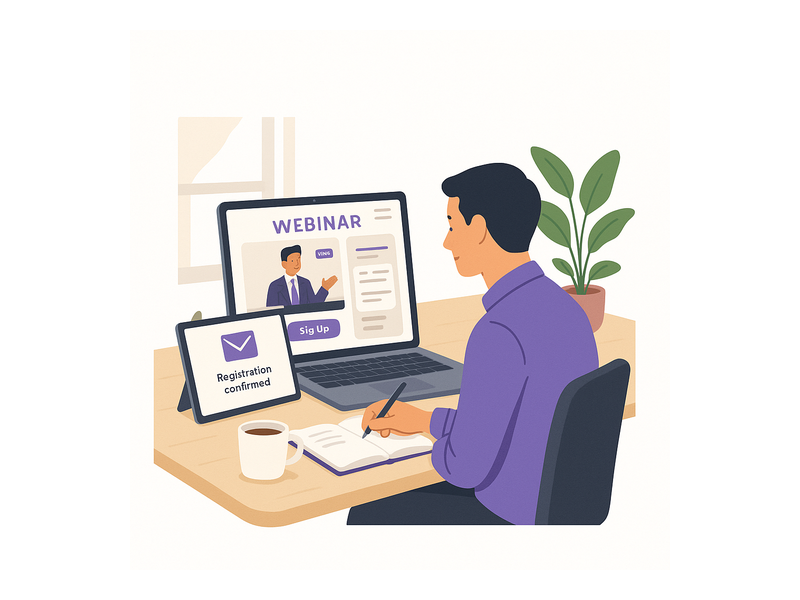
Pageinar webinar landing page illustration 3

Tips for Getting the Most from Your No Download Webinar Platform

First, promote your webinar page URL early and often. Share it in emails, social media posts, and your website header in the days leading up to the event. Additionally, customize your registration page with a strong welcome message and a visible countdown timer to build urgency among potential attendees. Second, prepare your broadcast settings in advance: test your video source, check your audio quality, and enable a page password if your session is meant for a private audience. Furthermore, use the Chat Settings panel to select a visual theme that matches your brand identity, and configure an offline message for visitors who arrive before you go live.

After the event, download your Registered List from the settings panel to follow up with every attendee personally. Moreover, export your broadcast recording to repurpose as an on-demand video, a training resource, or a social media highlight reel. In other words, a single live session on a no download webinar platform can generate new leads, build brand awareness, and produce evergreen content all at the same time. For inspiration on maximizing each session, read Unlock the Power of Seamless Webinars with Pageinar: Welcome to a New Era of Online Engagement! to see best practices in action.

Choosing the Right No Download Webinar Platform for Your Business

When evaluating a no download webinar platform, consider four key factors: ease of access for attendees, built-in lead capture capabilities, live chat integration, and recording features. Additionally, think about whether the platform scales with your growing audience size and whether its subscription plans fit your current budget. Pageinar offers a Free plan for getting started immediately and paid plans with higher attendee limits and longer broadcast durations, all visible under the Subscription Details section in the settings panel.

In short, the best no download webinar platform is one that removes every obstacle between your audience and your content. Therefore, browser-based solutions that require zero installation will consistently outperform download-required alternatives when measured by join rates, attendee satisfaction scores, and overall event ROI. The data is clear: friction kills conversions, and eliminating downloads is the single biggest friction point to remove.

Start Hosting with Pageinar’s No Download Webinar Platform Today

Pageinar is the complete no download webinar platform built for speed, simplicity, and measurable results. First, sign in with Google, customize your page, and go live in under ten minutes. Moreover, every feature you need, from lead capture to live chat to session recordings, is built directly into the platform with no third-party plugins required on either side. Finally, visit Pageinar’s no download webinar hosting platform today, create your first page, and experience firsthand how effortless live events can be when your audience never has to download a single file to attend.

Browser Based Webinar Software: Host Events Instantly

Browser based webinar software is transforming the way organizations run live events, product launches, and training sessions online. Instead of asking attendees to download apps or install plugins, browser based webinar software lets everyone join directly from their web browser with a single click. Pageinar is a leading example of this approach, giving hosts a powerful broadcast landing page that works instantly for every viewer on any device. Moreover, the simplicity of a browser-first platform removes the biggest barrier to online events: technical friction. In this guide, you will discover everything you need to know about browser based webinar software, why it outperforms legacy desktop tools, and how to get started today.

Pageinar webinar landing page illustration 1

What Is Browser Based Webinar Software?

Browser based webinar software is any platform that lets hosts broadcast live video and engage audiences without requiring attendees to install dedicated software. Therefore, participants simply click a URL and join the event from any device. This approach works on desktops, laptops, tablets, and smartphones alike. Furthermore, it eliminates IT support tickets, compatibility issues, and the anxiety that comes with last-minute software installations. In short, browser based webinar software makes online events accessible to everyone, regardless of their technical background or the device they happen to be using.

Traditionally, online event platforms required hosts and attendees to download and install heavy desktop applications. However, browser based webinar software changed all that by leveraging modern web technologies like WebRTC to power real-time video streaming directly inside a browser tab. As a result, the experience is seamless, fast, and universally accessible. Additionally, because no software is installed on the attendee device, security teams at large organizations have fewer concerns about approving third-party applications. In other words, browser based webinar software is as safe and simple as opening any website.

Why Browser Based Webinar Software Beats Desktop Apps

There are several compelling reasons why browser based webinar software outperforms traditional desktop applications. First, the setup time for attendees drops to near zero. Second, hosts can share a single URL and expect everyone to join without issues. Third, updates happen automatically on the server side, so attendees always use the latest version without lifting a finger. In fact, these three advantages alone make browser based webinar software the default choice for teams who value their audience’s time.

Moreover, browser based webinar software reduces registration-to-attendance drop-off significantly. Research from authoritative sources like Gartner confirms that conversion improves when friction is removed from the joining process. Ideally, every viewer should be able to join your event with one click. In contrast, desktop apps create four to six extra steps before a viewer even sees your content. Therefore, switching to a browser-first platform can increase your live attendance rate and improve overall event ROI.

Additionally, browser based webinar software is more inclusive by design. For example, attendees using Chromebooks, Linux machines, or heavily locked-down corporate computers can still join your event without any special permissions. Alternatively, someone on a mobile device can watch and participate without downloading a mobile app. Together, these advantages make browser based webinar software the most practical choice for organizations that host diverse, global audiences.

Key Features to Look for in Browser Based Webinar Software

The best browser based webinar software platforms combine live video, interactive chat, lead collection, and analytics in one place. Here are the core features you should evaluate when choosing a platform for your team:

  • Instant broadcast start: Hosts should go live with one click, without configuring encoders or external streaming software.
  • Built-in live chat: Real-time audience interaction is essential. Pageinar integrates a full-featured RumbleTalk group chat panel directly on the broadcast page, with moderation, themes, and admin controls.
  • Registration mode: Collect attendee details before the event starts. Pageinar captures first name, last name, company, email, phone, and custom fields on a fully branded registration page.
  • Automatic recording: Every broadcast should be saved so you can share the replay later. Pageinar stores all recordings with duration and export options in the Broadcast Recordings panel.
  • Password protection: For private webinars, restrict access to approved attendees only using a simple page password toggle in your settings.
  • Customizable branding: A branded page with your logo, cover image, and accent colors builds trust with your audience before the event even begins.
  • Social media links: Promote your event on Facebook, Instagram, Twitter, YouTube, and Twitch directly from the broadcast page settings.

Furthermore, a great browser based webinar software platform handles the entire attendee journey, from registration to live broadcast to replay, without requiring any technical expertise from the host. Pageinar delivers all of these features out of the box. You can explore Pageinar’s browser-based webinar platform to see how everything comes together in one clean, hosted interface.

Pageinar webinar landing page illustration 2

How to Get Started with Browser Based Webinar Software on Pageinar

Getting started with Pageinar’s browser based webinar software takes less than five minutes. First, visit pageinar.com and sign in with your Google account. No email or password signup is required. After logging in, you land on your main broadcast page, which is already configured and ready to use. Additionally, the page has two modes: Registration Mode and Broadcasting Mode. Toggle between them using the button in the top-right corner of your dashboard.

For a detailed walkthrough, check out the Pageinar Knowledge Base article on how to start a live video on Pageinar. It covers every step from setting up your broadcast page to going live with your first audience. Moreover, the Knowledge Base also explains how to customize your registration form, set a page password, and configure your chat panel settings. In other words, you have a comprehensive guide available whenever you need it.

Once inside your broadcast page, customize the cover image, upload your avatar, set your webinar title, and write a compelling description. Therefore, your landing page looks polished and professional before any attendee arrives. Next, click the gear icon to open the settings panel. Here you configure registration fields, add social links, and enable password protection for private events. Finally, when you are ready, click the Start Broadcast button in the bottom-right panel to go live immediately in the browser.

Top Use Cases for Browser Based Webinar Software

Browser based webinar software serves a wide range of industries and audience types. Here are the most popular applications that growing teams rely on today:

Product Launches and Live Demos

Software companies and e-commerce brands use browser based webinar software to launch new products live in front of thousands of customers simultaneously. For example, a SaaS startup can demonstrate new features with screen sharing and live Q&A. Additionally, the built-in chat lets viewers ask questions in real time, creating an interactive experience that recorded videos simply cannot match. Furthermore, the registration form captures warm leads who are already interested in the product before the session even begins.

Corporate Training and Employee Onboarding

HR and learning teams love browser based webinar software because new employees can join training sessions from any device on their very first day. There is no need to install software on a freshly provisioned laptop. Moreover, recordings let employees revisit sessions at their own pace after the live event ends. As a result, onboarding becomes faster, more consistent, and easier to scale across remote and in-office teams alike.

Virtual Conferences and Panel Discussions

Event organizers use browser based webinar software to run multi-session virtual conferences without the complexity of traditional conferencing systems. For example, a marketing conference can host keynotes, breakout sessions, and live panels all from a single hosted broadcast page. Additionally, social media links on the page make it easy for attendees to share the event and grow the audience organically throughout the day.

Educational Webinars and Online Coaching

Educators and business coaches use browser based webinar software to deliver live lessons to students worldwide. For example, a business coach can host a weekly live Q&A for paid subscribers, with registration and password protection ensuring only paying members can join. In addition, recordings let students review the session material after the live event. Therefore, the learning experience extends well beyond the original broadcast date.

Browser Based Webinar Software for Lead Generation

One of the strongest advantages of browser based webinar software is its built-in lead generation capability. Pageinar’s registration mode transforms your broadcast page into a lead capture form before the event begins. Therefore, every attendee who registers provides their contact details voluntarily. Moreover, these leads are highly qualified because they have already expressed active interest in your topic by signing up for a live session.

The registration settings in Pageinar let you collect first name, last name, company name, email address, phone number, and fully custom fields. Additionally, you can customize the registration page template, set a background color, add a personalized welcome message, and display a countdown timer to build anticipation. As a result, the registration experience feels polished and on-brand. In fact, a well-designed registration page often increases sign-up conversion rates compared to generic third-party forms.

After the event, export the full registered attendee list directly from the Registered List panel in your settings. The export includes all collected fields, making it simple to import into your CRM or email marketing platform. Furthermore, this data is available immediately after the event ends, so your sales team can follow up while interest is still high. For inspiration on running high-converting webinars, read Unlock the Power of Seamless Webinars with Pageinar for proven strategies from experienced hosts.

Pageinar webinar landing page illustration 3

Tips to Run a Successful Event with Browser Based Webinar Software

Choosing browser based webinar software is a great start, but a few best practices will help you get the most out of every broadcast. Here are practical tips from experienced webinar hosts who run regular live events:

  • Test your setup before going live: Run a private test broadcast to check your camera, microphone, and internet connection. Pageinar’s offline/live status indicator confirms your stream is active before you invite any attendees.
  • Promote your registration page early: Share your Pageinar URL on social media, email newsletters, and LinkedIn at least 48 hours before the event. The built-in social links on your broadcast page make sharing effortless.
  • Engage your chat actively: Appoint a moderator to manage the RumbleTalk chat panel during the live broadcast. This keeps the conversation focused and ensures every attendee question gets a timely response.
  • Use a countdown timer: Enable the show timer option in your registration settings to build anticipation and reduce no-show rates on event day.
  • Follow up with the recording: After the event, export your recording from the Broadcast Recordings panel and share it with all registered attendees via your email platform.
  • Analyze your lead list immediately: Review the Registered List right after the event and prioritize high-value leads for rapid follow-up while your session is still fresh in their minds.

Additionally, consider using password protection for high-value events like paid masterclasses or VIP client briefings. Pageinar’s Broadcast Settings panel includes a simple Page Password Protect toggle that restricts access to approved attendees only. Therefore, your premium content stays exclusive while still being easy to share with the right people through your existing channels.

Why Pageinar Is the Right Browser Based Webinar Software for Your Team

Pageinar stands out among browser based webinar software options because it combines genuine simplicity with professional-grade power. First, there is no code to install and no plugin for attendees to download. Second, the platform is trusted by major global brands including Nasdaq, Wix, HP, and Sony Music. Third, everything runs on a single hosted landing page that the host designs and shares via a URL. In other words, the entire workflow, from setup to broadcast to lead export, happens in one place without switching between tools.

Furthermore, Pageinar’s free plan lets you start running browser based webinar software events without any upfront cost or credit card requirement. As your audience grows, paid plans unlock higher attendee limits and longer broadcast durations to support larger events. You can review your current plan and upgrade at any time from the Subscription Details panel in your settings dashboard. Together, the zero-cost entry point and scalable paid tiers make Pageinar an ideal browser based webinar software choice for startups, SMBs, and enterprise teams at any stage of growth.

In conclusion, browser based webinar software removes the technical barriers that prevent audiences from joining your live events. Pageinar delivers a complete, no-download solution that handles registration, live broadcasting, real-time chat, lead capture, and recording in one seamless platform. Therefore, now is the perfect time to make the switch. Visit pageinar.com today and launch your first browser based webinar event in under five minutes.

Webinar Without Installation: Run Live Events Instantly

Running a webinar without installation is the fastest way to maximize your attendee turnout today. Traditional platforms demand software downloads, browser plugins, and sometimes administrator permissions just to join a session. These steps frustrate attendees and cause significant drop-off before your event starts. Pageinar eliminates all of that friction by hosting your entire broadcast on a single, shareable landing page. Every attendee joins instantly through their browser. No setup. No waiting. Just your content, live and ready to deliver.

Pageinar webinar landing page illustration 1

Why a Webinar Without Installation Changes Attendee Experience

First, consider what happens when you send a webinar invite that requires a download. Many attendees click away immediately. Others try to install the software but fail due to IT restrictions at work. As a result, your attendance rate drops before you even begin. A webinar without installation removes every one of these obstacles at once.

Moreover, browser-based webinars load on any device. Whether your audience uses a laptop, tablet, or smartphone, they can join with a single click. Therefore, you reach more people with less effort. In fact, research in the field of web conferencing consistently shows that browser-based events achieve higher attendance completion rates than plugin-dependent alternatives.

Additionally, a webinar without installation builds trust. When attendees do not have to grant installation permissions, they feel safer joining your event. This is especially important for audiences in regulated industries like finance, healthcare, and legal services. Furthermore, it signals that your organization respects their time and their device security.

How Webinar Without Installation Works on Pageinar

Pageinar delivers a webinar without installation through a hosted landing page model. After you log in with Google, you land on your personal broadcast page. This page is your webinar hub. You customize it with your cover image, avatar, event title, and description. Then you share the URL with your audience, and they are in.

Furthermore, Pageinar gives your broadcast page two distinct operating modes. You switch between them with a single toggle in the top-right corner of your page. Each mode serves a different phase of your event lifecycle.

Registration Mode

In Registration Mode, your page acts as an event sign-up form. Attendees see your event details, a countdown timer if you enable it, and a lead collection form. You control which fields appear, including First Name, Last Name, Company, Email, Phone, and custom fields. Moreover, every submission is saved to your Registered List, which you can search and export at any time. This means you collect leads before the live event, even while running a fully browser-based webinar without installation.

To learn more about collecting leads, visit the Pageinar Knowledge Base guide on collecting leads before a broadcasting event.

Broadcasting Mode

In Broadcasting Mode, your page becomes the live event stage. You click Start Broadcast, and your stream goes live instantly. Attendees who arrive at your URL see the live video in the main area. The RumbleTalk group chat panel on the left lets them ask questions and interact in real time. Everything runs in the browser. No one needs to install anything to watch, chat, or participate.

Pageinar webinar landing page illustration 2

Setting Up Your Webinar Without Installation in Six Steps

Setting up a webinar without installation on Pageinar takes less time than scheduling a meeting in most traditional tools. Follow these steps to go from zero to live in under ten minutes.

  • Step 1: Sign in with Google. Visit pageinar.com and log in using your Google account. No email registration or password is required to get started.
  • Step 2: Customize your broadcast page. Add your cover image or background color, upload your avatar, set your event title, and write your description. Every field is editable in place.
  • Step 3: Configure Registration Settings. Open the gear icon and navigate to Registration Settings. Set your event date and time, enable the countdown timer, and choose which lead fields to display for your audience.
  • Step 4: Set up Chat Settings. Choose a chat theme that matches your brand. Set an offline message so attendees who arrive early see a friendly and informative greeting.
  • Step 5: Share your URL. Copy your page URL and paste it into your email, LinkedIn post, or any other channel. Your audience clicks the link and joins the webinar without installation instantly.
  • Step 6: Go live. Toggle to Broadcasting Mode, click Start Broadcast, and your event begins. Recordings are saved automatically for replay or export after the session ends.

In short, this six-step process replaces the complex configuration that most webinar tools require. You spend your time on content and preparation, not on technical setup and troubleshooting.

Key Features That Make a Webinar Without Installation Possible

The hosted landing page model at the heart of Pageinar enables a true webinar without installation for every participant. Several specific features contribute to this seamless experience and set Pageinar apart from traditional solutions.

No-Plugin Live Video Streaming

Pageinar streams your broadcast through modern browser APIs. Attendees do not install Flash, Java, or any third-party plugin. Therefore, your event works on Chrome, Firefox, Edge, and Safari without any configuration on the attendee side. This means your audience on corporate-locked devices can still attend without needing IT approval.

Integrated RumbleTalk Chat

The built-in RumbleTalk group chat panel handles all attendee interaction. Hosts can moderate messages, mute participants, switch chat themes, and promote viewers to speakers, all without leaving the page. In fact, chat moderation happens in real time from the same interface where you broadcast. The panel supports multiple visual themes so your chat matches your brand identity.

Password Protection for Private Events

For private webinars, you add a page password in Broadcast Settings. Attendees enter the password when they arrive. This protects your content without any additional software layer. It is ideal for paid events, internal training sessions, or executive briefings where access control is required.

Lead Collection and Export

Your Registered List captures every attendee who signs up through Registration Mode. You export this data as a CSV file directly from the Settings panel. Consequently, your CRM and email marketing workflows receive clean, verified leads without any integration middleware or third-party connectors.

Automatic Recording and Replay

Broadcast Recordings captures every session automatically. After your webinar without installation ends, you access the recording list in your Settings panel. Each recording shows its duration and date. You export the file for post-event distribution or embed it in a follow-up email. As a result, your webinar without installation delivers a complete event lifecycle. This includes registration, live broadcast, chat engagement, and replay, all from one hosted page.

Pageinar webinar landing page illustration 3

Who Benefits Most from a Webinar Without Installation

A webinar without installation fits a wide range of professional use cases. However, three groups see the highest impact and the most consistent results when they switch to a browser-based format.

Educators and Online Trainers

Teachers and trainers often work with audiences who have limited IT access. Students on school-managed devices cannot install third-party software. Additionally, adult learners on personal devices prefer not to add unknown programs to their machines. A webinar without installation removes these barriers entirely. The student clicks the link and joins the class instantly, with no delay and no support request to IT.

Marketing Teams Running Demand Generation

Marketing teams use webinars to generate leads and nurture prospects through the sales funnel. The lower the friction to join, the higher the registration-to-attendance conversion rate. Furthermore, Pageinar collects lead data in Registration Mode before the event starts. This means marketing teams capture value even from attendees who register but do not stay for the full session.

For more ideas on how live events drive engagement, see our post on Unlock the Power of Seamless Webinars with Pageinar: Welcome to a New Era of Online Engagement!.

Sales Teams and Product Demos

Sales professionals use product demo webinars to convert prospects into customers. Asking a potential buyer to install software before a demo creates a negative first impression. Alternatively, a webinar without installation lets the prospect join in seconds. First impressions are positive, the demo starts on time, and the sales conversation begins on the right foot.

Best Practices for Your Webinar Without Installation

To get the most from your webinar without installation, follow these proven practices that experienced hosts use every time they go live.

Send the URL early. Share your page link at least 48 hours before the event. This gives attendees time to test the link and register without rushing. Additionally, send a reminder one hour before going live to reduce no-shows.

Use a branded cover image. Your broadcast page is the first thing attendees see when they arrive. A professional cover image with your logo and event title builds credibility before you say a word on camera.

Enable the countdown timer. The timer in Registration Mode creates urgency and reduces drop-off. Attendees who see a live countdown are more likely to return at the scheduled start time and stay for the full session.

Prepare your chat moderator. Assign a team member as chat admin in Chat Settings. This person answers questions in real time, keeps the conversation on topic, and handles any disruptive messages. As a result, your live session runs smoothly without you managing the chat while presenting your content.

Test before you go live. Use a private link to run a dry-run session before the public event. Check your video quality, audio levels, and chat settings. Pageinar lets you toggle Broadcasting Mode for internal testing without affecting your public Registration page.

Export your leads immediately after. As soon as your webinar without installation ends, download your Registered List from the Settings panel. Import it into your CRM the same day to keep your follow-up timeline on track and your sales team moving fast.

Common Questions About Running a Webinar Without Installation

Here are the most common questions hosts ask about the webinar without installation experience on Pageinar.

Do attendees need to create a Pageinar account? No. Attendees only need your page URL. They open it in a browser, fill in the registration form if required, and join the live event directly. No account creation is needed on the attendee side at any point.

What browsers support a webinar without installation on Pageinar? Pageinar works on all modern browsers including Chrome, Firefox, Edge, and Safari. No plugin, extension, or download is required. Mobile browsers on iOS and Android are also fully supported.

Can I password-protect my page for a private event? Yes. Open Broadcast Settings from the gear icon and enable the Page Password Protect option. Attendees enter the password when they arrive at your page. This feature is available on all Pageinar subscription plans.

How many attendees can join my webinar without installation? Your attendee limit depends on your subscription plan. Free plans include a base attendee count, and paid plans increase that limit significantly. Check your current plan in the Subscription Details section inside your Settings panel to see your current capacity.

Start Your First Webinar Without Installation Today

A webinar without installation is no longer a nice-to-have feature for forward-thinking teams. It is the baseline that modern audiences expect from any professional live event. Every minute you spend troubleshooting software installs is a minute your competitors spend engaging their audience. Pageinar gives you a fully hosted, browser-based broadcast platform that your audience joins in one click, from any device, anywhere in the world.

Therefore, start today. Log in at the Pageinar instant webinar platform, customize your broadcast page, share your URL with your audience, and go live. Your next webinar without installation is just minutes away.

Instant Webinar Setup Tool: Launch Your Broadcast in Minutes

An instant webinar setup tool changes everything for hosts who want to go live without technical headaches. Setting up a webinar used to require hours of plugin installation, software downloads, and complex configuration. However, Pageinar eliminates all of that friction with a browser-based platform that gets you broadcasting in minutes. In fact, no code, no installs, and no plugins are required on either side of the event. This guide walks you through how to use an instant webinar setup tool like Pageinar to launch professional broadcasts quickly and confidently.

Pageinar webinar landing page illustration 1

Why You Need an Instant Webinar Setup Tool in 2025

Traditional webinar platforms carry a significant setup burden. First, hosts must download and install desktop software. Then, attendees must install browser extensions or plugins just to join. As a result, technical problems often derail events before they even begin. Moreover, many legacy platforms charge expensive monthly fees to access features that should be standard.

An instant webinar setup tool solves these problems by moving everything to the cloud. Therefore, both hosts and attendees simply open a browser and go. For example, Pageinar works on any modern browser without additional software on either side. Additionally, the platform handles all technical infrastructure so you can focus entirely on your content and your audience.

Furthermore, the demand for quick-launch webinar solutions is growing rapidly. In fact, according to Statista research on webinar usage, businesses increasingly rely on virtual events for lead generation, product demos, and team training. Therefore, having an instant webinar setup tool that removes launch friction gives hosts a clear competitive edge over those still wrestling with complicated platforms.

How Pageinar Works as an Instant Webinar Setup Tool

Pageinar is designed from the ground up to be the fastest instant webinar setup tool available. Here is how the process works in practice. First, you visit Pageinar and sign in with your Google account. Second, you land directly on your broadcast landing page, which is fully editable and ready to use immediately. Third, you customize the page with your title, description, cover image, and avatar. Finally, you share the URL with your audience and start broadcasting.

Additionally, no attendee setup is needed at all. Viewers click your link and join immediately from any browser. Moreover, there is no plugin, no app download, and no account creation required for attendees. In short, Pageinar removes every possible barrier to entry on both sides of the webinar experience.

The Two Modes That Make Setup Instant

Pageinar’s instant webinar setup tool includes two key operating modes. First, Registration Mode lets you collect attendee information before the event begins. Second, Broadcasting Mode activates your live stream when you are ready to go live. You can toggle between these modes with a single click in the top-right corner of your broadcast page.

However, the real advantage is that both modes share the same URL. Therefore, your audience always accesses the same link regardless of the event stage. As a result, there is no confusion about which URL to use before or during the event. This design choice makes Pageinar one of the most streamlined instant webinar setup tools available for professional broadcasters.

Step-by-Step: Setting Up Your First Webinar

Using an instant webinar setup tool should be straightforward, and Pageinar delivers on that promise. Follow these steps to launch your first broadcast with confidence.

  1. Sign in with Google. Visit pageinar.com and click the Google login button. No separate account creation or email confirmation is needed.
  2. Customize your broadcast page. Edit the cover image or background color, upload your avatar, and set your webinar title and description. Each element is click-to-edit directly on the page.
  3. Configure your settings. Open the gear icon to access the Settings panel. Here you can set a page password, add social links, configure chat preferences, and build your registration form fields.
  4. Switch to Registration Mode. Toggle to Registration Mode to begin collecting leads. Your registration page goes live immediately with a customizable form including name, email, company, and custom fields.
  5. Go live at your event time. When your broadcast time arrives, toggle to Broadcasting Mode and click Start Broadcast. Your stream goes live instantly to all registered viewers without any additional steps.

Moreover, the Pageinar Knowledge Base guide on how to start a live video provides additional detail on each step of the broadcast process. In fact, most hosts complete the entire setup in under five minutes the very first time they use the platform.

Pageinar webinar landing page illustration 2

Key Features of the Instant Webinar Setup Tool

Pageinar’s instant webinar setup tool includes a powerful set of features that rival far more complex platforms. However, each feature is designed to be accessible without any technical knowledge or prior webinar experience.

Integrated Group Chat

Every Pageinar broadcast page includes a built-in RumbleTalk group chat panel. Therefore, audience engagement is available automatically without any additional configuration. Additionally, the chat panel supports moderation controls, admin management, and multiple visual themes. You can customize the entire chat experience from the Chat Settings panel in just a few clicks, choosing from several professional color themes to match your brand.

Lead Collection and Registration Forms

The Registration Settings panel makes lead collection effortless. First, choose from multiple registration page templates. Then, configure your lead form fields including First Name, Last Name, Company, Email, Phone, and custom fields specific to your event. Furthermore, toggle each field on or off depending on what data you need from your attendees. As a result, your instant webinar setup tool also functions as a complete lead generation system built into the same platform.

Password Protection for Private Events

For private events, you can add page password protection in seconds. Simply open Broadcast Settings and enable the password option. Therefore, only invited attendees with the correct password can access your broadcast page. This feature is ideal for members-only webinars, internal company trainings, and exclusive product demonstrations where access control matters.

Automatic Broadcast Recordings

Pageinar automatically records every broadcast session. Therefore, you never lose a presentation due to a missed recording. Additionally, all recordings are accessible from the Broadcast Recordings panel in Settings. From there, you can export recordings for repurposing as on-demand content, online course materials, or short social media clips that extend the life of your webinar content.

Social Links Integration

Pageinar lets you add links to your Facebook, Instagram, Twitter, YouTube, and Twitch profiles directly on your broadcast page. In fact, these links appear prominently so attendees can follow you on other platforms during or after the event. Moreover, this integration helps grow your social media presence alongside your webinar audience without any extra tools or plugins.

Who Benefits Most from an Instant Webinar Setup Tool

An instant webinar setup tool like Pageinar serves a wide range of use cases and industries. However, certain audiences see the most dramatic benefit from its instant-launch design and zero-install model.

Small Business Owners

Small business owners often lack dedicated IT support or technical teams. Therefore, a complex webinar platform becomes a liability rather than an asset for them. In contrast, an instant webinar setup tool removes the technical barrier entirely. For example, a consultant or coach can set up a webinar, collect registrations, and start broadcasting in the time it would take to read another platform’s installation documentation.

Marketing Teams

Marketing teams run frequent webinars for product demos, customer education, and lead generation campaigns. Additionally, they often manage multiple events each month across different product lines. As a result, a fast instant webinar setup tool saves dozens of hours per quarter that would otherwise go to technical coordination. Moreover, built-in lead capture and export features make it easier to feed webinar data directly into CRM systems.

Educators and Corporate Trainers

Online educators and corporate trainers need reliable broadcast tools that students and employees can join without friction. Therefore, Pageinar’s no-install, no-plugin model is ideal for training sessions where attendee experience matters as much as content quality. Furthermore, the integrated group chat keeps participants engaged and allows trainers to respond to questions in real time throughout the session.

Event Organizers and Large Organizations

Event organizers who run virtual conferences, product launches, or community events need a tool that can go live on short notice. In fact, Pageinar’s instant webinar setup tool is trusted by major organizations including Nasdaq, Wix, HP, and Sony Music for high-visibility broadcasts. Therefore, it scales from small team meetings to large public events without changing the workflow or requiring additional technical resources.

Pageinar webinar landing page illustration 3

Tips for Getting the Most from Your Instant Webinar Setup Tool

Using an instant webinar setup tool effectively requires more than just completing the technical setup. Here are practical tips to maximize your results with every broadcast you run.

Customize Your Page Before Sharing the Link

First, complete all visual customization before sending the link to your audience. Therefore, attendees arrive to a polished, branded page rather than a default template. In fact, a professional-looking registration page significantly increases conversion rates for event sign-ups and builds credibility before a single word is spoken.

Activate Registration Mode Early

Ideally, switch to Registration Mode at least a week before your event. This gives your audience time to register and lets you build a quality attendee list in advance. Moreover, you can monitor registrations from the Registered List panel and use the collected contact data for pre-event email follow-ups or reminders that boost show-up rates.

Run a Test Broadcast Before the Event

Additionally, always run a test broadcast before your live event day. Switch to Broadcasting Mode, start a broadcast, and verify that your audio and video feed are working correctly. Furthermore, check the chat panel to confirm it is active and accepting messages from test accounts. As a result, you eliminate technical surprises on the day of the event when it matters most.

Engage the Chat Actively During Broadcasts

However, a webinar is more than a one-way presentation. Therefore, assign a chat moderator to respond to audience questions in real time during the broadcast. Moreover, the RumbleTalk group chat panel lets admins pin important messages, remove disruptive users, and highlight announcements for everyone. In short, active chat moderation transforms passive viewers into engaged participants who stay longer and convert at higher rates.

Export and Repurpose Your Recording

After every session, download your recording from the Broadcast Recordings panel. Then, repurpose the content as blog posts, short video clips, podcast episodes, or on-demand training materials. In fact, a single one-hour webinar can generate weeks of valuable follow-on content with minimal additional effort. Additionally, on-demand recordings let you continue generating leads from the event long after the live broadcast ends.

Instant Webinar Setup Tool vs. Traditional Platforms

Many hosts ask how an instant webinar setup tool compares to traditional platforms that have dominated the market for years. The answer comes down to speed, simplicity, and the attendee experience from first click to live stream.

Traditional platforms often require desktop app installations, complex scheduling flows, and lengthy setup wizards that intimidate non-technical hosts. In contrast, Pageinar gives you a live broadcast page the moment you complete your Google login. Therefore, there is no configuration process to complete before you can share your link with the world.

Furthermore, traditional platforms require attendees to install software or plugins before joining an event. However, Pageinar attendees join from any browser with zero installation required. As a result, drop-off rates at the join stage are dramatically lower. Moreover, hosts avoid the constant stream of support requests from attendees who cannot figure out how to access the event on their device.

If you want to explore more about what Pageinar can do for your broadcasts, read our in-depth overview: Unlock the Power of Seamless Webinars with Pageinar: Welcome to a New Era of Online Engagement!. Additionally, it covers the platform’s broader capabilities for webinar hosts at every experience level.

Start Broadcasting with Pageinar Today

The best instant webinar setup tool is the one you can use right now, without a lengthy onboarding process or technical requirements standing between you and your audience. Therefore, Pageinar is built to have you broadcasting within minutes of your first login. In fact, the entire platform runs in your browser, so there is nothing to download or configure before you start your first live session.

Moreover, Pageinar’s free plan gives you immediate access to core features including the broadcast page, group chat, and registration forms. Therefore, you can evaluate the platform with a real event before committing to a paid subscription. Additionally, upgrading is instant and your page URL stays the same across all plan levels, so your audience never needs a new link.

In short, if you are looking for the fastest path from idea to live broadcast, an instant webinar setup tool like Pageinar is exactly what you need. Visit Pageinar today and launch your first webinar in minutes. Furthermore, explore the full range of features that make it the preferred choice for professional broadcasters at organizations of every size worldwide.

Create Webinar in Minutes: Your Fast Guide to Going Live

If you want to create webinar in minutes rather than hours, you have found the right solution. Many presenters spend days configuring complex software and waiting for attendees to download plugins. However, Pageinar eliminates every one of those steps. With a single hosted landing page, you can design your broadcast environment and invite your audience. You can then go live without installing anything on your computer or your attendees’ devices.

Pageinar webinar landing page illustration 1

Why Most Hosts Still Struggle to Create a Webinar Quickly

Traditional webinar platforms were built when desktop software was the standard. Moreover, they have accumulated years of add-on features that increase complexity rather than add value. As a result, a first-time host often faces a steep learning curve before reaching the go-live button. Common pain points include setting up a desktop encoder and embedding a registration widget on a separate website. Additionally, integrating a third-party chat tool adds even more configuration time before the event can begin.

In fact, many creators abandon their webinar goals entirely because the setup feels overwhelming. Therefore, the ability to create webinar in minutes is not just a convenience. It is the difference between hosting a successful event and never getting started at all. Furthermore, slow setup wastes time that could be spent preparing valuable content for your audience.

How to Create Webinar in Minutes with Pageinar

Creating your first event on Pageinar’s instant webinar broadcasting platform takes only five steps. Additionally, you do not need a credit card to get started. The free plan provides immediate access to all core features, and there are no technical prerequisites on either side of the broadcast.

Step 1: Sign In with Google

First, visit pageinar.com and click the Google login button. Pageinar uses Google OAuth exclusively, so no separate account creation is required. Furthermore, your broadcast landing page is ready the moment you complete login. There are no confirmation emails to wait for and no profile setup wizards to click through.

Step 2: Customize Your Broadcast Page

After login, you land on your main page, which is a fully editable broadcast landing page. Here, you can upload a cover image and choose a background color. You can also set an avatar, write a webinar title, and add a short description. In other words, your page becomes your entire event identity. Additionally, you can link your website URL so curious attendees can learn more about your brand or organization.

To create webinar in minutes, keep your first customization simple. Choose a clear title, write a two-sentence description, and upload a high-contrast cover image. You can always refine your page design before future broadcasts, so do not let perfection slow you down on your first session.

Step 3: Select Your Page Mode

Pageinar gives you two modes: Registration Mode and Broadcasting Mode. In Registration Mode, visitors complete a sign-up form before accessing your event. In Broadcasting Mode, they land directly on your live page. For example, if you host a premium session with limited seats, Registration Mode lets you collect qualified leads before the event starts. If you want maximum attendance with zero friction, Broadcasting Mode is the faster choice.

According to our guide on how to get started with Pageinar, most first-time hosts prefer Broadcasting Mode for their initial event. This approach lets them focus on delivering great content rather than managing registrations from the start.

Step 4: Share Your Page URL

Once your page looks ready, copy the URL from your browser and share it with your audience. You can post it in an email newsletter, a social media update, or a direct message. Furthermore, no attendee needs to download or install anything at all. Therefore, your audience can join from any device, including desktops, tablets, and smartphones. This zero-friction join experience makes it far easier to create webinar in minutes and fill your virtual room on short notice.

Step 5: Start Your Broadcast

When you are ready to go live, toggle to Broadcasting Mode and click the Start Broadcast button in the bottom-right area of your page. Your stream begins immediately. Additionally, the integrated RumbleTalk chat panel activates on the left, giving your audience a live space to ask questions and interact in real time. In short, you move from zero to a live event without a single technical configuration step.

Pageinar webinar landing page illustration 2

Core Features That Help You Create Webinar in Minutes

Pageinar packages a complete event toolkit into a single hosted page. However, what makes it genuinely fast is that every feature arrives pre-configured and ready to use the moment you sign in. Below are the key capabilities that make rapid deployment possible without any extra technical work.

Built-In Group Chat

The RumbleTalk group chat panel appears automatically on your broadcast page. Moreover, you can choose from multiple visual themes and set a custom offline message. You can also assign a chat admin and control whether participants appear as viewers or speakers. All of this is managed from the Chat Settings panel inside your dashboard. In short, your audience engagement tool requires zero additional setup or third-party integration.

Lead Collection Without Extra Tools

When you activate Registration Mode, Pageinar displays a lead capture form automatically. In addition, you can toggle individual fields on or off. Options include First Name, Last Name, Company Name, Email, Phone Number, and custom fields you define yourself. Therefore, you gather qualified prospect data without installing a separate CRM plugin or opt-in form builder of any kind.

All collected leads appear in the Registered List panel inside your settings, ready to export at any time. According to research on web conferencing and virtual events, capturing attendee information before an event consistently improves post-event follow-up and conversion rates. Furthermore, a clean exportable lead list saves hours of manual data entry after each session.

Password-Protected Pages

For private or paid events, the Broadcast Settings panel includes a Page Password Protect option. First, enable it and set a secure password. Second, share the password only with your invited attendees. As a result, you keep your event private without needing a separate access management system or a gated content plugin installed on your site.

Automatic Broadcast Recordings

Every session you host is saved automatically in the Broadcast Recordings panel. Additionally, each recording entry shows its duration and creation date. Therefore, you can share a replay with attendees who missed the live event. Alternatively, you can repurpose the recording as on-demand content for your website or social channels. This makes it easy to create webinar in minutes and then extract weeks of value from a single session through replay views and content repurposing.

Social Links on Your Broadcast Page

From Broadcast Settings, you can add links to your Facebook, Instagram, Twitter, YouTube, and Twitch profiles. Moreover, these links appear directly on your broadcast landing page for all attendees to see. In other words, every webinar you host doubles as a social media growth opportunity, directing your live audience toward your other content channels without any extra effort.

Who Benefits Most When They Create Webinar in Minutes

The ability to create webinar in minutes opens up real value for a wide range of professionals. However, the common thread is always the same: the faster you go from idea to live broadcast, the more events you can run and the more value you deliver to your audience over time.

Entrepreneurs and Solopreneurs

For entrepreneurs managing every part of their business alone, time is the scarcest resource. Therefore, a platform that eliminates technical overhead is a genuine competitive advantage. With Pageinar, a solopreneur can announce a webinar on Monday and go live on Tuesday. No code, no technical assistant, and no complicated setup process required at any step.

Corporate Training and HR Teams

Training departments often need to schedule internal sessions on short notice. Additionally, employees in large organizations may not have permission to install external software on company devices. Pageinar solves both problems at once: setup is instant, and joining requires only a browser. Furthermore, the Registered List feature gives HR and learning teams a ready-made attendance record they can export immediately after each session.

Professional Event Organizers

Event managers who coordinate multiple broadcasts each week need a workflow that scales reliably. First, they create webinar in minutes for each speaker or topic. Second, they distribute the unique page URL to the relevant audience segment. As a result, each event gets its own branded landing page without the overhead of a full website build. Pageinar is trusted by recognized brands including Nasdaq, Wix, HP, and Sony Music because of exactly this kind of operational simplicity.

Educators, Coaches, and Consultants

Online educators and coaches thrive when they can focus on teaching rather than troubleshooting software. Moreover, the integrated live chat lets students ask questions in real time without switching to a separate messaging app. Ideally, the educator opens their Pageinar page, starts a session, shares the link with students, and begins teaching within minutes of the idea forming. This frictionless flow is what makes Pageinar a natural fit for knowledge-based businesses.

Pageinar webinar landing page illustration 3

Best Practices to Create Webinar in Minutes Without Sacrificing Quality

Speed does not mean cutting corners on quality. However, a few targeted best practices help you create webinar in minutes while still delivering a polished, professional experience to every attendee who joins.

  • Use a high-contrast cover image. A bold, well-composed header image sets expectations before the broadcast begins. In fact, pages with professional cover images attract higher registration and attendance rates compared to pages with no image at all.
  • Write a specific, benefit-driven title. For example, ‘Q2 Product Roadmap for Enterprise Clients’ is far more compelling than ‘Webinar.’ Specificity builds audience credibility before anyone clicks the join link.
  • Set your chat offline message before going live. Before starting, update the chat panel’s offline message so early arrivals see a welcoming note. Additionally, this small detail signals that you are organized and attentive to the attendee experience.
  • Run a private test broadcast first. Click Start Broadcast briefly to confirm your camera, microphone, and internet connection are all working correctly. Therefore, you eliminate technical surprises during the real event.
  • Enable Registration Mode for strategic sessions. Even for a quick session, collecting attendee data adds long-term value to your marketing funnel. Furthermore, every lead you capture today is a prospect you can nurture in future campaigns and follow-up sequences.

From Idea to Live: Create Webinar in Minutes, Not Days

Traditional webinar platforms typically require hosts to download desktop clients and configure streaming encoders. They also require embedding registration widgets on external websites and integrating separate chat tools for audience interaction. In contrast, Pageinar replaces all of those steps with a single hosted page. That page is ready immediately after login, with no installation needed on either side.

Furthermore, attendees on legacy platforms must often install viewer software or browser extensions before they can join a session. With Pageinar, attendees need only a URL. In short, the entire experience is faster, simpler, and more reliable than any multi-tool alternative. If you want to explore what makes this platform unique in more depth, read Unlock the Power of Seamless Webinars with Pageinar: Welcome to a New Era of Online Engagement! for a detailed look at how Pageinar approaches live broadcasting from the ground up.

Ready to Create Webinar in Minutes? Start Broadcasting Today

There has never been a better time to add live webinars to your content or marketing strategy. In fact, live video consistently generates higher engagement and conversion rates than pre-recorded formats. Moreover, with a platform that lets you create webinar in minutes, the cost of experimentation is essentially zero. You can test new topics, new formats, and new audience segments without a significant time investment or technical overhead.

Visit pageinar.com today, log in with your Google account, and launch your first broadcast in minutes. Your audience is waiting, and your page is ready the moment you sign in. The only thing standing between you and your next successful live event is a single click.

Webinar Without Download: Run Instant Online Events

A webinar without download removes every barrier standing between your audience and your live event. Instead of asking attendees to install software or browser plugins, you share a single URL and they join immediately from any modern browser. Pageinar is built entirely around this principle, giving hosts a complete broadcast platform that requires zero installation on the viewer side. In this guide, you will learn why a webinar without download is the new standard for online events and how to run one in minutes.

Pageinar webinar landing page illustration 1

What Is a Webinar Without Download?

A webinar without download is a live online event that attendees join directly through a web browser. There is no app to install, no plugin to enable, and no compatibility warning to dismiss. In fact, the entire experience lives on a hosted landing page. Moreover, the host controls every element of that page, from the cover image to the registration form, without touching a single line of code.

Traditional webinar tools often require attendees to download a desktop client or a browser extension before they can participate. As a result, many potential viewers drop off before the event even starts. A browser-based webinar without download solves this problem by eliminating friction at every step. Therefore, attendance rates improve and audience satisfaction increases significantly.

Why a Webinar Without Download Matters for Your Audience

First, consider the attendee experience. When someone receives an invitation link, they want to click and join immediately. However, if they encounter a download prompt, many will abandon the process before even reaching the event. According to research discussed on Wikipedia’s webcast page, browser-based delivery has become the standard for modern online events precisely because it eliminates the access barriers that cause drop-off. A webinar without download therefore keeps your attendance rate high from the very first click.

No Barriers to Entry

Additionally, a no-download approach removes device and operating system restrictions entirely. Whether your audience uses Windows, macOS, iOS, or Android, a browser-based session works for all of them. For example, a financial services company hosting a client briefing can reach attendees on corporate-locked PCs that block software installations. With a webinar without download, those attendees join effortlessly without needing IT approval.

Higher Attendance Rates

Furthermore, easier access translates directly into higher show rates. When registrants do not need to prepare anything in advance, they are far more likely to actually attend on the day. In other words, reducing technical steps increases your live audience size. Moreover, it strengthens your brand impression, because attendees associate a smooth, frictionless experience with a professional and trustworthy host.

Mobile and Tablet Friendly

Additionally, a webinar without download works seamlessly on mobile devices. Attendees at a conference, commuting on public transport, or relaxing at home on a tablet can join your live session without any preparation. For example, a coaching business running a weekly live Q and A session can expect participants to join from phones as easily as from desktops. Together, cross-device accessibility and zero install requirements create the most inclusive event experience possible.

How Pageinar Delivers a Webinar Without Download

Pageinar is designed from the ground up as a webinar without download platform. Every broadcast runs on a hosted landing page that the host creates in minutes. Therefore, you never ask your audience to install anything at all. The Pageinar live broadcast platform handles all streaming infrastructure in the cloud, so attendees simply click your shared link and the event loads in their browser immediately.

Browser-Based Broadcasting

The broadcast area on your Pageinar page streams live video directly in the browser window. In fact, the viewer sees the video player, the live chat panel, and the event details all on one page without switching tabs or opening any external application. Additionally, a red LIVE badge appears automatically when you are broadcasting, so attendees always know the session is active. This is the core promise of a webinar without download: one URL, instant access, no setup.

Integrated Chat Without Any Plugin

Pageinar includes a RumbleTalk group chat panel built into every broadcast page. Therefore, attendees ask questions and interact in real time without installing any chat client or third-party tool. For example, a product team running a feature launch webinar without download can collect live audience feedback right in the chat, with full moderation controls available to the host. This makes the entire event a genuinely self-contained browser experience.

Pageinar webinar landing page illustration 2

Registration Mode for Lead Collection

Before the live event, you switch your page to Registration Mode. Attendees fill out a customizable form including name, company, email, and custom fields, all directly inside the browser. As a result, you collect qualified leads while still offering a completely frictionless webinar without download experience. To set this up step by step, visit the Pageinar Knowledge Base guide on collecting leads before a broadcasting event.

Setting Up Your Webinar Without Download on Pageinar

Getting started is straightforward, and you do not need any technical skills. Moreover, the entire setup happens in your browser, which means even the host experience is download-free. Follow these steps to launch your first webinar without download today.

  1. Sign in with Google. Visit pageinar.com and log in using your Google account. No password setup is required, and the process takes under ten seconds.
  2. Customize your broadcast page. Add a cover image, your avatar, the webinar title, and an event description. These elements appear on the landing page your viewers will see when they click your link.
  3. Switch to Registration Mode. Use the top-right toggle to activate Registration Mode. Configure lead collection fields so attendees sign up and provide their details before the event begins.
  4. Configure your chat and settings. Open the settings panel to set an offline message, choose a chat theme, and add social media links. These details personalize the attendee experience.
  5. Switch to Broadcasting Mode. When your event is ready, toggle back to Broadcasting Mode and click Start Broadcast. Your live video goes out instantly to everyone on the page.
  6. Share the URL. Copy your page link and send it via email, social media, or a calendar invite. Viewers click the link and join your webinar without download immediately, in any browser.

Use Cases for a Webinar Without Download

Corporate Training and Onboarding

HR teams at large organizations often struggle to deliver training to employees on locked-down devices. A webinar without download removes IT barriers entirely. For example, a company onboarding two hundred new hires across three continents can broadcast a live orientation session. Every attendee joins from their browser, regardless of device restrictions, corporate firewalls, or operating system versions.

Product Launches and Sales Demos

Sales teams use a webinar without download to demonstrate new products to prospects who are already skeptical about clicking unknown links. Additionally, prospects are far more likely to attend when they see that no download is required. In fact, a SaaS company can send a simple calendar invite with a Pageinar link and expect strong attendance because the join process is completely frictionless from the recipient’s perspective.

Online Courses and Coaching

Educators and coaches benefit enormously from a no-download setup. Students join from tablets, phones, or school computers without any installation step. Therefore, the instructor focuses entirely on teaching rather than troubleshooting technical issues at the start of every session. Furthermore, the integrated chat lets students ask questions live, creating an interactive classroom experience that rivals in-person events.

Virtual Conferences and Panel Discussions

Event organizers run multi-session virtual conferences using a webinar without download approach very effectively. Each session lives on its own Pageinar page with its own URL. As a result, attendees bookmark the relevant links and click in when each session starts, with no software conflicts between sessions. Moreover, recordings are saved automatically, so anyone who misses a live session can watch the replay at their convenience.

Pageinar webinar landing page illustration 3

Webinar Without Download vs. Traditional Webinar Tools

Traditional webinar platforms often require a desktop client, a browser plugin, or at minimum a mobile app before attendees can join. In contrast, a webinar without download platform runs entirely in the browser with no preparation required. Therefore, there is no version mismatch, no compatibility error, and no support ticket from an attendee who could not install the software in time. The reduction in pre-event technical support alone saves hosts hours of work per event.

Additionally, traditional tools often impose their own branding on the event page. However, Pageinar gives you a fully customizable landing page where you control the colors, the cover image, the avatar, and the event description. In other words, your audience sees your brand, not a generic platform interface. This consistency builds trust and reinforces your professional image throughout the entire webinar without download experience.

Tips for Running a Successful Webinar Without Download

Communicate the No-Download Advantage in Your Invitation

First, make sure your invitation explicitly states that attendees do not need to download anything. Many people assume a webinar requires software. Therefore, including a clear line such as ‘Join instantly in your browser, no download needed’ reduces no-shows caused by technical anxiety. This single sentence can meaningfully increase your registration-to-attendance conversion rate.

Test Your Broadcast Before Going Live

Additionally, run a test broadcast at least twenty-four hours before the event. Pageinar lets you start a private session to check audio quality, video feed, and chat functionality. As a result, you go live with full confidence, knowing every element of your webinar without download setup works correctly across different browsers and devices.

Use Registration Mode to Warm Up Your Audience

Ideally, activate Registration Mode at least one week before your event. This gives you time to collect attendee details, send reminder emails, and build anticipation. Moreover, the registration step gives attendees a sense of commitment that increases actual attendance rates. For further inspiration on building audience engagement, read our post on Unlock the Power of Seamless Webinars with Pageinar.

Engage Your Audience With Live Chat

Finally, encourage attendees to use the chat panel throughout your session. Ask questions, invite comments, and acknowledge attendees by name as they check in. In fact, active chat engagement increases session retention significantly. Together, a smooth webinar without download experience and a lively chat create an event that attendees remember and recommend to colleagues.

Start Your Webinar Without Download Today

A webinar without download is no longer a technical luxury; it is the baseline expectation of modern online audiences. Pageinar makes it easy to deliver that experience with a fully branded broadcast page, an integrated chat panel, lead collection tools, password protection, and automatic recording, all without asking your audience to install a single file. Therefore, if you want higher attendance, smoother events, and a stronger brand impression, now is the time to switch to a webinar without download platform. Visit pageinar.com today and launch your first browser-based event in minutes.

Simple Webinar Platform: Host Live Events Instantly

A simple webinar platform is the fastest way to host professional live events without any technical complexity. Most businesses waste hours configuring complicated broadcast tools that frustrate both the host and the audience. However, Pageinar offers a genuinely simple webinar platform where you go from sign-up to live broadcast in minutes. Moreover, attendees join directly from their browser with no downloads or plugins required. Therefore, the entire experience is frictionless from start to finish. In fact, global brands like Nasdaq, Wix, HP, and Sony Music trust Pageinar for seamless online events. Additionally, everything runs on a single hosted landing page that you design, customize, and share via a URL. Furthermore, the platform gives hosts two powerful modes: Registration Mode for collecting leads before the event, and Broadcasting Mode for going live with your audience. In short, if you want a simple webinar platform that delivers professional results without complexity, Pageinar is built exactly for you.

Pageinar webinar landing page illustration 1

What Makes a Simple Webinar Platform Stand Out

Not every tool that calls itself a simple webinar platform truly delivers on that promise. Many platforms still require software downloads, third-party integrations, or hours of technical configuration before a host can go live. However, true simplicity comes from three core qualities. First, setup must be fast enough for any non-technical person to complete alone. Second, attendees should join instantly with zero barriers on their end. Third, the interface must make going live feel natural and effortless. Pageinar meets all three criteria. Moreover, the platform uses a hosted broadcast landing page model, which means there is no server to manage and no code to write. Additionally, according to research on web conferencing, the biggest barrier to online event adoption is technical complexity, which Pageinar eliminates entirely. As a result, hosts focus on delivering great content rather than troubleshooting tech issues. Furthermore, the simple webinar platform gives you full branding control at every stage of your event, from the registration page design to the live broadcast layout.

Key Features of the Best Simple Webinar Platform

The best simple webinar platform packs powerful tools into a clean, intuitive interface. Pageinar delivers every feature you need without overwhelming you with options you will never use. Below are the standout capabilities that make it the top choice for live events of all kinds.

Instant Setup with No Downloads Required

First, Pageinar requires zero code installation for either the host or the attendees. Moreover, hosts set up their entire broadcast page directly in the browser using a simple dashboard. Additionally, login is instant with your existing Google account, so there is no lengthy registration process to complete. As a result, first-time users are broadcasting within five minutes of signing up. In contrast, many other platforms require hour-long onboarding processes and technical support just to get a test stream running. Therefore, the time savings alone make Pageinar the obvious choice for teams that need to move fast.

Built-in Chat and Real-time Audience Engagement

Second, every Pageinar broadcast page includes a built-in RumbleTalk group chat panel on the bottom-left of the layout. Therefore, attendees interact in real time without ever leaving the page. Additionally, the chat supports moderation, multiple visual themes, admin controls, and flexible viewer display options. For example, a product launch host can pin important announcements in the chat while the audience asks questions simultaneously. Moreover, the host can toggle between showing all viewers or only designated speakers, giving full control over the conversation. In other words, audience engagement on this simple webinar platform is fully customizable and looks genuinely professional.

Registration and Lead Collection Built Directly In

Third, Pageinar includes a complete registration system as a core part of the simple webinar platform. Therefore, hosts capture leads before the event even begins, without needing a separate landing page builder or CRM tool. For example, you can toggle on fields for First Name, Last Name, Company, Email, Phone, and custom data points to match your sales team requirements. Additionally, all registrations are stored in the Registered List panel, which you can search, filter, and export at any time. As a result, every webinar becomes a structured lead generation opportunity built into your broadcast workflow.

Pageinar webinar landing page illustration 2

How to Get Started on a Simple Webinar Platform

Getting started with a simple webinar platform should take minutes, not hours. With Pageinar, the entire setup process is designed for speed and clarity. Follow these steps to host your first live event today.

  1. Visit Pageinar.com and click the Google login button. Your broadcast page is created instantly upon login with no form filling required.
  2. Customize your page by uploading a cover image or choosing a background color, adding an avatar, entering a webinar title, and writing a short description.
  3. Open the Settings panel to configure Registration Mode options, set a page password for private events, and add social profile links to your broadcast page.
  4. Switch your page to Registration Mode and share the URL across your email list and social channels to begin collecting attendee registrations.
  5. When you are ready to broadcast, toggle to Broadcasting Mode and click the Start Broadcast button to go live instantly.
  6. After the event ends, export your full registered attendees list from the Registered List panel and review your session in the Broadcast Recordings section.

Additionally, if you need guidance at any step, the Pageinar Knowledge Base contains step-by-step articles covering every feature of the platform. Moreover, the guides are written in plain language so even first-time hosts can follow along confidently. Therefore, you never feel stuck or lost when setting up your first broadcast.

Simple Webinar Platform Use Cases for Every Business

A simple webinar platform is versatile enough to serve dozens of industries and team sizes. However, a few use cases consistently deliver the most value for businesses using Pageinar today.

Small Business Owners and Entrepreneurs

First, small business owners use Pageinar to host product demos, customer Q&A sessions, and onboarding calls for new clients. Moreover, the built-in registration form means they collect verified leads with every event they run. As a result, each webinar becomes a direct source of new contacts for their sales pipeline. Additionally, the broadcast page doubles as a marketing asset because the host shares a single URL across all social channels. Therefore, a simple webinar platform replaces multiple standalone tools and reduces overhead significantly.

Educators and Online Coaches

Second, educators and coaches rely on a simple webinar platform to deliver live classes, interactive workshops, and mentoring sessions to remote students. Furthermore, the chat panel enables real-time Q&A without disrupting the presentation flow at all. For example, a business coach hosting a live strategy session can answer audience questions in the chat while continuing to present slides. In addition, all sessions are recorded automatically and appear in the Broadcast Recordings panel, giving students access to replays. In other words, content creators get both a live event tool and an on-demand archive system within one platform.

Marketing and Product Teams

Third, marketing teams use Pageinar for product launches, investor briefings, and partner announcements that require a polished, branded experience. Therefore, a simple webinar platform replaces expensive, complicated enterprise broadcast tools for most internal and external communication needs. Additionally, teams can password-protect their broadcast page for private events using the Broadcast Settings panel. In fact, Pageinar also lets hosts add social profile links for Facebook, Instagram, Twitter, YouTube, and Twitch directly on the broadcast page. As a result, promoting the event and running it happen entirely on the same platform without switching between tools.

Simple Webinar Platform Registration Features and Lead Generation

One of the most powerful and often overlooked aspects of a simple webinar platform is its built-in lead generation capability. However, Pageinar turns every live event into a structured lead capture workflow. First, the Registration Settings panel lets you design a branded registration page with a custom background color, a personalized welcome message, and a clear event date and time. Moreover, you can enable a countdown timer to build anticipation and urgency before the event starts. Additionally, you control exactly which lead fields appear on the form: First Name, Last Name, Company, Email, Phone, and any custom fields your team requires. Therefore, you capture precisely the data your sales team needs without adding extra tools to your stack. As a result, every registrant enters your pipeline automatically and is stored in a searchable list inside Pageinar. Furthermore, the Registered List panel lets you search by name or company, filter by registration date, and export the full list with a single click. In other words, the simple webinar platform handles the entire lead generation workflow from capture to export within one interface. Together, the registration system and the broadcast experience create a complete event marketing engine on a single hosted page.

Pageinar webinar landing page illustration 3

Why Choose Pageinar as Your Simple Webinar Platform

Pageinar stands apart from other broadcast tools for several compelling reasons. First, it is one of the only simple webinar platform solutions that runs entirely on a hosted landing page, with no plugins or app installations required for any attendee. Moreover, the platform integrates chat, registration, lead collection, recording, and subscription management into a single interface with no add-ons needed. Additionally, Pageinar is designed for speed above all else. As a result, hosts go from zero to live in minutes rather than hours, which matters enormously when you are running a business with limited time. Furthermore, the platform is trusted by global enterprise partners, which means its infrastructure is reliable and scalable for events of any size. In contrast, many so-called simple webinar tools still require attendees to download software or create accounts before they can join. Alternatively, some platforms charge per-attendee fees that make larger events prohibitively expensive for growing businesses. Ideally, your simple webinar platform should scale with your business at a predictable, transparent cost. Better still, Pageinar offers both free and paid plans, so you can start with zero upfront investment and upgrade only when your event demands grow. For a complete overview of what Pageinar offers, visit the simple webinar platform at Pageinar and explore every feature directly on the site.

Ready to Try a Simple Webinar Platform Today

The future of live online events is simple, fast, and accessible to every business regardless of size or technical background. Therefore, there is no better moment to adopt a simple webinar platform that removes complexity and delivers measurable results. Moreover, Pageinar gives you everything you need to host professional broadcasts, collect qualified leads, and engage your audience, all from one beautifully branded page. Additionally, getting started takes only a few minutes using your existing Google account, with no credit card required for the free plan. In fact, you can deepen your understanding of what modern broadcast tools can do by reading Unlock the Power of Seamless Webinars with Pageinar: Welcome to a New Era of Online Engagement!, which covers the full potential of the platform for businesses at every stage. In short, a simple webinar platform is the fastest path from idea to live event. Start your first Pageinar broadcast today and experience firsthand why thousands of hosts choose it as their go-to live event solution.

Webinar Landing Page Builder: Build Better Events

\n

A webinar landing page builder is the most powerful tool you can use to grow your online audience and generate qualified leads before your broadcast even begins. For any host, marketer, or educator looking to run a professional live event, your landing page is the first impression your audience has of your brand. Therefore, getting it right matters enormously. In fact, a well-optimized event page can increase registration rates by over 50 percent compared to a plain email invite. With Pageinar, you get an all-in-one webinar landing page builder that is hosted, branded, and ready to share in minutes, with no plugins or code required on either side of the screen.

\n\n\n
Pageinar webinar landing page illustration 1
\n\n\n

What Is a Webinar Landing Page Builder?

\n\n\n\n

A webinar landing page builder is a dedicated tool for creating a professional web page for your live event. This page typically includes a registration form, event details, a description of what attendees will learn, and a clear call to action. Moreover, advanced platforms like Pageinar go further by combining the registration experience with the actual live broadcast environment. This means your attendees register, attend, and engage with your content all on a single hosted page. In other words, there is no need to juggle multiple platforms or ask your audience to install anything at all.

\n\n\n\n

For example, a marketing team running a product launch webinar can use a webinar landing page builder to collect attendee names, company details, and email addresses before the event begins. Additionally, they can customize the page to match their brand colors, add a countdown timer, and write a compelling welcome message to boost registrations. As a result, their event feels polished and professional from the very first click, setting expectations that the broadcast itself will deliver real value.

\n\n\n\n

Furthermore, the best webinar landing page builders include built-in lead export tools and live chat capabilities. Together, these features transform a simple sign-up form into a complete event management hub that serves your audience from discovery all the way through post-event follow-up and replay access.

\n\n\n\n

Key Features Every Webinar Landing Page Builder Should Have

\n\n\n\n

When choosing a webinar landing page builder, you should look for a specific set of features that make the difference between a basic sign-up form and a high-converting event page. Here are the most important capabilities to evaluate before committing to any platform.

\n\n\n\n

Custom Branding and Design

\n\n\n\n

First, your webinar landing page builder should let you fully customize the visual identity of your page. This includes uploading a cover image or background, adding your avatar or company logo, and writing a compelling event title and description. Ideally, you should also be able to choose a color scheme that aligns with your brand without touching a single line of code. With Pageinar, you can edit every visual element of your broadcast page directly from the main dashboard. As a result, your event page looks professional and on-brand every time you share it with a new audience.

\n\n\n\n

Registration and Lead Collection

\n\n\n\n

Second, a powerful webinar landing page builder must include flexible registration and lead collection tools. You should be able to toggle fields like First Name, Last Name, Company, and custom fields on or off depending on your event requirements. Moreover, all leads collected through the registration form should be stored in a searchable list you can export at any time. For instance, Pageinar\’s Registration Settings panel lets you configure exactly which fields to show, set a welcome message, upload a background image or video, and display a countdown timer to build anticipation before your event goes live.

\n\n\n\n

Live Broadcasting Controls

\n\n\n\n

Third, your event page platform should integrate broadcasting controls directly into the page. With Pageinar, your audience never leaves the landing page to watch the live stream. Instead, the broadcast plays inline alongside a live group chat panel powered by RumbleTalk. Furthermore, the host can toggle between Registration Mode and Broadcasting Mode with a single click, making event management completely straightforward. To learn more about how these two modes work together, visit the Pageinar Knowledge Base for a full step-by-step walkthrough of each mode.

\n\n\n
Pageinar webinar landing page illustration 2
\n\n\n

How Pageinar Works as Your Webinar Landing Page Builder

\n\n\n\n

Pageinar is built from the ground up to serve as a complete webinar landing page builder for professionals, marketers, and educators. Here is how the platform works from first login to your first live broadcast, step by step.

\n\n\n\n

First, you sign in to Pageinar using your Google account. There is no complicated onboarding, no credit card required for the free plan, and no software to install. Second, after login, you land directly on your broadcast page, which is your main event page. Third, you customize the page header by uploading a cover image, adding your avatar, writing your event title, and filling in the description text. Fourth, you open the Settings panel to configure your registration fields, set a date and time, and write a welcome message that greets visitors when they arrive on your page.

\n\n\n\n

Additionally, you can add social links to your broadcast page so that attendees can follow you on Facebook, Instagram, Twitter, YouTube, or Twitch. In short, Pageinar gives you a complete webinar landing page builder experience inside a single, clean dashboard. Moreover, once your page is ready, you simply share the URL with your audience. Attendees click the link, fill out the registration form, and receive confirmation automatically. As a result, your lead list grows in real time as each new registration arrives.

\n\n\n\n

Step-by-Step: Building Your First Webinar Landing Page

\n\n\n\n

Building an event page with this platform takes only a few minutes. However, taking the time to set each section up carefully will have a measurable impact on your conversion rate and lead quality. Below is a practical guide to each major configuration step.

\n\n\n\n

Setting Up Registration Mode

\n\n\n\n

When you first set up your page in Pageinar, the default view is Registration Mode. This is where visitors land before your broadcast begins. Therefore, it is the most critical part of your webinar landing page builder setup. To configure it, open Settings and select Registration Settings. Here you choose a template, set your event date and time, and toggle which lead fields to collect. Furthermore, you can upload a header image or video to make the registration experience visually compelling. Ideally, your page should answer three key questions for every visitor: what will they learn, why should they attend, and what makes this event worth their time.

\n\n\n\n

Going Live with Broadcasting Mode

\n\n\n\n

When it is time to go live, you toggle your Pageinar page from Registration Mode to Broadcasting Mode. This transition is seamless for your audience. The page updates automatically, and the broadcast area becomes active. Your viewers can watch the live stream, interact in the RumbleTalk group chat, and engage with the event without any downloads or plugins. For example, a training company running a monthly webinar series can use Pageinar as their ongoing broadcast platform. Each month, they update the title, upload a new cover image, configure the registration fields, and share the URL with a new audience segment.

\n\n\n\n

In addition, Pageinar stores recordings of every broadcast automatically. Therefore, even if an attendee misses the live session, they can watch the recording afterward. Over time, you build a growing lead list and a loyal community of attendees who trust your events and return for future broadcasts, compounding your reach with every session.

\n\n\n\n

Use Cases: Who Benefits Most from a Webinar Landing Page Builder?

\n\n\n\n

Virtually any professional who communicates with an audience online can benefit from a webinar landing page builder. However, some use cases stand out as particularly strong fits for the Pageinar platform and its all-in-one approach to live event delivery.

\n\n\n\n

Marketing teams use webinar landing pages to generate leads during product launches, thought leadership events, and customer education sessions. With Pageinar, they collect detailed lead data, export the attendee list after the event, and feed it directly into their CRM or email marketing tool. As a result, every broadcast becomes a measurable lead generation activity with a clear ROI.

\n\n\n\n

Educators and trainers rely on the platform to run live classes, workshops, and Q&A sessions. The integrated RumbleTalk chat allows students to ask questions in real time, while the recording feature ensures that those who miss the live session can still access the content at their own pace.

\n\n\n\n

Event organizers benefit from the registration and lead collection capabilities built into every Pageinar page. They set a date and time, configure a countdown timer, and collect attendee information before the event begins. In addition, they use the social links feature to promote the broadcast across multiple channels from a single settings panel, without managing several separate tools.

\n\n\n\n

Content creators and influencers use Pageinar for live Q&As, product reveals, and community broadcasts. The clean, branded page format gives their events a professional look that reinforces their personal brand without requiring any design or development skills whatsoever.

\n\n\n
Pageinar webinar landing page illustration 3
\n\n\n

Why Choose Pageinar as Your Webinar Landing Page Builder?

\n\n\n\n

There are many reasons why professionals choose Pageinar as their preferred webinar landing page builder. Here are the most compelling advantages that set this platform apart from generic alternatives in the market.

\n\n\n\n
    \n
  • No installation required. Your attendees need only a browser and a URL. There is no app to download and no plugin to install on either side of the connection.
  • \n
  • All-in-one platform. Your registration page, live broadcast, and group chat are all on a single hosted page, reducing friction at every step of the attendee journey.
  • \n
  • Instant setup. Your event page is ready in minutes, not hours, so you can focus on your content rather than on configuring your tech stack.
  • \n
  • Lead collection built in. Automatically collect and export attendee data from every event, including name, company, email, and phone number, all from a single dashboard.
  • \n
  • Trusted by leading brands. Pageinar is used by teams at recognized organizations including Nasdaq, Wix, HP, and Sony Music.
  • \n
\n\n\n\n

Furthermore, Pageinar offers subscription plans that scale with your audience size. Whether you are hosting a small internal training or a large public broadcast, you can upgrade when your needs grow. Additionally, Pageinar integrates RumbleTalk\’s powerful group chat directly into every broadcast page, so your audience can ask questions and engage in real time without switching tabs or using a separate application.

\n\n\n\n

In short, Pageinar is not just a webinar landing page builder. It is a complete broadcast event platform that handles registration, live video, and audience engagement all in one place. According to industry data published by Statista, the online events market continues to grow year over year, making a reliable and professional live event platform more important than ever for businesses of all sizes.

\n\n\n\n

Getting Started: Launch Your Event Page in Minutes

\n\n\n\n

Getting started with a webinar landing page builder does not have to be complicated. With Pageinar, you can have a fully branded registration page live and ready to share in under ten minutes. Here is the quick-start process:

\n\n\n\n
    \n
  1. Visit pageinar.com and sign in with your Google account. No password required, no credit card needed for the free plan.
  2. \n
  3. Customize your broadcast page header with your event title, cover image, and avatar.
  4. \n
  5. Open Settings and configure your registration form fields, event date, and welcome message.
  6. \n
  7. Toggle to Registration Mode and copy your unique page URL.
  8. \n
  9. Share the URL with your audience via email, social media, or any other channel you prefer.
  10. \n
  11. When it is time to go live, toggle to Broadcasting Mode and click Start Broadcast.
  12. \n
\n\n\n\n

Therefore, within minutes of signing up, you have a fully functional event page collecting leads, displaying your event details, and delivering a live broadcast to your audience with no code and no plugins required anywhere in the process.

\n\n\n\n

Conclusion: The Right Webinar Landing Page Builder Makes the Difference

\n\n\n\n

A high-quality webinar landing page builder is no longer a nice-to-have tool. It is an essential part of any professional online event strategy. Moreover, the right platform removes every technical barrier between you and your viewers, letting you focus entirely on your content and your community. Pageinar delivers all of this in one clean, hosted solution that is trusted by some of the most recognizable brands in the world.

\n\n\n\n

Ready to build your first event page? Get started for free and see the platform in action. For more inspiration on what is possible, read our post Unlock the Power of Seamless Webinars with Pageinar: Welcome to a New Era of Online Engagement! to see how Pageinar is changing the way professionals run live events and grow their audiences online.

\n

Webinar with Built In Chat: The Complete Host Guide

A webinar with built in chat gives hosts and attendees a seamless way to interact in real time. Moreover, it removes the need for separate messaging tools or third-party apps. In fact, the best webinar platforms today combine live video with a fully integrated chat experience. As a result, your audience stays engaged, asks questions, and shares feedback without ever leaving the page. Therefore, choosing a webinar with built in chat is one of the smartest decisions any business can make for its online events.

Pageinar webinar landing page illustration 1

What Makes a Webinar with Built In Chat So Powerful

Traditional webinars often require attendees to use a separate chat window or a different device entirely. However, a webinar with built in chat eliminates that friction completely. In fact, when chat is embedded directly on the same page as the live video, attendance rates increase and drop-off rates fall. Additionally, hosts can respond to questions immediately, creating a two-way conversation that keeps energy high throughout the session.

Furthermore, built-in chat adds a social element to your event. For example, attendees can see each other’s messages, react to comments, and feel part of a community. As a result, your webinar becomes more than a broadcast; it becomes a shared experience. In short, the combination of live video and real-time chat is what separates a memorable event from a forgettable one.

Key Features to Look for in a Webinar with Built In Chat Platform

Not all webinar with built in chat solutions are created equal. Therefore, it pays to know which features matter most before committing to a platform. First, look for moderation tools that let you control who can post and what content appears publicly. Second, check whether the platform supports group chat or one-on-one messaging, depending on your event format. Third, confirm that the chat is mobile-friendly so attendees on phones and tablets can participate without issues.

  • Real-time group chat: All attendees see messages as they arrive, creating a live communal atmosphere.
  • Moderation controls: Admins can mute users, delete messages, or switch to Q&A mode instantly.
  • Chat themes: Customizable visual styles that match your brand colors and tone.
  • Offline message: A holding message shown in the chat panel before the event starts.
  • Viewer and speaker display: Toggleable settings to show who is watching and who is speaking.

Additionally, consider whether the platform integrates chat with lead collection. For example, Pageinar lets you collect names, emails, and company details through its Registration Settings panel before the event even starts. In other words, your webinar with built in chat can also serve as a lead generation engine from the very first attendee interaction.

How to Run a Webinar with Built In Chat on Pageinar

Pageinar is a webinar broadcasting platform that comes with a fully integrated RumbleTalk group chat panel built directly into every broadcast page. Therefore, you never need to install a plugin or configure a third-party chat service. In fact, everything you need to run a webinar with built in chat is ready the moment you log in with Google and land on your main broadcast page.

Step 1: Set Up Your Broadcast Page

First, visit pageinar.com and sign in with your Google account. After login, you land on your main page, which is a fully editable broadcast landing page. Moreover, you can customize the cover image, avatar, event title, and description right from the page itself. Additionally, you can set a page password to restrict access to registered attendees only, keeping your event private and professional.

Step 2: Customize Your Chat Settings

Next, open the gear icon to access the Settings panel and navigate to Chat Settings. Here, you can set the chat type to Group Chat, write a custom offline message for before the event starts, assign a dedicated chat admin, and choose from multiple visual chat themes. Furthermore, you can toggle the display of viewer names and speaker indicators to create the right atmosphere for your audience. Together, these options let you tailor your webinar with built in chat to match your brand and event style exactly.

For a detailed walkthrough of these options, visit the Pageinar Knowledge Base where you will find step-by-step guides on editing your broadcast page and configuring all chat settings from scratch.

Step 3: Go Live and Engage Your Audience

Finally, toggle the page to Broadcasting Mode using the button in the top-right corner of your main page. Then click Start Broadcast in the bottom-right live area. As a result, your audience sees the LIVE badge appear and can immediately start sending messages in the integrated chat panel. In fact, this is where your webinar with built in chat truly comes alive, as questions and comments flow in alongside your presentation in real time.

Pageinar webinar landing page illustration 2

Best Practices for Chat Moderation During Live Webinars

Running a webinar with built in chat smoothly requires some preparation before the event begins. First, assign a dedicated chat moderator who monitors messages while you present. This person can highlight important questions, remove off-topic comments, and keep the conversation productive. Additionally, prepare a list of seed questions to post in the chat at the start of the session, so early attendees have something to respond to right away.

Moreover, set clear expectations in your event description about how chat will be used. For example, let attendees know whether you will answer questions throughout the session or in a dedicated Q&A block at the end. As a result, your audience participates more purposefully and with better timing. In addition, consider using the offline message feature in Pageinar to welcome attendees before the event starts and encourage them to introduce themselves in the chat.

Furthermore, research on webinar engagement consistently shows that interactive elements like live chat significantly increase attendee retention and satisfaction scores. Therefore, moderating chat well is not just about keeping order. It is about maximizing the value every attendee gets from your event and turning passive viewers into active participants.

Use Cases: Who Benefits Most from a Webinar with Built In Chat

A webinar with built in chat is valuable across many industries and event formats. For example, software companies use it to run product demos where prospects can ask questions and get instant answers from a sales rep in the chat. Additionally, educators use it for online classes where students post questions and the instructor responds in real time, creating an interactive classroom atmosphere without any additional tools.

Moreover, marketing teams use a webinar with built in chat to run high-converting lead generation campaigns. In fact, Pageinar lets you collect attendee details through its Registration Settings before the event, and then engage those leads directly via chat during the broadcast. As a result, you capture both the lead data and the live conversation in one place, giving your sales team rich context for follow-up calls.

Additionally, HR teams run onboarding webinars with built in chat to help new employees ask questions in a comfortable and low-pressure environment. Furthermore, event organizers use Pageinar to broadcast conferences and panel discussions where the audience can interact with speakers directly through the chat panel. In short, any scenario that benefits from real-time audience interaction is a perfect fit for a webinar with built in chat.

Webinar with Built In Chat vs. Separate External Messaging Tools

Some hosts try to run webinars using a video tool combined with a separate chat application. However, this approach creates significant friction for attendees. First, they must manage two windows or two apps at the same time. Second, messages often get lost or ignored because the chat is not visible alongside the video. Third, the host cannot easily monitor the chat and the presentation simultaneously without a complex multi-monitor setup.

In contrast, a webinar with built in chat keeps everything on one page. Therefore, attendees never need to switch contexts or download anything extra. Additionally, hosts see the chat panel right next to their broadcast controls, making it easy to monitor and respond in real time. In fact, Pageinar eliminates all of these pain points by building both the video broadcast area and the RumbleTalk group chat panel directly into the same broadcast landing page.

Ideally, your webinar platform should require zero installation from attendees. Better still, it should work on any browser and on any device. In other words, the best webinar with built in chat experience is the one your audience can join instantly, from anywhere, with a single click on a URL. That is exactly what Pageinar delivers. To learn more about getting started, read Unlock the Power of Seamless Webinars with Pageinar: Welcome to a New Era of Online Engagement!

Pageinar webinar landing page illustration 3

Webinar with Built In Chat: Start Your First Event Today

Running a successful online event has never been more accessible. Moreover, with Pageinar, you can launch a fully functional webinar with built in chat in minutes, with no code, no plugins, and no technical setup required. In fact, everything from your broadcast page to your integrated chat panel is ready from the moment you sign in with Google.

Additionally, Pageinar scales with your needs. Whether you are running a small team update for ten people or a large public broadcast for hundreds of attendees, the platform adjusts to your audience size and event format. Furthermore, the built-in lead collection, broadcast recording, and subscription management tools mean you have everything you need for a professional event in one place.

Therefore, if you are ready to deliver a webinar with built in chat that your audience will remember, start today. Visit pageinar.com, sign in with Google, and your broadcast page is already waiting. Your audience is one URL away from a live, interactive experience they will not forget.

Instant Webinar Page: Launch Your Broadcast in Minutes

An instant webinar page gives you everything you need to host a professional live broadcast without any technical setup or software complexity. With Pageinar, you can build your instant webinar page in fewer than five minutes and start connecting with your audience right away. Moreover, your attendees simply click a link to join the broadcast. No plugins, no software installs, no friction whatsoever.

Pageinar webinar landing page illustration 1

What Is an Instant Webinar Page?

An instant webinar page is a single hosted landing page that serves as your complete webinar environment. Therefore, you do not need separate tools for streaming, registration, chat, or lead capture. Everything lives on one shareable URL. In fact, Pageinar combines your broadcast feed, your registration form, your live chat panel, and your lead collection system into one seamlessly integrated instant webinar page. Additionally, your page works across all devices without requiring any downloads from attendees.

Furthermore, your instant webinar page operates in two distinct modes. First, Registration Mode lets you collect attendee sign-ups before the event goes live. Second, Broadcasting Mode activates when you are ready to stream. As a result, your page URL stays consistent throughout the entire event lifecycle. Therefore, you can share one link across all your promotions and registrants automatically land in the right place at the right time.

Why Choose an Instant Webinar Page Over Complex Webinar Tools?

Traditional webinar tools require your attendees to download software or install browser plugins before they can join. However, an instant webinar page removes that barrier entirely. For example, a viewer on a mobile device simply taps your link and joins the broadcast immediately. Furthermore, hosts save time because they skip complicated setup wizards and get straight to creating content. In short, an instant webinar page lowers the entry threshold for both hosts and attendees at the same time.

In fact, Pageinar customers including teams at Nasdaq, Wix, HP, and Sony Music use the platform specifically because it eliminates friction on both sides of the broadcast. Moreover, the instant webinar page approach means your brand controls the complete viewing experience from start to finish. You customize the cover image, avatar, event title, description, and chat theme. Therefore, every broadcast looks polished and on-brand from the moment attendees arrive on your page.

Key Advantages at a Glance

  • No attendee software or browser downloads required
  • Full setup completed in under five minutes
  • Built-in registration form, live chat, and lead collection
  • Single shareable URL covers the entire event lifecycle
  • Custom branding from cover image to chat theme

How to Set Up Your Instant Webinar Page on Pageinar

Setting up your instant webinar page on Pageinar takes fewer than five minutes from start to finish. First, visit pageinar.com and sign in with your Google account. After login, Pageinar automatically creates your main broadcast landing page. Additionally, you can start customizing the page immediately without writing any code or configuring any external servers.

Step 1: Customize Your Page Header

First, update your cover image or background color to match your brand identity. Then add your avatar, your event title, and a short description of what attendees can expect from the session. Furthermore, include your website URL so curious viewers can learn more about your business. Together, these elements create a compelling first impression before the broadcast even begins. Therefore, spending a few minutes on your header sets exactly the right professional tone.

Step 2: Configure Registration Settings

Next, open the Settings panel and navigate to Registration Settings. Here you can choose a registration page template, set the event date and time, and add a countdown timer to build anticipation. Moreover, you can toggle lead collection fields on or off to capture exactly the data you need. For example, you might collect First Name, Last Name, Company, and Email while skipping the phone number field for a lower-friction experience. Ideally, keep your form short to maximize sign-up rates.

According to HubSpot’s marketing research, registration forms with fewer than five fields convert significantly better than longer forms. Therefore, only ask for the data you truly need at this stage of the funnel. As a result, you will see higher registration rates and a cleaner, more qualified leads list for your follow-up outreach campaigns.

Step 3: Set Up Your Live Chat Panel

Your instant webinar page includes a fully integrated RumbleTalk group chat panel right out of the box. First, open Chat Settings to select a chat theme that matches your brand aesthetic. Then set an offline message so attendees see a warm welcome greeting before the broadcast starts. Furthermore, you can assign a dedicated chat admin to moderate questions and comments during the live session. In other words, you get complete, professional moderation tools without any extra subscriptions or third-party plugins.

Step 4: Switch to Broadcasting Mode and Go Live

When you are ready to broadcast, toggle your instant webinar page from Registration Mode to Broadcasting Mode using the switch in the top-right corner of the page. Then click Start Broadcast in the live area on the right side. Additionally, a red LIVE badge appears automatically so viewers know the event is active. Moreover, you can monitor the live viewer count at a glance throughout the session. For a complete step-by-step walkthrough, visit the Pageinar Knowledge Base and read the detailed guide on how to start a live video.

Pageinar webinar landing page illustration 2

Instant Webinar Page Features That Drive Audience Engagement

An effective instant webinar page does far more than simply stream video to a passive audience. Therefore, Pageinar packs several powerful engagement features into every page by default. In fact, each feature is designed to work together to keep attendees actively engaged from the moment they register through the final minutes of the live broadcast and beyond.

Automatic Lead Collection

Your instant webinar page collects attendee information automatically through the registration form you configure before the event. Moreover, every registrant’s name, company, email address, and phone number appear in your Registered List inside the Settings panel. Furthermore, you can search and export this list at any time in just a few clicks. As a result, every webinar you run also doubles as a lead generation campaign with absolutely zero extra effort or additional tools required.

Automatic Broadcast Recordings

Pageinar records every broadcast automatically so you never lose a live session. Therefore, you can share the replay with attendees who could not join the live event. Additionally, all recordings appear in your Broadcast Recordings panel, complete with duration and date information. In short, your instant webinar page keeps delivering real value to your audience long after the live session ends and your stream goes offline for the day.

Password Protection for Private Events

Sometimes you need to limit access to a private or exclusive audience segment. For example, a corporate training session or a paid members-only masterclass should not be publicly accessible to everyone on the internet. Therefore, Pageinar lets you add a page password through the Broadcast Settings panel in just seconds. As a result, only viewers who have the correct password can access your instant webinar page, keeping your most sensitive private events truly secure.

Social Media Integration

Additionally, you can add social media profile links for Facebook, Instagram, Twitter, YouTube, and Twitch directly on your page. Moreover, these links are prominently visible to your live audience throughout the broadcast. Therefore, every event also becomes an organic opportunity to grow your social following across multiple platforms at once. In fact, cross-promoting your instant webinar page through your social channels consistently multiplies your audience reach and brings in new registrants naturally.

Who Benefits Most From an Instant Webinar Page?

Almost any professional or organization can use an instant webinar page effectively for their specific goals. However, certain use cases stand out as particularly powerful fits for this format and feature set. For example, the combination of real-time broadcasting and built-in lead capture makes Pageinar especially compelling for marketers, educators, and event organizers across every industry.

Coaches and Online Educators

First, coaches and online educators benefit enormously from the simplicity of an instant webinar page. For example, a business coach can announce a free training session, share the page URL with their email list, and collect dozens of registrants within just a few hours. Moreover, the built-in chat panel lets students ask questions in real time without ever leaving the page. Together, these features create a genuinely classroom-quality interactive learning experience with no extra software licenses or technical overhead required.

Product Teams and Marketers

Additionally, product managers and marketing teams use an instant webinar page for product launches, live demos, and customer education sessions. For example, a SaaS company can host a live product walkthrough, collect qualified leads via the registration form, and answer prospect questions through chat, all from a single shared URL. Furthermore, the automatic recording feature means the demo lives on as a replayable content asset long after the live session ends. As a result, one live event generates both immediate pipeline and durable long-term content value.

Corporate and Internal Teams

Furthermore, internal corporate teams rely on the instant webinar page format for all-hands meetings, employee training sessions, and company-wide announcements. For example, an HR team can set up a private, password-protected page for a confidential company update and distribute the link only to staff. Therefore, sensitive internal meetings stay secure while remaining simple for every employee to join from any device. Alternatively, a sales enablement team can host a public-facing product webinar for prospects and generate qualified leads at the same time.

Pageinar webinar landing page illustration 3

Best Practices for a High-Impact Instant Webinar Page

Running a truly successful instant webinar page requires more than simply clicking Start Broadcast and hoping for the best. Therefore, follow these proven best practices to maximize attendance, boost live engagement, and improve overall lead quality with every event you host on Pageinar.

Promote Your Page URL Early and Often

First, share your instant webinar page URL at least seven days before the scheduled event date. Moreover, distribute it across email, social media, and direct outreach channels to drive early registrations. Additionally, the countdown timer on your registration page creates a natural sense of urgency that motivates hesitant visitors to sign up. Therefore, send a reminder email two days before the event and another one hour before you go live. As a result, you will see a noticeably higher live attendance rate compared to last-minute promotions.

Keep Your Registration Form Short and Focused

Furthermore, review your registration form fields before every single event and remove any data points you do not genuinely need. For example, if your only follow-up channel is email, collect the email address and first name but skip company name and phone number entirely. Moreover, a shorter form reduces friction and typically lifts your conversion rate significantly. In fact, every extra field you remove gives fence-sitters one fewer reason to abandon the sign-up form halfway through.

Warm Up the Chat Before Going Live

In addition, prepare your chat admin to welcome viewers actively in the minutes before the broadcast officially begins. For example, post a simple conversation-starter question like ‘Where are you joining us from today?’ to get the chat moving early. Moreover, encourage viewers to introduce themselves by name and company in the chat panel. Together, these small but deliberate actions create a genuine sense of community from the very first minute of your event. Therefore, viewers feel actively engaged rather than passive observers throughout your session.

Repurpose Your Broadcast Recording for Maximum Value

Finally, do not let your broadcast recording sit unused after the event wraps up. For example, clip short highlight moments from the session and share them as social media posts across your channels. Moreover, embed the full replay on your blog or website landing pages to extend the content’s reach over time. Additionally, send the recording link in a follow-up email to all registrants who did not attend the live event. As a result, your instant webinar page continues to generate meaningful value and new leads for weeks after the broadcast ends.

Start Your Instant Webinar Page Today

Getting started with your first instant webinar page is completely free and takes only minutes. First, visit Pageinar’s instant webinar page platform and log in with your Google account. Moreover, your page is live and ready to customize the very moment you sign in for the first time. Additionally, you do not need a credit card or a long-term contract commitment to begin hosting events. For inspiration on what is possible with the platform, read about the power of seamless webinars with Pageinar and see how hosts across industries are growing their audiences every single week.

In short, an instant webinar page is the fastest and simplest path from a broadcast idea to a live audience. Therefore, stop spending hours configuring complicated multi-tool stacks when one URL can handle everything from registration to recording. Instead, launch your instant webinar page today and focus entirely on what matters most: delivering genuine value to every attendee who shows up for your event. Better still, every registrant you collect becomes a qualified lead in your database, turning each broadcast into a sustainable and repeatable growth engine for your business.