

How to Search for a Specific Invoice in Pageinar
Searching for a specific invoice in Pageinar lets you quickly locate a payment record by transaction ID or subscription name — use the search box in the Invoice panel.
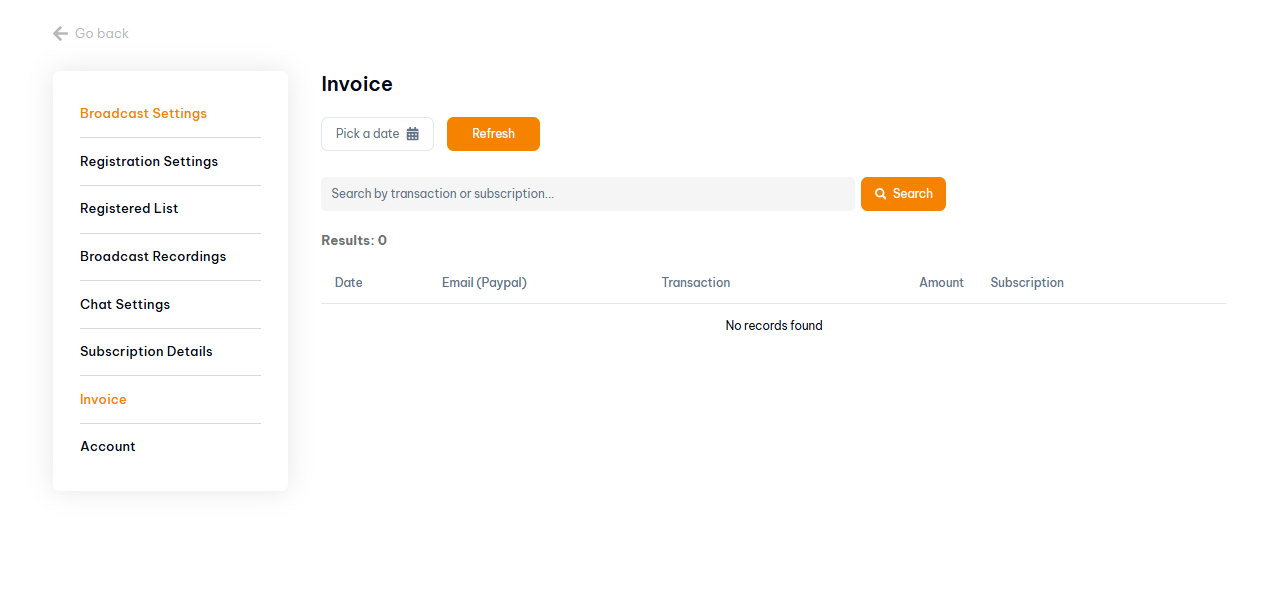
How to Search for a Specific Invoice: Step-by-Step
- Log in to pageinar.com.
- Click the gear icon → Invoice.
- Type the transaction ID or subscription name in the search box.
- Click Search to filter results.
- The matching invoice records are displayed in the table.
What You Can Search For
- Transaction ID — the unique PayPal transaction reference for a specific payment.
- Subscription name — the plan or subscription type associated with the payment.
Tip: If you need a specific invoice for accounting, search by the PayPal transaction ID from your PayPal account to find the exact record in Pageinar.
Go to Settings → Invoice, type the transaction ID or subscription name in the search box, and click Search.
You can search by transaction ID or subscription name to filter your billing history.
Try a partial search term or check that the date range is correct using the date picker. Also verify the transaction ID in your PayPal account.
Log in to your PayPal account and find the payment to Pageinar. The transaction ID is shown in the PayPal transaction details.
Use the search to filter to the relevant invoice, then use your browser print-to-PDF function to save the record.