

How to View Your Account Details in Pageinar
You can view your account details in Pageinar from the Account section in Settings — it shows your account email and gives you the option to delete your broadcast page if needed.
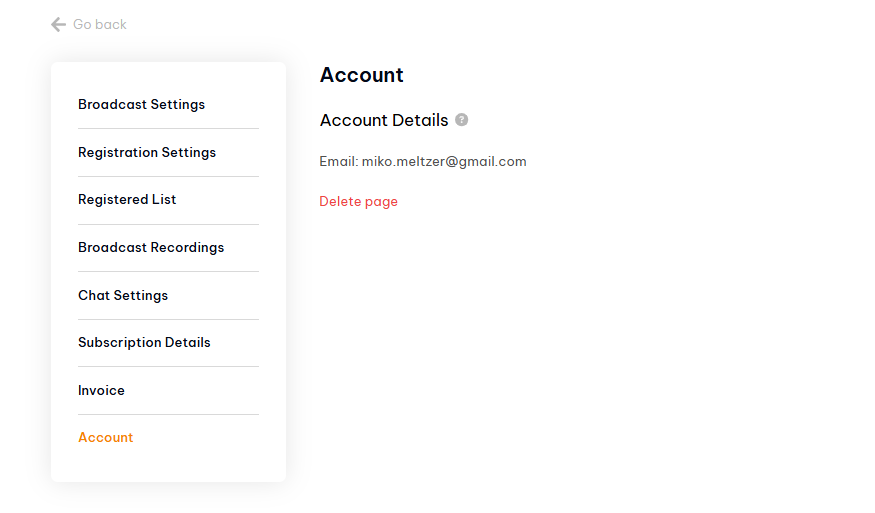
How to View Your Account Details in Pageinar: Step-by-Step
- Log in to pageinar.com.
- Click the gear icon on your broadcast page to open Settings.
- Select Account from the left menu.
- Your account email address is shown under Account Details.
How to Delete Your Webinar Page
The Account panel also contains the Delete page option. Clicking this permanently removes your broadcast page along with all recordings, registered users, and settings. This action cannot be undone, so make sure to export any recordings or registration data you need before proceeding.
Tip: Your account email is your Google account email. Since Pageinar uses Google sign-in only, you cannot change it from within Pageinar.
Open Settings via the gear icon on your broadcast page and select Account from the left menu. Your account email address is displayed there.
No. Pageinar uses Google sign-in, so your account email is linked to your Google account. To change it, you would need to use a different Google account.
In Account settings, click Delete page. This permanently removes your broadcast page and all associated data. This action cannot be undone.
Deleting your page removes all associated data including recordings, the registered list, and settings. Export any data you need before deleting.
Each Pageinar account is associated with one broadcast page. The page is created automatically when you sign in for the first time.